wa-chats
 John Justice Adamu
I want you to create an app like Whatsapp but name it wa-chats and allow using to sign up and sign in with their email address and allow user to search another user with username or the register email address and add a profile section where they can be able to update their details including profiles pictures and add a status section where they can be able to add status and any users with the friend email can view the friend status


Comments (0)
Sign in to leave a comment
System Requirements
System Requirements Document for wa-chats
1. Introduction
The wa-chats application is designed to be a social communication platform similar to WhatsApp, allowing users to connect with friends through email-based sign-up and sign-in. Users can search for others by username or registered email, update their profiles, and share statuses with friends. The app aims to provide a warm, friendly, and engaging user experience.
2. System Overview
wa-chats is a messaging application that facilitates user interaction through email-based authentication and social features such as user search, profile management, and status sharing. The application is designed to be approachable and engaging, with a focus on user-friendly design and interaction.
2a. Product Interpretation and Delivery Boundary
The application will be delivered as a custom UI with app-owned identity management, requiring users to sign up or log in using their email addresses. The system will persist user identity, profile, friendship, and status data across sessions. Status visibility is restricted to users identified as friends via email. The application will not include adjacent capabilities such as phone number-based sign-up or advanced messaging features beyond the stated requirements.
2b. Source Content Inventory
Not applicable as no content_source directive was provided.
2c. Page Content and Component Coverage
Landing
- Information: Introduction to wa-chats, highlighting its features and user benefits.
- Primary Actions: Navigate to Sign Up or Login.
- Components: Hero illustration, call-to-action buttons.
- States: Loading, success, error.
Sign Up
- Information: Email-based registration form.
- Primary Actions: Submit registration details.
- Components: Input fields for email, password, and confirmation.
- States: Loading, success, error, validation feedback.
Login
- Information: Email-based login form.
- Primary Actions: Submit login credentials.
- Components: Input fields for email and password.
- States: Loading, success, error, validation feedback.
Users
- Information: Search for users by username or email.
- Primary Actions: Search, add as friend.
- Components: Search bar, user list, add friend button.
- States: Loading, success, error, empty results.
Profile
- Information: User profile details and picture.
- Primary Actions: Update profile details, upload profile picture.
- Components: Input fields, upload button, profile preview.
- States: Loading, success, error, validation feedback.
Status
- Information: User status updates and friend status viewing.
- Primary Actions: Add status, view friend status.
- Components: Status input, status cards, friend status list.
- States: Loading, success, error, empty status.
3. Functional Requirements
- As a Registered User, I should be able to sign up with my email address to create an account. (explicit)
- As a Registered User, I should be able to sign in with my email address to access my account. (explicit)
- As a Registered User, I should be able to search for other users by username or registered email address. (explicit)
- As a Registered User, I should be able to add another user as a friend. (explicit)
- As a Registered User, I should be able to update my profile details and profile picture. (explicit)
- As a Registered User, I should be able to add a status that my friends can view. (explicit)
- As a Friend / Status Viewer, I should be able to view the status of users who have added me as a friend using my email. (explicit)
- The application must persist user identity and email associations for search and friendship recognition. (required_inference)
- The application must persist profile, friendship, and status state across sessions. (required_inference)
- Status access must verify the viewer's email-based friendship relationship before displaying a friend's status. (required_inference)
4. User Personas
- Registered User: Can sign up and sign in with email, search for other users, add friends, update their profile, and create statuses.
- Friend / Status Viewer: Can view the status of friends who have added them using their email.
5. Core User Flows
Registered User Sign-Up
- Navigate to the Sign Up page from the Landing page.
- Enter email, password, and confirm password.
- Submit the form.
- Receive confirmation of successful registration.
Registered User Login
- Navigate to the Login page from the Landing page.
- Enter email and password.
- Submit the form.
- Access the Users page upon successful login.
User Search and Add Friend
- Access the Users page.
- Enter a username or email in the search bar.
- View search results.
- Select a user and click "Add Friend."
Profile Update
- Access the Profile page.
- Update personal details and upload a new profile picture.
- Save changes and receive confirmation.
Status Update and Viewing
- Access the Status page.
- Enter a new status and submit.
- View own status and statuses of friends who have added the user by email.
6. Visuals Colors and Theme
- Muse: Pablo Stanley
- Palette:
- Background: #FFF9F3
- Surface: #FFFFFF
- Text: #333333
- Primary: #FFD700
- Accent: #FF6F61
- Muted: #E5E5E5
- Typography:
- Headings: Nunito — Bold
- Body: DM Sans
- Scale: 1.25 modular (48/32/24/18/16)
- Shape Language: Rounded corners, pill-shaped buttons, blobs, and stickers.
- Layout: Generous whitespace, user-focused content.
- Imagery: Modular vector people and objects, hand-drawn accents.
7. Signature Design Concept
A warm and inviting hero area on the Landing page featuring a large, friendly illustration of people connecting, set against a backdrop of sunny colors with a clear call-to-action. Rounded pill buttons with playful hover animations and oversized, friendly typography for headings and calls to action.
8. Interaction Model & Motion Direction
- Interaction Model: Animated
- Motion Tempo: Expressive
- Hero Dimensionality: Layered_2d
- Landing Hero Motion Brief:
- Focal Subject: Friendly illustrated hero with modular characters.
- Input→Transformation→Outcome: User hovers over call-to-action, illustration nods, and button animates.
- Motion Vocabulary: Playful hover states, springy micro-interactions.
- Composed First Frame: Illustration with characters and call-to-action.
- Reduced-Motion State: Static illustration with no animation.
9. Non-Functional Requirements
- The application must be named wa-chats. (explicit)
- Status visibility is restricted to users with the friend's email. (explicit)
- Email address is used for sign-up and sign-in. (explicit)
10. Tech Stack
- Frontend: React
- Backend: Python/FastAPI
- Storage: Appropriate database for user data persistence
- Containerization: Docker/docker-compose
- Deployment: Kubernetes (if required)
11. Assumptions and Constraints
- Users will have access to a valid email address for sign-up and sign-in.
- The application will not support phone number-based authentication.
- Status visibility is strictly controlled by email-based friendship.
12. Glossary
- Registered User: A user who has signed up and logged into the wa-chats application.
- Friend / Status Viewer: A user who can view the status of another user who has added them as a friend using their email.
- Status: A short message or update shared by a user, visible to their friends.
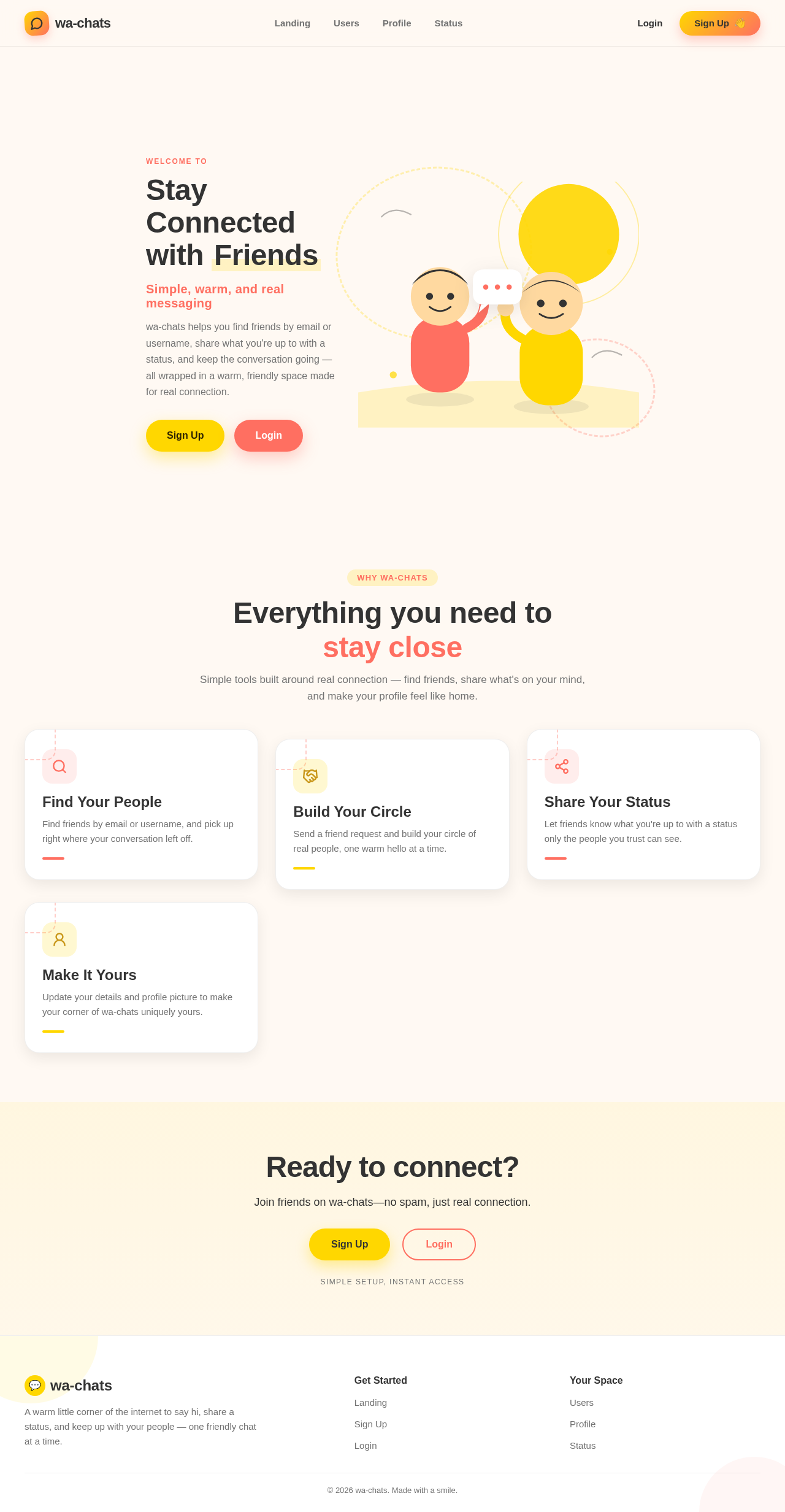
Everything you need to stay close
Simple tools built around real connection — find friends, share what's on your mind, and make your profile feel like home.
Find Your People
Find friends by email or username, and pick up right where your conversation left off.
Build Your Circle
Send a friend request and build your circle of real people, one warm hello at a time.
Share Your Status
Let friends know what you're up to with a status only the people you trust can see.
Make It Yours
Update your details and profile picture to make your corner of wa-chats uniquely yours.
Everything you need to stay close
Simple tools built around real connection — find friends, share what's on your mind, and make your profile feel like home.
Find Your People
Find friends by email or username, and pick up right where your conversation left off.
Build Your Circle
Send a friend request and build your circle of real people, one warm hello at a time.
Share Your Status
Let friends know what you're up to with a status only the people you trust can see.
Make It Yours
Update your details and profile picture to make your corner of wa-chats uniquely yours.
No comments yet. Be the first!