vivid-blog
 Rudra Trivedi
Project Description The goal of this project is to create a Blog web application using Node.js, Express.js, and EJS. The application will allow users to create and view blog posts. Posts will not persist between sessions as no database will be used in this version of the application. Styling will be an important aspect of this project to ensure a good user experience. Example http://www.paulgraham.com/articles.html Deliverables • One Node project for the function of the website • Including at least one EJS file for the structure of the website • Including at least one CSS file for the styling of the website Features 1. Post Creation: Users should be able to create new posts. 2. Post Viewing: The home page should allow the user to view all their posts. 3. Post Update/Delete: Users should be edit and delete posts as needed. 3. Styling: The application should be well-styled and responsive, ensuring a good user experience on both desktop and mobile devices. Technical Requirements 1. Node.js & Express.js: The application will be a web server built using Node.js and Express.js. Express.js will handle routing and middleware. 2. EJS: EJS will be used as the templating engine to generate dynamic HTML based on the application's state. Timeline Hour 0: Planning • Gather content and design ideas, create wireframes and mockups. Plan out how the application will work, which routes might be necessary and which pages need to be made. Hour 1: Setup • Set up the project repository, initialize the Node.js application, and install necessary dependencies (Express.js, EJS). • Create the application structure, including routes, views, and static files. • Set up the Express.js server and define the necessary routes. Hour 2-3: Implementing Features • Implement the post creation feature. This includes creating the form on the home page and handling the form submission in the server. • Implement the post viewing feature. This includes displaying all the posts on the home page. • Implement the post edit feature. This includes using a form to load the existing blog post and allowing the user to edit and save the post. • Implement the delete feature. This allows the user to click a button and remove the post from the home page. • Test the application to ensure that post creation and viewing are working correctly. Hour 4-5: Styling and Polishing • Style the application. This includes creating a CSS file, linking it to your EJS templates, and writing CSS or using Bootstrap/Flexbox/Grid to style the application. • Test the application on different devices and browsers to ensure the styling works correctly. • Fix any bugs or issues that came up during testing
Comments (0)
Sign in to leave a comment
Project Tasks8
Implement Theme & Structure
As a user, I want to experience a visually consistent and responsive interface so that the application looks exactly identical to the mock-design pages. This task covers: applying the vivid theme (Vivid Blue #007BFF, Soft White #F8F9FA, Bright Orange #FF5722, Dark Gray #343A40), setting up Roboto/Open Sans typography, implementing the animated gradient background, floating fixed header with transparency, and global micro-interaction hover effects. Also remove any scaffold pages not present in the design (login, signup, welcome, dashboard pages). Scope: global CSS file, EJS layout/partials, and base structure alignment across all pages.
Implement Posts Backend API
As a user, I want the backend to handle all blog post operations so that I can create, view, edit, and delete posts seamlessly. Implement Express.js routes for full CRUD operations on in-memory posts store: GET / (list all posts for Home), GET /posts/:id (single post view), GET /posts/new (create form), POST /posts (create post), GET /posts/:id/edit (edit form), PUT/POST /posts/:id (update post), DELETE/POST /posts/:id/delete (delete post). No database — use session-scoped in-memory array. Ensure proper redirects after each operation.
Build Home Page
As a user, I want to view all blog posts on the homepage so that I can browse and read post previews. Implement the Home page based on the existing JSX design (v1). Includes: animated living canvas gradient background, interactive 3D flip blog post cards with hover effects, fixed floating header, 'New Post' CTA button (Bright Orange), and responsive card grid (stacks vertically on mobile). Entry point for both Guest (browse/read previews) and User (view all posts, navigate to create/edit/delete). Links to: Post View page, Create Post page, Edit Post page.
Build Post View Page
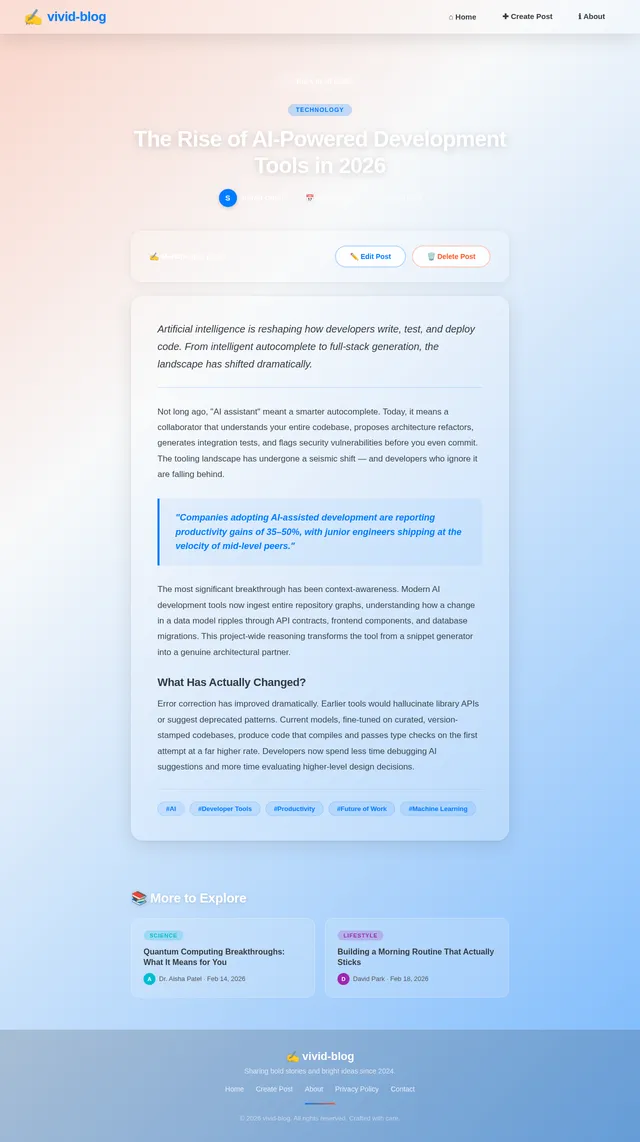
As a user, I want to read the full content of a blog post so that I can consume the complete article. Implement the Post View page based on the existing JSX design (v1). Includes: full post title, author/date metadata, full body content rendering, back-to-home navigation button, and Edit/Delete action buttons for the post owner (User persona). Linked from Home page blog cards. On completion, returns user to Home page.
Build Create Post Page
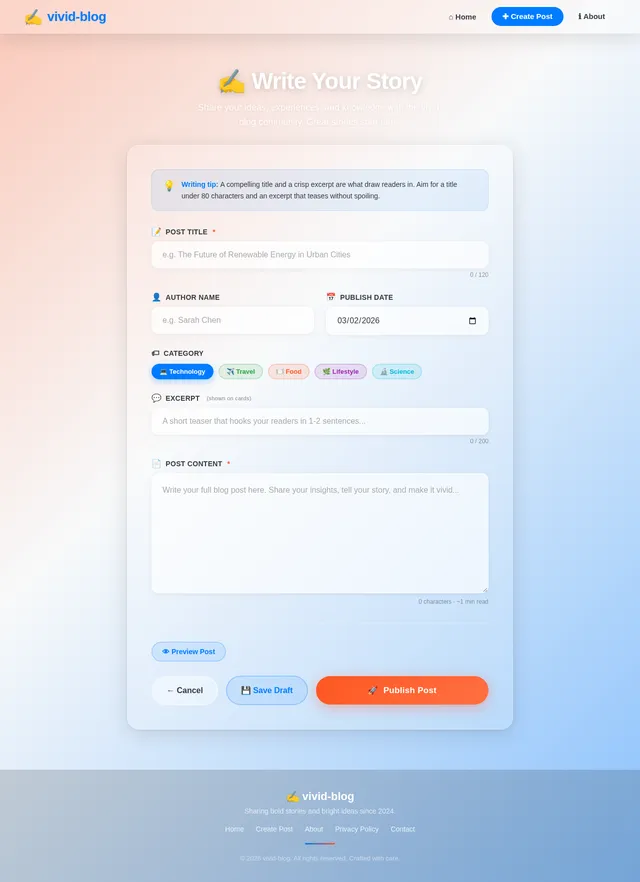
As a user, I want to create a new blog post using a form so that I can publish my content to the homepage. Implement the Create Post page based on the existing JSX design (v1). Includes: form with title input, content/body textarea, submit button (Vivid Blue primary), cancel/back navigation, and client-side basic validation. On successful submission, POST to Express.js route that adds post to in-memory session store and redirects to Home page showing the new post.
Build Edit Post Page
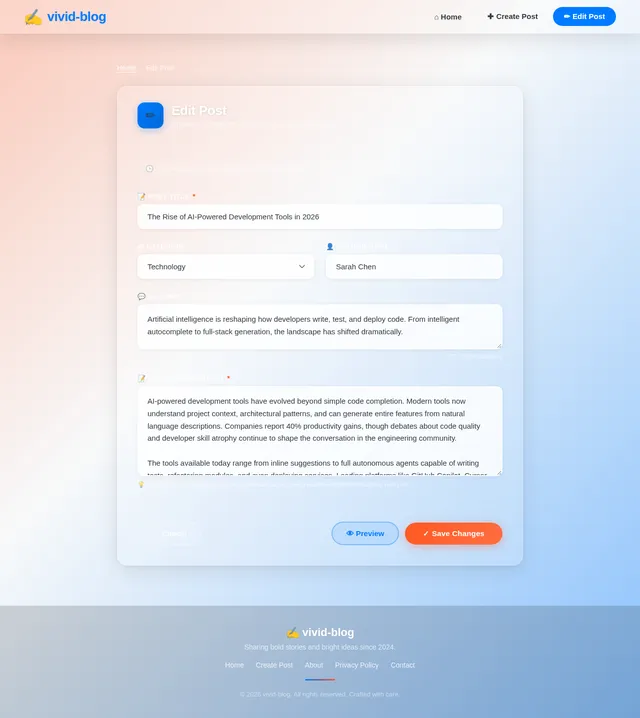
As a user, I want to edit an existing blog post using a pre-populated form so that I can update my published content. Implement the Edit Post page based on the existing JSX design (v1). Includes: form pre-populated with existing post title and content, save/update button, cancel/back navigation, and client-side basic validation. On successful submission, PUT/POST to Express.js route that updates the in-memory post and redirects back to Home page with updated post visible.
Implement Delete Post Feature
As a user, I want to delete a blog post with a single click so that I can remove unwanted content from the homepage. Wire up the Delete button on the Home page and Post View page to send a DELETE/POST request to the backend. The backend removes the post from the in-memory store and redirects to the Home page. Ensure the deleted post no longer appears in the post list. Optionally add a confirmation prompt before deletion to prevent accidental deletes.
Implement Responsive & Cross-Browser Styling
As a user, I want the application to look and work great on all screen sizes and browsers so that I have a consistent experience on desktop and mobile. Ensure full responsiveness from 320px to 1920px: blog cards stack vertically on mobile, touch-friendly interactions replacing hover animations, fluid typography scaling. Test and fix layout across Chrome, Firefox, Safari, and Edge. Validate the animated gradient background, 3D card flip, and micro-interactions degrade gracefully on older browsers. Target page load under 2 seconds.
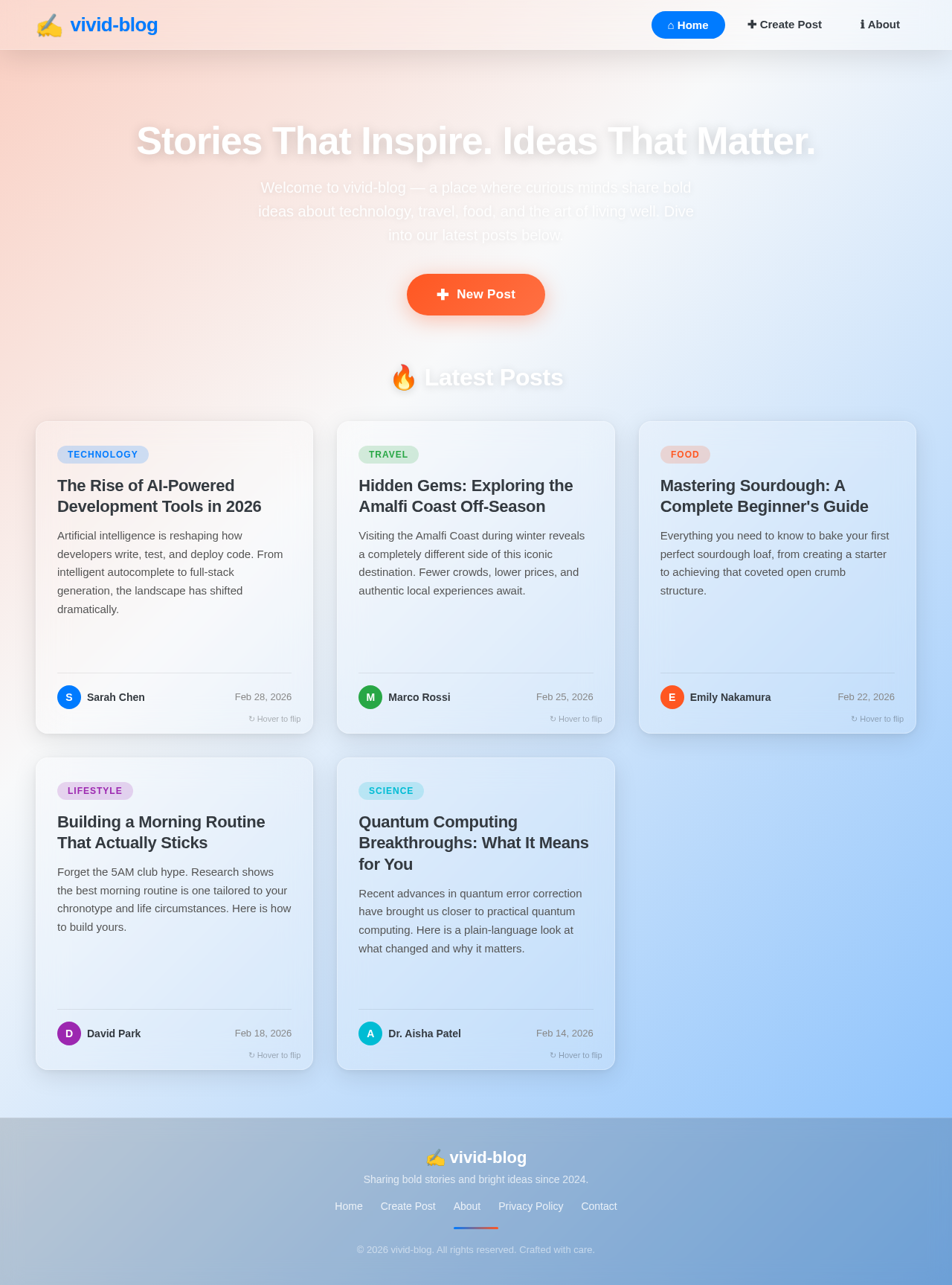
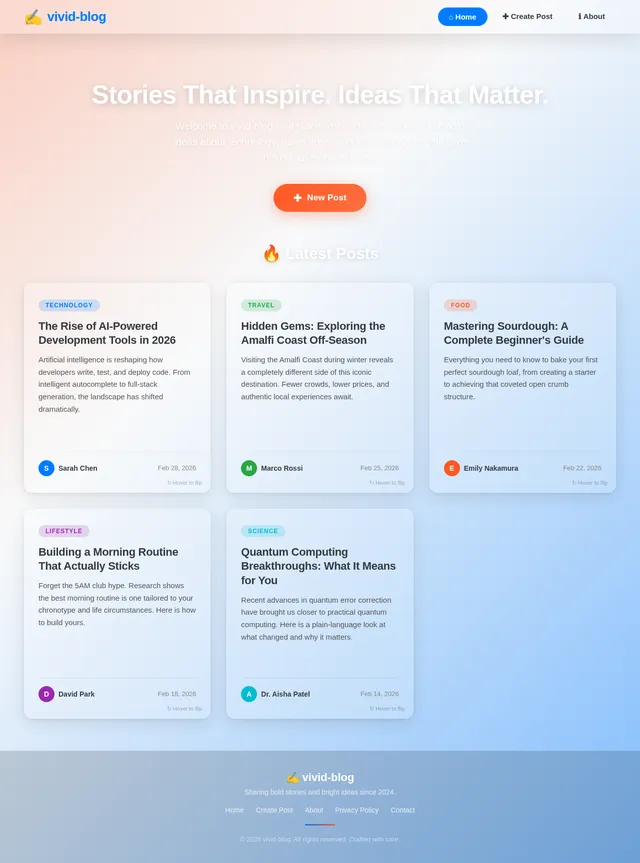
Stories That Inspire. Ideas That Matter.
Welcome to vivid-blog — a place where curious minds share bold ideas about technology, travel, food, and the art of living well. Dive into our latest posts below.
🔥 Latest Posts
The Rise of AI-Powered Development Tools in 2026
Artificial intelligence is reshaping how developers write, test, and deploy code. From intelligent autocomplete to full-stack generation, the landscape has shifted dramatically.
↻ Hover to flipThe Rise of AI-Powered Development Tools in 2026
AI-powered development tools have evolved beyond simple code completion. Modern tools now understand project context, architectural patterns, and can generate entire features from natural language descriptions. Companies report 40% productivity gains, though debates about code quality and developer skill atrophy continue to shape the conversation in the engineering community.
Hidden Gems: Exploring the Amalfi Coast Off-Season
Visiting the Amalfi Coast during winter reveals a completely different side of this iconic destination. Fewer crowds, lower prices, and authentic local experiences await.
↻ Hover to flipHidden Gems: Exploring the Amalfi Coast Off-Season
The Amalfi Coast in January and February offers mild Mediterranean weather, empty hiking trails along the Path of the Gods, and intimate trattorias where locals gather. Skip Positano's summer chaos and instead discover Ravello's quiet gardens, Atrani's untouched charm, and the lemon groves of Minori. Budget travelers can find accommodation at a third of peak-season prices.
Mastering Sourdough: A Complete Beginner's Guide
Everything you need to know to bake your first perfect sourdough loaf, from creating a starter to achieving that coveted open crumb structure.
↻ Hover to flipMastering Sourdough: A Complete Beginner's Guide
Building a sourdough starter takes about 7 days of consistent feeding with equal parts flour and water. The key to great bread lies in understanding fermentation timing, dough hydration levels, and shaping technique. Start with 70% hydration for easier handling. Use the poke test to judge proofing, and bake in a preheated Dutch oven at 500°F for maximum oven spring and a crackling crust.
Building a Morning Routine That Actually Sticks
Forget the 5AM club hype. Research shows the best morning routine is one tailored to your chronotype and life circumstances. Here is how to build yours.
↻ Hover to flipBuilding a Morning Routine That Actually Sticks
Sleep researchers identify four chronotypes: lion, bear, wolf, and dolphin. Instead of forcing a 5AM wake-up, align your routine with your natural biology. Start with one anchor habit, then stack others gradually. The 2-minute rule helps overcome resistance: any new habit should take less than two minutes initially. Track consistency, not perfection, and allow flexibility for life's inevitable disruptions.
Quantum Computing Breakthroughs: What It Means for You
Recent advances in quantum error correction have brought us closer to practical quantum computing. Here is a plain-language look at what changed and why it matters.
↻ Hover to flipQuantum Computing Breakthroughs: What It Means for You
The latest quantum processors achieve error rates below the threshold needed for fault-tolerant computation. This means algorithms that were purely theoretical can now run on real hardware. Implications span drug discovery, materials science, cryptography, and optimization problems. While consumer quantum computers remain decades away, cloud-based quantum services are already accessible to researchers and forward-thinking enterprises worldwide.
No comments yet. Be the first!