verdant-a
 Krishnendu Halder
Build a production-grade, privacy-focused Document Q&A (RAG) web application that runs 100% locally with zero external API calls (No OpenAI, Anthropic, or Pinecone). ### 1. Core Architecture & Tech Stack - Frontend: Next.js (React), TypeScript, Tailwind CSS, and Shadcn UI. Include a modern dark mode dashboard, upload dropzone with progress bar, sidebar for uploaded document management, and a clean streaming chat interface. - Backend: FastAPI (Python 3.11) exposing REST APIs for PDF processing, vector search, and chat completions. - Local LLM & Embedding Runner: Use Ollama or LocalAI via Docker to run local inference. - LLM Model: mistral:7b-instruct or llama3:8b-instruct - Embedding Model: BAAI/bge-small-en-v1.5 or all-minilm-L6-v2 (using HuggingFaceEmbeddings / SentenceTransformers) - Vector Database: Qdrant (or ChromaDB) running locally inside a containerized Docker service. - Orchestration Framework: LangChain or LlamaIndex for RAG pipeline, text splitting, and retrieval. - PDF Parser: PyMuPDF (fitz) or pypdf for local, high-speed text extraction. ### 2. Functional Requirements & Features - PDF Upload & Ingestion Pipeline: 1. Users upload a PDF via the drag-and-drop web UI. 2. Parse PDF text locally, chunk it into overlapping sections (chunk_size: 1000, chunk_overlap: 150) using RecursiveCharacterTextSplitter. 3. Generate embeddings locally using the Hugging Face model and store vectors + document metadata (filename, page number, chunk ID) inside local Qdrant. 4. Return real-time upload progress and parsing status to the UI. - Retrieval & Chat Execution: 1. User asks a question in the chat interface. 2. Convert query to embeddings locally and perform Cosine Similarity search against local Qdrant (top_k: 4 chunks). 3. Pass retrieved context chunks along with the query to the local LLM running in Ollama using a tailored RAG prompt template. 4. Stream the generated answer back to the frontend UI in real-time (Server-Sent Events / WebSockets). 5. Include Source Citations: Every answer must display expandable "Source Badges" showing the exact page number and text snippet retrieved from the PDF. ### 3. Fully Local / Air-Gapped Enforcement - Hardcode all configuration logic to point to local localhost / container network endpoints (e.g., http://ollama:11434 and http://qdrant:6333). - Provide a clear fallback script/mechanism using `langchain-community` to download models during initial Docker build so runtime functions offline. ### 4. Infrastructure & DevOps Setup - Docker Compose: Provide a multi-container `docker-compose.yml` configured with services for: 1. `frontend` (Next.js) 2. `backend` (FastAPI) 3. `qdrant` (Vector Database with persistent volume) 4. `ollama` (Local LLM service pre-configured to pull llama3/mistral and bge-small) - Automated Tests: Write pytest integration tests for PDF parsing, local embedding generation, Qdrant vector retrieval, and FastAPI health checks. - API Documentation: Autogenerate OpenAPI (Swagger) endpoints for `/api/upload`, `/api/query`, and `/api/documents`.


Comments (0)
Sign in to leave a comment
Architecture
No Services Diagrams Yet
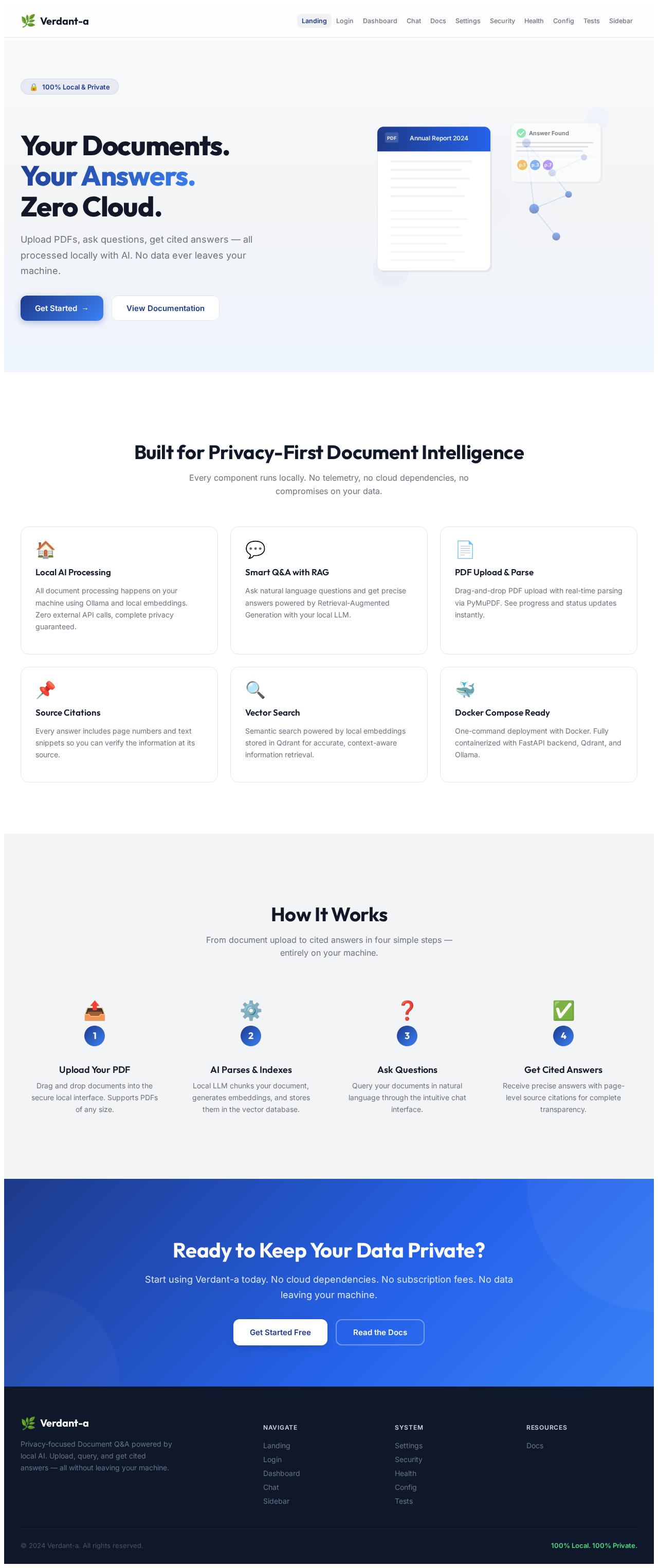
Your Documents.
Your Answers.
Zero Cloud.
Upload PDFs, ask questions, get cited answers — all processed locally with AI. No data ever leaves your machine.
Built for Privacy-First Document Intelligence
Every component runs locally. No telemetry, no cloud dependencies, no compromises on your data.
Local AI Processing
All document processing happens on your machine using Ollama and local embeddings. Zero external API calls, complete privacy guaranteed.
Smart Q&A with RAG
Ask natural language questions and get precise answers powered by Retrieval-Augmented Generation with your local LLM.
PDF Upload & Parse
Drag-and-drop PDF upload with real-time parsing via PyMuPDF. See progress and status updates instantly.
Source Citations
Every answer includes page numbers and text snippets so you can verify the information at its source.
Vector Search
Semantic search powered by local embeddings stored in Qdrant for accurate, context-aware information retrieval.
Docker Compose Ready
One-command deployment with Docker. Fully containerized with FastAPI backend, Qdrant, and Ollama.
How It Works
From document upload to cited answers in four simple steps — entirely on your machine.
Upload Your PDF
Drag and drop documents into the secure local interface. Supports PDFs of any size.
AI Parses & Indexes
Local LLM chunks your document, generates embeddings, and stores them in the vector database.
Ask Questions
Query your documents in natural language through the intuitive chat interface.
Get Cited Answers
Receive precise answers with page-level source citations for complete transparency.
Ready to Keep Your Data Private?
Start using Verdant-a today. No cloud dependencies. No subscription fees. No data leaving your machine.
Your Documents.
Your Answers.
Zero Cloud.
Upload PDFs, ask questions, get cited answers — all processed locally with AI. No data ever leaves your machine.
Built for Privacy-First Document Intelligence
Every component runs locally. No telemetry, no cloud dependencies, no compromises on your data.
Local AI Processing
All document processing happens on your machine using Ollama and local embeddings. Zero external API calls, complete privacy guaranteed.
Smart Q&A with RAG
Ask natural language questions and get precise answers powered by Retrieval-Augmented Generation with your local LLM.
PDF Upload & Parse
Drag-and-drop PDF upload with real-time parsing via PyMuPDF. See progress and status updates instantly.
Source Citations
Every answer includes page numbers and text snippets so you can verify the information at its source.
Vector Search
Semantic search powered by local embeddings stored in Qdrant for accurate, context-aware information retrieval.
Docker Compose Ready
One-command deployment with Docker. Fully containerized with FastAPI backend, Qdrant, and Ollama.
How It Works
From document upload to cited answers in four simple steps — entirely on your machine.
Upload Your PDF
Drag and drop documents into the secure local interface. Supports PDFs of any size.
AI Parses & Indexes
Local LLM chunks your document, generates embeddings, and stores them in the vector database.
Ask Questions
Query your documents in natural language through the intuitive chat interface.
Get Cited Answers
Receive precise answers with page-level source citations for complete transparency.
Ready to Keep Your Data Private?
Start using Verdant-a today. No cloud dependencies. No subscription fees. No data leaving your machine.
No comments yet. Be the first!