venus-website
 Rajvi Shah (SDS Fin)
Create a modern and aesthetic website for a Designer Clothing Rental Studio. Brand Name: The Velvet Hanger (you can change this) Style: Minimal, luxury, soft pastel colors, fashion editorial vibe. Target Audience: Women who want to rent designer outfits for weddings, parties, pre-wedding shoots, and special occasions. Pages Needed: 1. Home Page 2. Browse Collection 3. How Rental Works 4. Pricing 5. About Us 6. Book Appointment 7. Contact Home Page Sections: • Hero section with large aesthetic fashion image and text: "Rent Designer Looks Without Buying" • Featured Categories - Bridal Lehengas - Party Gowns - Cocktail Dresses - Pre-Wedding Shoot Outfits • How It Works (4 Steps) Browse → Select → Rent → Return • Featured Designer Pieces • Testimonials • Instagram Gallery • Call to Action: "Book Your Outfit Now" Design Style: Luxury fashion brand similar to Vogue or high-end boutique websites. Typography: Elegant serif fonts for headings and minimal sans-serif for text. Color Palette: Beige, Ivory, Soft Gold, Blush Pink. Include smooth animations and large aesthetic fashion photography. luxury bridal lehenga hanging in a minimalist fashion studio, soft sunlight, beige background, aesthetic fashion photography, editorial style, ultra realistic, 4k designer gowns and lehengas hanging on a gold clothing rack, luxury fashion rental studio, pastel background, aesthetic boutique interior, soft lighting, editorial photography minimal luxury fashion rental studio interior, mirrors, beige sofa, clothing rack with designer dresses, aesthetic boutique vibe, soft natural light, fashion editorial style designer lehenga outfit flat lay on neutral background, jewelry and heels placed beside, luxury fashion aesthetic, soft lighting, editorial photoshoot [ HERO IMAGE ] Rent Designer Looks Without Buying [ Browse Categories ] Lehenga | Gown | Cocktail | Pre-wedding [ How It Works ] 1. Browse 2. Select 3. Rent 4. Return [ Featured Dresses ] [ Testimonials ] [ Instagram Gallery ] [ CTA ] Book Your Outfit

Comments (0)
Sign in to leave a comment
Project Tasks15
Implement Theme & Design System
As a frontend developer, I want to implement the global theme and design system based on the SRD color palette and mock-design pages so that all pages share a consistent luxury aesthetic. Tasks include: (1) Set up global CSS variables for the color palette (Beige #F5F5DC, Ivory #FFF8E7, Charcoal #4A4A4A, Blush Pink #FFC0CB, Soft Lavender #D8BFD8). (2) Configure Cormorant Garamond / Playfair Display serif fonts as the primary font family via Google Fonts import. (3) Establish reusable CSS utility classes for buttons (pill shapes, filled blush + ghost outline variants), cards (ivory surface, blush border, soft shadow), section spacing, and typography scale. (4) Remove scaffold pages not in user flows (signup, welcome, ai-assistant, settings). (5) Ensure the base layout shell (NavBar sticky frosted-glass, Footer deepest beige) matches the editorial luxury style from mock designs. This task must be completed before all page implementation tasks.
Implement Outfits Inventory API
As a user/admin, I want to use the backend API for outfits inventory so that outfit listings can be fetched, created, updated, and deleted. Implement FastAPI endpoints: GET /outfits (list with filters: category, size, price range), GET /outfits/{id} (single outfit detail), POST /outfits (admin: add outfit with image URL, name, designer, category, price, sizes, availability), PUT /outfits/{id} (admin: update outfit), DELETE /outfits/{id} (admin: remove outfit). Use MySQL with Alembic migration for the Outfit model. Return INR pricing. Secure admin endpoints with JWT auth.
Build Home Page
As a user, I want to use the Home page frontend so that I can view the hero section, browse categories, learn how it works, explore featured outfits, read testimonials, and book an appointment. Implement the Home page based on the existing JSX design (v2) which includes: NavBar, Hero (full-viewport editorial image, headline 'Rent Designer Looks Without Buying'), TrustBar, InteractiveClothingRack (horizontal scroll with hover tooltips), FeaturedDesignerPieces (carousel), HowItWorks (4-step animated flow: Browse → Select → Rent → Return), CategoryBrowse (Bridal Lehengas, Party Gowns, Cocktail Dresses, Pre-Wedding Shoot Outfits), Testimonials (slider), InstagramGallery (3x3 grid), BookingCTA ('Book Your Outfit Now' button), and Footer. Page links to: Collection, How It Works, Booking. Existing JSX design (v2) is available — AI percentage is high.
Build Login Page
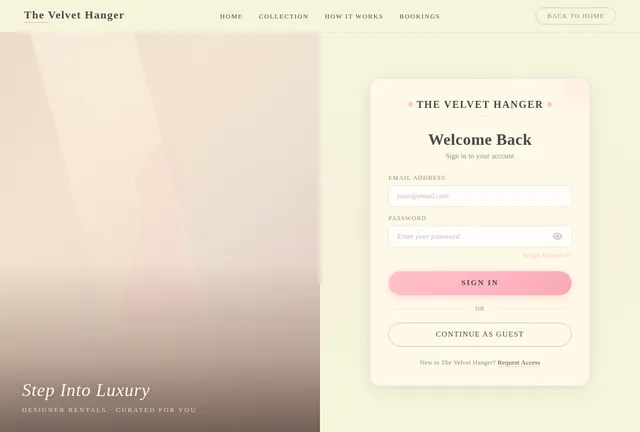
As an admin, I want to use the Login page frontend so that I can sign in to access the dashboard and manage bookings and inventory. Implement the Login page based on the existing JSX design (v2) which includes: a two-column desktop layout (editorial fashion image panel on the left with tagline overlay; login card on the right with brand wordmark 'The Velvet Hanger', 'Welcome Back' heading, email + password fields with show/hide toggle, 'Forgot Password?' blush-pink link, 'Sign In' pill CTA, 'Continue as Guest' ghost button, and 'Request Access' register prompt). On mobile, image column is hidden and card goes full-screen. Styled in luxury beige/ivory theme. Page links to: Dashboard (on successful login). Must be responsive and mobile-friendly.
Build Collection Page
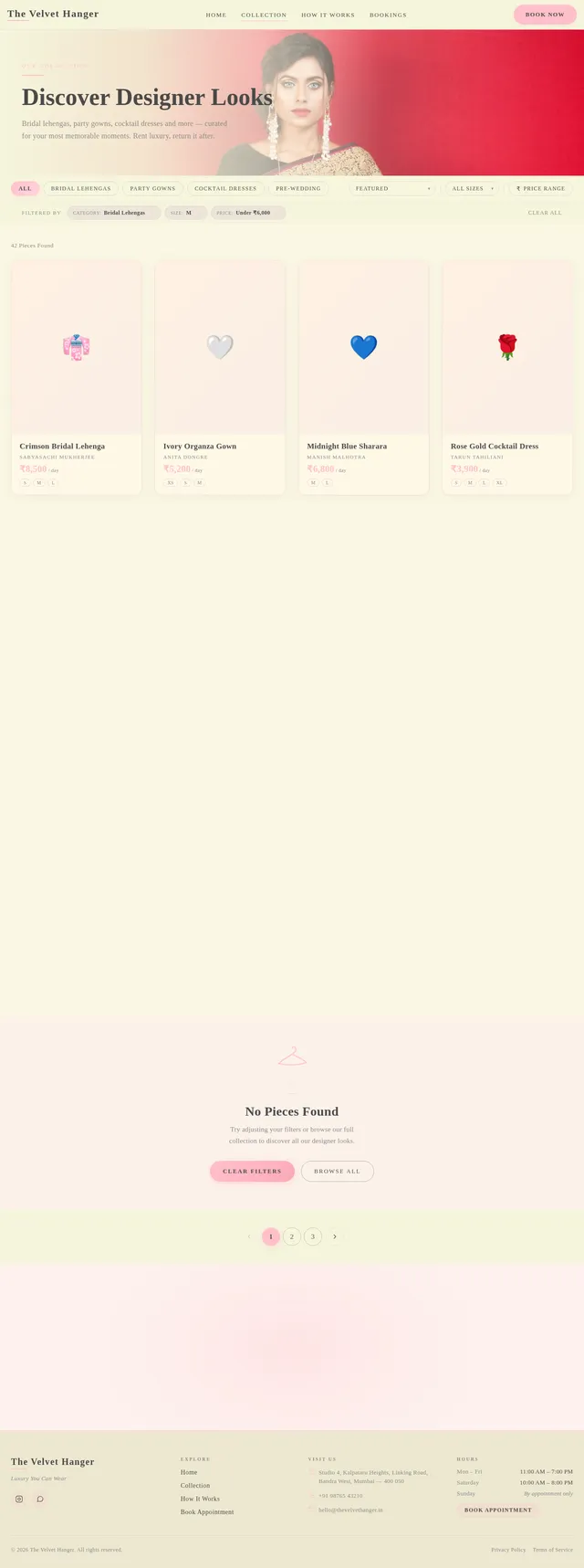
As a user, I want to use the Collection page frontend so that I can filter and browse all available designer outfits by category and find the perfect look for my occasion. Implement the Collection page based on the existing JSX design (v2) which includes: CollectionHero editorial banner, sticky FilterBar (category pills: Bridal Lehengas, Party Gowns, Cocktail Dresses, Pre-Wedding, All; Sort By dropdown; size multi-select; price-range trigger), ActiveFiltersStrip with dismissible lavender chip tags, CollectionGrid (4-col desktop / 3-col tablet / 2-col mobile outfit cards with hover zoom and 'View Details' overlay), EmptyState (hanger illustration, 'No Pieces Found', Clear Filters + Browse All CTAs), and Pagination. Page reached from Home (Browse Categories). Links to: Outfit Detail.
Build Outfit Detail Page
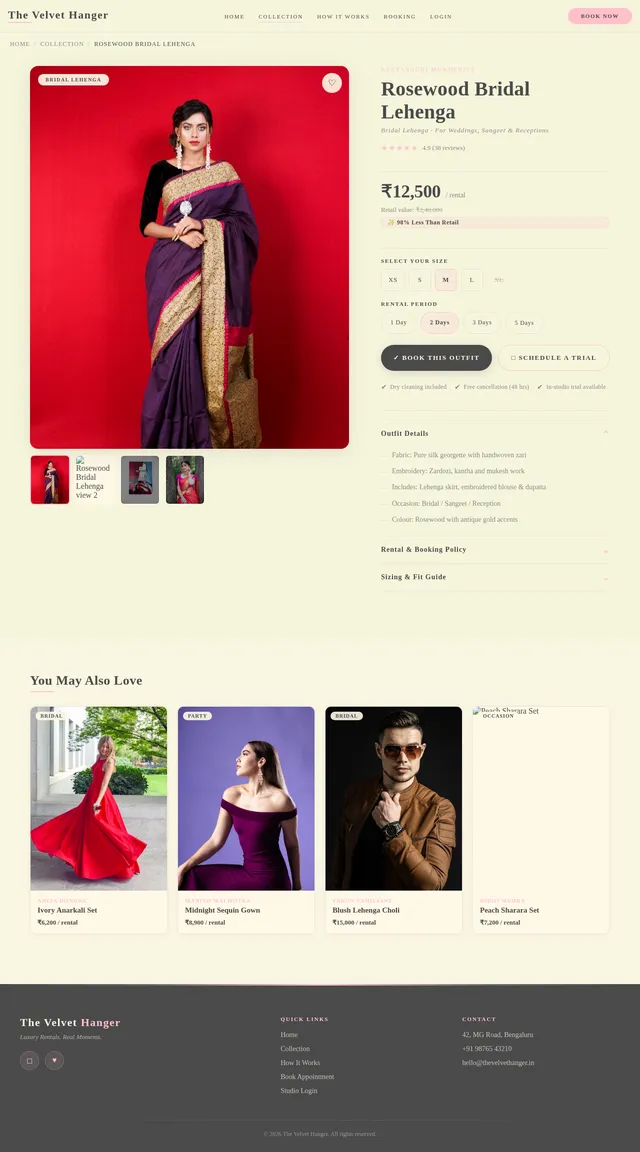
As a user, I want to use the Outfit Detail page frontend so that I can view comprehensive information about a specific outfit before deciding to book an appointment. Implement the Outfit Detail page based on the existing JSX design (v2) which includes: a large editorial-style outfit image gallery (multiple angles with thumbnail strip), outfit name and designer in serif typography, rental price in INR, size availability badges, outfit description and care notes, occasion tags (e.g., Wedding, Party), a prominent 'Book Appointment' CTA button in blush pink, and a related outfits section below. Page reached from Collection. Links to: Booking.
Build Booking Page
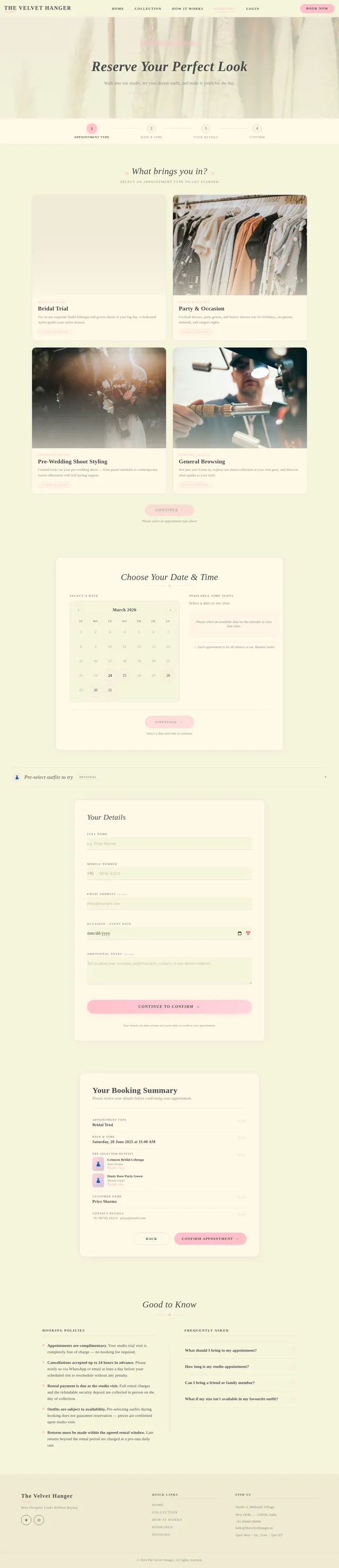
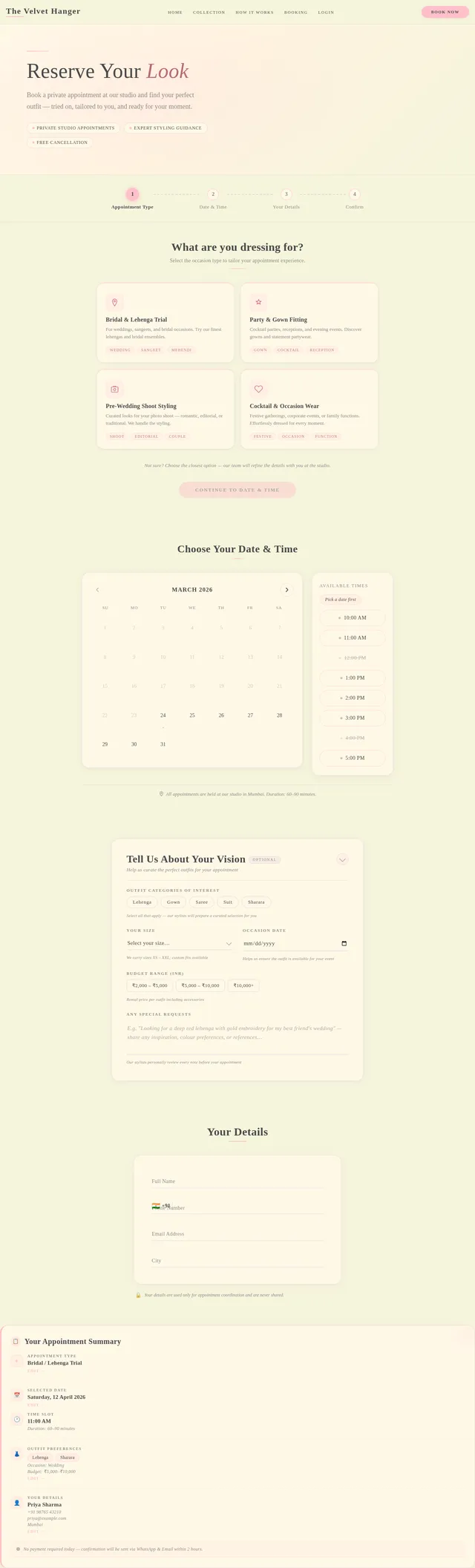
As a user, I want to use the Booking page frontend so that I can book a studio appointment to try on a selected outfit for my special occasion. Implement the Booking page based on the existing JSX design (v2) which includes: BookingHero ('Reserve Your Look'), BookingStepIndicator (4-step progress: Appointment Type → Date & Time → Your Details → Confirm), AppointmentTypeSelector (selectable cards: Bridal/Lehenga Trial, Party & Gown Fitting, Pre-Wedding Shoot Styling, Cocktail & Occasion Wear), DateTimePickerSection (inline calendar widget + time slot pills: 10AM–5PM, IST timezone), OutfitPreferenceForm (optional: categories multi-select, size, occasion date, budget range, special requests), PersonalDetailsForm (Full Name, Phone +91, Email, City with floating labels), BookingSummaryPanel (sticky recap card), ConfirmationCTA ('Confirm My Appointment' + WhatsApp contact + reassurance icons), and HowItWorksReminder band. Page reached from Outfit Detail and Home CTA.
Build How It Works Page
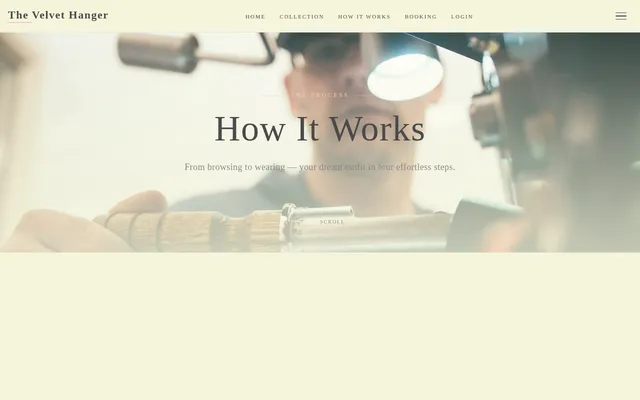
As a user, I want to use the How It Works page frontend so that I can understand the complete rental process step-by-step before browsing the collection. Implement the How It Works page based on the existing JSX design (v2) which includes: a full-page editorial layout explaining the 4-step rental flow (Browse → Select → Rent → Return) using large step illustrations or icons, descriptive copy for each step, an FAQ accordion section addressing common questions (deposit, sizing, return policy, delivery), and a CTA at the bottom ('Start Browsing' linking to Collection). Features smooth scroll animations and the signature luxury aesthetic. Page reached from Home. Links to: Collection.
Implement Bookings API
As a user/admin, I want to use the backend API for appointment bookings so that users can submit booking requests and admins can manage them. Implement FastAPI endpoints: POST /bookings (user: submit appointment — name, phone, email, outfit_id, preferred_date in IST, occasion, notes), GET /bookings (admin: list all bookings with filters by status/date), GET /bookings/{id} (admin: booking detail), PUT /bookings/{id}/status (admin: update status — Confirmed, Pending, Cancelled), DELETE /bookings/{id} (admin: cancel booking). Use MySQL with Alembic for the Booking model. Send email/WhatsApp confirmation on booking creation (optional async task).
Build Dashboard Page
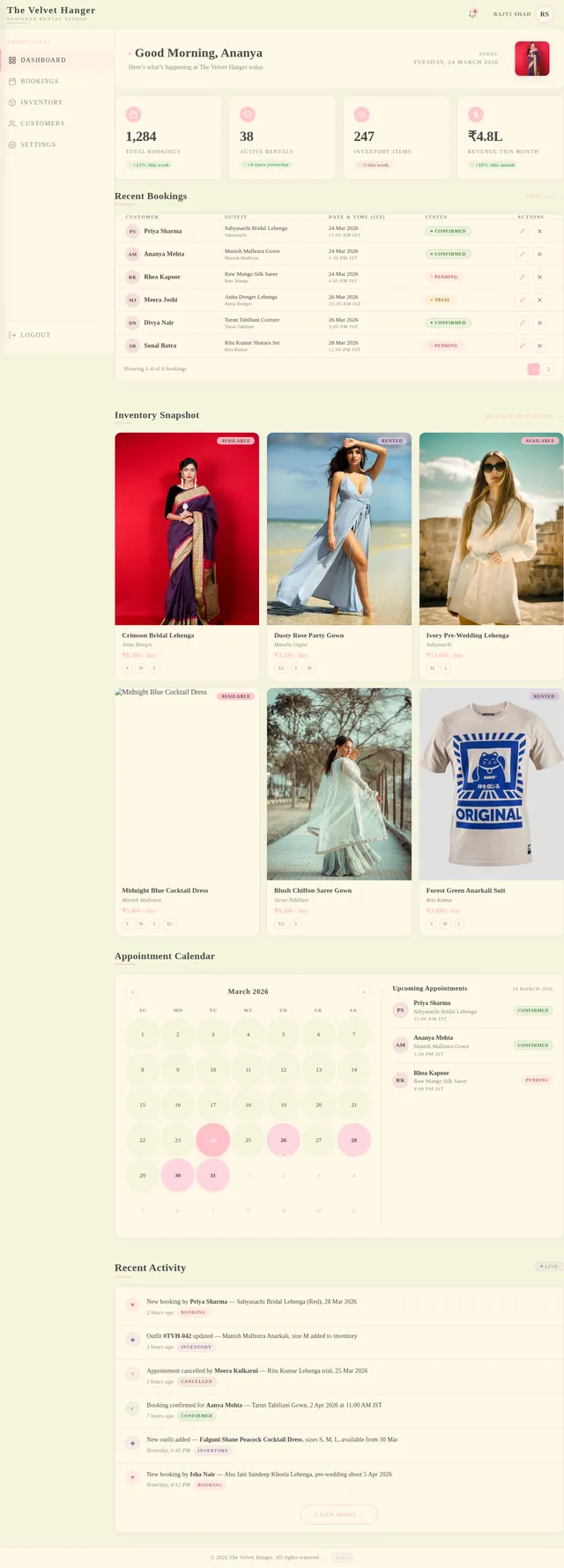
As an admin, I want to use the Dashboard page frontend so that I can view a summary of bookings, inventory status, and recent activity at a glance. Implement the Dashboard page based on the existing JSX design (v2) with: a sticky TopBar with The Velvet Hanger branding and admin avatar, a left Sidebar with navigation links (Dashboard, Bookings, Inventory), and a main content area containing: summary stats cards (total bookings, active rentals, outfits in inventory), a recent bookings table preview, and quick action buttons. Styled in the luxury beige/ivory theme. Page reached from Login. Links to: Bookings, Inventory.
Integrate Collection & Outfit Detail APIs
As a frontend developer, I want to integrate the Collection and Outfit Detail pages with the backend Outfits API so that users see real outfit data from the database. Wire up GET /outfits with filter parameters to the Collection page filter UI. Wire up GET /outfits/{id} to the Outfit Detail page. Implement loading skeletons in the luxury aesthetic, empty state handling, and error states. Ensure INR prices are correctly displayed. Implement React Query or useState/useEffect for data fetching.
Integrate Booking Form with API
As a frontend developer, I want to integrate the Booking page form with the backend Bookings API so that users can successfully submit appointment requests and receive confirmation. Wire up POST /bookings to the Booking page form submission. Implement form validation (required fields, phone number format +91, date picker with IST timezone). Display a success confirmation screen with booking summary after submission. Handle API error states gracefully with user-friendly messages in the luxury UI style.
Build Bookings Page
As an admin, I want to use the Bookings page frontend so that I can view, manage, and update all appointment bookings from customers. Implement the Bookings page based on the existing JSX design (v2) with: a data table listing all appointments (customer name, outfit, date, status), filter/search controls, status badge chips (Confirmed, Pending, Cancelled) styled in the brand palette, action buttons to update or cancel appointments, and pagination. Sidebar navigation remains consistent with Dashboard layout. Page is reached from Dashboard.
Build Inventory Page
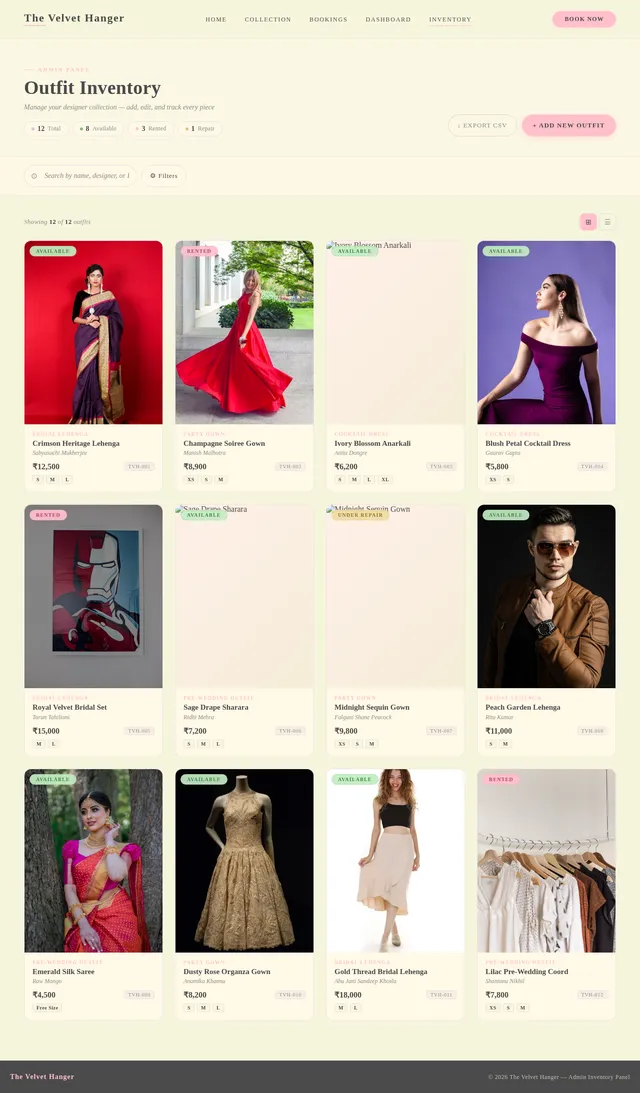
As an admin, I want to use the Inventory page frontend so that I can view all outfits in the studio's collection, add new outfits, and edit existing ones. Implement the Inventory page based on the existing JSX design (v2) with: a grid/list view of all outfits (image thumbnail, outfit name, designer, category, rental price in INR, size availability, availability status), filter and search by category (Bridal Lehenga, Party Gown, Cocktail Dress, Pre-Wedding), an 'Add Outfit' button opening an add outfit form/modal, and edit/delete actions per outfit row. Sidebar navigation consistent with Dashboard layout. Page is reached from Dashboard.
Integrate Admin Dashboard with APIs
As an admin, I want to use the Dashboard, Bookings, and Inventory pages integrated with backend APIs so that I can manage real data. Wire up: Dashboard stats cards to aggregated booking/inventory counts API, Bookings page table to GET /bookings with status filter and PUT /bookings/{id}/status for status updates, Inventory page grid to GET /outfits with Add (POST /outfits), Edit (PUT /outfits/{id}) and Delete (DELETE /outfits/{id}) actions. Implement optimistic UI updates and toast notifications for admin actions in the luxury theme.


Rent Designer Looks Without Buying
Luxury outfits for weddings, parties & pre-wedding shoots — try before you rent
Browse The Rack


Featured Pieces
 Bridal Lehenga
Sabyasachi Mukherjee
Starting from ₹12,500
 Party Gown
Manish Malhotra
Starting from ₹8,200
 Cocktail Dress
Anita Dongre
Starting from ₹6,800
 Pre-Wedding Outfit
Tarun Tahiliani
Starting from ₹9,500
 Bridal Lehenga
Ritu Kumar
Starting from ₹11,000
 Reception Gown
Gaurav Gupta
Starting from ₹7,800
 Cocktail Dress
Anamika Khanna
Starting from ₹6,200
 Pre-Wedding Outfit
Shantanu & Nikhil
Starting from ₹8,900
How It Works
Browse
Explore our curated collection of 500+ designer outfits for every occasion.
Select
Pick your favourites and book a studio appointment to try them on.
Rent
Wear the designer piece for your special day at a fraction of the retail price.
Return
Simply return the outfit after your event. No cleaning or hassle needed.


Loved By Our Brides
Follow our studio for daily outfit inspiration & behind-the-scenes styling


Gallery powered by Instagram Basic Display API. Showing curated studio content.
Your Dream Outfit Is Waiting
Book a studio appointment and try on your favorite looks in person
No comments yet. Be the first!