venus-music
 Shashank Parmar
Build a full-stack music streaming web app similar to Spotify. 🎯 Goal: Create a production-ready app with modern UI, backend APIs, authentication, and music player. ----------------------------------- 🖥️ FRONTEND ----------------------------------- Tech: - React.js (Vite) - Tailwind CSS - Axios - React Router Features: - Dark UI (Spotify-style: black + green accent) - Sidebar: Home, Search, Library - Top Navbar with profile - Homepage with playlists, albums, trending songs - Search page (search songs, artists) - Library page (liked songs, playlists) - Fully responsive (mobile + desktop) Components: - Sidebar - Navbar - SongCard - PlaylistCard - Player (bottom fixed) ----------------------------------- 🎵 MUSIC PLAYER ----------------------------------- - Play / Pause - Next / Previous - Seek bar (progress) - Volume control - Show song image, title, artist - Use HTML5 Audio API ----------------------------------- 🧠 BACKEND ----------------------------------- Tech: - Node.js + Express - MongoDB (Mongoose) Features: - JWT Authentication (signup/login) - User profile - Song upload (admin) - Store songs (title, artist, URL, thumbnail) - Create playlist - Like/unlike songs - Recently played API: - Auth APIs - Songs APIs - Playlist APIs - User APIs ----------------------------------- 📦 DATABASE SCHEMA ----------------------------------- User: - name - email - password - likedSongs[] - playlists[] Song: - title - artist - audioUrl - thumbnail - duration Playlist: - name - userId - songs[] ----------------------------------- ⚡ ADVANCED FEATURES ----------------------------------- - Search functionality - Basic recommendation (based on liked songs) - Recently played tracking - Loading skeletons - Error handling ----------------------------------- 🔐 SECURITY ----------------------------------- - Password hashing (bcrypt) - JWT middleware - Protected routes ----------------------------------- 🚀 DEPLOYMENT ----------------------------------- Frontend: Vercel Backend: Render / Railway Database: MongoDB Atlas Include: - Environment variables setup - Deployment steps ----------------------------------- 📁 OUTPUT FORMAT ----------------------------------- 1. Full folder structure (frontend + backend) 2. Step-by-step setup guide 3. All important code files 4. Commands to run project 5. Sample dummy data ----------------------------------- 🎨 UI QUALITY ----------------------------------- - Clean modern UI like Spotify - Smooth animations - Good spacing & typography ----------------------------------- Make sure the code is clean, modular, and beginner-friendly with comments.
Comments (0)
Sign in to leave a comment
System Requirements
System Requirements Document (SRD)
Project Name: venus-music
1. Introduction
The venus-music project is a full-stack music streaming web application designed to deliver a seamless and modern music listening experience. Inspired by platforms like Spotify, this application will feature a sleek dark-themed UI, advanced playback functionalities, and integration with external APIs for music streaming.
This document outlines the system requirements for venus-music, ensuring clarity and alignment with the project's goals. The application will cater to users in India (IN), with locale-specific considerations such as time zones (IST) and currency (₹) where applicable.
2. System Overview
The venus-music application will provide users with the ability to stream music, create playlists, like songs, and explore trending tracks. The system will consist of:
- A frontend built with React.js for a responsive and interactive user interface.
- A backend powered by Python (FastAPI) for robust API handling and integration with external music streaming APIs (YouTube and Spotify).
- A database to store user profiles, playlists, and metadata for seamless user experience.
The system will integrate YouTube and Spotify APIs for music streaming, ensuring access to a vast library of songs without the need for local song storage.
3. Functional Requirements
As a User:
- I should be able to sign up and log in securely.
- I should be able to search for songs, artists, and playlists.
- I should be able to stream songs via YouTube or Spotify APIs.
- I should be able to create and manage playlists.
- I should be able to like and unlike songs.
- I should be able to view recently played songs.
- I should be able to see trending songs and recommendations based on my liked songs.
As an Admin:
- I should be able to manage user accounts.
- I should be able to monitor API usage and system performance.
4. User Personas
1. Regular User
- Description: Music enthusiasts who want to stream songs, create playlists, and explore trending music.
- Goals: Seamless music streaming, personalized recommendations, and easy playlist management.
2. Admin
- Description: System administrators responsible for managing user accounts and monitoring system performance.
- Goals: Ensure system stability, manage user data, and monitor API usage.
5. Visuals Colors and Theme
Color Palette:
The venus-music application will feature a unique dark theme with vibrant accents to create a modern and immersive experience.
- Background: #121212 (Deep Black)
- Surface: #1E1E1E (Charcoal Gray)
- Text: #FFFFFF (Pure White)
- Accent: #1DB954 (Spotify Green)
- Muted Tones: #B3B3B3 (Muted Gray)
6. Signature Design Concept
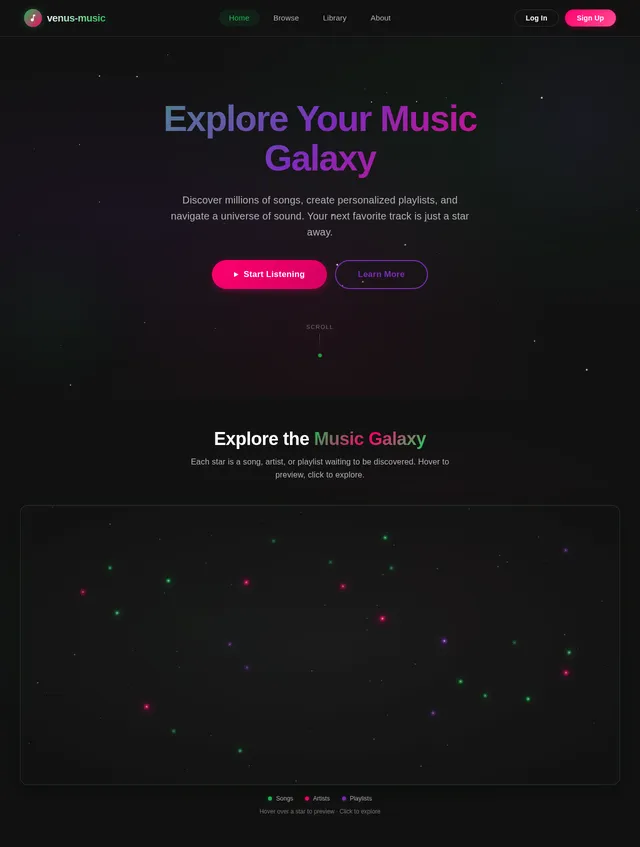
Interactive Galaxy Music Map
The homepage of venus-music will feature an interactive galaxy map where each star represents a song, artist, or playlist.
- Visuals: A dark, starry background with glowing, animated stars.
- Interaction: Hovering over a star will display a tooltip with the song/artist/playlist name. Clicking on a star will open a modal with detailed information and playback options.
- Animations: Smooth zoom-in and zoom-out transitions as users navigate the galaxy. Stars will subtly pulse to indicate activity.
- Micro-interactions: When a song is playing, its corresponding star will emit a glowing ripple effect.
This concept will make the homepage visually captivating and provide a unique way for users to discover music.
7. Non-Functional Requirements
- Performance: The system should handle up to 10,000 concurrent users with minimal latency.
- Scalability: The backend should support horizontal scaling to accommodate growing user bases.
- Security: All sensitive data must be encrypted, and APIs must be protected with authentication and rate limiting.
- Availability: The system should maintain 99.9% uptime.
- Localization: The application should support Indian time zones (IST) and currency (₹) for any future premium features.
8. Tech Stack
Frontend
- React.js (Vite)
- Tailwind CSS
- Axios
- React Router
Backend
- Python
- FastAPI
Database
- MongoDB (NoSQL)
External APIs
- YouTube Data API
- Spotify Web API
AI Tools
- GPT 5.4 for user-friendly responses
- Langchain for API integration
Orchestration
- Docker
- Kubernetes
9. Assumptions and Constraints
Assumptions:
- Users will have stable internet connections for streaming.
- External APIs (YouTube and Spotify) will provide reliable access to music libraries.
- The application will initially target Indian users but can be expanded globally.
Constraints:
- API rate limits imposed by YouTube and Spotify.
- Compliance with copyright and licensing regulations for music streaming.
- Limited storage for user-generated content (e.g., playlists).
10. Glossary
- API: Application Programming Interface, used to interact with external services like YouTube and Spotify.
- JWT: JSON Web Token, used for secure authentication.
- IST: Indian Standard Time, the time zone for India.
- FastAPI: A modern web framework for building APIs with Python.
- MongoDB: A NoSQL database used for storing user and playlist data.
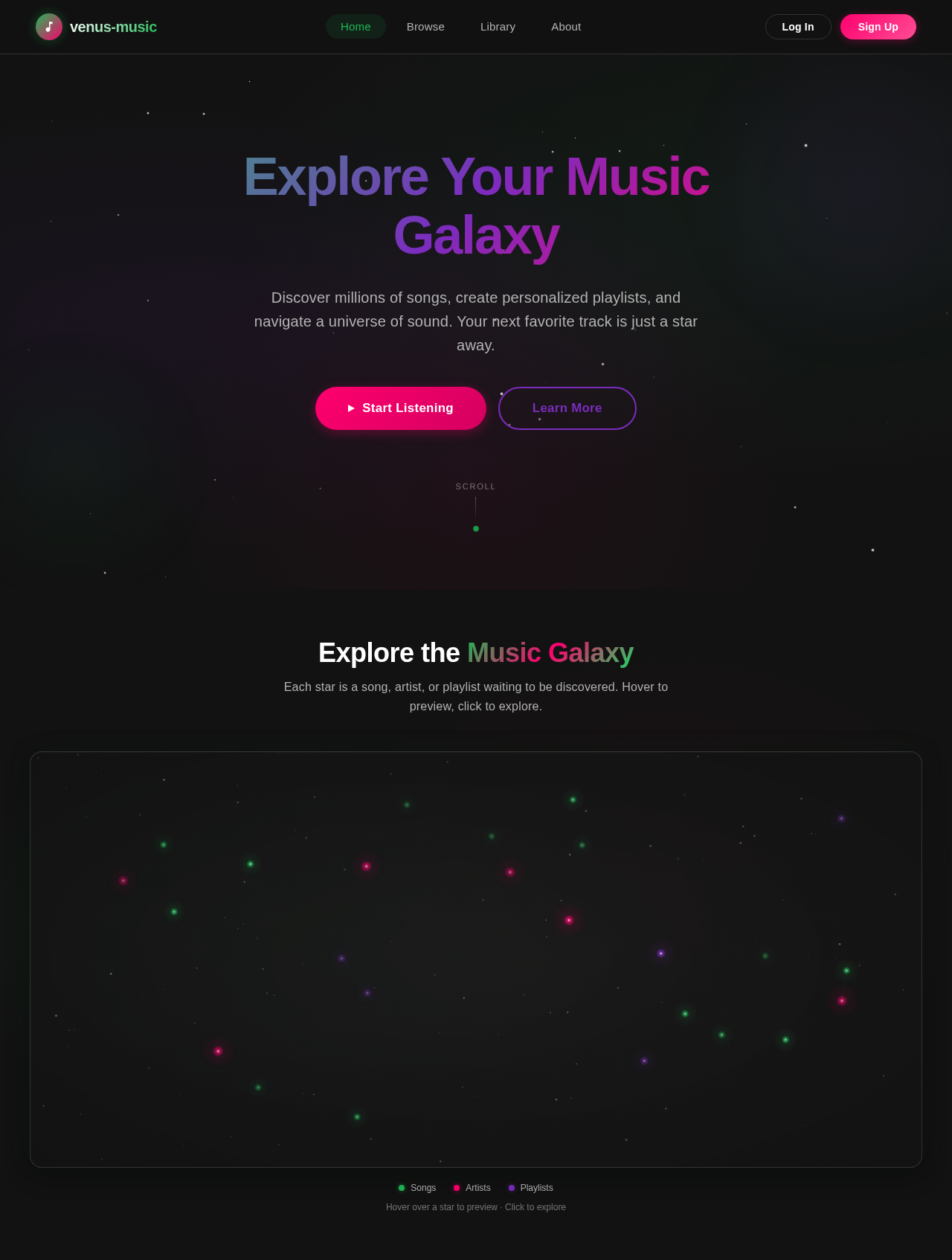
Explore Your Music Galaxy
Discover millions of songs, create personalized playlists, and navigate a universe of sound. Your next favorite track is just a star away.
Explore the Music Galaxy
Each star is a song, artist, or playlist waiting to be discovered. Hover to preview, click to explore.
Blinding Lights
The Weeknd · 2.1B plays
Levitating
Dua Lipa · 1.8B plays
Stay
The Kid LAROI, Justin Bieber · 1.5B plays
Dua Lipa
Pop · 68M plays
Heat Waves
Glass Animals · 1.4B plays
Chill Vibes
venus-music · 4.2M plays
As It Was
Harry Styles · 2.3B plays
Anti-Hero
Taylor Swift · 1.9B plays
Taylor Swift
Pop · 92M plays
Midnight Rain
Taylor Swift · 890M plays
Late Night Jams
venus-music · 2.8M plays
Calm Down
Rema, Selena Gomez · 1.7B plays
Bad Bunny
Reggaeton · 78M plays
Flowers
Miley Cyrus · 2.0B plays
Indie Discoveries
venus-music · 1.5M plays
Cruel Summer
Taylor Swift · 1.6B plays
Billie Eilish
Alt Pop · 55M plays
Vampire
Olivia Rodrigo · 1.1B plays
Focus Flow
venus-music · 3.6M plays
Somebody That I Used To Know
Gotye · 1.9B plays
Drake
Hip-Hop · 85M plays
Starboy
The Weeknd · 2.4B plays
Workout Energy
venus-music · 5.1M plays
Peaches
Justin Bieber · 1.3B plays
The Weeknd
R&B / Pop · 95M plays
Hover over a star to preview · Click to explore
No comments yet. Be the first!