velvet-design
build a to-do app with single page design and minimal design

Comments (0)
Sign in to leave a comment
Project Tasks3
Implement HomeHeader for Home
As a frontend developer, implement the HomeHeader section for the Velvet-Design Home page. Build the animated title 'velvet-design' using framer-motion with character-by-character spring entrance animations (staggerChildren: 0.05, stiffness: 260, damping: 20). Each character is rendered as a motion.span with charVariants (opacity, scale, y transitions). The dash character receives a special 'hh-char-dash' CSS class for distinct styling. After the title, animate a subtitle paragraph with delay 0.8s easeOut, and a decorative accent line with scaleX reveal at delay 1.1s. All elements use containerVariants with staggerChildren pattern. Section uses hh-section and hh-inner CSS classes for layout.
Implement HomeAddTask for Home
As a frontend developer, implement the HomeAddTask section for the Velvet-Design Home page. Build the task input form with useState for task text, isFocused, showRipple, and submitKey state. The input wrapper uses motion.div with animated boxShadow via spring transition (stiffness: 300, damping: 25) — showing teal glow (rgba(42,157,143,0.15)) on focus. The motion.input has animated borderColor transitioning between '#2A9D8F' on focus and 'rgba(38,70,83,0.2)' on blur. Submit button uses motion.button with disabled state when no text, animated scale and boxShadow (orange glow rgba(244,162,97,0.35)), whileHover scale:1.05, whileTap scale:0.98. AnimatePresence wraps a success ripple span that appears after form submit with scale/opacity animation then resets state after 400ms timeout. inputRef is used to refocus after submission.
Implement HomeTaskList for Home
As a frontend developer, implement the HomeTaskList section for the Velvet-Design Home page. This is the most complex section: initialize with INITIAL_TASKS array (6 sample tasks with id, title, desc, tag, priority, date, done fields). Build a CompletionDonut component using d3.js — creates an SVG with d3.arc() for background ring and animated foreground arc using d3 transition (duration 800ms, easeCubicOut) that interpolates from 0 to pct*2*PI. Center text shows completion percentage. Main task list renders tasks with AnimatePresence for enter/exit animations on framer-motion list items. Each task card shows title, desc, tag badge, priority indicator, and date. Implement toggle complete (done state), delete (filter), and edit (inline editing) functionality. Priority color coding: high=highlight coral, medium=accent orange, low=primary teal. Use useState, useRef, useEffect, useCallback hooks. CSS in HomeTaskList.css with htl- prefix.
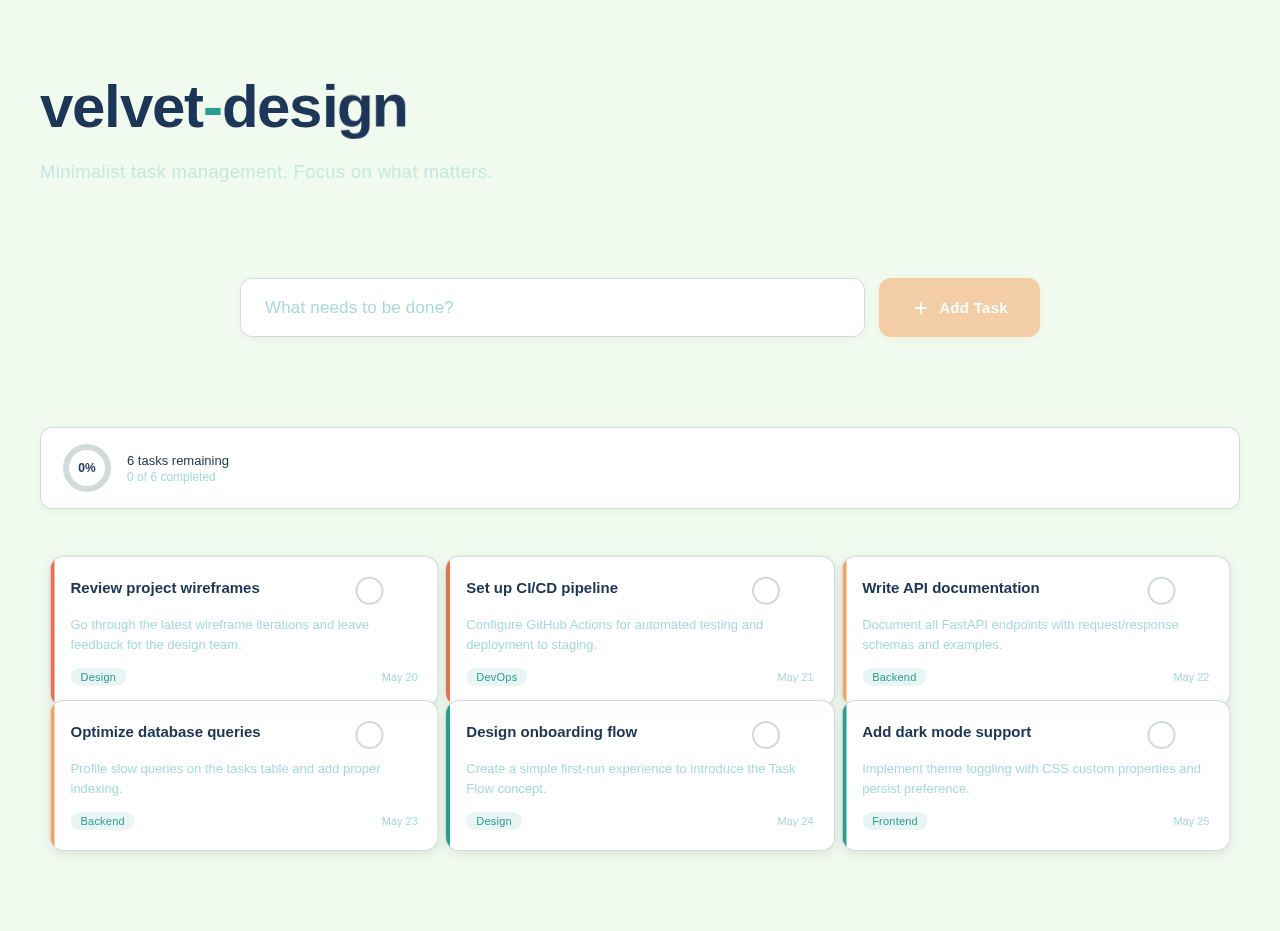
Minimalist task management. Focus on what matters.
Press Enter or click Add Task to create a new task
No comments yet. Be the first!