vast
 krishna vardhana
Build a complete, functional Neural Networks & Deep Learning mini-project called: # VAST — Visual Art & Style Transfer Studio **Tagline:** “Transform structure into expression.” VAST is a minimalist web application that uses a REAL deep-learning neural style transfer model to transform a content image using the visual style of another image. ## 1. CORE REQUIREMENT This must be a genuine Deep Learning project, NOT a fake AI interface. Pipeline: **Content Image + Style Image → Neural Network → Stylized Image** Use **Fast Neural Style Transfer** with PyTorch. The implementation should demonstrate: * CNNs * Transfer learning * VGG feature extraction * Content/style representations * Perceptual loss * Content loss * Style loss * Total variation loss * Instance Normalization * Residual blocks * Feed-forward transformation network * Training and inference Do NOT use CSS filters, simple image blending, OpenCV artistic effects, random transformations, or external AI APIs as the main implementation. ## 2. NEURAL NETWORK Implement a feed-forward image transformation network: Input → Convolution → Instance Normalization → Activation → Encoder layers → Residual Blocks → Upsampling → Convolution → Output Image Use a pretrained **VGG network from torchvision** as the perceptual feature extractor. Implement separate: * Content loss * Style loss using Gram matrices * Total variation loss The project must contain actual training code and inference code. Support pretrained transformation weights so the demo can run without training from scratch. If weights are not included, provide clear instructions for exactly where to place them. Never create fake weights or fake results. ## 3. USER INTERFACE Create a premium, minimalist creative studio rather than a typical college ML dashboard. Design: * Lots of whitespace * Elegant typography * Subtle borders * Minimal shadows * One restrained accent color * Large image previews * Smooth transitions * No neon * No excessive gradients * No clutter Landing page: **VAST** Visual Art & Style Transfer Studio “Transform structure into expression.” Short description **ENTER STUDIO** ## 4. STUDIO Allow users to: 1. Upload a Content Image 2. Upload a Style Image OR choose a predefined style 3. Generate the stylized result 4. Compare Original vs Generated using a before/after slider 5. Download the generated image 6. Generate again or start a new creation Supported formats: JPG, JPEG, PNG, WEBP. ## 5. CONTROLS Include: **Style Strength — 0 to 100** Controls how strongly the style is applied. **Content Preservation — 0 to 100** Controls how strongly the original image structure is retained. **Architectural Mode — ON/OFF** When enabled, prioritize preservation of architectural geometry, edges, windows, doors, columns, rooflines and perspective. This must affect processing rather than being a decorative toggle. **Output Resolution** 512×512 768×768 1024×1024 Every control must genuinely affect processing where technically possible. ## 6. STYLE LIBRARY Include categories such as: Traditional: * Warli-inspired * Tanjore-inspired * Kalamkari-inspired * Madhubani-inspired Painting: * Impressionist * Watercolor * Oil * Ink Wash Architecture: * Heritage Sketch * Architectural Watercolor * Blueprint-inspired * Ink Architecture Modern: * Geometric * Abstract * Minimal Monochrome * Editorial Illustration Use “inspired” wording where appropriate and do not claim cultural authenticity. ## 7. RESULTS After generation show: * Generated image * Inference time * CPU/CUDA device * Output resolution * Download button Do not fabricate performance numbers or progress percentages. Show real processing status while inference is running. ## 8. ARCHITECTURAL MODE Architectural Mode should use actual image-processing/model logic to improve structure preservation. Possible approach: * Stronger content/perceptual loss * Edge-aware processing * Higher content feature weighting Do not pretend this is a separate trained architecture unless it actually is. ## 9. EDUCATIONAL SECTION Add a page/section titled: **How the Neural Network Works** Explain visually: 1. Content representation 2. Style representation 3. VGG feature extraction 4. Transformation network 5. Residual blocks 6. Instance normalization 7. Perceptual loss 8. Final stylized image Also display a clean neural-network architecture diagram. ## 10. TRAINING MODULE Include actual training code with: * Dataset loading * Image preprocessing * Transformation network * VGG feature extractor * Content loss * Style loss * Total variation loss * Optimizer * Training loop * Checkpoints * Configurable hyperparameters Training must be separate from inference. ## 11. PERFORMANCE Automatically detect: * CPU * CUDA GPU when available Use efficient inference: * model.eval() * torch.no_grad() * batch size 1 * sensible image resizing The application must work on CPU if CUDA is unavailable. Do not claim real-time performance unless measured. ## 12. TECH STACK Use: * Python 3.12.10 * PyTorch * torchvision * Pillow * OpenCV where necessary * Streamlit OR FastAPI + HTML/CSS/JS Prefer the simplest reliable framework. The project must run locally on: **Windows 11 + VS Code** No paid APIs or cloud services should be required. Avoid dependencies that require Python 3.13/3.14. ## 13. PROJECT STRUCTURE Create a clean structure similar to: VAST/ ├── app/ │ └── app.py ├── models/ │ ├── transformer.py │ ├── vgg.py │ └── model_loader.py ├── training/ │ ├── train.py │ ├── losses.py │ └── dataset.py ├── inference/ │ ├── stylize.py │ └── preprocess.py ├── data/ │ ├── content/ │ └── styles/ ├── model_weights/ ├── outputs/ ├── utils/ ├── requirements.txt ├── README.md └── run.py You may modify the structure if necessary, but keep it organized. ## 14. ERROR HANDLING Handle: * Invalid images * Unsupported formats * Missing model weights * CUDA unavailable * Oversized images * Memory errors * Inference failures Show friendly UI messages instead of raw tracebacks. ## 15. README Provide complete Windows PowerShell instructions: python --version python -m venv .venv .venv\Scripts\Activate.ps1 python -m pip install --upgrade pip pip install -r requirements.txt Then give the exact command to launch the application. Explain: * Project purpose * Neural network architecture * Loss functions * Dataset/training process * How to add model weights * How inference works * CPU/GPU support * Limitations * Future improvements ## 16. ACADEMIC PURPOSE The project should clearly demonstrate the difference between traditional optimization-based Neural Style Transfer and Fast Neural Style Transfer. Explain that traditional NST repeatedly optimizes an image, while the feed-forward model learns a transformation network so inference can be performed in a single forward pass after training. Do not invent accuracy, FPS, training time, or benchmark results. ## 17. FINAL REQUIREMENT Actually implement the project. Do not only provide a description or mockup. If you cannot create files directly, provide complete file-by-file code. The final result must be: **Functional + technically correct + visually polished + academically explainable + locally runnable in VS Code.** Priority order: 1. Real Deep Learning implementation 2. Correct inference 3. Reliable local setup 4. Clean code 5. Academic explainability 6. Minimalist premium UI 7. Visual polish At the end provide: * Files created * Dependencies * Installation commands * Run command * Model-weight requirements * Short explanation of the neural network * Known limitations * Recommended next step


Comments (0)
Sign in to leave a comment
System Requirements
System Requirements Document for vast
1. Introduction
VAST — Visual Art & Style Transfer Studio is a minimalist web application designed to transform a content image using the visual style of another image through a genuine deep-learning neural style transfer model. The application targets artists and designers, providing a premium creative studio experience with a focus on real-time style transfer, educational content, and reliable local setup.
2. System Overview
VAST is a locally runnable application that implements Fast Neural Style Transfer using PyTorch. It features a feed-forward image transformation network, leveraging a pretrained VGG network for perceptual feature extraction. The application supports content and style image uploads, style selection, and stylized image generation with real-time processing feedback. The user interface is designed to be minimalist and premium, emphasizing whitespace and elegant typography.
2a. Product Interpretation and Delivery Boundary
VAST is delivered as a standalone application runnable on Windows 11 using VS Code. It does not rely on paid APIs or cloud services, ensuring all processing is done locally. The application includes separate training and inference modules, with support for CPU and CUDA devices. The educational section provides insights into the neural network's workings, enhancing the user's understanding of the technology.
2b. Source Content Inventory
Not applicable as no content source directive was provided.
2c. Page Content and Component Coverage
Landing
- Information/State: Introduction to VAST, tagline, short description.
- Primary Actions: ENTER STUDIO button.
- Design Elements: Minimalist layout, elegant typography, restrained accent color.
Studio
- Information/State: Content and style image uploads, style selection, processing controls, generated image display.
- Primary Actions: Upload images, select style, generate stylized image, compare original vs. generated, download image, regenerate, start new creation.
- Controls: Style Strength (0-100), Content Preservation (0-100), Architectural Mode (ON/OFF), Output Resolution (512x512, 768x768, 1024x1024).
- Feedback: Real processing status, inference time, device used, output resolution.
- Error Handling: Friendly messages for invalid images, unsupported formats, missing weights, CUDA unavailability, oversized images, memory errors, inference failures.
Styles
- Information/State: Style categories and options.
- Primary Actions: Browse and select styles from Traditional, Painting, Architecture, and Modern categories.
How the Neural Network Works
- Information/State: Visual explanations of content/style representation, VGG feature extraction, transformation network, residual blocks, instance normalization, perceptual loss, final stylized image.
- Design Elements: Clean architecture diagram.
Training
- Information/State: Dataset loading, image preprocessing, transformation network, VGG feature extractor, loss functions, optimizer, training loop, checkpoints, configurable hyperparameters.
- Primary Actions: Execute training workflow.
3. Functional Requirements
- As a Studio User, I should be able to upload a content image and a style image or choose a predefined style to generate a stylized image. [explicit]
- As a Studio User, I should be able to adjust style strength and content preservation to influence the stylization process. [explicit]
- As a Studio User, I should be able to enable Architectural Mode to prioritize the preservation of architectural features in the stylized image. [explicit]
- As a Studio User, I should be able to select the output resolution for the generated image. [explicit]
- As a Studio User, I should be able to download the generated image and compare it with the original using a before/after slider. [explicit]
- As a Studio User, I should be able to view real-time processing status, including inference time and device used. [explicit]
- As a Studio User, I should be able to access an educational section explaining the neural network's workings. [explicit]
- As a Studio User, I should be able to execute a separate training workflow for the transformation network. [explicit]
- As a Studio User, I should receive friendly error messages for invalid inputs or processing issues. [explicit]
4. User Personas
- Studio User: Engages with the application to upload images, select styles, adjust processing controls, generate and download stylized images, and learn about the neural network's workings.
5. Core User Flows
-
Entering the Studio:
- The Studio User lands on the VAST homepage and clicks "ENTER STUDIO" to access the main interface.
-
Image Upload and Style Selection:
- The Studio User uploads a content image and either uploads a style image or selects a predefined style from the library.
-
Adjusting Controls and Generating Image:
- The Studio User adjusts the style strength and content preservation sliders, optionally enabling Architectural Mode, and selects the desired output resolution.
- The Studio User clicks "Generate" to process the images, viewing real-time status updates.
-
Comparing and Downloading Results:
- Once processing is complete, the Studio User uses the before/after slider to compare the original and stylized images.
- The Studio User downloads the stylized image.
-
Exploring Educational Content:
- The Studio User navigates to the "How the Neural Network Works" section to learn about the underlying technology.
-
Training the Model:
- The Studio User accesses the Training page to execute the training workflow, adjusting hyperparameters as needed.
6. Visuals Colors and Theme
- Muse: Jony Ive
- Palette:
- Background: #F5F5F5
- Surface: #FFFFFF
- Text: #333333
- Primary: #DD4B39
- Accent: #7A9E9F
- Muted: #C4C4C4
- Typography:
- Headings: Inter Tight — Light weights, generous size, tight tracking
- Body: Work Sans
- Scale: 1.25 modular, 64/48/32/24/18
- Shape Language: Soft continuous-curve radii, wide margins, single-column focus
- Layout: Generous whitespace, single-column layout
- Motion: Slow, physical easing; reveal-on-scroll
- Imagery: Studio-lit renders and macro details on plain grounds
7. Signature Design Concept
The landing page features a large, single image preview spanning the width of the viewport with minimal UI overlay. The background is a light, near-white, ensuring the image stands out, and the primary CTA uses the restrained accent color. Generous whitespace surrounds the content, providing a premium look and feel, with subtle animations such as smooth fades and reveals.
8. Interaction Model & Motion Direction
- Interaction Model: Static
- Motion Tempo: Restrained
- Hero Dimensionality: Layered_2d
- Landing Hero Motion Brief: A single large image preview dominates the viewport, with clean, minimal UI elements overlaid. The background is a light, near-white, ensuring the image stands out, and the primary CTA uses the restrained accent color.
9. Non-Functional Requirements
- The application must run locally on Windows 11 using VS Code.
- It must support both CPU and CUDA devices for processing.
- Efficient inference should be achieved using
model.eval(),torch.no_grad(), batch size 1, and sensible image resizing. - The application should handle errors gracefully, providing user-friendly messages.
10. Tech Stack
- Programming Language: Python 3.12.10
- Frameworks/Libraries: PyTorch, torchvision, Pillow, OpenCV (where necessary)
- Frontend: Streamlit OR FastAPI + HTML/CSS/JS
- Development Environment: Windows 11 + VS Code
11. Assumptions and Constraints
- The application will not use paid APIs or cloud services.
- Dependencies requiring Python 3.13/3.14 will be avoided.
- The application will not claim real-time performance unless measured.
12. Glossary
- Neural Style Transfer: A technique that applies the style of one image to the content of another using deep learning.
- Feed-forward Transformation Network: A neural network architecture that processes images in a single forward pass.
- VGG Network: A convolutional neural network model used for feature extraction.
- Perceptual Loss: A loss function that measures differences in high-level feature representations.
- Instance Normalization: A normalization technique used to improve style transfer results.
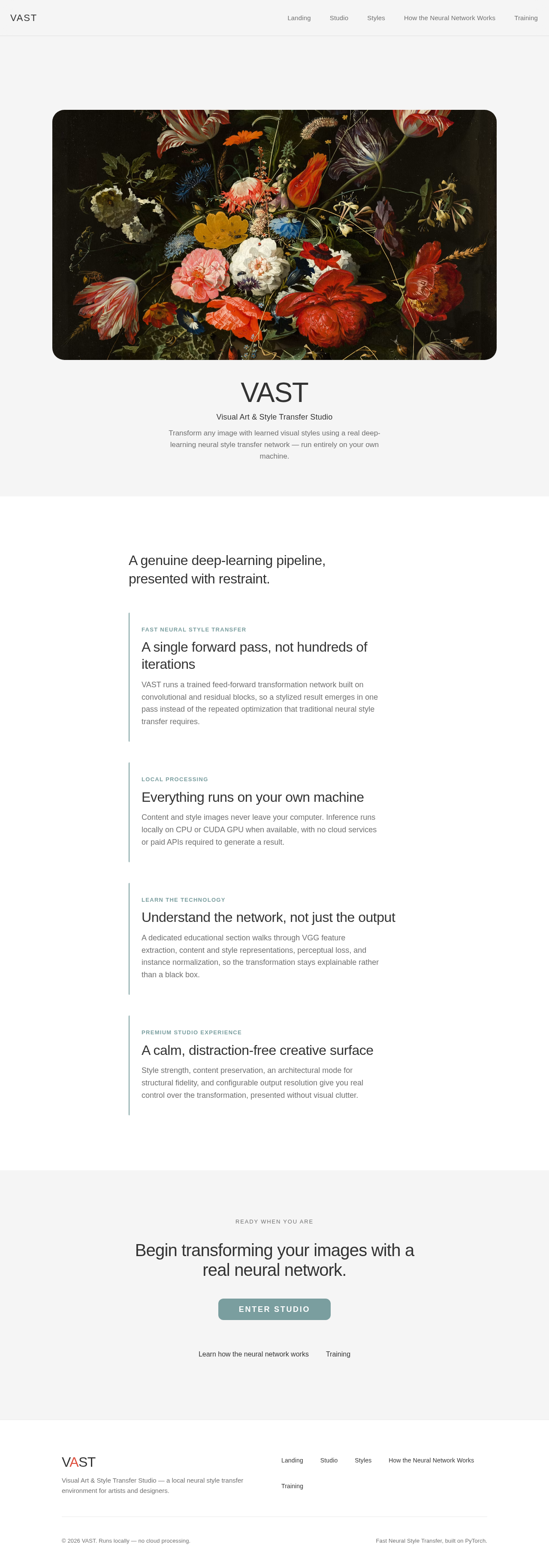

A genuine deep-learning pipeline, presented with restraint.
Fast Neural Style Transfer
A single forward pass, not hundreds of iterations
VAST runs a trained feed-forward transformation network built on convolutional and residual blocks, so a stylized result emerges in one pass instead of the repeated optimization that traditional neural style transfer requires.
Local Processing
Everything runs on your own machine
Content and style images never leave your computer. Inference runs locally on CPU or CUDA GPU when available, with no cloud services or paid APIs required to generate a result.
Learn the Technology
Understand the network, not just the output
A dedicated educational section walks through VGG feature extraction, content and style representations, perceptual loss, and instance normalization, so the transformation stays explainable rather than a black box.
Premium Studio Experience
A calm, distraction-free creative surface
Style strength, content preservation, an architectural mode for structural fidelity, and configurable output resolution give you real control over the transformation, presented without visual clutter.
A genuine deep-learning pipeline, presented with restraint.
Fast Neural Style Transfer
A single forward pass, not hundreds of iterations
VAST runs a trained feed-forward transformation network built on convolutional and residual blocks, so a stylized result emerges in one pass instead of the repeated optimization that traditional neural style transfer requires.
Local Processing
Everything runs on your own machine
Content and style images never leave your computer. Inference runs locally on CPU or CUDA GPU when available, with no cloud services or paid APIs required to generate a result.
Learn the Technology
Understand the network, not just the output
A dedicated educational section walks through VGG feature extraction, content and style representations, perceptual loss, and instance normalization, so the transformation stays explainable rather than a black box.
Premium Studio Experience
A calm, distraction-free creative surface
Style strength, content preservation, an architectural mode for structural fidelity, and configurable output resolution give you real control over the transformation, presented without visual clutter.
No comments yet. Be the first!