ultra-portfolio
create a portfolio site
Comments (0)
Sign in to leave a comment
System Requirements
System Requirements Document (SRD) for ultra-portfolio
1. Introduction
The ultra-portfolio project aims to create a personal portfolio website tailored to showcase the user's skills, projects, and personality. This document outlines the system requirements, functional and non-functional specifications, and design elements necessary to build the ultra-portfolio. The project is intended for personal use by the user, based in India, and will reflect locale-specific defaults such as time zones (IST) and currency (INR) where applicable.
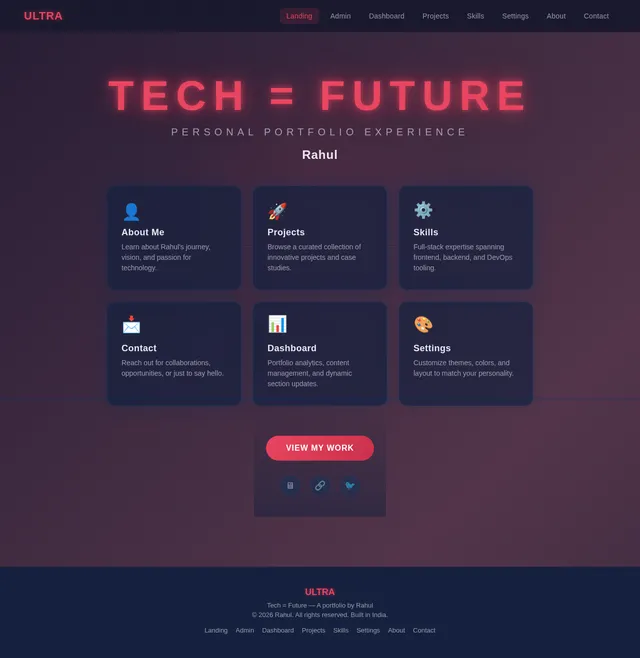
The tagline for the portfolio, "Tech = Future", will be prominently featured to reflect the user's vision and passion for technology.
2. System Overview
The ultra-portfolio will serve as a personal website for the user, Rahul, to highlight their professional and creative achievements. It will include sections such as "About Me," "Projects," "Skills," and "Contact." The system will be designed to provide an engaging, user-friendly experience while maintaining a visually striking and memorable aesthetic. The primary use case for this system is personal use, enabling the user to showcase their work to potential employers, collaborators, or clients.
The portfolio will also include a selective re-run capability, allowing the user to regenerate specific sections of the portfolio dynamically, ensuring content remains up-to-date and relevant.
3. Functional Requirements
- As a User, I should be able to showcase my skills in a dedicated "Skills" section.
- As a User, I should be able to display my projects with descriptions, images, and links.
- As a User, I should be able to include an "About Me" section to introduce myself.
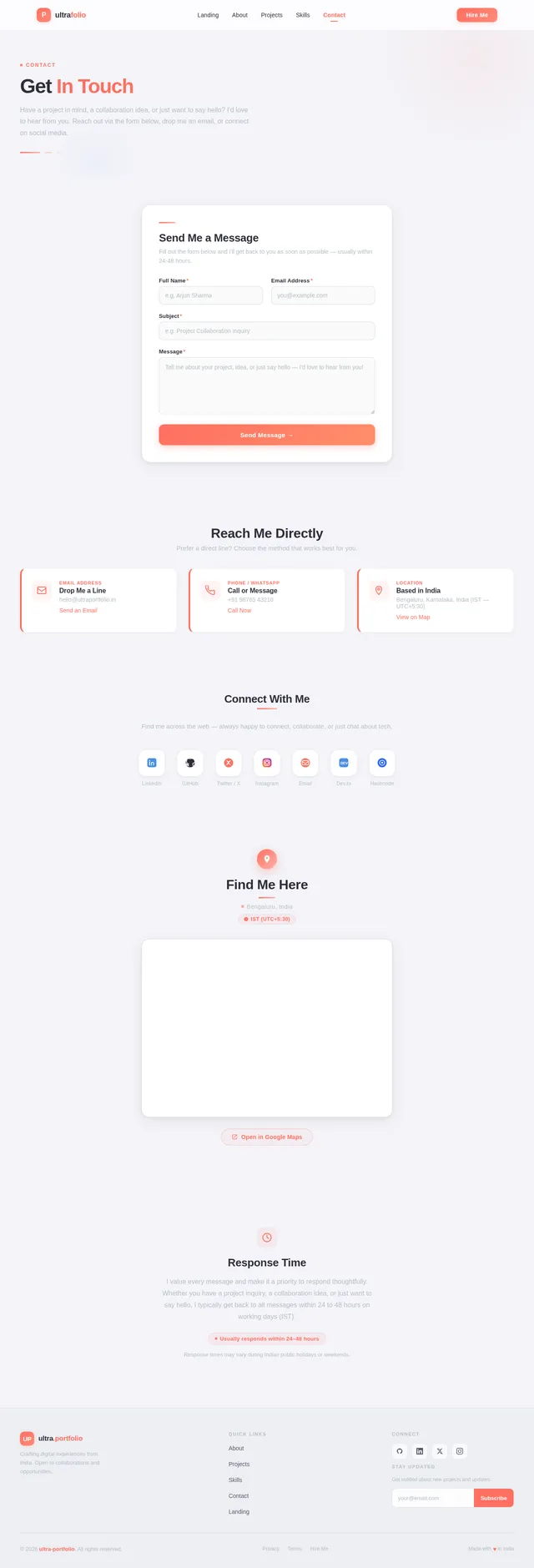
- As a User, I should be able to provide contact information and a form for visitors to reach out to me.
- As a User, I should be able to customize the website's theme and colors to reflect my personality.
- As a User, I should be able to integrate social media links for easy access.
- As a User, I should be able to update content dynamically without requiring technical expertise.
- As a User, I should be able to selectively re-run and regenerate specific sections of the portfolio to keep content updated.
4. User Personas
4.1 Primary User
- Name: Portfolio Owner (Rahul)
- Role: The individual creating and managing the portfolio.
- Goals: Showcase skills, projects, and personality to potential employers, collaborators, or clients.
- Pain Points: Needs a visually appealing and easy-to-update platform without requiring extensive technical knowledge.
4.2 Secondary User
- Name: Visitor
- Role: Potential employer, collaborator, or client visiting the portfolio.
- Goals: Learn about the portfolio owner’s skills, projects, and contact details.
- Pain Points: Requires clear navigation and concise information to evaluate the portfolio owner’s capabilities.
5. Visuals Colors and Theme
Unique Color Palette for ultra-portfolio:
- Background: #1A1A2E (Deep Midnight Blue)
- Surface: #16213E (Dark Navy Blue)
- Text: #E94560 (Vivid Crimson Red)
- Accent: #0F3460 (Rich Sapphire Blue)
- Muted Tones: #53354A (Muted Plum)
This palette is designed to evoke a futuristic and tech-forward aesthetic, aligning with the tagline "Tech = Future". The deep blues and vibrant crimson create a bold, modern look, while the muted tones add subtle sophistication.
6. Signature Design Concept
"Futuristic Tech Grid with Dynamic Animations"
The homepage will feature a futuristic tech grid design, creating an immersive and visually striking first impression. The grid will consist of animated tiles that subtly shift and glow, representing different sections of the portfolio.
-
Homepage Layout:
- A bold headline, "Tech = Future," will be displayed at the center of the screen, with a glowing neon effect.
- The grid tiles will surround the headline, each representing a section (e.g., About Me, Projects, Skills, Contact).
- Clicking on a tile will smoothly zoom into that section, creating a seamless navigation experience.
-
Animations:
- The tiles will pulse gently with a glowing effect, using the accent color (#0F3460).
- Hovering over a tile will cause it to expand slightly and display a brief description of the section.
-
Transitions:
- Smooth zoom-in and zoom-out effects will be used when navigating between sections.
- The background will feature a subtle animated gradient, shifting between the muted tones (#53354A) and the background color (#1A1A2E).
-
Micro-interactions:
- Interactive tooltips will appear when hovering over tiles, providing additional context.
- A dynamic progress bar at the bottom of the screen will indicate the user’s position within the portfolio.
This concept ensures the ultra-portfolio is not only functional but also leaves a lasting impression with its futuristic and interactive design.
7. Non-Functional Requirements
- The website must load within 3 seconds on standard broadband connections.
- The design must be responsive and optimized for mobile, tablet, and desktop devices.
- The system must support dynamic content updates without requiring coding knowledge.
- The website must be accessible, adhering to WCAG 2.1 AA standards.
- The system must be secure, protecting user data and preventing unauthorized access.
- The selective re-run capability must allow the user to regenerate specific sections of the portfolio without affecting the rest of the site.
8. Tech Stack
Frontend
- HTML, CSS, JavaScript for Web
Backend
- Python
Database
- MySQL (with Alembic for migrations)
AI Tools
- GPT 5.4 for user-friendly responses
Local Orchestration
- Docker
- docker-compose
Server-Side Orchestration
- Kubernetes
9. Assumptions and Constraints
- The website will be hosted on a cloud platform with support for containerized applications.
- The user will provide initial content (e.g., text, images) for the portfolio.
- The system will primarily target an Indian audience, with localization for IST and INR.
- The user may not have advanced technical skills, so the system must prioritize ease of use.
- The selective re-run capability will require a simple and intuitive interface for triggering updates.
10. Glossary
- Portfolio Owner: The individual creating and managing the portfolio.
- Visitor: Any individual visiting the portfolio website.
- WCAG: Web Content Accessibility Guidelines, a set of standards for web accessibility.
- IST: Indian Standard Time.
- INR: Indian Rupee.
- Selective Re-run Capability: A feature allowing the user to regenerate specific sections of the portfolio dynamically.
- Node: A point on the interactive timeline representing a milestone or achievement.
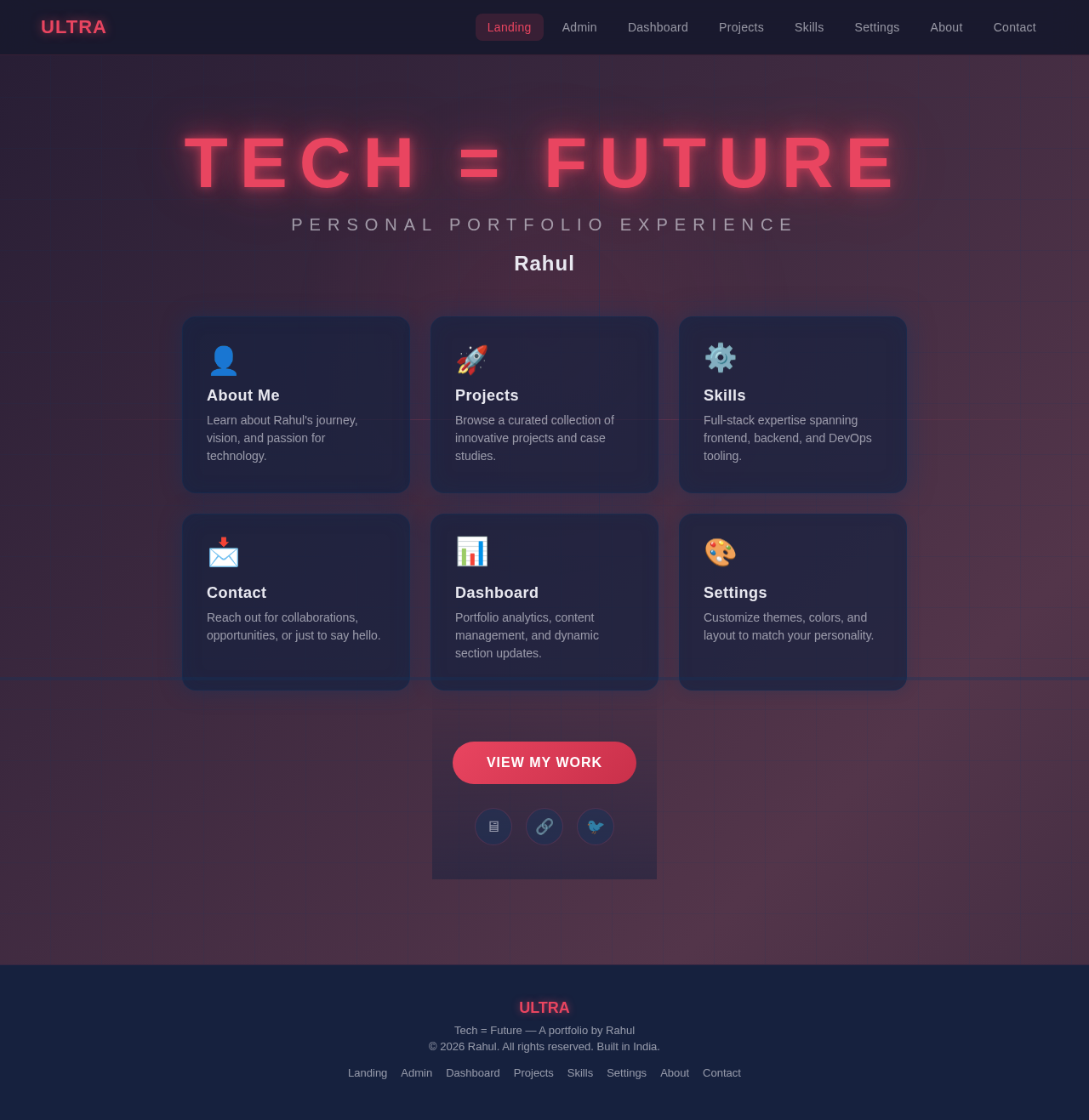
Tech = Future
Personal Portfolio Experience
Rahul
About Me
Learn about Rahul's journey, vision, and passion for technology.
→Projects
Browse a curated collection of innovative projects and case studies.
→Skills
Full-stack expertise spanning frontend, backend, and DevOps tooling.
→Contact
Reach out for collaborations, opportunities, or just to say hello.
→Dashboard
Portfolio analytics, content management, and dynamic section updates.
→Settings
Customize themes, colors, and layout to match your personality.
→
No comments yet. Be the first!