turbo-dashboard
 Alex DEVIL
Act as a senior full-stack architect, SaaS product designer, and startup CTO. Build a complete production-ready SaaS platform called "NepalBite" — an all-in-one restaurant management ecosystem. ## 🎯 CORE GOAL Create a scalable multi-tenant SaaS system that helps restaurants manage orders, billing, kitchen, analytics, and customer engagement. --- # 🧱 SYSTEM ARCHITECTURE ## Frontend (Client Side) * Framework: React (Vite) + Tailwind CSS * Mobile-first responsive design * Dark modern UI (similar to premium SaaS dashboards) * Component-based architecture ## Backend (Server Side) * Node.js + Express.js * REST API (structured & scalable) * JWT authentication + role-based access * WebSocket for real-time updates (orders, kitchen) ## Database * PostgreSQL (preferred) or MongoDB * Multi-tenant architecture (each restaurant isolated) * Proper relational schema ## Deployment * Frontend: Vercel * Backend: Railway / Render * Database: Supabase / Firebase --- # 👥 USER ROLES 1. Super Admin (platform owner) 2. Restaurant Owner 3. Staff (waiter, cashier) 4. Kitchen Staff 5. Customer (QR ordering) --- # 📱 CORE MODULES (BASED ON IMAGE) ## 1. Dashboard (Owner Panel) * Total sales * Orders count * Active orders * Customers * Graph (sales trend) * Top-selling items * Live order feed --- ## 2. POS & Billing System * Create new order * Add items (with images, price) * Quantity control * Apply discount * Generate bill * Payment methods (cash, online) * Print / download receipt --- ## 3. QR Ordering System (Customer Side) * Generate unique QR per table * Customer scans QR → opens menu * Add to cart * Place order * Order confirmation screen * No login required (guest mode) --- ## 4. Kitchen Display System (KDS) * Real-time incoming orders * Status: * New * Preparing * Ready * Order details with items * Auto-update using WebSockets --- ## 5. Stories & Promotions (UNIQUE FEATURE) * Instagram-like story system for restaurants * Add: * Offers (e.g., 20% OFF) * Videos/images * Time-based promotions * Show to customers in QR app --- ## 6. Inventory Management * Track stock (kg, pcs, etc.) * Auto-update when item sold * Low stock alert system * Restock management --- ## 7. Analytics & Insights * Revenue tracking * Order trends * Average order value * Top products * Weekly/monthly reports --- ## 8. Customer Loyalty System * Reward points * Repeat customer tracking * Offers for loyal users --- ## 9. Delivery Management * Assign delivery person * Track delivery status * Order tracking system --- ## 10. Multi-Branch Support * One owner → multiple restaurants * Separate dashboards per branch --- ## 🧠 ADVANCED FEATURES * AI Upsell: Suggest items based on cart (e.g., "Add Coke with Momo") * Notifications: * New order alert * Low stock alert * Role-based dashboards * Offline fallback mode (important for Nepal) --- # 🗂 DATABASE SCHEMA (IMPORTANT) Tables/Collections: * Users (id, role, restaurant_id) * Restaurants (id, name, plan) * Branches * MenuItems (name, price, category, stock) * Orders (status, total, table_id) * OrderItems * Tables (QR linked) * Inventory * Promotions / Stories * Customers * Payments --- # 🔐 AUTH SYSTEM * JWT-based login/signup * Role-based access control * Separate login for: * Admin * Restaurant Owner * Staff --- # 🎨 UI DESIGN SYSTEM * Dark theme with orange accent (#FF6B35) * Card-based layout * Smooth animations * Glassmorphism elements * Fully responsive: * Mobile * Tablet * Desktop --- # 📦 OUTPUT REQUIREMENTS Generate: 1. Full frontend UI (all pages) 2. Backend API routes (organized) 3. Database schema 4. Folder structure 5. Sample data 6. Real-time logic (WebSocket) 7. Admin dashboard 8. Customer QR interface --- # ⚡ BONUS * Include SaaS pricing system: * Starter * Growth * Pro * Include onboarding flow for new restaurants --- Build this as a clean, scalable, production-ready SaaS product — not a demo.

Comments (0)
Sign in to leave a comment
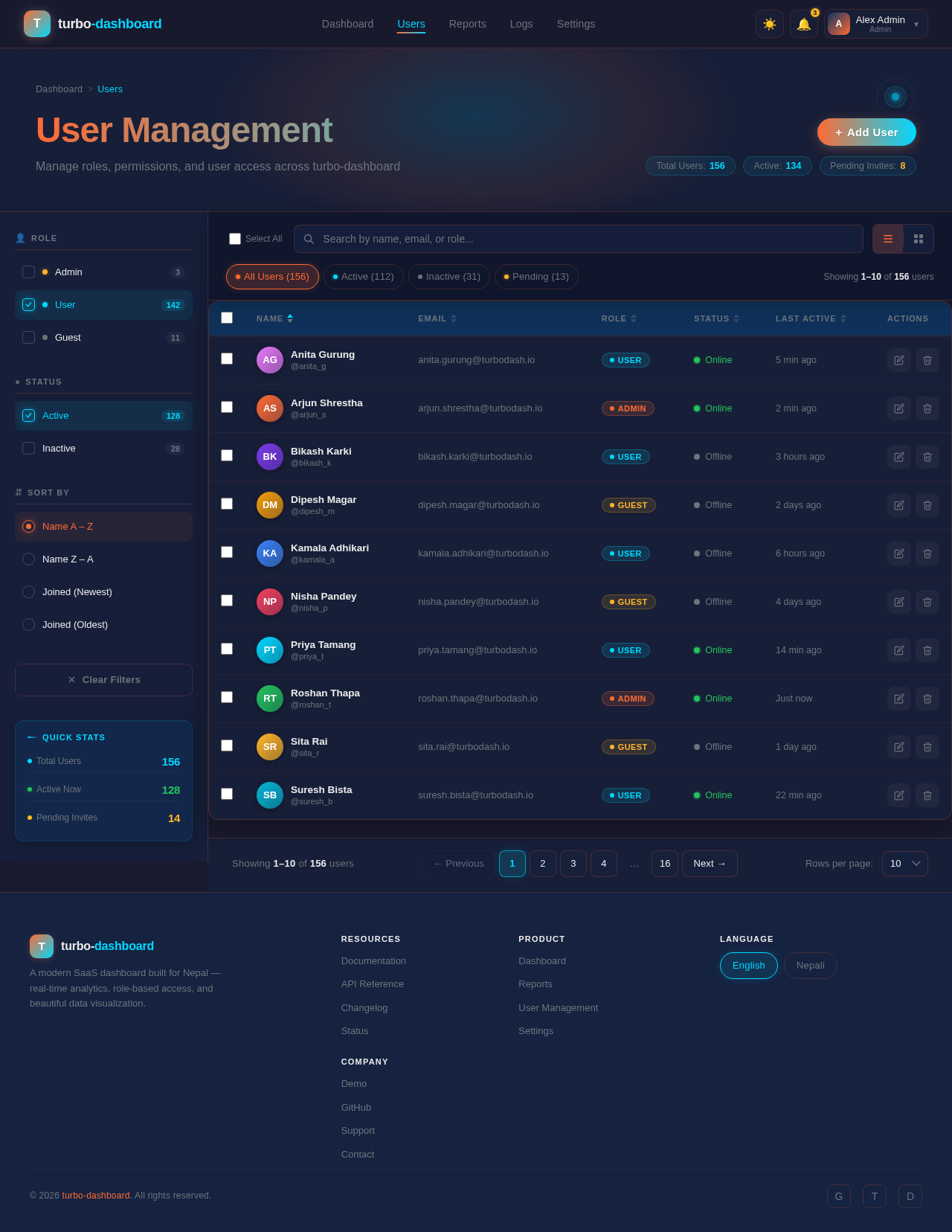
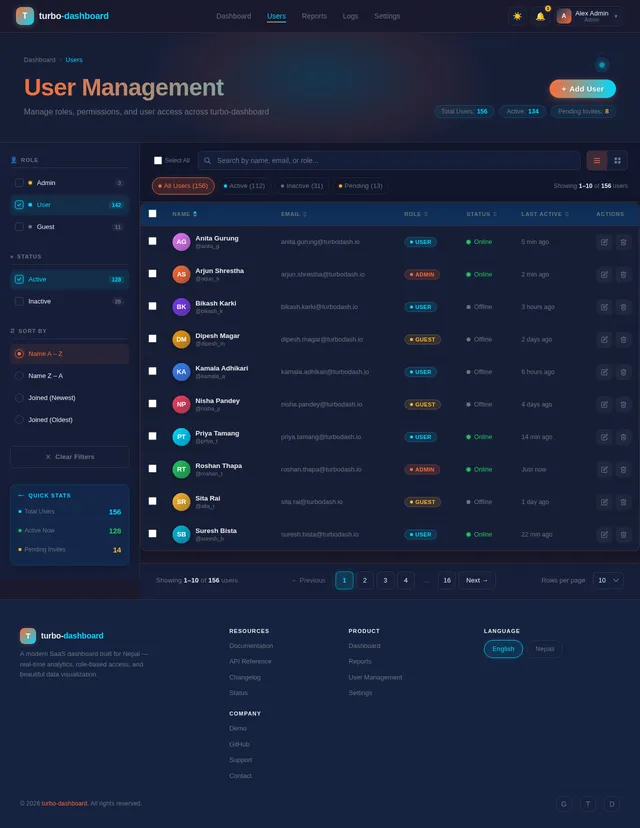
User Management
Manage roles, permissions, and user access across turbo-dashboard
| Name | Role | Status | Last Active | Actions | ||
|---|---|---|---|---|---|---|
AG | anita.gurung@turbodash.io | User | Online | 5 min ago | ||
AS | arjun.shrestha@turbodash.io | Admin | Online | 2 min ago | ||
BK | bikash.karki@turbodash.io | User | Offline | 3 hours ago | ||
DM | dipesh.magar@turbodash.io | Guest | Offline | 2 days ago | ||
KA | kamala.adhikari@turbodash.io | User | Offline | 6 hours ago | ||
NP | nisha.pandey@turbodash.io | Guest | Offline | 4 days ago | ||
PT | priya.tamang@turbodash.io | User | Online | 14 min ago | ||
RT | roshan.thapa@turbodash.io | Admin | Online | Just now | ||
SR | sita.rai@turbodash.io | Guest | Offline | 1 day ago | ||
SB | suresh.bista@turbodash.io | User | Online | 22 min ago |
Add New User
Create a new user account with roles and permissions
No comments yet. Be the first!