Page 1 of 7
turbo-branding System Requirements Document
1. Introduction
The purpose of this document is to outline the system requirements for the "turbo-branding" project, a micro SaaS solution designed to streamline client reporting for agencies through white-label reporting portals. This product aims to provide branded dashboards, automated explanations, scheduled emails, and client login pages, initially targeting SEO agencies and supporting their primary data sources.
2. System Overview
Page 2 of 7
2a. Product Interpretation and Delivery Boundary
-
Domain Descriptors:
- Branded dashboards and client login: Provide branded dashboards and client login pages for agency clients.
- Automated reporting and data integration: Support specific agency types and data sources for automated reporting.
-
What is being built:
- A micro SaaS product that offers white-label reporting portals for agencies, focusing on branded dashboards, automated explanations, scheduled emails, and client login pages.
-
Excluded Assumptions:
- Generic CRM features
- E-commerce transaction processing
-
Custom Pages:
- Agency Dashboard: Primary workspace for agency professionals to manage reports, assemble branded dashboards, and configure data sources.
- Client Portal: Secure client-facing workspace for accessing branded dashboards and reports.
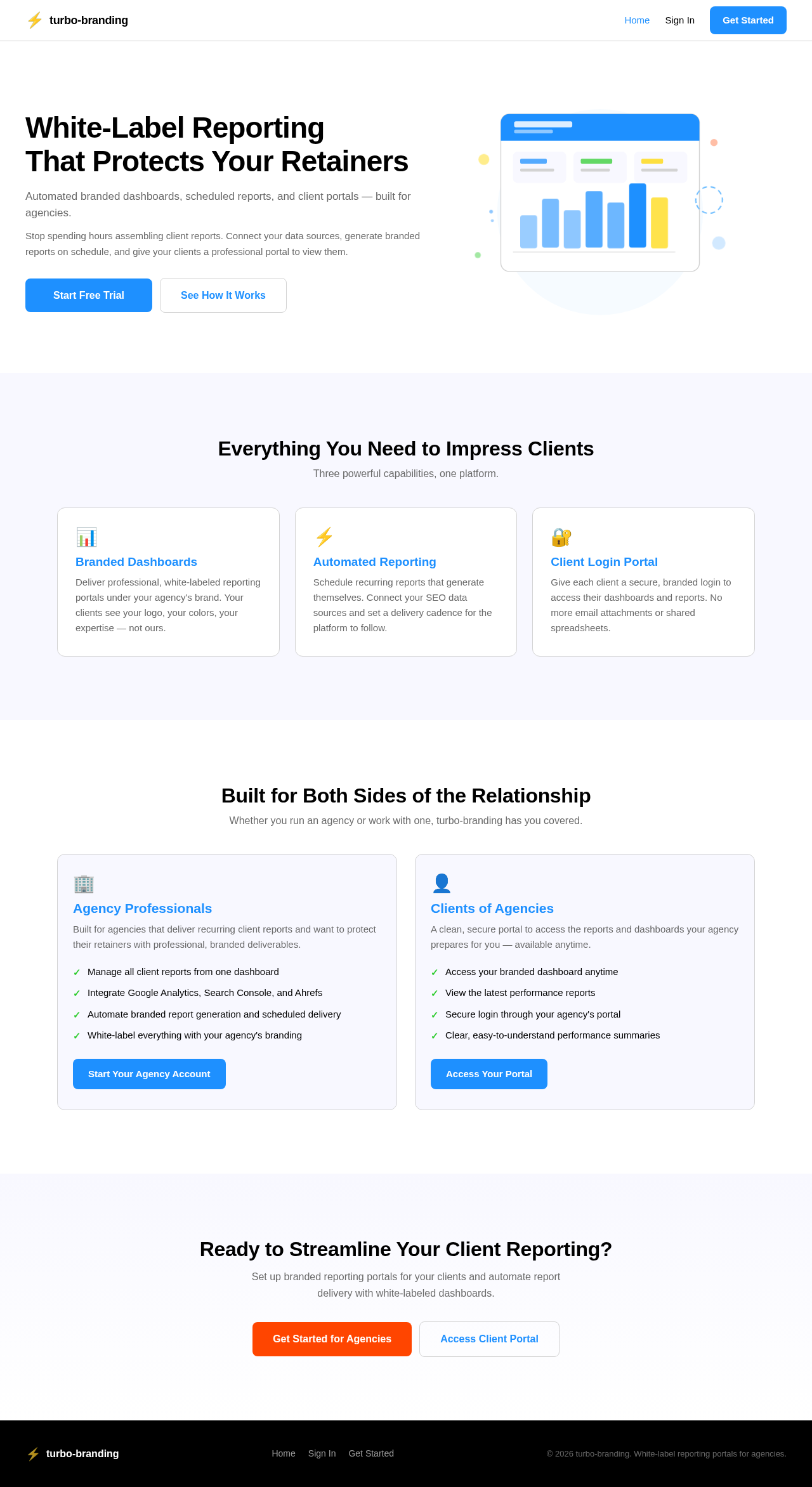
- Landing: Public entry page to orient both agency professionals and clients.
- Authentication: Combined surface for account sign-up and login.
-
Access:
- Application-owned identity with persistent identity continuity.
-
Behavior Contracts:
- Generate branded client reports: Agency professionals trigger scheduled report generation using client data and agency branding, resulting in branded client reports.
- Access branded dashboards: Clients log in to access dashboards.
- Integrate agency-specific data sources: Agency professionals connect supported data sources for reporting.
Page 3 of 7
2b. Source Content Inventory
No explicit content_source directives were provided; therefore, this section is not applicable.
2c. Page Content and Component Coverage
-
Agency Dashboard:
- Information: Report management, data source configuration, branding options.
- Actions: Generate reports, integrate data sources, configure branding.
- States: Loading, success, error notifications for report generation and data integration.
-
Client Portal:
- Information: Access to branded dashboards and reports.
- Actions: View reports, download documents.
- States: Access denied notification, loading, success.
-
Landing:
- Information: Product overview, benefits for agencies and clients.
- Actions: Navigate to sign-up/login, learn more about features.
- States: Initial orientation, navigation to authentication.
-
Authentication:
- Information: Account sign-up and login forms.
- Actions: Create account, log in, recover password.
- States: Account creation success, login error, password recovery.
Page 4 of 7
3. Functional Requirements as Story Points
- As an Agency professional, I should be able to generate branded client reports using client data and agency branding.
- As an Agency professional, I should be able to integrate agency-specific data sources for reporting.
- As a Client of an agency, I should be able to log in and access branded dashboards.
- As an Agency professional, I should be able to manage reports and configure data sources on the Agency Dashboard.
- As a Client of an agency, I should receive notifications if access to the dashboard is denied.
- As a User, I should be able to sign up and log in through a combined authentication surface.
4. User Personas
- Agency Professionals: Primary users who assemble and deliver client reports.
- Clients of Agencies: End-users who access branded dashboards and receive reports.
5. Core User Flows
Agency Professionals
- Access the Landing page.
- Navigate to the Authentication page.
- Log in to the Agency Dashboard.
- Manage reports and configure data sources.
- Generate branded client reports.
Page 5 of 7
Clients of Agencies
- Access the Landing page.
- Navigate to the Authentication page.
- Log in to the Client Portal.
- Access branded dashboards and view reports.
6. Visuals Colors and Theme
- Primary: #1E90FF (Dominant brand color)
- Primary Light: #63B8FF (Lighter tint for hover states)
- Secondary: #FFD700 (Supporting color)
- Accent: #FF4500 (Emphasis color for CTAs)
- Highlight: #32CD32 (Hover states and notifications)
- Background: #FFFFFF (Page background color)
- Surface: #F8F8FF (Card/panel background)
- Text: #000000 (Primary text color)
- Text Muted: #696969 (Secondary text color)
- Border: #D3D3D3 (Subtle border color)
7. Signature Design Concept
The Agency Dashboard will feature a clean, professional layout with a focus on usability and clarity. The primary color scheme will be used to highlight key actions and sections, while secondary and accent colors will provide visual interest and guide user interactions. The dashboard will include a responsive header with navigation links and a footer with contact information and support links.
Page 6 of 7
8. Interaction Model & Motion Direction
- Agency Dashboard: Animated with moderate scroll-triggered reveals and hover transitions to enhance user engagement.
- Client Portal: Static layout prioritizing clarity and ease of access to reports.
- Landing Page: Animated with a restrained 2D Hero motion to introduce the product and guide users to authentication.
9. Non-Functional Requirements
- Security: Secure access control for agency and client data.
- Performance: Efficient report generation and data integration processes.
- Reliability: High availability for client access to dashboards.
10. Tech Stack
- Frontend: React for Web
- Backend: Python, FastAPI
- Database: MySQL or MariaDB, use Alembic for migrations
- Local Orchestration: Docker, docker-compose
- Server-side Orchestration: Kubernetes
11. Assumptions and Constraints
- The system will initially target SEO agencies and support their primary data sources.
- The product will not include generic CRM features or e-commerce transaction processing.
Page 7 of 7
12. Glossary
- Agency Dashboard: The primary workspace for agency professionals.
- Client Portal: The secure workspace for clients to access reports.
- Landing Page: The public entry point for users.
- Authentication: The process of verifying user identity for access.
- White-label: A product that can be rebranded and resold by agencies.



No comments yet. Be the first!