Page 1 of 4
tough-start System Requirements Document
1. Introduction
The "tough-start" project aims to develop a simple single-page calculator design. This document outlines the system requirements, functional specifications, and design concepts necessary for the successful implementation of the project.
2. System Overview
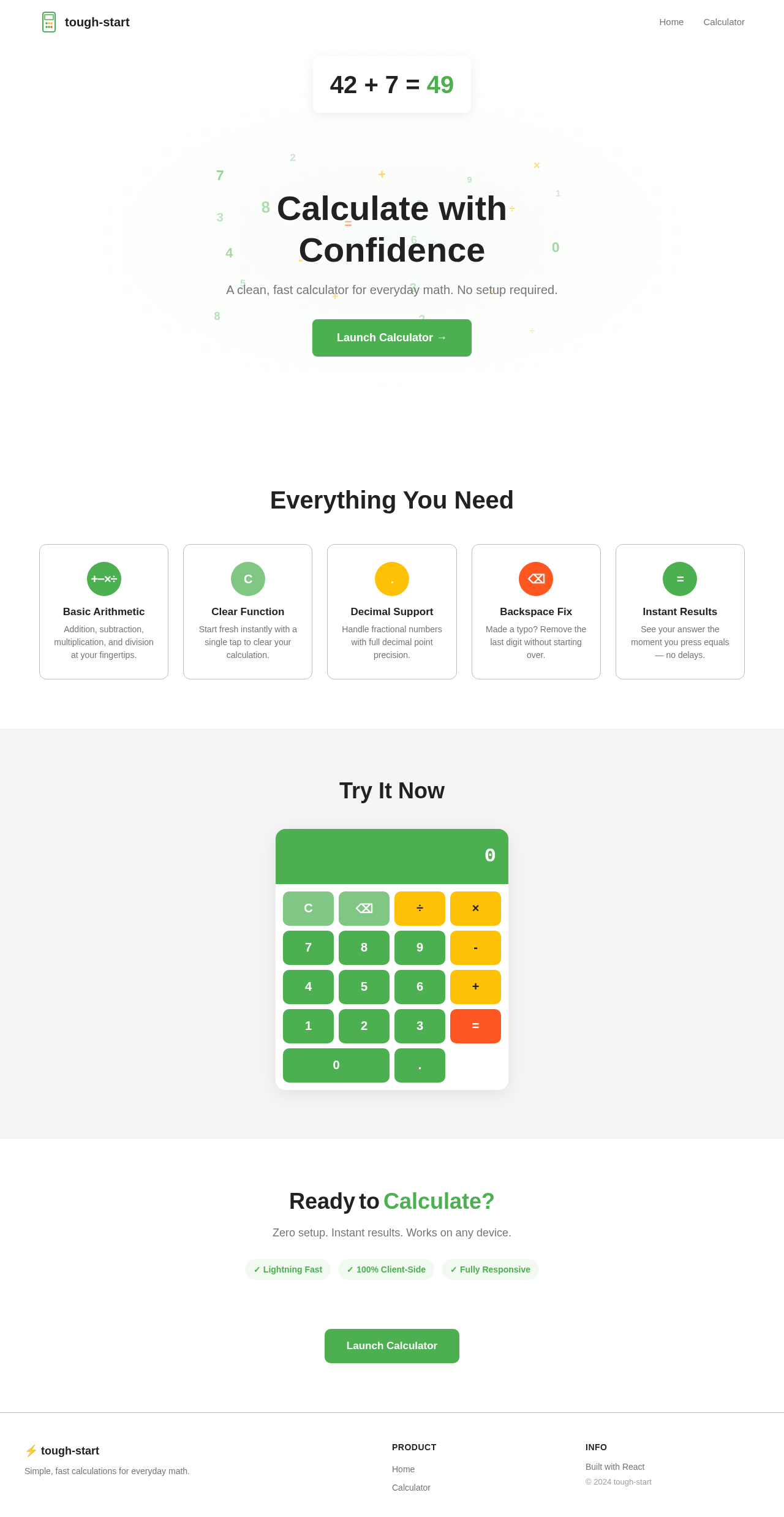
The "tough-start" project will deliver a user-friendly, single-page calculator application. The calculator will perform basic arithmetic operations and provide a clean, intuitive interface for users.
3. Functional Requirements as Story Points
- As a User, I should be able to perform basic arithmetic operations such as addition, subtraction, multiplication, and division.
- As a User, I should be able to clear the current input to start a new calculation.
- As a User, I should be able to view the result of my calculation immediately after pressing the equals button.
- As a User, I should be able to use a decimal point for fractional calculations.
- As a User, I should be able to use a backspace function to correct my input.
4. User Personas
- User: A general user who needs to perform basic arithmetic calculations quickly and efficiently.
Page 2 of 4
5. Core User Flows
- User opens the calculator application -> inputs numbers and operations -> presses equals to get the result -> clears input to start a new calculation.
6. Visuals Colors and Theme
[Default — not specified by user]
- primary: #4CAF50 (Green)
- primary_light: #81C784 (Light Green)
- secondary: #FFC107 (Amber)
- accent: #FF5722 (Deep Orange)
- highlight: #FFEB3B (Yellow)
- bg: #FFFFFF (White)
- surface: #F5F5F5 (Light Grey)
- text: #212121 (Dark Grey)
- text_muted: #757575 (Grey)
- border: #BDBDBD (Grey)
7. Signature Design Concept
The calculator will feature an interactive design where each button press triggers a subtle animation, enhancing user engagement. The buttons will have a "press" effect, slightly shrinking and changing color to indicate activation. The display area will have a smooth transition effect when updating the result, providing a seamless user experience. The design will be minimalistic, focusing on clarity and ease of use.
Page 3 of 4
LANDING HERO MOTION BRIEF
The landing page will feature a continuous animation loop where numbers and symbols float gently across the screen, representing the calculator's functionality. When a user interacts with the calculator, the floating elements will gather around the display area, highlighting the active calculation. This animation will be created using motion/react for smooth transitions and interactions.
8. Interaction Model & Motion Direction
- Intended Interaction Model: Animated
- The landing page will feature moderate scroll-triggered reveals and hover transitions. Interactive elements will have spring physics for a polished user experience.
9. Non-Functional Requirements
- The application must load quickly and perform calculations without noticeable delay.
- The design should be responsive and work seamlessly on various devices and screen sizes.
10. Tech Stack
[Default — not specified by user]
- Frontend: React for Web
- Backend: Not applicable for a single-page calculator
- Database: Not applicable for a single-page calculator
Page 4 of 4
11. Assumptions and Constraints
- The calculator will only perform basic arithmetic operations.
- The application will be a single-page design with no backend or database requirements.
12. Glossary
- Arithmetic Operations: Basic mathematical operations including addition, subtraction, multiplication, and division.
- Responsive Design: An approach to web design that makes web pages render well on a variety of devices and window or screen sizes.


No comments yet. Be the first!