01Loading
Loading items...
 Rafa Mariyam


Sign in to leave a comment
Topaz Infini · Design reference
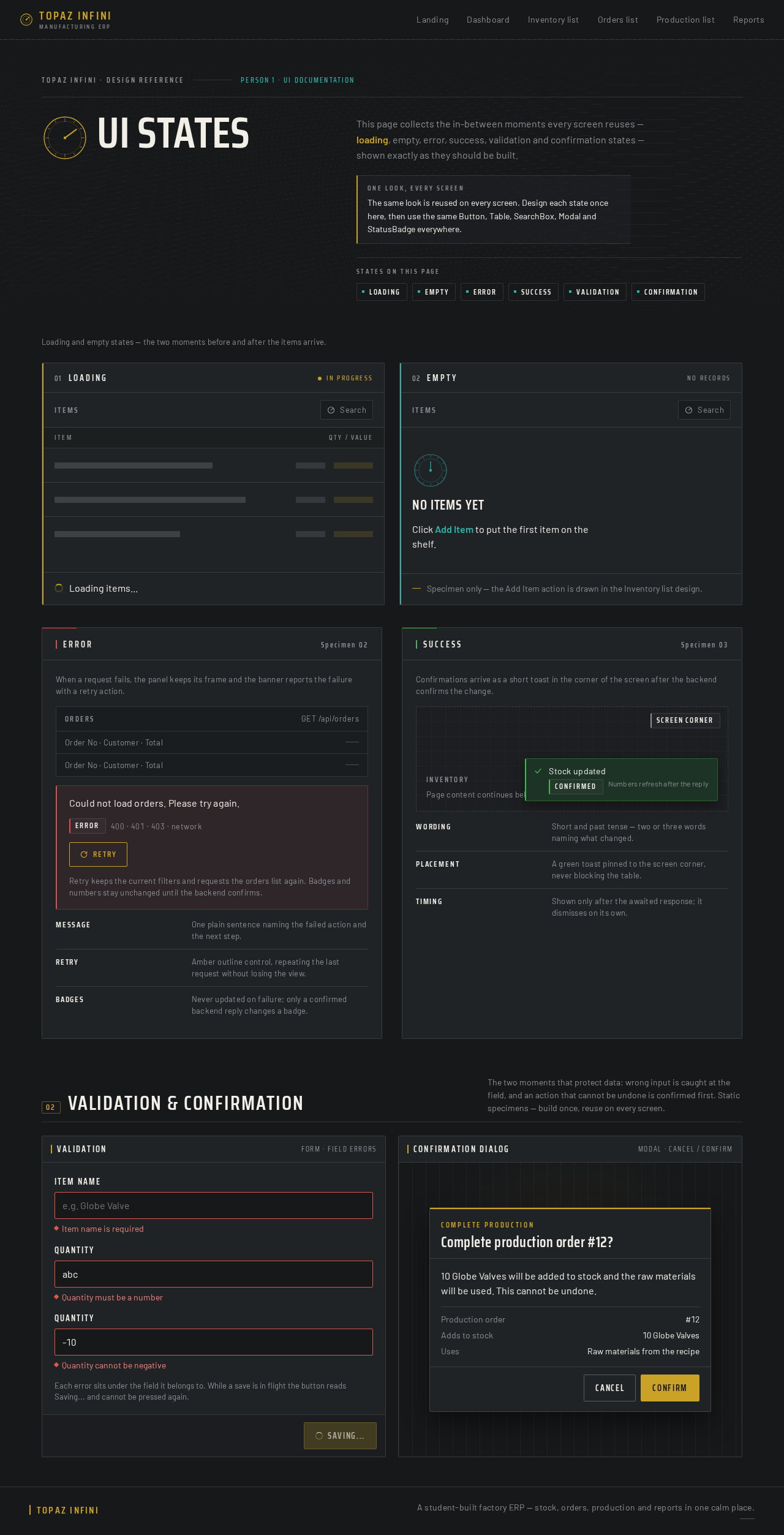
Person 1 · UI documentationThis page collects the in-between moments every screen reuses — loading, empty, error, success, validation and confirmation states — shown exactly as they should be built.
One look, every screenThe same look is reused on every screen. Design each state once here, then use the same Button, Table, SearchBox, Modal and StatusBadge everywhere.
States on this page
Loading and empty states — the two moments before and after the items arrive.
Loading items...
No items yet
Click Add Item to put the first item on the shelf.
Specimen only — the Add Item action is drawn in the Inventory list design.
When a request fails, the panel keeps its frame and the banner reports the failure with a retry action.
Could not load orders. Please try again.
Retry keeps the current filters and requests the orders list again. Badges and numbers stay unchanged until the backend confirms.
Confirmations arrive as a short toast in the corner of the screen after the backend confirms the change.
Stock updated
The two moments that protect data: wrong input is caught at the field, and an action that cannot be undone is confirmed first. Static specimens — build once, reuse on every screen.
Item name is required
Quantity must be a number
Quantity cannot be negative
Each error sits under the field it belongs to. While a save is in flight the button reads Saving... and cannot be pressed again.
Complete production
₹0INR
Total stock valueTopaz Infini
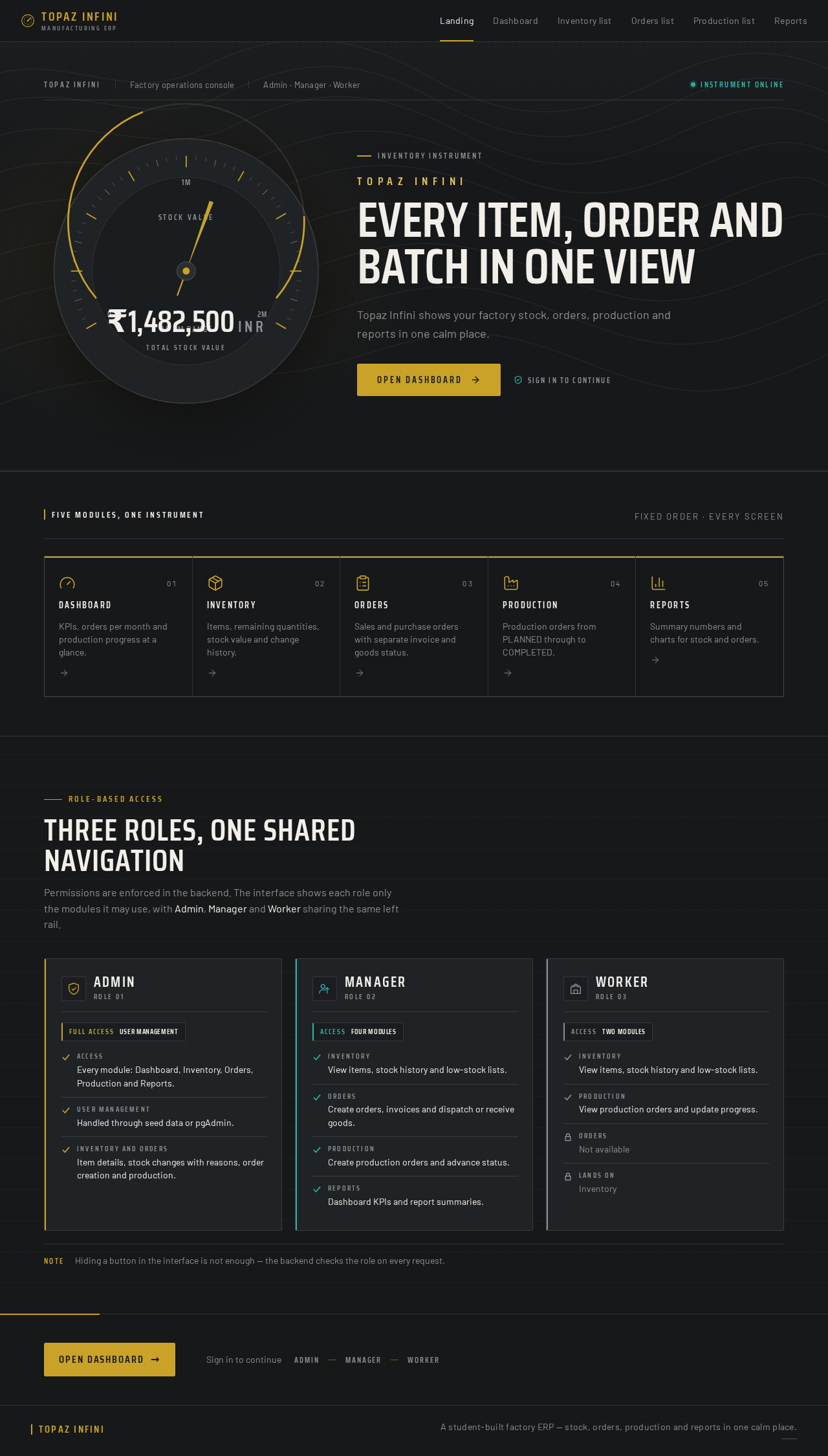
Topaz Infini shows your factory stock, orders, production and reports in one calm place.
Role-based access
Permissions are enforced in the backend. The interface shows each role only the modules it may use, with Admin, Manager and Worker sharing the same left rail.
NoteHiding a button in the interface is not enough — the backend checks the role on every request.
No comments yet. Be the first!