Lead & Quote Management
Import your leads and quotes into one organized workspace, so every estimate and inquiry is captured and ready for follow-up instead of slipping through the cracks.
Streamlined follow-up from the moment a lead arrives.
 Rajesh Reddy Guthikonda
Estimate follow-up tracker Remodelers, HVAC installers, roofers, photographers, cleaning companies Small service businesses routinely send quotes and then fail to follow up consistently; this is revenue leakage rather than a “nice-to-have.” Import leads/quotes, automate follow-ups, track reasons for lost deals, and show recovered pipeline; $59–199/month


Sign in to leave a comment
Tidal-Estimate is a SaaS solution designed to help small service businesses, such as remodelers, HVAC installers, roofers, photographers, and cleaning companies, manage and automate follow-ups on leads and quotes. This tool aims to reduce revenue leakage by ensuring consistent engagement with potential clients and tracking reasons for lost deals.
Domain Descriptors:
Product Being Built:
Excluded Assumptions:
Access:
Behavior Contracts:
No explicit content sources were provided.
Landing Page:
Authentication Page:
Dashboard:
explicitrequired_inferencerequired_inferencerequired_inferencerequired_inferenceLanding Page to Authentication:
Authentication to Dashboard:
Dashboard Operations:
[Default — not specified by user]
The Dashboard page will feature a clean and intuitive design, focusing on clarity and ease of use. The primary color (blue) will be used for key action buttons and highlights, while the secondary color (gray) will provide a neutral backdrop for text and data. The accent color (green) will be used sparingly to draw attention to important notifications or actions, such as successful imports or follow-ups.
No additional non-functional requirements were inferred.
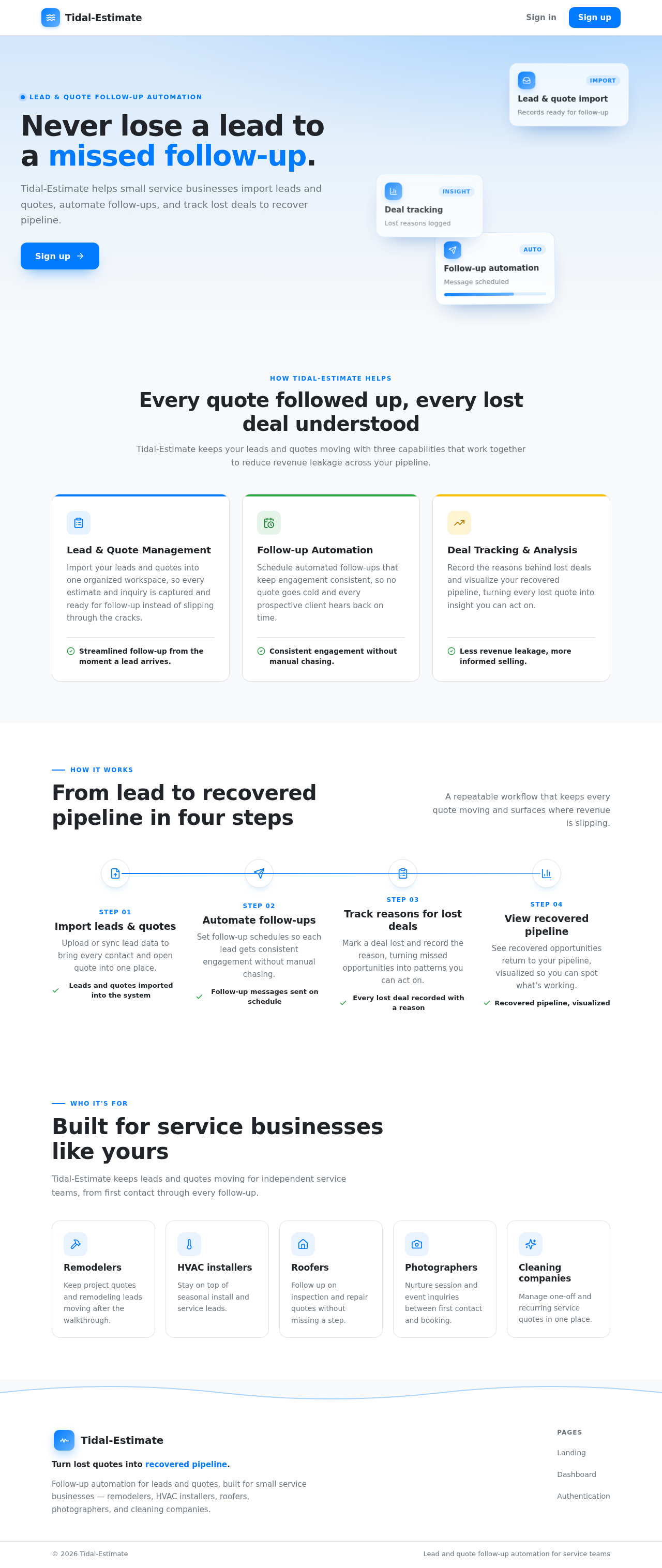
Lead & quote follow-up automation
Tidal-Estimate helps small service businesses import leads and quotes, automate follow-ups, and track lost deals to recover pipeline.
How Tidal-Estimate helps
Tidal-Estimate keeps your leads and quotes moving with three capabilities that work together to reduce revenue leakage across your pipeline.
Import your leads and quotes into one organized workspace, so every estimate and inquiry is captured and ready for follow-up instead of slipping through the cracks.
Streamlined follow-up from the moment a lead arrives.
Schedule automated follow-ups that keep engagement consistent, so no quote goes cold and every prospective client hears back on time.
Consistent engagement without manual chasing.
Record the reasons behind lost deals and visualize your recovered pipeline, turning every lost quote into insight you can act on.
Less revenue leakage, more informed selling.
How it works
A repeatable workflow that keeps every quote moving and surfaces where revenue is slipping.
Step 01
Upload or sync lead data to bring every contact and open quote into one place.
Leads and quotes imported into the system
Step 02
Set follow-up schedules so each lead gets consistent engagement without manual chasing.
Follow-up messages sent on schedule
Step 03
Mark a deal lost and record the reason, turning missed opportunities into patterns you can act on.
Every lost deal recorded with a reason
Step 04
See recovered opportunities return to your pipeline, visualized so you can spot what's working.
Recovered pipeline, visualized
Who it's for
Tidal-Estimate keeps leads and quotes moving for independent service teams, from first contact through every follow-up.
Keep project quotes and remodeling leads moving after the walkthrough.
Stay on top of seasonal install and service leads.
Follow up on inspection and repair quotes without missing a step.
Nurture session and event inquiries between first contact and booking.
Manage one-off and recurring service quotes in one place.
Lead & quote follow-up automation
Tidal-Estimate helps small service businesses import leads and quotes, automate follow-ups, and track lost deals to recover pipeline.
How Tidal-Estimate helps
Tidal-Estimate keeps your leads and quotes moving with three capabilities that work together to reduce revenue leakage across your pipeline.
Import your leads and quotes into one organized workspace, so every estimate and inquiry is captured and ready for follow-up instead of slipping through the cracks.
Streamlined follow-up from the moment a lead arrives.
Schedule automated follow-ups that keep engagement consistent, so no quote goes cold and every prospective client hears back on time.
Consistent engagement without manual chasing.
Record the reasons behind lost deals and visualize your recovered pipeline, turning every lost quote into insight you can act on.
Less revenue leakage, more informed selling.
How it works
A repeatable workflow that keeps every quote moving and surfaces where revenue is slipping.
Step 01
Upload or sync lead data to bring every contact and open quote into one place.
Leads and quotes imported into the system
Step 02
Set follow-up schedules so each lead gets consistent engagement without manual chasing.
Follow-up messages sent on schedule
Step 03
Mark a deal lost and record the reason, turning missed opportunities into patterns you can act on.
Every lost deal recorded with a reason
Step 04
See recovered opportunities return to your pipeline, visualized so you can spot what's working.
Recovered pipeline, visualized
Who it's for
Tidal-Estimate keeps leads and quotes moving for independent service teams, from first contact through every follow-up.
Keep project quotes and remodeling leads moving after the walkthrough.
Stay on top of seasonal install and service leads.
Follow up on inspection and repair quotes without missing a step.
Nurture session and event inquiries between first contact and booking.
Manage one-off and recurring service quotes in one place.
No comments yet. Be the first!