Page 1 of 4
terra-start System Requirements Document
Introduction
The project "terra-start" aims to develop a simple single-page design for a to-do application. This document outlines the system requirements for the project, providing a detailed overview of the functionalities, user personas, user flows, and design elements.
System Overview
The "terra-start" project is focused on creating a user-friendly, efficient, and visually appealing single-page to-do application. The application will allow users to manage their tasks effectively with a minimalistic design approach.
Functional Requirements as Story Points
- As a User, I should be able to add new tasks to my to-do list.
- As a User, I should be able to mark tasks as completed.
- As a User, I should be able to delete tasks from my to-do list.
- As a User, I should be able to view all my tasks in a single-page interface.
User Personas
- User: An individual who wants to manage personal tasks efficiently using a simple to-do application.
Page 2 of 4
Core User Flows
- User opens the application -> User adds a new task -> User marks task as completed -> User deletes task if necessary.
Visuals Colors and Theme
- primary: #4CAF50 (a calming green for primary actions)
- primary_light: #81C784 (a lighter green for hover states)
- secondary: #FFFFFF (white for a clean, minimalistic background)
- accent: #FF5722 (a vibrant orange for call-to-action buttons)
- highlight: #FFC107 (a bright yellow for notifications and active states)
- bg: #F5F5F5 (a light grey for the page background)
- surface: #FFFFFF (white for card/panel backgrounds)
- text: #212121 (a dark grey for primary text)
- text_muted: #757575 (a lighter grey for secondary text)
- border: #E0E0E0 (a subtle grey for borders)
Signature Design Concept
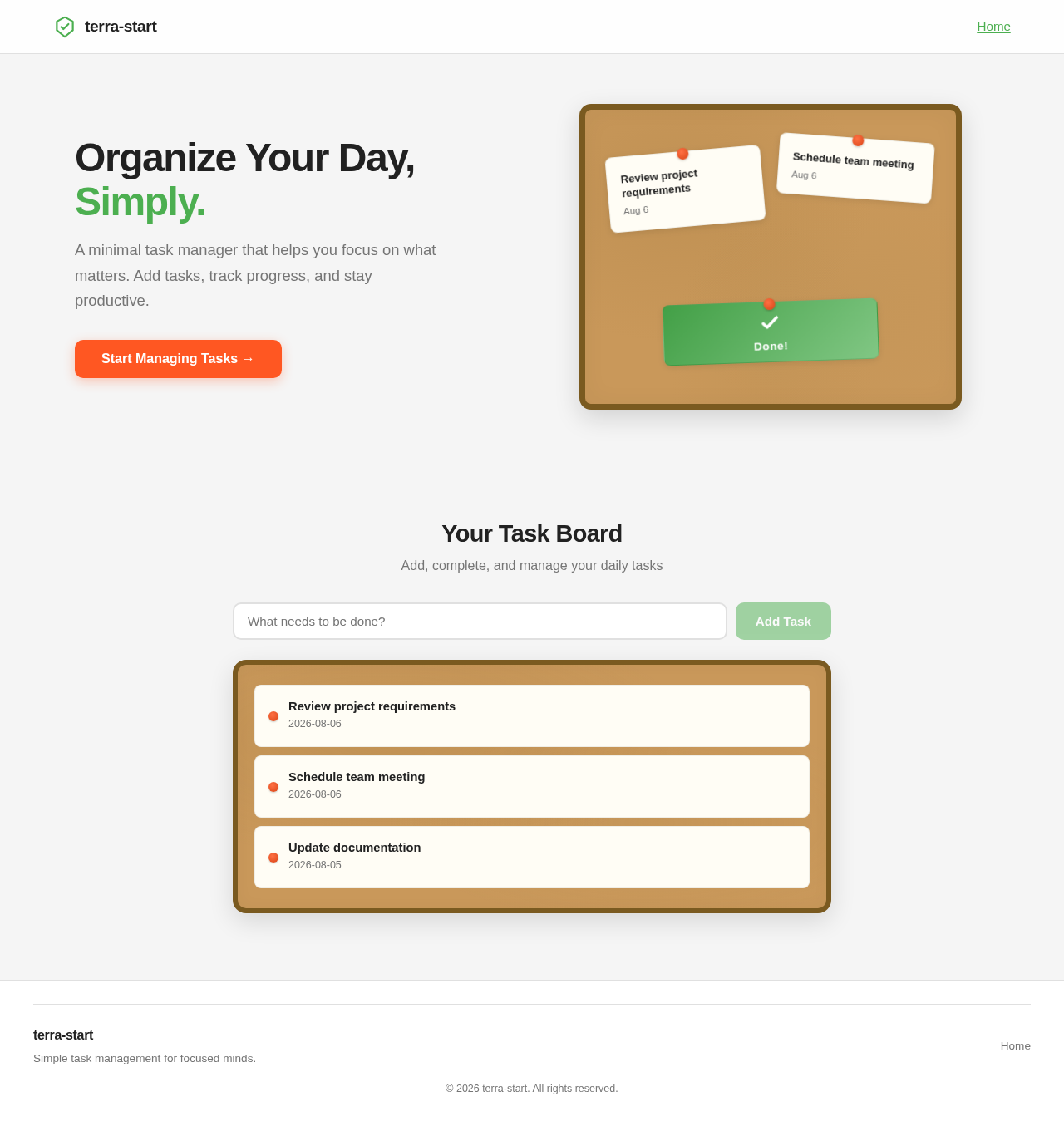
The homepage of the "terra-start" to-do application will feature an interactive task board that mimics a physical corkboard. Users can drag and drop task cards, which will flip and stack like a deck of playing cards when interacted with. This dynamic interaction will be achieved using motion/react for smooth animations. The corkboard background will provide a tactile feel, enhancing the user's engagement with the application.
Page 3 of 4
Landing Hero Motion Brief
The landing page will feature a continuous animation loop where tasks are added to the board, marked as completed, and then removed, showcasing the application's core functionality. The animation will be built using motion/react, ensuring a seamless experience. The first frame will display a clean, organized task board with a clear call-to-action to add a new task.
Interaction Model & Motion Direction
The intended interaction model for the landing page is "animated," featuring moderate scroll-triggered reveals and hover transitions. The task cards will have spring physics for interactive elements, providing a polished user experience.
Non-Functional Requirements
- The application must load quickly and efficiently on all modern web browsers.
- The design should be responsive and accessible, adhering to WCAG 2.1 guidelines.
Tech Stack
- Frontend: React for Web
- Backend: Not applicable for a single-page design
- Database: Not applicable for a single-page design
- AI Models: Not applicable
- Local orchestration: Not applicable
- Server-side orchestration: Not applicable
Page 4 of 4
Assumptions and Constraints
- The application will be developed as a single-page application.
- The design will prioritize simplicity and ease of use.
- No backend or database integration is required for the initial design phase.
Glossary
- SPA: Single Page Application
- WCAG: Web Content Accessibility Guidelines
This document provides a comprehensive overview of the requirements for the "terra-start" project, ensuring a clear understanding of the project's goals and deliverables.


No comments yet. Be the first!