tani-dahu-marketplace
 Suni Dahu
Buatkan sayah aplikasi yang bernama Tani Dahu ini agar siap untuk di unggah ke google play store 1. Buatkan fitur.Beranda upload Poto setatus vidio berkualitas tinggi degan tombol ( + ) dan tampilkan pengikut dan mengikuti di beranda dari propil peguna 2.Buatkan fitur Feed buat rekomendasi peguna agar produk penjualan, Poto vidio setatus mereka dari aplikasi Tani Dahu di rekomendasi di Feed. lalu harus ada komentar dan bagikan,suka.meyukai,Salin link,meyimpan Poto dan vidio download vidio 3. Buatkan Fitur marketplace degan unggah produk,dengan 4 Poto dan vidio berkualitas tinggi dan harga coret.berat produk.nama penjual nomor Telepon penjual. Dan buatkan tombol chat lalu sambungkan tombol chat ke fitur chat. pembeli wajib bertanya di chat tentang produk yang di jual.simpan data marketplace di database di Supabase 4. Buatkan fitur propil peguna degan tambah foto sampul Poto propil Ambil Poto dari galeri hp. Tampilkan jumblah pegikut dan mengikuti dan domisili dan alamat yang lengkap dan bagikan propil,harus ada dasbor analitik peguna supaya yang melihat produk Poto vidio pengunjung propil ke deteksi.tetapkan dasbor analitik di atas propil peguna agar tidak mudah di geser degan tombol (dasbor analitik) simpan data propil peguna di database di Supabase 5. buatkan fitur cat.harus ada ambil Poto dari galeri atau dari hp langsung dan harus ada tanda centang saru jika pesan terkirim dan harus ada centang dua jika pesan di baca.lalu simpan data fitur cat ke database di Supabase 6. Buatkan fitur diagnosa AI super canggih .untuk mendeteksi peyakit tanaman dan solusi.dan pengobatan untuk segala jenis tanaman/petunjuk degan Panduan lengkap untuk mengobati segala jenis Tanaman, tambah tombol cuaca.hujan.angin.panas lokasi harus sinkron lokasi peguna aplikasi Tani Dahu,dan tombol kalender.hitung modal.scren barcode kode pupuk harus ada dan berfungsi dan bisa di gunakan untuk segala jenis kode pupuk, harus ada tombol budidaya pencarian budidaya dan panduan lengkap budidaya cara menanam tanaman degan lengkap dan solusi nya sampe panen untuk segala jenis tanaman, dan tambah riwayat pencarian budidaya agar peguna bisa membuka lagih 7. Buatkan fitur notifikasi sistem agar cat. produk penjualan. Komentar menyukai poto dan vidio masuk ke sistem notifikasi lalu sambungan fitur notifikasi ke database di Supabase 8.Buatkan Pengaturan sistem degan tombol bantuan menu seting akun dan buatkan kebijakan privasi degan detail tentang aplikasi Tani Dahu degan lengkap.dan harus ada logout dan login akun pendaptaran akun,· 9.buatkan Login & Register pakai Email + Password + Lupa Password + Pendaptaran Akun alamat dan domisil dan nomor Telepon" · Tombol Lapor Postingan dan Blokir User · Halaman Privacy Policy dan Delete Account · Moderasi konten otomatis. Sambungkan semua ke database di Supabase yang sudah sayah buat


Comments (0)
Sign in to leave a comment
System Requirements
System Requirements Document for tani-dahu-marketplace
1. Introduction
Tani Dahu is an Android-first agricultural social-commerce and agronomy companion for Indonesian smallholder farmers, growers, and village sellers. The product combines four accepted responsibilities in one application:
- A social layer — a Beranda home surface for high-quality photo/video status uploads with a
(+)button and follower/following counts, and a Feed that recommends other users' selling products and photo/video statuses with comments, share, like, copy link, save photo, and video download. - A marketplace — product listings with 4 high-quality photos plus video, strikethrough price, product weight, seller name, and seller phone number, with a chat button wired into the Chat feature; buyers are required to ask in chat about the product being sold.
- An agronomy toolkit — a super-capable AI plant-disease diagnosis with treatment guidance for all plant types, a weather button (rain, wind, heat) synced to the user's location, a calendar button, a capital calculator, a working fertilizer-barcode screen usable for any fertilizer code, and a Budidaya cultivation guide with search, complete planting-to-harvest guidance and solutions for all plant types, plus search history for reopening past queries.
- Account, safety, and platform readiness — email + password login/register with password recovery, registration capturing address, domicile, and phone number, system notifications for chat, sales products, comments, and photo/video likes, a Settings surface with help, account settings, and a detailed Tani Dahu privacy policy, report-post and block-user controls, a Privacy Policy page, a Delete Account page, automatic content moderation, and Supabase persistence for all durable data.
The application must be ready for upload to the Google Play Store. The audience is the Indonesian farming community: users who work outdoors, need screens readable in harsh sun, and operate with wet, dusty, or gloved hands.
2. System Overview
Tani Dahu is delivered as a mobile-first application (Android/Google Play target) with a first-party backend and Supabase as the durable database the user has already created. All accepted durable records — marketplace data, user profile data, chat data, notification data, and the remaining application records — are persisted in Supabase.
Actors. The closed active-human catalog is: Pengguna Tani Dahu (Petani/Pengguna Umum), Penjual (Seller) di Marketplace, and Pembeli (Buyer) di Marketplace. Supabase is a typed non-persona data provider; the AI diagnosis engine, weather data source, barcode decoding, and automatic content moderation are system/provider capabilities, not personas.
Accepted behavior. Social posting and feed interaction; marketplace listing creation and discovery; mandatory buyer-to-seller chat about a listed product; profile media, location, social counts, and sharing; a persistent profile analytics dashboard pinned above the profile; chat with photo capture from gallery or camera and single/double check delivery-read states; AI plant-disease diagnosis with treatment guidance; weather, calendar, capital calculator, and fertilizer barcode tools; Budidaya cultivation search with complete guidance and reopenable search history; a notification center fed by chat, listings, comments, and likes; settings with help, account settings, and privacy policy; login, register, password recovery, logout; report post and block user; Privacy Policy and Delete Account pages; and automatic content moderation.
Ownership. All accepted human-facing work is owned by first-party application pages. Supabase owns durable storage. The AI diagnosis, weather, and barcode capabilities are invoked from the Diagnosa AI page but are provider/system capabilities.
Narrow exclusions. No payment, checkout, escrow, shipping, or order-fulfilment capability is accepted; the marketplace connects buyer and seller through chat only. No adjacent account-management capability beyond login, register, password recovery, logout, and account deletion is accepted. No capability outside the accepted thread is added.
2a. Product Interpretation and Delivery Boundary
Tani Dahu is delivered as a first-party mobile application prepared for Google Play Store submission, backed by a first-party backend service and the user's existing Supabase database. The application owns its own identity: users establish an account with email, password, address, domicile, and telephone number, verify themselves on return through Login, and recover access through Lupa Password. Anonymous visitors can read the Landing surface and the Privacy Policy; every other accepted destination requires an established identity, and the protected destinations never own the interaction that establishes access to themselves.
Current delivery covers the complete accepted thread: social posting and feed interaction, marketplace listing and discovery, product-linked chat, profile and analytics, chat delivery states, the agronomy toolkit, notifications, settings, privacy and account deletion, reporting and blocking, and automatic moderation. Nothing in the accepted thread is deferred. Future ideas that were never accepted are not part of this delivery and are not represented as pages or requirements.
2b. Source Content Inventory
No reference directive in this request declares content_source; therefore no source content inventory is produced. All factual content in this document derives from the authoritative user requirement thread and the accepted Planning Scope.
2c. Page Content and Component Coverage
Landing
- Information/state: Anonymous first impression of Tani Dahu — what the app is, that it carries a social feed, a marketplace, and an agronomy toolkit, and that an account is required to use it. No user-specific state.
- Primary actions: Navigate to Register; navigate to Login; open Privacy Policy.
- Supporting actions: Read the product explanation; view the documentary hero photograph and wordmark.
- Domain entities: None persisted; presentation only.
- Component responsibilities: Full-bleed documentary hero photograph with the
Tani Dahuwordmark set on the photo's lower third; a solid oat band beneath carrying the product explanation; capsule entry controls for Register and Login; a link to Privacy Policy. - States: Loading — hero photograph loads with a soft oat placeholder. Empty — not applicable (static entry). Success — hero and entry controls render. Error — if the hero image fails, the oat band and wordmark render without the photograph. Recovery — entry controls remain usable regardless of image state.
Login
- Information/state: Email and password fields; validation and authentication state; error messaging.
- Primary actions: Submit email + password to sign in.
- Supporting actions: Navigate to Register; navigate to Lupa Password.
- Domain entities: User account credentials.
- Component responsibilities: Capsule email input; capsule password input with visibility toggle; primary green submit capsule; links to Register and Lupa Password; inline error region.
- States: Loading — submit capsule shows progress and inputs lock. Empty — fields blank with placeholder guidance. Success — session established and the user continues to Beranda. Error — invalid credentials or network failure shown inline with the fields preserved. Recovery — user retries, or follows Lupa Password.
Register
- Information/state: Email, password, address, domicile, and telephone number fields; validation state.
- Primary actions: Submit the registration form to create the account.
- Supporting actions: Navigate to Login; open Privacy Policy.
- Domain entities: User account with email, password, address, domicile, telephone number.
- Component responsibilities: Capsule inputs for email, password, address, domicile, and telephone number; primary green submit capsule; link to Login; inline validation region.
- States: Loading — submit capsule shows progress and inputs lock. Empty — all fields blank with placeholder guidance. Success — account created and the user proceeds into the application. Error — duplicate email, invalid field, or network failure shown inline with entered values preserved. Recovery — user corrects the field and resubmits, or switches to Login.
Lupa Password
- Information/state: Email field for recovery; recovery request state.
- Primary actions: Submit the account email to request password recovery.
- Supporting actions: Return to Login.
- Domain entities: User account recovery request.
- Component responsibilities: Capsule email input; primary green submit capsule; confirmation region; link back to Login.
- States: Loading — submit capsule shows progress. Empty — email field blank with placeholder guidance. Success — confirmation that recovery instructions were sent. Error — unknown email or network failure shown inline. Recovery — user retries with a corrected email or returns to Login.
Beranda
- Information/state: The signed-in user's home surface: the user's own identity row with avatar, name, and follower/following counts; the status upload entry point; the user's status content.
- Primary actions: Tap the
(+)button to upload a high-quality photo or video status. - Supporting actions: View follower count and following count from the user's profile; open the upload sheet choices; navigate to Feed, Diagnosa, Chat, and Profil from the bottom bar.
- Domain entities: Status post (photo/video, high quality), follower relationship, following relationship, user profile identity.
- Component responsibilities: Full-bleed documentary hero photograph with the
Tani Dahuwordmark; identity row with 56px avatar circle overlapping the photo boundary, name, and capsule follower/following pair in tabular numerals; 64px terracotta(+)capsule pinned bottom-right above the navigation bar; soft 28px-radius upload sheet with three choices (Foto, Video, Produk); 56px thumb-zone bottom bar (Beranda · Feed · Diagnosa · Chat · Profil). - States: Loading — hero and identity row render with soft placeholders while counts resolve. Empty — no status content yet; the
(+)capsule and an empty-state spot illustration invite the first upload. Success — uploaded status appears and the follower/following counts remain visible. Error — upload failure surfaces a retry affordance and the draft media is retained. Recovery — user retries the upload from the retained draft.
Feed
- Information/state: A recommendation stream of other users' selling products and photo/video statuses from Tani Dahu, each with its social interaction state (likes, comments, saved state).
- Primary actions: Like a post; comment on a post; share a post; copy the post link; save a photo; download a video.
- Supporting actions: Open a recommended product to its marketplace listing; open a post author's profile; expand comments inline.
- Domain entities: Feed post (product recommendation or status), comment, like, share, saved photo, downloaded video, post link.
- Component responsibilities: Single-column feed cards with media at 4:5; inline comment expansion; like, comment, share, copy-link, save-photo, and download-video controls; product recommendation cards carrying the marketplace spec strip and chat entry.
- States: Loading — feed cards render with soft skeleton placeholders. Empty — no recommendations yet; empty-state spot art with guidance to follow users or post a status. Success — recommendations render and interactions register. Error — a failed interaction or feed fetch shows an inline retry without losing the current scroll position. Recovery — user retries the failed action; saved and downloaded media remain available.
Marketplace
- Information/state: Product listings with 4 high-quality photos plus video, strikethrough price beside the live price, product weight, seller name, and seller telephone number; the listing creation form for sellers.
- Primary actions: Upload a product with 4 high-quality photos and video, strikethrough price, product weight, seller name, and seller telephone number; tap the chat button to open Chat for that product.
- Supporting actions: Browse and open a listing detail; view the ruled spec block (Berat, Penjual, Telepon); open the seller's profile.
- Domain entities: Product listing (4 photos, video, strikethrough price, live price, weight, seller name, seller phone), seller, buyer.
- Component responsibilities: Two-up product grid at desktop width and single column at mobile; listing detail with a 4-photo swipe strip plus a video tile; ruled spec block for Berat, Penjual, and Telepon; terracotta strikethrough price beside the live price in tabular figures; full-width green
Tanya Penjual di Chatcapsule pinned to a bottom capsule bar that opens the chat thread pre-filled with the product name and photo. - States: Loading — grid and detail render with soft placeholders. Empty — no listings yet; empty-state spot art with an upload invitation for sellers. Success — listing saved to Supabase and visible in the grid and detail. Error — upload validation failure (missing photos, video, price, weight, seller name, or phone) or network failure shown inline with entered values preserved. Recovery — seller corrects the listing and resubmits; buyer retries opening chat.
Chat
- Information/state: Conversation threads, including product-linked threads opened from a marketplace listing; message media; delivery state per message (single check when sent, double check when read).
- Primary actions: Send a message; take a photo from the gallery or directly from the phone camera and send it; open a product-linked thread.
- Supporting actions: Read incoming messages; view the delivery/read state of sent messages.
- Domain entities: Conversation thread, message, message media (gallery or camera photo), delivery state (sent), read state (read), product reference.
- Component responsibilities: Soft asymmetric capsule chat bubbles; terracotta single-check for
terkirimmorphing into a double-check fordibaca; media attach control offering gallery and direct camera capture; product context header on product-linked threads. - States: Loading — thread list and message history render with soft placeholders. Empty — no conversations yet; empty-state spot art with guidance to ask a seller from a marketplace listing. Success — message stored in Supabase, single check shown on send, double check shown once read. Error — send failure or media capture failure shown inline with the message retained for retry. Recovery — user retries the send or re-captures the photo.
Profil Pengguna
- Information/state: Cover photo, profile photo, follower count, following count, domicile, and complete address; the profile's own content (products, photos, videos).
- Primary actions: Add a cover photo and profile photo by taking a photo from the phone gallery; share the profile.
- Supporting actions: Open the Dasbor Analitik drawer via the full-width
Dasbor Analitikcapsule button; view follower/following counts, domicile, and complete address. - Domain entities: User profile (cover photo, profile photo, follower count, following count, domicile, complete address), profile share.
- Component responsibilities: Top arc cover photo curving down into the avatar circle so the profile reads as one soft object; identity block with name, capsule follower/following pair in tabular numerals, domicile, and complete address; full-width
Dasbor Analitikcapsule button; share control; profile content list. - States: Loading — cover, avatar, and counts render with soft placeholders. Empty — no cover or profile photo yet; empty-state spot art with gallery-capture invitation. Success — cover and profile photo saved to Supabase and displayed; share produces a profile link. Error — gallery access denied or upload failure shown inline with the previous media retained. Recovery — user grants access or retries the upload.
Dasbor Analitik
- Information/state: Profile visitor detection and content-view detection — who viewed the profile and who viewed the user's products, photos, and videos — presented as a three-column ruled panel with tabular numerals.
- Primary actions: Open and close the analytics drawer with the
(dasbor analitik)button. - Supporting actions: Read profile visitors, product views, and post views.
- Domain entities: Profile visit record, product view record, photo/video view record.
- Component responsibilities: Sticky drawer pinned directly above the cover photo; full-width
Dasbor Analitikcapsule toggle; three-column ruled panel with tabular numerals; calm ruled presentation without dense chart chrome. - States: Loading — panel renders with soft placeholders while counts resolve. Empty — no visitors or views recorded yet; empty-state spot art. Success — visitor and view counts render and remain pinned while profile content scrolls beneath. Error — analytics fetch failure shows an inline retry inside the drawer. Recovery — user retries the fetch; the drawer remains pinned and does not scroll away.
Diagnosa AI
- Information/state: Uploaded plant photo, AI diagnosis result with detected disease, solution, and treatment guidance for any plant type; weather state (rain, wind, heat) synced to the user's location; calendar; capital calculation; fertilizer barcode scan result.
- Primary actions: Upload a plant photo for AI disease diagnosis; read the solution and treatment guidance; open the weather button; open the calendar button; open the capital calculator; scan a fertilizer barcode.
- Supporting actions: Read the weather condition for the user's synced location; read the calendar; enter capital figures and read the computed result; scan any fertilizer code.
- Domain entities: Diagnosis record (plant photo, detected disease, solution, treatment guidance), weather reading (rain, wind, heat) with user location, calendar entry, capital calculation, fertilizer barcode and its decoded result.
- Component responsibilities: AI diagnosis rail in deep leaf green; leaf photo upload control; single scan-line sweep over the uploaded leaf photo while results assemble; weather chip with a slowly drifting wind indicator and a terracotta alert chip for weather warnings; calendar control; capital calculator inputs and result; barcode screen control and decoded result panel.
- States: Loading — scan line sweeps once over the uploaded leaf photo while the diagnosis assembles; weather, calendar, and barcode controls show progress. Empty — no photo uploaded and no barcode scanned yet; empty-state spot art with upload and scan invitations. Success — diagnosis returns detected disease, solution, and treatment guidance; weather returns the condition for the synced location; barcode returns the decoded fertilizer result. Error — unrecognized plant photo, unavailable location, or unreadable barcode shown inline with a retry affordance. Recovery — user re-uploads the photo, grants location access, or rescans the barcode.
Budidaya
- Information/state: Cultivation search field, search history as a ruled list of recent queries above the search field, and complete cultivation guidance from planting through harvest with solutions for any plant type.
- Primary actions: Search cultivation guidance for a plant type; open a guide; reopen a previous search from history.
- Supporting actions: Read the stepped guide stages (Semai → Tanam → Rawat → Panen) with their solutions.
- Domain entities: Cultivation guide (plant type, complete planting-to-harvest steps, solutions), cultivation search query, cultivation search history entry.
- Component responsibilities: Search field; ruled list of recent queries above the search field; vertical stepped rail with numbered green capsules on a hairline vertical rule for each stage; soft flat spot art for guide steps.
- States: Loading — search results and guide render with soft placeholders. Empty — no search yet and no history; empty-state spot art with a search invitation. Success — guide renders complete through harvest with solutions, and the query is added to history. Error — no guide found or fetch failure shown inline with the query preserved. Recovery — user refines the query or reopens a previous query from history.
Notifikasi
- Information/state: System notifications for chat, sales products, comments, and photo/video likes.
- Primary actions: Open a notification to reach its source (chat thread, product, comment, or liked post).
- Supporting actions: Read the notification list; distinguish notification types.
- Domain entities: Notification record (type: chat, product sale, comment, like; source reference; read state).
- Component responsibilities: Notification list with type-distinguishing icons; unread indicator using the terracotta accent; tap-through to the source destination.
- States: Loading — notification list renders with soft placeholders. Empty — no notifications yet; empty-state spot art. Success — notifications render and tap-through opens the source. Error — fetch failure shows an inline retry. Recovery — user retries the fetch; read state is preserved.
Pengaturan
- Information/state: Help entry, account settings menu, privacy policy access, and logout.
- Primary actions: Open help; open account settings; open the privacy policy; log out.
- Supporting actions: Read the detailed Tani Dahu privacy policy from within settings.
- Domain entities: Account settings, help content, privacy policy content, session.
- Component responsibilities: Settings list with capsule rows; help entry; account settings menu; privacy policy link; logout control.
- States: Loading — settings list renders immediately from local state. Empty — not applicable (static list). Success — each entry opens its destination; logout ends the session and returns to Landing. Error — a failed destination open shows an inline message. Recovery — user retries the entry.
Privacy Policy
- Information/state: The detailed Tani Dahu privacy policy covering the application completely.
- Primary actions: Read the policy.
- Supporting actions: Return to the previous surface.
- Domain entities: Privacy policy content.
- Component responsibilities: Readable long-form policy layout on the oat ground with paper surfaces; section headings in Karla; body in Work Sans.
- States: Loading — policy text renders with a soft placeholder. Empty — not applicable (static content). Success — full policy renders. Error — fetch failure shows an inline retry. Recovery — user retries the fetch.
Delete Account
- Information/state: Account deletion destination with the consequences of deletion and the confirmation state.
- Primary actions: Confirm account deletion.
- Supporting actions: Cancel and return to the previous surface.
- Domain entities: User account, deletion request.
- Component responsibilities: Consequence explanation; destructive confirmation control in terracotta; cancel control.
- States: Loading — confirmation control shows progress during deletion. Empty — not applicable. Success — account deleted and the user returned to Landing. Error — deletion failure shown inline with the account retained. Recovery — user retries deletion or cancels.
3. Functional Requirements
FR-01 — Google Play readiness (explicit) As a Pengguna Tani Dahu, I should be able to install and use Tani Dahu as an application prepared for upload to the Google Play Store, so that the product is distributable on Android.
- Trigger/input: Application build and store submission preparation.
- Observable result: The application is packaged and configured for Google Play Store upload.
- Access state: Not applicable to end-user interaction.
- Failure/recovery: Build or store-configuration failure is corrected before submission.
- Continuation: The application is available for installation from Google Play.
FR-02 — Beranda status upload with (+) (explicit)
As a Pengguna Tani Dahu, I should upload high-quality photo and video statuses from Beranda using the (+) button, so that I can share my field activity.
- Trigger/input: Tap the 64px terracotta
(+)capsule on Beranda; choose Foto, Video, or Produk from the soft 28px-radius sheet; select or capture high-quality media. - Observable result: The status is published and appears on Beranda; a soft ring progress indicator wraps the
(+)button during upload. - Access state: Requires an established identity.
- Failure/recovery: Upload failure retains the draft media and offers retry.
- Continuation: The published status is visible and the user can upload another.
FR-03 — Beranda follower and following display (explicit) As a Pengguna Tani Dahu, I should see my follower count and following count on Beranda from my profile, so that I know my community standing at a glance.
- Trigger/input: Open Beranda.
- Observable result: A capsule follower/following pair (
128 Pengikut · 96 Mengikutistyle) renders in tabular numerals in the identity row. - Access state: Requires an established identity.
- Failure/recovery: If counts fail to resolve, the identity row renders with a soft placeholder and retries.
- Continuation: Counts remain visible while the user browses Beranda.
FR-04 — Feed recommendations (explicit) As a Pengguna Tani Dahu, I should see other users' selling products and photo/video statuses from Tani Dahu recommended in the Feed, so that I discover relevant content and products.
- Trigger/input: Open Feed.
- Observable result: A single-column recommendation stream renders product recommendations and statuses with media at 4:5.
- Access state: Requires an established identity.
- Failure/recovery: Feed fetch failure shows an inline retry without losing scroll position.
- Continuation: The user continues scrolling and interacting.
FR-05 — Feed comment (explicit) As a Pengguna Tani Dahu, I should comment on Feed posts, so that I can respond to other users' products and statuses.
- Trigger/input: Open the comment control on a Feed post and submit a comment.
- Observable result: The comment is stored and appears inline under the post; comments expand inline rather than pushing the page.
- Access state: Requires an established identity.
- Failure/recovery: Comment submission failure shows an inline retry with the text preserved.
- Continuation: The user continues reading or commenting.
FR-06 — Feed share (explicit) As a Pengguna Tani Dahu, I should share Feed posts, so that I can distribute content outside the immediate feed.
- Trigger/input: Tap the share control on a Feed post.
- Observable result: The platform share surface opens with the post reference.
- Access state: Requires an established identity.
- Failure/recovery: Share failure shows an inline message.
- Continuation: The user returns to the Feed.
FR-07 — Feed like/menyukai (explicit) As a Pengguna Tani Dahu, I should like Feed posts, so that I can express appreciation for products and statuses.
- Trigger/input: Tap the like control on a Feed post.
- Observable result: The like state toggles and the like count updates; the post author receives a like notification.
- Access state: Requires an established identity.
- Failure/recovery: Like failure reverts the toggle and shows an inline message.
- Continuation: The user continues browsing.
FR-08 — Feed copy link (explicit) As a Pengguna Tani Dahu, I should copy a Feed post's link, so that I can paste it elsewhere.
- Trigger/input: Tap the copy-link control on a Feed post.
- Observable result: The post link is copied to the clipboard with a confirmation.
- Access state: Requires an established identity.
- Failure/recovery: Copy failure shows an inline message.
- Continuation: The user continues browsing.
FR-09 — Feed save photo (explicit) As a Pengguna Tani Dahu, I should save a photo from a Feed post, so that I can keep it on my device.
- Trigger/input: Tap the save-photo control on a Feed post containing a photo.
- Observable result: The photo is saved to the device with a confirmation.
- Access state: Requires an established identity and device storage permission.
- Failure/recovery: Permission denial or save failure shows an inline message with a retry.
- Continuation: The user continues browsing.
FR-10 — Feed download video (explicit) As a Pengguna Tani Dahu, I should download a video from a Feed post, so that I can keep it on my device.
- Trigger/input: Tap the download-video control on a Feed post containing a video.
- Observable result: The video downloads to the device with progress and a completion confirmation.
- Access state: Requires an established identity and device storage permission.
- Failure/recovery: Permission denial or download failure shows an inline message with a retry.
- Continuation: The user continues browsing.
FR-11 — Marketplace product upload (explicit) As a Penjual (Seller) di Marketplace, I should upload a product with 4 high-quality photos and video, strikethrough price, product weight, seller name, and seller telephone number, so that buyers can evaluate my product.
- Trigger/input: Open the marketplace upload form; provide 4 high-quality photos, a high-quality video, the strikethrough price, the live price, the product weight, the seller name, and the seller telephone number.
- Observable result: The listing is saved to Supabase and appears in the marketplace grid and detail with the terracotta strikethrough price beside the live price and the ruled spec block (Berat · Penjual · Telepon).
- Access state: Requires an established identity with seller authorization over the listing.
- Failure/recovery: Validation failure (missing photos, video, price, weight, seller name, or phone) or network failure is shown inline with entered values preserved.
- Continuation: The seller can edit or upload another product.
FR-12 — Marketplace chat button wired to Chat (explicit) As a Pembeli (Buyer) di Marketplace, I should tap the chat button on a listing and be connected to the Chat feature, so that I can reach the seller.
- Trigger/input: Tap the full-width green
Tanya Penjual di Chatcapsule on a listing detail. - Observable result: The Chat feature opens the thread pre-filled with the product name and photo.
- Access state: Requires an established identity.
- Failure/recovery: If the thread cannot open, an inline retry is offered.
- Continuation: The buyer continues in Chat with the seller.
FR-13 — Mandatory buyer question in chat (explicit) As a Pembeli (Buyer) di Marketplace, I should be required to ask in chat about the product being sold, so that the transaction conversation is grounded in the listing.
- Trigger/input: Open the chat thread from a marketplace listing.
- Observable result: The thread is product-linked and the buyer's question about the product is the entry into the conversation with the seller.
- Access state: Requires an established identity.
- Failure/recovery: If the product-linked thread cannot be established, the buyer is returned to the listing with an inline message.
- Continuation: The seller receives the question and responds in Chat.
FR-14 — Marketplace data in Supabase (explicit) As a Penjual (Seller) di Marketplace, I should have my marketplace data stored in the Supabase database, so that listings persist.
- Trigger/input: Save a listing.
- Observable result: The listing record is persisted in Supabase and retrievable.
- Access state: Requires an established identity.
- Failure/recovery: Persistence failure surfaces an inline error and the listing is not shown as published.
- Continuation: The seller retries the save.
FR-15 — Profile cover and profile photo from gallery (explicit) As a Pengguna Tani Dahu, I should add a cover photo and a profile photo by taking a photo from my phone gallery, so that my profile represents me.
- Trigger/input: Open Profil Pengguna; choose the cover photo or profile photo control; select a photo from the phone gallery.
- Observable result: The cover photo renders in the top arc curving into the avatar circle, and the profile photo renders in the avatar circle.
- Access state: Requires an established identity and gallery access.
- Failure/recovery: Gallery access denial or upload failure shows an inline message with the previous media retained.
- Continuation: The user can replace either photo again.
FR-16 — Profile follower, following, domicile, and complete address display (explicit) As a Pengguna Tani Dahu, I should see my follower count, following count, domicile, and complete address on my profile, so that visitors understand who I am and where I am.
- Trigger/input: Open Profil Pengguna.
- Observable result: The identity block renders the capsule follower/following pair in tabular numerals, the domicile, and the complete address.
- Access state: Requires an established identity.
- Failure/recovery: If profile data fails to load, the block renders with soft placeholders and retries.
- Continuation: The user continues viewing the profile.
FR-17 — Share profile (explicit) As a Pengguna Tani Dahu, I should share my profile, so that others can find me.
- Trigger/input: Tap the share control on Profil Pengguna.
- Observable result: The platform share surface opens with the profile reference.
- Access state: Requires an established identity.
- Failure/recovery: Share failure shows an inline message.
- Continuation: The user returns to the profile.
FR-18 — Profile analytics dashboard detection (explicit) As a Pengguna Tani Dahu, I should have a user analytics dashboard that detects profile visitors and visitors who view my products, photos, and videos, so that I know who is engaging with my content.
- Trigger/input: Visitors open the user's profile or view the user's products, photos, or videos.
- Observable result: Profile visit records and product/photo/video view records are captured and rendered in the three-column ruled panel with tabular numerals.
- Access state: Requires an established identity; the analytics panel is visible to the profile owner.
- Failure/recovery: Analytics fetch failure shows an inline retry inside the drawer.
- Continuation: The owner continues monitoring engagement.
FR-19 — Analytics dashboard pinned above the profile (explicit)
As a Pengguna Tani Dahu, I should have the analytics dashboard fixed above my profile so it does not easily scroll away, toggled by the (dasbor analitik) button, so that I can always reach my engagement numbers.
- Trigger/input: Tap the full-width
Dasbor Analitikcapsule button on Profil Pengguna. - Observable result: The sticky drawer opens directly above the cover photo and stays fixed while profile content scrolls beneath it.
- Access state: Requires an established identity.
- Failure/recovery: If the drawer fails to open, an inline message is shown and the button remains available.
- Continuation: The user closes the drawer and continues on the profile.
FR-20 — Profile data in Supabase (explicit) As a Pengguna Tani Dahu, I should have my profile data stored in the Supabase database, so that my profile persists.
- Trigger/input: Save profile changes.
- Observable result: The profile record is persisted in Supabase and retrievable.
- Access state: Requires an established identity.
- Failure/recovery: Persistence failure surfaces an inline error and the change is not shown as saved.
- Continuation: The user retries the save.
FR-21 — Chat photo from gallery or phone camera (explicit) As a Pengguna Tani Dahu, I should take a photo from the gallery or directly from the phone camera in Chat, so that I can send images in a conversation.
- Trigger/input: Open the media attach control in Chat; choose gallery or direct camera capture.
- Observable result: The captured or selected photo is attached and sent in the thread.
- Access state: Requires an established identity and camera or gallery permission.
- Failure/recovery: Permission denial or capture failure shows an inline message with a retry.
- Continuation: The user continues the conversation.
FR-22 — Chat single check when sent (explicit) As a Pengguna Tani Dahu, I should see a single check mark when my message is sent, so that I know it left my device.
- Trigger/input: Send a message in Chat.
- Observable result: A terracotta single check appears on the sent message.
- Access state: Requires an established identity.
- Failure/recovery: If the send fails, the message is retained with a retry affordance and no single check is shown.
- Continuation: The user retries or continues the conversation.
FR-23 — Chat double check when read (explicit) As a Pengguna Tani Dahu, I should see a double check when my message is read, so that I know the recipient has seen it.
- Trigger/input: The recipient reads the message.
- Observable result: The single check morphs into a double check on the sent message.
- Access state: Requires an established identity.
- Failure/recovery: If read state cannot be resolved, the single check remains and the state retries.
- Continuation: The user continues the conversation.
FR-24 — Chat data in Supabase (explicit) As a Pengguna Tani Dahu, I should have my chat data stored in the Supabase database, so that conversations persist.
- Trigger/input: Send or receive a message.
- Observable result: The message record is persisted in Supabase and retrievable.
- Access state: Requires an established identity.
- Failure/recovery: Persistence failure surfaces an inline error and the message is retained for retry.
- Continuation: The user retries the send.
FR-25 — AI plant disease diagnosis with solution and treatment (explicit) As a Pengguna Tani Dahu, I should use a super-capable AI diagnosis to detect plant diseases and receive solutions and treatment with complete guidance for any plant type, so that I can treat my crops.
- Trigger/input: Open Diagnosa AI; upload a plant photo.
- Observable result: A single scan line sweeps once over the uploaded leaf photo while results assemble; the diagnosis returns the detected disease, the solution, and the treatment guidance for the plant type.
- Access state: Requires an established identity.
- Failure/recovery: An unrecognized photo or diagnosis failure shows an inline message with a re-upload affordance.
- Continuation: The user re-uploads or acts on the guidance.
FR-26 — Weather button synced to user location (explicit) As a Pengguna Tani Dahu, I should use a weather button showing rain, wind, and heat for a location synced to my location in the Tani Dahu application, so that I can plan field work.
- Trigger/input: Open the weather button on Diagnosa AI.
- Observable result: The weather chip renders the current condition (rain, wind, heat) for the user's synced location, with a slowly drifting wind indicator and a terracotta alert chip for weather warnings.
- Access state: Requires an established identity and location access.
- Failure/recovery: Location denial or weather fetch failure shows an inline message with a retry.
- Continuation: The user continues using the toolkit.
FR-27 — Calendar button (explicit) As a Pengguna Tani Dahu, I should use a calendar button, so that I can reference dates while planning.
- Trigger/input: Open the calendar button on Diagnosa AI.
- Observable result: The calendar renders and dates are selectable.
- Access state: Requires an established identity.
- Failure/recovery: Calendar render failure shows an inline retry.
- Continuation: The user continues using the toolkit.
FR-28 — Capital calculator (explicit) As a Pengguna Tani Dahu, I should use a capital calculator, so that I can compute my farming capital.
- Trigger/input: Open the capital calculator on Diagnosa AI; enter capital figures.
- Observable result: The computed capital result renders in tabular numerals.
- Access state: Requires an established identity.
- Failure/recovery: Invalid input is flagged inline and the result is withheld.
- Continuation: The user adjusts the figures or continues using the toolkit.
FR-29 — Fertilizer barcode screen (explicit) As a Pengguna Tani Dahu, I should use a working barcode screen for fertilizer codes that works for any fertilizer code, so that I can identify fertilizer products.
- Trigger/input: Open the barcode screen on Diagnosa AI; scan a fertilizer barcode.
- Observable result: The barcode is decoded and the fertilizer result renders.
- Access state: Requires an established identity and camera access.
- Failure/recovery: Camera denial or unreadable barcode shows an inline message with a rescan affordance.
- Continuation: The user rescans or continues using the toolkit.
FR-30 — Budidaya search and complete guidance to harvest (explicit) As a Pengguna Tani Dahu, I should use the Budidaya button to search cultivation guidance and read complete guidance on how to plant a crop with solutions through to harvest for any plant type, so that I can grow successfully.
- Trigger/input: Open Budidaya; enter a cultivation search query.
- Observable result: The guide renders as a vertical stepped rail (Semai → Tanam → Rawat → Panen) with numbered green capsules on a hairline vertical rule, complete with solutions through harvest.
- Access state: Requires an established identity.
- Failure/recovery: No guide found or fetch failure shows an inline message with the query preserved.
- Continuation: The user refines the query or opens another guide.
FR-31 — Budidaya search history (explicit) As a Pengguna Tani Dahu, I should have cultivation search history so that I can reopen previous searches, so that I do not lose useful guidance.
- Trigger/input: Perform a cultivation search; later open Budidaya.
- Observable result: A ruled list of recent queries renders above the search field and each entry reopens its guide.
- Access state: Requires an established identity.
- Failure/recovery: If history fails to load, the search field remains usable and an inline retry is offered.
- Continuation: The user reopens a previous query or searches anew.
FR-32 — System notifications for chat, products, comments, and likes (explicit) As a Pengguna Tani Dahu, I should receive system notifications for chat, sales products, comments, and photo/video likes, so that I do not miss activity.
- Trigger/input: A chat message arrives, a product is sold, a comment is posted, or a photo/video is liked.
- Observable result: A notification record appears in the Notifikasi list with a type-distinguishing icon and an unread indicator.
- Access state: Requires an established identity.
- Failure/recovery: Notification fetch failure shows an inline retry.
- Continuation: The user taps through to the source.
FR-33 — Notification data in Supabase (explicit) As a Pengguna Tani Dahu, I should have notification data connected to the Supabase database, so that notifications persist.
- Trigger/input: A notification is generated.
- Observable result: The notification record is persisted in Supabase and retrievable.
- Access state: Requires an established identity.
- Failure/recovery: Persistence failure surfaces an inline error and the notification is retried.
- Continuation: The user continues reading notifications.
FR-34 — Settings with help, account settings, and privacy policy (explicit) As a Pengguna Tani Dahu, I should use system settings with a help button, an account settings menu, and a detailed privacy policy about the Tani Dahu application, so that I can manage my account and understand the policy.
- Trigger/input: Open Pengaturan; choose help, account settings, or the privacy policy.
- Observable result: The chosen destination opens; the privacy policy renders in full detail about Tani Dahu.
- Access state: Requires an established identity.
- Failure/recovery: A failed destination open shows an inline message.
- Continuation: The user returns to Pengaturan.
FR-35 — Logout (explicit) As a Pengguna Tani Dahu, I should log out of my account, so that I can end my session.
- Trigger/input: Tap logout in Pengaturan.
- Observable result: The session ends and the user returns to Landing.
- Access state: Requires an established identity.
- Failure/recovery: Logout failure shows an inline message and the session remains.
- Continuation: The user can log in again.
FR-36 — Login with email and password (explicit) As a Pengguna Tani Dahu, I should log in with email and password, so that I can return to my account.
- Trigger/input: Open Login; submit email and password.
- Observable result: The session is established and the user continues to Beranda.
- Access state: Anonymous entry; the Login surface itself is reachable without an established identity.
- Failure/recovery: Invalid credentials or network failure is shown inline with the fields preserved.
- Continuation: The user retries or follows Lupa Password.
FR-37 — Register with email, password, address, domicile, and telephone number (explicit) As a Pengguna Tani Dahu, I should register an account with email, password, address, domicile, and telephone number, so that I can use Tani Dahu.
- Trigger/input: Open Register; submit email, password, address, domicile, and telephone number.
- Observable result: The account is created and the user proceeds into the application.
- Access state: Anonymous entry; the Register surface itself is reachable without an established identity.
- Failure/recovery: Duplicate email, invalid field, or network failure is shown inline with entered values preserved.
- Continuation: The user corrects the field and resubmits, or switches to Login.
FR-38 — Lupa Password recovery (explicit) As a Pengguna Tani Dahu, I should recover my password through Lupa Password, so that I can regain access.
- Trigger/input: Open Lupa Password; submit the account email.
- Observable result: A confirmation that recovery instructions were sent is shown.
- Access state: Anonymous entry; the Lupa Password surface itself is reachable without an established identity.
- Failure/recovery: Unknown email or network failure is shown inline.
- Continuation: The user retries with a corrected email or returns to Login.
FR-39 — Report post (explicit) As a Pengguna Tani Dahu, I should report a post, so that harmful content is flagged.
- Trigger/input: Tap the report control on a post.
- Observable result: The report is recorded and a confirmation is shown.
- Access state: Requires an established identity.
- Failure/recovery: Report submission failure shows an inline retry.
- Continuation: The user continues browsing.
FR-40 — Block user (explicit) As a Pengguna Tani Dahu, I should block a user, so that I no longer see their content.
- Trigger/input: Tap the block control on a user.
- Observable result: The block is recorded and the blocked user's content is excluded from the user's surfaces.
- Access state: Requires an established identity.
- Failure/recovery: Block failure shows an inline retry.
- Continuation: The user continues browsing; the block can be reviewed in account settings.
FR-41 — Privacy Policy page (explicit) As a Pengguna Tani Dahu, I should read a Privacy Policy page, so that I understand how Tani Dahu handles my data.
- Trigger/input: Open Privacy Policy from Landing or Pengaturan.
- Observable result: The detailed Tani Dahu privacy policy renders in full.
- Access state: Reachable without an established identity.
- Failure/recovery: Fetch failure shows an inline retry.
- Continuation: The user returns to the previous surface.
FR-42 — Delete Account page (explicit) As a Pengguna Tani Dahu, I should delete my account from the Delete Account page, so that I can remove my account.
- Trigger/input: Open Delete Account; confirm deletion.
- Observable result: The account is deleted and the user returns to Landing.
- Access state: Requires an established identity.
- Failure/recovery: Deletion failure is shown inline with the account retained.
- Continuation: The user retries deletion or cancels.
FR-43 — Automatic content moderation (explicit) As a Pengguna Tani Dahu, I should have submitted content automatically moderated, so that posts and listings stay safe.
- Trigger/input: A post or listing is submitted.
- Observable result: The content is automatically moderated before or at publication, and content that fails moderation is not published.
- Access state: System process; no human interaction required.
- Failure/recovery: Moderation service failure holds the content and retries rather than publishing unmoderated.
- Continuation: The author is informed of the outcome and can revise.
FR-44 — Supabase persistence for all durable records (explicit) As a Pengguna Tani Dahu, I should have all my data connected to the Supabase database I have already created, so that my records persist across sessions.
- Trigger/input: Any durable write — profile, marketplace, chat, notification, and other application records.
- Observable result: The record is persisted in Supabase and retrievable on return.
- Access state: Requires an established identity for user-scoped records.
- Failure/recovery: Persistence failure surfaces an inline error and the write is retried.
- Continuation: The user continues using the application.
FR-45 — Self-service registration (required_inference) As a Pengguna Tani Dahu, I should establish my own account through self-service registration, so that I can begin using Tani Dahu without an invitation.
- Trigger/input: Open Register from Landing or Login.
- Observable result: The account is created from the submitted details.
- Access state: Anonymous entry.
- Failure/recovery: Validation or network failure is shown inline with entered values preserved.
- Continuation: The user proceeds into the application.
FR-46 — Returning verification through Login (required_inference) As a Pengguna Tani Dahu, I should verify myself on return through Login, so that my durable state stays bound to me.
- Trigger/input: Open Login and submit credentials.
- Observable result: The session is established and the user's own state is restored.
- Access state: Anonymous entry to Login; protected destinations become available after verification.
- Failure/recovery: Invalid credentials are shown inline with the fields preserved.
- Continuation: The user reaches Beranda.
FR-47 — Password recovery through Lupa Password (required_inference) As a Pengguna Tani Dahu, I should recover access through Lupa Password, so that a lost password does not lock me out.
- Trigger/input: Open Lupa Password and submit the account email.
- Observable result: Recovery instructions are dispatched and confirmed.
- Access state: Anonymous entry.
- Failure/recovery: Unknown email or network failure is shown inline.
- Continuation: The user returns to Login with the recovered password.
FR-48 — Role-aware seller and buyer authorization over shared marketplace state (required_inference) As a Penjual (Seller) di Marketplace, I should have my listings bound to me and be the party who receives buyer questions, while a Pembeli (Buyer) di Marketplace asks about the product, so that shared marketplace state stays correct.
- Trigger/input: A seller creates a listing; a buyer opens the product-linked chat.
- Observable result: The listing is owned by its seller; the buyer's question reaches that seller's thread.
- Access state: Requires an established identity; seller authorization applies to listing ownership, buyer authorization applies to asking about a listing.
- Failure/recovery: If ownership cannot be resolved, the listing is not published and the buyer is returned to the listing with an inline message.
- Continuation: The seller answers in Chat and the buyer continues the conversation.
FR-49 — Supabase persistence for profiles, marketplace, chat, notifications, and other durable records (required_inference) As a Pengguna Tani Dahu, I should have profiles, marketplace data, chat, notifications, and other durable application records persisted in Supabase, so that nothing is lost between sessions.
- Trigger/input: Any durable write across the accepted surfaces.
- Observable result: Records persist and are retrievable on return.
- Access state: Requires an established identity for user-scoped records.
- Failure/recovery: Persistence failure surfaces an inline error and the write is retried.
- Continuation: The user continues using the application.
FR-50 — Automatic moderation of submitted posts and listings (required_inference) As a Pengguna Tani Dahu, I should have submitted posts and listings automatically moderated, so that unsafe content does not reach other users.
- Trigger/input: A post or listing is submitted.
- Observable result: The content is evaluated automatically and non-compliant content is withheld.
- Access state: System process.
- Failure/recovery: Moderation failure holds the content and retries.
- Continuation: The author is informed and can revise.
4. User Personas
Pengguna Tani Dahu (Petani/Pengguna Umum)
Product context. This is the primary user of Tani Dahu: a smallholder farmer or general user who works outdoors, often with wet, dusty, or gloved hands, and who needs a screen readable in harsh sun. They carry the phone into the field and use it one-handed.
Primary goal. Share what is happening in their fields and community, discover what other users are selling and posting, and get practical agronomic help — disease diagnosis, weather, cultivation guidance — that carries them through to harvest.
Distinct accepted responsibilities. This persona uploads high-quality photo and video statuses from Beranda with the (+) button and sees their follower and following counts there. They browse the Feed for recommended products and statuses and interact through comment, share, like, copy link, save photo, and download video. They manage their profile — cover photo and profile photo taken from the phone gallery, follower/following counts, domicile, complete address, and profile sharing — and monitor the analytics dashboard that detects profile visitors and viewers of their products, photos, and videos. They use Chat with photo capture from gallery or camera and rely on the single check for sent and double check for read. They use the agronomy toolkit: AI plant-disease diagnosis with solutions and treatment for any plant type, the weather button synced to their location, the calendar, the capital calculator, the fertilizer barcode screen, and Budidaya search with complete guidance to harvest and reopenable search history. They read notifications for chat, sales products, comments, and likes, manage settings, help, account settings, and the privacy policy, log out, report posts, and block users.
Relevant inputs or decisions. Which status to upload and whether it is a photo or video; which posts to like, comment on, share, save, or download; which plant photo to submit for diagnosis; whether to grant location and camera access; which cultivation query to run and which past query to reopen; whether to report a post or block a user.
Interactions with other accepted participants. This persona follows and is followed by other users, appears in the Feed to others, receives comments and likes that generate notifications, and can be the seller or buyer in a marketplace conversation. They interact with the seller when they ask about a product and with the buyer when they answer.
Observable success. Their status is published and visible; their follower and following counts are current; their interactions register on posts; their profile and analytics reflect real engagement; their chat shows the correct delivery and read state; their diagnosis returns a disease, solution, and treatment; their weather reflects their own location; their cultivation guide runs to harvest and their history reopens it.
Penjual (Seller) di Marketplace
Product context. This persona is a Tani Dahu user who sells agricultural products — a village seller or a farmer selling surplus. They need to present a product credibly with real media and clear commercial facts, and they need to be reachable by interested buyers.
Primary goal. Publish a product that buyers can evaluate and be contacted about it through chat, so that the product sells.
Distinct accepted responsibilities. This persona uploads a product with 4 high-quality photos and a high-quality video, sets the strikethrough price alongside the live price, records the product weight, and provides the seller name and seller telephone number. Their listing is saved to Supabase and appears in the marketplace grid and detail with the ruled spec block (Berat · Penjual · Telepon) and the terracotta strikethrough price. They receive buyer questions in Chat through the product-linked thread opened by the Tanya Penjual di Chat capsule, and they answer there. They receive notifications when their product sells.
Relevant inputs or decisions. Which 4 photos and which video represent the product; what the strikethrough price and live price are; what the product weighs; what seller name and telephone number to publish; how to answer a buyer's question.
Interactions with other accepted participants. This persona is the counterparty to the Pembeli (Buyer) di Marketplace: the buyer is required to ask in chat about the product, and the seller answers in the same product-linked thread. The seller's listing also surfaces as a recommendation in the Feed, where other users can like, comment, share, copy the link, save the photo, and download the video.
Observable success. The listing is published with all required fields and media, persists in Supabase, is discoverable in the marketplace and Feed, and produces a product-linked chat conversation with a buyer.
Pembeli (Buyer) di Marketplace
Product context. This persona is a Tani Dahu user looking for agricultural products — inputs, produce, or equipment — from other users. They need enough product detail to judge a listing and a direct line to the seller before committing.
Primary goal. Find a product, understand exactly what is being sold, and reach the seller through chat to ask about it.
Distinct accepted responsibilities. This persona browses the Feed recommendations and the marketplace grid, opens a listing detail with its 4-photo swipe strip, video tile, strikethrough price, weight, seller name, and seller telephone number, and then uses the chat button to open the Chat feature. They are required to ask in chat about the product being sold, and they read the seller's reply in the same thread. They also interact with Feed posts through comment, share, like, copy link, save photo, and download video.
Relevant inputs or decisions. Which listing to open; whether the media, price, weight, and seller details meet their need; what question to ask the seller in chat.
Interactions with other accepted participants. This persona is the counterparty to the Penjual (Seller) di Marketplace: the buyer initiates the product-linked chat and the seller answers. The buyer also interacts with the broader community through Feed comments, likes, shares, and saved or downloaded media.
Observable success. The listing detail renders completely, the chat thread opens pre-filled with the product name and photo, the buyer's question reaches the seller, and the seller's answer arrives in the same thread.
5. Core User Flows
Flow 1 — First use: anonymous entry, registration, and return (Pengguna Tani Dahu)
- The user opens Tani Dahu for the first time and lands on Landing, which is reachable without an account and presents the documentary hero photograph with the
Tani Dahuwordmark and the product explanation. - The user chooses Register and submits email, password, address, domicile, and telephone number.
- The account is created; the user proceeds into the application and reaches Beranda.
- On a later session, the user opens Login, submits email and password, and is verified; their own state is restored and they continue to Beranda.
- If the user has forgotten the password, they open Lupa Password, submit their account email, receive confirmation that recovery instructions were sent, and return to Login with the recovered password.
- If the user wants to end the session, they open Pengaturan and log out; the session ends and they return to Landing.
Flow 2 — Publish a status from Beranda (Pengguna Tani Dahu)
- The user opens Beranda and sees the documentary hero photograph with the
Tani Dahuwordmark, their identity row with the 56px avatar circle, their name, and the capsule follower/following pair in tabular numerals. - The user taps the 64px terracotta
(+)capsule pinned bottom-right above the navigation bar. - A soft 28px-radius sheet opens with three choices: Foto, Video, Produk.
- The user chooses Foto or Video and selects or captures high-quality media.
- A soft ring progress indicator wraps the
(+)button while the upload proceeds. - The status is published and appears on Beranda; the follower and following counts remain visible.
- If the upload fails, the draft media is retained and the user retries from the retained draft.
Flow 3 — Discover and interact in the Feed (Pengguna Tani Dahu)
- The user opens Feed and sees a single-column recommendation stream of other users' selling products and photo/video statuses, with media at 4:5.
- The user likes a post; the like state toggles, the count updates, and the post author receives a like notification.
- The user comments on a post; the comment appears inline under the post without pushing the page.
- The user shares a post; the platform share surface opens with the post reference.
- The user copies the post link; the link is copied to the clipboard with a confirmation.
- The user saves a photo from a post; the photo is saved to the device with a confirmation.
- The user downloads a video from a post; the video downloads with progress and a completion confirmation.
- If any interaction fails, an inline retry appears without losing the current scroll position, and the user continues browsing.
Flow 4 — Publish a marketplace product (Penjual (Seller) di Marketplace)
- The seller opens Marketplace and starts a product upload.
- The seller provides 4 high-quality photos, a high-quality video, the strikethrough price, the live price, the product weight, the seller name, and the seller telephone number.
- The listing is saved to Supabase and appears in the marketplace grid and detail with the terracotta strikethrough price beside the live price and the ruled spec block (Berat · Penjual · Telepon).
- If validation fails — a missing photo, video, price, weight, seller name, or phone — or the network fails, the error is shown inline with the entered values preserved, and the seller corrects and resubmits.
- The listing is discoverable in the marketplace grid and as a Feed recommendation, where other users can like, comment, share, copy the link, save the photo, and download the video.
Flow 5 — Buyer asks the seller about a product (Pembeli (Buyer) di Marketplace → Penjual (Seller) di Marketplace)
- The buyer opens Feed or Marketplace and opens a listing detail with its 4-photo swipe strip, video tile, strikethrough price, weight, seller name, and seller telephone number.
- The buyer taps the full-width green
Tanya Penjual di Chatcapsule pinned to the bottom capsule bar. - The Chat feature opens the thread pre-filled with the product name and photo.
- The buyer is required to ask in chat about the product being sold and sends the question.
- The seller receives the question in the product-linked thread and answers in Chat.
- The buyer reads the answer in the same thread.
- If the thread cannot open, the buyer is returned to the listing with an inline message and retries.
Flow 6 — Chat with photo and delivery states (Pengguna Tani Dahu)
- The user opens Chat and enters a conversation.
- The user opens the media attach control and chooses the gallery or direct camera capture.
- The captured or selected photo is attached and sent in the thread.
- A terracotta single check appears on the sent message when it is sent.
- When the recipient reads the message, the single check morphs into a double check.
- If the send or capture fails, the message is retained with a retry affordance and no single check is shown; the user retries.
- The conversation persists in Supabase and is available on return.
Flow 7 — Profile setup, sharing, and analytics (Pengguna Tani Dahu)
- The user opens Profil Pengguna and sees the top arc cover photo curving down into the avatar circle, the identity block with the capsule follower/following pair in tabular numerals, the domicile, and the complete address.
- The user adds a cover photo and a profile photo by taking a photo from the phone gallery; both render in place and are saved to Supabase.
- If gallery access is denied or the upload fails, an inline message appears and the previous media is retained; the user grants access or retries.
- The user taps the share control; the platform share surface opens with the profile reference.
- The user taps the full-width
Dasbor Analitikcapsule button; the sticky drawer opens directly above the cover photo and stays fixed while profile content scrolls beneath it. - The drawer shows profile visitors, product views, and post views as a three-column ruled panel with tabular numerals.
- If the analytics fetch fails, an inline retry appears inside the drawer and the drawer remains pinned.
Flow 8 — Diagnose a plant disease (Pengguna Tani Dahu)
- The user opens Diagnosa AI and uploads a plant photo.
- A single scan line sweeps once over the uploaded leaf photo while results assemble.
- The diagnosis returns the detected disease, the solution, and the treatment guidance for the plant type, with complete guidance for treating any plant type.
- If the photo is unrecognized or the diagnosis fails, an inline message appears with a re-upload affordance, and the user re-uploads.
- The user acts on the guidance and continues using the toolkit.
Flow 9 — Weather, calendar, capital, and fertilizer barcode (Pengguna Tani Dahu)
- The user opens the weather button on Diagnosa AI; the weather chip renders the current condition (rain, wind, heat) for the user's location synced to the Tani Dahu application, with a slowly drifting wind indicator and a terracotta alert chip for weather warnings.
- If location access is denied or the weather fetch fails, an inline message appears with a retry, and the user grants access or retries.
- The user opens the calendar button; the calendar renders and dates are selectable.
- The user opens the capital calculator, enters capital figures, and reads the computed result in tabular numerals; invalid input is flagged inline and the result is withheld.
- The user opens the barcode screen and scans a fertilizer barcode; the barcode is decoded and the fertilizer result renders, working for any fertilizer code.
- If the camera is denied or the barcode is unreadable, an inline message appears with a rescan affordance, and the user rescans.
Flow 10 — Cultivation guidance and history (Pengguna Tani Dahu)
- The user opens Budidaya and sees the search field with the ruled list of recent queries above it.
- The user enters a cultivation search query for a plant type.
- The guide renders as a vertical stepped rail — Semai → Tanam → Rawat → Panen — with numbered green capsules on a hairline vertical rule, complete with solutions through harvest.
- The query is added to the search history above the search field.
- On a later visit, the user reopens a previous query from the history and the guide renders again.
- If no guide is found or the fetch fails, an inline message appears with the query preserved, and the user refines the query or reopens a previous one.
Flow 11 — Notifications (Pengguna Tani Dahu)
- A chat message arrives, a product sells, a comment is posted, or a photo/video is liked.
- A notification record is persisted in Supabase and appears in Notifikasi with a type-distinguishing icon and an unread indicator.
- The user taps the notification and reaches its source — the chat thread, the product, the comment, or the liked post.
- If the notification fetch fails, an inline retry appears and read state is preserved.
Flow 12 — Settings, privacy, and account deletion (Pengguna Tani Dahu)
- The user opens Pengaturan and sees the help entry, the account settings menu, the privacy policy link, and logout.
- The user opens help or account settings; the chosen destination opens.
- The user opens the privacy policy and reads the detailed Tani Dahu policy in full; the policy is also reachable from Landing without an account.
- The user opens Delete Account, reads the consequences, and confirms deletion; the account is deleted and the user returns to Landing.
- If deletion fails, an inline message appears with the account retained, and the user retries or cancels.
- The user logs out from Pengaturan; the session ends and they return to Landing.
Flow 13 — Report a post and block a user (Pengguna Tani Dahu)
- The user taps the report control on a post; the report is recorded and a confirmation is shown.
- The user taps the block control on a user; the block is recorded and the blocked user's content is excluded from the user's surfaces.
- If either action fails, an inline retry appears and the user retries.
- The user continues browsing; the block can be reviewed in account settings.
Flow 14 — Automatic content moderation (system, on behalf of all personas)
- A user submits a post or a listing.
- The content is automatically moderated before or at publication.
- Content that fails moderation is not published, and the author is informed of the outcome and can revise.
- If the moderation service fails, the content is held and retried rather than published unmoderated.
6. Visuals Colors and Theme
The creative direction is authoritative for this section. The muse is Yves Béhar, and the headline idea is humane technology for the field — soft forms, soil-warm colour, and one green signal for the harvest.
Colour tokens (light mode).
| Role | Hex | Use |
|---|---|---|
| Background | #F7F1E6 | Warm oat ground for every surface |
| Surface | #FFFDF7 | Paper cards and sheets — never pure white |
| Text | #23261F | Ink text on oat, contrast ratio ~12:1 |
| Primary | #2F5A3A | Deep leaf green: brand, primary buttons, active nav, AI diagnosis rail |
| Accent | #C6512B | Terracotta: (+) upload button, chat unread badges, weather alert chip, strikethrough harga coret price |
| Muted | #7C7A67 | Metadata, timestamps, follower counts, secondary labels |
| Supporting sage | #A9BFA4 | Illustration and chart fills only |
| Grain gold | #D9A441 | Illustration and chart fills only |
| Status green | #16A34A | Active/safe indicator |
| Status yellow | #FACC15 | Warning indicator |
| Status red | #EF4444 | Critical indicator |
Sage and grain gold never appear as text backgrounds. Proportion: 70% oat/paper, 20% green, 10% terracotta and gold combined.
Typography. Headings use Karla at 700–800 with slightly tightened tracking (-0.015em); sentence case for section titles, uppercase only for micro-labels (PENGIKUT, HARGA, DOMISILI) at 11px with 0.12em tracking. Body uses Work Sans. Numbers — followers, weights, prices — use Work Sans tabular figures so listings and analytics columns align. Scale is a 1.25 modular with a display jump: 40px mobile → 76px desktop display; 28 → 40 section; 22 → 28 card title; 17 → 18 body; 15 → 16 meta; 11 → 12 micro-label. Body line-height 1.6; headings 1.08–1.15.
Shape language. Continuous-curve soft forms: 20px radius on cards, 999px capsules for every button, chip, and input, 28px on bottom sheets and modals. No hard corners except the hairline 1px rule under section headers. The profile cover photo sits in a top arc that curves down into the avatar circle, so the profile reads as one soft object rather than stacked rectangles. Icons are 1.75px-stroke rounded pictograms — a hand-drawn-adjacent leaf, watering can, scale, and cloud — never filled clip art.
Layout. Mobile-first single column at 375px with 16px gutters and a 56px thumb-zone bottom bar (Beranda · Feed · Diagnosa · Chat · Profil), growing to a 12-column, 1120px max-width canvas at 1280px where the marketplace becomes a two-up product grid and the profile analytics dashboard sits as a sticky 320px right rail. The profile analytics dashboard is a fixed panel pinned directly above the cover photo; it is toggled by a full-width capsule button labelled Dasbor Analitik and opens as a sticky drawer that stays put while the profile content scrolls beneath it. Feed posts are single-column cards with media at 4:5; comments expand inline. Marketplace listing detail uses a 4-photo swipe strip plus a video tile, a ruled spec block (Berat, Penjual, Telepon), and the chat CTA pinned to a bottom capsule bar.
Imagery. Documentary and material: macro photographs of soil, hands holding seedlings, rice terraces at dawn, market crates, and produce shot on plain oat grounds with natural side light — warm, slightly desaturated, never stock-photo glossy. Every user post is real UGC. Illustration is limited to soft flat spot art in sage, grain gold, and terracotta for empty states, the Budidaya guide steps, and the disease diagnosis result cards. No gradient blobs, no 3D renders, no neon.
Avoid. Blue or indigo primary on white; a centred hero headline with subtext and a gradient blob; a grid of identical hover-lift product cards; pure #FFFFFF backgrounds and pure #000000 text; Inter, Roboto, Poppins, Montserrat, or system-ui for headings or body; neon or candy colours, glossy 3D blobs, or playful bouncing motion; aggressive dashboards with dense chart chrome; stock photography of smiling people in office settings. The generic indigo/blue-on-white SaaS template is forbidden for this project.
7. Signature Design Concept
The public entry is Landing, and its signature concept is the seedling lifted from dark soil.
The first screen is a full-width, edge-to-edge documentary photograph — a farmer's hands lifting a seedling from dark soil, shot warm and close — filling the top 46% of the viewport at 375px and 58vh at 1280px. The app wordmark Tani Dahu is set in Karla 800 at clamp(40px, 9vw, 76px) directly on the photo's lower third in paper #FFFDF7, left-aligned and allowed to bleed past the gutter by 8px. Below the photo edge, a solid oat band carries the product explanation and the capsule entry controls for Register and Login, with a link to Privacy Policy. There is no centred headline, no subtext paragraph, and no blue button — the photograph and the oversized wordmark are the whole first screen.
The concept recomposes only accepted content and controls: the hero photograph, the wordmark, the product explanation, and the Register, Login, and Privacy Policy entries. It introduces no new behaviour, page, or destination.
8. Interaction Model & Motion Direction
Interaction Model: Animated Motion Tempo: restrained Hero Dimensionality: layered_2d
Landing Hero Motion Brief. The focal subject is the documentary photograph of a farmer's hands lifting a seedling from dark soil. The input→transformation→outcome thesis: on entry, the photograph settles into place with a single purposeful reveal while the Tani Dahu wordmark resolves onto its lower third, and the oat band with the Register and Login capsules rises into position — the outcome is a composed first frame that reads as a well-made tool rather than a marketing page. The motion vocabulary is the direction's restrained, breath-like set: 320–420ms cubic-bezier(0.22, 1, 0.36, 1) for sheet entries and card reveals, 120ms for button and tab feedback, no bounces, no particles, no hover-lift. The composed first frame is the full-bleed photograph with the wordmark on its lower third and the oat band beneath carrying the entry capsules. The reduced-motion state renders the photograph, wordmark, and entry capsules statically with all transitions instant.
Motion across the product. One purposeful loop only — the weather chip's wind indicator drifts slowly, and the AI diagnosis scan line sweeps once over the uploaded leaf photo while results assemble. Photo/video upload shows a soft ring progress around the (+) button. Chat bubbles are soft asymmetric capsules with a terracotta single-check for terkirim morphing into a double-check for dibaca — the checkmark is the only motion in the thread. With prefers-reduced-motion, the scan line and wind drift become static states and all transitions drop to instant.
9. Non-Functional Requirements
NFR-01 — Google Play Store readiness (explicit) The application must be prepared for upload to the Google Play Store, including the packaging and store configuration required for submission. Rationale: the user's opening requirement states the application must be ready for Google Play Store upload.
NFR-02 — Supabase as the durable database (explicit) All durable data — marketplace data, user profile data, chat data, notification data, and the remaining application records — must be stored in the Supabase database the user has already created. Rationale: the user explicitly requires Supabase persistence for each of these domains and states the database already exists.
NFR-03 — High-quality media (explicit) Photos and videos uploaded as statuses and as marketplace product media must be high quality. Rationale: the user explicitly requires high-quality photo and video in both Beranda and Marketplace.
NFR-04 — Weather location synchronization (explicit) The weather feature's location must be synchronized with the location of the Tani Dahu application user. Rationale: the user explicitly requires location synchronization.
NFR-05 — Barcode universality (explicit) The fertilizer barcode screen must function and be usable for any fertilizer code. Rationale: the user explicitly requires universality across fertilizer codes.
NFR-06 — Cultivation guidance completeness (explicit) Cultivation guidance must be complete from planting through harvest, with solutions, for any plant type. Rationale: the user explicitly requires complete guidance to harvest for all plant types.
NFR-07 — Diagnosis universality (explicit) The AI diagnosis must detect plant diseases and provide solutions and treatment with complete guidance for any plant type. Rationale: the user explicitly requires coverage of all plant types.
NFR-08 — Analytics dashboard persistence (explicit)
The analytics dashboard must be fixed above the user profile so that it does not easily scroll away, toggled by the (dasbor analitik) button. Rationale: the user explicitly requires the dashboard to be pinned above the profile.
NFR-09 — Mandatory buyer question (explicit) A buyer must ask in chat about the product being sold. Rationale: the user explicitly states this as a requirement of the marketplace chat flow.
NFR-10 — Automatic content moderation (explicit) Content moderation must be automatic. Rationale: the user explicitly requires automatic moderation.
NFR-11 — Readability in field conditions (required_inference) Text and controls must remain readable and whole at 375px, 768px, and 1280px, with headlines, wordmarks, labels, numbers, and card text and controls staying entirely inside the viewport and their container, wrapping or scaling to fit. Rationale: the accepted audience works outdoors in harsh sun with wet, dusty, or gloved hands, and the creative direction requires readable text and controls to stay whole at every viewport.
NFR-12 — Reduced-motion support (required_inference)
With prefers-reduced-motion, the scan line and wind drift must become static states and all transitions must drop to instant, with a usable static arrangement for any moving or scrollable content. Rationale: the creative direction specifies the reduced-motion state, and the accepted motion must remain usable for users who request reduced motion.
10. Tech Stack
- Mobile application: React Native, targeting Android for Google Play Store upload. Rationale: the user requires an application ready for Google Play Store upload, and the accepted surfaces are mobile-first with camera, gallery, and location access.
- Backend: Python with FastAPI, providing the application's API routes and domain modules for profiles, marketplace, chat, notifications, diagnosis, weather, barcode, cultivation guidance, and moderation. Rationale: the accepted behavior requires server-side work — AI diagnosis, weather lookup, barcode decoding, moderation, and durable record handling — and this is the project's backend service.
- Database: Supabase, as explicitly required by the user for marketplace data, user profile data, chat data, notification data, and the remaining durable application records. The user has already created this database.
- AI diagnosis: A server-side AI diagnosis capability invoked from the Diagnosa AI page, returning detected disease, solution, and treatment guidance for any plant type. Rationale: the user explicitly requires a super-capable AI diagnosis.
- Weather data: A weather data source queried for the user's synchronized location, returning rain, wind, and heat conditions. Rationale: the user explicitly requires a weather button synced to the user's location.
- Barcode decoding: A barcode decoding capability usable for any fertilizer code, invoked from the Diagnosa AI barcode screen. Rationale: the user explicitly requires a working barcode screen for any fertilizer code.
- Containerization: Docker and docker-compose for the backend service and its dependencies, so the application runs consistently across environments.
- Caching and background work: Redis for caching and for background work such as automatic content moderation and notification generation, so that moderation holds and retries rather than publishing unmoderated content.
11. Assumptions and Constraints
Assumptions.
- A-01 (required_inference) — The Supabase database the user has already created is available and reachable by the application; the application connects to it rather than provisioning a new one.
- A-02 (required_inference) — Users have an Android device with camera, gallery, and location capabilities, since the accepted behavior requires photo capture from gallery and camera, and weather synced to the user's location.
- A-03 (required_inference) — The AI diagnosis, weather, and barcode capabilities are provided by server-side services invoked from the Diagnosa AI page; the application owns the interaction and the result presentation.
- A-04 (required_inference) — Automatic content moderation evaluates submitted posts and listings before or at publication, and holds content when the moderation service is unavailable.
- A-05 (required_inference) — Seller and buyer authorization over shared marketplace state is scoped to listing ownership and to asking about a listing; it does not establish differentiated permissions elsewhere in the application.
Constraints.
- C-01 (explicit) — Pembeli wajib bertanya di chat tentang produk yang dijual. A buyer must ask in chat about the product being sold.
- C-02 (explicit) — Dasbor analitik harus ditetapkan di atas profil pengguna agar tidak mudah digeser. The analytics dashboard must be fixed above the user profile so it does not easily scroll away.
- C-03 (explicit) — Semua data (marketplace, profil pengguna, chat, notifikasi) harus disimpan di database Supabase yang sudah dibuat pengguna. All data — marketplace, user profile, chat, notifications — must be stored in the Supabase database the user has already created.
- C-04 (explicit) — Aplikasi harus siap diunggah ke Google Play Store. The application must be ready for upload to the Google Play Store.
- C-05 (explicit) — Foto dan video harus berkualitas tinggi. Photos and videos must be high quality.
- C-06 (explicit) — Barcode kode pupuk harus berfungsi dan dapat digunakan untuk segala jenis kode pupuk. The fertilizer barcode must function and be usable for any fertilizer code.
- C-07 (explicit) — Panduan budidaya harus lengkap sampai panen untuk segala jenis tanaman. Cultivation guidance must be complete through harvest for any plant type.
- C-08 (explicit) — Lokasi cuaca harus sinkron dengan lokasi pengguna aplikasi Tani Dahu. The weather location must be synchronized with the location of the Tani Dahu application user.
- C-09 (explicit) — No payment, checkout, escrow, shipping, or order-fulfilment capability is accepted; the marketplace connects buyer and seller through chat only.
- C-10 (explicit) — No account-management capability beyond login, register, password recovery, logout, and account deletion is accepted.
- C-11 (explicit) — The generic indigo/blue-on-white SaaS template is forbidden for this project; the palette is oat, leaf green, and terracotta only.
12. Glossary
- Tani Dahu — The application name; an agricultural social-commerce and agronomy companion for Indonesian smallholder farmers, growers, and village sellers.
- Beranda — The signed-in user's home surface, carrying the
(+)status upload and the follower/following counts. - Feed — The recommendation stream of other users' selling products and photo/video statuses, with comment, share, like, copy link, save photo, and download video.
- Marketplace — The product listing and discovery surface, with 4 high-quality photos plus video, strikethrough price, product weight, seller name, and seller telephone number.
- Harga coret — The strikethrough price shown beside the live price on a marketplace listing, rendered in terracotta.
- Chat — The messaging surface, including product-linked threads, photo capture from gallery or camera, and single/double check delivery and read states.
- Terkirim — The sent state of a chat message, shown as a terracotta single check.
- Dibaca — The read state of a chat message, shown as a double check.
- Profil Pengguna — The user profile surface with cover photo, profile photo, follower/following counts, domicile, complete address, and profile sharing.
- Dasbor Analitik — The analytics dashboard pinned above the user profile, detecting profile visitors and viewers of the user's products, photos, and videos.
- Diagnosa AI — The AI plant-disease diagnosis surface, also carrying the weather, calendar, capital calculator, and fertilizer barcode tools.
- Budidaya — The cultivation guidance surface with search, complete planting-to-harvest guidance and solutions, and reopenable search history.
- Notifikasi — The notification center for chat, sales products, comments, and photo/video likes.
- Pengaturan — The settings surface with help, account settings, privacy policy access, and logout.
- Lupa Password — The password recovery surface.
- Supabase — The durable database the user has already created, storing marketplace data, user profile data, chat data, notification data, and the remaining application records.
- UGC — User-generated content: the real photos and videos posted by Tani Dahu users.
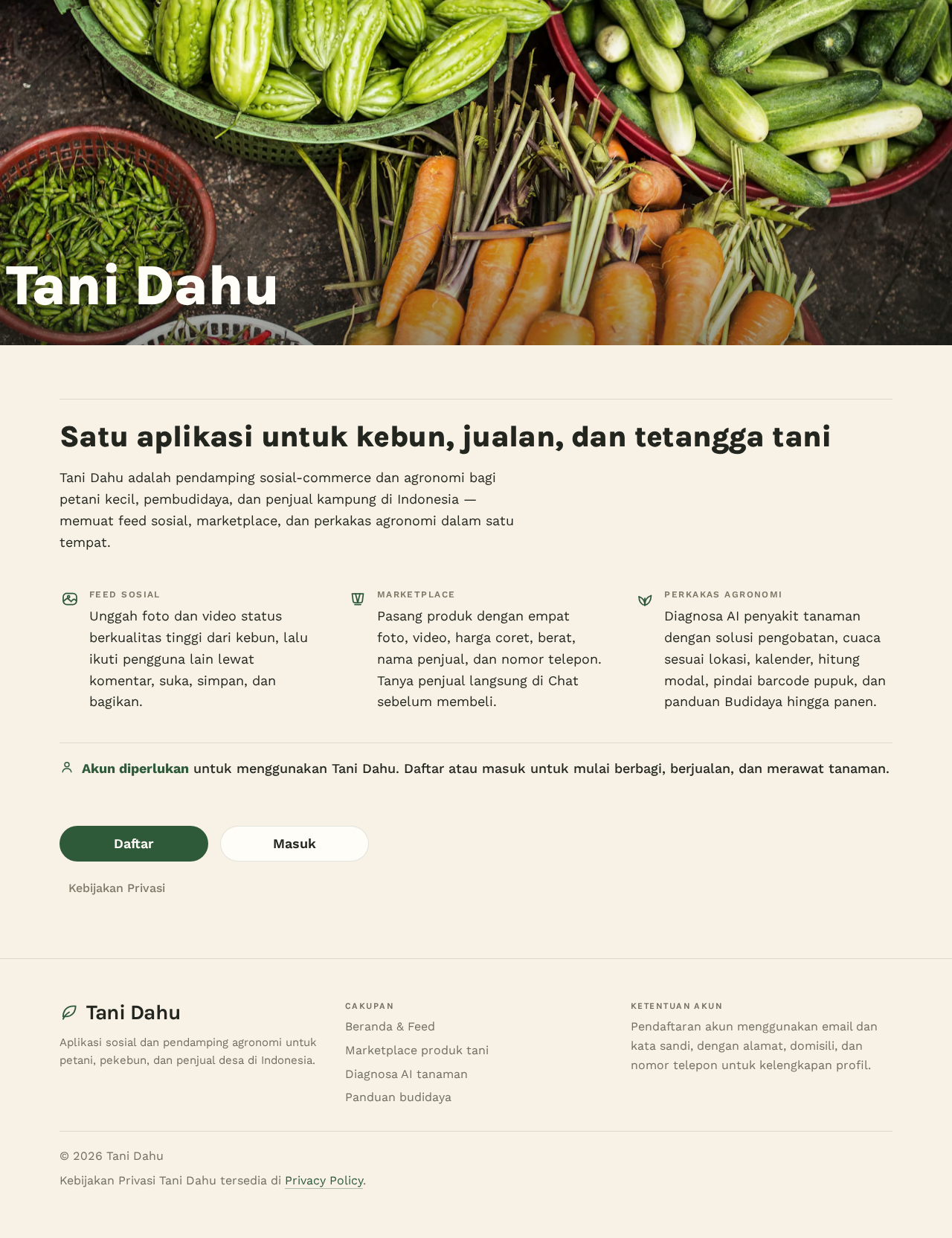
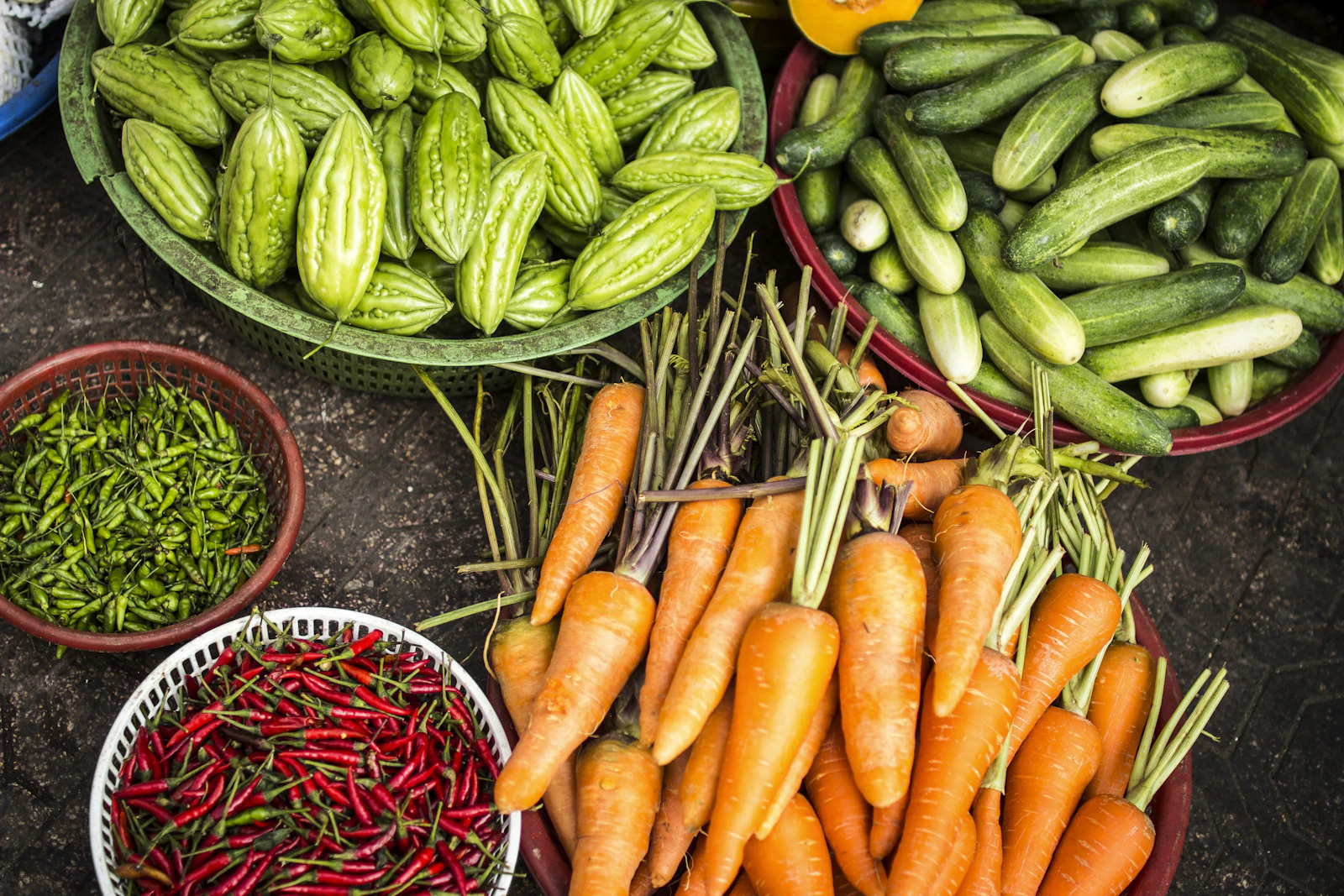
Tani Dahu
Satu aplikasi untuk kebun, jualan, dan tetangga tani
Tani Dahu adalah pendamping sosial-commerce dan agronomi bagi petani kecil, pembudidaya, dan penjual kampung di Indonesia — memuat feed sosial, marketplace, dan perkakas agronomi dalam satu tempat.
Unggah foto dan video status berkualitas tinggi dari kebun, lalu ikuti pengguna lain lewat komentar, suka, simpan, dan bagikan.
Pasang produk dengan empat foto, video, harga coret, berat, nama penjual, dan nomor telepon. Tanya penjual langsung di Chat sebelum membeli.
Diagnosa AI penyakit tanaman dengan solusi pengobatan, cuaca sesuai lokasi, kalender, hitung modal, pindai barcode pupuk, dan panduan Budidaya hingga panen.
Akun diperlukan untuk menggunakan Tani Dahu. Daftar atau masuk untuk mulai berbagi, berjualan, dan merawat tanaman.
Mulai menggunakan Tani Dahu
Tani Dahu
Satu aplikasi untuk kebun, jualan, dan tetangga tani
Tani Dahu adalah pendamping sosial-commerce dan agronomi bagi petani kecil, pembudidaya, dan penjual kampung di Indonesia — memuat feed sosial, marketplace, dan perkakas agronomi dalam satu tempat.
Unggah foto dan video status berkualitas tinggi dari kebun, lalu ikuti pengguna lain lewat komentar, suka, simpan, dan bagikan.
Pasang produk dengan empat foto, video, harga coret, berat, nama penjual, dan nomor telepon. Tanya penjual langsung di Chat sebelum membeli.
Diagnosa AI penyakit tanaman dengan solusi pengobatan, cuaca sesuai lokasi, kalender, hitung modal, pindai barcode pupuk, dan panduan Budidaya hingga panen.
Akun diperlukan untuk menggunakan Tani Dahu. Daftar atau masuk untuk mulai berbagi, berjualan, dan merawat tanaman.
No comments yet. Be the first!