💼
Earn MoneyHow to Start Freelancing as a Student in 2026
Discover the top freelancing platforms, build your first portfolio, and land your first paying client while still in college.
 Aman
AmanAct as an expert UI/UX designer, frontend developer, and SEO strategist. Create a modern, responsive, and beginner-friendly blog website named "Learn2Earn". 🎯 Target Audience: Students aged 13–25, especially in India, who want to: - Learn digital skills - Use AI tools - Earn money online 🎯 Website Goal: Help students learn, grow, and start earning through practical and easy-to-follow content. --- 🎨 DESIGN REQUIREMENTS: - Clean, modern, and professional UI - Mobile-first responsive design (optimize for smartphones) - Color scheme: Blue + White + Black OR modern gradient style - Smooth scrolling and minimal animations - Use readable fonts (sans-serif, modern) --- 🏠 HOMEPAGE STRUCTURE: 1. Header: - Logo: "Learn2Earn" - Navigation menu: Home | Blog | Earn Money | AI Tools | Study & Career | About | Contact - Search bar 2. Hero Section: - Headline: “Learn Skills. Use AI. Earn Money.” - Subheadline: “Simple guides for students to grow and earn online” - CTA Button: “Start Learning” 3. Category Section (3 Cards): - 💰 Earn Money (freelancing, side hustles, passive income) - 🤖 AI Tools (free AI tools, tutorials, productivity) - 📚 Study & Career (study tips, scholarships, career guidance) 4. Featured / Latest Blog Posts: - Grid layout (3–6 posts) - Show title, image, short description, read more button 5. Email Newsletter Section: - Text: “Join 1000+ students learning and earning online” - Input + Subscribe button 6. Ad Placement Areas: - Banner space (top and between posts) - Sidebar ads (future monetization) 7. Footer: - Quick links (Home, Blog, Categories, About, Contact) - Social icons - Copyright text --- 📄 REQUIRED PAGES: 1. Home Page 2. Blog Page (all posts with pagination) 3. Category Pages: - Earn Money - AI Tools & Technology - Study & Career Growth 4. About Page: - Mission: Helping students learn skills and earn online - Friendly, relatable tone 5. Contact Page: - Simple form (Name, Email, Message) 6. Privacy Policy Page --- ⚙️ FEATURES: - SEO-friendly blog structure (clean URLs, headings, meta tags) - Fast loading speed - Search functionality - Simple navigation - Mobile optimization - Blog post template with: - Title - Featured image - Content sections - FAQs - Internal linking --- ✍️ CONTENT STYLE: - Use simple English + Hinglish tone - Beginner-friendly explanations - Step-by-step guides - Example topics: - “How to Earn Money Online as a Student” - “Best Free AI Tools in 2026” - “Career Options After 12th” --- 💡 EXTRA: - Add icons and illustrations for better engagement - Keep UI uncluttered and student-friendly - Build trust with clean design and helpful content - Ensure scalability for future monetization (ads, affiliate links) --- Output: - Full website layout structure - UI design suggestions - Sample homepage content - Example blog post layout - Clean, production-ready HTML/CSS (or framework like React if applicable)
Sign in to leave a comment
The swift-students project is designed to empower students aged 13–25, particularly in India, by providing them with a modern, responsive, and beginner-friendly blog platform. The goal is to help students learn digital skills, leverage AI tools, and earn money online through practical and easy-to-follow content.
This document outlines the system requirements for the swift-students platform, ensuring it meets the needs of its target audience while maintaining scalability, usability, and performance.
The swift-students platform will serve as a comprehensive resource hub for students, offering educational content, tutorials, and earning opportunities. It will feature a clean, modern UI optimized for mobile devices, ensuring accessibility for students across India.
Key features include:
The theme will evoke trust, professionalism, and approachability, with a focus on clean gradients and modern typography.
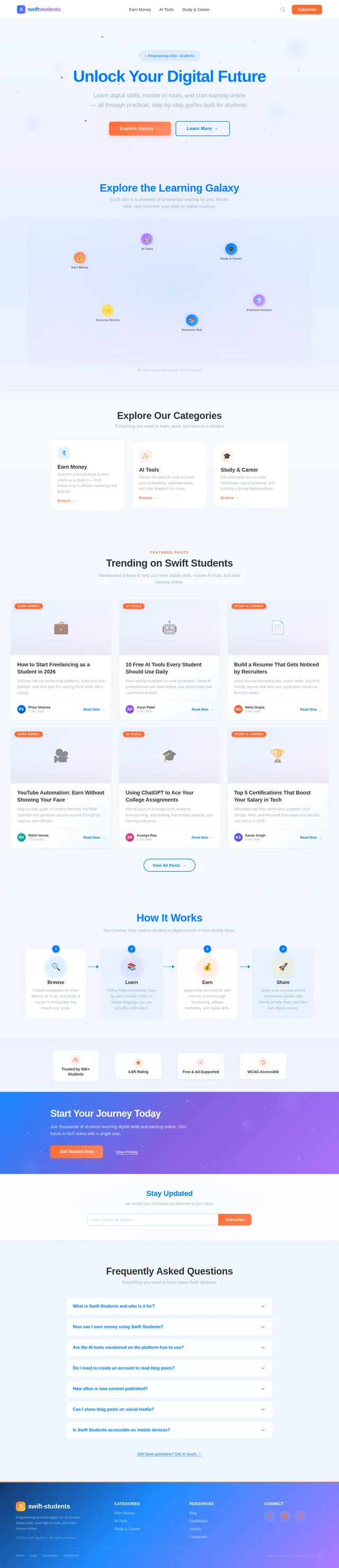
The homepage will feature an interactive galaxy map where each star represents a category or feature. Students can hover over stars to reveal tooltips with brief descriptions (e.g., “Earn Money,” “AI Tools,” “Study & Career”). Clicking a star zooms into a constellation-like layout, leading to related blog posts.
This SRD provides a comprehensive foundation for the swift-students project, ensuring alignment with user needs and scalability for future growth. Let me know if you’d like any adjustments, Aman!
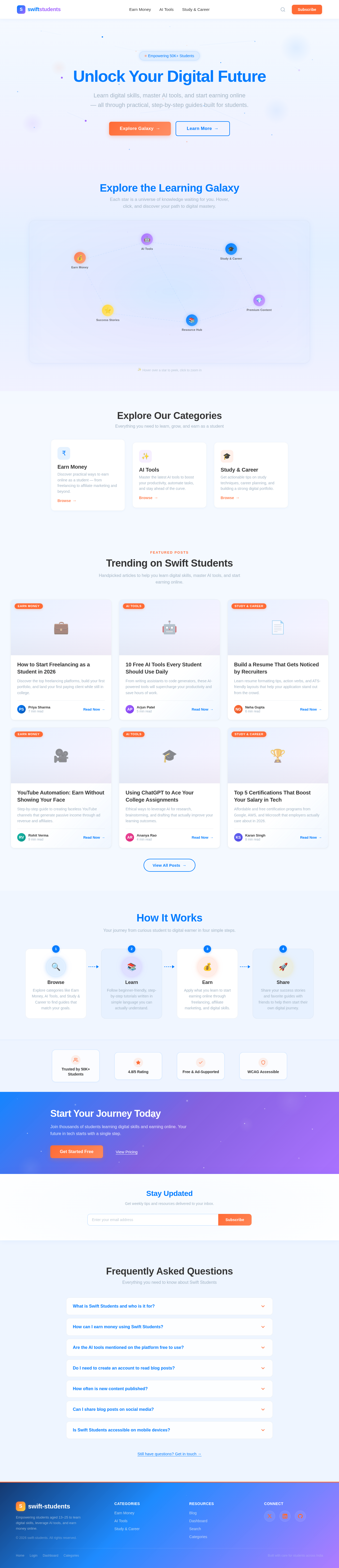
Learn digital skills, master AI tools, and start earning online — all through practical, step-by-step guides built for students.
Each star is a universe of knowledge waiting for you. Hover, click, and discover your path to digital mastery.
Tap a star to explore
Everything you need to learn, grow, and earn as a student
Handpicked articles to help you learn digital skills, master AI tools, and start earning online.
Discover the top freelancing platforms, build your first portfolio, and land your first paying client while still in college.
From writing assistants to code generators, these AI-powered tools will supercharge your productivity and save hours of work.
Learn resume formatting tips, action verbs, and ATS-friendly layouts that help your application stand out from the crowd.
Step-by-step guide to creating faceless YouTube channels that generate passive income through ad revenue and affiliates.
Ethical ways to leverage AI for research, brainstorming, and drafting that actually improve your learning outcomes.
Affordable and free certification programs from Google, AWS, and Microsoft that employers actually care about in 2026.
Your journey from curious student to digital earner in four simple steps.
Explore categories like Earn Money, AI Tools, and Study & Career to find guides that match your goals.
Follow beginner-friendly, step-by-step tutorials written in simple language you can actually understand.
Apply what you learn to start earning online through freelancing, affiliate marketing, and digital skills.
Share your success stories and favorite guides with friends to help them start their own digital journey.
Join thousands of students learning digital skills and earning online. Your future in tech starts with a single step.
Get weekly tips and resources delivered to your inbox.
Everything you need to know about Swift Students
Swift Students is a free blog platform designed for students aged 13 to 25, especially those in India. We provide easy-to-follow guides on digital skills, AI tools, and practical ways to earn money online. No prior technical experience is needed to get started.
We publish step-by-step tutorials on freelancing, affiliate marketing, content creation, and other beginner-friendly earning methods. Each guide walks you through the process from scratch so you can start earning while still studying.
Most AI tools we cover offer free tiers or trials that are more than enough for students. We always highlight which tools are completely free and which ones have premium options, so you can make informed decisions without spending money.
No, all blog posts are freely accessible without signing up. However, subscribing to our newsletter lets you receive weekly tips, new post notifications, and exclusive resources delivered straight to your inbox.
We publish fresh content every week covering trending AI tools, new earning strategies, and career guidance. Subscribe to our newsletter so you never miss an update.
Absolutely! Every blog post has built-in sharing buttons for popular platforms like WhatsApp, Twitter, and LinkedIn. Sharing helps other students discover useful resources too.
Yes, the entire platform is built mobile-first. Whether you are using a smartphone, tablet, or desktop, the experience is optimized for fast loading and easy reading. We also follow WCAG 2.1 accessibility standards.
No comments yet. Be the first!