super-weather
 Rohit Jagtap
Build me weather application

Comments (0)
Sign in to leave a comment
System Requirements
System Requirements Document for super-weather
1. Introduction
super-weather is a weather application for ordinary people who want to check current conditions and the forecast for a location they care about, so they can decide what to wear, carry, or do. The product intent is calm, trustworthy, everyday utility: a daily habit rather than a crisis tool. The interface should breathe and reassure, presenting weather as a tactile daily ritual rather than a clinical data readout or an alarmist alert console.
The audience is the Weather Seeker — a general user who opens the app, looks up a place, and reads the current conditions and forecast to decide what to do next. Success means quickly seeing accurate weather information for the location they care about, in a presentation that feels warm, legible, and unhurried.
2. System Overview
super-weather is delivered as a first-party web application with custom user interface. It presents weather information for a user-selected location through two application-owned pages:
- Landing — the anonymous public entry surface that explains the weather application and how visitors can look up weather.
- Weather — the surface that owns location lookup and the presentation of current conditions and forecast for the selected location.
Both pages are application-owned and reachable without an account (access_requirement: none). The Weather Seeker is the single accepted active human persona. Weather data itself is supplied by an external weather data provider; the application owns the lookup interaction, the presentation of conditions and forecast, and the visual and motion treatment described in the creative direction.
2a. Product Interpretation and Delivery Boundary
super-weather is a current, single-horizon product: a weather application that lets a visitor look up a location and read its current conditions and forecast. There is no accepted requirement for accounts, sign-in, saved locations, alerts, notifications, historical archives, or any adjacent weather capability; those are out of scope for this generation.
Delivery is first-party custom UI. The Landing page is the anonymous public entry surface: it explains what the application does and how to look up weather, and it is reachable without any identity. The Weather page is also reachable without an account and owns the location lookup and the presentation of current conditions and forecast. Because no accepted journey requires durable, actor-specific private state — no saved places, no personal history, no commitments or entitlements bound to a returning participant — no application-owned identity or sign-in lifecycle is introduced. Weather data is retrieved from an external weather data provider; the provider owns the data supply, while the application owns the lookup interaction, the display of results, and all user-facing states.
2b. Source Content Inventory
Not applicable. No reference directive in this project declares content_source authority, so no source content inventory is included.
2c. Page Content and Component Coverage
Landing
- Information and state: The anonymous public entry surface. It explains, in plain language, that super-weather shows current conditions and forecast for a location, and how a visitor can look up weather. It carries the product name super-weather, a short statement of what the app does, and a clear invitation to look up a location. No weather data is required to render this page.
- Primary action: Proceed to look up weather — the entry control that takes the visitor into the Weather page's location lookup.
- Supporting actions: Read the short explanation of what the app does; follow the visible cue toward location lookup.
- Domain entities: Product identity (super-weather); the concept of a location to be looked up; the concept of current conditions and forecast as the outcome of a lookup.
- Component responsibilities:
- Full-viewport hero with warm oat-white ground (#F7F4EF), asymmetric composition — text left, large soft-edged custom weather illustration right.
- Product name in Work Sans semibold; one-line description in Karla.
- Entry control (pill-shaped) that leads to location lookup on the Weather page.
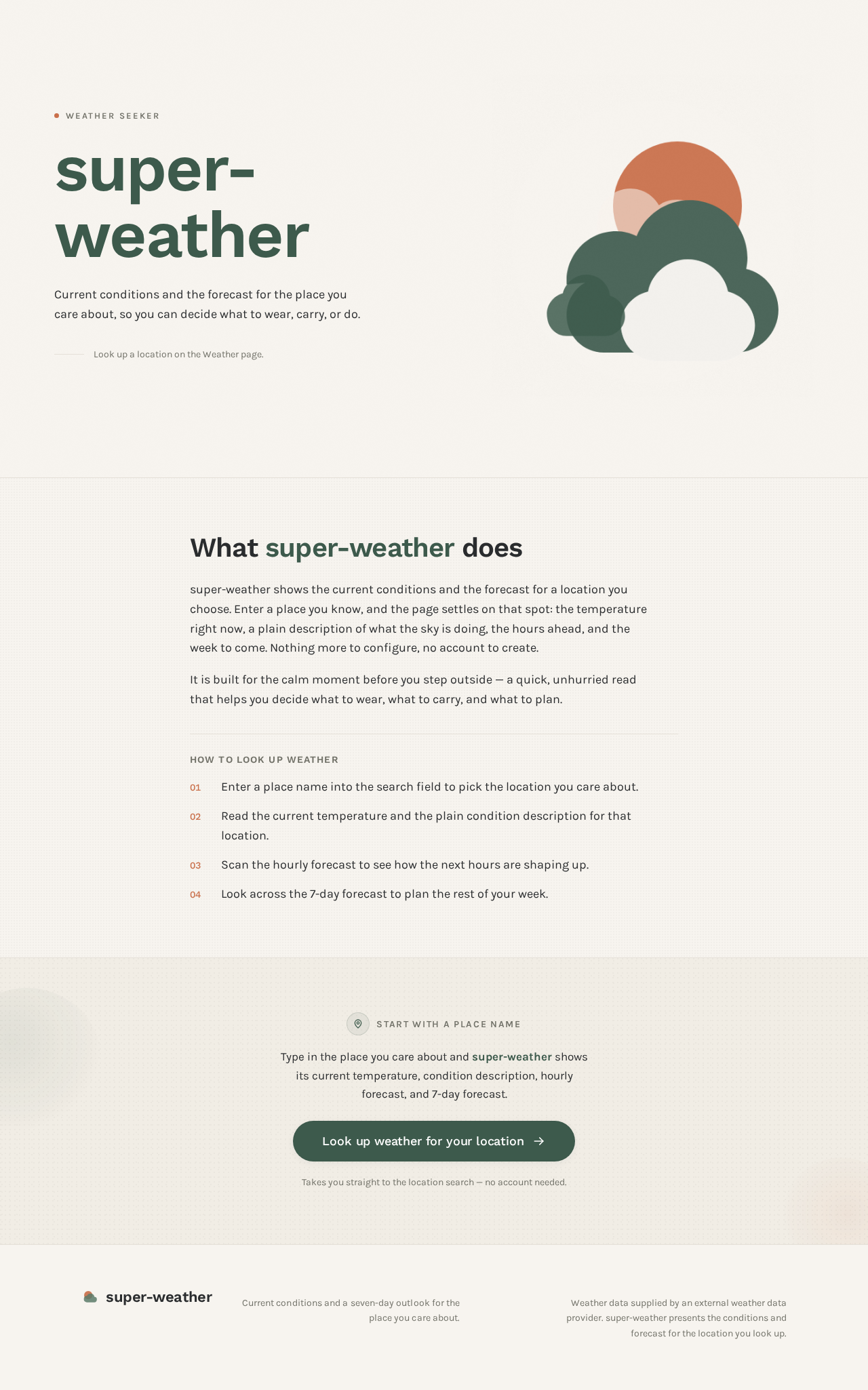
- Custom soft-edged weather illustration built from overlapping rounded organic shapes in sage, terracotta and oat, with subtle paper-grain texture.
- States:
- Loading: Not applicable — the page is static content and requires no data fetch.
- Empty: Not applicable — the page always renders its explanation and entry control.
- Success: The visitor understands what super-weather does and can proceed to look up weather.
- Error: Not applicable — no data dependency exists on this page.
- Recovery: Not applicable.
Weather
- Information and state: The selected location's name; current conditions (current temperature, condition description, and supporting current-condition detail); an hourly forecast strip; and a 7-day forecast. Before any lookup, the page shows a neutral, unpopulated state with the location search available.
- Primary action: Look up a location by name and view its current conditions and forecast.
- Supporting actions: Change the selected location by entering a different place; scroll the hourly forecast strip; read the 7-day forecast rows and temperature bars.
- Domain entities: Location (place name); current conditions (temperature, condition description, supporting detail); hourly forecast entries (time, condition glyph, temperature); daily forecast entries (day label, condition, low/high temperature).
- Component responsibilities:
- Persistent pill-shaped location search input at the top, expanding softly on focus with a terracotta focus ring.
- Hero block with the location name in Work Sans semibold, the current temperature as an oversized terracotta numeral (#C96F4A), and a one-line condition description in Karla.
- Custom soft-edged weather illustration that reflects the current condition.
- Horizontal "day ribbon" of pill-shaped, sage-bordered hourly forecast tiles, each with a tiny custom condition glyph and tabular numerals.
- 7-day forecast list of aligned label/value rows with proportional sage-green temperature bars and a terracotta dot marking the current day.
- States:
- Loading: A calm, breathing loading state while the location lookup resolves and weather data is retrieved; temperature numerals count up gently on arrival rather than snapping into place.
- Empty: No location has been looked up yet — the search input is presented with a neutral prompt, and no conditions or forecast are shown.
- Success: The selected location's name, current conditions, hourly strip, and 7-day forecast are displayed.
- Error: The lookup cannot be resolved or weather data cannot be retrieved — a plain, non-alarmist message explains that the weather for that location could not be shown, and the search input remains available.
- Recovery: The visitor can correct or re-enter the location name and retry the lookup; the page returns to the loading state and then to success or error.
3. Functional Requirements
FR-1 — Look up weather for a location (provenance: explicit) As a Weather Seeker, I should look up a location and see its current conditions and forecast, so that I can decide what to wear, carry, or do.
- Actor: Weather Seeker.
- Trigger/input: The Weather Seeker enters a place name into the location search on the Weather page.
- Observable result/state change: The Weather page displays the selected location's name, current conditions (current temperature, condition description, supporting current-condition detail), an hourly forecast strip, and a 7-day forecast.
- Access state: Reachable without an account.
- Material failure/recovery: If the location cannot be resolved or weather data cannot be retrieved, a plain, non-alarmist message explains that the weather for that location could not be shown; the search input remains available and the Weather Seeker can correct or re-enter the location and retry.
- Continuation: After a successful lookup, the Weather Seeker reads the current conditions and forecast; after a failure, they retry with a corrected location.
- Acceptance: Given a valid place name, the Weather page shows that location's current temperature, condition description, hourly forecast, and 7-day forecast. Given an unresolvable place name or unavailable data, the page shows an explanatory message and keeps the search available.
FR-2 — Understand what the application does and how to look up weather (provenance: required_inference) As a Weather Seeker, I should understand from the entry surface what super-weather does and how to look up weather, so that I can start a lookup without prior knowledge of the app.
- Actor: Weather Seeker.
- Trigger/input: The Weather Seeker arrives at the Landing page.
- Observable result/state change: The Landing page presents the product name super-weather, a plain-language explanation that the app shows current conditions and forecast for a location, and a visible entry control toward location lookup.
- Access state: Anonymous; no account required.
- Material failure/recovery: Not applicable — the page is static content with no data dependency.
- Continuation: The Weather Seeker uses the entry control to proceed to location lookup on the Weather page.
- Acceptance: A first-time visitor can state what the app does and can reach the location lookup from the Landing page.
FR-3 — Read current conditions at a glance (provenance: required_inference) As a Weather Seeker, I should see the current conditions for my selected location as the dominant element, so that I can read the temperature and condition immediately.
- Actor: Weather Seeker.
- Trigger/input: A successful location lookup on the Weather page.
- Observable result/state change: The location name, an oversized current temperature numeral, and a one-line condition description are displayed as the dominant hero element, accompanied by a custom soft-edged weather illustration reflecting the current condition.
- Access state: Reachable without an account.
- Material failure/recovery: If current-condition data is unavailable for the resolved location, the page shows the explanatory error state rather than a partial or fabricated reading.
- Continuation: The Weather Seeker continues to the hourly strip and 7-day forecast on the same page.
- Acceptance: After a successful lookup, the current temperature and condition description are visible without scrolling and are the visually dominant elements of the page.
FR-4 — Read the hourly forecast (provenance: required_inference) As a Weather Seeker, I should read an hourly forecast for my selected location, so that I can plan the next several hours.
- Actor: Weather Seeker.
- Trigger/input: A successful location lookup on the Weather page.
- Observable result/state change: A horizontal strip of hourly forecast tiles is displayed, each showing a time, a small custom condition glyph, and a temperature in tabular numerals.
- Access state: Reachable without an account.
- Material failure/recovery: If hourly forecast data is unavailable, the page shows the explanatory error state rather than an empty or fabricated strip.
- Continuation: The Weather Seeker scrolls the strip on narrow screens or reads it spread out on wider screens, then continues to the 7-day forecast.
- Acceptance: After a successful lookup, the hourly strip shows at least the upcoming hours with time, condition glyph, and temperature per tile.
FR-5 — Read the 7-day forecast (provenance: required_inference) As a Weather Seeker, I should read a 7-day forecast for my selected location, so that I can plan the coming week.
- Actor: Weather Seeker.
- Trigger/input: A successful location lookup on the Weather page.
- Observable result/state change: A 7-day forecast list is displayed as aligned label/value rows with proportional temperature bars, with the current day marked.
- Access state: Reachable without an account.
- Material failure/recovery: If daily forecast data is unavailable, the page shows the explanatory error state rather than an empty or fabricated list.
- Continuation: The Weather Seeker reads the week's outlook and may change the location to compare another place.
- Acceptance: After a successful lookup, seven day rows are shown with day label, condition, and low/high temperatures, and the current day is visually marked.
FR-6 — Change the selected location (provenance: required_inference) As a Weather Seeker, I should change the location I am looking at, so that I can check weather for a different place.
- Actor: Weather Seeker.
- Trigger/input: The Weather Seeker enters a different place name into the persistent location search on the Weather page.
- Observable result/state change: The page returns to the loading state and then displays the new location's current conditions, hourly strip, and 7-day forecast.
- Access state: Reachable without an account.
- Material failure/recovery: If the new location cannot be resolved or its data cannot be retrieved, the explanatory error state is shown and the search remains available for another attempt.
- Continuation: The Weather Seeker reads the new location's weather or tries yet another place.
- Acceptance: Entering a different valid place name replaces the displayed location and its weather data on the same page.
4. User Personas
Weather Seeker
- Product context: A general user of a consumer weather app. They are not a meteorologist, emergency responder, or operations analyst; they check the weather as part of an ordinary daily routine — before leaving the house, before an outing, or when curious about a place.
- Primary goal: Quickly see accurate weather information for the location they care about, so they can decide what to wear, carry, or do.
- Distinct accepted responsibilities:
- Arriving at the entry surface and understanding what the app does and how to look up weather (FR-2).
- Entering a place name to look up its weather (FR-1).
- Reading the current conditions as the dominant element (FR-3).
- Reading the hourly forecast to plan the next several hours (FR-4).
- Reading the 7-day forecast to plan the coming week (FR-5).
- Changing the selected location to check a different place (FR-6).
- Relevant inputs or decisions: The place name to look up; whether the displayed location is the one they meant; whether to change to a different location; what to do next based on the conditions and forecast.
- Interactions with other accepted participants: The Weather Seeker is the only accepted active human participant. Weather data is supplied by an external weather data provider, which is not a persona; the Weather Seeker's interaction is with the application's lookup and presentation, not with the provider directly.
- Observable success: The selected location's name, current temperature and condition, hourly forecast, and 7-day forecast are visible and legible on the Weather page, and the Weather Seeker can change location at any time.
- Constraints carried from source: No account is required; the experience should feel calm, trustworthy, and slightly warm rather than clinical or alarmist, because it is a daily habit rather than a crisis tool.
5. Core User Flows
Flow A — First visit and first lookup (Weather Seeker)
- The Weather Seeker arrives at the Landing page with no account and no prior state.
- The Landing page presents the product name super-weather, a plain-language explanation that the app shows current conditions and forecast for a location, and a visible entry control toward location lookup.
- The Weather Seeker reads the explanation and uses the entry control to proceed to location lookup on the Weather page.
- On the Weather page, the location search pill is presented at the top with a neutral prompt; no conditions or forecast are shown yet (empty state).
- The Weather Seeker enters a place name into the search input.
- The page enters a calm loading state while the lookup resolves and weather data is retrieved; the temperature numerals count up gently when the data arrives.
- Success: The Weather page displays the location name, the current temperature as the dominant hero numeral, a one-line condition description, a custom weather illustration for the current condition, the hourly forecast strip, and the 7-day forecast with the current day marked.
- Failure: If the place name cannot be resolved or weather data cannot be retrieved, a plain, non-alarmist message explains that the weather for that location could not be shown, and the search input remains available.
- Recovery: The Weather Seeker corrects or re-enters the place name and retries; the page returns to the loading state and then to success or error.
- Continuation: The Weather Seeker reads the current conditions, scrolls the hourly strip, and reads the 7-day forecast to decide what to wear, carry, or do.
Flow B — Checking a different location (Weather Seeker)
- The Weather Seeker is on the Weather page with a location already displayed.
- They use the persistent location search pill at the top of the page, which expands softly on focus.
- They enter a different place name.
- The page returns to the loading state and then displays the new location's name, current conditions, hourly strip, and 7-day forecast.
- Failure: If the new place name cannot be resolved or its data cannot be retrieved, the explanatory error state is shown and the search remains available.
- Recovery: The Weather Seeker re-enters the place name and retries.
- Continuation: The Weather Seeker reads the new location's weather, or changes location again to compare another place.
Flow C — Reading the forecast in detail (Weather Seeker)
- The Weather Seeker is on the Weather page with a location successfully displayed.
- They read the current conditions in the hero block — location name, oversized temperature numeral, and one-line condition description.
- They scroll the horizontal "day ribbon" of hourly forecast tiles, each showing a time, a small custom condition glyph, and a temperature in tabular numerals; on wider screens the tiles spread out instead of scrolling.
- They read the 7-day forecast list of aligned label/value rows with proportional temperature bars, noting the terracotta dot that marks the current day.
- Continuation: They use the hourly and daily outlook to decide what to wear, carry, or do, and may return to the search to check another location.
6. Visuals Colors and Theme
The creative direction is authoritative for this section. The muse is Yves Béhar (fuseproject), and the headline direction is "Humane sky-reading: weather as a calm, tactile daily ritual." The palette deliberately avoids the generic blue-gradient weather cliché while remaining legible and trustworthy.
Colour tokens — light mode
| Role | Hex | Usage |
|---|---|---|
| Background | #F7F4EF | Warm oat-white page base |
| Surface | #FFFFFF | Pure white forecast panels and cards |
| Text | #2A2C2E | Slate-ink text for readability |
| Primary | #3D5A4C | Deep sage green for interactive elements, headers, key data |
| Accent | #C96F4A | Terracotta — the single warm accent, used sparingly for the current temperature, alerts, and active states |
| Muted | #8A8A7E | Muted warm grey for secondary labels and metadata |
| Divider | #E5E0D8 | Thin 1px section dividers in warm grey |
Proportions: 60% background, 25% surface, 10% primary, 4% accent, 1% muted.
Typography
- Headings: Work Sans, medium to semibold weights (500–600), sentence case, tight tracking (−0.02em) at large sizes. Numerals are tabular and prominent for temperature readings.
- Body: Karla.
- Scale: 1.333 modular scale — 96 / 72 / 54 / 40 / 30 / 22 / 16 / 14 px. Body copy at 16–18px with 1.6 line-height. Temperature values use 72–96px display size to dominate the forecast cards; the hero temperature numeral is 120px.
Shape language
- Soft, humane geometry. Cards and panels use generous 20–28px continuous-curve radii.
- Buttons are pill-shaped with 999px radius.
- Forecast tiles have subtle 1px sage-tinted borders and no heavy shadows — only a soft
0 2px 12px rgba(42,44,46,0.06)lift. - Icon shapes are rounded-stroke weather symbols with 2px strokes and rounded caps, never sharp or angular.
- Section dividers are thin 1px lines in warm grey (
#E5E0D8).
Layout
- Single-column, centred content column with a maximum width of 720px for reading comfort, surrounded by generous 48–80px margins.
- The hero occupies the full viewport height with the current conditions as the dominant element.
- Below, a horizontal strip of hourly forecast cards scrolls on mobile and spreads on desktop.
- A 7-day forecast list uses aligned label/value rows with temperature bars that grow proportionally.
- Location search sits as a soft rounded input at the top of the weather page.
- No dense dashboards; every section has room to breathe.
Imagery
- Soft, natural-light photography of real weather moments — rain on a window, morning fog over a field, sunlight through leaves — treated with a warm, slightly desaturated colour grade matching the oat-and-sage palette. No stock-photo people pointing at skies.
- Weather condition illustrations are custom soft-edged vector shapes (sun as a warm terracotta circle, clouds as rounded sage-grey forms, rain as soft vertical strokes) that feel hand-touched rather than icon-library generic.
- A subtle paper-grain texture overlays the background at 3% opacity.
Avoid: Blue-gradient skies and the generic weather-app blue (#4A90D9, #1E90FF) anywhere in the palette; centred hero with headline + subtext + blue button + gradient blob; grids of identical hover-lift forecast cards with heavy drop shadows; stock photography of people smiling at sunny skies; sharp-cornered cards, hard 90-degree angles, or aggressive drop shadows; neon or saturated alert colours that break the warm, calm register; Inter, Roboto, Arial, Helvetica, Open Sans, Lato, Poppins, or system-ui fonts; dense dashboard layouts or data tables that feel like a control room. The generic indigo/blue-on-white SaaS template is forbidden for this project.
7. Signature Design Concept
"The warm numeral over the sky." The public entry — the Landing page — is composed as a single asymmetric, full-viewport scene on a warm oat-white ground (#F7F4EF).
- Left half: the product name super-weather in Work Sans semibold, a one-line plain-language description in Karla, and a soft pill-shaped entry control that leads to location lookup. Generous negative space surrounds the text; nothing is centred.
- Right half: a large, soft-edged custom weather illustration — a sun partially veiled by rounded sage-grey clouds — built from overlapping organic shapes in sage, terracotta, and oat, with a subtle paper-grain texture at 3% opacity.
- The signature object: the oversized terracotta temperature numeral (
#C96F4A, 120px, tabular) that dominates the hero on the Weather page, counting up gently on load like a single warm material object rather than a data readout. - The day ribbon: below the hero, pill-shaped sage-bordered hourly tiles stagger in with a 60ms cascade, each carrying a tiny custom condition glyph and tabular numerals.
- The week as a physical object: the 7-day forecast rendered as proportional sage-green temperature bars with a terracotta dot marking the current day — tactile rather than tabular.
- The breathing search pill: a persistent location search pill at the top that expands softly on focus over 400ms, using terracotta as its focus ring.
This concept only recomposes accepted content, states, and controls — the product name, the explanation, the entry control, the location search, the current conditions, the hourly strip, and the 7-day forecast. It introduces no new behaviour, page, or destination.
8. Interaction Model & Motion Direction
Interaction Model: Animated Motion Tempo: restrained Hero Dimensionality: layered_2d
Landing Hero Motion Brief
- Focal subject: The custom soft-edged weather illustration — a sun partially veiled by rounded sage-grey clouds, rendered as overlapping organic shapes in sage, terracotta, and oat with a subtle paper texture — paired with the oversized terracotta temperature numeral on the Weather hero.
- Input → transformation → outcome thesis: As the visitor arrives and the page settles, the layered illustration shapes drift and breathe subtly while the temperature numeral counts up gently to its value; the outcome is a calm, composed first frame that reads as a warm material object rather than a data readout, inviting the visitor to look up a location.
- Motion vocabulary: Breathing, slow easing (
cubic-bezier 0.25, 0.1, 0.25, 1) at 400–600ms for entrances; a gentle count-up on temperature numerals; a 60ms stagger between hourly cards; a subtle parallax on the hero illustration at 0.3x scroll speed; hover states that lift cards by 2px with a soft shadow expansion over 200ms. No bouncy or playful motion — the pace is calm and deliberate, like a slow exhale. - Composed first frame: Warm oat-white ground, text left and illustration right, generous negative space, the entry control resting softly beneath the description, and the temperature numeral at rest before its gentle count-up.
- Reduced-motion state: When the user prefers reduced motion, the illustration holds still, the temperature numeral appears at its final value without counting up, hourly cards appear without stagger, and the hero parallax is disabled; all content and controls remain fully visible and usable.
9. Non-Functional Requirements
- NFR-1 — Calm, non-alarmist register (provenance: explicit, from creative direction): The interface must feel calm, trustworthy, and slightly warm rather than clinical or alarmist, because the product is a daily habit rather than a crisis tool. Rationale: the accepted audience checks weather as part of an ordinary routine.
- NFR-2 — Legibility of key data (provenance: explicit, from creative direction): Temperature readings must be prominent and use tabular numerals; body copy must sit at 16–18px with 1.6 line-height for comfortable reading. Rationale: the primary outcome is reading temperature and conditions at a glance.
- NFR-3 — Reading comfort and breathing room (provenance: explicit, from creative direction): Content must be laid out in a single centred column with a maximum width of 720px and generous 48–80px margins; no dense dashboards or control-room data tables. Rationale: the accepted experience is unhurried reading, not dense monitoring.
- NFR-4 — Palette and typography fidelity (provenance: explicit, from creative direction): The specified palette, proportions, fonts, and shape language must be honoured, and the listed avoidances (generic weather-app blue, indigo/blue-on-white SaaS template, sharp corners, heavy shadows, neon alert colours, and the named forbidden font families) must not appear. Rationale: the creative direction is authoritative for this project.
- NFR-5 — Motion restraint and accessibility (provenance: explicit, from creative direction): Motion must follow the specified slow easing and durations, and a reduced-motion state must be provided that preserves all content and controls. Rationale: the direction's tempo is restrained, and motion must not be a barrier to use.
- NFR-6 — Responsive forecast presentation (provenance: explicit, from creative direction): The hourly forecast strip must scroll horizontally on mobile and spread on desktop; the 7-day forecast must use aligned label/value rows with proportional temperature bars. Rationale: the accepted reading experience must hold across screen sizes.
- NFR-7 — Failure communication (provenance: required_inference): When a location cannot be resolved or weather data cannot be retrieved, the application must show a plain, non-alarmist explanation and keep the location search available for retry. Rationale: the accepted lookup lifecycle requires a usable recovery path that matches the product's calm register.
10. Tech Stack
- Frontend: React, delivered as a first-party web application with custom UI. (Default — not specified by user; the accepted delivery shape is custom UI and no source-specified framework was given.)
- Backend: Python with FastAPI, serving the application and mediating weather data retrieval from the external weather data provider. (Default — not specified by user.)
- Storage: No persistent application storage is required for the accepted scope; the selected location is transient page state. (Default — not specified by user; no accepted requirement introduces durable data.)
- Weather data: Supplied by an external weather data provider; the provider owns the data supply and the application owns the lookup interaction and presentation. (Source-backed: weather data is inherently external to the application.)
- Containerization: Docker with docker-compose for local development and deployment. (Default — not specified by user.)
- Orchestration: Kubernetes is not required for this scope. (Default — not specified by user; the accepted deployment does not require it.)
11. Assumptions and Constraints
- A-1: The Weather Seeker is the only accepted active human persona; no additional personas are introduced. (From the accepted persona catalog.)
- A-2: Both Landing and Weather are application-owned custom pages reachable without an account; no sign-in, account creation, or identity lifecycle is introduced, because no accepted journey requires durable actor-specific private state. (From the accepted page and access contract.)
- A-3: Weather data is supplied by an external weather data provider; the application does not own weather data generation or forecasting. (Source-backed: weather data is external.)
- A-4: The selected location is transient page state; no saved locations, history, or personalization is in scope. (Narrow assumption consistent with the accepted requirements; no accepted requirement introduces durable state.)
- A-5: The creative direction is authoritative for palette, typography, shape language, layout, imagery, and motion; the catalogue fills only unspecified details. (From the user design constraints.)
- A-6: The product name is super-weather. (Explicit user choice.)
- C-1: No blue-gradient skies, generic weather-app blue, indigo/blue-on-white SaaS template, sharp-cornered cards, heavy drop shadows, neon alert colours, or the named forbidden font families may appear. (Explicit creative-direction constraint.)
- C-2: No dense dashboard layouts or control-room data tables. (Explicit creative-direction constraint.)
- C-3: No adjacent weather capabilities — alerts, notifications, historical archives, saved locations, or account management — are in scope for this generation. (Narrow exclusion consistent with the accepted requirements.)
12. Glossary
- Weather Seeker: The single accepted active human persona — a general user who checks current conditions and forecasts for a location to decide what to wear, carry, or do.
- Landing: The anonymous public entry page that explains what super-weather does and how to look up weather.
- Weather: The application page that owns location lookup and the presentation of current conditions and forecast for the selected location.
- Current conditions: The present weather at the selected location — current temperature, condition description, and supporting current-condition detail.
- Hourly forecast: The upcoming hours' weather for the selected location, presented as a horizontal strip of tiles with time, condition glyph, and temperature.
- 7-day forecast: The coming week's weather for the selected location, presented as aligned label/value rows with proportional temperature bars and the current day marked.
- Day ribbon: The horizontal strip of pill-shaped, sage-bordered hourly forecast tiles.
- Location search pill: The persistent, pill-shaped location input at the top of the Weather page that expands softly on focus with a terracotta focus ring.
- Weather data provider: The external service that supplies weather data to the application; not a persona and not application-owned.
- Reduced-motion state: The alternate presentation in which entrances, count-ups, staggers, and parallax are disabled while all content and controls remain available.
Weather Seeker
super-weather
Current conditions and the forecast for the place you care about, so you can decide what to wear, carry, or do.
Look up a location on the Weather page.
What super-weather does
super-weather shows the current conditions and the forecast for a location you choose. Enter a place you know, and the page settles on that spot: the temperature right now, a plain description of what the sky is doing, the hours ahead, and the week to come. Nothing more to configure, no account to create.
It is built for the calm moment before you step outside — a quick, unhurried read that helps you decide what to wear, what to carry, and what to plan.
How to look up weather
- Enter a place name into the search field to pick the location you care about.
- Read the current temperature and the plain condition description for that location.
- Scan the hourly forecast to see how the next hours are shaping up.
- Look across the 7-day forecast to plan the rest of your week.
Start with a place name
Type in the place you care about and super-weather shows its current temperature, condition description, hourly forecast, and 7-day forecast.
Look up weather for your locationTakes you straight to the location search — no account needed.
Weather Seeker
super-weather
Current conditions and the forecast for the place you care about, so you can decide what to wear, carry, or do.
Look up a location on the Weather page.
What super-weather does
super-weather shows the current conditions and the forecast for a location you choose. Enter a place you know, and the page settles on that spot: the temperature right now, a plain description of what the sky is doing, the hours ahead, and the week to come. Nothing more to configure, no account to create.
It is built for the calm moment before you step outside — a quick, unhurried read that helps you decide what to wear, what to carry, and what to plan.
How to look up weather
- Enter a place name into the search field to pick the location you care about.
- Read the current temperature and the plain condition description for that location.
- Scan the hourly forecast to see how the next hours are shaping up.
- Look across the 7-day forecast to plan the rest of your week.
Start with a place name
Type in the place you care about and super-weather shows its current temperature, condition description, hourly forecast, and 7-day forecast.
Look up weather for your locationTakes you straight to the location search — no account needed.
No comments yet. Be the first!