super-database
 Patryk Biniek
Create a full-stack web application for managing student tutoring registrations (adding and removing students). The system should allow the user (admin/teacher) to manually input student data into a form and store it in a SQL database. Each new entry should be automatically assigned an incremental ID number (1 to n). Required student fields: Auto-generated ID (1, 2, 3, ...) First name Last name Address Subject (e.g., math, physics, etc.) School class Level (basic or extended) Lesson day (day of the week) Lesson time (start time and end time) Hourly rate Functional requirements: Add Student A form should allow entering all the above data. After submission, the data must be saved in a SQL database. The table displayed on the website should update instantly without requiring a page reload (use AJAX / Fetch API or WebSockets). Display Students Show all students in a dynamic table. Data must be fetched directly from the SQL database. The table should refresh automatically after every insert or delete. Delete Student Provide a way to delete a student by entering their assigned ID number. After deletion, the database should be updated immediately and the table refreshed. Technical requirements: Use a backend (Node.js / Express or Python Flask or Django — choose one). Use SQL database (MySQL, PostgreSQL, or SQLite). Frontend should be responsive and simple (HTML, CSS, JavaScript). Use asynchronous requests (AJAX/Fetch) for real-time updates. Ensure proper validation of form inputs. Keep the UI clean: table view + form for adding + input field/button for deleting. Bonus (optional): Add search/filter by subject or day. Prevent duplicate entries for the same student at the same time slot. Add confirmation before deleting a student.
Comments (0)
Sign in to leave a comment
System Requirements
System Requirements Document (SRD) for super-database
1. Introduction
The super-database project is a full-stack web application designed to streamline the management of student tutoring registrations. Developed exclusively for Patryk Biniek in Poland, this system will enable efficient handling of student data, lesson scheduling, and real-time updates. The application is tailored for single-user use, ensuring a clean and conflict-free database for managing tutoring sessions.
This document outlines the functional and non-functional requirements, user personas, design concepts, and technical specifications necessary to bring the super-database to life.
2. System Overview
The super-database is a responsive web application that allows Patryk to:
- Add, view, and delete student records.
- Prevent scheduling conflicts by enforcing database-level constraints.
- Manage lesson schedules efficiently with real-time updates.
The system will feature:
- A form for adding student details.
- A dynamic table for displaying student records.
- A mechanism for deleting records by student ID.
- Validation to prevent overlapping lesson times for the same student on the same day.
The backend will be built using Python and FastAPI, while the frontend will leverage React for a modern and responsive user interface. Data will be stored in a MySQL database with constraints to ensure data integrity.
3. Functional Requirements
- As Admin, I should be able to add a student by filling out a form with the following fields:
- Auto-generated ID
- First name
- Last name
- Address
- Subject
- School class
- Level (basic or extended)
- Lesson day
- Lesson time (start and end)
- Hourly rate
- As Admin, I should be able to view all students in a dynamic table that updates in real-time.
- As Admin, I should be able to delete a student by entering their assigned ID number.
- As Admin, I should be prevented from scheduling overlapping lesson times for the same student on the same day.
4. User Personas
Admin (Patryk Biniek)
- Role: Sole user of the system.
- Goals: Efficiently manage student tutoring registrations and schedules without conflicts.
- Pain Points: Avoiding scheduling errors and ensuring real-time updates for a seamless workflow.
5. Visuals Colors and Theme
The super-database will feature a clean and professional design with a unique color palette that reflects trust, efficiency, and clarity:
- Background: #F5F7FA (Soft Light Gray)
- Surface: #FFFFFF (Pure White)
- Text: #2C3E50 (Deep Navy Blue)
- Accent: #3498DB (Vivid Sky Blue)
- Muted: #BDC3C7 (Soft Gray)
This palette ensures a modern and visually appealing interface that is easy on the eyes during extended use.
6. Signature Design Concept
The super-database homepage will feature a "Dynamic Schedule Dashboard" as its centerpiece. This dashboard will display:
- A live, interactive calendar that highlights scheduled lessons.
- Color-coded blocks for each subject (e.g., blue for math, green for physics).
- Hover animations that reveal detailed student information (name, level, hourly rate, etc.).
- A "conflict alert" system that visually flags overlapping lesson times in red.
The dashboard will use smooth transitions and micro-interactions to enhance usability:
- Clicking on a calendar block will open a modal with options to edit or delete the lesson.
- Adding a new lesson will trigger a subtle "success" animation (e.g., a green checkmark fading in and out).
- The table view will feature a "slide-in" animation for new entries and a "fade-out" effect for deleted ones.
This design ensures the homepage is not only functional but also engaging and intuitive.
7. Non-Functional Requirements
- The system must be responsive and accessible on desktop, tablet, and mobile devices.
- Real-time updates should occur within 1 second of any database change.
- The database must enforce constraints to prevent overlapping lesson times for the same student on the same day.
- Form inputs must be validated for completeness and correctness before submission.
- The application must support at least 1,000 student records without performance degradation.
8. Tech Stack
Frontend
- React for Web
Backend
- Python
- FastAPI
Database
- MySQL (with Alembic for migrations)
AI Tools
- None required for this project.
Local Orchestration
- Docker
- docker-compose
9. Assumptions and Constraints
Assumptions
- The system will be used exclusively by Patryk Biniek.
- All data will be entered manually by the admin.
- The application will be hosted locally or on a private server.
Constraints
- The database must prevent overlapping lesson times for the same student on the same day.
- The system must support real-time updates without requiring a page reload.
10. Glossary
- Admin: The sole user of the system (Patryk Biniek).
- Dynamic Table: A table that updates automatically without requiring a page reload.
- Real-Time Updates: Changes to the database are reflected instantly in the user interface.
- Lesson Conflict: A situation where a student is scheduled for overlapping lessons on the same day.
- SQL Database: A structured database used to store and manage student records.
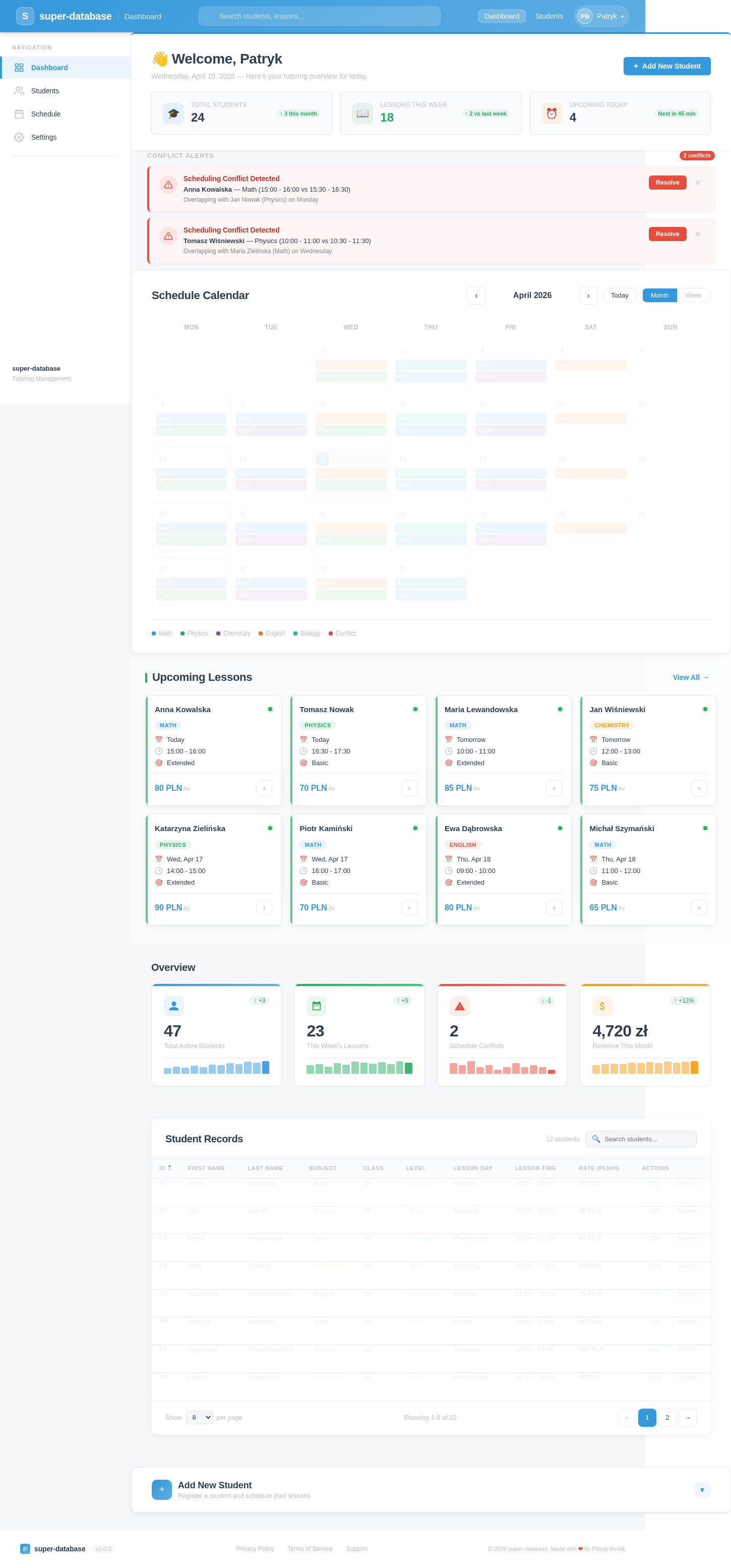
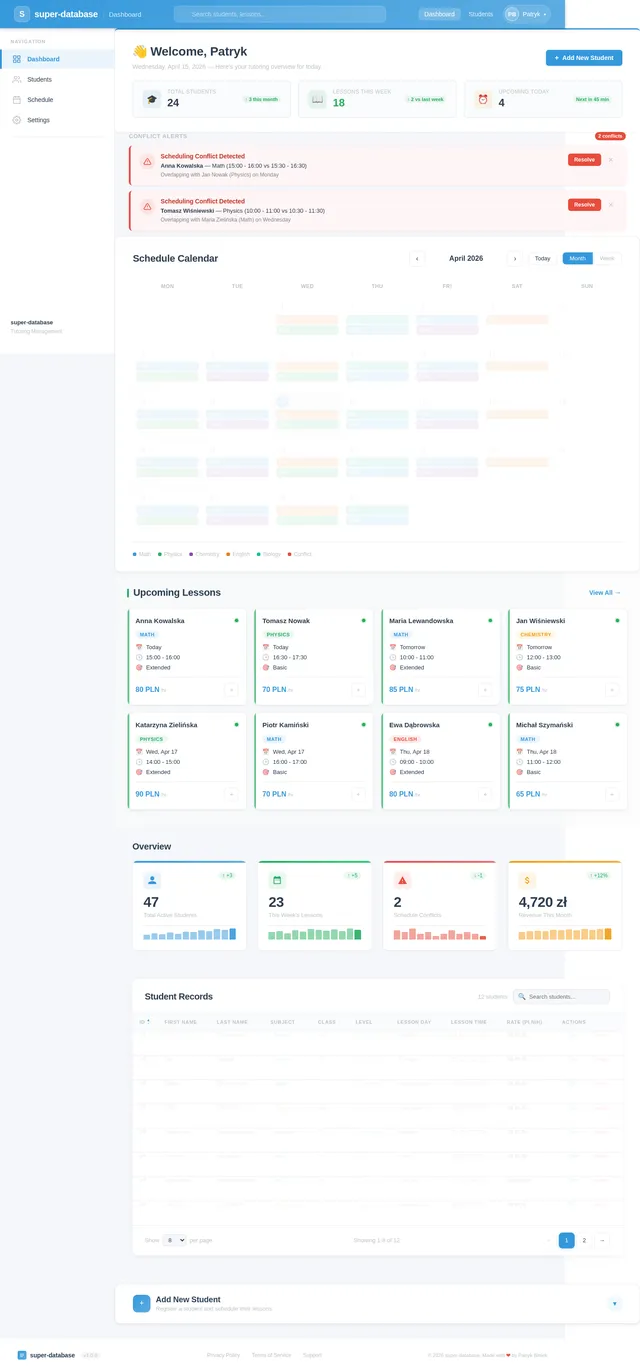
👋Welcome, Patryk
Saturday, July 11, 2026 — Here’s your tutoring overview for today.
Conflict Alerts
2 conflictsScheduling Conflict Detected
Anna Kowalska — Math (15:00 - 16:00 vs 15:30 - 16:30)
Overlapping with Jan Nowak (Physics) on Monday
Scheduling Conflict Detected
Tomasz Wiśniewski — Physics (10:00 - 11:00 vs 10:30 - 11:30)
Overlapping with Maria Zielińska (Math) on Wednesday
Schedule Calendar
Upcoming Lessons
View All→Anna Kowalska
Tomasz Nowak
Maria Lewandowska
Jan Wiśniewski
Katarzyna Zielińska
Piotr Kamiński
Ewa Dąbrowska
Michał Szymański
Overview
Student Records
| ID | First Name | Last Name | Subject | Class | Level | Lesson Day | Lesson Time | Rate (PLN/h) | Actions |
|---|---|---|---|---|---|---|---|---|---|
| #1 | Anna | Kowalska | Math | 3A | extended | Monday | 14:00 - 15:00 | 80 PLN | |
| #2 | Jan | Nowak | Physics | 2B | basic | Tuesday | 15:00 - 16:00 | 90 PLN | |
| #3 | Marta | Wisniewska | Math | 1C | extended | Wednesday | 10:00 - 11:00 | 85 PLN | |
| #4 | Piotr | Zielinski | Chemistry | 3B | basic | Thursday | 16:00 - 17:00 | 95 PLN | |
| #5 | Katarzyna | Lewandowska | English | 2A | extended | Monday | 11:00 - 12:00 | 75 PLN | |
| #6 | Tomasz | Kaminski | Math | 1A | basic | Friday | 09:00 - 10:00 | 80 PLN | |
| #7 | Agnieszka | Wojciechowska | Physics | 3C | extended | Tuesday | 13:00 - 14:00 | 100 PLN | |
| #8 | Lukasz | Szymanski | Chemistry | 2C | basic | Wednesday | 15:30 - 16:30 | 90 PLN |
No comments yet. Be the first!