super-apps
 srilakshmi bayyapureddy
i want to build an apps to help my son to learn phonics and also letters and numbers using phone.

Comments (0)
Sign in to leave a comment
System Requirements
System Requirements Document (SRD)
Project Name: super-apps
1. Introduction
The super-apps project is a mobile application designed to help young children, specifically four-year-olds, learn phonics, letters, numbers, and words in a fun and engaging way. This app aims to combine interactive elements, colorful visuals, and playful learning techniques to create an enjoyable educational experience.
This document outlines the system requirements for the super-apps project, ensuring that the application meets the needs of its primary user—Srilakshmi's son—and other young learners. The app will focus on age-appropriate content and innovative methods to make learning enjoyable and effective.
Additionally, the system will now support selective re-run capability for user-triggered SRD regeneration, allowing users to update specific sections of the SRD as needed.
2. System Overview
The super-apps application will be a mobile-first platform available on Android and iOS devices. It will feature interactive games, animations, and voice recognition to teach phonics, letters, numbers, and basic words. The app will use a child-friendly interface with vibrant colors, playful sound effects, and intuitive navigation.
The system will include:
- A phonics learning module with sound-based interactions.
- Letter and number recognition games.
- Word-building activities with animations to demonstrate how letters form words.
- Voice recognition for practicing pronunciation.
- Progress tracking for parents to monitor their child's learning journey.
- Selective re-run capability for regenerating specific SRD sections based on user input.
The app will be designed with the Malaysian locale in mind, ensuring compatibility with local time zones (MYT) and cultural preferences.
3. Functional Requirements
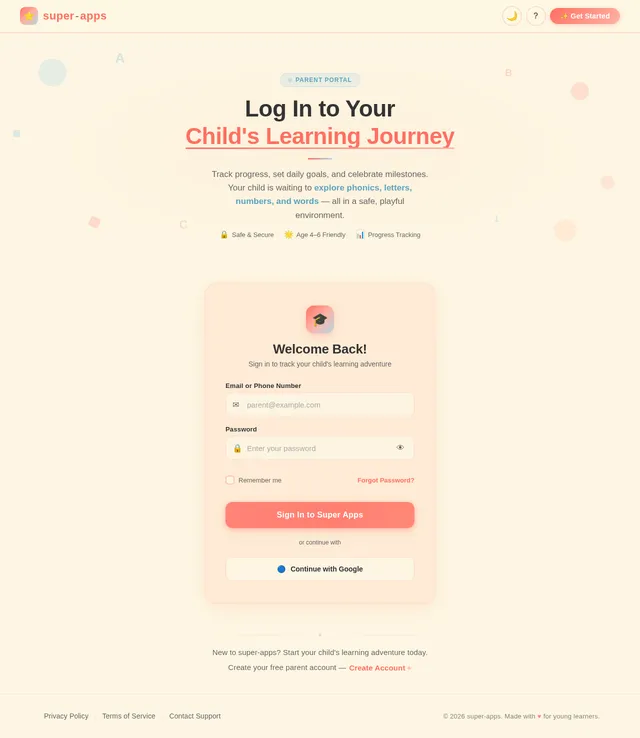
- As a Parent, I should be able to create a profile for my child.
- As a Parent, I should be able to track my child's progress in learning phonics, letters, numbers, and words.
- As a Child, I should be able to learn phonics through interactive sound-based games.
- As a Child, I should be able to recognize letters and numbers through colorful visuals and animations.
- As a Child, I should be able to build words by dragging and dropping letters.
- As a Child, I should be able to practice saying words aloud using voice recognition.
- As a Child, I should be rewarded with fun animations or stickers for completing tasks.
- As a Parent, I should be able to set daily learning goals for my child.
- As a Child, I should be able to play mini-games that reinforce learning concepts.
- As a User, I should be able to selectively regenerate specific sections of the SRD when updates are needed.
4. User Personas
1. Parent
- Description: A caregiver who sets up the app, monitors progress, and ensures the child is engaging with the content.
- Goals:
- Track the child’s learning progress.
- Set daily learning goals.
- Ensure the app is safe and age-appropriate.
2. Child
- Description: A four-year-old user who interacts with the app to learn phonics, letters, numbers, and words.
- Goals:
- Learn through fun and engaging activities.
- Earn rewards for completing tasks.
- Practice pronunciation using voice recognition.
3. User (Admin/Parent)
- Description: A user who manages the SRD and triggers selective updates to specific sections.
- Goals:
- Regenerate SRD sections as needed without affecting the entire document.
- Ensure the SRD remains up-to-date and relevant.
5. Visuals Colors and Theme
The super-apps project will use a vibrant and playful color palette to appeal to young children:
- Background: #FDF6E3 (Soft Cream)
- Surface: #FFDDC1 (Peachy Pink)
- Text: #333333 (Dark Charcoal)
- Accent: #FF6F61 (Bright Coral)
- Muted Tones: #B2D7E7 (Soft Sky Blue)
This palette is designed to be visually stimulating while maintaining a soft and friendly aesthetic suitable for young learners.
6. Signature Design Concept
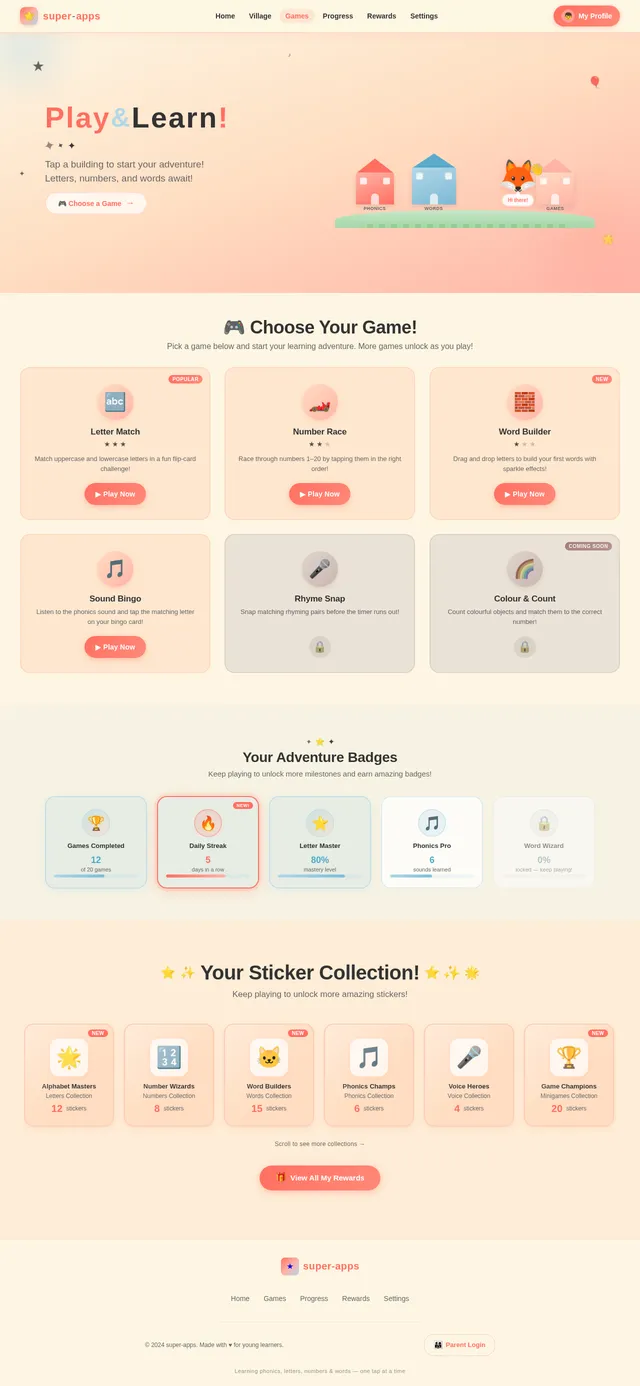
The super-apps homepage will feature an interactive storybook village.
- Visuals: The landing page will look like a vibrant, animated village with different buildings representing learning modules (e.g., a schoolhouse for phonics, a library for word-building, a playground for games).
- Interactions:
- When a child taps on a building, it will "open" with a playful animation (e.g., doors swinging open, balloons floating out).
- Characters like friendly animals or animated letters will guide the child through the activities.
- Animations:
- Letters and numbers will "dance" or "wiggle" when tapped.
- Words will form with a magical sparkle effect, accompanied by sound effects.
- Micro-interactions:
- Stickers and rewards will "pop" onto the screen with confetti when tasks are completed.
- Voice recognition feedback will include a smiling character giving a thumbs-up or clapping.
This design will create an immersive and memorable first impression, making the app feel like a magical learning adventure.
7. Non-Functional Requirements
- The app must load within 3 seconds on modern smartphones.
- The app must support offline functionality for core learning modules.
- The app must comply with child safety and privacy regulations.
- The app must be accessible for children with basic motor skills.
- The app must support both portrait and landscape orientations.
- The system must allow selective re-run capability for regenerating specific SRD sections.
8. Tech Stack
Frontend
- React Native for mobile app development.
Backend
- Python with FastAPI for API development.
Database
- MySQL for structured data storage (e.g., user profiles, progress tracking).
AI Models
- GPT 5.4 for user-friendly responses and voice recognition.
- Google Nano Banana for generating animations and visuals.
AI Tools
- Langchain for managing AI workflows.
Orchestration
- Docker for local development.
- Kubernetes for server-side orchestration.
9. Assumptions and Constraints
- The app will primarily target Android and iOS devices.
- The app will be designed for children aged 4–6 years.
- The app will require parental setup and supervision.
- The app will use English as the primary language.
- Selective SRD regeneration will require user input to specify the sections to update.
10. Glossary
- Phonics: A method of teaching reading by correlating sounds with letters or groups of letters.
- Voice Recognition: Technology that identifies and processes spoken words.
- Interactive Storybook Village: A playful, animated interface designed to engage children.
- Micro-interactions: Small, delightful animations or feedback that enhance user experience.
- Selective Re-run Capability: A feature that allows users to regenerate specific sections of the SRD without affecting the entire document.

Welcometosuper-apps:LearnThroughPlay!
Fun phonics, letters, numbers & words for young learners
Explore the Learning Village
Each building is a new adventure! Tap to discover phonics, letters, numbers, words, and more.
Phonics House
Discover the magic of sounds! Tap, listen, and learn how letters come alive with playful phonics activities.
Explore→Letter Library
A cozy library filled with friendly letters! Trace, match, and recognize the alphabet through colorful stories.
Explore→Number Park
Count, sort, and play with numbers in a sunny park! Learn 1-20 with bouncing balls and friendly critters.
Explore→Word Workshop
Build your first words letter by letter! Drag, drop, and watch words sparkle to life with magical animations.
Explore→Voice Booth
Speak up and be heard! Practice saying words aloud and get friendly feedback from your animal guides.
Explore→Mini Games
Play fun games that make learning stick! Puzzles, quizzes, and challenges that reinforce every lesson.
Explore→Core Learning Pathways
Three fun-filled modules designed to build essential literacy and numeracy skills through play, sound, and imagination.
Phonics Through Sound
Your child learns letter sounds through interactive audio games. Hear it, say it, remember it — phonics made magical with playful sound-based activities.
- Sound matching games
- Voice pronunciation practice
- Musical letter rhymes
- Animal sound associations
Letters & Numbers Recognition
Colourful visuals and animations help your child recognise and remember letters A–Z and numbers 0–9 through engaging interactive play.
- Animated letter tracing
- Number counting games
- Colour-coded learning paths
- Progress rewards & stickers
Word Building Magic
Watch letters come together with sparkle effects to form words. Drag, drop, and discover how sounds become words in this magical activity.
- Drag-and-drop letter tiles
- Magical word formation effects
- Sight word vocabulary builder
- Word completion challenges
Safe, Secure & Designed for Young Learners
We built super-apps with your child's safety as the top priority. Every feature is crafted to give parents peace of mind while kids explore and learn.
Age-Appropriate Content
Every activity is designed by educators specifically for children aged 3 to 6.
No Ads or In-App Purchases
A distraction-free learning environment with zero advertisements or hidden costs.
Parental Controls
Set screen time limits, monitor progress, and manage content from your dashboard.
Privacy First
Your family's data is encrypted and never shared. COPPA compliant by design.
Stay Involved, Without Hovering
Supervise your child's learning journey with clear insights and flexible goals — all without interrupting their fun.
Progress Tracking at a Glance
See how your child is doing across phonics, letters, numbers, and word-building with easy-to-read charts updated in real time.
Set & Monitor Learning Goals
Create daily or weekly goals tailored to your child's pace. Watch them achieve milestones with encouraging progress indicators.
Practice 5 Phonics Sounds
Trace 10 Letters
Build 3 New Words
Parents & Educators Love super-apps
Hear from families and educators who've seen real results with our learning platform.
My son absolutely loves the phonics games! He now recognizes all his letters and is starting to sound out words on his own. The animated village makes him excited to learn every single day.
I recommend super-apps to all the parents at my preschool. The voice recognition feature is incredibly accurate for young learners, and the progress tracking helps me coordinate with parents on each child's development.
As a busy parent, I love that I can set daily learning goals and monitor progress from my dashboard. My daughter earned her first set of stickers this week and couldn't stop showing everyone!
The word-building activities with drag-and-drop letters are brilliant. My son went from barely knowing his ABCs to constructing simple words in just a few weeks. The magical sparkle animations keep him totally engaged.
What sets super-apps apart is how it combines play with genuine educational methodology. The phonics module follows a proven progression, and the mini-games reinforce concepts without children even realizing they're studying.
With two kids, I needed an app that's safe, ad-free, and truly educational. super-apps checks every box. Both my children have separate profiles, and I can track each one's progress independently. Absolutely worth it!
Start Your Child’s Learning Journey Today
Free to download. Parental setup required.
Questions? We've Got Answers
Everything you need to know about super-apps and how it helps your child learn.
super-apps is specifically designed for children aged 4 to 6 years old. All activities, visuals, and interactions are crafted to match the developmental stage of young learners, ensuring content is neither too easy nor too challenging. The app grows with your child, gradually introducing more complex phonics patterns, larger numbers, and longer words as they progress.
Yes, super-apps is completely free to download on both iOS and Android devices. All core learning modules including phonics, letters, numbers, and word-building are available at no cost. There are no ads or hidden in-app purchases, so your child can learn in a safe, distraction-free environment.
Our voice recognition technology listens as your child says words aloud and provides instant, encouraging feedback. A friendly animated character responds with a thumbs-up or clapping animation when pronunciation is correct. The system is calibrated for young voices and supports gentle correction without discouraging your child, making pronunciation practice feel like a fun game.
Absolutely! The Parent Dashboard gives you full visibility into your child's learning journey. You can track progress across phonics, letters, numbers, and words, set daily learning goals, and review completed activities. Parental controls let you manage session durations and ensure your child stays on age-appropriate content at all times.
Your child's privacy is our top priority. super-apps complies with all child safety and privacy regulations. Data is stored securely and never shared with third parties. We only collect the minimum information needed to track learning progress, and parents have full control to view, export, or delete their child's data at any time.
Yes! Core learning modules including phonics games, letter and number recognition, and word-building activities work fully offline. This means your child can continue learning during car rides, flights, or anytime without an internet connection. Progress syncs automatically when connectivity is restored.
No comments yet. Be the first!