steel-puzzle
 Norbert Kaczmarek
Create a puzzle website where the puzzle isn't obvious


Comments (0)
Sign in to leave a comment
System Requirements
System Requirements Document for steel-puzzle
1. Introduction
The steel-puzzle project aims to create a puzzle website where the puzzle is not immediately obvious to the visitor. The intent is to engage users through exploration and discovery, providing a playful and interactive experience that aligns with the creative direction inspired by Yugo Nakamura. The primary audience for this project is individuals who enjoy puzzles and interactive web experiences.
2. System Overview
The steel-puzzle website is designed to offer a unique puzzle experience where the puzzle's nature is concealed, encouraging users to explore and discover the challenge. The system will be delivered as a web application with a custom user interface. The primary actor is the "Puzzle Player," who interacts with the website to uncover and solve the puzzle. The system is structured around three main pages: Landing, Explore, and Solve, each serving a specific part of the user journey.
2a. Product Interpretation and Delivery Boundary
The steel-puzzle website is delivered as a public-facing web application with no initial access restrictions, allowing anonymous users to begin their journey. The puzzle's non-obvious nature is a core constraint, ensuring that users engage with the site through exploration. The system does not include account management or differentiated access controls, as the experience is designed to be open and accessible to all visitors.
2b. Source Content Inventory
Not applicable as there is no explicit content_source directive.
2c. Page Content and Component Coverage
Landing
- Purpose: Introduce the website's experience and invite users to begin exploring without revealing the puzzle.
- Components:
- Introduction Section: Brief overview of the site's purpose with engaging language.
- Interactive Elements: Elements that react to cursor movements, hinting at interactivity.
- Call to Action: Encourages users to start exploring.
Explore
- Purpose: Facilitate user exploration and discovery of the puzzle's nature.
- Components:
- Exploratory Interface: Dynamic elements that change with user interaction.
- Hints and Clues: Subtle indicators that guide users towards understanding the puzzle.
- Progress Indicators: Visual feedback on exploration progress.
Solve
- Purpose: Provide a focused environment for users to solve the discovered puzzle.
- Components:
- Puzzle Interface: The main area where users interact with the puzzle.
- Feedback System: Immediate feedback on user actions to guide towards solution.
- Completion Acknowledgment: Congratulatory message upon solving the puzzle.
3. Functional Requirements
-
As a Puzzle Player, I should be able to explore the website to discover the puzzle.
- Provenance: Required inference
- Lifecycle Facts: Initiated by visiting the Landing page, exploration occurs on the Explore page, and discovery leads to the Solve page.
- Observable Acceptance: User can interact with dynamic elements and receive feedback.
-
As a Puzzle Player, I should be able to solve the puzzle once discovered.
- Provenance: Required inference
- Lifecycle Facts: Initiated on the Explore page, completed on the Solve page.
- Observable Acceptance: User receives feedback and a completion message upon solving.
4. User Personas
- Puzzle Player: The primary user who visits the website to engage with and solve the puzzle. Responsibilities include exploring the site, discovering the puzzle, and solving it. Outcomes include a sense of achievement and entertainment.
5. Core User Flows
-
Puzzle Discovery Flow:
- Start: User visits the Landing page.
- Explore: User interacts with dynamic elements on the Explore page.
- Discover: User identifies the puzzle through exploration.
- Outcome: User is ready to solve the puzzle.
-
Puzzle Solving Flow:
- Start: User transitions from Explore to Solve page.
- Solve: User interacts with the puzzle interface.
- Feedback: User receives immediate feedback on actions.
- Completion: User solves the puzzle and receives a congratulatory message.
6. Visuals Colors and Theme
- Muse: Yugo Nakamura
- Palette:
- Background: #FFFFFF
- Surface: #F5F5F5
- Text: #000000
- Primary: #FF5722
- Accent: #FFC107
- Muted: #BDBDBD
- Typography:
- Headings: Syne — Large size, tight tracking, upper case
- Body: Inter Tight
- Scale: 1.414 modular, 64/45/32/22/16
- Shape Language: Dynamic and responsive shapes
- Layout: Full-viewport playground with generative grids
- Motion: Cursor-reactive physics and kinetic typography
7. Signature Design Concept
The public entry page (Landing) will feature an interactive hero section that responds to cursor movements with kinetic typography. The generative grid layout will evolve as users explore, revealing puzzle components through dynamic interactions. Bright primary and accent colors will highlight interactive elements, encouraging exploration and discovery.
8. Interaction Model & Motion Direction
- Interaction Model: Animated
- Motion Tempo: Expressive
- Hero Dimensionality: Layered_2d
- Landing Hero Motion Brief: The hero section will feature kinetic typography and dynamic elements that react to cursor movements. The transformation will involve elements shifting and revealing hints as users interact, creating an immersive and playful experience. A reduced-motion state will simplify animations for accessibility.
9. Non-Functional Requirements
- Performance: The website should load quickly and provide smooth interactions.
- Accessibility: Ensure all interactive elements are accessible to users with disabilities.
- Scalability: The system should handle a large number of simultaneous users without performance degradation.
10. Tech Stack
- Frontend: React
- Backend: Node.js
- Hosting: Vercel
- Database: MongoDB
- Deployment: Docker, Kubernetes (if required for scaling)
11. Assumptions and Constraints
- Assumptions:
- Users will have internet access and a modern web browser.
- The puzzle's non-obvious nature will engage users through exploration.
- Constraints:
- The puzzle must not be immediately obvious to maintain user engagement.
12. Glossary
- Puzzle Player: The user engaging with the puzzle website.
- Non-obvious Puzzle: A puzzle designed to be discovered through exploration rather than being immediately apparent.
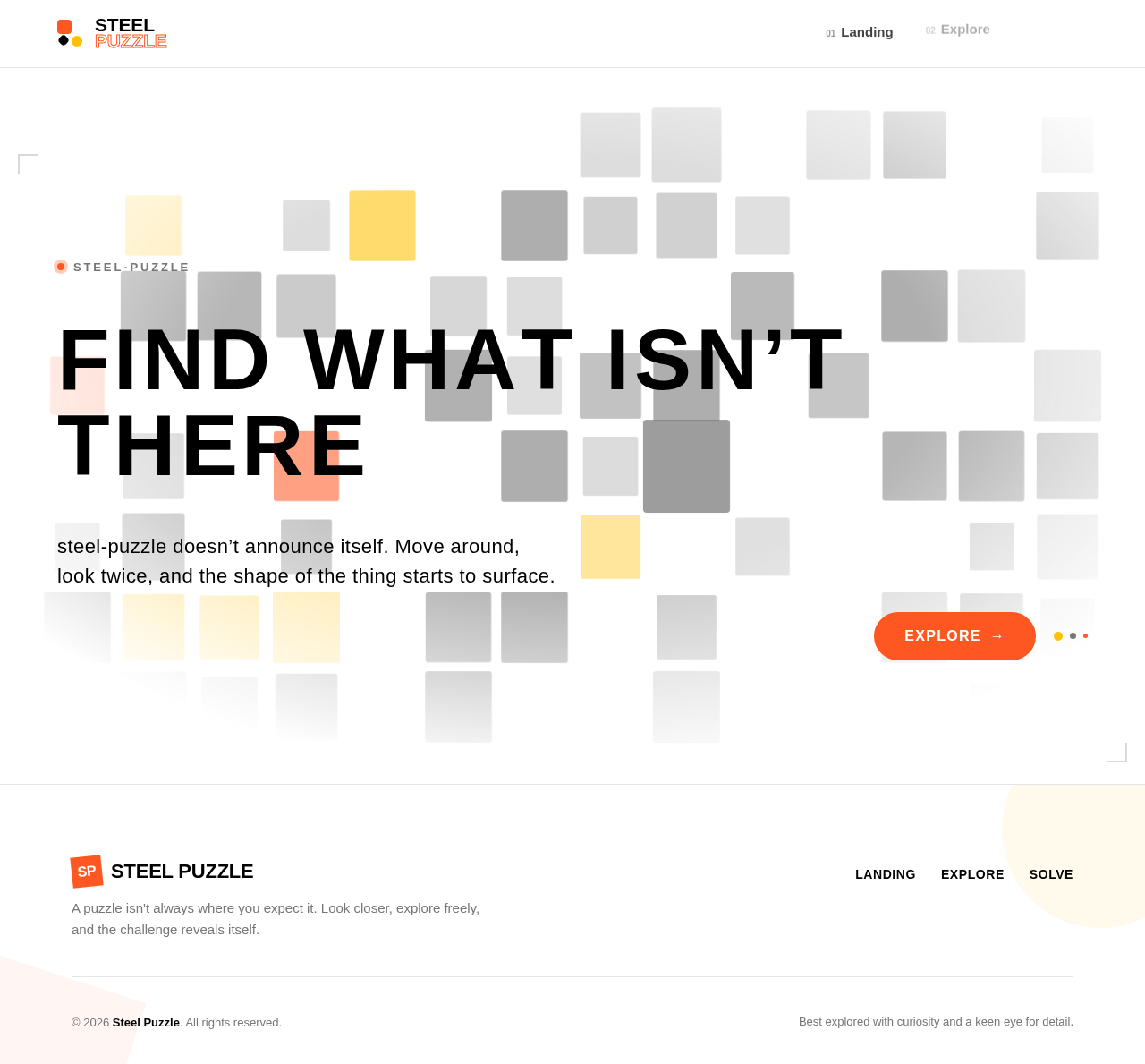
FIND WHAT ISN’T THERE
steel-puzzle doesn’t announce itself. Move around, look twice, and the shape of the thing starts to surface.
FIND WHAT ISN’T THERE
steel-puzzle doesn’t announce itself. Move around, look twice, and the shape of the thing starts to surface.
No comments yet. Be the first!