steel-monitoring
 Chirag Chaudhary
**Trial Portal Version 2.0 is ready** ## **SAG In-Scheme Monitoring Portal** Responsive HTML prototype – compatible with laptop, desktop and mobile browser. **Download and open the trial portal** **SAG_InScheme_Monitoring_Portal_Trial_v2.html** Standalone HTML file Download Trial Portal v2.0 **How to test** 1. Download the HTML file on your laptop. 2. Open it in Google Chrome or Microsoft Edge. 3. Change Login Role from the left-side dropdown. 4. Try each module and enter sample data. 5. Generate reports and download CSV files in Excel-compatible format. 6. For mobile, transfer the same file to your phone and open it in Chrome. **Included in this version:** - Unique Trainer Name Count. - Project Manager and Assistant Manager roles. - Junior/Senior MIS, Sports Analyst, Team Manager and Trainer. - Trainer daily attendance. - School PE and After-School reports. - Individual player attendance. - KMK, SGFI, Association and Federation medal records. - Daily Overall and Monthly Report Generation. - CSV export and print/PDF option. **Important limitations:** This is a working front-end trial, not a live production portal. Sample entries are saved in the same browser using local storage. Actual GPS verification, live selfie capture, secure login, server database, and real photo uploads still need backend development. Role switching is for interface testing, not production security. **My suggestion:** First test this version on your laptop and phone. Note any changes you want in the screens, reporting fields or dashboard. We can then finalize Version 3 for actual software development.


Comments (0)
Sign in to leave a comment
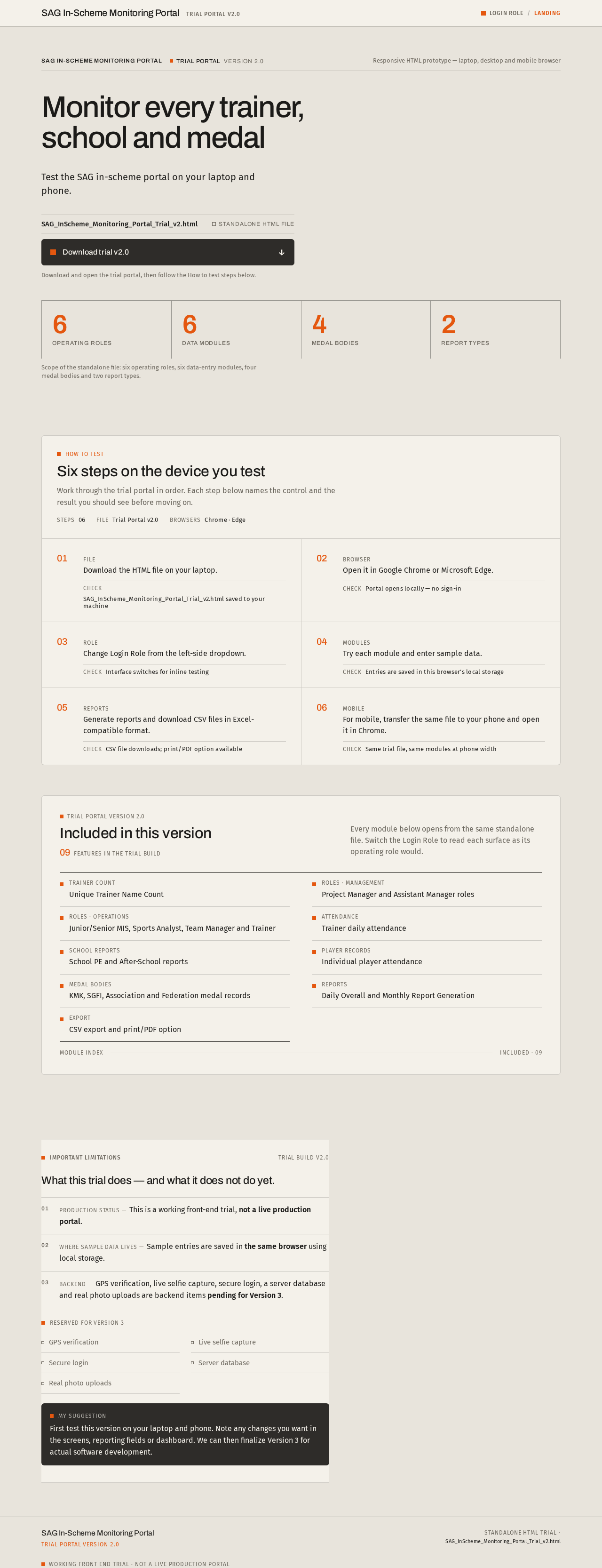
Monitor every trainer, school and medal
Test the SAG in-scheme portal on your laptop and phone.
- 6Operating roles
- 6Data modules
- 4Medal bodies
- 2Report types
Scope of the standalone file: six operating roles, six data-entry modules, four medal bodies and two report types.
How to test
Six steps on the device you test
Work through the trial portal in order. Each step below names the control and the result you should see before moving on.
- Step 01File
Download the HTML file on your laptop.
Check SAG_InScheme_Monitoring_Portal_Trial_v2.html saved to your machine
- Step 02Browser
Open it in Google Chrome or Microsoft Edge.
Check Portal opens locally — no sign-in
- Step 03Role
Change Login Role from the left-side dropdown.
Check Interface switches for inline testing
- Step 04Modules
Try each module and enter sample data.
Check Entries are saved in this browser’s local storage
- Step 05Reports
Generate reports and download CSV files in Excel-compatible format.
Check CSV file downloads; print/PDF option available
- Step 06Mobile
For mobile, transfer the same file to your phone and open it in Chrome.
Check Same trial file, same modules at phone width
Trial Portal Version 2.0
Included in this version
09features in the trial build
Every module below opens from the same standalone file. Switch the Login Role to read each surface as its operating role would.
- Trainer countUnique Trainer Name Count
- Roles · managementProject Manager and Assistant Manager roles
- Roles · operationsJunior/Senior MIS, Sports Analyst, Team Manager and Trainer
- AttendanceTrainer daily attendance
- School reportsSchool PE and After-School reports
- Player recordsIndividual player attendance
- Medal bodiesKMK, SGFI, Association and Federation medal records
- ReportsDaily Overall and Monthly Report Generation
- ExportCSV export and print/PDF option
What this trial does — and what it does not do yet.
Production status — This is a working front-end trial, not a live production portal.
Where sample data lives — Sample entries are saved in the same browser using local storage.
Backend — GPS verification, live selfie capture, secure login, a server database and real photo uploads are backend items pending for Version 3.
- GPS verification
- Live selfie capture
- Secure login
- Server database
- Real photo uploads
First test this version on your laptop and phone. Note any changes you want in the screens, reporting fields or dashboard. We can then finalize Version 3 for actual software development.
Monitor every trainer, school and medal
Test the SAG in-scheme portal on your laptop and phone.
- 6Operating roles
- 6Data modules
- 4Medal bodies
- 2Report types
Scope of the standalone file: six operating roles, six data-entry modules, four medal bodies and two report types.
How to test
Six steps on the device you test
Work through the trial portal in order. Each step below names the control and the result you should see before moving on.
- Step 01File
Download the HTML file on your laptop.
Check SAG_InScheme_Monitoring_Portal_Trial_v2.html saved to your machine
- Step 02Browser
Open it in Google Chrome or Microsoft Edge.
Check Portal opens locally — no sign-in
- Step 03Role
Change Login Role from the left-side dropdown.
Check Interface switches for inline testing
- Step 04Modules
Try each module and enter sample data.
Check Entries are saved in this browser’s local storage
- Step 05Reports
Generate reports and download CSV files in Excel-compatible format.
Check CSV file downloads; print/PDF option available
- Step 06Mobile
For mobile, transfer the same file to your phone and open it in Chrome.
Check Same trial file, same modules at phone width
Trial Portal Version 2.0
Included in this version
09features in the trial build
Every module below opens from the same standalone file. Switch the Login Role to read each surface as its operating role would.
- Trainer countUnique Trainer Name Count
- Roles · managementProject Manager and Assistant Manager roles
- Roles · operationsJunior/Senior MIS, Sports Analyst, Team Manager and Trainer
- AttendanceTrainer daily attendance
- School reportsSchool PE and After-School reports
- Player recordsIndividual player attendance
- Medal bodiesKMK, SGFI, Association and Federation medal records
- ReportsDaily Overall and Monthly Report Generation
- ExportCSV export and print/PDF option
What this trial does — and what it does not do yet.
Production status — This is a working front-end trial, not a live production portal.
Where sample data lives — Sample entries are saved in the same browser using local storage.
Backend — GPS verification, live selfie capture, secure login, a server database and real photo uploads are backend items pending for Version 3.
- GPS verification
- Live selfie capture
- Secure login
- Server database
- Real photo uploads
First test this version on your laptop and phone. Note any changes you want in the screens, reporting fields or dashboard. We can then finalize Version 3 for actual software development.
No comments yet. Be the first!