steady-prompt
 Shrishti Karn
create me a website that takes prompt from the user and 2d and 3d model floor design of the given prompt the prompt and design should perfectly align with each other and name of the website should ne floorforge the website should take prompt in natural language there should be sign in page login page and everything else that makes the website looks premium everything should be backed up with the back end too

Comments (0)
Sign in to leave a comment
System Requirements
System Requirements Document (SRD) for steady-prompt
1. Introduction
The purpose of this document is to outline the system requirements for the project steady-prompt, which will be branded as FloorForge. FloorForge is a premium web application designed to empower architects and designers by allowing them to generate 2D and 3D floor models based on natural language prompts. The platform will provide a seamless and professional experience, enabling users to save, access, and manage their generated designs. This document has been tailored to meet the needs of Shrishti Karn, based in India, and reflects her vision for the project.
2. System Overview
FloorForge is a web-based platform that leverages advanced AI models to interpret natural language prompts and generate corresponding 2D and 3D floor designs. The system is designed with architects and designers in mind, offering a professional-grade toolset for creating, saving, and accessing floor plans. The platform will include user account management, a polished and premium user interface, and a robust backend for storing and retrieving designs.
Key features include:
- Natural language prompt input for intuitive design generation.
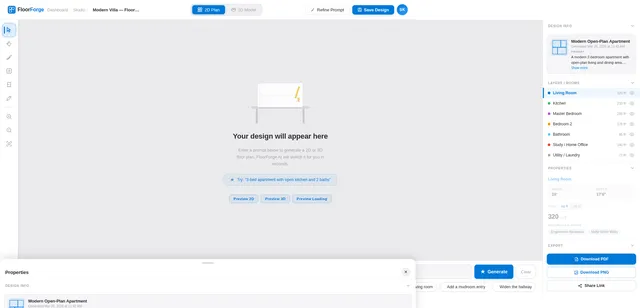
- High-quality 2D and 3D floor model outputs.
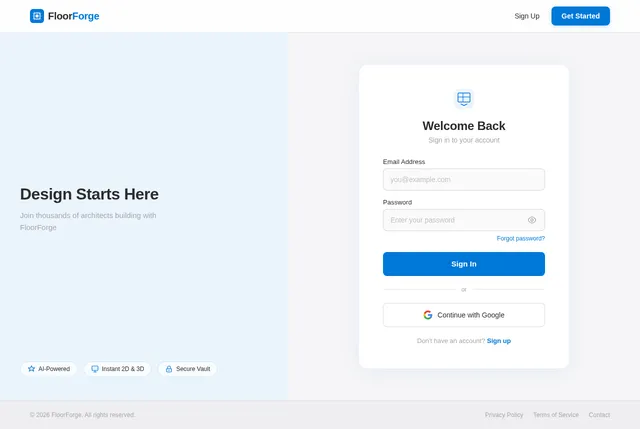
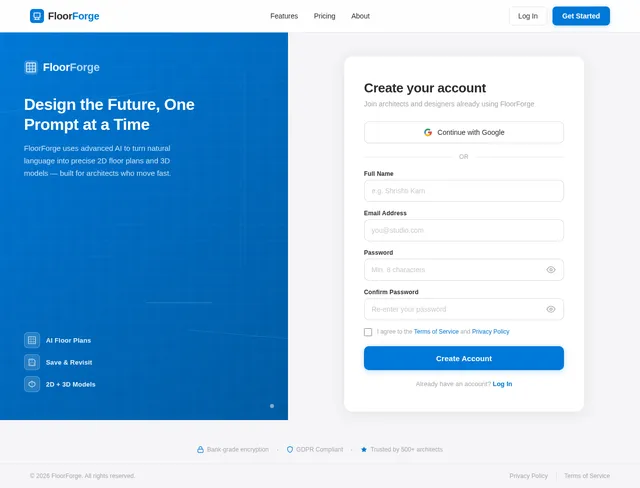
- User account management with sign-in and login functionality.
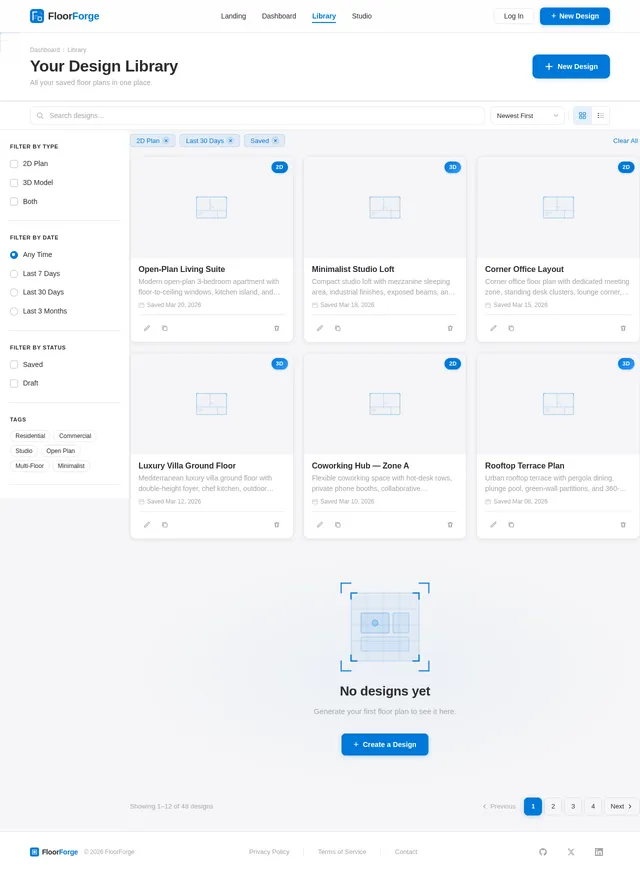
- A design library for saving and accessing previously generated floor plans.
- A modern, premium aesthetic to appeal to professional users.
3. Functional Requirements
- As a User, I should be able to input a natural language prompt to generate 2D and 3D floor designs.
- As a User, I should be able to sign up for an account.
- As a User, I should be able to log in to my account.
- As a User, I should be able to save generated designs to my account.
- As a User, I should be able to access previously saved designs from my account.
- As a User, I should experience a premium and polished interface throughout the website.
4. User Personas
1. Architect
- Description: A professional architect who uses FloorForge to quickly visualize and iterate on floor plans for clients.
- Goals: Generate accurate 2D and 3D floor models, save designs for ongoing projects, and access them later for revisions.
- Needs: A reliable, professional-grade tool with a polished interface.
2. Designer
- Description: An interior or spatial designer who uses FloorForge to conceptualize and present ideas to clients.
- Goals: Create visually appealing floor plans, save designs for presentations, and access them for modifications.
- Needs: A user-friendly platform with high-quality outputs and easy access to saved designs.
5. Visuals Colors and Theme
Unique Color Palette for FloorForge:
- Background: #F5F5F7 (Soft Light Gray)
- Surface: #FFFFFF (Pure White)
- Text: #2C2C2E (Deep Charcoal)
- Accent: #0078D7 (Vivid Blue)
- Muted Tones: #A6A6A8 (Neutral Gray)
This color palette is designed to evoke professionalism, clarity, and modernity, aligning with the premium feel of the platform.
6. Signature Design Concept
The "Interactive Blueprint" Homepage
The homepage of FloorForge will immerse users in a dynamic, interactive experience. Upon landing, users will see a 3D blueprint-style animation of a floor plan being "drawn" in real-time. The lines of the blueprint will animate as if being sketched by an architect's hand, accompanied by subtle pencil sound effects.
Key interactive elements:
- Hover Effects: As users hover over menu items or sections, the blueprint lines will glow softly in the accent blue (#0078D7).
- Prompt Input Box: The natural language prompt input box will be styled as a drafting table, with a glowing cursor and a subtle animation of a pencil writing.
- Transitions: Smooth transitions between sections, with elements sliding in as if being "drawn" onto the screen.
- Micro-interactions: Buttons and icons will have a "pop" effect, mimicking the feel of pressing a drafting tool.
This concept will make the homepage unforgettable, setting the tone for a premium and innovative user experience.
7. Non-Functional Requirements
- The system should support high availability with 99.9% uptime.
- The platform must be optimized for both desktop and mobile devices.
- The backend should securely store user data and designs.
- The system should support natural language processing for prompt interpretation.
- The website should load within 3 seconds on a standard broadband connection.
8. Tech Stack
Frontend:
- React for Web
Backend:
- Python
- FastAPI
Database:
- MySQL (with Alembic for migrations)
AI Models:
- GPT 5.2 for user-friendly natural language processing
- Google Nano Banana for image generation
AI Tools:
- Litellm for LLM Routing
- Langchain
Orchestration:
- Docker for local orchestration
- Kubernetes for server-side orchestration
9. Assumptions and Constraints
- The primary audience is professional architects and designers based in India.
- The system will store user-generated designs for future access.
- The platform will require users to create an account to access its full functionality.
- The system will use English as the default language for prompts and interface text.
- The platform will adhere to GDPR and other relevant data protection regulations.
10. Glossary
- 2D Floor Design: A flat, two-dimensional representation of a floor plan.
- 3D Floor Design: A three-dimensional model of a floor plan, providing depth and perspective.
- Natural Language Prompt: A user input in plain, conversational language that the system interprets to generate designs.
- Design Library: A feature allowing users to save and access previously generated designs.
- Premium Interface: A polished, modern, and professional user interface designed to appeal to high-end users.

Design Spaces. Speak Naturally.
FloorForge uses AI to turn your natural language descriptions into professional 2D and 3D floor plans — in seconds. Built for architects and designers who think faster than they draw.
See FloorForge in Action
Everything you need to go from idea to floor plan in minutes, not hours.
Describe your space in plain English and let AI translate your words into precise floor plans.
Instantly view your designs as detailed 2D blueprints or immersive 3D walkthroughs.
Save every iteration to your personal library and revisit or refine designs anytime.
Powerful Features
Everything You Need to Design Smarter
FloorForge combines AI-powered generation, interactive visualization, and intelligent organization into one seamless workflow.
How It Works
From Prompt to Floor Plan in 3 Steps
Describe Your Space
Type a natural language prompt describing your ideal floor plan — room count, layout preferences, and style.
AI Generates Your Design
FloorForge interprets your prompt and renders a professional 2D blueprint and interactive 3D model in seconds.
Save & Refine
Save designs to your personal library, iterate with new prompts, and refine until it’s perfect.
Type a Prompt. Watch It Come to Life.
Trusted by Architects & Designers Across India
Simple, Transparent Pricing
Choose the plan that fits your workflow. Upgrade or cancel anytime.
Free
₹0/month
- 5 floor plan generations per month
- Basic 2D floor plan output
- Standard design templates
- Community support access
Pro
₹999/month
- Unlimited floor plan generations
- High-quality 2D & 3D model outputs
- Advanced natural language processing
- Save unlimited designs to your library
- Version history & design revisions
- Priority support & early features
All plans include 14-day free trial · No credit card required
Start Designing Your First Floor Plan Today
Join thousands of architects and designers who use FloorForge to bring their ideas to life with AI-powered floor plans.
No comments yet. Be the first!