steady-cute
 Hudson Ramsey
Cute pretty kind
Comments (0)
Sign in to leave a comment
System Requirements
System Requirements Document (SRD)
Project Name: steady-cute Version: 1.0 Date: 2026-02-28 Status: Draft
1. Introduction
This document defines the system requirements for steady-cute, a mobile application designed around a soft, warm, and uplifting aesthetic. The app celebrates beauty, positivity, and kindness through a visually rich and emotionally engaging experience. This SRD outlines the functional and non-functional requirements, user personas, design direction, and technical foundation for the steady-cute app.
2. System Overview
steady-cute is a mobile-first application built with a "cute, pretty, kind" philosophy at its core. The app serves as a positive-space platform where users can explore, share, and engage with content that uplifts and inspires. The system emphasizes gentle interactions, soft visual design, and a welcoming community atmosphere.
3. Functional Requirements
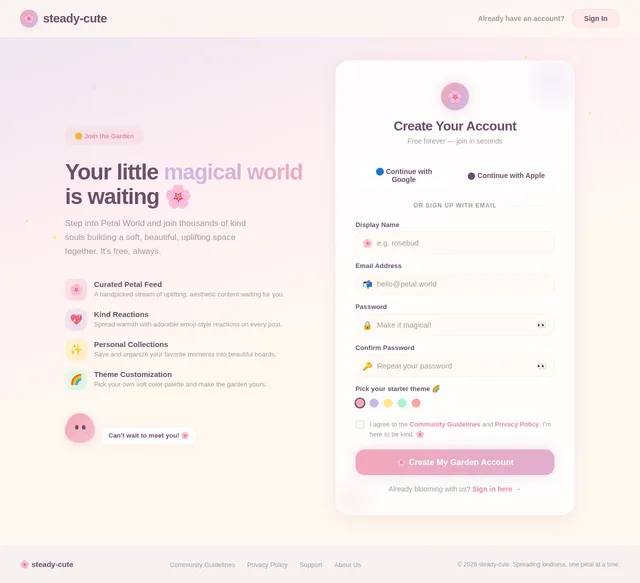
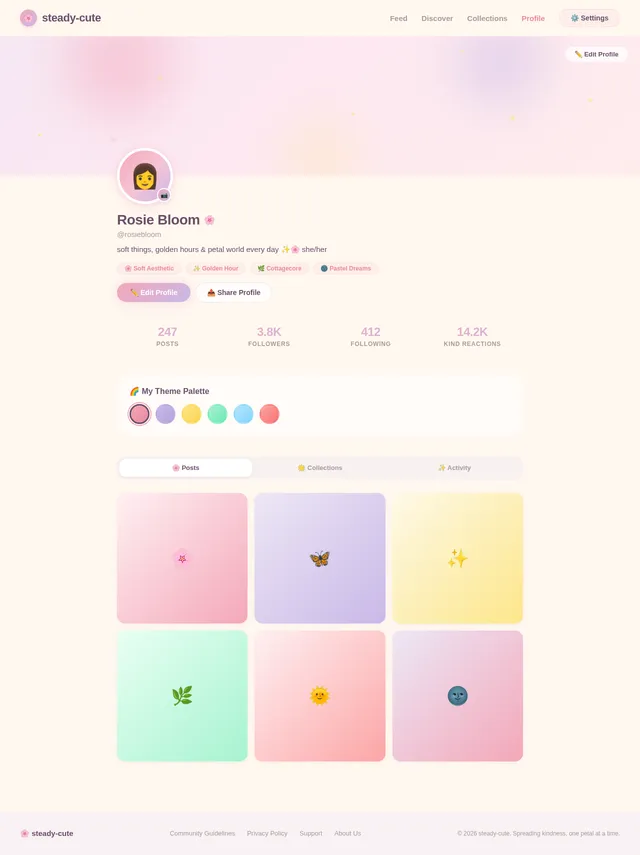
- As a User I should be able to create a personal profile with a display name and avatar
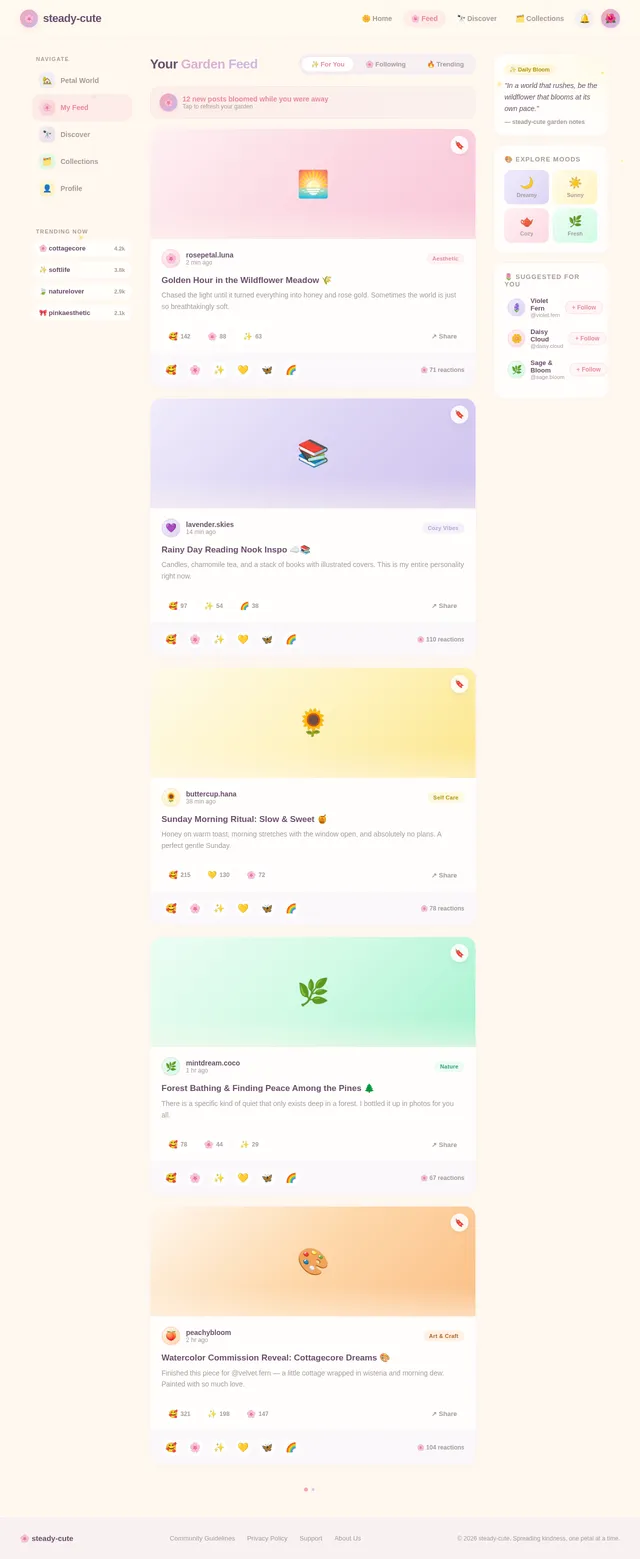
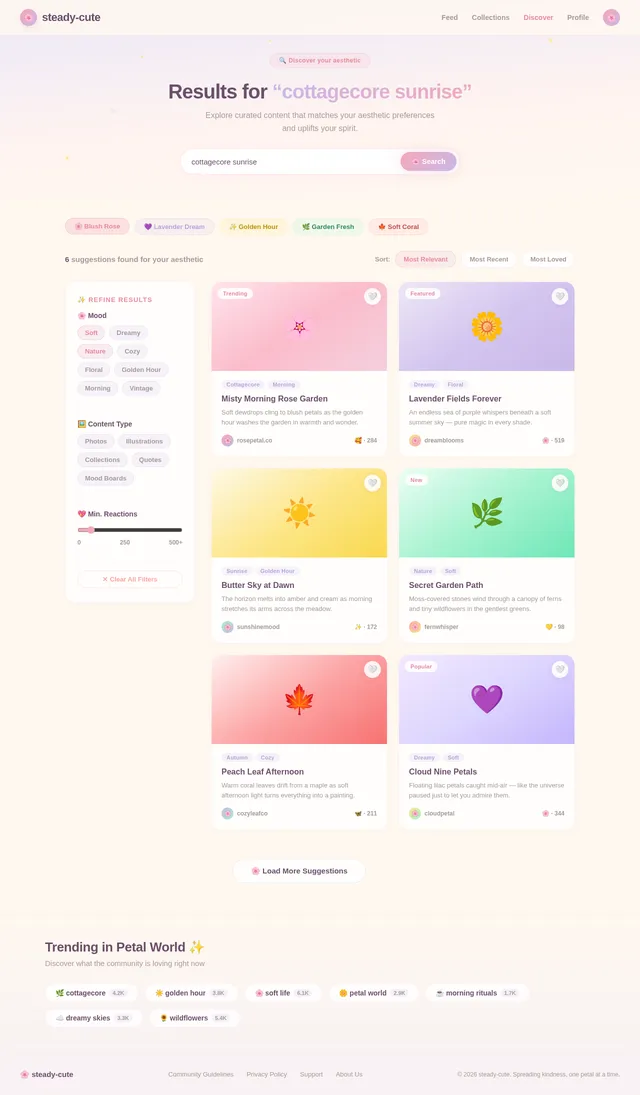
- As a User I should be able to browse a curated feed of uplifting and aesthetically pleasing content
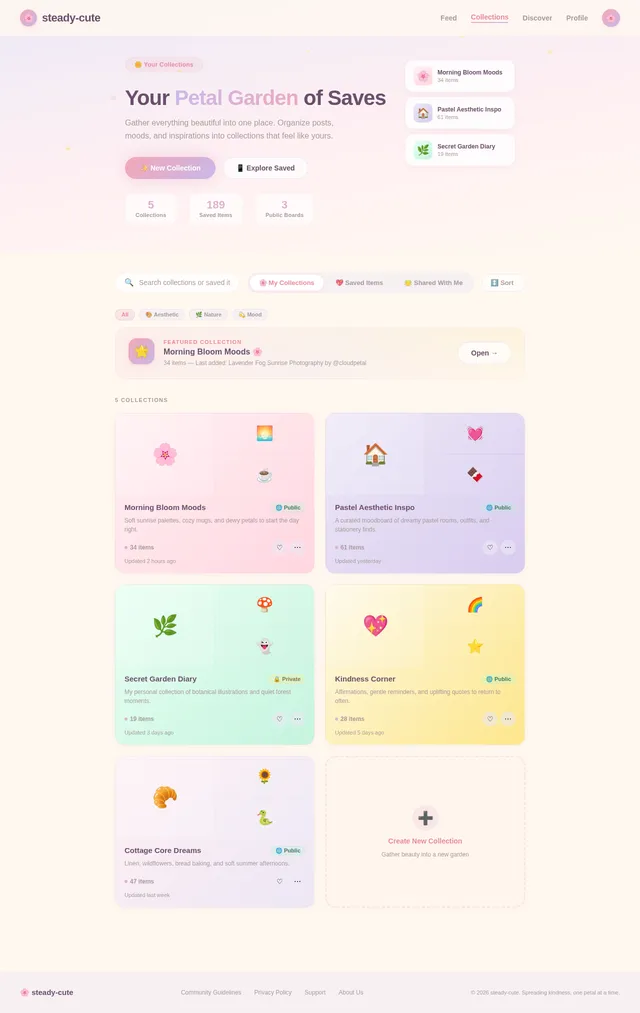
- As a User I should be able to save and organize my favorite content into personal collections
- As a User I should be able to react to posts with cute, kind emoji-style reactions
- As a User I should be able to share content with friends or to my profile
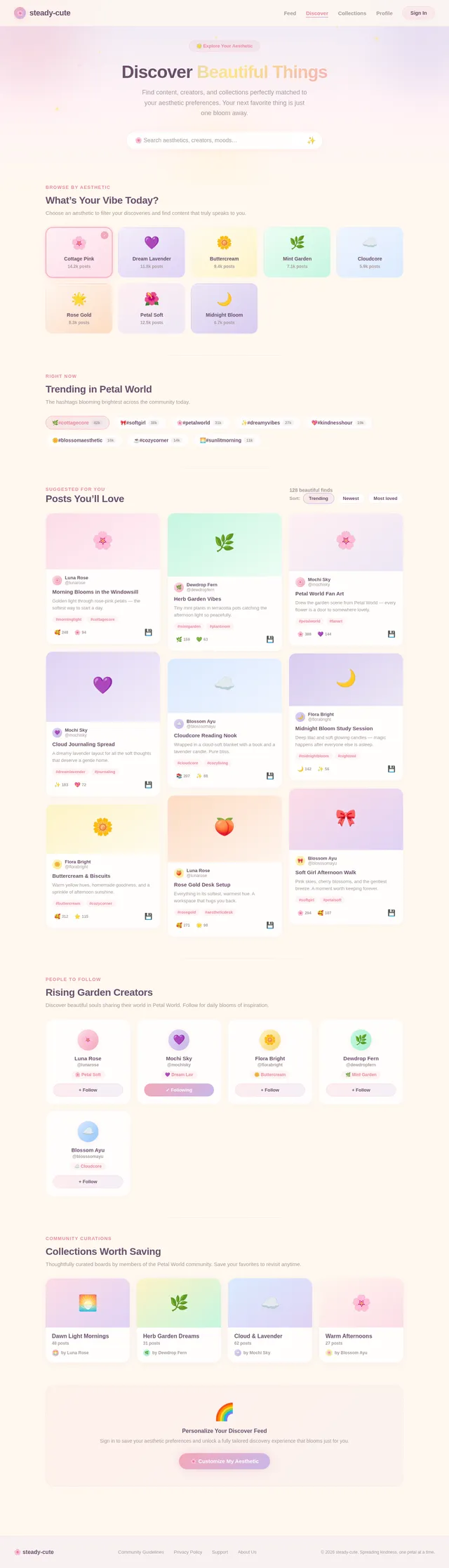
- As a User I should be able to discover new content based on my aesthetic preferences
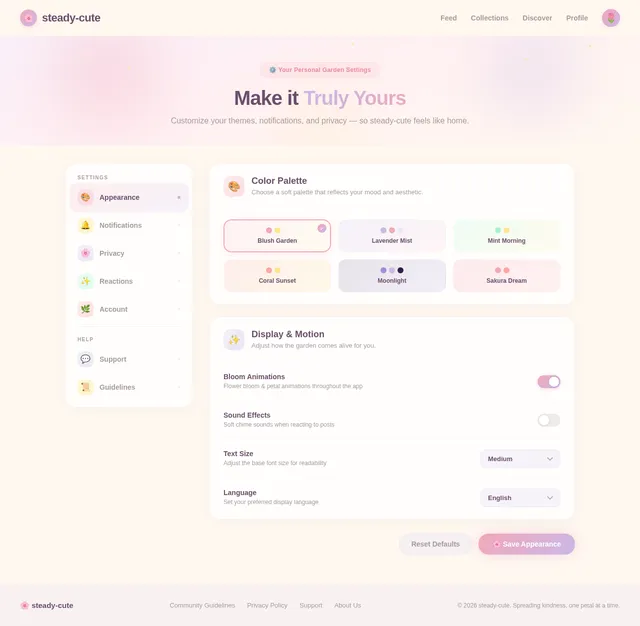
- As a User I should be able to customize my app theme from a selection of soft color palettes
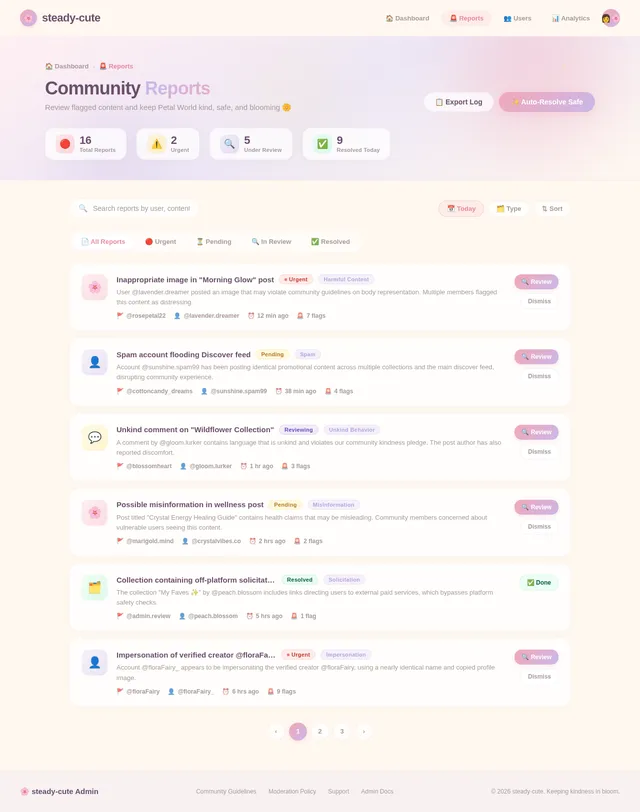
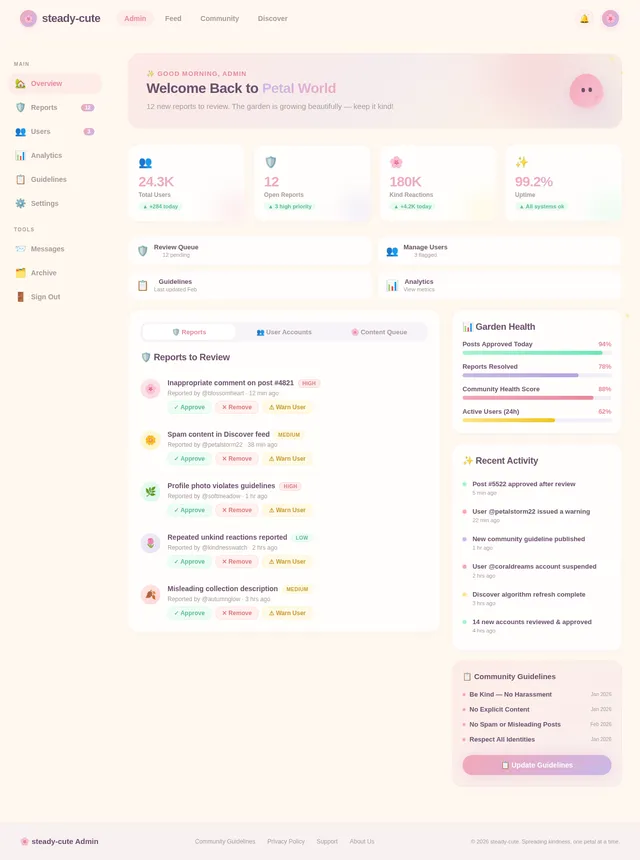
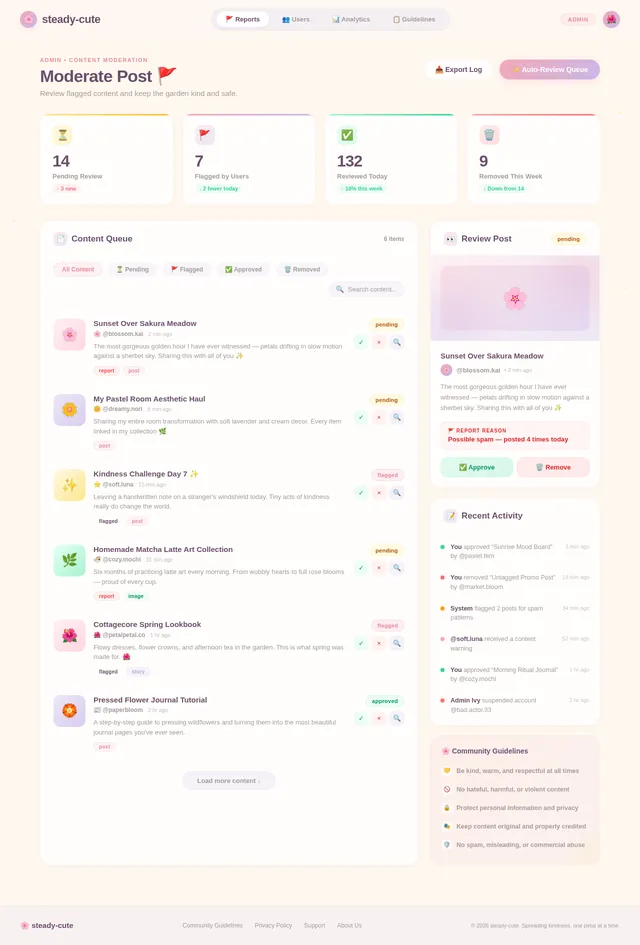
- As a Admin I should be able to moderate content to ensure community guidelines are upheld
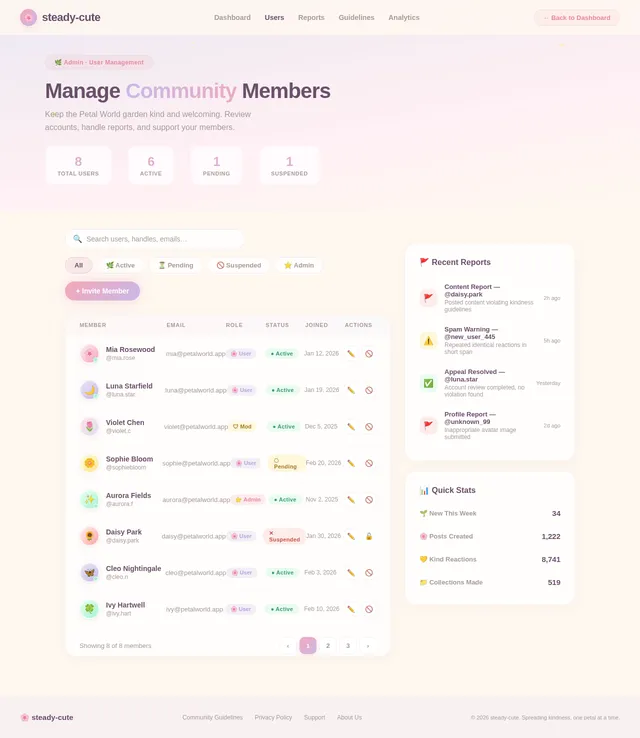
- As an Admin I should be able to manage user accounts and handle reports
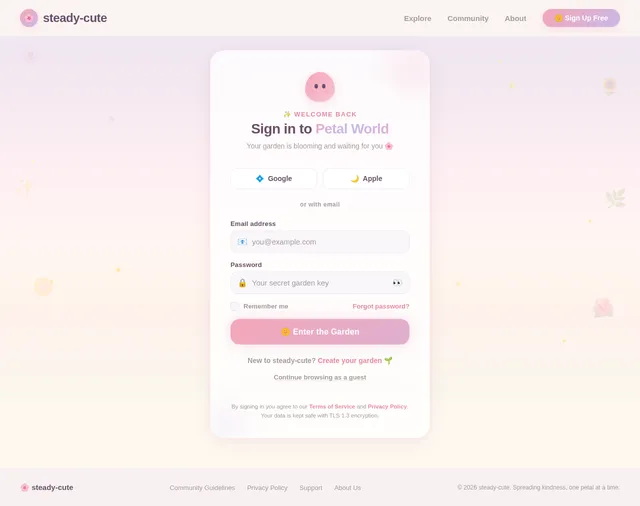
- As a Guest I should be able to browse public content without creating an account
- As a Guest I should be prompted to register when attempting to interact with content
4. User Personas
| Persona | Description |
|---|---|
| User | A registered member of the app who can interact with content, build a profile, and engage with the community. Typically someone who appreciates cute, aesthetic, and positive digital spaces. |
| Admin | A platform moderator or administrator responsible for content moderation, user management, and maintaining a safe and kind community environment. |
| Guest | An unregistered visitor who can browse public content in read-only mode. Encouraged to sign up to unlock full interaction features. |
5. Visuals, Colors, and Theme
The visual identity of steady-cute leans into soft femininity, warmth, and gentle playfulness.
Color Palette
| Role | Color Name | Hex |
|---|---|---|
| Primary | Blush Rose | #F4A7B9 |
| Secondary | Lavender Mist | #C9B8E8 |
| Accent | Butter Yellow | #FDE68A |
| Background | Cream White | #FFF8F0 |
| Surface | Soft Lilac | #EDE7F6 |
| Text Primary | Dusty Plum | #6B4F6B |
| Text Secondary | Warm Gray | #A89A9A |
| Success | Mint Whisper | #A7F3D0 |
| Error | Soft Coral | #FCA5A5 |
Typography
- Headings: Rounded, friendly sans-serif (e.g., Nunito or Quicksand)
- Body: Clean and highly readable (e.g., DM Sans or Lato)
- Accents / Labels: Slightly playful, slightly bold
Design Principles
- Rounded corners everywhere — no harsh edges
- Soft drop shadows and glows rather than hard borders
- Micro-animations that feel "bouncy" and alive
- Plenty of white/cream space to breathe
- Subtle gradient overlays using the primary palette
6. Signature Design Concept
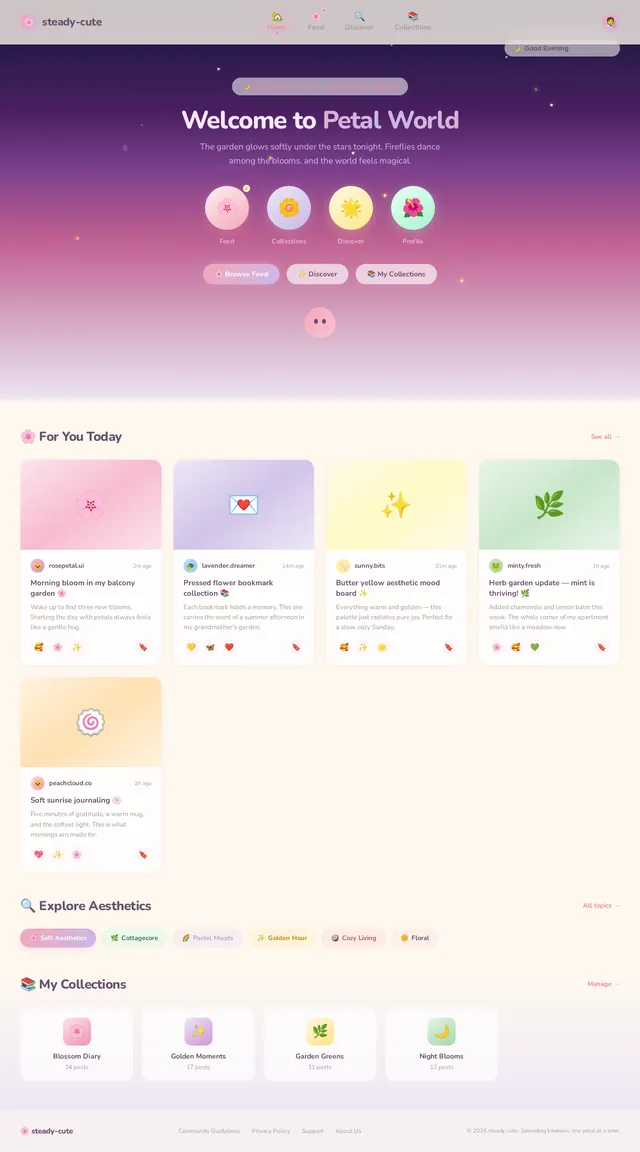
✨ "Petal World" — A Living Garden Homepage
When the app first launches, the user is greeted not by a typical splash screen, but by a living garden that blooms in real time.
Here's exactly what the user experiences:
The screen fades in as a soft watercolor meadow, pale cream and blush at the horizon, deepening into lavender and lilac at the top. Tiny illustrated flower buds are scattered across the screen — they are closed on first load.
As the app finishes loading, each flower blooms one by one in a gentle staggered animation — petals unfurling with a soft spring-bounce easing. Each flower is a navigation element: one takes you to your Feed, one to your Collections, one to Discover, one to your Profile. Hovering/pressing a flower causes it to glow softly and sway, as if touched by a breeze.
Time of day affects the scene:
- 🌅 Morning: Warm golden light washes across the meadow, soft sunrise gradients
- ☀️ Afternoon: Full bloom, bright and vibrant
- 🌙 Evening/Night: Flowers glow with a soft bioluminescent shimmer, background shifts to deep lavender and midnight lilac with tiny glittering particle stars
Micro-interactions throughout:
- Tapping empty areas of the meadow causes a small butterfly or bee to flutter across the screen
- Scrolling down the home feed causes the meadow to gently parallax upward, as if you're walking into the garden
- New notifications are represented by a tiny glowing firefly that bobs near the relevant flower
- The app mascot — a small round illustrated creature (think a soft blob with big eyes) — peeks from behind a flower petal during loading states
Transitions between screens feel like stepping through a garden gate: a soft iris-wipe bloom animation where the new screen "opens" from the center like a flower.
This design makes steady-cute feel less like an app and more like a tiny magical world the user gets to visit every day.
7. Non-Functional Requirements
| ID | Requirement | Detail |
|---|---|---|
| NFR-01 | Performance | App should load the home screen within 2 seconds on a standard 4G connection |
| NFR-02 | Scalability | Backend should support up to 100,000 concurrent users |
| NFR-03 | Usability | UI must be accessible and easy to navigate for users aged 16+ |
| NFR-04 | Accessibility | Must meet WCAG 2.1 AA contrast and interaction standards |
| NFR-05 | Security | All user data must be encrypted in transit (TLS 1.3) and at rest |
| NFR-06 | Availability | System uptime target of 99.9% |
| NFR-07 | Content Safety | Automated and manual moderation pipelines must be in place |
| NFR-08 | Privacy | Must comply with GDPR and relevant data privacy regulations |
| NFR-09 | Responsiveness | UI must adapt gracefully across iOS and Android screen sizes |
8. Tech Stack
Frontend
- React Native — Cross-platform mobile app (iOS & Android)
Backend
- Python + FastAPI — RESTful API layer
Database
- MySQL / MariaDB — Primary relational database for user data, profiles, collections
- Alembic for schema migrations
Infrastructure
- Docker + docker-compose — Local development orchestration
- Kubernetes — Production server-side orchestration
9. Assumptions and Constraints
- The app is intended for users aged 16 and above
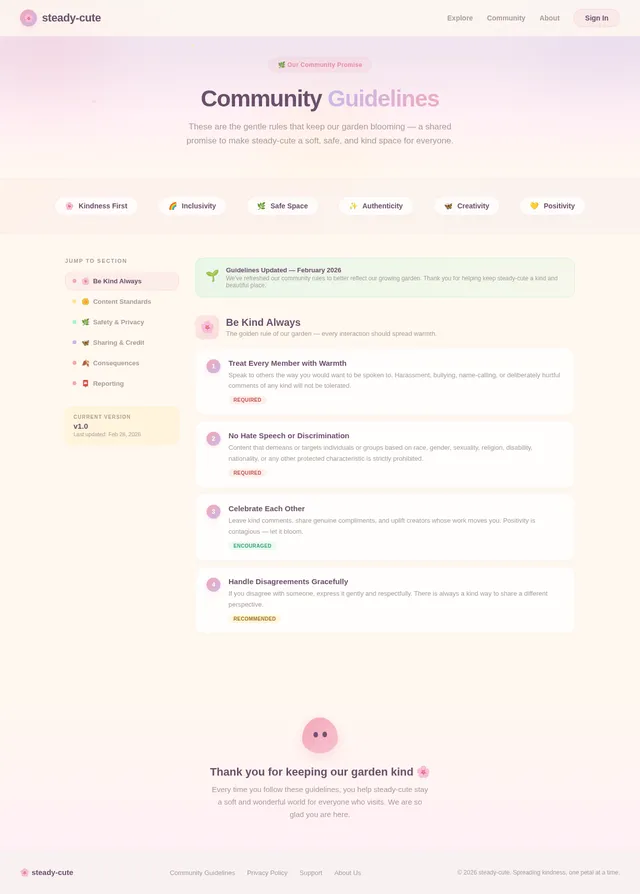
- All content hosted on the platform must comply with community guidelines and applicable laws
- The MVP scope covers iOS and Android via a single React Native codebase
- Admin tooling may initially be a simple internal dashboard before a dedicated admin UI is built
- Internet connectivity is required for core functionality; offline mode is out of scope for v1
- The "Petal World" signature design will require a skilled frontend animator/developer familiar with React Native Reanimated or Lottie
- Budget and timeline constraints may require phasing the more complex animations into v1.1
10. Glossary
| Term | Definition |
|---|---|
| SRD | System Requirements Document — this document |
| MVP | Minimum Viable Product — the initial release with core features |
| Feed | A scrollable stream of curated content shown to the user |
| Collection | A user-curated set of saved content, similar to a board or album |
| Petal World | The signature animated garden-themed home screen concept |
| Mascot | The small illustrated blob character used in loading and empty states |
| Reaction | A cute emoji-style response a user can apply to a post |
| WCAG | Web Content Accessibility Guidelines |
| GDPR | General Data Protection Regulation |
| TLS | Transport Layer Security — encryption protocol for data in transit |
Document prepared by: System Requirements Engineering Project: steady-cute | Version 1.0 | 2026-02-28
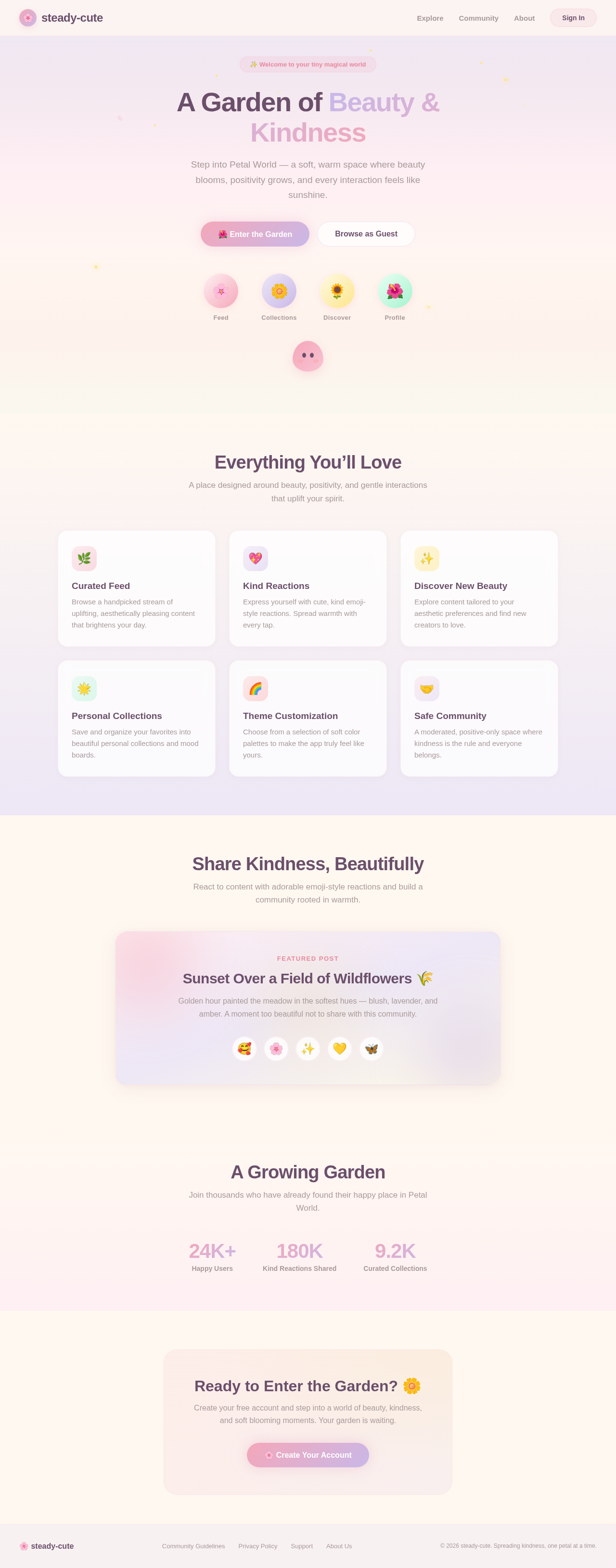
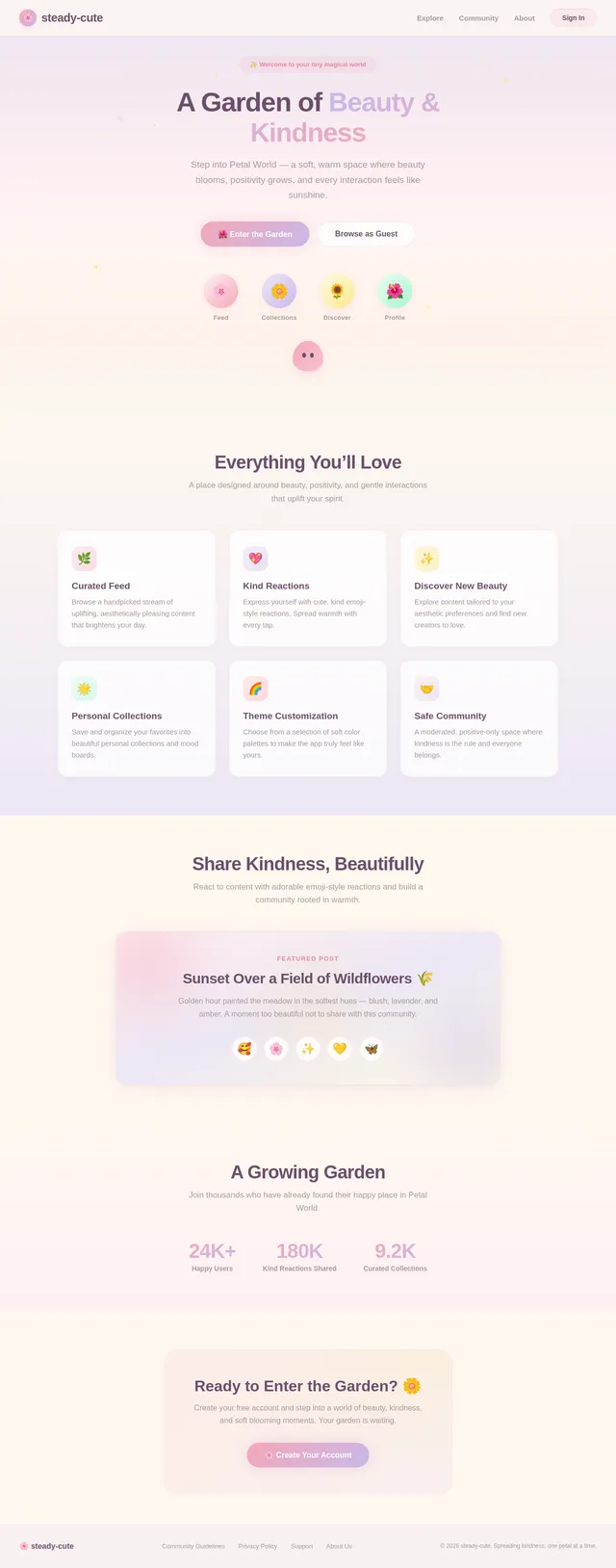
A Garden of Beauty & Kindness
Step into Petal World — a soft, warm space where beauty blooms, positivity grows, and every interaction feels like sunshine.
Everything You’ll Love
A place designed around beauty, positivity, and gentle interactions that uplift your spirit.
Curated Feed
Browse a handpicked stream of uplifting, aesthetically pleasing content that brightens your day.
Kind Reactions
Express yourself with cute, kind emoji-style reactions. Spread warmth with every tap.
Discover New Beauty
Explore content tailored to your aesthetic preferences and find new creators to love.
Personal Collections
Save and organize your favorites into beautiful personal collections and mood boards.
Theme Customization
Choose from a selection of soft color palettes to make the app truly feel like yours.
Safe Community
A moderated, positive-only space where kindness is the rule and everyone belongs.
Share Kindness, Beautifully
React to content with adorable emoji-style reactions and build a community rooted in warmth.
Featured Post
Sunset Over a Field of Wildflowers 🌾
Golden hour painted the meadow in the softest hues — blush, lavender, and amber. A moment too beautiful not to share with this community.
A Growing Garden
Join thousands who have already found their happy place in Petal World.
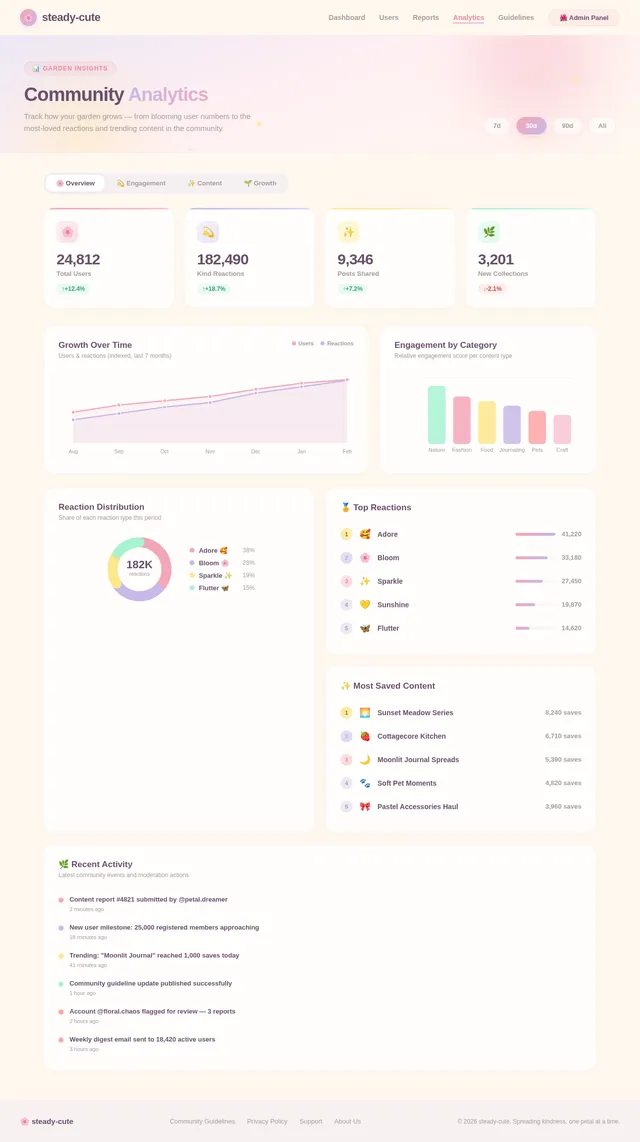
24K+
Happy Users
180K
Kind Reactions Shared
9.2K
Curated Collections
Ready to Enter the Garden? 🌼
Create your free account and step into a world of beauty, kindness, and soft blooming moments. Your garden is waiting.
No comments yet. Be the first!