steady-counter
Build me a counter app


Comments (0)
Sign in to leave a comment
System Requirements
System Requirements Document for steady-counter
1. Introduction
steady-counter is a small, calm counter application. Its product intent is singular and complete: a person opens the app, sees a current count value, and increases, decreases, or resets that count. There is no account, no list of counters, no history, and no reporting — the count itself is the whole product.
The audience is one person counting items who wants a frictionless tool that behaves like a real object: a large readable number and three tactile controls. The design language follows Naoto Fukasawa's "super normal" idea — soft paper-white ground, ink text, a terracotta accent used only on the active count and one hairline rule, and controls that press rather than animate.
This document is the System Requirements Document for steady-counter. It defines the two accepted surfaces (Landing and Counter), the single accepted persona (Counter user), the four accepted counter behaviors, and the visual, interaction, and technical constraints that make them buildable.
2. System Overview
steady-counter is a single-purpose web application delivered as a React frontend, a shared FastAPI backend, and a MariaDB database provisioned by the initial scaffold. The product behavior is entirely client-facing: the Counter page displays a count value and provides increase, decrease, and reset controls. The Landing page introduces the app and routes the user into counting.
The only active human actor is the Counter user, who counts items with one counter. There is no authentication, no account, and no differentiated permission model — both pages are publicly reachable (access_requirement: none), and the count is a single shared value within the user's session.
Current delivery includes:
- A public Landing page that explains the counter app and provides entry into counting.
- A Counter page that shows the current count and owns increase, decrease, and reset.
- A shared FastAPI backend process for application APIs and domain modules.
- A MariaDB database provisioned by the scaffold (available for application-owned persistent data; no domain entity is required by the accepted behavior).
- A React frontend application UI.
Narrow exclusions: no multiple counters, no named counters, no count history or undo log, no sharing, no accounts, no analytics dashboards, no settings beyond the counter controls themselves.
Removed from scope
- None. No concept was explicitly removed by the user.
2a. Product Interpretation and Delivery Boundary
steady-counter is a first-party, application-owned utility. Both accepted pages are owned by the application and are reachable without identity: the Landing page is a public entry surface, and the Counter page is a public working surface. Because the accepted behavior creates no durable actor-specific state, no commitment, and no value transfer that must remain bound to a participant, no application-owned identity, sign-in, or account lifecycle is introduced. The count lives for the duration of the user's use of the Counter page.
The current delivery horizon covers the Landing and Counter pages and the four accepted counter behaviors. There is no accepted future horizon in the requirement thread; anything beyond the counter (multiple counters, persistence across sessions, sharing, history) is out of scope and is not planned here.
The backend and database are provisioned infrastructure. They do not, by themselves, create product requirements, domain entities, or authentication. The counter's observable behavior is delivered through the frontend UI; the backend remains available for application APIs and domain modules if the accepted behavior requires them, and the database remains available for application-owned persistent data without being required to store counter state.
2b. Source Content Inventory
Not applicable. No reference directive with content_source was supplied.
2c. Page Content and Component Coverage
Landing
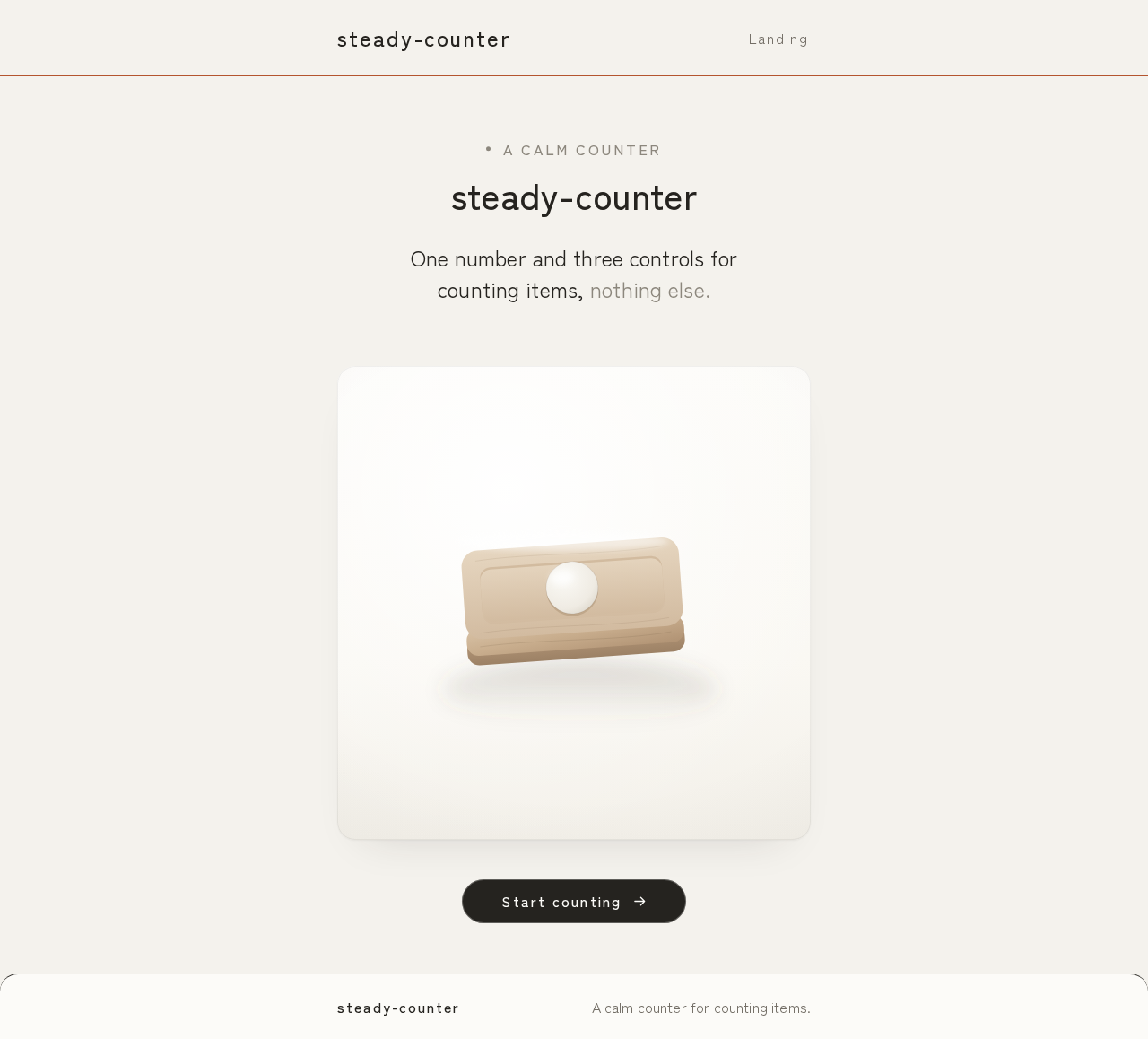
- Information and state: The app name "steady-counter", a short statement of what the app does (a calm counter for counting items), and a single still-life panel consistent with the Counter page's visual language. No count value is shown here; the Landing page is an introduction and entry point.
- Primary action: Enter the Counter page to start counting.
- Supporting actions: None beyond entry.
- Domain entities: None displayed; the page references the counter concept only.
- Component responsibilities:
- Page shell: centered single column with wide margins on the paper ground (#F4F2ED).
- Wordmark / heading: "steady-counter" in Zen Kaku Gothic New Medium, wide tracking on small labels.
- Still-life panel: one soft-lit still life of a plain hand tally object on a paper ground, contained within the column, never covering readable text or controls.
- Entry control: a capsule button that navigates to the Counter page.
- States:
- Loading: static content; no loading state required.
- Empty: not applicable.
- Success: page renders with heading, still-life panel, and entry control fully inside the viewport at 375px, 768px, and 1280px.
- Error: not applicable (no data fetch).
- Recovery: not applicable.
Counter
- Information and state: The current count value, displayed as the dominant element in a large square panel. The count numeral uses tabular figures, ink (#25231F) on soft white (#FCFBF8), at
clamp(96px, 22vw, 240px). A terracotta (#B4552F) hairline rule sits above the numeral and marks the panel top and nothing else. The count is the single source of truth for the page. - Primary actions:
- Increase the count by one.
- Decrease the count by one.
- Reset the count to its starting value.
- Supporting actions: None.
- Domain entities: A single counter with one integer count value. No named counters, no history entries, no user association.
- Component responsibilities:
- Count panel: large square panel holding the terracotta hairline and the count numeral; the numeral is the hero and gives a 120ms scale press on change.
- Increase control: large capsule button with a 1px inner edge; presses in 2px on tap; increments the count.
- Decrease control: large capsule button with a 1px inner edge; presses in 2px on tap; decrements the count.
- Reset control: small text button with wide tracking, set apart below the main row of increase/decrease; returns the count to its starting value.
- Control row: increase and decrease sit in one row below the panel; reset sits apart below that row.
- States:
- Loading: static; no loading state required.
- Empty: not applicable; the count always has a value.
- Success: after increase, decrease, or reset, the count numeral updates immediately and reflects the new value.
- Error: not applicable to the accepted behavior; there is no network dependency for counting.
- Recovery: if the user reaches an unintended count, the reset control returns the count to its starting value; increase and decrease remain available to correct by one.
3. Functional Requirements
FR-1 — Display the current count (explicit) As a Counter user, I should see the current count value so that I know how many items I have counted.
- Trigger/input: opening the Counter page.
- Observable result: the count numeral is displayed in the large square panel at
clamp(96px, 22vw, 240px), tabular figures, ink on #FCFBF8, with the terracotta hairline above it. - Access state: public; no identity required.
- Failure/recovery: not applicable (no data fetch).
- Continuation: the user can immediately increase, decrease, or reset.
FR-2 — Increase the count (explicit) As a Counter user, I should increase the count so that I can tally an additional item.
- Trigger/input: the user activates the increase control.
- Observable result: the count value increases by one and the numeral updates immediately; the numeral gives a 120ms scale press and the capsule presses in 2px.
- Access state: public; no identity required.
- Failure/recovery: not applicable to the accepted behavior.
- Continuation: the user can continue increasing, decrease, or reset.
FR-3 — Decrease the count (explicit) As a Counter user, I should decrease the count so that I can correct an over-count.
- Trigger/input: the user activates the decrease control.
- Observable result: the count value decreases by one and the numeral updates immediately; the numeral gives a 120ms scale press and the capsule presses in 2px.
- Access state: public; no identity required.
- Failure/recovery: not applicable to the accepted behavior.
- Continuation: the user can continue decreasing, increase, or reset.
FR-4 — Reset the count (explicit) As a Counter user, I should reset the count so that I can start a fresh tally.
- Trigger/input: the user activates the reset control.
- Observable result: the count returns to its starting value and the numeral updates immediately.
- Access state: public; no identity required.
- Failure/recovery: not applicable to the accepted behavior.
- Continuation: the user can begin counting again from the starting value.
FR-5 — Open the app and start counting (required_inference) As a Counter user, I should open the app and reach the counter so that I can begin counting.
- Trigger/input: the user opens the app at the Landing page and activates the entry control.
- Observable result: the Counter page is displayed with the current count and the three controls.
- Access state: public; no identity required.
- Failure/recovery: not applicable to the accepted behavior.
- Continuation: the user proceeds to increase, decrease, or reset.
4. User Personas
Counter user
- Product context: A single person counting items — for example, tallying objects, repetitions, or events — who wants a calm, frictionless tool rather than a feature-rich tracker. The user arrives at steady-counter with a counting task in mind and expects the count to be the center of attention.
- Primary goal: Keep an accurate running count with as little interaction overhead as possible.
- Distinct accepted responsibilities:
- Reads the current count value on the Counter page.
- Increases the count when an item is added.
- Decreases the count when an item is removed or an over-count must be corrected.
- Resets the count to start a fresh tally.
- Enters the Counter page from the Landing page to begin counting.
- Relevant inputs or decisions: When to increment, when to decrement, and when to reset. The user decides the starting point of a tally and when a tally is complete.
- Interactions with other accepted participants: None. The Counter user is the only active human actor; there is no counterparty, recipient, or beneficiary whose state changes as a result of counting.
- Observable success: The count numeral always reflects the user's intended tally, updates immediately on each control press, and the controls are large, legible, and reachable at every viewport.
5. Core User Flows
Flow 1 — Open the app and start counting (Counter user)
- The Counter user opens steady-counter and lands on the Landing page.
- The Landing page shows the "steady-counter" wordmark, a short statement of what the app does, and one still-life panel on the paper ground.
- The user activates the entry control.
- The Counter page opens, showing the current count numeral in the large square panel with the terracotta hairline above it, and the increase, decrease, and reset controls.
- The user is now ready to count and proceeds to Flow 2, 3, or 4.
- Failure/recovery: Not applicable; the Landing and Counter pages are static and publicly reachable.
- Continuation: The user begins counting.
Flow 2 — Increase the count (Counter user)
- The Counter user is on the Counter page with a visible count.
- The user activates the increase control (large capsule with a 1px inner edge).
- The capsule presses in 2px and the count numeral gives a 120ms scale press.
- The count value increases by one and the numeral updates immediately.
- The user repeats as needed for each additional item.
- Failure/recovery: Not applicable to the accepted behavior.
- Continuation: The user may decrease, reset, or continue increasing.
Flow 3 — Decrease the count (Counter user)
- The Counter user is on the Counter page with a visible count.
- The user activates the decrease control (large capsule with a 1px inner edge).
- The capsule presses in 2px and the count numeral gives a 120ms scale press.
- The count value decreases by one and the numeral updates immediately.
- The user repeats as needed to correct the tally.
- Failure/recovery: Not applicable to the accepted behavior.
- Continuation: The user may increase, reset, or continue decreasing.
Flow 4 — Reset the count (Counter user)
- The Counter user is on the Counter page with a visible count.
- The user activates the reset control (small text button with wide tracking, set apart below the main row).
- The count returns to its starting value and the numeral updates immediately.
- The user begins a fresh tally.
- Failure/recovery: Not applicable to the accepted behavior.
- Continuation: The user may increase, decrease, or reset again.
6. Visuals Colors and Theme
The creative direction is authoritative: Super normal counting after Naoto Fukasawa.
- Muse and headline: Naoto Fukasawa — "Super normal counting." A calm utility that feels inevitable and gives no friction.
- Mode: Light mode only.
- Palette (exact hex by role):
- Background:
#F4F2ED(soft paper white ground) - Surface:
#FCFBF8(count panel and still-life panel) - Text:
#25231F(ink) - Primary:
#25231F(ink buttons) - Accent:
#B4552F(terracotta — active count and one hairline rule only) - Muted:
#8C877D(secondary labels)
- Background:
- Typography:
- Headings: Zen Kaku Gothic New, Medium weight, wide tracking on small labels.
- Body: Zen Kaku Gothic New.
- Count numerals: very large light numerals with tabular figures.
- Type scale: 1.25 modular — 88 / 64 / 40 / 24 / 16.
- Count numeral:
clamp(96px, 22vw, 240px).
- Shape language: Simple rounded blocks with a 20px radius. Buttons are soft capsules with a 1px inner edge. No decoration that is not a control.
- Layout: One centered column with a wide margin. The count sits in a large square panel. Three controls sit in one row below the panel. The Landing page uses the same column and one still-life panel.
- Imagery: One soft-lit still life of a plain hand tally object on a paper ground. No stock people, no clip art.
- Spacing rhythm: Generous, even margins around the centered column; the panel and control row share the column width; the reset control is set apart below the main row.
- Accessibility: Readable text and controls stay whole at 375px, 768px, and 1280px; headlines, wordmark, labels, numbers, and controls stay entirely inside the viewport and their container, wrapping or scaling to fit. No element covers any part of readable text or controls. The terracotta accent is used only on the active count and one hairline rule, never as a background for body text.
7. Signature Design Concept
The signature concept is the count as a real object. On the public entry (Landing), a full-width paper ground (#F4F2ED) holds one large square still-life panel in the center of a wide-margin centered column. The panel is soft white (#FCFBF8) with a 20px radius and contains one soft-lit still life of a plain hand tally object on a paper ground — no stock people, no clip art. The "steady-counter" wordmark sits above the panel in Zen Kaku Gothic New Medium with wide tracking on the small label. A single capsule entry control sits below the panel, styled as an ink (#25231F) capsule with a 1px inner edge. The composition is flat, composed, and still: nothing performs except the tactile press of the entry control. The same column, panel, and capsule language carry directly into the Counter page, where the count numeral becomes the hero.
8. Interaction Model & Motion Direction
Interaction Model: Static (direction) Motion Tempo: still Hero Dimensionality: flat
Landing Hero Motion Brief
- Focal subject: The single still-life panel on the paper ground, holding one soft-lit still life of a plain hand tally object.
- Input → transformation → outcome thesis: The user activates the entry capsule → the capsule presses in 2px and the page transitions to the Counter page → the count numeral appears as the hero in the large square panel. Only accepted behavior is used: entry into counting.
- Motion vocabulary: Subtle tactile feedback only. The count number gives a 120ms scale press. Nothing else performs. No bouncy or springy motion.
- Composed first frame: Paper ground #F4F2ED, centered wide-margin column, "steady-counter" wordmark above, one square still-life panel in the center, one ink capsule entry control below.
- Reduced-motion state: With
prefers-reduced-motion, the 120ms scale press is removed; the count numeral updates instantly and the capsule press-in is suppressed. The static arrangement remains fully usable and every readable element stays whole.
9. Non-Functional Requirements
- NFR-1 — Readability at every viewport (explicit, from creative direction): Headlines, wordmark, labels, numbers, and controls stay entirely inside the viewport and their container at 375px, 768px, and 1280px, wrapping or scaling (for example
font-size: clamp(...)with its mobile size) to fit. No other element covers any part of them. Imagery and decoration may be cropped or bled off an edge as the direction asks, as long as they cover no readable text or control. - NFR-2 — Reduced motion (explicit, from creative direction): With
prefers-reduced-motion, provide a usable static arrangement; the 120ms scale press and 2px capsule press-in are suppressed and the count updates instantly. - NFR-3 — Palette fidelity (explicit, from creative direction): Use the exact palette — background
#F4F2ED, surface#FCFBF8, text#25231F, primary#25231F, accent#B4552F, muted#8C877D. The terracotta accent appears only on the active count and one hairline rule. No blue or indigo accents; no gradient blobs or glass panels; no hover-lift card grids; no bouncy or springy motion. - NFR-4 — Typography fidelity (explicit, from creative direction): Zen Kaku Gothic New for headings and body; Medium weight headings; wide tracking on small labels; very large light count numerals with tabular figures; 1.25 modular scale (88/64/40/24/16); count numeral
clamp(96px, 22vw, 240px). - NFR-5 — Shape and layout fidelity (explicit, from creative direction): 20px radius on rounded blocks; soft capsule buttons with a 1px inner edge; one centered column with a wide margin; count in a large square panel; three controls in one row below the panel; reset set apart below the main row.
- NFR-6 — Immediate feedback (explicit, from creative direction): The count numeral gives a 120ms scale press on change; the plus and minus capsules press in 2px on tap. Nothing else performs.
- NFR-7 — No identity or permission model (explicit, from planning scope): Both pages have
access_requirement: none; no sign-in, account, or role-based visibility is introduced.
10. Tech Stack
- Frontend: React application UI (initial scaffold).
- Backend: Shared FastAPI process for application APIs and domain modules (initial scaffold). The counter's observable behavior is delivered through the frontend; the backend remains available for application APIs and domain modules without adding product requirements.
- Database: MariaDB for application-owned persistent data (initial scaffold). No domain entity is required by the accepted counter behavior; the database is provisioned infrastructure and does not by itself justify domain entities, authentication, or an ER diagram.
- Containerization: Docker / docker-compose as the inventory of runnable services —
backend,database,frontend. - Fonts: Zen Kaku Gothic New (headings and body), loaded as a web font.
11. Assumptions and Constraints
- A-1 (assumption): The count is a single integer value within the user's session on the Counter page. No persistence across sessions, no multiple counters, and no named counters are accepted.
- A-2 (assumption): The count starts at a starting value (zero) when the Counter page is first opened; reset returns the count to that starting value.
- A-3 (constraint, explicit): Both pages are publicly reachable with
access_requirement: none; no authentication, account, or permission model is introduced. - A-4 (constraint, explicit): The creative direction is authoritative for palette, typography, shape, layout, imagery, and motion; the generic indigo/blue-on-white SaaS template is forbidden.
- A-5 (constraint, explicit): Readable text and controls stay whole at 375px, 768px, and 1280px; imagery and decoration may be cropped or bled off an edge but must cover no readable text or control.
- A-6 (constraint, explicit): The initial scaffold services (
backend,database,frontend) are authoritative infrastructure; the shared backend is reused for feature APIs, and the provisioned database does not justify domain entities, authentication, or an ER diagram. - A-7 (assumption): The Landing page's still-life panel uses one soft-lit still life of a plain hand tally object on a paper ground; no stock people and no clip art.
12. Glossary
- Counter: The single integer count value displayed on the Counter page and changed by increase, decrease, and reset.
- Count numeral: The large tabular-figure number in the square panel that displays the current count; the hero element of the Counter page.
- Increase control: The large capsule button that adds one to the count.
- Decrease control: The large capsule button that subtracts one from the count.
- Reset control: The small wide-tracked text button, set apart below the main row, that returns the count to its starting value.
- Starting value: The count value shown when the Counter page is first opened and the value reset returns to (zero).
- Paper ground: The soft paper-white background
#F4F2EDon which the centered column and panels sit. - Terracotta hairline: The
#B4552Fhairline rule above the count numeral that marks the panel top and nothing else. - Super normal: Naoto Fukasawa's design language of calm, inevitable, frictionless objects; the muse for this project's visual direction.
A calm counter
steady-counter
One number and three controls for counting items, nothing else.
A calm counter
steady-counter
One number and three controls for counting items, nothing else.
No comments yet. Be the first!