steady-canada
 javion junior
Task Overview Throughout this unit, we have analyzed how Canada's political and legislative processes work and how democratic decision-making shapes representation in government. Using a format of your choice (e.g., PowerPoint presentation, written essay/report, poster, informational pamphlet, or digital slide deck), your goal is to explain how Canada’s federal electoral process functions. Visual Requirement: You must include a minimum of ONE visual for each core area (e.g., photograph, symbol, diagram, map, chart, or graph) to support your explanation. Required Areas of Focus Ensure your project addresses the following questions: Ridings & Representation: What is an electoral district (riding)? How are ridings determined, and how many are there across Canada and in Alberta? What is the role of a Member of Parliament (MP) in representing their constituents? First-Past-the-Post System: What is the First-Past-the-Post voting system? How does this voting system determine the winner in a riding? How does winning individual ridings lead to forming government? Political Parties & Ideology: What is a political party? What are the major federal political parties in Canada today? How do political party platforms offer different perspectives on governance? Majority vs. Minority Governments: What is the structural difference between a majority and minority government? What are the strengths (pros) and challenges (cons) of each type of government in terms of passing legislation and accountability? What type of government does Canada currently have? The Prime Minister & Executive Branch: How does an individual become the Prime Minister of Canada? What key steps must occur (e.g., party leadership, winning a riding, party winning the most seats)? Why is each step necessary within our parliamentary democracy? Assignment Guidelines In Your Own Words: All explanations must be written in your original words. Do not copy directly from classroom notes, textbooks, or online sources. Research & Visuals: You may use your classroom notes and online resources to find appropriate visuals and double-check stats. Quality & Clarity: Make your final product clear, organized, and detailed to demonstrate critical understanding.

Comments (0)
Sign in to leave a comment
System Requirements
System Requirements Document for steady-canada
1. Introduction
steady-canada is a first-party web application that helps a student author build, organize, and finalize a single school project explaining how Canada's federal electoral process functions. The product's intent is derived directly from the assignment brief: the student must produce a clear, organized, and detailed project — in a format of their choice (PowerPoint presentation, written essay/report, poster, informational pamphlet, or digital slide deck) — that answers every required question across five core areas of focus, includes at least one supporting visual per core area, and is written entirely in the student's own original words.
The audience is the Student Author: a Grade 11/12 social studies student who must demonstrate critical understanding of Canada's federal electoral process to a teacher, while classmates may read the finished work on a phone. The application gives that student a durable, revisitable workspace where each of the five required areas has its own lane, its own required questions, its own attached visual, and its own place in a final review — so the assignment's structural requirements are enforced by the tool rather than remembered by the student.
2. System Overview
steady-canada is delivered as a custom first-party web application with application-owned identity. The Student Author creates an account, starts a project, drafts original explanations for each required question, attaches at least one visual to each of the five core areas, chooses a project format, organizes the work, and runs a final review before finalizing.
Actors
- Student Author (active human persona): the only human actor. They initiate, control, resume, and complete all project work.
- Application (system actor): stores projects, tracks per-area completion, tracks visual attachments, and surfaces review findings.
- External reference resources (non-persona, outbound-only): classroom notes and online resources the student consults to find visuals and double-check stats. The application does not own, host, or fetch these; the student consults them outside the product and records what they used.
Accepted behavior
- Producing a project explaining how Canada's federal electoral process functions, in a format of the student's choice.
- Covering all five required areas of focus and every listed question within them.
- Writing all explanations in the student's own original words, with no direct copying from classroom notes, textbooks, or online sources.
- Including a minimum of one visual for each core area.
- Using classroom notes and online resources to find visuals and double-check stats.
- Making the final product clear, organized, and detailed enough to demonstrate critical understanding.
- Persisting written explanations, visual attachments, chosen format, organization, and review state across sessions.
Narrow exclusions
- The application does not write the student's explanations for them, does not generate prose on the student's behalf, and does not supply pre-written content that could be copied in place of original wording.
- The application does not host, mirror, or scrape classroom notes or online resources; those remain external references the student consults.
- The application does not submit the project to a teacher, grade it, or integrate with a school learning management system.
- The application does not provide collaboration, sharing, or multi-author editing; the project is owned by one Student Author.
2a. Product Interpretation and Delivery Boundary
The assignment permits any format of the student's choice. steady-canada therefore treats format as a project setting the student selects, not as a fixed product shape: the workspace holds the same five required lanes and the same required questions regardless of whether the student is building a slide deck, an essay, a poster, or a pamphlet, and the chosen format is recorded with the project so the student's organization and review reflect it.
Delivery is a first-party web application with application-owned identity. Because the assignment requires durable, resumable work — explanations drafted over multiple sittings, visuals gathered over time, and a review state that must survive until finalization — the student must be able to return to the same project. That continuity is the reason identity exists here: it binds a project to the correct student and lets them resume. It does not create roles, permissions, or differentiated visibility; every Student Author sees and controls only their own projects.
The anonymous entry surface explains what the product is for and lets a student begin. Enrollment and returning verification are the two access boundaries that establish and re-establish ownership of durable project state. Everything else — the project list, the editor, and the review — is protected because it operates on a specific student's saved work.
Current scope is the assignment as written. Nothing in the brief asks for teacher-facing views, class rosters, peer review, or publishing, and none are included.
2b. Source Content Inventory
The reference directive for online resources on Canada's federal electoral process is declared as content_source and feature_reference with supplemental authority, and its instruction is that these resources may be used to find appropriate visuals and double-check stats, while explanations must still be written in the student's own words. The verified source observations for this directive describe the assignment's structure rather than supplying standalone factual content to reproduce. Accordingly, the inventory below preserves the assignment-derived factual frame the product must support, item by item, without importing external prose.
Assignment identity
- Assignment name: steady-canada
- Assignment title: Explaining Canada's Federal Electoral Process
- Overview: Students create a project (PowerPoint, essay, pamphlet, poster, or digital slide deck) explaining how Canada's federal electoral process operates, using original language and researched visuals — at least one per core area — to support and clarify each explanation, demonstrating detailed, organized, and critical understanding.
Required area 1 — Ridings & Representation
- Describe what an electoral district (riding) is.
- Explain how ridings are determined and provide the number of ridings in Canada and in Alberta.
- Describe the role of a Member of Parliament (MP) in representing constituents.
- Visual requirement: at least one visual (photo, symbol, diagram, map, chart, or graph) detailing ridings or representation.
Required area 2 — First-Past-the-Post System
- Define the First-Past-the-Post voting system.
- Explain how this system determines the winner in a riding.
- Describe how winning individual ridings leads to forming a government.
- Visual requirement: at least one visual illustrating the workings or results of the voting system.
Required area 3 — Political Parties & Ideology
- Define what a political party is.
- List the current major federal political parties in Canada.
- Explain how party platforms present different perspectives on governance.
- Visual requirement: at least one visual representing political parties or their ideologies/platforms.
Required area 4 — Majority vs. Minority Governments
- Describe the structural difference between a majority and minority government.
- Analyze pros/cons of each type in passing legislation and accountability.
- State the current type of government in Canada.
- Visual requirement: at least one visual comparing majority and minority governments.
Required area 5 — The Prime Minister & Executive Branch
- Explain the process for becoming Prime Minister in Canada.
- List and clarify essential steps (party leadership, winning a riding, party winning most seats).
- Justify why each step is necessary in a parliamentary democracy.
- Visual requirement: at least one visual showing the process to becoming Prime Minister or the structure of the executive branch.
Other requirements
- All explanations are written in the student's own words.
- Online resources may be used only for visuals and fact-checking; no direct copying.
- Project must demonstrate organized, clear, and critical engagement with the material.
2c. Page Content and Component Coverage
Landing
- Information/state: Anonymous entry surface. States that steady-canada helps a student create and complete an organized project explaining how Canada's federal electoral process functions. Names the five core areas of focus and the one-visual-per-area requirement so the student understands the shape of the assignment before starting.
- Primary action: Begin a project (routes an unenrolled visitor into enrollment).
- Supporting actions: Go to returning verification for an existing account.
- Domain entities: Core area (five, numbered 01–05), assignment requirement summary.
- Component responsibilities: Wayfinding poster header with the numbered lane index; plain-language orientation sentence; single primary call to action; secondary returning-verification link.
- States: Loading (static content, no data dependency); empty (not applicable — content is fixed); success (visitor proceeds to enrollment or verification); error (if the enrollment or verification route is unavailable, the visitor is told to retry and the entry content remains readable); recovery (retry from the same surface without losing the entry context).
Login
- Information/state: Returning verification surface for a Student Author who already owns projects. Explains that signing in restores access to saved projects and review state.
- Primary action: Verify identity and return to the student's projects.
- Supporting actions: Move to enrollment if the student does not yet have an account; recover from a failed verification attempt.
- Domain entities: Student Author identity, session.
- Component responsibilities: Credential entry, submit control, inline validation messaging, link to enrollment.
- States: Loading (submission in progress, control disabled); empty (not applicable); success (student lands on their project list with prior work intact); error (invalid credentials or unavailable service — message states what failed and preserves entered input); recovery (retry, or switch to enrollment).
Sign Up
- Information/state: Self-service enrollment surface. Explains that an account is what lets the student's project persist and be resumed across sessions.
- Primary action: Create the Student Author's account and enter the product.
- Supporting actions: Move to returning verification if an account already exists; correct rejected input.
- Domain entities: Student Author identity, account.
- Component responsibilities: Enrollment form, submit control, inline validation, link to verification.
- States: Loading (submission in progress); empty (not applicable); success (account created, student proceeds to their project list); error (rejected or duplicate input, or unavailable service — specific message, entered values preserved); recovery (correct and resubmit, or switch to verification).
Projects
- Information/state: The student's own project list. Each entry shows the project's title, its chosen format, and its progress across the five core areas and their visuals, so the student can see at a glance what remains.
- Primary action: Open a project into the editor.
- Supporting actions: Start a new project; see per-area completion at a glance.
- Domain entities: Project, chosen format, core area completion, visual attachment count per area, review state.
- Component responsibilities: Project list with per-area progress indicators, new-project control, empty-state guidance.
- States: Loading (list being retrieved); empty (no projects yet — explains that starting a project creates the five required lanes and offers the new-project action); success (projects listed with accurate progress); error (list could not be loaded — message and retry, without implying work was lost); recovery (retry; if a project fails to open, the student returns to the list with the project still present).
Project Editor
- Information/state: The focused workspace for one project. Presents the five core areas as numbered lanes, each carrying its required questions, the student's drafted explanation for each question, and the visual attached to that area. Shows the project's chosen format and the student's organization of the work.
- Primary action: Write and save an original explanation for a required question.
- Supporting actions: Attach a visual to a core area; replace or remove an attached visual; record the source line for a visual; choose or change the project format; reorder or organize the project's sections; move to review.
- Domain entities: Project, core area (01–05), required question, explanation draft, visual attachment, visual source line, chosen format, organization order.
- Component responsibilities: Numbered lane navigation; per-question explanation fields with save state; visual attachment panel per area showing whether the area's minimum is met; format selector; organization controls; entry point to review.
- States: Loading (project being retrieved); empty (a new project shows all five lanes with their required questions unanswered and each area's visual slot unfilled); success (explanation saved and confirmed; visual attached and shown in its lane; format recorded); error (save failed — the student's text is preserved and the failure is stated plainly with a retry; visual upload failed — the area remains marked as not yet meeting its minimum and the student can retry); recovery (retry the failed save or upload; the student's other lanes and previously saved work remain intact).
Review
- Information/state: Completion destination for one project. Reports, per core area, whether every required question has an explanation and whether the area's visual minimum is met; reports the chosen format; and presents the student's own checks for original wording, clarity, organization, and detail.
- Primary action: Confirm the project is complete and finalize it.
- Supporting actions: Return to a specific core area in the editor to fix a gap; record the student's own confirmation that the explanations are in their original words; record the student's own confirmation of clarity, organization, and detail.
- Domain entities: Project, core area, required question coverage, visual minimum status, chosen format, originality confirmation, quality confirmation, finalization state.
- Component responsibilities: Per-area coverage checklist; visual minimum checklist; format summary; originality and quality confirmation controls; finalize control; links back into the editor at the exact area needing work.
- States: Loading (review being computed); empty (a project with no work yet shows every area and question as outstanding); success (all areas covered, all visual minimums met, confirmations recorded, project finalized); error (review could not be computed — message and retry, with the project unchanged); recovery (return to the editor for the flagged area, fix it, and re-run review; finalization is blocked only while a required item is genuinely outstanding).
3. Functional Requirements
FR-1 — Produce a project explaining Canada's federal electoral process (explicit) As a Student Author, I should create a project that explains how Canada's federal electoral process functions, so that I have a single finished piece of work addressing the assignment.
- Trigger/input: The student starts a new project from their project list.
- Observable result: A project exists, owned by that student, with the five required core areas present as its structure.
- Access state: Requires the student to be signed in and to own the project.
- Failure/recovery: If creation fails, the student is told and can retry; no partial project is left in an unusable state.
- Continuation: The student lands in the Project Editor with all five lanes available.
FR-2 — Choose the project format (explicit) As a Student Author, I should choose the format of my project from options such as a PowerPoint presentation, a written essay/report, a poster, an informational pamphlet, or a digital slide deck, so that the finished work matches the format I want to submit.
- Trigger/input: The student selects a format for the project.
- Observable result: The chosen format is recorded on the project and shown in the editor and in review.
- Access state: Requires the student to be signed in and to own the project.
- Failure/recovery: If the format cannot be saved, the previous value remains and the failure is stated with a retry.
- Continuation: The student continues drafting; the format can be changed later.
FR-3 — Cover Ridings & Representation (explicit) As a Student Author, I should address the Ridings & Representation area by explaining what an electoral district (riding) is, explaining how ridings are determined and how many there are across Canada and in Alberta, and describing the role of a Member of Parliament (MP) in representing their constituents, so that this required area is fully answered.
- Trigger/input: The student writes into the Ridings & Representation lane's question fields.
- Observable result: Each of the three required questions in this area holds the student's own explanation, and the area's coverage is reflected in the project's progress and in review.
- Access state: Requires the student to be signed in and to own the project.
- Failure/recovery: If a save fails, the student's text is preserved and the failure is stated with a retry.
- Continuation: The student moves to the next question or the next area.
FR-4 — Cover First-Past-the-Post (explicit) As a Student Author, I should address the First-Past-the-Post area by explaining what the First-Past-the-Post voting system is, explaining how this voting system determines the winner in a riding, and describing how winning individual ridings leads to forming government, so that this required area is fully answered.
- Trigger/input: The student writes into the First-Past-the-Post lane's question fields.
- Observable result: Each of the three required questions in this area holds the student's own explanation, and the area's coverage is reflected in the project's progress and in review.
- Access state: Requires the student to be signed in and to own the project.
- Failure/recovery: If a save fails, the student's text is preserved and the failure is stated with a retry.
- Continuation: The student moves to the next question or the next area.
FR-5 — Cover Political Parties & Ideology (explicit) As a Student Author, I should address the Political Parties & Ideology area by explaining what a political party is, listing the major federal political parties in Canada today, and explaining how political party platforms offer different perspectives on governance, so that this required area is fully answered.
- Trigger/input: The student writes into the Political Parties & Ideology lane's question fields.
- Observable result: Each of the three required questions in this area holds the student's own explanation, and the area's coverage is reflected in the project's progress and in review.
- Access state: Requires the student to be signed in and to own the project.
- Failure/recovery: If a save fails, the student's text is preserved and the failure is stated with a retry.
- Continuation: The student moves to the next question or the next area.
FR-6 — Cover Majority vs. Minority Governments (explicit) As a Student Author, I should address the Majority vs. Minority Governments area by describing the structural difference between a majority and a minority government, analyzing the strengths (pros) and challenges (cons) of each type in terms of passing legislation and accountability, and stating what type of government Canada currently has, so that this required area is fully answered.
- Trigger/input: The student writes into the Majority vs. Minority Governments lane's question fields.
- Observable result: Each of the three required questions in this area holds the student's own explanation, and the area's coverage is reflected in the project's progress and in review.
- Access state: Requires the student to be signed in and to own the project.
- Failure/recovery: If a save fails, the student's text is preserved and the failure is stated with a retry.
- Continuation: The student moves to the next question or the next area.
FR-7 — Cover The Prime Minister & Executive Branch (explicit) As a Student Author, I should address The Prime Minister & Executive Branch area by explaining how an individual becomes the Prime Minister of Canada, listing and clarifying the key steps that must occur (such as party leadership, winning a riding, and the party winning the most seats), and justifying why each step is necessary within our parliamentary democracy, so that this required area is fully answered.
- Trigger/input: The student writes into The Prime Minister & Executive Branch lane's question fields.
- Observable result: Each of the three required questions in this area holds the student's own explanation, and the area's coverage is reflected in the project's progress and in review.
- Access state: Requires the student to be signed in and to own the project.
- Failure/recovery: If a save fails, the student's text is preserved and the failure is stated with a retry.
- Continuation: The student moves to the next question or the next area.
FR-8 — Attach at least one visual to each core area (explicit) As a Student Author, I should attach a minimum of one visual — a photograph, symbol, diagram, map, chart, or graph — to each of the five core areas, so that every area's explanation is supported by a visual as the assignment requires.
- Trigger/input: The student attaches a visual to a core area's visual slot.
- Observable result: The area shows its attached visual and is marked as meeting the one-visual minimum; areas without a visual remain visibly outstanding.
- Access state: Requires the student to be signed in and to own the project.
- Failure/recovery: If an attachment fails, the area stays marked as not meeting its minimum, the failure is stated, and the student can retry.
- Continuation: The student attaches visuals to the remaining areas or continues drafting.
FR-9 — Record the source line for a visual (required_inference) As a Student Author, I should record where an attached visual came from, so that the visual I found through classroom notes or online resources carries its source with it into the finished project.
- Trigger/input: The student enters a source line for an attached visual.
- Observable result: The source line is stored with that visual and displayed with it in the area and in review.
- Access state: Requires the student to be signed in and to own the project.
- Failure/recovery: If the source line cannot be saved, the visual remains attached and the failure is stated with a retry.
- Continuation: The student continues to the next area.
- Necessity: The assignment permits visuals to be found through classroom notes and online resources; a visual carried into a submitted project without its origin is not usable by the student, so recording the source is the minimum mechanic that makes the accepted visual requirement workable.
FR-10 — Write explanations in my own original words (explicit) As a Student Author, I should write every explanation in my own original words, without copying directly from classroom notes, textbooks, or online sources, so that the project meets the assignment's originality requirement.
- Trigger/input: The student writes explanation text into the question fields.
- Observable result: The student's own wording is what is stored and what appears in the project; the review surface asks the student to confirm that the explanations are in their original words before finalizing.
- Access state: Requires the student to be signed in and to own the project.
- Failure/recovery: If the student cannot confirm originality, finalization does not proceed and the student is returned to the areas in question.
- Continuation: Once confirmed, the student proceeds to finalize.
- Note: The application does not author, rewrite, or supply explanation prose; the originality obligation is the student's, and the product's role is to hold their words and to require their confirmation.
FR-11 — Use classroom notes and online resources for visuals and fact-checking (explicit) As a Student Author, I should be able to use my classroom notes and online resources to find appropriate visuals and to double-check stats, so that my explanations and figures are accurate and my visuals are appropriate.
- Trigger/input: The student consults external resources outside the product and brings the resulting visuals and corrected figures back into the project.
- Observable result: The project holds the visuals the student selected and the explanations the student corrected; the source line recorded per visual (FR-9) reflects where it came from.
- Access state: Requires the student to be signed in and to own the project when recording the results of that research.
- Failure/recovery: If the student cannot attach a found visual, the area remains outstanding and they can retry.
- Continuation: The student continues drafting or moves to review.
- Boundary: The application does not host, fetch, or reproduce classroom notes or online resources; those remain external references.
FR-12 — Keep the project clear, organized, and detailed (explicit) As a Student Author, I should organize my project so that it is clear, organized, and detailed enough to demonstrate critical understanding, so that the finished work meets the assignment's quality expectation.
- Trigger/input: The student arranges the project's sections and writes explanations with sufficient detail.
- Observable result: The project's organization is visible and adjustable, and the review surface presents the student's own confirmation of clarity, organization, and detail before finalizing.
- Access state: Requires the student to be signed in and to own the project.
- Failure/recovery: If the student cannot confirm these qualities, finalization does not proceed and they return to the editor.
- Continuation: Once confirmed, the student proceeds to finalize.
FR-13 — Review the project against every requirement before finalizing (required_inference) As a Student Author, I should see, per core area, whether every required question has an explanation and whether the area's visual minimum is met, so that I can find and fix gaps before I consider the project finished.
- Trigger/input: The student opens review for a project.
- Observable result: Each of the five areas reports its question coverage and its visual minimum status, and any outstanding item is named specifically.
- Access state: Requires the student to be signed in and to own the project.
- Failure/recovery: If the review cannot be computed, the student is told and can retry; the project is unchanged.
- Continuation: The student returns to the exact area needing work, fixes it, and re-runs review.
- Necessity: The assignment requires all five areas, every listed question, and one visual per area; without a per-area check the student cannot know whether those minimums are met, so this is the minimum mechanic that makes the accepted requirements verifiable.
FR-14 — Finalize the project (required_inference) As a Student Author, I should finalize my project once every required question is answered, every area has its visual, and I have confirmed originality and quality, so that I have a definite finished state for the work I will submit.
- Trigger/input: The student finalizes from review.
- Observable result: The project is marked finalized and that state is visible in the project list and in review.
- Access state: Requires the student to be signed in and to own the project.
- Failure/recovery: If a required item is outstanding, finalization does not proceed and the student is directed to the specific gap; if finalization itself fails, the project remains unfinalized and the student can retry.
- Continuation: The student can reopen the project and continue editing, which returns it to an in-progress state.
- Necessity: The assignment produces a single finished product; a definite completion state is the minimum mechanic that distinguishes finished work from work in progress.
FR-15 — Persist project work across sessions (required_inference) As a Student Author, I should have my written explanations, visual attachments, chosen format, organization, and review state saved so that I can close the product and continue later without losing work.
- Trigger/input: The student saves explanations, attaches visuals, changes format, reorganizes, or runs review.
- Observable result: On returning, the project shows the same explanations, visuals, format, organization, and review state.
- Access state: Requires the student to be signed in and to own the project.
- Failure/recovery: If a save fails, the student is told plainly, their unsaved text is preserved in the editor, and they can retry.
- Continuation: The student resumes exactly where they left off.
FR-16 — Establish an account through self-service enrollment (required_inference) As a Student Author, I should be able to create my own account from the anonymous entry surface, so that I can begin a project that persists and belongs to me.
- Trigger/input: The student chooses to begin from the anonymous entry surface and completes enrollment.
- Observable result: An account exists for that student and they arrive at their own project list.
- Access state: Anonymous entry; the enrollment interaction itself is reachable without an existing account.
- Failure/recovery: Rejected or duplicate input is explained specifically, entered values are preserved, and the student can correct and resubmit or switch to returning verification.
- Continuation: The student starts their first project.
FR-17 — Return to my projects through verification (required_inference) As a Student Author, I should be able to verify my identity and return to my saved projects, so that I can resume and finalize work I started earlier.
- Trigger/input: The student verifies from the returning-verification surface.
- Observable result: The student arrives at their own project list with prior work intact.
- Access state: Anonymous entry to the verification surface; protected project state becomes available only after verification succeeds.
- Failure/recovery: Failed verification is explained, entered input is preserved, and the student can retry or switch to enrollment.
- Continuation: The student opens the project they were working on.
FR-18 — Access only my own projects (required_inference) As a Student Author, I should see and edit only the projects I own, so that my work remains mine and is not exposed to or altered by anyone else.
- Trigger/input: The student opens their project list or a project.
- Observable result: Only that student's projects are listed and openable; another student's project is not reachable.
- Access state: Requires the student to be signed in; project state is bound to the owning student.
- Failure/recovery: If a project cannot be opened, the student is returned to their own list with the project still present.
- Continuation: The student continues with their own work.
- Necessity: Durable, resumable project state must remain bound to the correct student; this is continuity of ownership, not differentiated permissions — every Student Author has the same access to their own work.
4. User Personas
Student Author
Product context. The Student Author is a Grade 11/12 social studies student completing a unit assignment on how Canada's political and legislative processes work and how democratic decision-making shapes representation in government. They have been given a brief that permits any format — PowerPoint presentation, written essay/report, poster, informational pamphlet, or digital slide deck — and that requires them to explain how Canada's federal electoral process functions. They may consult their classroom notes and online resources, but only to find visuals and double-check stats; the explanations themselves must be their own. They may work on this across several sittings, on a laptop at home and on a phone between classes, and classmates may read the finished work on a phone.
Primary goal. To produce one clear, organized, and detailed project that answers every required question across all five core areas, carries at least one supporting visual per area, and reads as their own original work demonstrating critical understanding.
Distinct accepted responsibilities.
- Choosing the format their project will take and holding the whole project to that choice.
- Drafting original explanations for every required question in Ridings & Representation; First-Past-the-Post; Political Parties & Ideology; Majority vs. Minority Governments; and The Prime Minister & Executive Branch.
- Finding and attaching at least one visual to each of the five areas, and recording where each visual came from.
- Consulting classroom notes and online resources to check stats and select appropriate visuals, then bringing the corrected figures and chosen visuals back into the project.
- Organizing the project so its structure is clear and its explanations are detailed.
- Confirming, before finalizing, that the explanations are in their own words and that the work is clear, organized, and detailed.
- Returning across sessions to resume unfinished areas and to finalize the project.
Relevant inputs and decisions. Which format to submit in; what each required question actually asks; which visual best supports each area; whether a stat they wrote matches their notes or a reliable source; whether an area's explanation is detailed enough; whether the whole project is ready to be called finished.
Interactions with other accepted participants. The Student Author is the only human actor in the product. Their counterparties are outside it: the teacher who will mark the work for clarity and critical understanding, and classmates who may read it on a phone. The Student Author's interaction with external reference resources — classroom notes and online resources — is outbound only; those resources supply visuals and stat checks, never the wording of the explanations.
Observable success. A finalized project in which all five areas show every required question answered, each area shows at least one attached visual with its source line, the chosen format is recorded, and the student's own confirmations of original wording, clarity, organization, and detail are in place.
What makes this role's work distinct. The Student Author is simultaneously the researcher, the writer, and the quality gate. The hard part is not any single question but holding five separate areas, fifteen required questions, and five visual minimums in view at once while keeping every word original — and knowing, before submitting, that nothing has been missed. The product's job is to make that structure visible so the student's attention can stay on the thinking.
5. Core User Flows
Flow 1 — First use: enrolling and starting a project
- The Student Author arrives at Landing without an account. The page states that steady-canada helps them build an organized project explaining how Canada's federal electoral process functions, and names the five core areas and the one-visual-per-area requirement.
- The student chooses to begin. Because they have no account yet, they are routed to Sign Up.
- On Sign Up, the student creates their account. The page explains that an account is what lets their project persist and be resumed later.
- Observable result: the account is created and the student arrives at Projects, which is empty and explains that starting a project creates the five required lanes.
- Failure/recovery: if enrollment input is rejected or the service is unavailable, the page states specifically what failed, the student's entered values are preserved, and they can correct and resubmit — or switch to Login if it turns out they already had an account.
- Next step: the student starts their first project.
Flow 2 — Returning to resume work
- The Student Author opens Login and verifies their identity.
- Observable result: they arrive at Projects, where their existing project is listed with its format and its progress across the five areas and their visuals.
- Failure/recovery: if verification fails, the page explains what went wrong, preserves what they entered, and lets them retry or move to Sign Up.
- Next step: the student opens the project and continues in the Project Editor.
Flow 3 — Choosing the project format
- From Projects, the Student Author opens their project into the Project Editor.
- In the editor, the student selects the format their project will take — a PowerPoint presentation, a written essay/report, a poster, an informational pamphlet, or a digital slide deck.
- Observable result: the chosen format is recorded on the project and shown in the editor and later in Review.
- Failure/recovery: if the format cannot be saved, the previous value remains and the failure is stated with a retry.
- Next step: the student begins drafting into the five lanes. The format can be changed at any point before finalizing.
Flow 4 — Drafting the Ridings & Representation area
- In the Project Editor, the Student Author opens lane 01 · Ridings & Representation.
- The lane presents its three required questions: what an electoral district (riding) is; how ridings are determined and how many there are across Canada and in Alberta; and the role of a Member of Parliament (MP) in representing their constituents.
- The student writes their own explanation into each question field, in their own words.
- Observable result: each answered question is saved and the area's coverage is reflected in the project's progress and in Review.
- Failure/recovery: if a save fails, the student's text is preserved in the editor and the failure is stated plainly with a retry.
- Next step: the student attaches this area's visual, or moves to the next lane.
Flow 5 — Drafting the First-Past-the-Post area
- In the Project Editor, the Student Author opens lane 02 · First-Past-the-Post.
- The lane presents its three required questions: what the First-Past-the-Post voting system is; how this voting system determines the winner in a riding; and how winning individual ridings leads to forming government.
- The student writes their own explanation into each question field.
- Observable result: each answered question is saved and the area's coverage is reflected in the project's progress and in Review.
- Failure/recovery: if a save fails, the student's text is preserved and the failure is stated with a retry.
- Next step: the student attaches this area's visual, or moves to the next lane.
Flow 6 — Drafting the Political Parties & Ideology area
- In the Project Editor, the Student Author opens lane 03 · Political Parties & Ideology.
- The lane presents its three required questions: what a political party is; the major federal political parties in Canada today; and how political party platforms offer different perspectives on governance.
- The student writes their own explanation into each question field, listing the parties and explaining how platforms differ in their approach to governing.
- Observable result: each answered question is saved and the area's coverage is reflected in the project's progress and in Review.
- Failure/recovery: if a save fails, the student's text is preserved and the failure is stated with a retry.
- Next step: the student attaches this area's visual, or moves to the next lane.
Flow 7 — Drafting the Majority vs. Minority Governments area
- In the Project Editor, the Student Author opens lane 04 · Majority vs. Minority Governments.
- The lane presents its three required questions: the structural difference between a majority and a minority government; the strengths (pros) and challenges (cons) of each type in terms of passing legislation and accountability; and what type of government Canada currently has.
- The student writes their own explanation into each question field, weighing the pros and cons of each type rather than only describing them.
- Observable result: each answered question is saved and the area's coverage is reflected in the project's progress and in Review.
- Failure/recovery: if a save fails, the student's text is preserved and the failure is stated with a retry.
- Next step: the student attaches this area's visual, or moves to the next lane.
Flow 8 — Drafting The Prime Minister & Executive Branch area
- In the Project Editor, the Student Author opens lane 05 · The Prime Minister & Executive Branch.
- The lane presents its three required questions: how an individual becomes the Prime Minister of Canada; the key steps that must occur (such as party leadership, winning a riding, and the party winning the most seats); and why each step is necessary within our parliamentary democracy.
- The student writes their own explanation into each question field, setting out the steps in order and justifying each one.
- Observable result: each answered question is saved and the area's coverage is reflected in the project's progress and in Review.
- Failure/recovery: if a save fails, the student's text is preserved and the failure is stated with a retry.
- Next step: the student attaches this area's visual, or moves to review.
Flow 9 — Finding and attaching a visual for a core area
- Working in a lane in the Project Editor, the Student Author consults their classroom notes and online resources to find an appropriate visual for that area — a photograph, symbol, diagram, map, chart, or graph — and to double-check the stats they have written.
- The student attaches the visual to that area's visual slot.
- The student records the source line for the visual, so its origin travels with it into the finished project.
- Observable result: the area shows its attached visual and is marked as meeting the one-visual minimum; areas still without a visual remain visibly outstanding.
- Failure/recovery: if the attachment fails, the area stays marked as not meeting its minimum, the failure is stated, and the student can retry. If the source line cannot be saved, the visual remains attached and the student can retry the source line.
- Next step: the student repeats this for the remaining areas, or continues drafting. The student may replace or remove an attached visual at any time before finalizing.
Flow 10 — Organizing the project for clarity and detail
- In the Project Editor, the Student Author reviews how the project's sections are arranged.
- The student reorders or reorganizes the project's sections so the finished work reads clearly and in a sensible order for their chosen format.
- Observable result: the new organization is saved and is what the project presents in the editor and in Review.
- Failure/recovery: if the reorganization cannot be saved, the previous arrangement remains and the failure is stated with a retry.
- Next step: the student continues drafting or moves to review.
Flow 11 — Reviewing the project against every requirement
- From the Project Editor, the Student Author opens Review for the project.
- Review reports, per core area, whether every required question has an explanation and whether the area's visual minimum is met, and shows the project's chosen format.
- Where an item is outstanding, the student follows the link back into the Project Editor at that exact area, fixes the gap, and returns to Review.
- Observable result: every area reports full question coverage and a met visual minimum, and the outstanding list is empty.
- Failure/recovery: if the review cannot be computed, the student is told and can retry; the project is unchanged.
- Next step: the student records their confirmations and finalizes.
Flow 12 — Confirming originality and quality, then finalizing
- On Review, the Student Author confirms that the explanations are written in their own original words and that the work is clear, organized, and detailed.
- The student finalizes the project.
- Observable result: the project is marked finalized, and that state is visible in Review and in Projects.
- Failure/recovery: if a required item is still outstanding, finalization does not proceed and the student is directed to the specific gap. If finalization itself fails, the project remains unfinalized and the student can retry.
- Continuation: the student can reopen the project from Projects and keep editing, which returns it to an in-progress state; the student may also start another project.
6. Visuals Colors and Theme
The visual language is typographic infrastructure: a ballot's worth of clarity, set in signal colours. The muse is Erik Spiekermann, whose language is typography as public infrastructure — exactly this project's problem, which is to take a dense procedural system (ridings, First-Past-the-Post, parties, majority/minority, the Prime Minister's path) and make it navigable for a general reader without dumbing it down. The headline idea: wayfinding — every concept in its own numbered, colour-coded lane, like a transit map of the democratic process.
Colour tokens (light mode)
| Role | Hex | Use |
|---|---|---|
| Background | #F4F1EA | Warm paper ground; ~70% of the surface |
| Surface | #FFFFFF | Content and diagram panels; ~20% |
| Text | #1A1A1A | Near-black ink type everywhere |
| Primary | #D0021B | Signal red — section rules, section numbers, active lane, FPTP winner marker |
| Accent | #F2B705 | Signal yellow — second lane colour; parties & ideology, majority/minority comparison bars |
| Muted | #6E6A62 | Captions, source lines, secondary labels |
| Lane green | #1E7A46 | Diagram and section-marker use only; never a large fill |
| Lane blue | #1B4E8C | Poster/transit blue at rule weight and small areas only; never a full-bleed or button field |
Proportion: roughly 70% warm paper, 20% white panels, 10% signal colour as rules, numbers, and small fills. No more than two signal colours inside a single diagram.
Typography
- Headings: Fira Sans — Fira Sans Bold and Black for section titles; small-caps Fira Sans SemiBold for numbered section labels (
01 · RIDINGS & REPRESENTATION). Flush-left, ragged-right; tight tracking on display sizes (−0.02em); generous tracking on small-caps labels (+0.12em). Weight and rules carry hierarchy rather than many sizes. - Body: Fira Sans.
- Scale: 1.333 modular on a 4px baseline — section display
clamp(40px, 7vw, 96px); section title 28 → 44; subhead 20 → 26; body 17 → 19 with 1.6 line-height; small-caps label 12 → 13 (+0.12em); caption/source 13 → 14 in muted grey.
Shape language. Hard-edged and rectilinear. No rounded card corners beyond 2px, no pills, no blobs, no soft shadows. Separation comes from 1px rules and flat colour blocks. Section dividers are full-width horizontal rules; diagram nodes are squares and circles drawn with 2px strokes; colour-coding is the only ornament. Numbered markers sit in small filled squares, never circles.
Layout. A strict 12-column grid with a persistent left rail (numbered section index, 1 of 5, colour-coded) on desktop, collapsing to a sticky top line on mobile. Each core area is one lane: a colour-coded section rule with its number, a large flush-left title, a two-column split of explanation text against a white diagram panel, and a caption/source line beneath the visual. Content is left-aligned, never centred. Outer margins minimum 24px mobile and 96px desktop; body copy held to a fixed reading measure of about 62 characters so nothing crowds the diagrams at 768px.
Imagery. Diagrammatic and informational, built from the page's own palette: a riding map schematic (hex-grid of districts with Alberta's 37 highlighted), an FPTP vote-bar chart showing one riding's winner-takes-the-seat result, a party-lane comparison of platforms as parallel colour-coded rules, a majority-vs-minority seat-block diagram (338 squares filled proportionally), and a numbered PM pathway flow with the three required steps as connected squares. Every figure is captioned with its source line in muted grey, and every figure lives inside a white panel with a 1px border. No stock photography, no clip art, no decorative illustration.
Avoid. Rounded card grids with hover-lift shadows; blue/indigo (#2563EB, #4F46E5, #6366F1) as a primary or button colour on white; centred headline + subtext + button hero compositions; gradient blobs, glassmorphism, frosted panels; Inter, Roboto, Arial, Helvetica, Open Sans, Lato, Poppins, or system-ui for headings or body; stock photography of Parliament Hill or people at ballot boxes used as decoration; more than two signal colours inside a single diagram; decorative animation, bouncing or springy easing. The generic indigo/blue-on-white SaaS template is forbidden for this project.
Readable text and needed content stay whole at every viewport. Headlines, wordmarks, labels, numbers, item images, cards, and controls stay entirely inside the viewport and their container at 375px, 768px, and 1280px, wrapping or scaling (for example font-size: clamp(...) with its mobile size) to fit, and no other element covers any part of them. Crops, bleeds, and off-edge placement are for decoration only — shapes, textures, rules, and background art. Moving and scrollable content may cross the viewport or container edge by design and is judged by whether it actually moves and whether every item becomes fully readable as it passes; with prefers-reduced-motion it stops and shows whole items, wrapping into rows or sitting in a horizontally scrollable row (overflow-x: auto).
7. Signature Design Concept
The landing first screen is a wayfinding poster, not a SaaS hero.
The left two-thirds is a full-height warm-paper field (#F4F1EA) carrying a single oversized Fira Sans Black headline set flush-left and spanning the viewport width on desktop — "HOW CANADA DECIDES" — at clamp(40px, 7vw, 96px). A red 6px rule (#D0021B) runs the full width above it, and the small-caps label STEADY-CANADA · FEDERAL ELECTORAL PROCESS sits in the top-left corner at 12–13px with +0.12em tracking.
Below the headline sits one sentence of plain-language orientation — that this is where a student builds an organized project explaining how Canada's federal electoral process works, covering five required areas with a visual for each — and a single red rectangular call to action cut into the composition rather than floating over it.
The right third is a full-height vertical stack of five colour-coded lane bars, each numbered 01–05 and labelled with a core area: Ridings & Representation, First-Past-the-Post, Political Parties & Ideology, Majority vs. Minority Governments, The Prime Minister & Executive Branch. This stack is a transit-map index that doubles as the page's navigation into the product.
No centred headline, no subtext-and-button stack, no gradient, no illustration. The composition is the product's thesis: five lanes, numbered, colour-coded, each one a required area the student will fill.
8. Interaction Model & Motion Direction
Interaction Model: Static Motion Tempo: restrained Hero Dimensionality: flat
Landing Hero Motion Brief
- Focal subject: the oversized flush-left headline "HOW CANADA DECIDES" and the five-bar numbered lane index beside it.
- Input → transformation → outcome thesis: as the page settles, the red 6px rule above the headline wipes in left-to-right over ~260ms, and the five lane bars in the right-hand index resolve into their final colour-coded state in sequence — the reader's eye is walked down the five required areas exactly as the product walks the student through them. Nothing moves that does not carry meaning; the motion is the wayfinding.
- Motion vocabulary: functional and purposeful — section rules wipe in left-to-right over ~260ms; diagram bars and seat-block counts animate once on scroll into view over 120–300ms with no bounce and no easing theatrics; the left-rail index highlights the active lane instantly on scroll; hover states change colour, not size or position.
- Composed first frame: warm paper field, red rule already drawn full width, headline set flush-left at its display size, small-caps label in the top-left corner, orientation sentence and red rectangular CTA below, and the five numbered lane bars stacked full-height on the right — a complete, legible poster before any motion begins.
- Reduced-motion state: with
prefers-reduced-motion, every wipe, sequence, and scroll-triggered animation resolves instantly to its final state. The poster is fully readable and fully navigable with no motion at all.
9. Non-Functional Requirements
NFR-1 — Originality of student wording (explicit) The product must not author, rewrite, paraphrase, or supply explanation prose for the student, and must not present pre-written content that could be submitted in place of the student's own words. The student's own text is what is stored and displayed. Rationale: the assignment requires all explanations to be written in the student's original words with no direct copying from classroom notes, textbooks, or online sources.
NFR-2 — External resources remain external (explicit) The product must not host, mirror, scrape, or reproduce classroom notes or online resources. Those resources are consulted by the student outside the product for finding visuals and double-checking stats. Rationale: the assignment permits these resources only for visuals and fact-checking.
NFR-3 — Visual minimum is enforced per area (explicit) The product must track and surface, for each of the five core areas, whether at least one visual is attached, and must not report an area as complete while its visual minimum is unmet. Rationale: the assignment requires a minimum of one visual for each core area.
NFR-4 — Complete coverage of required questions (explicit) The product must track and surface, for each of the five core areas, whether every listed required question has an explanation, and must not report the project as complete while any required question is unanswered. Rationale: the assignment requires all five areas of focus and their listed questions to be addressed.
NFR-5 — Durable, resumable project state (required_inference) Project state — explanations, visual attachments, source lines, chosen format, organization, and review state — must persist across sessions and be restored accurately on return. Rationale: the assignment produces a single finished product that a student will build over multiple sittings; without persistence the accepted work cannot be completed.
NFR-6 — Ownership isolation (required_inference) A project and its contents must be accessible only to the Student Author who owns it. Rationale: durable project state must remain bound to the correct student; this is continuity of ownership, not differentiated permissions.
NFR-7 — Legibility and viewport integrity (explicit, from the design direction) Headlines, labels, numbers, item images, cards, and controls must remain entirely inside the viewport and their container at 375px, 768px, and 1280px, wrapping or scaling to fit, with no other element covering any part of them. Body copy must hold a reading measure of roughly 62 characters. Rationale: the finished project is read by a teacher marking for clarity and by classmates on a phone.
NFR-8 — Accessible motion (explicit, from the design direction)
All motion must resolve instantly to its final state under prefers-reduced-motion, and no content may depend on motion to become readable or reachable. Rationale: the direction specifies a reduced-motion resolution for every animated element.
NFR-9 — Colour contrast and non-colour signalling (required_inference) Text must meet accessible contrast against its background, and no required state — such as an area meeting or missing its visual minimum — may be conveyed by colour alone. Rationale: the direction's palette uses signal colour as its primary wayfinding device, so each colour-coded state needs a non-colour counterpart.
10. Tech Stack
- Frontend: React (web), built as a single-page application with the 12-column grid, persistent left rail, and lane layout described in the design direction.
- Backend: Python with FastAPI, exposing the project, area, question, visual attachment, format, and review operations.
- Storage: A relational database for durable project state — projects, the five core areas per project, required questions and their explanation text, visual attachments with their source lines, chosen format, organization order, review state, and finalization state — plus object storage for attached visual files.
- Identity: Application-owned accounts with self-service enrollment and returning verification, scoped to project ownership only.
- Packaging and deployment: Docker with docker-compose for local development and a single-service deployment. Kubernetes is not required at this scope.
11. Assumptions and Constraints
Constraints (binding)
- All explanations must be written in the Student Author's original words; no direct copying from classroom notes, textbooks, or online sources.
- A minimum of one visual is required for each of the five core areas.
- The project must address all five required areas of focus and every question listed within them.
- The project format is the student's choice among options such as a PowerPoint presentation, a written essay/report, a poster, an informational pamphlet, or a digital slide deck.
- Classroom notes and online resources may be used to find visuals and to double-check stats — and for nothing else in the product's scope.
- The final product must be clear, organized, and detailed enough to demonstrate critical understanding.
Assumptions (narrow, labeled)
- Assumption: The Student Author is the sole owner and editor of a project; no collaboration, sharing, or multi-author editing is in scope. This follows from the assignment being an individual piece of work.
- Assumption: The product does not submit, transmit, or publish the finished project to a teacher or any external system; the student takes the finalized work out of the product themselves.
- Assumption: The five core areas are fixed by the assignment and are not user-editable as a set; the student fills them rather than defining them.
- Assumption: The required questions within each area are fixed by the assignment and are presented as the area's structure.
- Assumption: Visuals are attached as files the student has obtained; the product does not search for, generate, or recommend visuals.
- Assumption: The product does not detect or judge whether text is copied; originality is confirmed by the student at review, consistent with the constraint that the explanations are the student's own work.
- Assumption: "Currently" in the Majority vs. Minority Governments area and "today" in the Political Parties & Ideology area refer to the state of affairs at the time the student writes; the product stores the student's answer and does not supply or update the fact itself.
Defaults — not specified by user
[Default — not specified by user]Visual styling follows the supplied creative direction: Fira Sans throughout, warm paper#F4F1EAground, white panels, near-black#1A1A1Aink, signal red#D0021Bas the dominant line colour, signal yellow#F2B705as the second lane colour, muted#6E6A62for captions and source lines, and lane green#1E7A46/ lane blue#1B4E8Cat rule weight inside diagrams only.[Default — not specified by user]The application is delivered as a responsive web application; no native mobile application is in scope.[Default — not specified by user]Attached visuals are stored as uploaded files with their recorded source line; no specific file format or size limit is specified by the source.
12. Glossary
- Core area — One of the five required areas of focus the project must address: Ridings & Representation; First-Past-the-Post System; Political Parties & Ideology; Majority vs. Minority Governments; The Prime Minister & Executive Branch. Each is presented as a numbered, colour-coded lane.
- Electoral district (riding) — The geographic area whose voters elect one Member of Parliament; the unit the project's first area must explain.
- First-Past-the-Post (FPTP) — The voting system in which the candidate with the most votes in a riding wins that riding's seat; the subject of the project's second area.
- Member of Parliament (MP) — The elected representative for a riding, whose role in representing constituents the project's first area must describe.
- Majority government — A government formed with enough seats to hold the confidence of the House without relying on other parties; contrasted with a minority government in the project's fourth area.
- Minority government — A government formed without a majority of seats, which must rely on the support of other parties to pass legislation and survive confidence votes; contrasted with a majority government in the project's fourth area.
- Original words — The assignment's requirement that every explanation be written by the student, with no direct copying from classroom notes, textbooks, or online sources.
- Project — The single piece of work the Student Author builds in steady-canada, comprising the five core areas, their required questions and explanations, their attached visuals, the chosen format, the organization, and the review and finalization state.
- Project format — The student's chosen shape for the finished work: a PowerPoint presentation, a written essay/report, a poster, an informational pamphlet, or a digital slide deck.
- Required question — One of the specific questions listed under a core area that the project must answer.
- Review — The completion destination where the project is checked against every required question, the one-visual-per-area minimum, the chosen format, and the student's own confirmations of original wording, clarity, organization, and detail.
- Source line — The recorded origin of an attached visual, carried with the visual into the finished project.
- Student Author — The active human persona: the student who builds, organizes, and finalizes the project.
- Visual — A photograph, symbol, diagram, map, chart, or graph attached to a core area to support that area's explanation; at least one is required per core area.
Steady-CanadaFederal Electoral Process
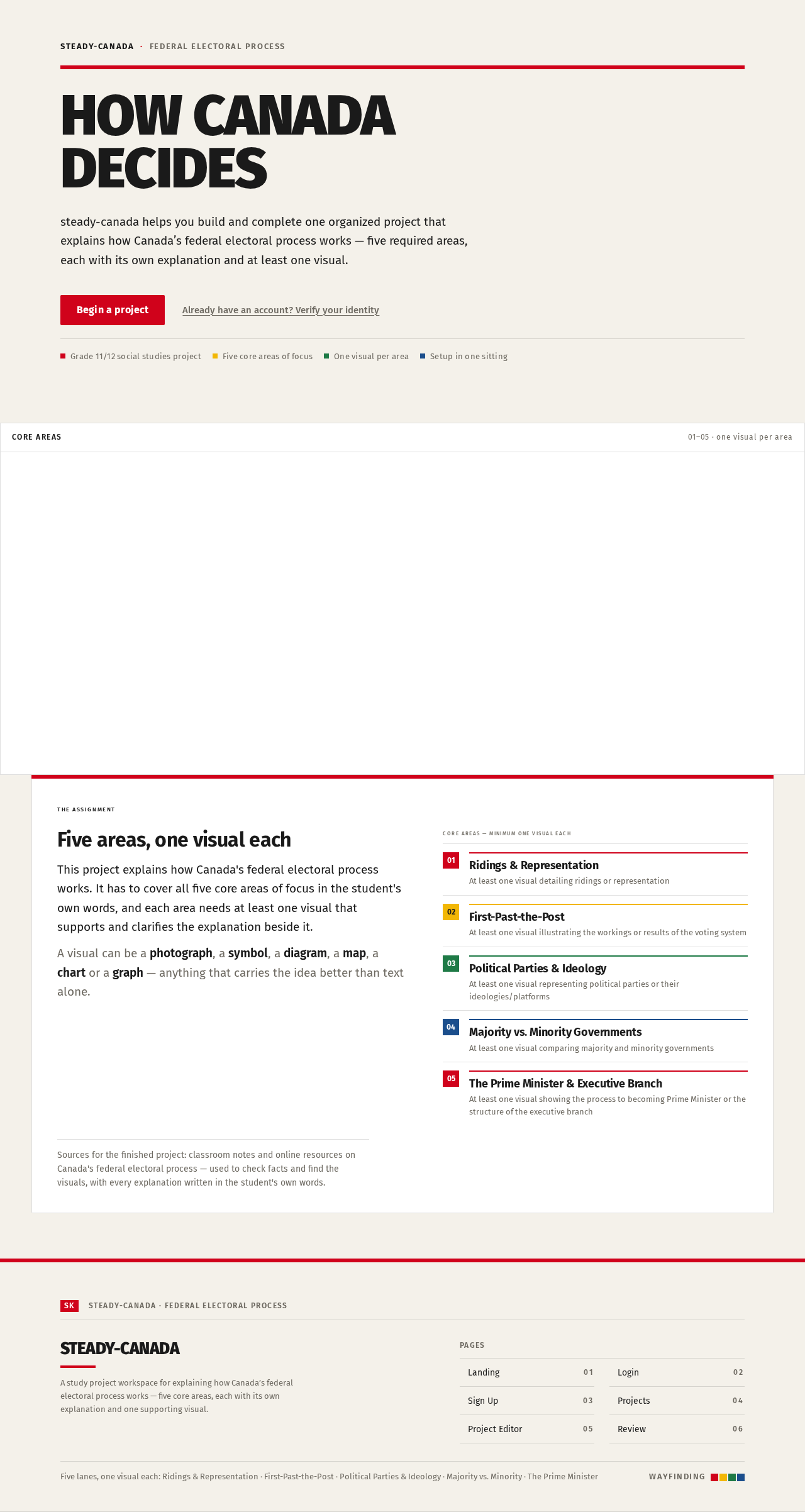
How CanadaDecides
steady-canada helps you build and complete one organized project that explains how Canada’s federal electoral process works — five required areas, each with its own explanation and at least one visual.
Five areas, one visual each
This project explains how Canada's federal electoral process works. It has to cover all five core areas of focus in the student's own words, and each area needs at least one visual that supports and clarifies the explanation beside it.
A visual can be a photograph, a symbol, a diagram, a map, a chart or a graph — anything that carries the idea better than text alone.
- 01Ridings & RepresentationAt least one visual detailing ridings or representation
- 02First-Past-the-PostAt least one visual illustrating the workings or results of the voting system
- 03Political Parties & IdeologyAt least one visual representing political parties or their ideologies/platforms
- 04Majority vs. Minority GovernmentsAt least one visual comparing majority and minority governments
- 05The Prime Minister & Executive BranchAt least one visual showing the process to becoming Prime Minister or the structure of the executive branch
Steady-CanadaFederal Electoral Process
How CanadaDecides
steady-canada helps you build and complete one organized project that explains how Canada’s federal electoral process works — five required areas, each with its own explanation and at least one visual.
Five areas, one visual each
This project explains how Canada's federal electoral process works. It has to cover all five core areas of focus in the student's own words, and each area needs at least one visual that supports and clarifies the explanation beside it.
A visual can be a photograph, a symbol, a diagram, a map, a chart or a graph — anything that carries the idea better than text alone.
- 01Ridings & RepresentationAt least one visual detailing ridings or representation
- 02First-Past-the-PostAt least one visual illustrating the workings or results of the voting system
- 03Political Parties & IdeologyAt least one visual representing political parties or their ideologies/platforms
- 04Majority vs. Minority GovernmentsAt least one visual comparing majority and minority governments
- 05The Prime Minister & Executive BranchAt least one visual showing the process to becoming Prime Minister or the structure of the executive branch
No comments yet. Be the first!