spring-todo
build a todo with single page design and minimal design

Comments (0)
Sign in to leave a comment
System Requirements
Spring-Todo System Requirements Document
Introduction
The purpose of this document is to outline the system requirements for the "spring-todo" project. This project aims to develop a simple, single-page todo application with a minimalistic design, focusing on providing users with a clean and straightforward task management experience.
System Overview
The "spring-todo" application is designed to be a lightweight, single-page web application that allows users to manage their tasks efficiently. The application will prioritize simplicity and ease of use, ensuring that users can focus on their tasks without unnecessary distractions or complex features.
Functional Requirements
- As a User, I should be able to add new tasks to my todo list.
- As a User, I should be able to mark tasks as completed.
- As a User, I should be able to delete tasks from my list.
- As a User, I should be able to view all tasks in a single-page layout.
User Personas
- User: The primary user of the application who wants to manage their tasks in a simple and efficient manner.
Visuals Colors and Theme
- primary: #2A9D8F (a calming teal)
- primary_light: #A8DADC (a lighter teal for hover states)
- secondary: #E76F51 (a warm coral for emphasis)
- accent: #F4A261 (a vibrant orange for CTAs and active states)
- highlight: #E9C46A (a soft gold for notifications and active indicators)
- bg: #F1FAEE (a light, airy background color)
- surface: rgba(233, 244, 249, 0.8) (a subtle card/panel background)
- text: #264653 (a deep blue for primary text)
- text_muted: #6D6875 (a muted gray for secondary text)
- border: rgba(38, 70, 83, 0.2) (a subtle border color)
Signature Design Concept
The "spring-todo" application will feature an interactive "Task Garden" concept. The homepage will resemble a serene garden where each task is represented as a plant. Users can "plant" new tasks, and as tasks are completed, they "bloom" into flowers. This metaphorical representation encourages users to nurture their productivity. The garden will be interactive, allowing users to drag and drop tasks to rearrange them. Hovering over a task will show its details, and clicking will allow editing. This concept will be brought to life using framer-motion for smooth animations and react-icons for intuitive icons.
Interaction Model & Motion Direction
The landing page will employ an "animated" interaction model. This will include scroll-triggered reveals and hover transitions to enhance user engagement. The "Task Garden" will feature spring physics for interactive elements, making the user experience both dynamic and intuitive.
Non-Functional Requirements
- The application should load quickly and perform efficiently on all modern web browsers.
- The user interface should be responsive and accessible on both desktop and mobile devices.
- The application should maintain data integrity and ensure that user data is securely stored.
Tech Stack
- Frontend: React for Web
- Backend: FastAPI
- Database: MySQL, using Alembic for migrations
- Local Orchestration: Docker, docker-compose
Assumptions and Constraints
- The application will be developed for users in India, considering local timezone settings.
- The design will prioritize minimalism and simplicity, avoiding complex features or multi-page navigation.
- The application will not include advanced features like user authentication or task categorization at this stage.
Glossary
- Task: An item on the user's todo list.
- Single-page application (SPA): A web application that interacts with the user by dynamically rewriting the current page, rather than loading entire new pages from the server.
- Minimal Design: A design approach that emphasizes simplicity and the removal of unnecessary elements.
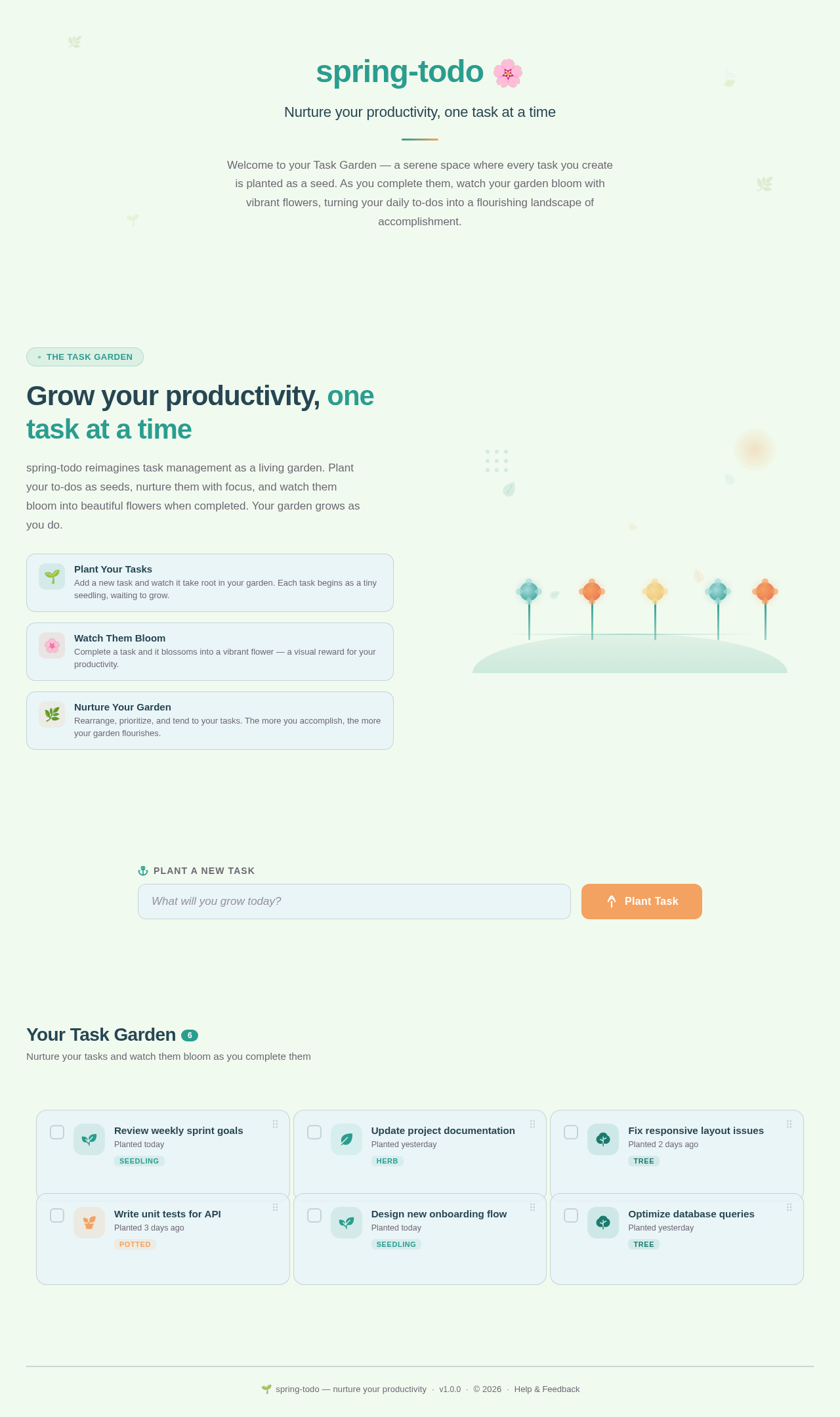
Nurture your productivity, one task at a time
Welcome to your Task Garden — a serene space where every task you create is planted as a seed. As you complete them, watch your garden bloom with vibrant flowers, turning your daily to-dos into a flourishing landscape of accomplishment.
Grow your productivity, one task at a time
spring-todo reimagines task management as a living garden. Plant your to-dos as seeds, nurture them with focus, and watch them bloom into beautiful flowers when completed. Your garden grows as you do.
Plant Your Tasks
Add a new task and watch it take root in your garden. Each task begins as a tiny seedling, waiting to grow.
Watch Them Bloom
Complete a task and it blossoms into a vibrant flower — a visual reward for your productivity.
Nurture Your Garden
Rearrange, prioritize, and tend to your tasks. The more you accomplish, the more your garden flourishes.
No comments yet. Be the first!