spring-terracotta
 Hemen Ashodia
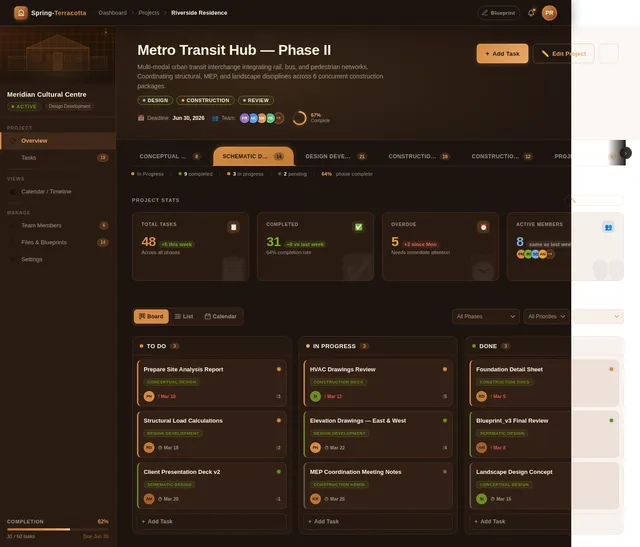
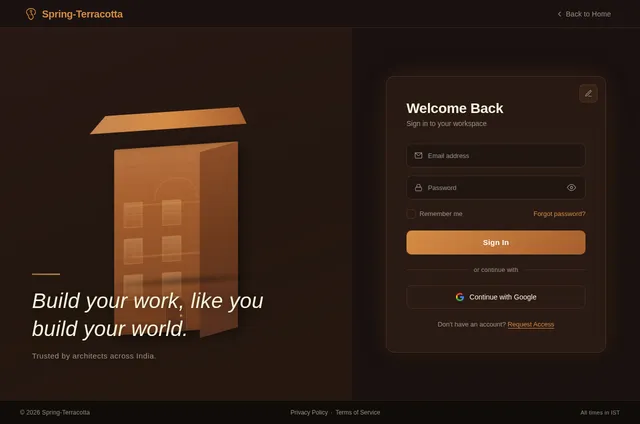
build a terracotta themed todo list

Comments (0)
Sign in to leave a comment
System Requirements
System Requirements Document (SRD) for Spring-Terracotta
1. Introduction
The Spring-Terracotta project is a terracotta-themed todo list application designed specifically for architects. This application aims to combine functionality with a design-forward aesthetic, catering to the unique workflows and preferences of architects. By leveraging warm, earthy tones and intuitive features, the application seeks to provide a calming yet efficient tool for task management.
This document outlines the system requirements for the Spring-Terracotta project, ensuring alignment with the needs of architects and other stakeholders.
2. System Overview
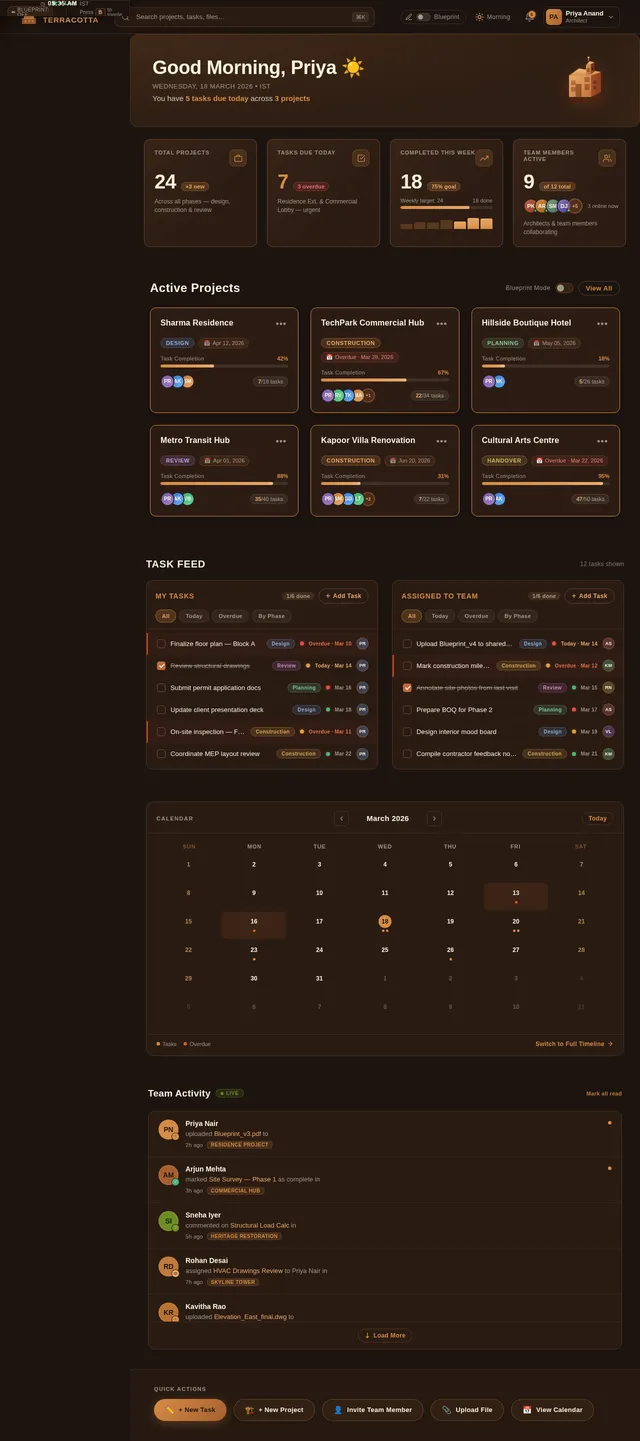
Spring-Terracotta is a task management application tailored for architects. It provides a visually appealing terracotta-themed interface that aligns with the design sensibilities of architects while offering robust functionality to manage tasks, deadlines, and project phases. The system will support individual and collaborative workflows, enabling architects to organize tasks by project, prioritize deadlines, and track progress across different phases of their work (e.g., design, construction, etc.).
The application will be accessible via both web and mobile platforms, ensuring flexibility and ease of use for architects working in diverse environments, from offices to construction sites.
3. Functional Requirements
- As an Architect, I should be able to create, edit, and delete tasks.
- As an Architect, I should be able to organize tasks by project.
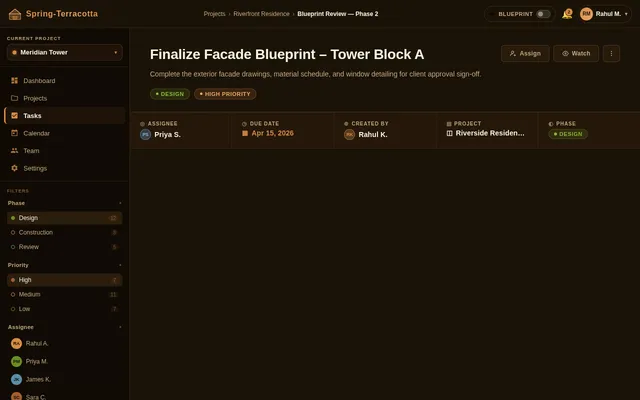
- As an Architect, I should be able to categorize tasks by phases (e.g., design, construction, etc.).
- As an Architect, I should be able to set deadlines and receive reminders.
- As an Architect, I should be able to assign tasks to team members.
- As an Architect, I should be able to view tasks in a calendar or timeline format.
- As an Architect, I should be able to upload and attach files (e.g., blueprints, sketches) to tasks.
- As an Architect, I should be able to collaborate with team members in real-time.
- As an Architect, I should be able to track the progress of tasks and projects.
- As an Architect, I should be able to filter tasks by priority, phase, or deadline.
4. User Personas
4.1 Architect
- Description: The primary user of the application. Architects need a tool to manage their projects, tasks, and deadlines efficiently while maintaining a visually appealing interface that aligns with their design sensibilities.
- Goals: Organize tasks by project and phase, collaborate with team members, and track progress.
- Pain Points: Overwhelming task lists, lack of visual organization, and difficulty in managing collaborative workflows.
4.2 Team Member
- Description: Collaborators working with architects on specific projects. They require access to assigned tasks and project details.
- Goals: Complete assigned tasks, communicate with the architect, and upload relevant files.
- Pain Points: Lack of clarity in task assignments and deadlines.
5. Visuals Colors and Theme
The terracotta theme will be the cornerstone of the application's design. The color palette will include:
- Primary Colors: Warm terracotta shades (#D68C45, #A65E2E).
- Secondary Colors: Muted greens (#6B8E23) and soft creams (#F5F5DC) to complement the terracotta tones.
- Accent Colors: Deep charcoal (#333333) for text and highlights.
- Backgrounds: Subtle gradients of terracotta and cream for a calming effect.
The typography will use clean, modern sans-serif fonts like Montserrat or Lato, ensuring readability and a professional aesthetic.
6. Signature Design Concept
The Spring-Terracotta homepage will feature a 3D architectural workspace as its centerpiece. Upon landing, users will see a rotating 3D model of a terracotta building. Each section of the building represents a different feature of the application (e.g., tasks, projects, calendar, team collaboration). Users can interact with the building by clicking on specific sections, which will smoothly zoom in and transition into the relevant feature.
Key Features:
- Interactive Animations: The 3D building rotates and highlights sections as the user hovers over them.
- Micro-Interactions: Subtle terracotta dust particles animate when transitioning between sections, adding a tactile feel.
- Dynamic Time-Based Changes: The background lighting of the 3D building changes based on the time of day (e.g., warm sunrise tones in the morning, soft twilight hues in the evening).
- Blueprint Mode: A toggle option to switch the interface to a blueprint-style aesthetic, with tasks and projects appearing as pencil sketches.
This design concept will make the application instantly memorable and resonate deeply with architects, who are accustomed to working with 3D models and blueprints.
7. Non-Functional Requirements
- The system should load the homepage within 3 seconds on a standard 4G connection.
- The application should support both light and dark modes.
- The mobile application should be optimized for both Android and iOS platforms.
- The system should handle up to 10,000 concurrent users without performance degradation.
- All user data should be encrypted both in transit and at rest.
- The application should comply with GDPR and other relevant data protection regulations.
8. Tech Stack
Frontend
- React for Web
- React Native for Mobile App
Backend
- Python
- FastAPI
Database
- MySQL for structured data
- Alembic for database migrations
AI Models
- GPT 5.2 for user-friendly responses
- Google Nano Banana for image generation (e.g., generating terracotta-themed visuals)
AI Tools
- Litellm for LLM Routing
- Langchain for workflow automation
Orchestration
- Docker for local development
- Kubernetes for server-side orchestration
9. Assumptions and Constraints
- The primary user base will be architects in India, so the application will default to IST (Indian Standard Time) and INR (Indian Rupee) for any time or currency-related features.
- The application will be designed for English as the primary language, with the potential for localization in the future.
- The system will require an active internet connection for real-time collaboration features.
10. Glossary
- Architect: A professional who designs buildings and oversees their construction.
- Terracotta: A clay-based ceramic material, often used in architecture and design for its warm, earthy tones.
- Blueprint Mode: A feature that transforms the interface into a pencil-sketch style, mimicking architectural blueprints.
- 3D Architectural Workspace: The interactive 3D model of a building used as the homepage of the application.
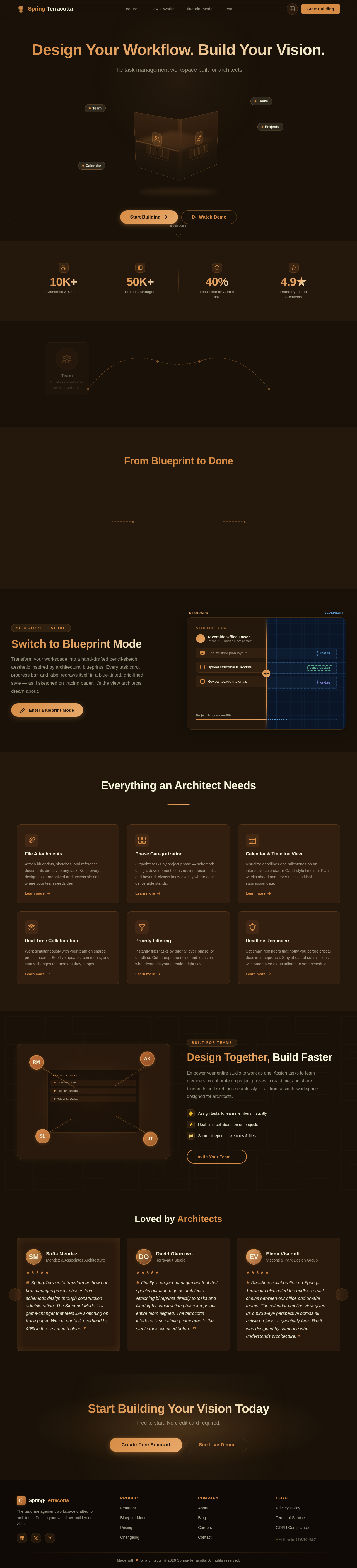
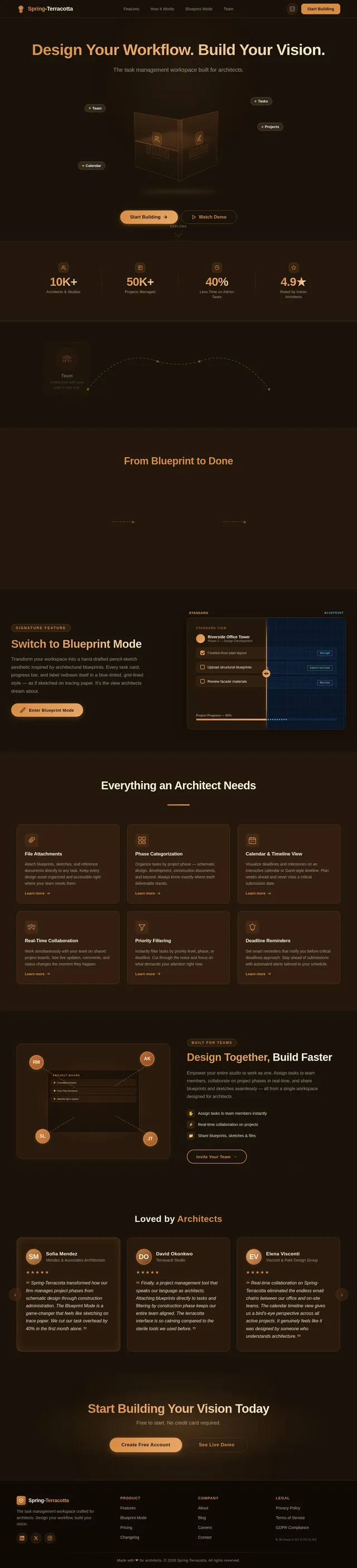
Design Your Workflow. Build Your Vision.
The task management workspace built for architects.
From Blueprint to Done
Create Your Project
Define your architectural project, set milestones, and organize phases from design through construction.
Assign Tasks & Deadlines
Break work into tasks, assign team members, set priorities, and attach blueprints or sketches.
Track & Collaborate
Monitor progress in real time, share updates with your team, and keep every project phase on schedule.
Switch to Blueprint Mode
Transform your workspace into a hand-drafted pencil-sketch aesthetic inspired by architectural blueprints. Every task card, progress bar, and label redraws itself in a blue-tinted, grid-lined style — as if sketched on tracing paper. It’s the view architects dream about.
Everything an Architect Needs
File Attachments
Attach blueprints, sketches, and reference documents directly to any task. Keep every design asset organized and accessible right where your team needs them.
Phase Categorization
Organize tasks by project phase — schematic design, development, construction documents, and beyond. Always know exactly where each deliverable stands.
Calendar & Timeline View
Visualize deadlines and milestones on an interactive calendar or Gantt-style timeline. Plan weeks ahead and never miss a critical submission date.
Real-Time Collaboration
Work simultaneously with your team on shared project boards. See live updates, comments, and status changes the moment they happen.
Priority Filtering
Instantly filter tasks by priority level, phase, or deadline. Cut through the noise and focus on what demands your attention right now.
Deadline Reminders
Set smart reminders that notify you before critical deadlines approach. Stay ahead of submissions with automated alerts tailored to your schedule.
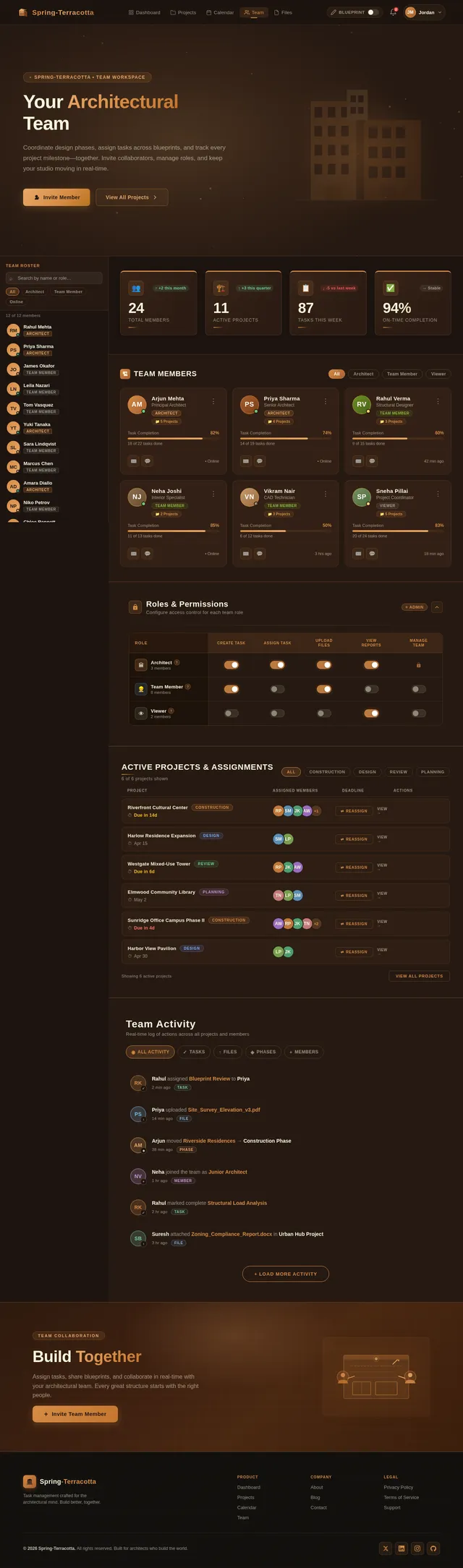
Design Together, Build Faster
Empower your entire studio to work as one. Assign tasks to team members, collaborate on project phases in real-time, and share blueprints and sketches seamlessly — all from a single workspace designed for architects.
- Assign tasks to team members instantly
- Real-time collaboration on projects
- Share blueprints, sketches & files
Loved by Architects
Spring-Terracotta transformed how our firm manages project phases from schematic design through construction administration. The Blueprint Mode is a game-changer that feels like sketching on trace paper. We cut our task overhead by 40% in the first month alone.
Finally, a project management tool that speaks our language as architects. Attaching blueprints directly to tasks and filtering by construction phase keeps our entire team aligned. The terracotta interface is so calming compared to the sterile tools we used before.
Real-time collaboration on Spring-Terracotta eliminated the endless email chains between our office and on-site teams. The calendar timeline view gives us a bird's-eye perspective across all active projects. It genuinely feels like it was designed by someone who understands architecture.
Start Building Your Vision Today
Free to start. No credit card required.
No comments yet. Be the first!