spring-plumbing
 Bhoomi Panchal
Build a professional, modern, and responsive website for a **plumbing business based in the United States**. The website should have a clean and professional design, simple navigation, and an easy-to-use structure that helps potential customers understand the business and get in touch. ### Core Requirements - Professional and modern website design - Responsive experience across desktop, tablet, and mobile - Clear and simple navigation - Homepage introducing the plumbing business - About page - Plumbing services page - Service area/location information - Contact page - Customer inquiry/contact form - Clear call-to-action buttons for customers to get in touch - Business information and contact details - User-friendly layout and experience - Website setup and complete functional implementation - Structure that supports the business's online visibility The final website should be practical, easy to use, visually professional, and focused on helping the plumbing business generate customer inquiries. Do not add complex or unrelated features. Keep the scope focused on a professional plumbing business website and the requirements above.


Comments (0)
Sign in to leave a comment
LICENSED · INSURED · SERVING CENTRAL IOWA SINCE 1998
Water whereyou need it.When you need it.
A licensed, insured local crew that answers the phone, arrives when promised and quotes plainly — so a burst pipe, a dead water heater or a blocked main gets fixed by people who know Central Iowa plumbing.
- Phone
- (515) 555-0142
- Hours
- Mon–Sat 7:00–19:00 · 24/7 emergency line

Services we handle
Jump to the full service table- 01
Drain & sewer
Blocked mains, slow drains and camera-verified sewer lines.
- 02
Water heaters
No hot water, tank and tankless replacement, T&P valve checks.
- 03
Leak detection & repair
Hidden leaks traced and repaired before they reach the drywall.
- 04
Sump & basement
Sump pumps, backwater valves and wet-basement drainage.
- 05
Repipe & fixtures
Copper and PEX repipes, fixture swaps, shutoff replacement.
- 06
Gas lines
Gas line runs, leak checks and appliance connections.
Where we work
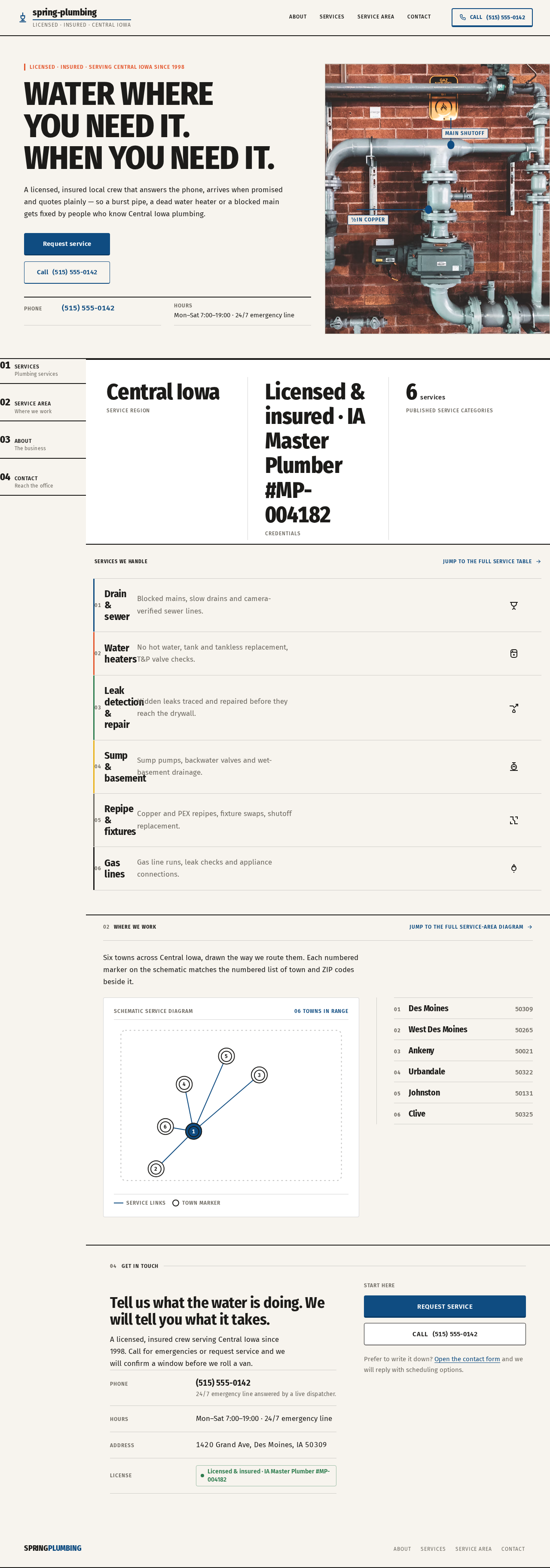
Jump to the full service-area diagramSix towns across Central Iowa, drawn the way we route them. Each numbered marker on the schematic matches the numbered list of town and ZIP codes beside it.
- 01Des Moines50309
- 02West Des Moines50265
- 03Ankeny50021
- 04Urbandale50322
- 05Johnston50131
- 06Clive50325
04Get in touch
Tell us what the water is doing. We will tell you what it takes.
A licensed, insured crew serving Central Iowa since 1998. Call for emergencies or request service and we will confirm a window before we roll a van.
- Phone
- (515) 555-014224/7 emergency line answered by a live dispatcher.
- Hours
- Mon–Sat 7:00–19:00 · 24/7 emergency line
- Address
- 1420 Grand Ave, Des Moines, IA 50309
- License
- Licensed & insured · IA Master Plumber #MP-004182
Start here
Request serviceCall(515) 555-0142Prefer to write it down? Open the contact form and we will reply with scheduling options.
LICENSED · INSURED · SERVING CENTRAL IOWA SINCE 1998
Water whereyou need it.When you need it.
A licensed, insured local crew that answers the phone, arrives when promised and quotes plainly — so a burst pipe, a dead water heater or a blocked main gets fixed by people who know Central Iowa plumbing.
- Phone
- (515) 555-0142
- Hours
- Mon–Sat 7:00–19:00 · 24/7 emergency line
Services we handle
Jump to the full service table- 01
Drain & sewer
Blocked mains, slow drains and camera-verified sewer lines.
- 02
Water heaters
No hot water, tank and tankless replacement, T&P valve checks.
- 03
Leak detection & repair
Hidden leaks traced and repaired before they reach the drywall.
- 04
Sump & basement
Sump pumps, backwater valves and wet-basement drainage.
- 05
Repipe & fixtures
Copper and PEX repipes, fixture swaps, shutoff replacement.
- 06
Gas lines
Gas line runs, leak checks and appliance connections.
Where we work
Jump to the full service-area diagramSix towns across Central Iowa, drawn the way we route them. Each numbered marker on the schematic matches the numbered list of town and ZIP codes beside it.
- 01Des Moines50309
- 02West Des Moines50265
- 03Ankeny50021
- 04Urbandale50322
- 05Johnston50131
- 06Clive50325
04Get in touch
Tell us what the water is doing. We will tell you what it takes.
A licensed, insured crew serving Central Iowa since 1998. Call for emergencies or request service and we will confirm a window before we roll a van.
- Phone
- (515) 555-014224/7 emergency line answered by a live dispatcher.
- Hours
- Mon–Sat 7:00–19:00 · 24/7 emergency line
- Address
- 1420 Grand Ave, Des Moines, IA 50309
- License
- Licensed & insured · IA Master Plumber #MP-004182
Start here
Request serviceCall(515) 555-0142Prefer to write it down? Open the contact form and we will reply with scheduling options.
No comments yet. Be the first!