spring-assistant
 Haider Ali
Create a personal AI assistant app that helps me with gaming tips, daily schedules, and can chat in Hindi/English."
Comments (0)
Sign in to leave a comment
System Requirements
System Requirements Document (SRD) for Spring-Assistant
1. Introduction
The Spring-Assistant is a personal AI assistant app designed specifically for Garena Free Fire players and enthusiasts. It provides tailored gaming tips, including sensitivity settings and headshot strategies, while also offering daily scheduling features. The assistant supports multilingual chat in Hindi and English, ensuring accessibility for a diverse audience in India. This document outlines the system requirements for the development and deployment of the Spring-Assistant.
2. System Overview
The Spring-Assistant aims to enhance the gaming experience for Garena Free Fire players by providing actionable insights and strategies. It also helps users manage their daily schedules, balancing gaming with other life priorities. The assistant is designed to be intuitive, engaging, and culturally relevant, with a focus on Hindi and English language support.
Key features include:
- In-depth gaming tips for Garena Free Fire, such as sensitivity settings and headshot techniques.
- Daily scheduling tools with reminders for both gaming and non-gaming tasks.
- Multilingual chat capabilities in Hindi and English.
- A user-friendly interface optimized for mobile devices.
The system will leverage AI models and modern tech stacks to deliver a seamless and interactive user experience.
3. Functional Requirements
- As a User, I should be able to get Garena Free Fire sensitivity settings recommendations.
- As a User, I should be able to receive tips for improving headshots in Garena Free Fire.
- As a User, I should be able to chat with the assistant in Hindi or English.
- As a User, I should be able to set daily schedules and reminders.
- As a User, I should be able to receive notifications for Free Fire tournaments, events, and rewards.
4. User Personas
1. Gamer
- Description: A passionate Garena Free Fire player looking to improve their gameplay.
- Needs: Sensitivity settings, headshot tips, tournament reminders.
- Language Preference: Hindi or English.
2. Multitasker
- Description: A user balancing gaming with work, studies, or other responsibilities.
- Needs: Daily schedules, task reminders, and gaming event notifications.
- Language Preference: Hindi or English.
3. Casual User
- Description: A user who enjoys casual gaming and light interaction with the assistant.
- Needs: Basic gaming tips and conversational features.
- Language Preference: Hindi or English.
5. Visuals Colors and Theme
Unique Color Palette for Spring-Assistant:
- Background:
#1A1A2E(Deep Midnight Blue) - Surface:
#16213E(Dark Navy) - Text:
#E94560(Vivid Coral Red) - Accent:
#0F3460(Steel Blue) - Muted Tones:
#53354A(Muted Plum)
This palette reflects a bold, gaming-centric aesthetic, with dark tones for immersion and vibrant accents for energy and focus.
6. Signature Design Concept
Interactive Gaming Dashboard with Dynamic Visuals
The home page of Spring-Assistant will feature an interactive gaming dashboard designed to captivate users at first glance. The dashboard will include:
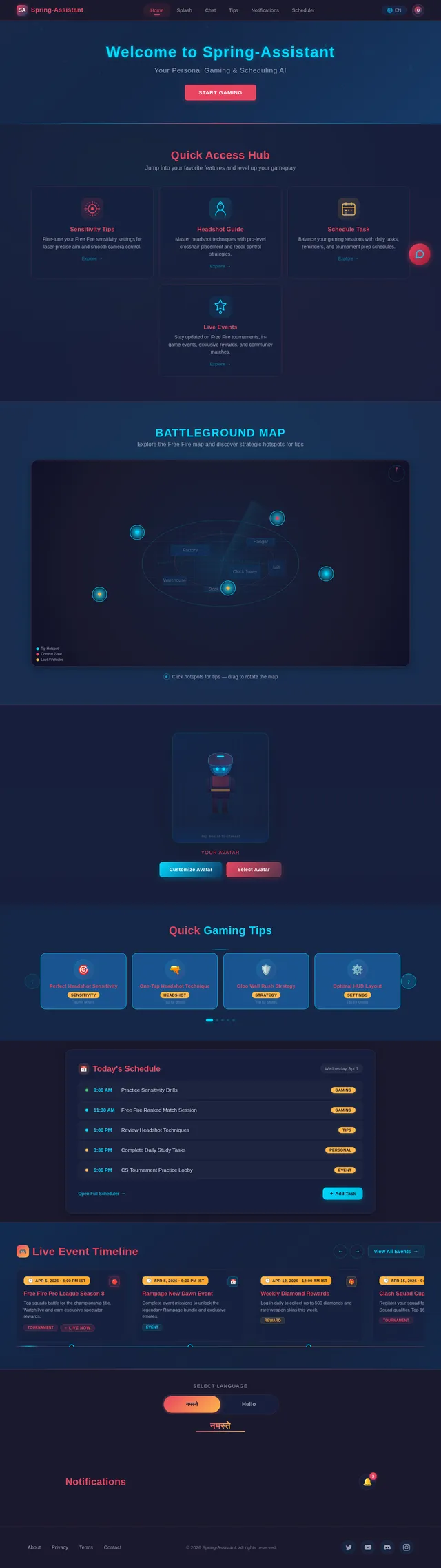
- 3D Animated Free Fire Map: A rotating 3D map of a Free Fire battleground where users can click on hotspots to access specific tips (e.g., sensitivity settings, headshot guides).
- Dynamic Character Avatars: Users can select or customize a Free Fire-style avatar that reacts to their interactions (e.g., nodding when a tip is displayed).
- Live Event Timeline: A scrolling timeline at the bottom of the screen showcasing upcoming Free Fire tournaments, events, and rewards.
- Language Toggle Animation: A playful toggle switch for Hindi/English, with animations (e.g., a pen writing "नमस्ते" or "Hello" when toggled).
- Micro-Interactions: Subtle animations, such as glowing buttons, hover effects, and sound effects when interacting with the dashboard.
This design will immerse users in a gaming environment while keeping the interface functional and intuitive.
7. Non-Functional Requirements
- Performance: The app should load within 2 seconds on a 4G connection.
- Scalability: The system should support up to 100,000 concurrent users.
- Localization: Full support for Hindi and English, including text and voice interactions.
- Security: User data, including schedules and preferences, must be encrypted and stored securely.
- Availability: 99.9% uptime for critical features like chat and notifications.
8. Tech Stack
Frontend:
- React for Web
- React Native for Mobile App
Backend:
- Python
- FastAPI
Database:
- MySQL (with Alembic for migrations)
AI Models:
- GPT 5.4 for user-friendly responses
- Claude 4.6 Opas for gaming tips and coding-related queries
- Gemini 3.1 Pro for conversational interactions
AI Tools:
- Litellm for LLM Routing
- Langchain for AI workflow orchestration
Orchestration:
- Docker for local development
- Kubernetes for server-side orchestration
9. Assumptions and Constraints
- The assistant will initially focus on Garena Free Fire and may expand to other games in future updates.
- The app will prioritize mobile platforms (Android/iOS) but will also have a web version.
- Notifications for tournaments and events will rely on third-party APIs for real-time updates.
- Hindi and English will be the only supported languages at launch.
10. Glossary
- Sensitivity Settings: Customizable in-game controls that affect aiming and movement precision.
- Headshot Tips: Strategies to improve accuracy and achieve headshots in Garena Free Fire.
- Multilingual Chat: The ability to interact with the assistant in multiple languages.
- Free Fire: A popular battle royale game developed by Garena.
- LLM: Large Language Model, an AI model designed for natural language processing tasks.
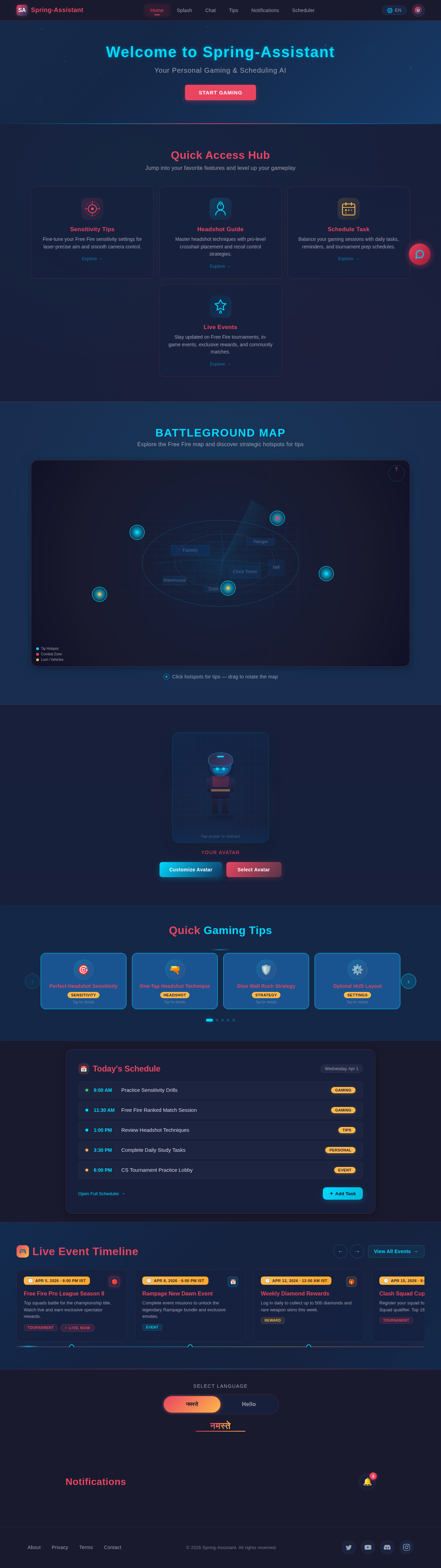
Quick Access Hub
Jump into your favorite features and level up your gameplay
Sensitivity Tips
Fine-tune your Free Fire sensitivity settings for laser-precise aim and smooth camera control.
Headshot Guide
Master headshot techniques with pro-level crosshair placement and recoil control strategies.
Schedule Task
Balance your gaming sessions with daily tasks, reminders, and tournament prep schedules.
Live Events
Stay updated on Free Fire tournaments, in-game events, exclusive rewards, and community matches.
Battleground Map
Explore the Free Fire map and discover strategic hotspots for tips
Quick Gaming Tips
Today's Schedule
Saturday, Jul 11Live Event Timeline
Free Fire Pro League Season 8
Top squads battle for the championship title. Watch live and earn exclusive spectator rewards.
Rampage New Dawn Event
Complete event missions to unlock the legendary Rampage bundle and exclusive emotes.
Weekly Diamond Rewards
Log in daily to collect up to 500 diamonds and rare weapon skins this week.
Clash Squad Cup Qualifier
Register your squad for the regional Clash Squad qualifier. Top 16 advance to finals.
Sensitivity Masterclass Live
Pro player live session covering optimal sensitivity settings and headshot techniques.
Booyah Day Celebration
Booyah Day event concluded with over 1M players participating worldwide.
Notifications
- Free Fire Pro League S5Registration closes in 2 hours. Join now to compete for the grand prize!
- Daily Login Reward AvailableClaim your Day 7 streak bonus: 500 diamonds + Legendary Loot Crate.
- Clash Squad Cup TonightThe weekly Clash Squad tournament starts at 8:00 PM IST.
- Sensitivity Practice SessionYour scheduled practice session for aim training starts in 30 minutes.
- New Headshot Guide PublishedCheck out the latest headshot tips for Bermuda map with M1887.
No comments yet. Be the first!