spicy-dashboard
 Ronnie Nyamhute
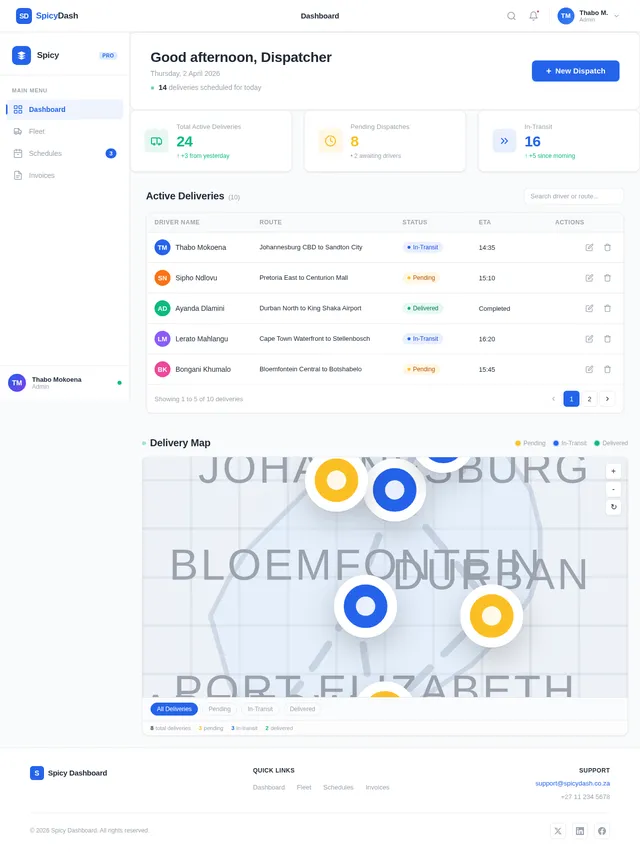
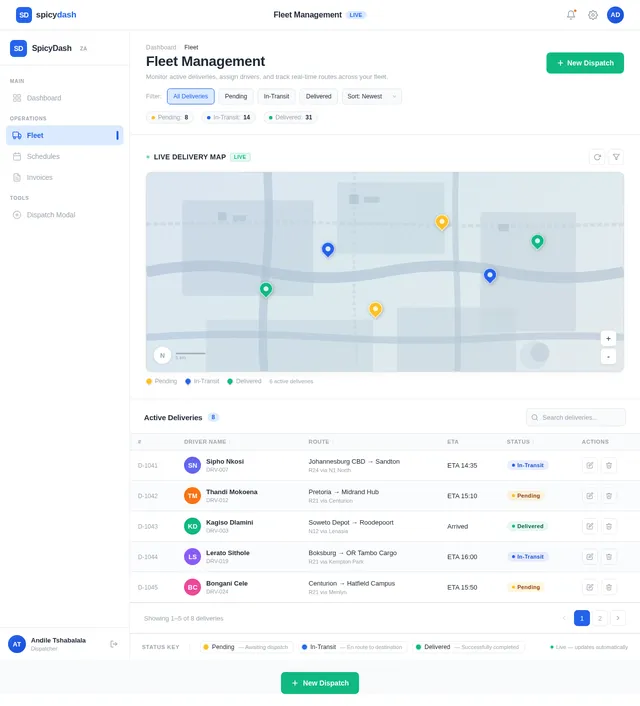
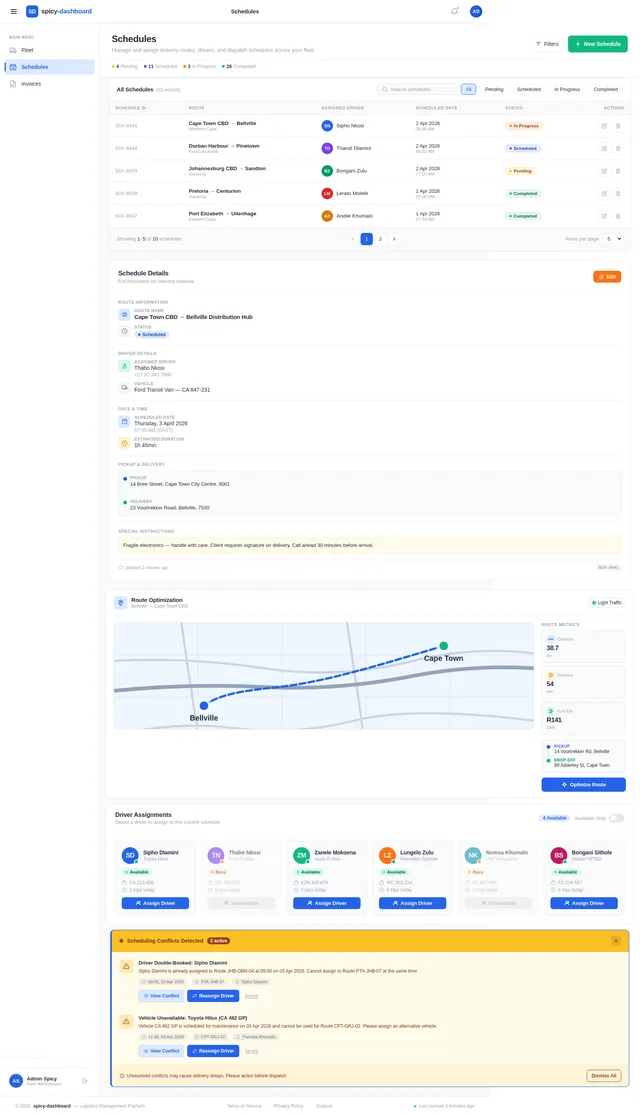
Build a minimalist, responsive web dashboard for a local logistics company. The goal is replacing spreadsheets. It needs a sidebar navigation with 'Fleet', 'Schedules', and 'Invoices'. The main dashboard area should feature a clean, easily readable data table showing 'Active Deliveries' with columns for Driver Name, Route, and a Status Badge (Pending, In-Transit, Delivered). Include a prominent 'New Dispatch' CTA button at the top right. Use a clean, modern UI with plenty of whitespace, high contrast for readability, and absolutely no unnecessary animation
Comments (0)
Sign in to leave a comment
System Requirements
System Requirements Document (SRD)
spicy-dashboard
1. Introduction
The spicy-dashboard project is a minimalist, responsive web dashboard designed to replace spreadsheets for a local logistics company in South Africa. The dashboard will streamline operations by providing a clean, modern interface for managing fleets, schedules, and invoices. This document outlines the system requirements for the project, ensuring clarity and alignment with the user's goals.
The dashboard will prioritize usability, readability, and efficiency, with a focus on high contrast, whitespace, and minimal animations to enhance the user experience.
2. System Overview
The spicy-dashboard will serve as a centralized platform for logistics management. It will feature:
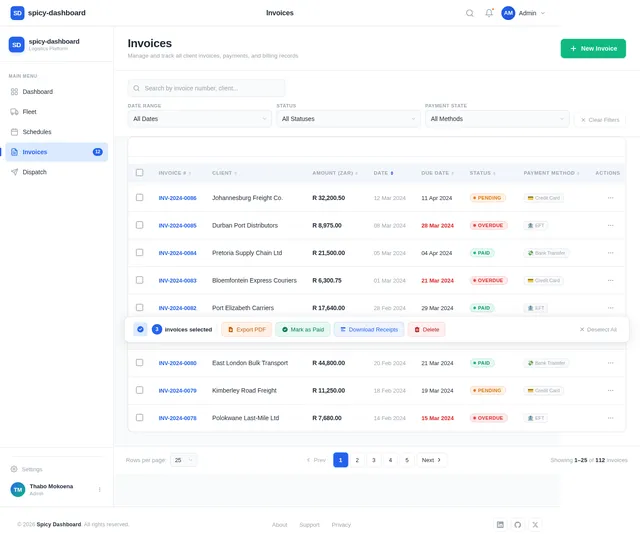
- A sidebar navigation menu with key sections: Fleet, Schedules, and Invoices.
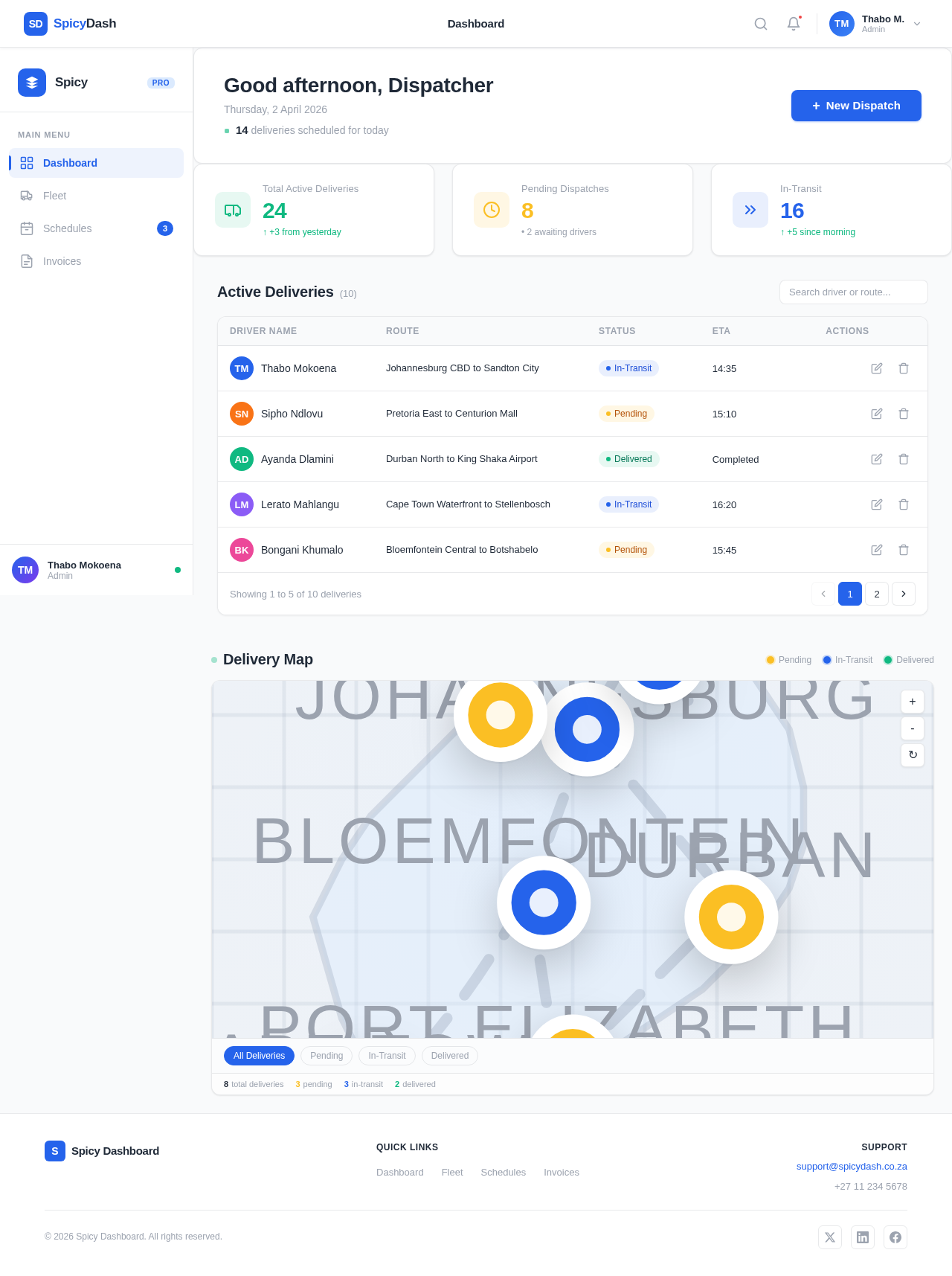
- A main dashboard area displaying a data table of Active Deliveries, with columns for Driver Name, Route, and a Status Badge (Pending, In-Transit, Delivered).
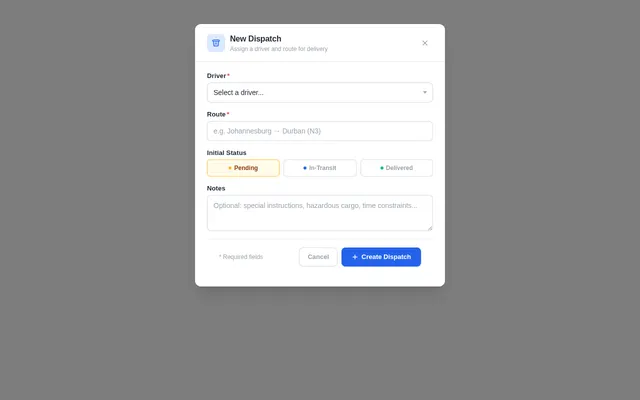
- A prominent New Dispatch button that triggers a modal form for creating new delivery assignments.
The system will be responsive, ensuring optimal usability across devices, and will use a clean, modern UI design tailored to the needs of logistics professionals in South Africa.
3. Functional Requirements
- As a User, I should be able to navigate between Fleet, Schedules, and Invoices using a sidebar menu.
- As a User, I should see a data table of Active Deliveries on the main dashboard, with columns for Driver Name, Route, and a Status Badge.
- As a User, I should be able to click the New Dispatch button to open a centered modal form with a slight background blur.
- As a User, I should see a dropdown in the modal to select a Driver dynamically populated from available drivers.
- As a User, I should see a text input in the modal to enter the Route.
- As a User, I should be able to submit the modal form using a Submit button, and the data should save without a page reload.
4. User Personas
-
Admin
- Role: Oversees logistics operations and manages the dashboard.
- Responsibilities: Assign drivers, monitor deliveries, and manage schedules and invoices.
-
Dispatcher
- Role: Handles daily delivery assignments.
- Responsibilities: Create new dispatches, update delivery statuses, and manage active deliveries.
-
Driver
- Role: Executes delivery tasks.
- Responsibilities: View assigned routes and update delivery statuses (Pending, In-Transit, Delivered).
5. Visuals Colors and Theme
The spicy-dashboard will use a unique color palette that reflects professionalism and clarity while maintaining a modern aesthetic:
- Background: #F9FAFB (light gray)
- Surface: #FFFFFF (pure white)
- Text: #1F2937 (dark gray for readability)
- Accent: #2563EB (vivid blue for interactive elements like buttons)
- Muted Tones: #9CA3AF (soft gray for secondary text and borders)
This palette ensures high contrast and readability, aligning with the minimalist design philosophy.
6. Signature Design Concept
The spicy-dashboard will feature a "Dynamic Delivery Map" as its signature design concept.
Home Page / Landing Page:
- The dashboard will include an interactive, real-time map visualization of active deliveries.
- Each delivery will be represented by a pin on the map, color-coded by status (Pending: Yellow, In-Transit: Blue, Delivered: Green).
- Hovering over a pin will display a tooltip with details such as Driver Name, Route, and ETA.
- The map will seamlessly integrate with the data table, allowing users to click on a delivery in the table and have the corresponding pin on the map highlighted with a pulsating animation.
Animations and Interactions:
- Smooth transitions when switching between sidebar sections.
- Subtle hover effects on buttons and table rows for better interactivity.
- The modal form will slide down from the top with a slight fade-in effect, while the background blurs dynamically.
This concept ensures the dashboard is not only functional but also visually engaging, making logistics management an intuitive and enjoyable experience.
7. Non-Functional Requirements
- The system must be responsive and optimized for both desktop and mobile devices.
- The modal form must submit data without a page reload, ensuring a seamless user experience.
- The dashboard must load within 2 seconds on a standard 4G connection.
- The system must support a minimum of 100 concurrent users without performance degradation.
8. Tech Stack
- Frontend: React (for web)
- Backend: Python with FastAPI
- Database: MySQL (with Alembic for migrations)
- AI Tools: Not applicable for this project
- Local Orchestration: Docker, docker-compose
9. Assumptions and Constraints
- The list of drivers for the dropdown in the modal form will be dynamically fetched from the database.
- The system will operate in the South African timezone (SAST).
- Currency-related features (if added in the future) will default to ZAR.
- The dashboard will not include unnecessary animations to maintain a minimalist design.
10. Glossary
- CTA: Call to Action, a button or link designed to prompt user interaction.
- Modal: A pop-up window that appears on top of the main content, used for focused tasks.
- Responsive Design: A design approach that ensures the system works well on various screen sizes.
- Status Badge: A visual indicator showing the status of a delivery (e.g., Pending, In-Transit, Delivered).
Dashboard
Good morning, Dispatcher
Saturday, 11 July 2026
14 deliveries scheduled for today
| Driver Name | Route | Status | ETA | Actions |
|---|---|---|---|---|
TM Thabo Mokoena | Johannesburg CBD to Sandton City | In-Transit | 14:35 | |
SN Sipho Ndlovu | Pretoria East to Centurion Mall | Pending | 15:10 | |
AD Ayanda Dlamini | Durban North to King Shaka Airport | Delivered | Completed | |
LM Lerato Mahlangu | Cape Town Waterfront to Stellenbosch | In-Transit | 16:20 | |
BK Bongani Khumalo | Bloemfontein Central to Botshabelo | Pending | 15:45 |
No comments yet. Be the first!