space-store
 Chandni Patel
create store front and shopping cart application

Comments (0)
Sign in to leave a comment
System Requirements
System Requirements Document (SRD)
1. Introduction
This document outlines the system requirements for a storefront and shopping cart application tailored for a physical therapy clinic setup, combined with an Electronic Medical Records (EMR) system. The system aims to provide a seamless shopping experience for clinic setup equipment and an efficient EMR solution for managing patient records, appointments, and treatment documentation.
2. System Overview
The system will consist of two primary components:
- Storefront and Shopping Cart Application: A platform for browsing, purchasing, and managing physical therapy clinic setup equipment.
- Electronic Medical Records (EMR) System: A comprehensive solution for managing patient records, including appointment scheduling, treatment notes, progress tracking, and initial examinations.
The system will be accessible via web and mobile platforms, ensuring ease of use for both clinic administrators and customers.
3. Functional Requirements as Story Points
Storefront and Shopping Cart
- As a User, I should be able to browse products by categories.
- As a User, I should be able to view detailed product descriptions, including images and demo videos.
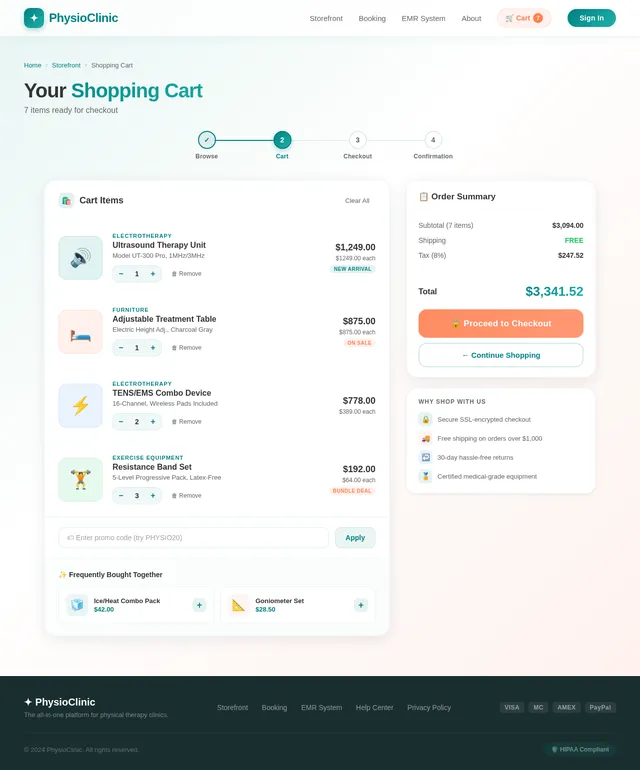
- As a User, I should be able to add products to a shopping cart.
- As a User, I should be able to remove products from the shopping cart.
- As a User, I should be able to view the total price of items in my shopping cart.
- As a User, I should be able to proceed to checkout and make a payment.
- As an Admin, I should be able to manage product inventory, including adding, editing, and removing products.
- As an Admin, I should be able to view and manage customer orders.
Booking Feature
- As a User, I should be able to book a consultation appointment.
- As a User, I should be able to select a time slot for my appointment.
- As an Admin, I should be able to view and manage appointment bookings.
EMR System
- As a User, I should be able to create and manage patient profiles.
- As a User, I should be able to schedule appointments for patients.
- As a User, I should be able to document daily treatment notes for patients.
- As a User, I should be able to document progress notes for patients.
- As a User, I should be able to document initial examination details for new patients.
- As a User, I should be able to search and retrieve patient records quickly.
- As a User, I should be able to generate reports based on patient records.
4. User Personas
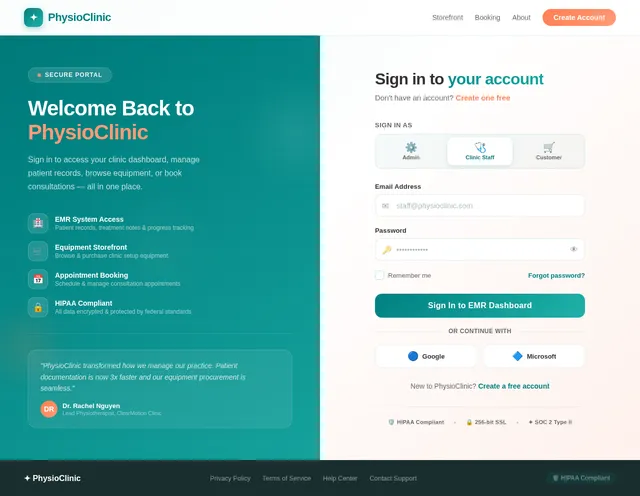
- Admin: Responsible for managing the storefront, inventory, customer orders, and appointment bookings.
- User (Customer): Browses and purchases products, books consultation appointments.
- User (Clinic Staff): Manages patient records, schedules appointments, and documents treatment notes.
5. Visuals Colors and Theme
The application will adopt a professional and clean design to reflect the medical and therapeutic nature of the business. The proposed color scheme includes:
- Primary Color: Teal (#008080) for headers, buttons, and highlights.
- Secondary Color: Light Gray (#F5F5F5) for backgrounds.
- Accent Color: Coral (#FF7F50) for call-to-action buttons and alerts.
- Text Color: Dark Gray (#333333) for readability.
The theme will emphasize simplicity and clarity, ensuring that users can navigate the system effortlessly.
6. Signature Design Concept
The Interactive "Clinic Hub" Homepage
The homepage will feature an interactive 3D clinic layout that serves as a navigation hub. Users will see a virtual clinic space with clickable areas representing different sections of the system:
- Reception Desk: Clicking here takes users to the booking feature.
- Store Room: Clicking here leads to the storefront and shopping cart.
- Patient Room: Clicking here opens the EMR system.
Each section will have subtle animations, such as doors opening or lights turning on when hovered over. The background will feature a calming gradient animation in teal and coral hues, creating a soothing and professional atmosphere. Micro-interactions, such as button hover effects and smooth transitions, will enhance the user experience. This design will make the homepage not only functional but also memorable and engaging.
7. Non-Functional Requirements
- The system should be responsive and accessible on both web and mobile platforms.
- The system should support high availability and handle concurrent users efficiently.
- The system should ensure data security and comply with HIPAA regulations for patient records.
- The system should provide fast load times, with a target of under 2 seconds for all pages.
8. Tech Stack
Frontend
- React for Web
- React Native for Mobile App
Backend
- Python
- FastAPI
Database
- MySQL (with Alembic for migrations)
AI Models
- GPT 5.2 for user-friendly responses in the EMR system.
AI Tools
- Langchain for AI-driven workflows.
Local Orchestration
- Docker
- docker-compose
Server-Side Orchestration
- Kubernetes
9. Assumptions and Constraints
- The system assumes that users will have stable internet access.
- The system will be deployed on a cloud platform for scalability.
- The EMR system will be designed to comply with HIPAA regulations.
- The storefront will support online payment methods only.
10. Glossary
- EMR: Electronic Medical Records, a digital version of a patient's paper chart.
- HIPAA: Health Insurance Portability and Accountability Act, a US law that provides data privacy and security provisions for safeguarding medical information.
- Teal: A greenish-blue color used as the primary color in the application.
- Alembic: A database migration tool for Python.
- Langchain: A framework for developing applications powered by language models.
This document reflects the updated requirements, including the addition of daily treatment notes, progress notes, and initial examination features to the EMR system.
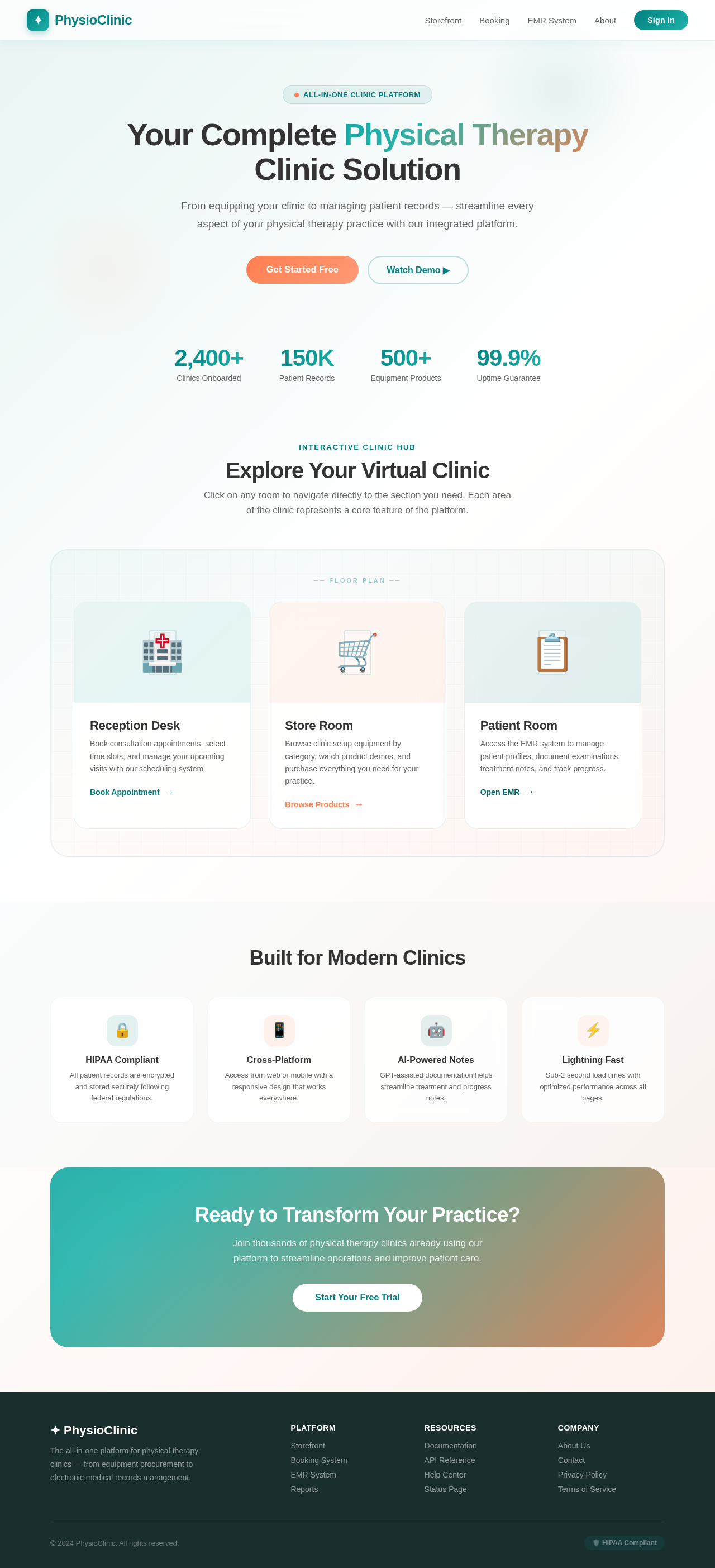
Your Complete Physical Therapy
Clinic Solution
From equipping your clinic to managing patient records — streamline every aspect of your physical therapy practice with our integrated platform.
2,400+
Clinics Onboarded
150K
Patient Records
500+
Equipment Products
99.9%
Uptime Guarantee
Interactive Clinic Hub
Explore Your Virtual Clinic
Click on any room to navigate directly to the section you need. Each area of the clinic represents a core feature of the platform.
Reception Desk
Book consultation appointments, select time slots, and manage your upcoming visits with our scheduling system.
Store Room
Browse clinic setup equipment by category, watch product demos, and purchase everything you need for your practice.
Patient Room
Access the EMR system to manage patient profiles, document examinations, treatment notes, and track progress.
Built for Modern Clinics
HIPAA Compliant
All patient records are encrypted and stored securely following federal regulations.
Cross-Platform
Access from web or mobile with a responsive design that works everywhere.
AI-Powered Notes
GPT-assisted documentation helps streamline treatment and progress notes.
Lightning Fast
Sub-2 second load times with optimized performance across all pages.
Ready to Transform Your Practice?
Join thousands of physical therapy clinics already using our platform to streamline operations and improve patient care.
No comments yet. Be the first!