solar-lawyer
 Shashwat
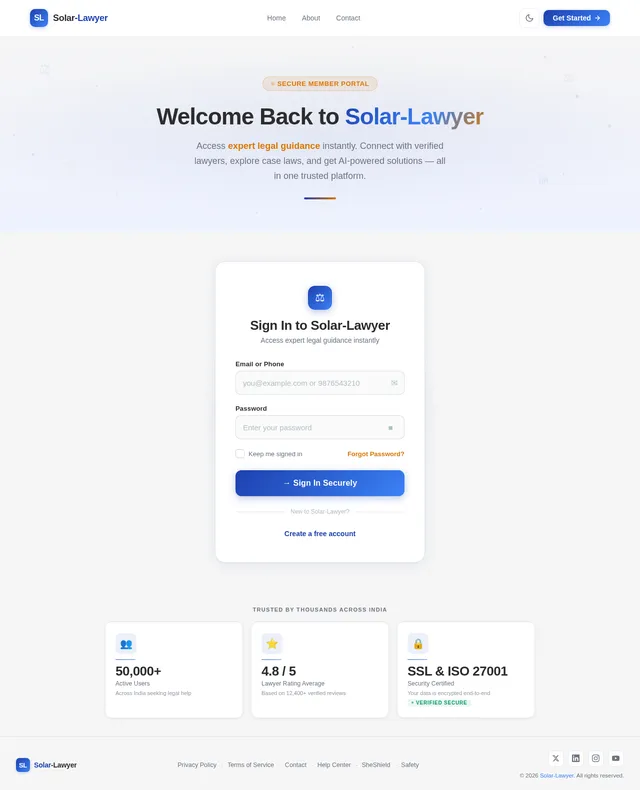
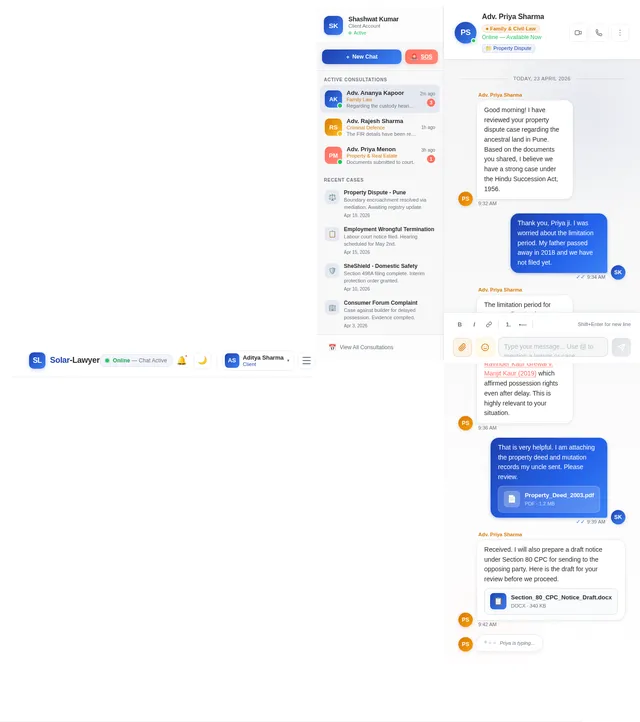
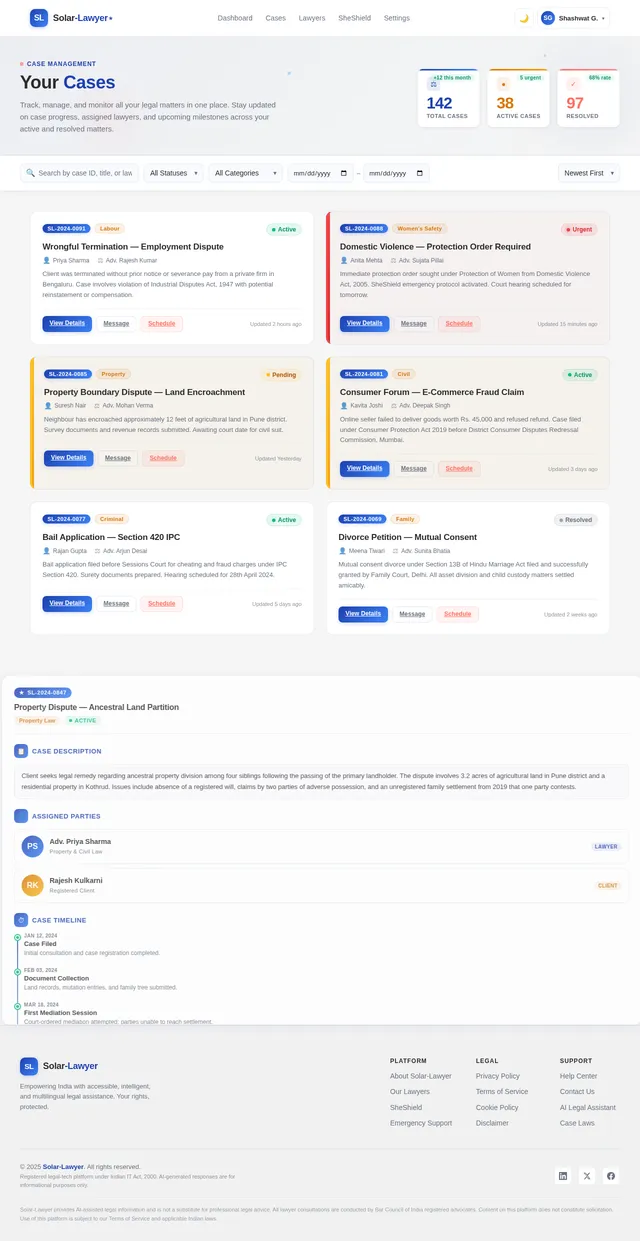
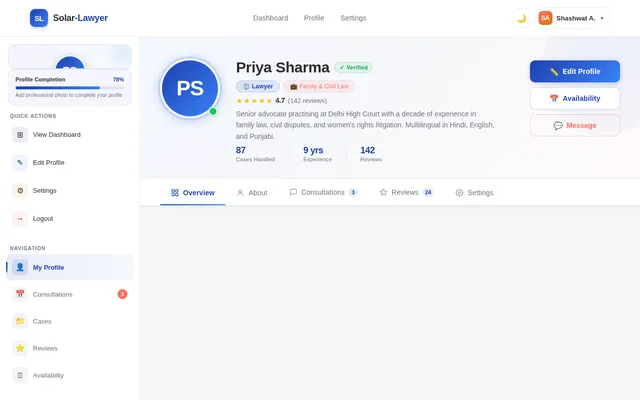
BUILD AN AI LIKE - # LawEase AI – Interface Structure (Point-Wise) ## 1. Intro / Landing Page * App Logo * App Name: **LawEase AI** * Tagline: *Smart Legal Assistance with AI + Expert Lawyer Support* * Clean professional legal-tech design * Quick “Get Started” button * Intro animation / transition effect --- ## 2. Registration Page * Full Name * Email ID * Phone Number * Password Creation * Confirm Password * User Type Selection: * Client * Lawyer * Register Button --- ## 3. Login Page ### Login Options: * Login with Google * Login with Facebook * Login with Email + Password ### Additional Options: * Forgot Password * Create New Account --- ## 4. Transition Between Login & Homepage * Smooth animated transition * Loading screen with logo animation * Welcome message: **“Welcome to LawEase AI”** --- ## 5. Homepage Main Dashboard ### Main Sections: ### A. SheShield (Focused on women safety & legal support) * Domestic Violence Help * Harassment Complaints * Workplace Safety Laws * Cyber Abuse Support * Emergency Protection Orders --- ### B. Safety (General legal safety assistance) * Personal Safety Rights * Cyber Security Laws * Privacy Protection * Legal Rights Awareness * Preventive Legal Guidance --- ### C. Emergency (Urgent legal help) * Emergency Legal Support * Police Complaint Guidance * FIR Filing Assistance * Immediate Lawyer Contact * Urgent Case Escalation --- ## 6. Problem Submission Panel * User enters legal problem/case details * AI analyzes the issue * AI provides: * Legal solution * Relevant laws * Applicable sections * Loopholes in law * Strong legal strategy * Precise response --- ## 7. Related Case Laws Section AI should also provide: * Relevant Case Laws * Precedents * Landmark Judgements ### Format: Case Name + (Short explanation in brackets) Example: **Vishaka vs State of Rajasthan** (Established workplace sexual harassment protection guidelines) --- ## 8. Lawyer Recommendation Panel After case submission: Popup panel showing: * List of suitable lawyers * Based on case type * Lawyer specialization * Ratings * Experience * Consultation fees * Availability status --- ## 9. Sort By Option * Experience * Ratings * Fees * Availability * Location * Specialization --- ## 10. Filter Option * Criminal Law * Family Law * Corporate Law * Women Safety Cases * Cyber Law * Property Law * Divorce Cases * Emergency Cases --- ## 11. Lawyer Communication Options ### A. Book Virtual Meeting * Schedule online consultation * Select date & time * Video meeting integration ### B. Live Chat with Lawyer * Instant messaging support * Quick legal advice --- ## 12. AI Backend Features The AI must be capable of: * Finding loopholes in laws * Suggesting best legal strategies * Giving highly precise responses * Recommending strongest legal approach * Prescribing relevant case laws * Short legal explanation of precedents * Smart lawyer matching system --- ## 13. Settings Page * Profile Settings * Notification Settings * Security Settings * Language Preferences * Dark / Light Mode --- ## 14. Privacy Policy Page * User data protection * Confidentiality assurance * Legal consultation privacy * Information security policies --- ## 15. Disclaimer Page * AI is for legal assistance, not final legal judgment * Lawyer consultation recommended for final action * Emergency legal matters require immediate expert help --- ## 16. Admin Panel (Recommended) * Lawyer verification * User management * Complaint monitoring * Emergency case priority handling * AI response monitoring * Legal database updates --- # Final Goal of LawEase AI ### “AI + Human Lawyer Hybrid Legal Ecosystem” Where users get: * Instant legal guidance * Emergency legal protection * Safe lawyer consultation * Accurate case law references * Strong legal strategy support

Comments (0)
Sign in to leave a comment
No comments yet. Be the first!