solar-lawyer
 Shashwat
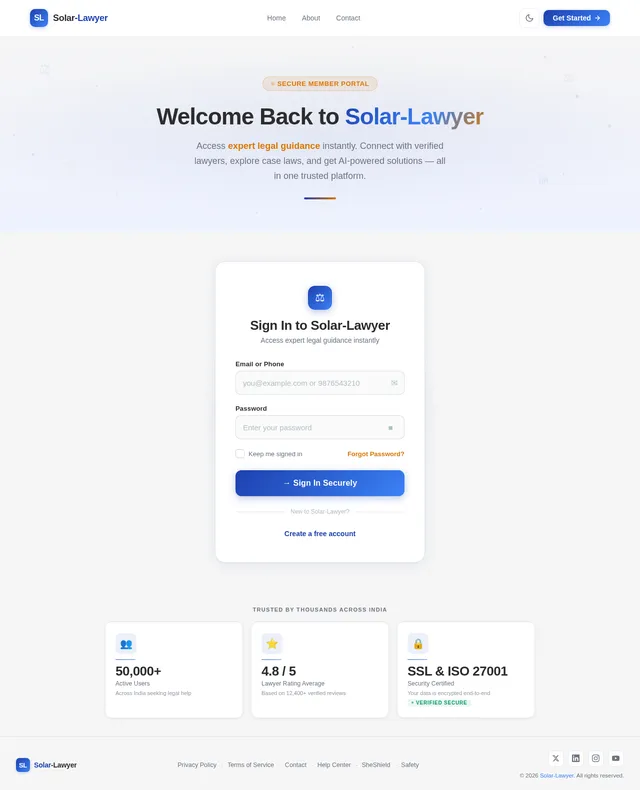
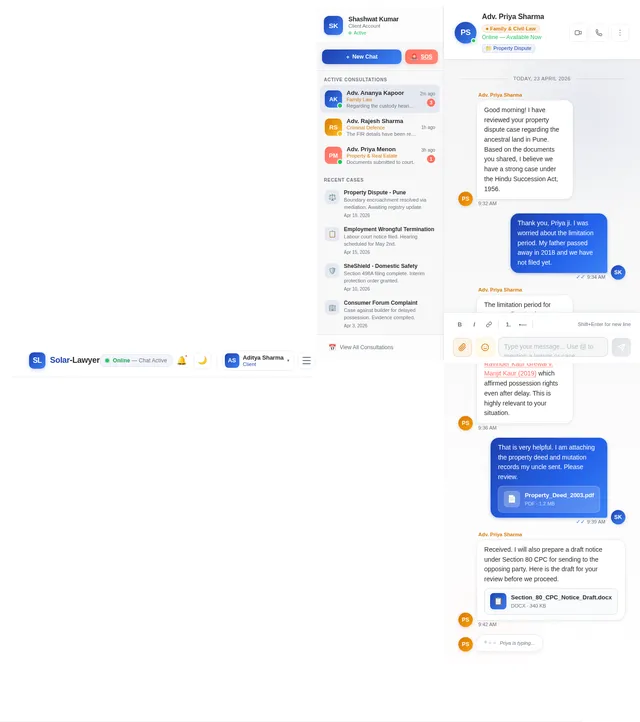
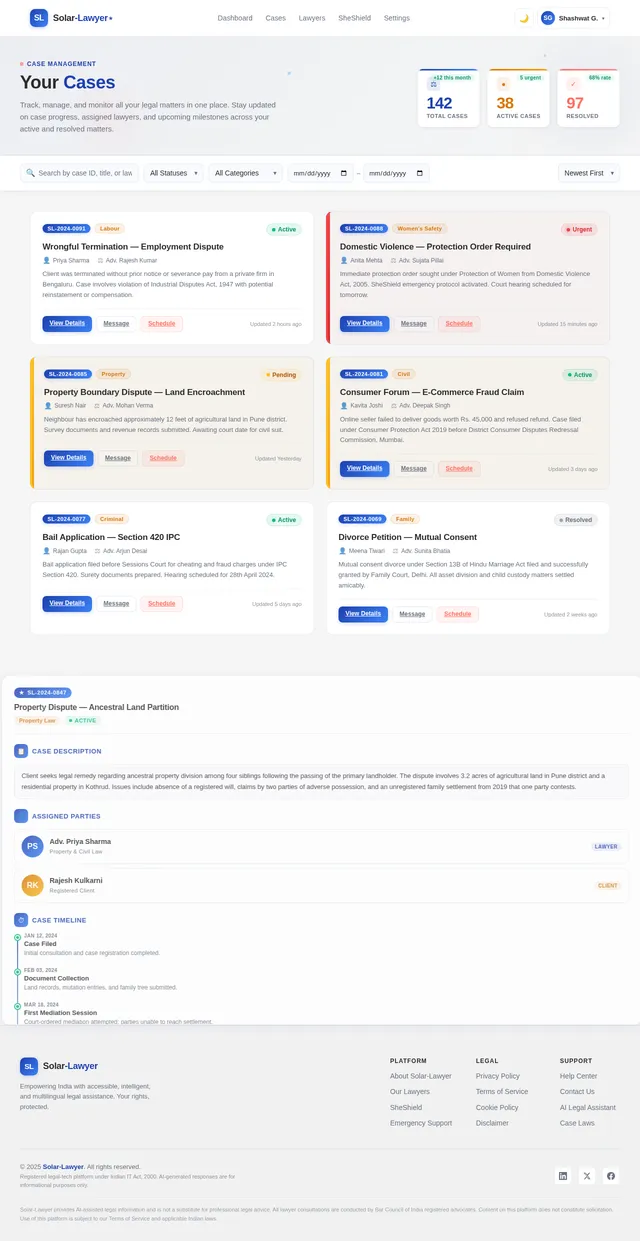
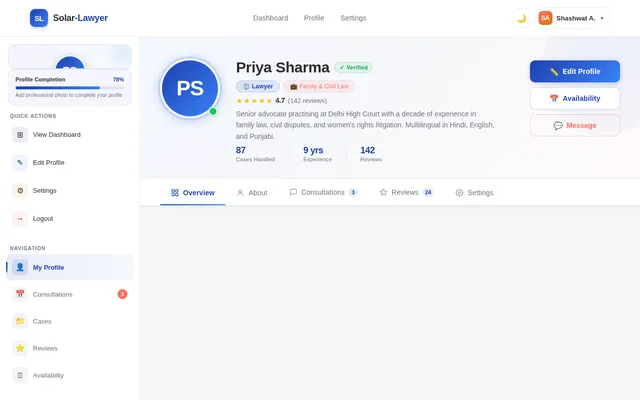
BUILD AN AI LIKE - # LawEase AI – Interface Structure (Point-Wise) ## 1. Intro / Landing Page * App Logo * App Name: **LawEase AI** * Tagline: *Smart Legal Assistance with AI + Expert Lawyer Support* * Clean professional legal-tech design * Quick “Get Started” button * Intro animation / transition effect --- ## 2. Registration Page * Full Name * Email ID * Phone Number * Password Creation * Confirm Password * User Type Selection: * Client * Lawyer * Register Button --- ## 3. Login Page ### Login Options: * Login with Google * Login with Facebook * Login with Email + Password ### Additional Options: * Forgot Password * Create New Account --- ## 4. Transition Between Login & Homepage * Smooth animated transition * Loading screen with logo animation * Welcome message: **“Welcome to LawEase AI”** --- ## 5. Homepage Main Dashboard ### Main Sections: ### A. SheShield (Focused on women safety & legal support) * Domestic Violence Help * Harassment Complaints * Workplace Safety Laws * Cyber Abuse Support * Emergency Protection Orders --- ### B. Safety (General legal safety assistance) * Personal Safety Rights * Cyber Security Laws * Privacy Protection * Legal Rights Awareness * Preventive Legal Guidance --- ### C. Emergency (Urgent legal help) * Emergency Legal Support * Police Complaint Guidance * FIR Filing Assistance * Immediate Lawyer Contact * Urgent Case Escalation --- ## 6. Problem Submission Panel * User enters legal problem/case details * AI analyzes the issue * AI provides: * Legal solution * Relevant laws * Applicable sections * Loopholes in law * Strong legal strategy * Precise response --- ## 7. Related Case Laws Section AI should also provide: * Relevant Case Laws * Precedents * Landmark Judgements ### Format: Case Name + (Short explanation in brackets) Example: **Vishaka vs State of Rajasthan** (Established workplace sexual harassment protection guidelines) --- ## 8. Lawyer Recommendation Panel After case submission: Popup panel showing: * List of suitable lawyers * Based on case type * Lawyer specialization * Ratings * Experience * Consultation fees * Availability status --- ## 9. Sort By Option * Experience * Ratings * Fees * Availability * Location * Specialization --- ## 10. Filter Option * Criminal Law * Family Law * Corporate Law * Women Safety Cases * Cyber Law * Property Law * Divorce Cases * Emergency Cases --- ## 11. Lawyer Communication Options ### A. Book Virtual Meeting * Schedule online consultation * Select date & time * Video meeting integration ### B. Live Chat with Lawyer * Instant messaging support * Quick legal advice --- ## 12. AI Backend Features The AI must be capable of: * Finding loopholes in laws * Suggesting best legal strategies * Giving highly precise responses * Recommending strongest legal approach * Prescribing relevant case laws * Short legal explanation of precedents * Smart lawyer matching system --- ## 13. Settings Page * Profile Settings * Notification Settings * Security Settings * Language Preferences * Dark / Light Mode --- ## 14. Privacy Policy Page * User data protection * Confidentiality assurance * Legal consultation privacy * Information security policies --- ## 15. Disclaimer Page * AI is for legal assistance, not final legal judgment * Lawyer consultation recommended for final action * Emergency legal matters require immediate expert help --- ## 16. Admin Panel (Recommended) * Lawyer verification * User management * Complaint monitoring * Emergency case priority handling * AI response monitoring * Legal database updates --- # Final Goal of LawEase AI ### “AI + Human Lawyer Hybrid Legal Ecosystem” Where users get: * Instant legal guidance * Emergency legal protection * Safe lawyer consultation * Accurate case law references * Strong legal strategy support

Comments (0)
Sign in to leave a comment
Architecture
No Services Diagrams Yet

Legal Help at Your Fingertips
Combining advanced AI analysis with verified legal experts across India. Get instant guidance, connect with specialized lawyers, and resolve your legal matters with confidence.
Explore the Legal Galaxy
Each star represents a powerful feature of Solar-Lawyer. Hover to discover, click to explore.
SheShield
Empowering women with dedicated legal protection, emergency alerts, and safety resources.
→Emergency Support
Instant access to legal help during critical moments — 24/7 emergency response system.
→AI Legal Analysis
Get instant AI-powered insights on your legal issues with multilingual support.
→Lawyer Network
Browse verified lawyers filtered by specialization, ratings, fees, and availability.
→Legal Database
Explore relevant case laws, precedents, and legal articles curated by experts.
→Live Consultations
Book virtual meetings or chat live with expert lawyers anytime, anywhere.
→Hover over stars to learn more · Click to navigate
Everything You Need for Legal Peace of Mind
From AI-driven analysis to verified lawyer consultations and round-the-clock emergency support, Solar-Lawyer has you covered.
AI-Powered Legal Analysis
Get instant, intelligent analysis of your legal situation powered by advanced AI trained on Indian law, case precedents, and legal frameworks.
- ✓Multilingual legal guidance in 10+ languages
- ✓Relevant case law and precedent matching
- ✓Instant AI-generated legal insights
Connect with Expert Lawyers
Browse verified legal professionals filtered by specialization, experience, ratings, and fees. Book consultations via live chat or video.
- ✓Verified and rated legal professionals
- ✓Filter by specialization and location
- ✓Book virtual meetings or live chat
Emergency Legal Support
Access immediate legal assistance during critical situations. Priority case handling, rapid lawyer matching, and direct emergency helpline support.
- ✓Priority emergency case handling
- ✓Rapid matching with available lawyers
- ✓24/7 emergency helpline access
Your Path to Legal Resolution
Get the legal help you need in four simple steps — from sign-up to resolution, powered by AI and expert lawyers.
Register & Sign In
Create your account in seconds using email, Google, or Facebook. Choose your role as a Client or Lawyer to get started.
Describe Your Legal Issue
Explain your legal problem in your own language. Our multilingual system understands and processes your query instantly.
Get AI Insights & Lawyer Matches
Receive AI-powered legal analysis, relevant case laws, and personalized lawyer recommendations tailored to your specific needs.
Consult & Resolve
Connect with matched lawyers via live chat or virtual meetings. Get expert guidance to resolve your legal matter confidently.
Built for Everyone in the Legal Ecosystem
Whether you need legal help, offer legal expertise, or manage the platform — Solar-Lawyer is designed with you in mind.
Client
Individuals seeking legal help
- Quick AI-powered legal solutions
- Expert lawyer recommendations
- Emergency legal support 24/7
- Access to relevant case laws
Lawyer
Legal professionals & experts
- Connect with clients nationwide
- Manage consultations seamlessly
- Build professional credibility
- Flexible availability scheduling
Admin
Platform management & oversight
- Verify lawyers & manage accounts
- Monitor complaints & emergencies
- Update legal database content
- Oversee AI response quality
Pricing
Choose the Plan That Fits Your Needs
From free AI-powered legal guidance to dedicated enterprise support, Solar-Lawyer has a plan for everyone.
Free
Get started with basic AI-powered legal guidance at no cost.
No credit card required
What's included
- ✓Basic AI legal queries (10/month)
- ✓Access to public legal database
- ✓Community forum access
- ✓Email support (48hr response)
- ✓Dark & light mode interface
- ✓Multilingual support (3 languages)
Pro
Unlock lawyer consultations and priority legal support.
Billed annually at ₹11,988
What's included
- ✓Unlimited AI legal queries
- ✓Lawyer consultations (5/month)
- ✓Priority support (4hr response)
- ✓Advanced case law analysis
- ✓SheShield emergency access
- ✓Document review assistance
- ✓Multilingual support (12 languages)
- ✓Live chat with lawyers
Enterprise
Dedicated support and team accounts for organizations.
Tailored to your organization
What's included
- ✓Everything in Pro, plus:
- ✓Dedicated account manager
- ✓Unlimited team member accounts
- ✓Custom AI model training
- ✓SLA-backed 1hr response time
- ✓API access & integrations
- ✓On-premise deployment option
- ✓Quarterly legal compliance reports
- ✓Admin dashboard & analytics
Trusted by Clients & Lawyers Across India
Hear from real users who have experienced the power of AI-driven legal assistance combined with expert lawyer support.
Solar-Lawyer helped me navigate a complex property dispute with incredible precision. The AI analysis identified key precedents I would have never found on my own, and the lawyer match was perfect for my case.
SheShield: Empowering Women's Legal Rights
Solar-Lawyer's dedicated safety module designed to protect and empower women across India. Get immediate legal support, connect with specialized women lawyers, and access AI-powered guidance in your preferred language — all within a secure and confidential environment.
Ready to Take Control of Your Legal Future?
Join thousands who trust Solar-Lawyer for AI-powered legal insights, verified lawyer connections, and round-the-clock emergency support — all in one platform built for the way India navigates the law.
No comments yet. Be the first!