snowy-personnages

byoussama_baccara satamouni007

restituer les personnages papi et le petit sami dans tout le conte et ne pas changer (je voix que les personnages change de visage, comme le petit sami et papi , exemple sami change scene 2 scene 4 et 5, et ppapi scene 5 ....faire le necessaire pour que le compte soit soherent) , adapter pour impression format A4 paysage, changer couleur de facon a eviter la couleur magenta car mon imprimante manque de ce couleur

AccueilImpressionScènesCouleursInscriptionConnexion
Accueil

Comments (0)

No comments yet. Be the first!

System Requirements

System Requirements Document for Papi et le Petit Sami

1. Introduction

This document is the requested System Requirements Document for Papi et le Petit Sami. It specifies the current work needed to make the supplied French family tale coherent: keep Papi and Petit Sami’s appearances consistent throughout its scenes, prepare the tale for A4 landscape printing, and avoid magenta because the user’s printer lacks that color.

The product supports the tale’s author in reviewing and correcting the scenes, preserving the characters’ appearances, and preparing a print-ready version. The supplied story artwork is visual context; it does not authorize changing the tale’s content or adding new story material.

Success criteria

  • Papi and Petit Sami retain consistent faces and appearances throughout the tale, including Petit Sami in scenes 2, 4, and 5 and Papi in scene 5 and the other scenes.
  • The tale is laid out for A4 landscape printing.
  • Magenta is avoided in the tale’s colors, including its illustrations, controls, and print pages.
Page 1 of 18

2. System Overview

The system is a custom web application for one active human persona, the Auteur du conte. It provides a public entry page and protected destinations for reviewing scenes, preparing print output, and changing colors. The author can establish an account and later sign in to resume the durable tale and its corrections.

The current product scope is limited to the requested character consistency, A4 landscape print adaptation, and magenta avoidance, plus the identity continuity needed to save and resume this work. It does not add story-writing, publishing, sharing, or other adjacent capabilities.

2a. Product Interpretation and Delivery Boundary

The application uses its own identity and persistent storage so the author can return to the same tale and corrections. Accueil, Inscription, and Connexion are anonymously reachable. Scènes, Impression, and Couleurs require the author to be signed in. Protected work remains unavailable until identity is established.

The application owns the custom interface and its APIs. The shared FastAPI backend supports application behavior, and MariaDB stores application-owned persistent data. The React frontend presents the pages. Printing is initiated by the author from the print preparation experience; the printer is an external device, and the application cannot guarantee its physical output.

The supplied image is optional visual context, not an exact-copy instruction or a source of verified story text. The product must preserve the existing tale and character art while applying the requested consistency and print constraints. No future product capabilities are specified.

Page 2 of 18

2c. Page Content and Component Coverage

Accueil

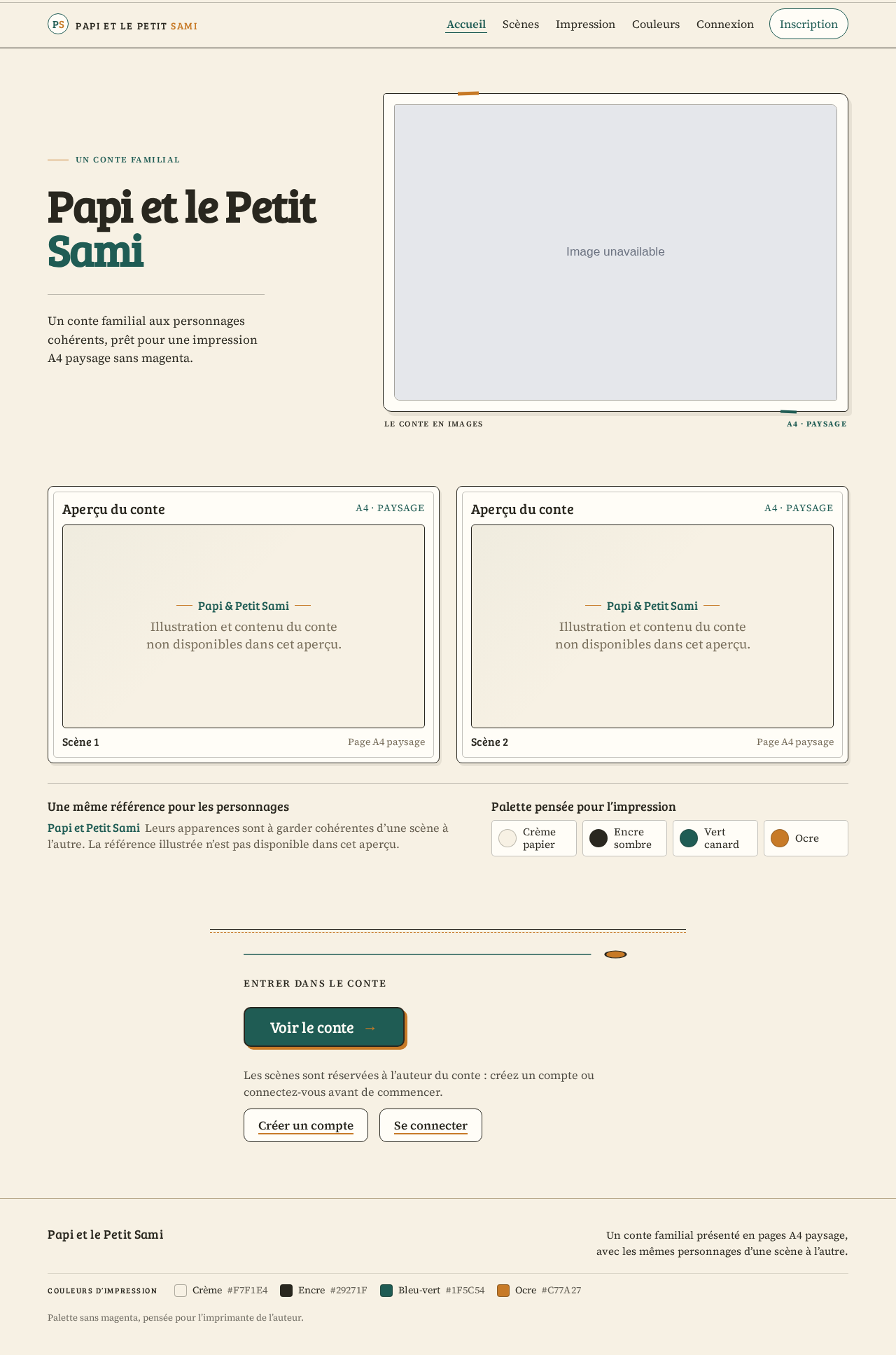
  • Information and state: Public introduction to the tale, its consistent Papi and Petit Sami characters, and its A4 landscape, magenta-free print intent. Use the approved hero meaning and product name: headline “Papi et le Petit Sami”; subline “Un conte familial aux personnages cohérents, prêt pour une impression A4 paysage sans magenta.”; call to action “Voir le conte”.
  • Primary and supporting actions: The author can proceed to view the tale or choose to create an account or sign in before protected work.
  • Entities and components: Tale identity; warm paper hero; landscape story-spread preview; scene frames with numbered labels; consistent character reference; print-safe color swatches.
  • States: Loading may show a restrained placeholder that does not imply unverified story content. Success shows the public entry. If the preview cannot load, retain the title and entry actions and provide a retry path. No account-specific tale state is exposed here.
  • Layout: Large French story title above a two-page A4 landscape preview. At narrow viewports, panels stack or scroll without cropping readable text or character faces.
Page 3 of 18

Scènes

  • Access: Signed-in author only.
  • Information and state: Ordered scenes and their existing story content, with Papi and Petit Sami’s appearances kept consistent throughout. Explicitly check Petit Sami across scenes 2, 4, and 5 and Papi in scene 5 and the other scenes. Preserve the existing tale rather than inventing or rewriting story content.
  • Primary and supporting actions: Review the scenes and correct inconsistent character appearances using the approved character reference. Save corrections to the author’s tale.
  • Entities and components: Tale, ordered scenes, Papi and Petit Sami character references, scene illustrations, existing scene text, saved corrections. Each scene uses a thin ink rule and a small numbered label.
  • States: Loading shows scene structure without suggesting unsaved changes are complete. Empty or unavailable tale content is reported without fabricating scenes. Success makes saved corrections observable in the affected scenes. On save or loading failure, retain the current work where possible, report that it was not confirmed saved, and allow retry. Continue to review other scenes or prepare printing.
Page 4 of 18

Impression

  • Access: Signed-in author only.
  • Information and state: A print preparation view of the tale in A4 landscape, using the current scene order, consistent character appearances, and colors that avoid magenta.
  • Primary and supporting actions: Review the print layout and initiate printing through the available browser/device print interaction.
  • Entities and components: Tale, ordered scene panels, A4 landscape page layout, print-safe colors, print preview and print action.
  • States: Loading indicates preparation. Success presents the print-ready layout. If preparation fails, explain the failure and allow retry. If the external print interaction is unavailable or fails, the author can retry from the same prepared view; physical printer behavior remains outside application control. Continue by returning to the tale or its color settings.

Couleurs

  • Access: Signed-in author only.
  • Information and state: The tale’s current colors and the constraint to avoid magenta because the author’s printer lacks that color.
  • Primary and supporting actions: Review and change the tale’s colors to a magenta-free palette, then save the change.
  • Entities and components: Tale color settings and their use in scene illustrations and print pages. Use cream, dark ink, teal, and ochre; show swatches without magenta.
  • States: Loading shows that colors are being retrieved. Success shows the saved palette applied to the tale and print view. If saving fails, report that the change was not confirmed and allow retry. Continue to review scenes or prepare printing.
Page 5 of 18

Connexion

  • Access: Public.
  • Information and state: Sign-in entry for the author to regain access to the author-owned tale and saved corrections.
  • Primary and supporting actions: Enter the credentials required by the application and submit them; proceed to protected work after successful verification.
  • Entities and components: Author identity and sign-in form.
  • States: Success establishes the author’s session and permits access to protected destinations. Invalid or unavailable verification is reported without exposing protected tale data; the author can correct the input or retry. Continue to the saved tale.

Inscription

  • Access: Public.
  • Information and state: First-use identity establishment for an author who needs to own and resume a durable tale.
  • Primary and supporting actions: Enter the information required to create an account and submit it.
  • Entities and components: Author identity and registration form.
  • States: Success establishes the author’s identity and session so the author can begin protected work. Invalid or unavailable registration is reported and can be retried. Continue to the tale’s scenes. This page does not add account-management functions.
Page 6 of 18

3. Functional Requirements

  1. As an Auteur du conte, I should be able to review and correct Papi and Petit Sami’s appearances throughout the tale, so that their faces and appearances remain consistent across all scenes.

    • Provenance: Explicit.
    • Lifecycle: The signed-in author opens Scènes, reviews the ordered scenes against the approved character reference, and corrects inconsistent appearances. The saved result is visible in the affected scenes and remains associated with the author’s tale.
    • Acceptance: Papi and Petit Sami do not change appearance between scenes. Petit Sami is consistent in scenes 2, 4, and 5; Papi is consistent in scene 5 and the other scenes. A save failure is reported and the author can retry; the author can continue reviewing scenes or prepare printing.
  2. As an Auteur du conte, I should be able to prepare the tale for A4 landscape printing, so that its print layout uses the requested page format.

    • Provenance: Explicit.
    • Lifecycle: The signed-in author opens Impression, reviews the prepared landscape layout, and initiates printing. The prepared layout is observable before printing.
    • Acceptance: The print layout is A4 landscape. Preparation failure is reported with a retry path. Failure or unavailability of the external print interaction is reported where observable and can be retried from the prepared view. The application does not claim control over physical printer output.
Page 7 of 18
  1. As an Auteur du conte, I should be able to change the tale’s colors to avoid magenta, so that the tale is suitable for the printer’s color limitation.

    • Provenance: Explicit.
    • Lifecycle: The signed-in author reviews and changes the colors in Couleurs, saves the change, and sees the resulting palette applied to the tale and print view.
    • Acceptance: Magenta is avoided in the tale’s colors, including illustrations, controls, and print pages. The palette uses cream, dark ink, teal, and ochre. A save failure is reported and can be retried; the author can continue to scene review or print preparation.
  2. As an Auteur du conte, I should be able to create an account, so that I can own durable tale work.

    • Provenance: Required inference from Planning Scope.
    • Lifecycle: From public Inscription, the author submits the information required to establish identity. Success establishes an author-owned identity and session; failure is reported and can be retried. The author continues to protected scene work.
    • Acceptance: A successful first-use identity establishment enables access to protected work. No additional account-management capability is implied.
  3. As an Auteur du conte, I should be able to sign in, so that I can retrieve my tale and saved corrections.

    • Provenance: Required inference from Planning Scope.
    • Lifecycle: From public Connexion, the author submits credentials for verification. Success restores access to the author’s saved tale and corrections; failure is reported without exposing protected state and can be retried.
    • Acceptance: Returning verification binds the resumed tale to the correct author. The author can continue reviewing scenes, colors, or print preparation.
Page 8 of 18

4. User Personas

Auteur du conte

  • Provenance: Required inference from Planning Scope; the sole accepted active-human persona.
  • Product context: The author is responsible for making the existing French family tale coherent and usable in print. The user reports that Papi and Petit Sami change faces between scenes, specifically noting Petit Sami in scenes 2, 4, and 5 and Papi in scene 5.
  • Primary goal: Preserve the characters’ appearances throughout the tale and prepare it for A4 landscape printing without magenta.
  • Accepted responsibilities: Review and correct scene illustrations; maintain the consistent character appearance; change the tale’s colors to avoid magenta; review the print layout and initiate printing; establish identity and sign in to resume saved work.
  • Inputs and decisions: The existing tale and character appearances, the approved character reference, the A4 landscape requirement, and the printer’s lack of magenta.
  • Interactions with other participants: No other accepted human participant is specified. The author initiates printing through an external printer interaction.
  • Observable success: Papi and Petit Sami remain visually consistent across scenes, the tale is prepared in A4 landscape, and magenta is avoided.

5. Core User Flows

Page 9 of 18

1. First-use identity establishment

  1. The author starts at public Accueil and chooses to create an account.
  2. The author opens Inscription, enters the information required by the application, and submits it.
  3. On success, the application establishes the author’s identity and session; protected tale work becomes available.
  4. If registration fails, the application reports the failure and allows the author to retry. The author continues to Scènes after success.

2. Review and correct character consistency

  1. The signed-in author opens Scènes.
  2. The author reviews the ordered scenes and compares Papi and Petit Sami’s appearances with the approved character reference.
  3. The author checks Petit Sami in scenes 2, 4, and 5 and Papi in scene 5 and the other scenes.
  4. The author corrects inconsistent appearances and saves the corrections.
  5. The saved result is visible in the affected scenes. If saving fails, the author is told that the save was not confirmed and can retry.
  6. The author continues reviewing scenes or proceeds to Couleurs or Impression.
Page 10 of 18

3. Change colors to avoid magenta

  1. The signed-in author opens Couleurs and reviews the tale’s current colors.
  2. The author changes the palette to avoid magenta, using cream, dark ink, teal, and ochre.
  3. The author saves the change and sees the resulting colors applied to the tale and print view.
  4. If saving fails, the author can retry. The author can continue to Scènes or Impression.

4. Prepare and initiate A4 landscape printing

  1. The signed-in author opens Impression.
  2. The author reviews the tale’s A4 landscape layout, with consistent character appearances and magenta-free colors.
  3. The author initiates printing through the available browser/device print interaction.
  4. If layout preparation fails, the application reports the failure and allows retry. If the external print interaction is unavailable or fails, the author can retry from the prepared view.
  5. The author can return to the tale or its color settings. Physical printer output is outside application control.
Page 11 of 18

5. Resume saved tale work

  1. The returning author opens public Connexion.
  2. The author submits credentials for verification.
  3. On success, the application restores access to the author’s saved tale and corrections.
  4. If verification fails, the application reports the failure without exposing protected tale state and allows retry.
  5. The author continues in Scènes, Couleurs, or Impression, according to the work they need to resume.
Page 12 of 18

6. Visuals Colors and Theme

The visual direction is a warm illustrated book for Papi and Sami, with Frank Chimero as the named muse. The design should feel like a readable French family story, with stable character art and print-safe colors.

  • Light-mode palette: Background #F7F1E4 (cream paper); surface #FFFDF7; text #29271F (dark ink); primary #1F5C54 (teal); accent #C77A27 (ochre); muted #B9AA8C.
  • Color constraint: Do not use magenta in illustrations, controls, or print pages. Keep text dark and backgrounds light for print.
  • Typography: Bree Serif for headings, with warm bold story headings, clear French accents, and tight line spacing. Source Serif 4 for body text. Display type scales from 36px to 64px, with 36px on mobile; body text starts at 16px.
  • Shape and surfaces: Warm paper panels, fine ink rules, gently rounded corners, and hand-drawn scene frames. Keep illustrations clear.
  • Layout: Present ordered landscape pages with one scene per panel and readable French text. At 375px and 768px, stack or scroll panels while preserving A4 landscape for print.
  • Imagery: Use the supplied story art as visual context. Keep Papi and Sami’s faces, clothes, and proportions consistent in every scene. Do not crop story text or character faces.
  • Responsive readability: At 375px, 768px, and 1280px, keep readable text and controls fully within the viewport and their containers. Wrap or scale content as needed; no element may cover readable text or controls.
  • Defaults: Spacing rhythm and detailed component dimensions are [Default — not specified by user]; use a consistent, restrained rhythm that supports the paper-like editorial layout.
Page 13 of 18

7. Signature Design Concept

The public Accueil hero is a warm paper spread: a large, left-aligned “Papi et le Petit Sami” title sits above a two-page A4 landscape preview. The illustrated Papi-and-Sami scene dominates the right side, framed by a fine ink rule and a small numbered scene label. Teal and ochre details sit against cream paper, with dark readable text and no magenta.

The preview uses the approved character reference consistently. The hero’s call to action is “Voir le conte.” At smaller viewports, the spread stacks or scrolls without cropping faces, story text, or controls. The concept presents only accepted tale content and print intent; it adds no new behavior.

8. Interaction Model & Motion Direction

Interaction Model: Animated
Motion Tempo: restrained
Hero Dimensionality: flat

Page 14 of 18

Landing Hero Motion Brief

  • Focal subject: The illustrated Papi-and-Sami scene on the right side of the warm paper hero.
  • Input → transformation → outcome: The visitor chooses “Voir le conte”; the scene preview transitions into the ordered tale view, showing the same character appearances and the A4 landscape presentation.
  • Motion vocabulary: Restrained scene fades and simple page changes. Keep story text and controls still and readable.
  • First frame: A composed cream-paper hero with the large French title on the left and the landscape story spread on the right, framed with fine ink rules and teal and ochre details.
  • Reduced motion: Use a static arrangement with the same readable content and controls; do not rely on animation to reveal story information.
Page 15 of 18

9. Non-Functional Requirements

  1. Character continuity — explicit: Character faces and appearances must remain consistent throughout the tale, including the specified scenes. This is a product correctness constraint.
  2. Print format — explicit: Print preparation must use A4 landscape.
  3. Magenta avoidance — explicit: Avoid magenta because the user’s printer lacks that color. Apply this constraint to the tale’s colors, illustrations, controls, and print pages.
  4. Durable author continuity — required inference: Persist the author’s tale and corrections so the author can retrieve them after signing in. This is necessary for the accepted resume journey.
  5. Responsive readability — creative direction: Keep readable text and controls whole at 375px, 768px, and 1280px. Preserve readable content in the intended responsive layout.
  6. External printing boundary — required inference: The application can prepare the print layout and initiate the available print interaction; it cannot guarantee physical printer output.
Page 16 of 18

10. Tech Stack

The provisioned infrastructure is authoritative:
  • Frontend: React application UI.
  • Backend: Shared FastAPI process for application APIs and domain modules. Reuse this process for the tale, identity, persistence, and print-preparation APIs; no separate service is specified.
  • Database: MariaDB for application-owned persistent data.
  • Printing: Browser/device print interaction for the author-initiated print action; the physical printer is external.
  • Containers and orchestration: No additional container or orchestration service is specified.

11. Assumptions and Constraints

  • The existing tale and its scenes are the material being corrected; no new story text or scenes are authorized.
  • The supplied image is visual context only. Its visible text and details are not treated as verified source content.
  • The approved character reference must be used to keep Papi and Petit Sami’s faces, clothes, and proportions consistent; no replacement character designs are authorized.
  • Account creation and sign-in are required in Planning Scope to support durable author-owned work. They do not imply additional account-management features.
  • The author initiates printing; physical printer behavior is outside the application’s control.
  • No future requirements are specified.
Page 17 of 18

12. Glossary

  • A4 landscape: The requested A4 page format in landscape orientation.
  • Magenta-free: A palette that avoids magenta in the tale’s illustrations, controls, and print pages.
  • Character reference: The approved visual reference used to keep Papi and Petit Sami’s appearances consistent across scenes.
Page 18 of 18
Live
Accueil design preview
Accueil: View tale introduction
Inscription: 1. Create account
Inscription: 2. Retry registration after failure
Scènes: Review ordered scenes
Scènes: Check Petit Sami scenes 2, 4, 5
Scènes: Check Papi in scene 5
Scènes: Correct inconsistent appearances
Scènes: 1. Save corrections
Scènes: 2. Retry save after failure
Couleurs: Review current colors
Couleurs: Change to magenta-free palette
Couleurs: 1. Save color change
Couleurs: 2. Retry color save after failure
Impression: 1. Review A4 landscape layout
Impression: 1. Initiate printing
Impression: 2. Retry print preparation after failure
Impression: 2. Retry print interaction from prepared view
Connexion: 1. Sign in
Connexion: 2. Retry sign-in after failure
Scènes: Resume saved tale work
Live
Accueil design preview
Accueil: View tale introduction
Inscription: 1. Create account
Inscription: 2. Retry registration after failure
Scènes: Review ordered scenes
Scènes: Check Petit Sami scenes 2, 4, 5
Scènes: Check Papi in scene 5
Scènes: Correct inconsistent appearances
Scènes: 1. Save corrections
Scènes: 2. Retry save after failure
Couleurs: Review current colors
Couleurs: Change to magenta-free palette
Couleurs: 1. Save color change
Couleurs: 2. Retry color save after failure
Impression: 1. Review A4 landscape layout
Impression: 1. Initiate printing
Impression: 2. Retry print preparation after failure
Impression: 2. Retry print interaction from prepared view
Connexion: 1. Sign in
Connexion: 2. Retry sign-in after failure
Scènes: Resume saved tale work