snowy-gamma
 Manish Jain
I want to create gamma.app copy
Comments (0)
Sign in to leave a comment
System Requirements
System Requirements Document (SRD)
Project Name: snowy-gamma
1. Introduction
Welcome to the System Requirements Document (SRD) for snowy-gamma, a project envisioned by Manish Jain to replicate the full feature set of Gamma.app. Snowy-gamma aims to provide a visually engaging platform for creating documents, presentations, and websites, with seamless collaboration tools and intuitive design capabilities.
This document outlines the system requirements for snowy-gamma, targeting general users in the United States. The platform will prioritize accessibility, ease of use, and a polished design aesthetic to cater to a broad audience.
2. System Overview
Snowy-gamma is a web-based application designed to empower users to create, edit, and share visually stunning presentations, documents, and websites. The system will include:
- Presentation Builder: Drag-and-drop functionality for creating dynamic presentations.
- Document Editor: A rich-text editor with advanced formatting options.
- Website Generator: Tools for building responsive websites without coding.
- Collaboration Tools: Real-time collaboration, commenting, and sharing features.
- User Management: General user access pre-approved by the API supervisor.
The platform will be optimized for general users, ensuring intuitive navigation and seamless functionality across devices.
3. Functional Requirements
Presentation Builder
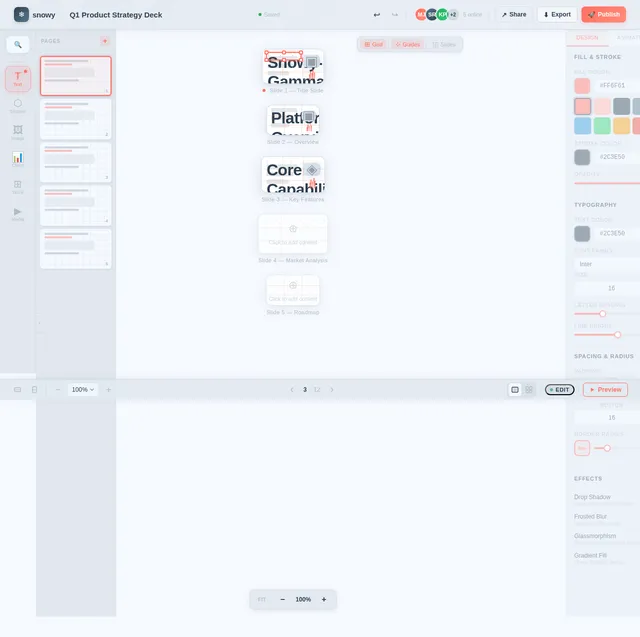
- As a User, I should be able to create presentations using drag-and-drop functionality.
- As a User, I should be able to add text, images, videos, and charts to slides.
- As a User, I should be able to apply pre-designed templates to slides.
- As a User, I should be able to animate slide transitions and elements.
Document Editor
- As a User, I should be able to create and edit documents with rich-text formatting.
- As a User, I should be able to insert tables, images, and hyperlinks into documents.
- As a User, I should be able to export documents in multiple formats (PDF, DOCX, etc.).
Website Generator
- As a User, I should be able to create responsive websites using drag-and-drop tools.
- As a User, I should be able to customize website themes and layouts.
- As a User, I should be able to publish websites directly from the platform.
Collaboration Tools
- As a User, I should be able to invite others to collaborate on projects in real-time.
- As a User, I should be able to leave comments and feedback on shared projects.
- As a User, I should be able to track changes made by collaborators.
User Management
- As a User, I should have access pre-approved by the API supervisor.
4. User Personas
General User
- Description: Individuals looking for an intuitive platform to create presentations, documents, and websites.
- Goals: Simplify content creation, collaborate seamlessly, and share projects easily.
- Pain Points: Lack of technical expertise, need for visually appealing designs, and difficulty in collaboration.
5. Visuals Colors and Theme
Color Palette
The snowy-gamma platform will feature a unique and modern color palette to evoke creativity and professionalism:
- Background: #F5F9FF (Soft Snow White)
- Surface: #E1E8F0 (Light Frost Gray)
- Text: #2C3E50 (Deep Midnight Blue)
- Accent: #FF6F61 (Warm Coral Red)
- Muted Tones: #B0BEC5 (Cool Slate Gray)
6. Signature Design Concept
Dynamic Snowfall Interface
The homepage of snowy-gamma will feature a dynamic snowfall animation that subtly reacts to user interactions. As users move their cursor across the screen, snowflakes will gently swirl and cluster around the pointer, creating a magical and immersive experience.
Key elements:
- Interactive Snowflakes: Each snowflake will represent a feature or section of the platform. Clicking on a snowflake will expand it into a detailed view of the feature.
- Color Transitions: The background will shift from soft snow white (#F5F9FF) to a twilight gradient (#2C3E50 to #FF6F61) as users scroll.
- Micro-Interactions: Buttons and icons will "frost over" when hovered, with subtle animations mimicking ice crystals forming.
- 3D Depth: Sections of the homepage will appear layered, creating a sense of depth and movement as users navigate.
This design concept ensures snowy-gamma leaves a lasting impression while maintaining usability and elegance.
7. Non-Functional Requirements
- The system should support high scalability to accommodate a large number of users.
- The platform must ensure cross-browser compatibility (Chrome, Firefox, Safari, Edge).
- The system should provide a responsive design for optimal performance on desktops, tablets, and smartphones.
- Data security and privacy must comply with US regulations, including GDPR and CCPA.
- The system should maintain an uptime of 99.9% or higher.
8. Tech Stack
Frontend
- React for Web
- React Native for Mobile App
Backend
- Python
- FastAPI
Database
- MySQL or MariaDB (preferred for RDBMS)
- MongoDB (for NoSQL requirements)
AI Models
- GPT 5.4 for user-friendly responses
- Claude 4.6 Opas for academic or coding work
- Gemini 3.1 Pro for friendly responses
- Google Nano Banana for image generation
AI Tools
- Litellm for LLM Routing
- Langchain
Orchestration
- Docker and docker-compose for local orchestration
- Kubernetes for server-side orchestration
9. Assumptions and Constraints
Assumptions
- General users will have basic familiarity with web-based tools.
- The platform will primarily target users in the US, adhering to US-specific regulations and standards.
- User access will be pre-approved by the API supervisor.
Constraints
- Development must adhere to the selected tech stack for consistency and maintainability.
- The system must be optimized for high performance across devices and browsers.
- Budget and timeline constraints may limit the scope of advanced features.
10. Glossary
- API Supervisor: A system entity responsible for approving user access and managing API-level permissions.
- Drag-and-Drop: A feature allowing users to move elements within the interface using a mouse or touch gestures.
- Responsive Design: A design approach ensuring optimal user experience across various device sizes and resolutions.
- RDBMS: Relational Database Management System, used for structured data storage.
- NoSQL: A database system designed for unstructured or semi-structured data.
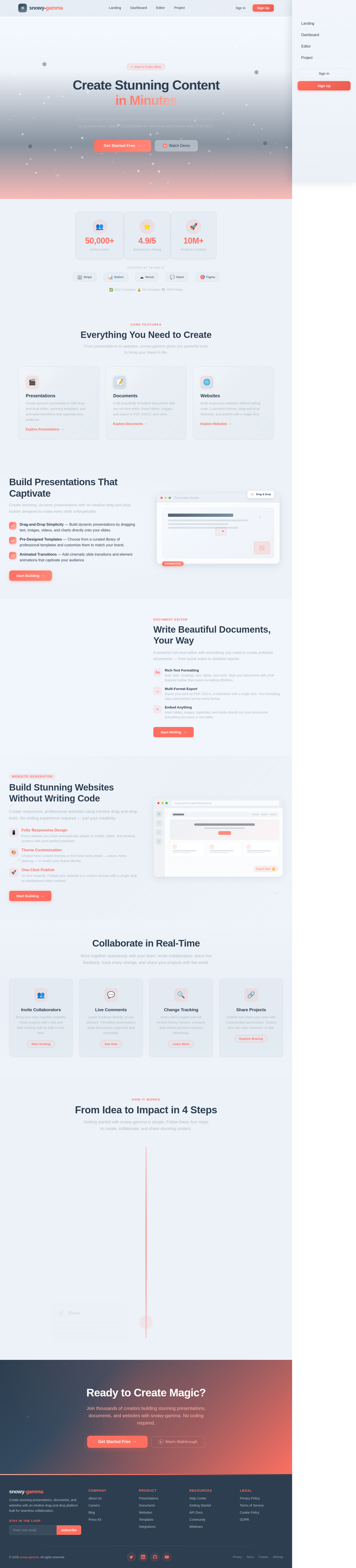
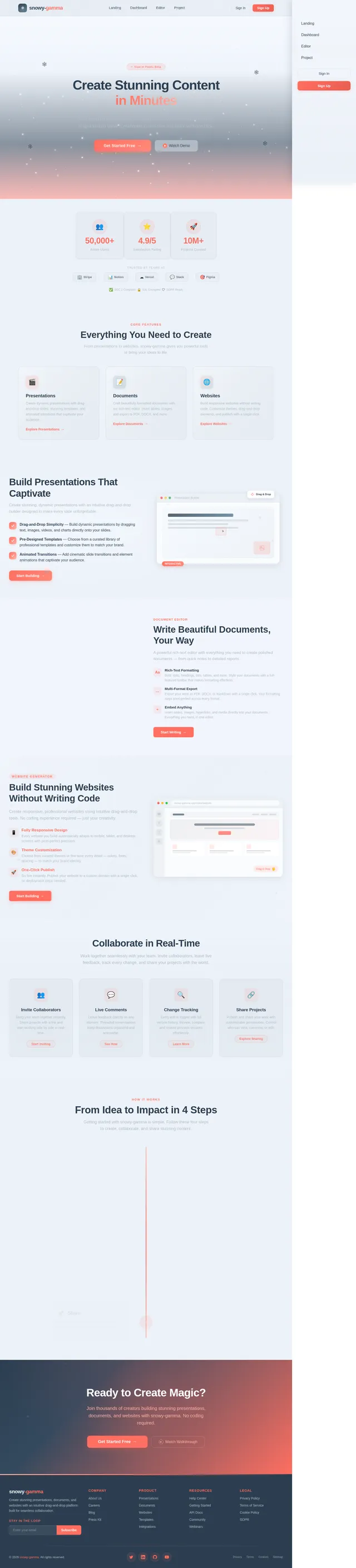
Create Stunning Content
in Minutes
Build beautiful presentations, documents, and websites with an intuitive drag-and-drop editor. Collaborate in real-time and share with one click.
Everything You Need to Create
From presentations to websites, snowy-gamma gives you powerful tools to bring your ideas to life.
Presentations
Create dynamic presentations with drag-and-drop slides, stunning templates, and animated transitions that captivate your audience.
Explore Presentations→Documents
Craft beautifully formatted documents with our rich-text editor. Insert tables, images, and export to PDF, DOCX, and more.
Explore Documents→Websites
Build responsive websites without writing code. Customize themes, drag-and-drop elements, and publish with a single click.
Explore Websites→Build Presentations That Captivate
Create stunning, dynamic presentations with an intuitive drag-and-drop builder designed to make every slide unforgettable.
- Drag-and-Drop Simplicity — Build dynamic presentations by dragging text, images, videos, and charts directly onto your slides.
- Pre-Designed Templates — Choose from a curated library of professional templates and customize them to match your brand.
- Animated Transitions — Add cinematic slide transitions and element animations that captivate your audience.
Q3 Growth Strategy
Our team has identified three key initiatives to accelerate growth this quarter. Each initiative builds on our core platform strengths while expanding into new verticals.
| Initiative | Owner | Status |
|---|---|---|
| User Onboarding | Design Team | In Progress |
| API Integrations | Engineering | Planning |
Write Beautiful Documents, Your Way
A powerful rich-text editor with everything you need to create polished documents — from quick notes to detailed reports.
Rich-Text Formatting
Bold, italic, headings, lists, tables, and more. Style your documents with a full-featured toolbar that makes formatting effortless.
Multi-Format Export
Export your work as PDF, DOCX, or Markdown with a single click. Your formatting stays pixel-perfect across every format.
Embed Anything
Insert tables, images, hyperlinks, and media directly into your documents. Everything you need, in one editor.
Build Stunning Websites Without Writing Code
Create responsive, professional websites using intuitive drag-and-drop tools. No coding experience required — just your creativity.
Fully Responsive Design
Every website you build automatically adapts to mobile, tablet, and desktop screens with pixel-perfect precision.
Theme Customization
Choose from curated themes or fine-tune every detail — colors, fonts, spacing — to match your brand identity.
One-Click Publish
Go live instantly. Publish your website to a custom domain with a single click, no deployment steps needed.
Collaborate in Real-Time
Work together seamlessly with your team. Invite collaborators, leave live feedback, track every change, and share your projects with the world.
Invite Collaborators
Bring your team together instantly. Share projects with a link and start working side by side in real-time.
Start InvitingLive Comments
Leave feedback directly on any element. Threaded conversations keep discussions organized and actionable.
See HowChange Tracking
Every edit is logged with full version history. Review, compare, and restore previous versions effortlessly.
Learn MoreShare Projects
Publish and share your work with customizable permissions. Control who can view, comment, or edit.
Explore SharingFrom Idea to Impact in 4 Steps
Getting started with snowy-gamma is simple. Follow these four steps to create, collaborate, and share stunning content.
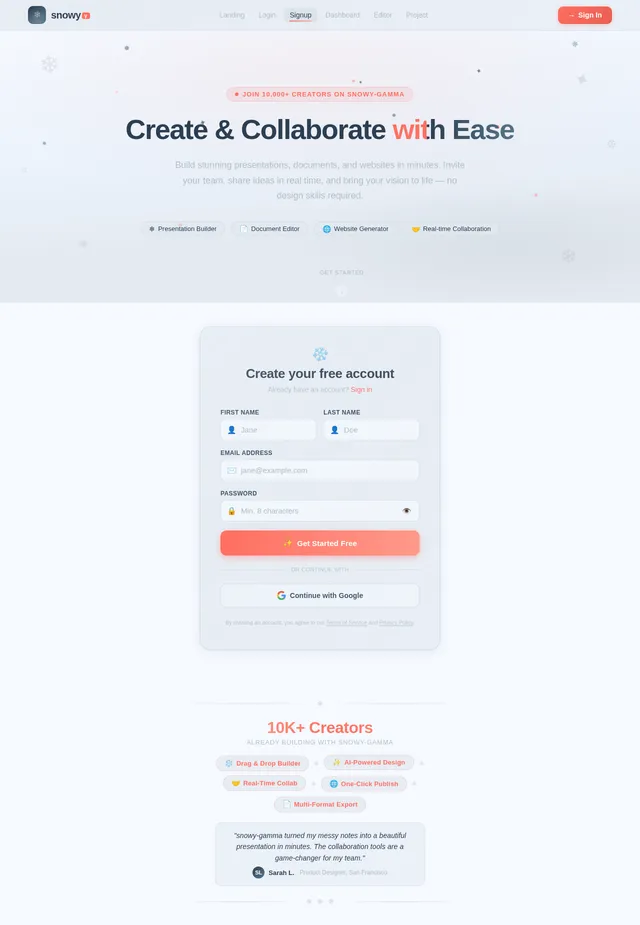
Sign Up
Create your free snowy-gamma account in seconds. No credit card required — just your email and you are ready to go.
Create
Choose from stunning templates and use our drag-and-drop builder to craft presentations, documents, or websites effortlessly.
Collaborate
Invite your team to edit in real-time, leave comments, and track every change — all in one seamless workspace.
Share
Publish your website, export documents in any format, or present your slides — share your work with the world instantly.
Create your free snowy-gamma account in seconds. No credit card required — just your email and you are ready to go.
Choose from stunning templates and use our drag-and-drop builder to craft presentations, documents, or websites effortlessly.
Invite your team to edit in real-time, leave comments, and track every change — all in one seamless workspace.
Publish your website, export documents in any format, or present your slides — share your work with the world instantly.
Ready to Create Magic?
Join thousands of creators building stunning presentations, documents, and websites with snowy-gamma. No coding required.
No comments yet. Be the first!