smart-one
 Drasti Thakkar
i want to make one website which sells food

Comments (0)
Sign in to leave a comment
System Requirements
System Requirements Document for smart-one
1. Introduction
The smart-one project aims to create a user-friendly website dedicated to selling food products. The primary audience includes food shoppers looking for a convenient and warm online shopping experience and food sellers who manage and maintain the food offerings on the platform.
2. System Overview
The smart-one website will serve as an e-commerce platform for selling food. It will provide a seamless experience for both food shoppers and sellers. Shoppers can browse, select, and purchase food items, while sellers can manage their product listings and handle orders. The system will require user authentication for certain actions, ensuring secure and personalized interactions.
2a. Product Interpretation and Delivery Boundary
The smart-one website will be delivered as a custom UI with application-owned identity management. It will include a public landing page for first-time visitors, a login page for returning users, and dedicated pages for browsing food items, checking out, and managing products and orders. The system will not include adjacent capabilities such as account management beyond the necessary authentication and authorization for the current scope.
2b. Source Content Inventory
Not applicable as there is no explicit content_source directive.
2c. Page Content and Component Coverage
Landing
- Purpose: Introduce the website and direct users to explore food offerings.
- Components:
- Hero section with bold color blocks and custom illustrations.
- Navigation links to Menu and Login pages.
- Call-to-action buttons for exploring the menu.
Login
- Purpose: Allow returning users to verify their identity.
- Components:
- Input fields for username and password.
- Buttons for login and password recovery.
- Links to registration for new users.
Menu
- Purpose: Display available food items for browsing and selection.
- Components:
- List of food items with images, descriptions, and prices.
- Filters and sorting options.
- Add to cart buttons.
Checkout
- Purpose: Facilitate the purchase process for selected food items.
- Components:
- Order summary with selected items and total cost.
- Input fields for shipping and payment information.
- Submit order button.
Products
- Purpose: Allow sellers to manage their food listings.
- Components:
- List of current products with options to add, edit, or remove items.
- Input fields for product details (name, description, price, image).
- Save changes button.
Orders
- Purpose: Enable sellers to review and process incoming orders.
- Components:
- List of orders with customer details and order status.
- Options to update order status (e.g., processed, shipped).
- Communication tools for contacting customers.
3. Functional Requirements
- As a Food shopper, I should be able to browse available food items and add them to my cart for purchase. (required_inference)
- As a Food shopper, I should be able to create an account and log in to complete my purchase securely. (required_inference)
- As a Food seller, I should be able to log in to manage my product listings and view incoming orders. (required_inference)
- As a Food seller, I should be able to update the status of orders and communicate with customers. (required_inference)
4. User Personas
Food Shopper
- Context: Browses the food offerings and completes purchases on the website.
- Primary Goal: To find and purchase food items easily and securely.
- Responsibilities: Browsing the menu, adding items to the cart, completing purchases.
- Interactions: Interacts with the Menu and Checkout pages, uses the Login page for account access.
- Success: Successfully purchases desired food items.
Food Seller
- Context: Manages food listings and processes orders on the website.
- Primary Goal: To maintain an up-to-date product catalog and efficiently handle orders.
- Responsibilities: Managing product listings, processing orders, communicating with customers.
- Interactions: Uses the Products and Orders pages, accesses the Login page for authentication.
- Success: Efficiently manages product listings and fulfills customer orders.
5. Core User Flows
Food Shopper Journey
- Landing Page: The shopper lands on the homepage and is introduced to the website's offerings.
- Menu Page: The shopper browses available food items and adds desired items to the cart.
- Login Page: If not already logged in, the shopper logs in to proceed with the purchase.
- Checkout Page: The shopper reviews the order, enters shipping and payment details, and submits the order.
- Order Confirmation: The shopper receives confirmation of the successful purchase.
Food Seller Journey
- Login Page: The seller logs in to access their workspace.
- Products Page: The seller manages product listings, adding or updating items as needed.
- Orders Page: The seller reviews incoming orders, updates order statuses, and communicates with customers as necessary.
- Order Fulfillment: The seller processes and fulfills orders, ensuring customer satisfaction.
6. Visuals Colors and Theme
- Muse: Haraldur Thorleifsson
- Palette:
- Background: #F4F4F4
- Surface: #FFFFFF
- Text: #333333
- Primary: #FFD700
- Accent: #FF6347
- Muted: #8FBC8F
- Typography:
- Headings: Sora — Bold
- Body: Outfit
- Scale: 1.25 modular, 48/32/24/18/16
- Shape Language: Chunky rounded shapes with soft edges
- Layout: Open and spacious with large color blocks
- Imagery: Custom character illustrations and bold iconography
7. Signature Design Concept
The landing page will feature a full-width hero section with bold color blocks and oversized friendly typography. A custom illustration of a vibrant food market scene will be prominently displayed, inviting users to explore the offerings. Bold, friendly call-to-action buttons with rounded edges will encourage interaction.
8. Interaction Model & Motion Direction
- Interaction Model: Animated
- Motion Tempo: Expressive
- Hero Dimensionality: Layered_2d
- Landing Hero Motion Brief: The hero section will feature lively entrance animations with hover pops. The focal subject will be a custom illustration of a food market scene, transforming into a vibrant display of food items as users interact. The motion vocabulary will include lively color transitions and hover animations that slightly scale icons and buttons.
9. Non-Functional Requirements
- The website must be responsive and accessible on various devices and screen sizes.
- The system should ensure secure handling of user data, particularly during authentication and payment processes.
- The platform must support a high volume of concurrent users without performance degradation.
10. Tech Stack
- Frontend: React
- Backend: Python/FastAPI
- Database: PostgreSQL
- Containerization: Docker
- Deployment: Kubernetes (if required for scaling)
11. Assumptions and Constraints
- The website will not include features for managing user accounts beyond login and registration.
- The system will not support multiple languages or currencies in the initial release.
- Sellers will be provisioned access through an external process not covered in this document.
12. Glossary
- Food Shopper: A user who browses and purchases food items on the website.
- Food Seller: A user who manages food listings and processes orders on the website.
- Checkout: The process of finalizing a purchase by providing payment and shipping information.
- Hero Section: The prominent area of a webpage, often featuring key visuals and calls to action.
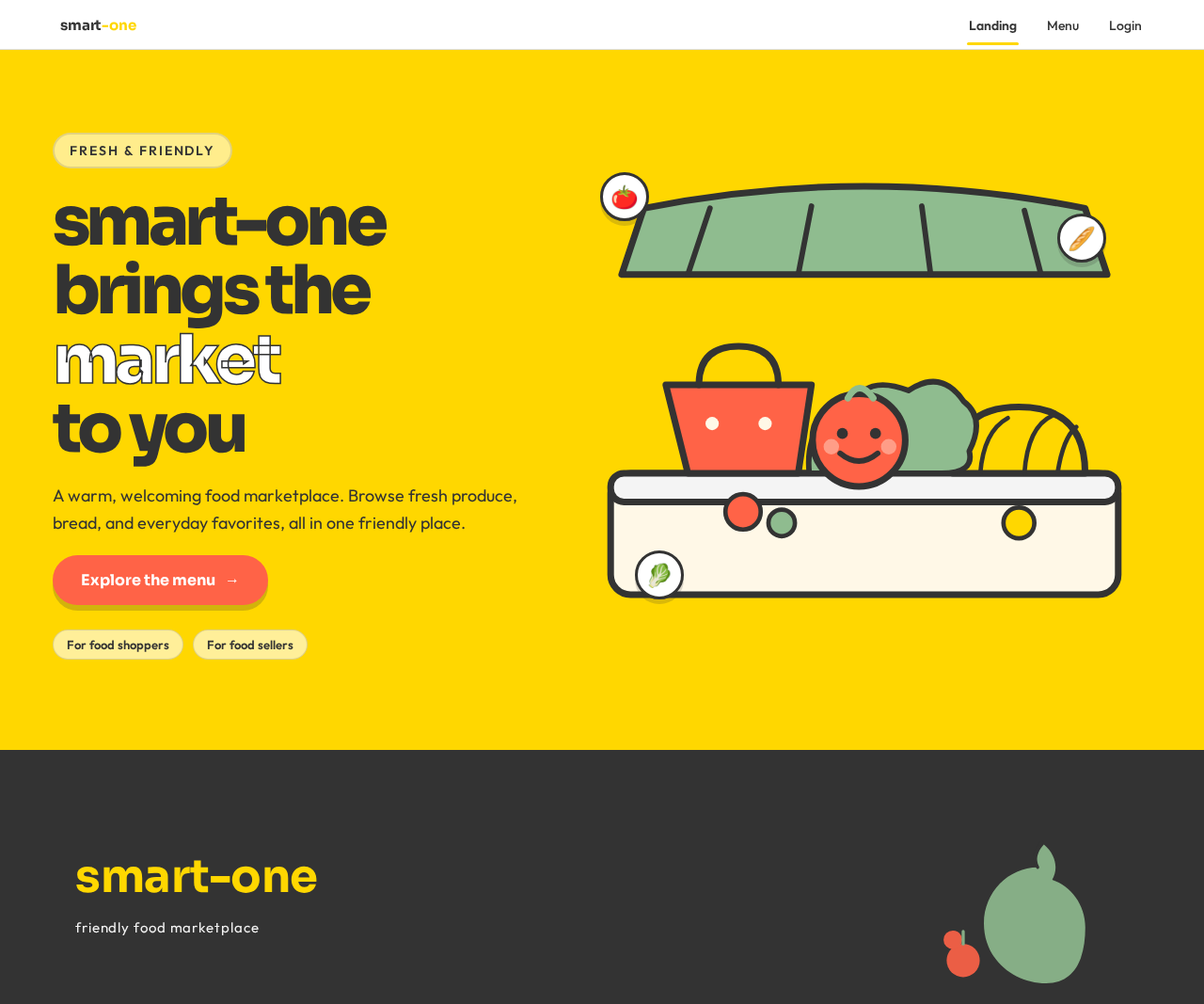
smart-one
brings the market
to you
A warm, welcoming food marketplace. Browse fresh produce, bread, and everyday favorites, all in one friendly place.
Explore the menusmart-one
brings the market
to you
A warm, welcoming food marketplace. Browse fresh produce, bread, and everyday favorites, all in one friendly place.
Explore the menu
No comments yet. Be the first!