simple-if
 Mixify Hub
If you're trying to launch without getting locked into Shopify’s $39/mo before making a single sale, it depends on whether you're building a multi-product catalog or a single-product sales page: 1. For a Single-Product Sales Page (Fastest & Free) MirrorSite AI (mirrorsiteai.vercel.app): You can paste a reference URL of a successful single-product site you like or prompt it ("High-converting landing page for a smart water bottle with reviews, benefits, and checkout button"). It generates the full front-end layout instantly without forcing database/coding setup. You can export/deploy it for free on Vercel or Netlify. Carrd ($19/year): Perfect for lightweight one-product landing pages with a Stripe/PayPal buy button. 2. For Full Multi-Product Stores WooCommerce + WordPress ($0 software): The software itself is free. You only pay $2–$3/mo for basic web hosting and $10/year for your domain. You can use free plugins like DSers to auto-sync AliExpress products. Square Online (Free Plan): Unlike Shopify, Square gives you a free tier with product listings and checkout—they only charge standard transaction fees when you make a sale. Free Tools for Sourcing & Ops: DSers (Free Tier): Auto-fulfills orders through AliExpress. Canva (Free): For mockups, logos, and ad banners.

Comments (0)
Sign in to leave a comment
System Requirements
System Requirements Document for simple-if
1. Introduction
The simple-if project aims to provide guidance for entrepreneurs and small e-commerce startups to launch single-product sales pages or multi-product stores without committing to Shopify's $39/month cost before making a sale. The product targets users seeking quick, cost-effective solutions for launching e-commerce platforms, leveraging tools like MirrorSite AI, Carrd, WooCommerce, and Square Online.
2. System Overview
The system offers a comprehensive guide for launching e-commerce platforms, focusing on single-product sales pages and multi-product stores. It provides users with information on free or low-cost tools and platforms, including MirrorSite AI, Carrd, WooCommerce, Square Online, DSers, and Canva. The product is designed to be accessible without requiring user authentication, allowing users to explore and revisit guidance freely.
2a. Product Interpretation and Delivery Boundary
The product is delivered as a web-based application with a custom UI, providing anonymous access to all features. It includes a public entry surface for first-time users and revisitable pages for ongoing guidance. The system does not require user accounts or authentication, ensuring ease of access and use.
2b. Source Content Inventory
Not applicable as no content source directive was provided.
2c. Page Content and Component Coverage
Landing
- Purpose: Introduce the product's value proposition and the distinction between single-product and multi-product e-commerce solutions.
- Components:
- Introduction to the product's purpose.
- Explanation of the single-product vs. multi-product distinction.
- Call-to-action buttons for exploring further guidance.
Dashboard
- Purpose: Serve as a central hub for revisiting launch-path comparisons and tool guidance.
- Components:
- Overview of available guidance paths.
- Quick links to "Launch Paths," "Tool Guide," and "Operations" pages.
Launch Paths
- Purpose: Compare the fastest/free single-product sales-page path with the full multi-product-store path.
- Components:
- Detailed comparison of single-product and multi-product options.
- Benefits and considerations for each path.
- Links to relevant tools and resources.
Tool Guide
- Purpose: Provide detailed information on MirrorSite AI, Carrd, WooCommerce with WordPress, and Square Online.
- Components:
- Descriptions of each tool and platform.
- Cost and pricing context.
- Use cases and integration options.
Operations
- Purpose: Highlight free or low-cost tools for sourcing, fulfillment, mockups, logos, and advertising support.
- Components:
- Information on DSers and Canva.
- Tips for using these tools effectively.
- Links to additional resources and tutorials.
3. Functional Requirements
- As a Store Builder, I should be able to access the Landing page to understand the product's purpose and the distinction between single-product and multi-product e-commerce solutions. (explicit)
- As a Store Builder, I should be able to navigate to the Dashboard to revisit launch-path comparisons and tool guidance. (required_inference)
- As a Store Builder, I should be able to explore the Launch Paths page to compare single-product and multi-product options. (required_inference)
- As a Store Builder, I should be able to access the Tool Guide to review detailed information on MirrorSite AI, Carrd, WooCommerce with WordPress, and Square Online. (required_inference)
- As a Store Builder, I should be able to visit the Operations page to learn about DSers and Canva for sourcing and operations. (required_inference)
4. User Personas
- Store Builder: An entrepreneur or small e-commerce startup owner seeking to launch a single-product sales page or a multi-product store without incurring high costs. The Store Builder uses the guidance provided to choose the most suitable e-commerce approach and tools.
5. Core User Flows
Store Builder Flow
- Access Landing Page: The Store Builder visits the Landing page to understand the product's purpose and the distinction between single-product and multi-product solutions.
- Navigate to Dashboard: The Store Builder accesses the Dashboard to explore available guidance paths.
- Explore Launch Paths: The Store Builder visits the Launch Paths page to compare single-product and multi-product options.
- Review Tool Guide: The Store Builder accesses the Tool Guide to learn about MirrorSite AI, Carrd, WooCommerce with WordPress, and Square Online.
- Visit Operations Page: The Store Builder visits the Operations page to discover DSers and Canva for sourcing and operations.
6. Visuals Colors and Theme
- Muse: Haraldur Thorleifsson
- Palette (light mode):
- Background: #FFF1E5
- Surface: #FFFFFF
- Text: #333333
- Primary: #FF6B6B
- Accent: #FFD93D
- Muted: #F5F5F5
- Typography:
- Headings: Outfit — Bold, large, tight tracking
- Body: Sora
- Scale: 1.414 modular, 60/42/28/18/16
- Shape language: Rounded cards and sections, friendly pill-shaped buttons
- Layout: Single-column focus with color-blocked sections
- Imagery: Custom character and spot illustration, bold iconography
7. Signature Design Concept
The Landing page will feature a large, color-blocked hero section with bold typography and a custom illustration as the focal point. The primary color (#FF6B6B) will be used for a visual punch, with oversized headlines in Outfit spanning the viewport. Chunky rounded pill buttons will animate on hover, and illustration-led sections will break the standard layout grid.
8. Interaction Model & Motion Direction
- Interaction Model: Animated
- Motion Tempo: Expressive
- Hero Dimensionality: Layered_2d
- Landing Hero Motion Brief: The hero section will feature a custom illustration that animates into view with lively entrance animations. Hover effects will provide interactive feedback, and the overall motion will convey a sense of boldness and approachability.
9. Non-Functional Requirements
- The system must be accessible without requiring user authentication. (explicit)
- The UI should be responsive and accessible across different devices and screen sizes. (basic_default)
- The application should load quickly and provide a seamless user experience. (basic_default)
10. Tech Stack
- Frontend: React
- Deployment: Vercel or Netlify
- Design Tools: Canva
11. Assumptions and Constraints
- The system will not require user accounts or authentication. (explicit)
- The guidance provided will focus on cost-effective solutions for launching e-commerce platforms. (explicit)
- The product will not include a backend or database setup. (explicit)
12. Glossary
- Store Builder: An individual or entity seeking to launch an e-commerce platform.
- Single-Product Sales Page: A landing page focused on selling a single product.
- Multi-Product Store: An e-commerce platform offering multiple products for sale.
- MirrorSite AI: A tool for generating single-product sales pages based on reference URLs or prompts.
- Carrd: A platform for creating lightweight one-product landing pages.
- WooCommerce: An open-source e-commerce plugin for WordPress.
- Square Online: An e-commerce platform with a free plan for product listings and checkout.
- DSers: A tool for auto-fulfilling orders through AliExpress.
- Canva: A design tool for creating mockups, logos, and ad banners.
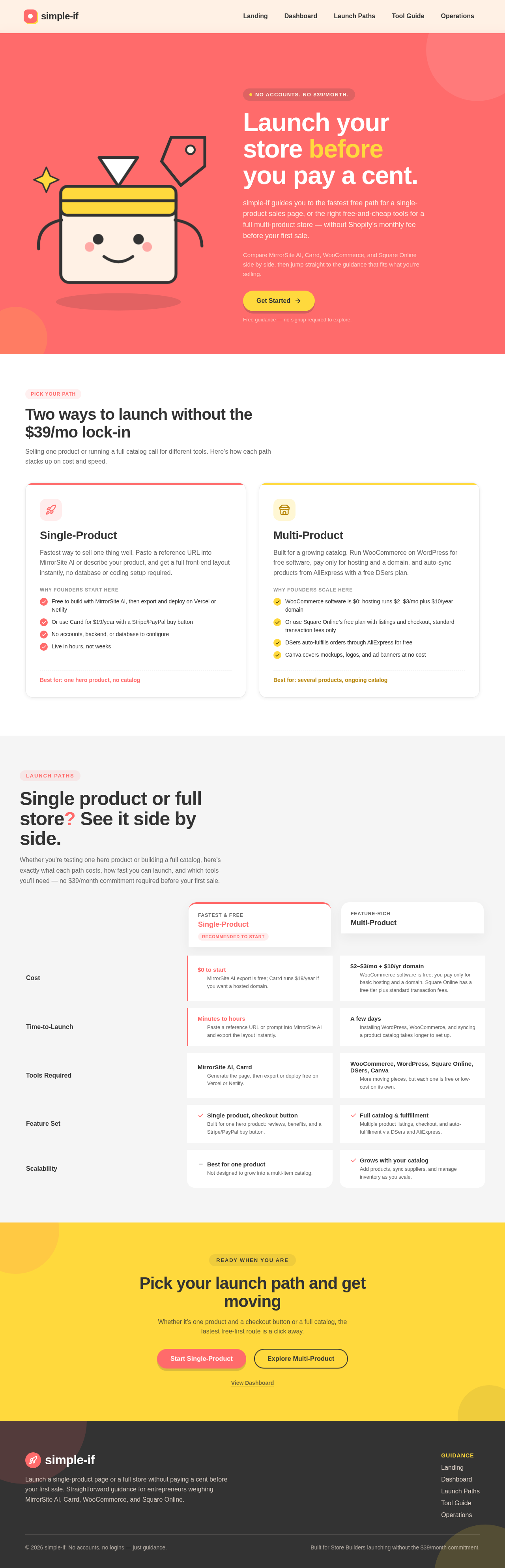
Launch your store before you pay a cent.
simple-if guides you to the fastest free path for a single-product sales page, or the right free-and-cheap tools for a full multi-product store — without Shopify’s monthly fee before your first sale.
Compare MirrorSite AI, Carrd, WooCommerce, and Square Online side by side, then jump straight to the guidance that fits what you’re selling.
Free guidance — no signup required to explore.
Two ways to launch without the $39/mo lock-in
Selling one product or running a full catalog call for different tools. Here’s how each path stacks up on cost and speed.
Single-Product
Fastest way to sell one thing well. Paste a reference URL into MirrorSite AI or describe your product, and get a full front-end layout instantly, no database or coding setup required.
Why founders start here- Free to build with MirrorSite AI, then export and deploy on Vercel or Netlify
- Or use Carrd for $19/year with a Stripe/PayPal buy button
- No accounts, backend, or database to configure
- Live in hours, not weeks
Multi-Product
Built for a growing catalog. Run WooCommerce on WordPress for free software, pay only for hosting and a domain, and auto-sync products from AliExpress with a free DSers plan.
Why founders scale here- WooCommerce software is $0; hosting runs $2–$3/mo plus $10/year domain
- Or use Square Online’s free plan with listings and checkout, standard transaction fees only
- DSers auto-fulfills orders through AliExpress for free
- Canva covers mockups, logos, and ad banners at no cost
Single product or full store? See it side by side.
Whether you're testing one hero product or building a full catalog, here's exactly what each path costs, how fast you can launch, and which tools you'll need — no $39/month commitment required before your first sale.
Single-Product
Recommended to startMulti-Product
MirrorSite AI export is free; Carrd runs $19/year if you want a hosted domain.
WooCommerce software is free; you pay only for basic hosting and a domain. Square Online has a free tier plus standard transaction fees.
Paste a reference URL or prompt into MirrorSite AI and export the layout instantly.
Installing WordPress, WooCommerce, and syncing a product catalog takes longer to set up.
Generate the page, then export or deploy free on Vercel or Netlify.
More moving pieces, but each one is free or low-cost on its own.
Built for one hero product: reviews, benefits, and a Stripe/PayPal buy button.
Multiple product listings, checkout, and auto-fulfillment via DSers and AliExpress.
Not designed to grow into a multi-item catalog.
Add products, sync suppliers, and manage inventory as you scale.
Pick your launch path and get moving
Whether it's one product and a checkout button or a full catalog, the fastest free-first route is a click away.
View DashboardLaunch your store before you pay a cent.
simple-if guides you to the fastest free path for a single-product sales page, or the right free-and-cheap tools for a full multi-product store — without Shopify’s monthly fee before your first sale.
Compare MirrorSite AI, Carrd, WooCommerce, and Square Online side by side, then jump straight to the guidance that fits what you’re selling.
Free guidance — no signup required to explore.
Two ways to launch without the $39/mo lock-in
Selling one product or running a full catalog call for different tools. Here’s how each path stacks up on cost and speed.
Single-Product
Fastest way to sell one thing well. Paste a reference URL into MirrorSite AI or describe your product, and get a full front-end layout instantly, no database or coding setup required.
Why founders start here- Free to build with MirrorSite AI, then export and deploy on Vercel or Netlify
- Or use Carrd for $19/year with a Stripe/PayPal buy button
- No accounts, backend, or database to configure
- Live in hours, not weeks
Multi-Product
Built for a growing catalog. Run WooCommerce on WordPress for free software, pay only for hosting and a domain, and auto-sync products from AliExpress with a free DSers plan.
Why founders scale here- WooCommerce software is $0; hosting runs $2–$3/mo plus $10/year domain
- Or use Square Online’s free plan with listings and checkout, standard transaction fees only
- DSers auto-fulfills orders through AliExpress for free
- Canva covers mockups, logos, and ad banners at no cost
Single product or full store? See it side by side.
Whether you're testing one hero product or building a full catalog, here's exactly what each path costs, how fast you can launch, and which tools you'll need — no $39/month commitment required before your first sale.
Single-Product
Recommended to startMulti-Product
MirrorSite AI export is free; Carrd runs $19/year if you want a hosted domain.
WooCommerce software is free; you pay only for basic hosting and a domain. Square Online has a free tier plus standard transaction fees.
Paste a reference URL or prompt into MirrorSite AI and export the layout instantly.
Installing WordPress, WooCommerce, and syncing a product catalog takes longer to set up.
Generate the page, then export or deploy free on Vercel or Netlify.
More moving pieces, but each one is free or low-cost on its own.
Built for one hero product: reviews, benefits, and a Stripe/PayPal buy button.
Multiple product listings, checkout, and auto-fulfillment via DSers and AliExpress.
Not designed to grow into a multi-item catalog.
Add products, sync suppliers, and manage inventory as you scale.
Pick your launch path and get moving
Whether it's one product and a checkout button or a full catalog, the fastest free-first route is a click away.
View Dashboard
No comments yet. Be the first!