AI-powered RAID Manager
Automatically create and update Risks, Assumptions, Issues, and Dependencies with AI assistance. Seamlessly integrate with Jira and Microsoft Teams.
JiraMicrosoft Teams
 santhosh muthu
AI + PMO (excellent fit) Since PMOs still rely heavily on Excel, email, and manual coordination, there is room for focused tools. 1. AI RAID Manager Automatically creates and updates Risks, Assumptions, Issues, Dependencies. Integrates with Jira and Microsoft Teams. Subscription: $15–50/user/month. 2. Resource Utilization Predictor Forecasts bench and overload 30–90 days ahead. Uses historical allocation data. Customers: IT services companies. 3. Budget Variance Copilot Reads Excel budgets. Detects overspend. Suggests corrective actions. 4. SOW & PO Tracker Tracks Statement of Work, Purchase Orders, MSA renewals. Sends automated reminders. Build me this micros SAAS


Sign in to leave a comment
The Silver-PMO project aims to develop a micro SaaS platform that leverages AI to enhance Project Management Office (PMO) operations. The platform will provide tools for RAID management, resource prediction, budget variance detection, and SOW/PO tracking, integrating with popular platforms like Jira and Microsoft Teams. This document outlines the system requirements for the Silver-PMO project.
Silver-PMO is designed to address the inefficiencies in traditional PMO processes, which often rely on manual coordination and tools like Excel and email. By integrating AI capabilities, Silver-PMO will automate and optimize various PMO functions, providing a more efficient and streamlined workflow.
The Silver-PMO landing page will feature an interactive workflow dashboard that visually represents the PMO processes. Users can click on different sections of the workflow to see detailed analytics and AI-driven insights. The dashboard will have animated transitions using motion/react to highlight the flow of information between different PMO tools.
The hero section will depict a dynamic PMO environment where data flows from Excel sheets and emails into the Silver-PMO system, transforming into actionable insights. The animation will show data being processed by AI, resulting in optimized project management outcomes. This will be a continuous loop with interactive elements that users can hover over to see more details.
This document serves as the foundation for the development and implementation of the Silver-PMO project, ensuring all stakeholders have a clear understanding of the system's capabilities and requirements.
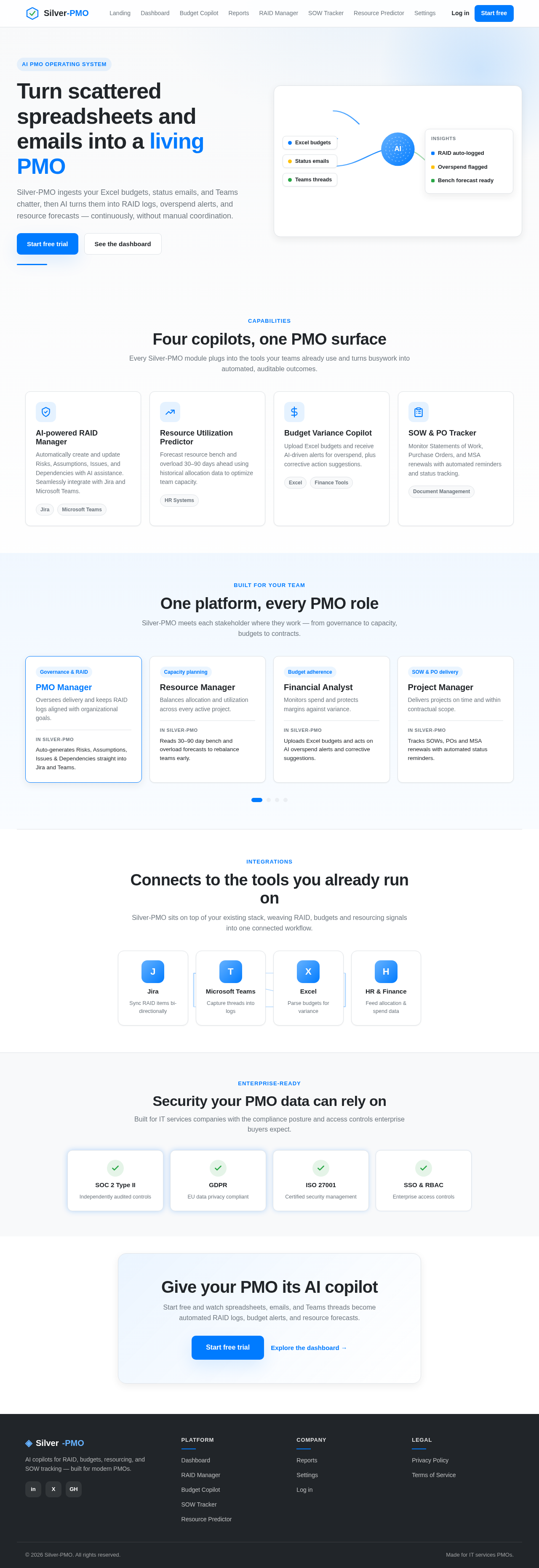
Silver-PMO ingests your Excel budgets, status emails, and Teams chatter, then AI turns them into RAID logs, overspend alerts, and resource forecasts — continuously, without manual coordination.
Every Silver-PMO module plugs into the tools your teams already use and turns busywork into automated, auditable outcomes.
Automatically create and update Risks, Assumptions, Issues, and Dependencies with AI assistance. Seamlessly integrate with Jira and Microsoft Teams.
Forecast resource bench and overload 30–90 days ahead using historical allocation data to optimize team capacity.
Upload Excel budgets and receive AI-driven alerts for overspend, plus corrective action suggestions.
Monitor Statements of Work, Purchase Orders, and MSA renewals with automated reminders and status tracking.
Silver-PMO meets each stakeholder where they work — from governance to capacity, budgets to contracts.
Oversees delivery and keeps RAID logs aligned with organizational goals.
Auto-generates Risks, Assumptions, Issues & Dependencies straight into Jira and Teams.
Balances allocation and utilization across every active project.
Reads 30–90 day bench and overload forecasts to rebalance teams early.
Monitors spend and protects margins against variance.
Uploads Excel budgets and acts on AI overspend alerts and corrective suggestions.
Delivers projects on time and within contractual scope.
Tracks SOWs, POs and MSA renewals with automated status reminders.
Silver-PMO sits on top of your existing stack, weaving RAID, budgets and resourcing signals into one connected workflow.
Built for IT services companies with the compliance posture and access controls enterprise buyers expect.
Start free and watch spreadsheets, emails, and Teams threads become automated RAID logs, budget alerts, and resource forecasts.
Silver-PMO ingests your Excel budgets, status emails, and Teams chatter, then AI turns them into RAID logs, overspend alerts, and resource forecasts — continuously, without manual coordination.
Every Silver-PMO module plugs into the tools your teams already use and turns busywork into automated, auditable outcomes.
Automatically create and update Risks, Assumptions, Issues, and Dependencies with AI assistance. Seamlessly integrate with Jira and Microsoft Teams.
Forecast resource bench and overload 30–90 days ahead using historical allocation data to optimize team capacity.
Upload Excel budgets and receive AI-driven alerts for overspend, plus corrective action suggestions.
Monitor Statements of Work, Purchase Orders, and MSA renewals with automated reminders and status tracking.
Silver-PMO meets each stakeholder where they work — from governance to capacity, budgets to contracts.
Oversees delivery and keeps RAID logs aligned with organizational goals.
Auto-generates Risks, Assumptions, Issues & Dependencies straight into Jira and Teams.
Balances allocation and utilization across every active project.
Reads 30–90 day bench and overload forecasts to rebalance teams early.
Monitors spend and protects margins against variance.
Uploads Excel budgets and acts on AI overspend alerts and corrective suggestions.
Delivers projects on time and within contractual scope.
Tracks SOWs, POs and MSA renewals with automated status reminders.
Silver-PMO sits on top of your existing stack, weaving RAID, budgets and resourcing signals into one connected workflow.
Built for IT services companies with the compliance posture and access controls enterprise buyers expect.
Start free and watch spreadsheets, emails, and Teams threads become automated RAID logs, budget alerts, and resource forecasts.
No comments yet. Be the first!