silver-app
 Hemen Ashodia
build a nice to do app
Comments (0)
Sign in to leave a comment
System Requirements
System Requirements Document (SRD) for silver-app
1. Introduction
The silver-app is a to-do application designed to provide users with a minimalistic and straightforward experience for managing their tasks. This document outlines the system requirements for the silver-app, focusing on simplicity, essential functionality, and a clean, modern user interface. The app will cater to users in India (IN), ensuring locale-specific defaults such as time zones (IST) and date formats (DD/MM/YYYY).
2. System Overview
The silver-app is a lightweight task management tool aimed at helping users organize their daily activities efficiently. The app emphasizes minimalism, offering only the essential features required for task management. It will include user authentication, task creation, categorization, and a clean dashboard for task visualization. The design will prioritize simplicity and ease of use, ensuring that users can navigate the app intuitively without unnecessary distractions.
3. Functional Requirements
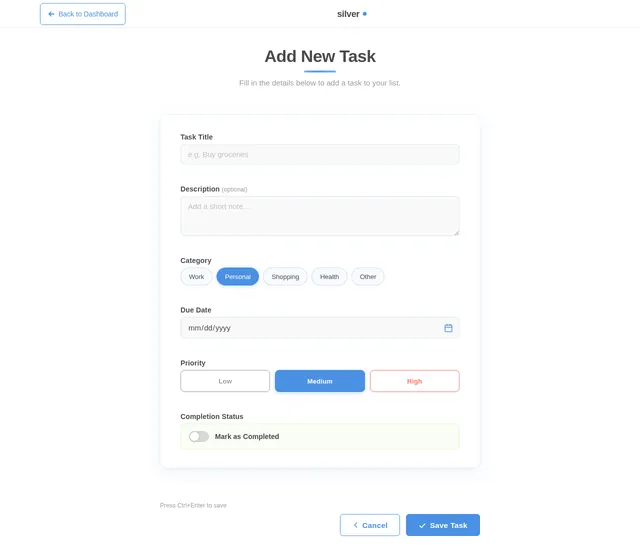
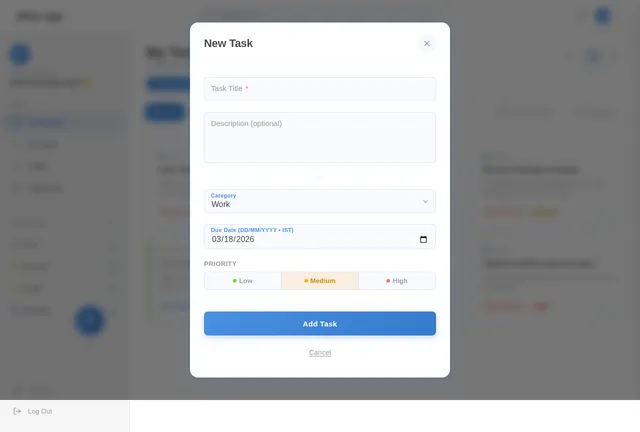
- As a User, I should be able to create, edit, and delete tasks.
- As a User, I should be able to categorize tasks into predefined or custom categories.
- As a User, I should be able to mark tasks as completed.
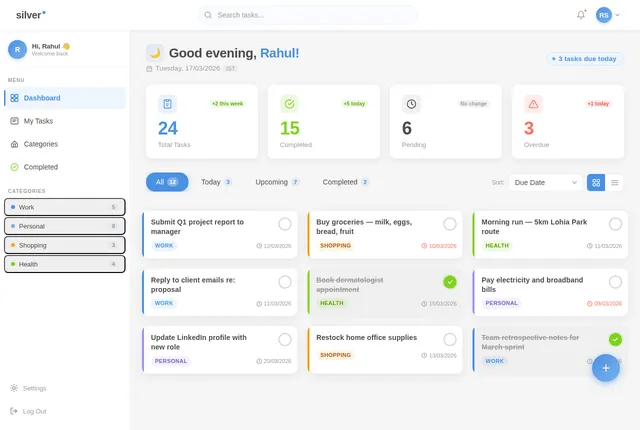
- As a User, I should be able to view my tasks in a clean and organized dashboard.
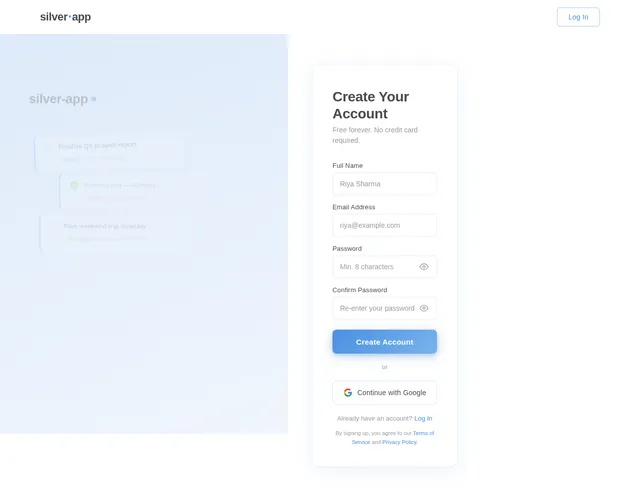
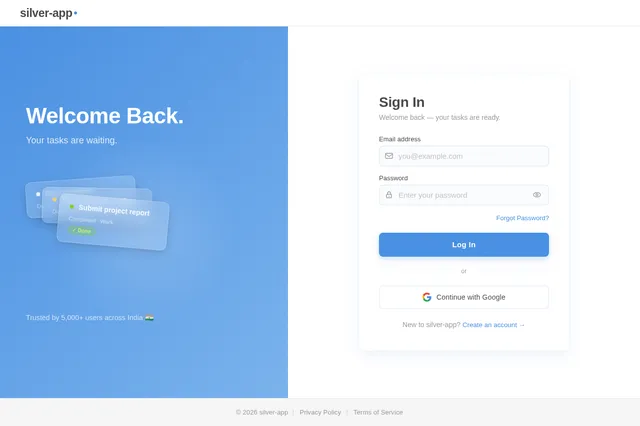
- As a User, I should be able to register and log in securely.
- As a User, I should be able to set due dates for tasks.
- As a User, I should be able to view tasks sorted by due date, category, or completion status.
4. User Personas
1. Regular User
- Description: A typical user who wants to manage their daily tasks efficiently.
- Goals: Simplify task management, organize tasks by categories, and track task completion.
- Pain Points: Overwhelming or cluttered interfaces, unnecessary features, and lack of focus on core functionality.
5. Visuals Colors and Theme
The silver-app will adopt a minimalistic design with a focus on simplicity and clarity. The color palette will include:
- Primary Color: Soft Blue (#4A90E2) for actionable elements like buttons and highlights.
- Secondary Color: Light Gray (#F5F5F5) for backgrounds and neutral areas.
- Accent Color: Soft Green (#7ED321) for task completion indicators.
- Text Color: Dark Gray (#4A4A4A) for readability.
- Error Color: Soft Red (#FF6F61) for error messages or alerts.
The design will use ample white space, clean typography (e.g., sans-serif fonts like Roboto or Open Sans), and subtle animations for transitions.
6. Signature Design Concept
"The Floating Task Cards"
The homepage/dashboard of the silver-app will feature a floating task card design. Each task will appear as an individual card that "floats" slightly above the background, casting a soft shadow. Users can interact with these cards using simple gestures:
- Hover Animation: On hover (or tap for mobile), the card will slightly elevate with a smooth shadow enhancement.
- Drag-and-Drop: Users can drag and drop cards to reorder tasks or move them between categories.
- Completion Animation: When a task is marked as complete, the card will "flip" and fade out with a subtle confetti animation in the background.
- Minimal Dashboard: The dashboard will feature a clean, grid-based layout with only the essential elements visible. A small "+" button at the bottom-right corner will allow users to add new tasks.
This design will create an engaging yet minimalistic experience, ensuring that users feel both productive and at ease while using the app.
7. Non-Functional Requirements
- The app should load within 2 seconds on a standard 4G connection.
- The app should support both light and dark modes.
- The app should be responsive and work seamlessly across devices (desktop, tablet, and mobile).
- The app should adhere to accessibility standards (WCAG 2.1 AA).
- The app should support Indian locale defaults (IST timezone, DD/MM/YYYY date format).
8. Tech Stack
Frontend
- React for Web
- React Native for Mobile App
Backend
- Python
- FastAPI
Database
- MySQL (with Alembic for migrations)
AI Tools
- GPT 5.2 for user-friendly responses (if needed for future features like smart task suggestions).
Local Orchestration
- Docker
- docker-compose
Server-Side Orchestration
- Kubernetes
9. Assumptions and Constraints
- The app will primarily target users in India, so locale-specific defaults (e.g., IST timezone, DD/MM/YYYY date format) will be implemented.
- The app will not include advanced features like collaboration or integrations with third-party tools in the initial version.
- The design will prioritize minimalism, avoiding unnecessary animations or complex UI elements.
- The app will support English as the primary language for the initial release.
10. Glossary
- Task Card: A visual representation of a task in the app.
- IST: Indian Standard Time.
- WCAG: Web Content Accessibility Guidelines.
- Minimal UI: A design approach that emphasizes simplicity and functionality, avoiding clutter or unnecessary elements.
This document outlines the foundation for the silver-app, ensuring that it meets Hemen's vision of a minimalistic and simple to-do application. Let's build something amazing! 🚀
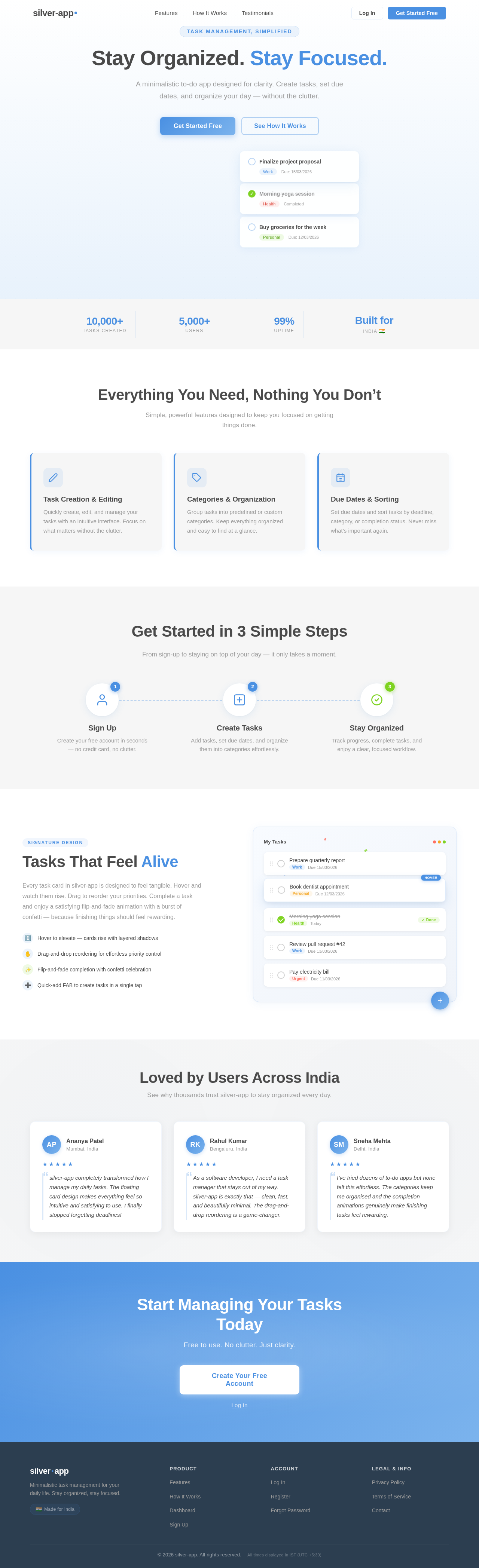
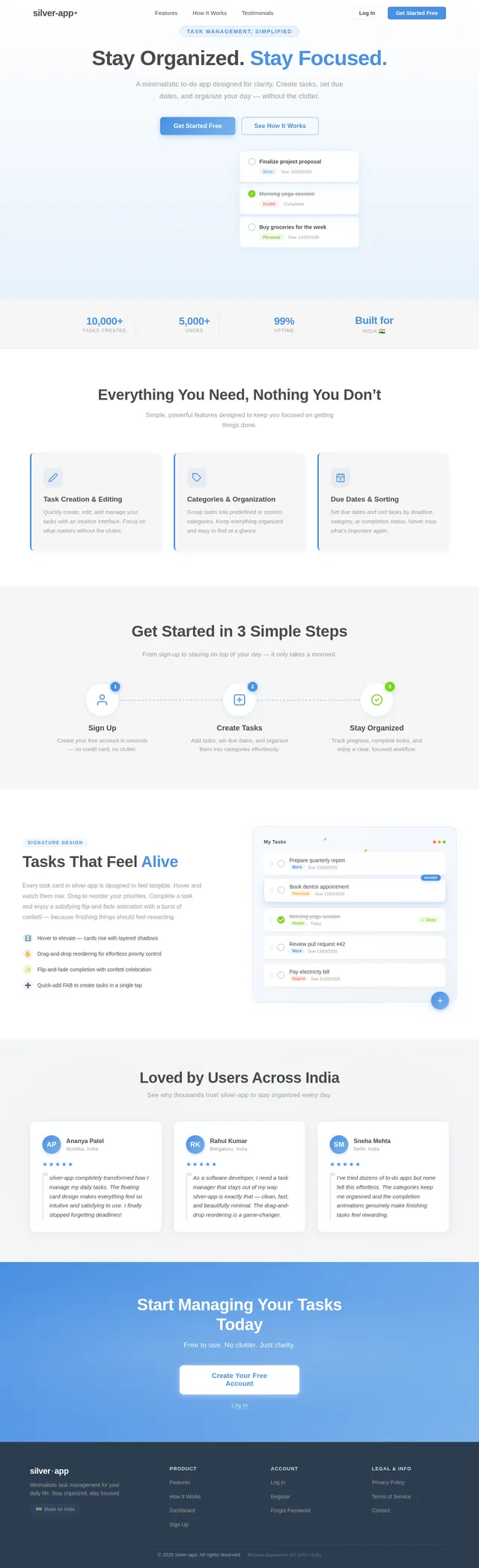
Stay Organized. Stay Focused.
A minimalistic to-do app designed for clarity. Create tasks, set due dates, and organize your day — without the clutter.
Everything You Need, Nothing You Don’t
Simple, powerful features designed to keep you focused on getting things done.
Task Creation & Editing
Quickly create, edit, and manage your tasks with an intuitive interface. Focus on what matters without the clutter.
Categories & Organization
Group tasks into predefined or custom categories. Keep everything organized and easy to find at a glance.
Due Dates & Sorting
Set due dates and sort tasks by deadline, category, or completion status. Never miss what’s important again.
Get Started in 3 Simple Steps
From sign-up to staying on top of your day — it only takes a moment.
Sign Up
Create your free account in seconds — no credit card, no clutter.
Create Tasks
Add tasks, set due dates, and organize them into categories effortlessly.
Stay Organized
Track progress, complete tasks, and enjoy a clear, focused workflow.
Tasks That Feel Alive
Every task card in silver-app is designed to feel tangible. Hover and watch them rise. Drag to reorder your priorities. Complete a task and enjoy a satisfying flip-and-fade animation with a burst of confetti — because finishing things should feel rewarding.
- Hover to elevate — cards rise with layered shadows
- Drag-and-drop reordering for effortless priority control
- Flip-and-fade completion with confetti celebration
- Quick-add FAB to create tasks in a single tap
Loved by Users Across India
See why thousands trust silver-app to stay organized every day.
silver-app completely transformed how I manage my daily tasks. The floating card design makes everything feel so intuitive and satisfying to use. I finally stopped forgetting deadlines!
As a software developer, I need a task manager that stays out of my way. silver-app is exactly that — clean, fast, and beautifully minimal. The drag-and-drop reordering is a game-changer.
I’ve tried dozens of to-do apps but none felt this effortless. The categories keep me organised and the completion animations genuinely make finishing tasks feel rewarding.
Start Managing Your Tasks Today
Free to use. No clutter. Just clarity.
No comments yet. Be the first!