shiny-platform
 Social Collage
Project Overview This document defines the scope, functional requirements, system components, and deliverables for the design and development of a scalable web platform for Clean2ShinePro. Clean2ShinePro is a cleaning services company based in Chennai, serving both residential (B2C) and corporate (B2B) clients, with a strategic roadmap to expand operations across India through a franchise model. The platform will serve as a centralized digital system to manage service discovery, customer enquiries/bookings, operational workflows, and franchise lead generation. 2. Objectives Establish a professional and scalable digital presence Enable structured service discovery for multiple user segments Implement a flexible booking/enquiry system Centralize operational control through an admin dashboard Enable franchise lead capture and management Build a system that supports future expansion (multi-city, mobile app, CRM) 3. Scope of Work 3.1 Design and Frontend Development Custom UI/UX tailored for service-based business workflows Responsive design (mobile, tablet, desktop) Conversion-focused layouts for enquiry generation SEO-friendly structure and performance optimization 3.2 Backend Development Admin dashboard for system management Database design for services, users, enquiries, and franchise leads Role-based access (admin-level control) Scalable backend architecture 4. Information Architecture (Website Structure) Home About Us Services (Listing Page) Service Detail Pages Booking / Enquiry Page Franchise Page Contact Page 5. Functional Requirements 5.1 Service Management Module Objective: To organize and present multiple cleaning services in a structured and scalable manner. Features: Create and manage service categories: Home Cleaning Office Cleaning Deep Cleaning Sofa & Carpet Cleaning Kitchen & Bathroom Cleaning Add/edit/delete services via admin panel Service detail pages including: Description Scope of work Benefits Images Future-ready structure for adding new categories 5.2 Booking / Enquiry Management System Objective: To allow users to request services through a structured flow while maintaining flexibility based on business operations. Workflow (User Side): User selects a service User fills enquiry/booking form: Name Phone number Email Service type Location Preferred date & time (optional) Additional notes Submission confirmation message displayed System Behavior: Enquiry stored in database Admin receives notification (email/dashboard) Flexibility: System supports: Enquiry-based model (initial phase) Upgrade to full booking workflow (future) 5.3 Admin Dashboard Module Objective: To provide centralized control over all website operations. Features: A. Service Management Add/edit/delete services Manage categories Update content dynamically B. Enquiry Management View all enquiries Filter by: Date Service type Location Status tracking (New / In Progress / Completed) C. Franchise Lead Management View submitted franchise enquiries Access lead details Export data (if required) D. Content Management Update website text and sections Manage banners/images E. Basic Reporting Total enquiries count Service-wise enquiry insights Franchise lead count 5.4 Franchise Module Objective: To capture and manage franchise expansion leads. Features: Dedicated franchise page including: Business overview Benefits of partnership Expansion vision Franchise enquiry form fields: Full name Phone number Email City/location Investment range Message Data stored in admin panel Notification to admin on submission 5.5 Contact & Lead Management Features: Contact form with: Name Phone Email Message Google Maps integration (if required) Email notification on submission 5.6 Location & Scalability Design Current Phase: Service limited to Chennai System Design: Architecture supports: Multi-city expansion Location-based service filtering Future geo-based logic 5.7 Responsive Design & Performance Mobile-first UI design Cross-browser compatibility Optimized loading performance Clean and professional interface
Comments (0)
Sign in to leave a comment
System Requirements
System Requirements Document (SRD) for shiny-platform
1. Introduction
This document outlines the system requirements for the development of shiny-platform, a scalable web platform designed for Social Collage. The platform aims to provide a seamless and user-friendly experience for service discovery, customer engagement, and operational management. The project is tailored for the Indian market, with locale-specific considerations such as time zones (IST), currency (INR), and regional scalability.
The platform will serve as a centralized system to manage service discovery, customer enquiries/bookings, operational workflows, and franchise lead generation, with a focus on scalability and future expansion.
2. System Overview
The shiny-platform is designed to meet the following objectives:
- Establish a professional and scalable digital presence for Social Collage.
- Enable structured service discovery for multiple user segments.
- Implement a flexible booking/enquiry system with search and filter functionality.
- Centralize operational control through an admin dashboard.
- Enable franchise lead capture and management.
- Build a system that supports future expansion (multi-city, mobile app, CRM integration).
The platform will include a responsive design, optimized for mobile, tablet, and desktop devices, ensuring accessibility and usability across all user segments.
3. Functional Requirements
3.1 Service Management Module
- As Admin, I should be able to create and manage service categories like Home Cleaning, Office Cleaning, etc.
- As Admin, I should be able to add/edit/delete services via the admin panel.
- As User, I should be able to view service detail pages, including descriptions, scope of work, benefits, and images.
- As User, I should be able to search and filter services by type and location.
3.2 Booking/Enquiry Management System
- As User, I should be able to select a service and fill out an enquiry/booking form with fields like name, phone, email, service type, location, preferred date & time, and additional notes.
- As User, I should receive a confirmation message upon submission.
- As Admin, I should receive notifications for new enquiries and view them in the admin dashboard.
3.3 Admin Dashboard Module
- As Admin, I should be able to manage services, categories, and content dynamically.
- As Admin, I should be able to view and filter enquiries by date, service type, location, and status.
- As Admin, I should be able to manage franchise leads and export data if required.
- As Admin, I should be able to view basic reports, including total enquiries, service-wise insights, and franchise lead counts.
3.4 Franchise Module
- As User, I should be able to access a dedicated franchise page with business overview, benefits, and an enquiry form.
- As Admin, I should be notified of new franchise enquiries and manage them in the admin panel.
3.5 Contact & Lead Management
- As User, I should be able to submit a contact form with fields like name, phone, email, and message.
- As Admin, I should receive notifications for new contact submissions.
- As User, I should be able to view Google Maps integration for location details.
3.6 Location & Scalability Design
- As User, I should be able to filter services by location.
- As Admin, I should be able to manage multi-city expansion and location-based service filtering.
3.7 Responsive Design & Performance
- As User, I should experience a mobile-first UI design with cross-browser compatibility and optimized loading performance.
4. User Personas
4.1 Admin
- Manages services, enquiries, franchise leads, and content.
- Requires access to reports and notifications for operational efficiency.
4.2 User
- Searches for services, submits enquiries/bookings, and interacts with the platform for service discovery.
4.3 Franchise Partner
- Explores franchise opportunities and submits enquiries through the dedicated franchise page.
5. Visuals Colors and Theme
Color Palette
- Background: #F5F8FA (Soft Sky Blue)
- Surface: #FFFFFF (Pure White)
- Text: #2C3E50 (Deep Charcoal)
- Accent: #FF6F61 (Warm Coral)
- Muted: #B0BEC5 (Cool Gray)
This palette reflects a clean, professional, and approachable aesthetic, aligning with the platform's purpose.
6. Signature Design Concept
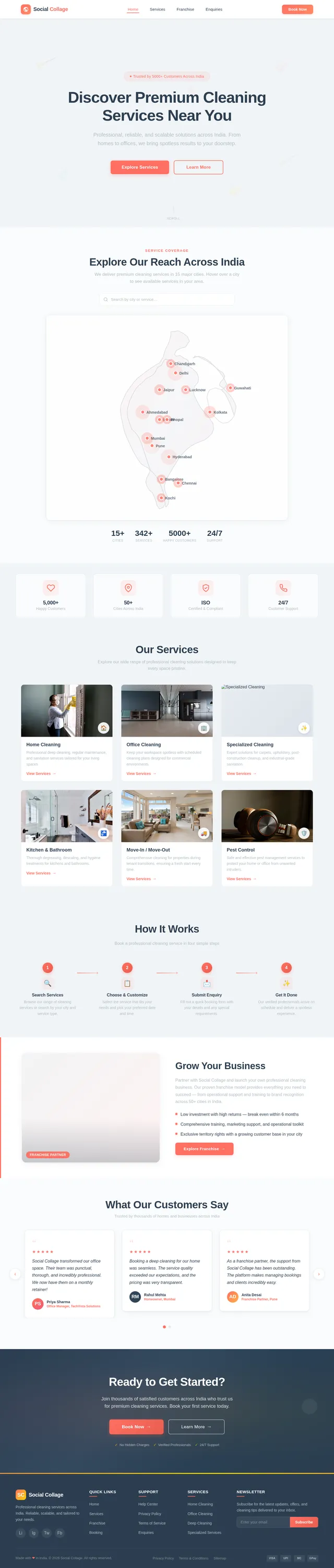
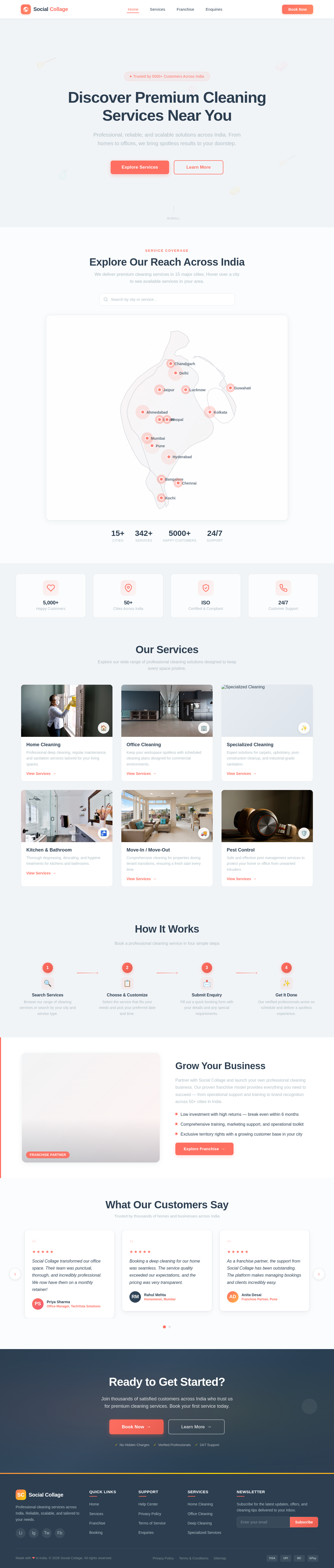
The shiny-platform homepage will feature an Interactive Service Map.
- Visuals: A dynamic map of India will serve as the centerpiece, with city markers representing service locations. Hovering over a city marker will display a tooltip with available services and a "View Services" button.
- Animations: Smooth zoom-in and fade-in effects will activate as users interact with the map. The background will feature subtle animations of cleaning tools (e.g., brooms, vacuums) floating in and out of view.
- Interaction: Users can click on a city marker to navigate to a location-specific service listing page. The map will also include a search bar for direct city/service queries.
- Micro-interactions: Buttons and icons will have hover effects, such as color shifts and slight enlargements, to enhance user engagement.
This concept ensures a memorable first impression while emphasizing the platform's scalability and service reach.
7. Non-Functional Requirements
- Performance: The platform should load within 3 seconds on a 4G connection.
- Scalability: Support for multi-city operations and up to 1 million users.
- Security: Implement SSL encryption, secure authentication, and role-based access control.
- Localization: Support for Indian languages (e.g., Hindi, Tamil) in future phases.
- Accessibility: WCAG 2.1 compliance for users with disabilities.
8. Tech Stack
Frontend
- React for Web
- React Native for Mobile App
Backend
- Python
- FastAPI
Database
- MySQL (with Alembic for migrations)
AI Models
- GPT 5.4 for user-friendly responses
- Google Nano Banana for image generation
AI Tools
- Langchain
- Litellm for LLM Routing
Orchestration
- Docker
- Kubernetes
9. Assumptions and Constraints
- The platform will initially focus on Chennai, with plans for multi-city expansion.
- The search and filter system will be limited to service type and location in the initial phase.
- Franchise management features will be basic in Phase 1, with advanced CRM integration planned for future updates.
10. Glossary
- Admin: The user responsible for managing the platform's backend operations.
- User: An individual or business seeking cleaning services.
- Franchise Partner: A potential business partner interested in expanding the service network.
- Enquiry: A request submitted by a user for a specific service.
- Responsive Design: A design approach ensuring usability across devices (mobile, tablet, desktop).
Discover Premium Cleaning Services Near You
Professional, reliable, and scalable solutions across India. From homes to offices, we bring spotless results to your doorstep.
Explore Our Reach Across India
We deliver premium cleaning services in 15 major cities. Hover over a city to see available services in your area.
Our Services
Explore our wide range of professional cleaning solutions designed to keep every space pristine.

Professional deep cleaning, regular maintenance, and sanitation services tailored for your living spaces.
View Services→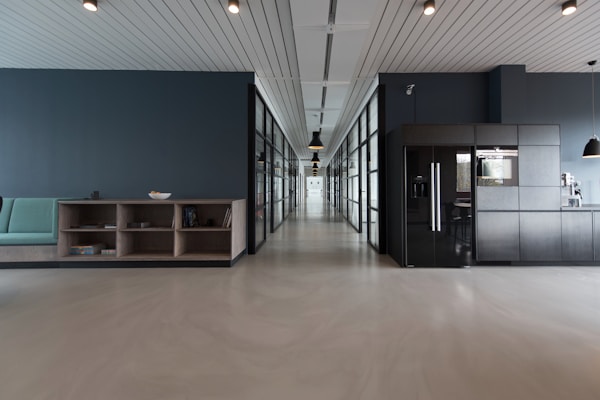
Keep your workspace spotless with scheduled cleaning plans designed for commercial environments.
View Services→
Expert solutions for carpets, upholstery, post-construction cleanup, and industrial-grade sanitation.
View Services→
Thorough degreasing, descaling, and hygiene treatments for kitchens and bathrooms.
View Services→
Comprehensive cleaning for properties during tenant transitions, ensuring a fresh start every time.
View Services→
Safe and effective pest management services to protect your home or office from unwanted intruders.
View Services→How It Works
Book a professional cleaning service in four simple steps
Search Services
Browse our range of cleaning services or search by your city and service type.
Choose & Customize
Select the service that fits your needs and pick your preferred date and time.
Submit Enquiry
Fill out a quick booking form with your details and any special requirements.
Get It Done
Our verified professionals arrive on schedule and deliver a spotless experience.
 Franchise Partner
Grow Your Business
Partner with Social Collage and launch your own professional cleaning business. Our proven franchise model provides everything you need to succeed — from operational support and training to brand recognition across 50+ cities in India.
- Low investment with high returns — break even within 6 months
- Comprehensive training, marketing support, and operational toolkit
- Exclusive territory rights with a growing customer base in your city
What Our Customers Say
Trusted by thousands of homes and businesses across India
Ready to Get Started?
Join thousands of satisfied customers across India who trust us for premium cleaning services. Book your first service today.
No comments yet. Be the first!