shiny-migration
 Chirag Panchal
I've this current website in wordpress (I've attached images and pdfs of current visual - its full page view screenshots and pdfs), I would like to make migration of current tech stack and create replica of same website in react js. I don't want to introduce any new feature, 100% same I want. current website is on static one, there is no signup login. when I click button in hero section it scroll me to particular section in landing page itself. only in legacy page when I click "View All", it take me to dedicate page of legacy records and when I click any particular record it open data in model. Can you please create requirement doc for the same.

Comments (0)
Sign in to leave a comment
System Requirements
shiny-migration
Introduction
The purpose of this document is to outline the system requirements for the "shiny-migration" project. This project involves migrating the existing WordPress website to a custom React.js implementation while maintaining the current design and functionality. The goal is to replicate the existing website exactly, without introducing any new features.
System Overview
The shiny-migration project aims to transition the current static WordPress website to a React.js framework. The website is static, with no user authentication features like signup or login. The primary interaction involves scrolling to specific sections on the landing page when buttons are clicked and viewing detailed records in modals on a dedicated legacy page.
Functional Requirements
- As a User, I should be able to navigate to specific sections on the landing page by clicking buttons in the hero section.
- As a User, I should be able to view all legacy records on a dedicated page by clicking "View All."
- As a User, I should be able to open detailed data in a modal by clicking on a particular legacy record.
User Personas
- Visitor: A general user who can navigate the website, view content, and interact with the legacy records.
Visuals Colors and Theme
- primary: #1A73E8 (a vibrant blue for brand identity)
- primary_light: #DDEEFF (a lighter blue for hover states and secondary UI elements)
- secondary: #FF6F61 (a coral hue for headlines and emphasis)
- accent: #FFC700 (a bright gold for call-to-action buttons and active states)
- highlight: #FFA500 (an orange hue for hover states and notifications)
- bg: #FAFAFA (a clean white for the page background)
- surface: rgba(240, 240, 240, 0.8) (a light grey for card/panel backgrounds)
- text: #202124 (a dark grey for primary text and headings)
- text_muted: #5F6368 (a softer grey for secondary text and labels)
- border: rgba(218, 220, 224, 0.2) (a subtle grey for borders)
Signature Design Concept
The homepage will feature an interactive "scroll-triggered panorama" concept. As users scroll, the background will transition through a series of panoramic images that represent different sections of the website. Each section will have a unique visual theme, and the transition between sections will be smooth and fluid, creating an immersive experience. The panorama will include subtle animations, such as moving clouds or shifting light, to enhance the visual appeal. Users can click on interactive elements within each panorama to learn more or navigate to specific content. This will be implemented using gsap for smooth scroll-triggered animations and transitions.
Interaction Model & Motion Direction
The intended interaction model for the landing page is "parallax." This will create a layered depth effect as users scroll through the page. Decorative elements will move at different speeds to create a sense of depth, while the main content will scroll naturally. This approach is ideal for creating a visually rich first impression. Internal pages, such as the legacy records page, will use a "static" interaction model to prioritize layout clarity and ease of reading.
Non-Functional Requirements
- The website must load within 3 seconds on a standard broadband connection.
- The website should be responsive and function correctly on devices of various screen sizes, including desktops, tablets, and smartphones.
- The website should be accessible, adhering to WCAG 2.1 AA standards.
Tech Stack
- Frontend: React.js
- Backend: None required for static content
- Database: None required for static content
- Deployment: Docker for local orchestration, Kubernetes for server-side orchestration
Assumptions and Constraints
- The existing design and functionality will be replicated exactly in the new React.js implementation.
- No new features or functionalities will be introduced during the migration.
- The website will remain static, with no need for a backend server or database.
Glossary
- React.js: A JavaScript library for building user interfaces.
- Static Website: A website with fixed content that does not change unless manually updated.
- Modal: A dialog box/popup window that is displayed on top of the current page.
- Parallax: An effect where background images move slower than foreground images, creating a sense of depth.
This document serves as a comprehensive guide for the shiny-migration project, ensuring a seamless transition from WordPress to a custom React.js implementation while maintaining the existing user experience and design.
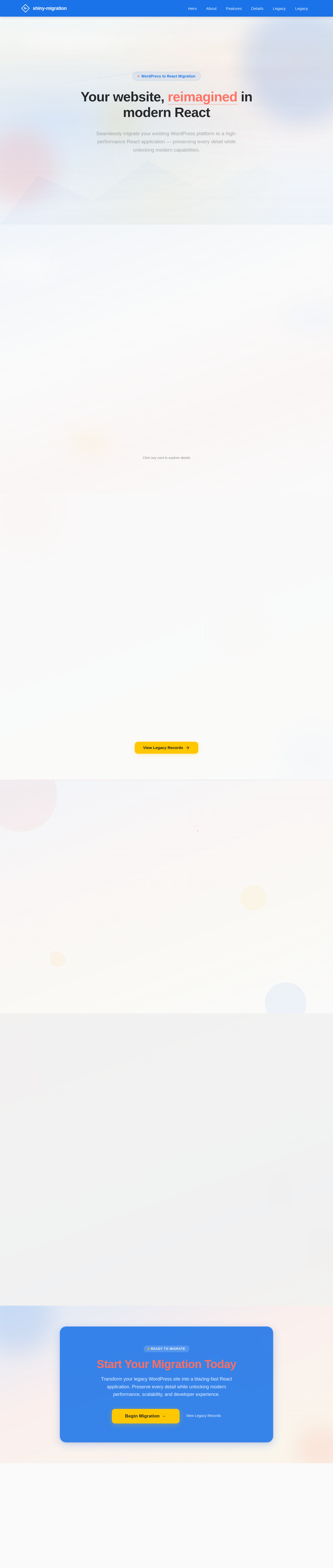
Your website, reimagined in modern React
Seamlessly migrate your existing WordPress platform to a high-performance React application — preserving every detail while unlocking modern capabilities.
Everything Your Site Needs, Modernized
We handle the heavy lifting of moving from WordPress to React — preserving your content, design, and SEO while unlocking blazing-fast performance and a modern developer experience.
Click any card to explore details
Built for Speed, Fidelity & Scale
Every aspect of the original WordPress site has been meticulously re-engineered in React — delivering faster load times, pixel-perfect design, and a future-ready architecture.
Lightning-Fast Performance
Optimized React components ensure sub-3-second load times across all devices and connection speeds.
Pixel-Perfect Fidelity
Every design detail from the original WordPress site is faithfully replicated in the new React implementation.
Seamless Data Migration
All legacy records and content transferred with zero data loss, fully accessible in the new interface.
Modern Architecture
Built on React.js with component-driven architecture ready for future enhancements and scaling.
Responsive Across Devices
Fluid layouts that adapt beautifully from mobile phones to ultra-wide desktop monitors.
Future-Ready Platform
Clean codebase primed for new features, integrations, and content management capabilities.
EveryDetailPreservedintheMigration
Ourmigrationprocessensurespixel-perfectaccuracy,maintainingyourexistingdesign,functionality,andcontentstructurethroughoutthetransition.
Pixel-Perfect Replication
Every page, component, and visual element from your WordPress site is faithfully recreated in React, preserving the design your visitors already know.
Seamless Content Transfer
All legacy records, media assets, and structured data migrate without loss. View detailed records in modals just as before, with zero downtime.
Performance & Reliability
The new React implementation loads within 3 seconds, is fully responsive across devices, and meets WCAG 2.1 AA accessibility standards.
Explore the Archives
Every page, post, and media file from the original WordPress platform — preserved and accessible in the new React experience.
Historical Site Archives
Browse the complete archive of legacy WordPress pages, preserving every article, announcement, and update from the original platform.
Media Gallery Collection
Access all original images, documents, and downloadable assets from the legacy content management system, fully indexed and searchable.
Content Migration Log
Track every migrated page, post, and custom field with detailed status reports — ensuring nothing was lost in the transition to React.
Legacy Data Explorer
Interact with structured legacy records through modal views — click any record to see its full details, metadata, and revision history.
Start Your Migration Today
Transform your legacy WordPress site into a blazing-fast React application. Preserve every detail while unlocking modern performance, scalability, and developer experience.
No comments yet. Be the first!