shadow-reminder
 kavita
build me a reminder app
Comments (0)
Sign in to leave a comment
System Requirements
System Requirements Document (SRD)
Project Name: Shadow-Reminder
1. Introduction
Shadow-Reminder is a personal reminder application designed to help users in Afghanistan (AF) manage their daily tasks and routines effectively. The app focuses on simplicity and functionality, offering features such as recurring reminders and notifications to ensure users never miss important events or deadlines. This document outlines the system requirements for Shadow-Reminder, incorporating the latest updates requested by the user.
2. System Overview
Shadow-Reminder is a lightweight, user-friendly application tailored for personal use. The system will allow users to create, edit, and manage reminders with options for recurring schedules and notification alerts. The app will prioritize ease of use, ensuring that users can quickly set up reminders without unnecessary complexity.
Key features include:
- Recurring reminders for daily, weekly, monthly, or custom intervals.
- Notifications to alert users of upcoming tasks or events.
- A clean and intuitive interface optimized for personal use.
The system will be designed to operate seamlessly across web and mobile platforms, leveraging React for the frontend and Python (FastAPI) for the backend.
3. Functional Requirements
As User:
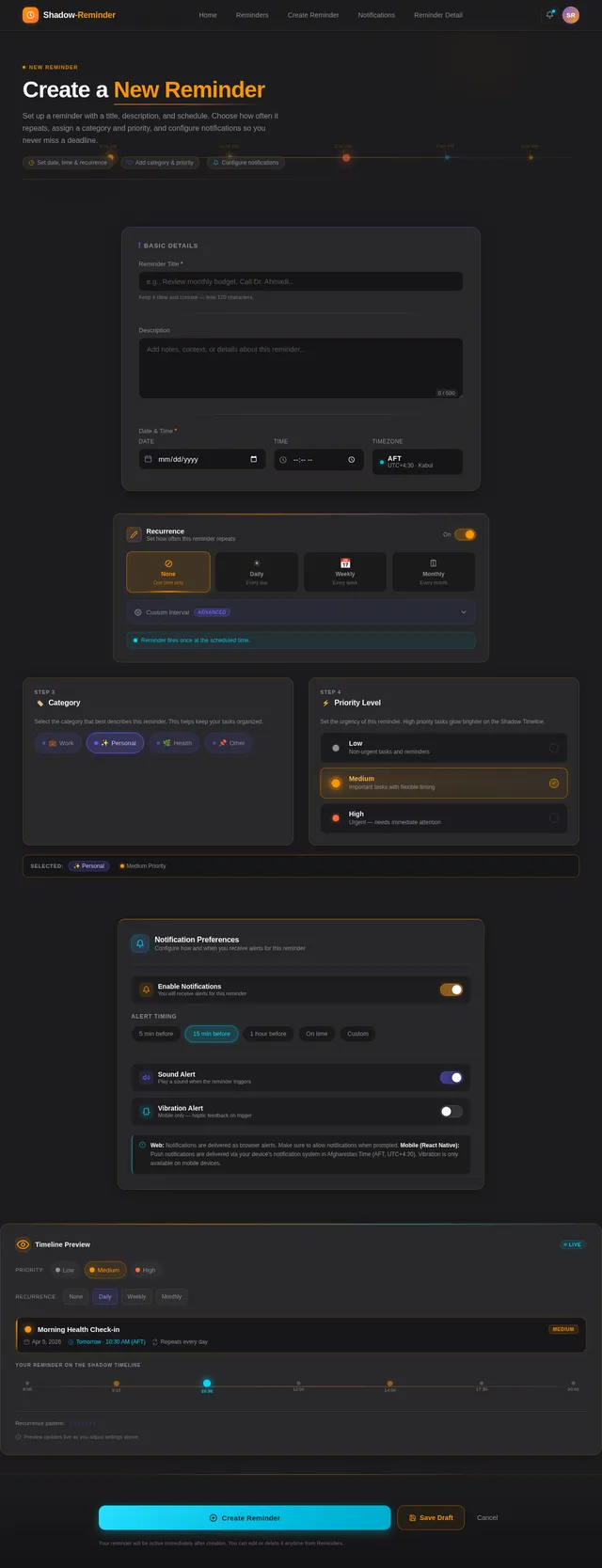
- I should be able to create reminders with a title, description, and date/time.
- I should be able to set reminders to recur daily, weekly, monthly, or at custom intervals.
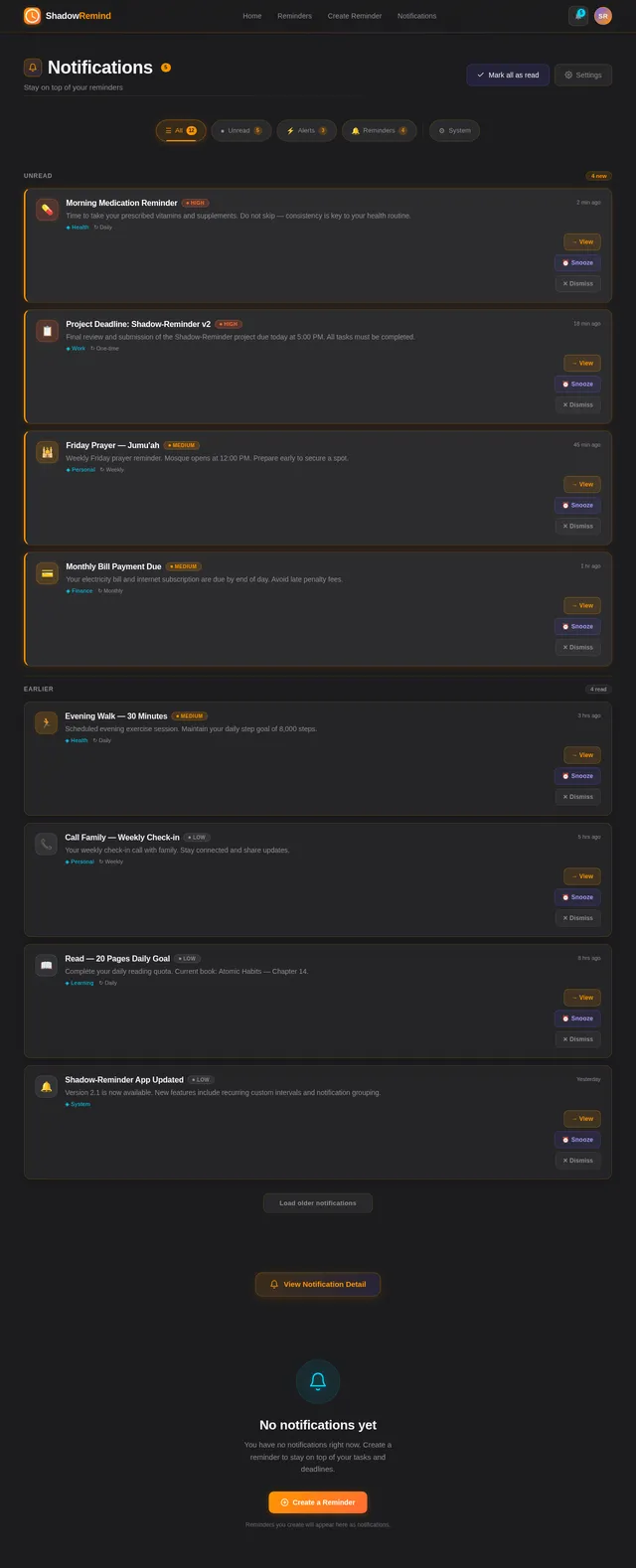
- I should receive notifications for upcoming reminders.
- I should be able to edit or delete existing reminders.
- I should be able to categorize reminders for better organization.
- I should be able to set priority levels for reminders (e.g., high, medium, low).
4. User Personas
Persona 1: Everyday User
Description: A typical individual who uses the app to manage personal tasks, appointments, and routines.
Needs:
- Simple and quick reminder setup.
- Reliable notifications.
- Recurring reminders for daily habits or weekly schedules.
Persona 2: Organized Planner
Description: A user who relies on the app for detailed task management, including categorization and prioritization.
Needs:
- Ability to categorize reminders (e.g., work, personal, health).
- Priority levels to highlight urgent tasks.
- Flexibility in setting custom recurrence intervals.
5. Visuals Colors and Theme
Color Palette:
The Shadow-Reminder app will feature a calming and professional color scheme inspired by shadows and subtle contrasts.
- Background: #1C1C1E (Dark Shadow Gray)
- Surface: #2E2E30 (Charcoal Gray)
- Text: #F5F5F7 (Soft White)
- Accent: #FF9500 (Warm Amber)
- Muted Tones: #8E8E93 (Muted Gray)
This palette ensures a visually appealing interface that is easy on the eyes, suitable for extended use.
6. Signature Design Concept
Concept: Interactive Shadow Timeline
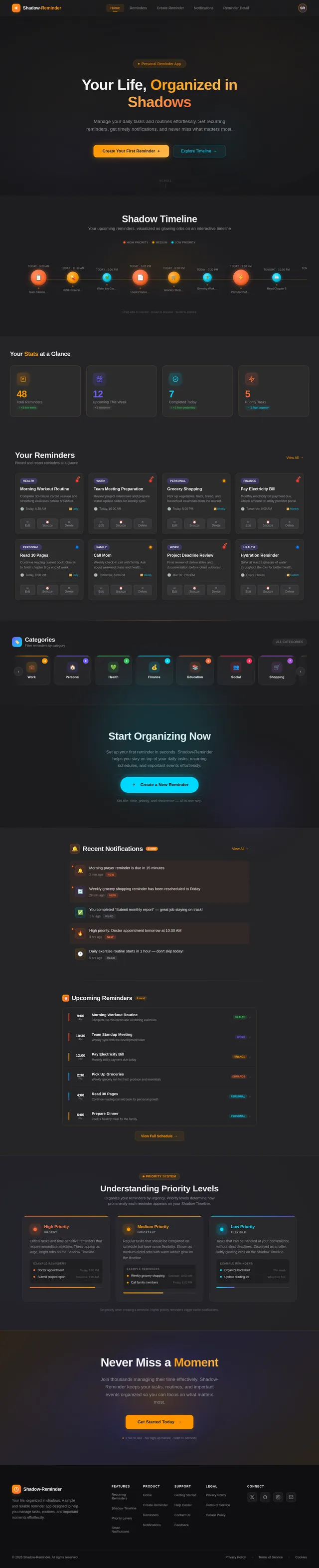
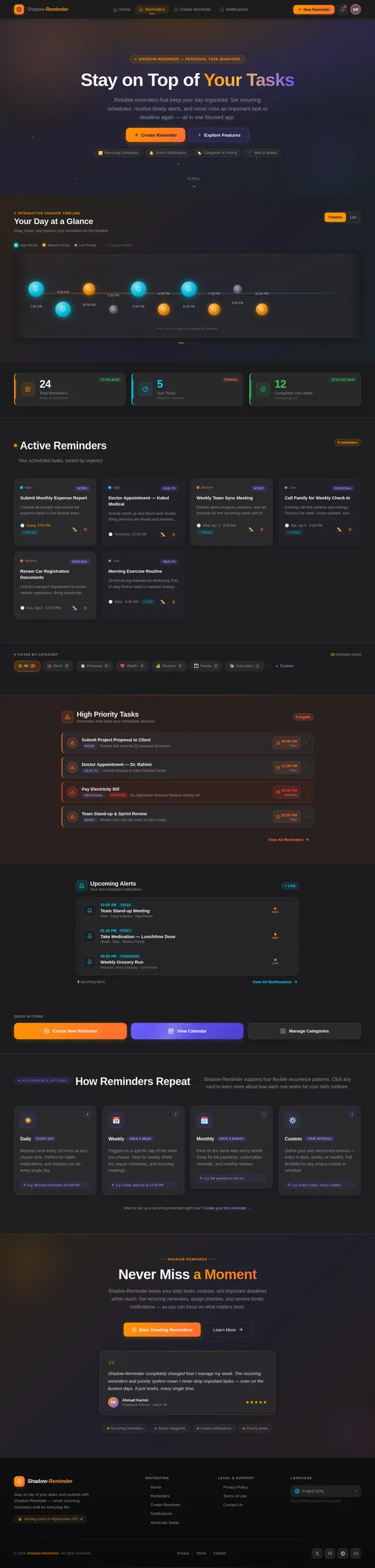
The homepage of Shadow-Reminder will feature an Interactive Shadow Timeline, a dynamic and visually striking design element.
Details:
- The timeline will appear as a horizontal scrollable bar with subtle shadow effects.
- Each reminder will be represented as a glowing orb on the timeline, with its size and brightness indicating priority levels.
- Hovering over an orb will display a preview of the reminder details, including title, description, and time.
- Users can drag and drop or swipe to reorder reminders directly on the timeline.
- The background will feature a gradient shadow animation that shifts subtly based on the time of day, creating a living, immersive experience.
- Micro-interactions will include smooth transitions, glowing effects, and tactile feedback for drag-and-drop actions.
This design will make the app visually unforgettable while enhancing usability and engagement.
7. Non-Functional Requirements
- The system must support both web and mobile platforms.
- Notifications must be delivered in real-time with minimal latency.
- The app must be optimized for low-bandwidth environments common in Afghanistan.
- The interface must be responsive and accessible, adhering to WCAG 2.1 standards.
- Data storage must ensure security and privacy, complying with GDPR-like principles.
8. Tech Stack
Frontend:
- React for Web
- React Native for Mobile
Backend:
- Python
- FastAPI
Database:
- MySQL or MariaDB (preferred for relational data)
- Alembic for migrations
AI Models:
- GPT 5.4 for user-friendly responses
AI Tools:
- Litellm for LLM Routing
- Langchain
Local Orchestration:
- Docker
- docker-compose
Server-Side Orchestration:
- Kubernetes
9. Assumptions and Constraints
Assumptions:
- Users will primarily access the app in Afghanistan, so the system must accommodate local timezone settings (AFT).
- Notifications will be delivered via push notifications on mobile and browser alerts on web.
Constraints:
- The app must operate efficiently in low-bandwidth environments.
- The system must support multilingual capabilities for future scalability.
10. Glossary
- Recurring Reminder: A reminder that repeats at specified intervals (e.g., daily, weekly).
- Notification: An alert sent to the user to remind them of a scheduled task or event.
- Priority Levels: A classification system for reminders based on urgency (e.g., high, medium, low).
- WCAG: Web Content Accessibility Guidelines, a standard for accessible web design.
- AFT: Afghanistan Time Zone.
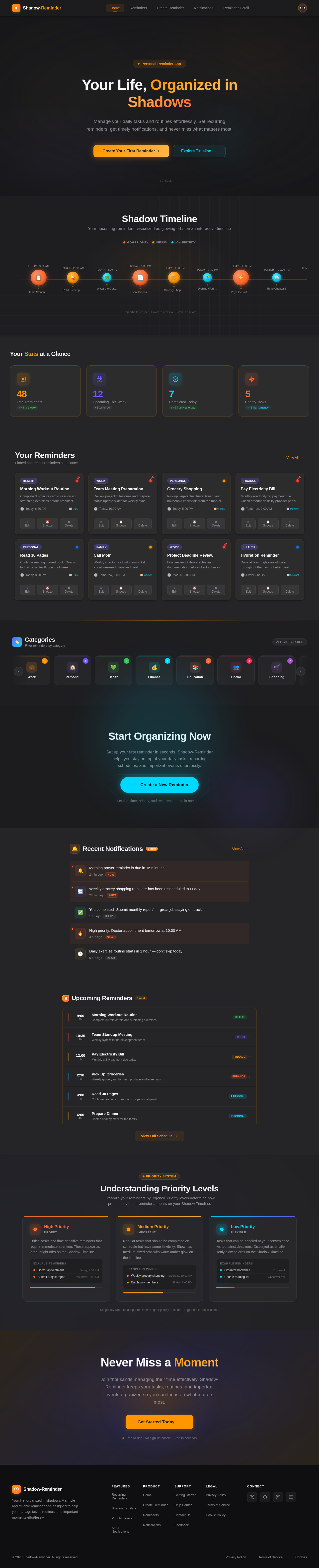
Your Life, Organized in Shadows
Manage your daily tasks and routines effortlessly. Set recurring reminders, get timely notifications, and never miss what matters most.
Shadow Timeline
Your upcoming reminders, visualized as glowing orbs on an interactive timeline
Team Standup Meeting
Daily sync with development team to review progress and blockers
Refill Prescription
Pick up monthly medication from the pharmacy before closing
Water the Garden
Water the backyard plants and check the drip irrigation system
Client Proposal Deadline
Submit the final version of the Q2 project proposal to the client
Grocery Shopping
Buy weekly groceries including fresh vegetables and fruits
Evening Workout
Strength training session at the gym - upper body focus day
Pay Electricity Bill
Monthly electricity bill due - pay online before midnight
Read Chapter 5
Continue reading the new book - at least 30 pages tonight
Weekly Report
Compile and send the weekly progress report to management
Dentist Appointment
Regular checkup and cleaning at Dr. Ahmadi dental clinic
Drag orbs to reorder · Hover to preview · Scroll to explore
Team Standup Meeting
Daily sync with development team to review progress and blockers
Refill Prescription
Pick up monthly medication from the pharmacy before closing
Water the Garden
Water the backyard plants and check the drip irrigation system
Client Proposal Deadline
Submit the final version of the Q2 project proposal to the client
Grocery Shopping
Buy weekly groceries including fresh vegetables and fruits
Evening Workout
Strength training session at the gym - upper body focus day
Pay Electricity Bill
Monthly electricity bill due - pay online before midnight
Read Chapter 5
Continue reading the new book - at least 30 pages tonight
Weekly Report
Compile and send the weekly progress report to management
Dentist Appointment
Regular checkup and cleaning at Dr. Ahmadi dental clinic
Hold and drag to reorder reminders
Your Stats at a Glance
Categories
Filter reminders by category
Start Organizing Now
Set up your first reminder in seconds. Shadow-Reminder helps you stay on top of your daily tasks, recurring schedules, and important events effortlessly.
Set title, time, priority, and recurrence — all in one step.
Upcoming Reminders6 next
Understanding Priority Levels
Organize your reminders by urgency. Priority levels determine how prominently each reminder appears on your Shadow Timeline.
High Priority
UrgentCritical tasks and time-sensitive reminders that require immediate attention. These appear as large, bright orbs on the Shadow Timeline.
Example Reminders
Medium Priority
ImportantRegular tasks that should be completed on schedule but have some flexibility. Shown as medium-sized orbs with warm amber glow on the timeline.
Example Reminders
Low Priority
FlexibleTasks that can be handled at your convenience without strict deadlines. Displayed as smaller, softly glowing orbs on the Shadow Timeline.
Example Reminders
Never Miss a Moment
Join thousands managing their time effectively. Shadow-Reminder keeps your tasks, routines, and important events organized so you can focus on what matters most.
No comments yet. Be the first!