MTH 101
Elementary Mathematics I
FreeView Course
 Ayantoye
SCORE 5.0 — COMPLETE UNIOSUN CBT & STUDY PLATFORM Build a functional, mobile-first Nigerian university CBT and study platform called "Score 5.0". Must work on Android, tablets, and desktop. CORE FEATURES: 1. HOME PAGE Logo: Score 5.0 | Tagline: "Study smarter. Practice harder. Score higher." Buttons: Get Started, Login, Sign Up. Sections: Featured Courses, CBT Practice, CGPA Calculator, Past Questions. 2. AUTHENTICATION - Supabase Sign Up, Login, Logout, Forgot Password, User Profile. Link all data: CBT results, payments, course activation, progress to student account. 3. COURSES - 10 courses for 100L 1st Semester MTH 101, STA 101, PHY 101, GEE 101, BIO 101, COS 101, PHY 103, GST 101, MTH 103, CHM 101. Each course has: Title, Code, Description, Topics, Study Materials, CBT Practice, Past Questions, Progress. Admin must be able to add more courses later via database. CBT QUESTIONS: Must be shuffled across all topics in a course. Do not group by topic. 4. CBT SYSTEM MCQ with A-D options. Features: Next, Previous, Question Navigation, Timer, Submit, Auto-marking, Score %, Correct/Wrong/Unanswered, Review, Save History. Load questions securely from Supabase. Do not expose answers before submission. Mobile-optimized for Android. 5. FREE 6-QUESTION SYSTEM - CRITICAL Each course gives exactly 6 fixed free questions. These same 6 questions must always show, even after logout, refresh, or multiple attempts. After Q6: Lock access and show activation screen. Activation Fee: ₦1,000 per course for all courses. Payment Method: PalmPay Account Name: Ayantoye Ridwan Olamilekan Account Number: 8030519400 Show "I Have Paid" button with form: Student Name, Course, Amount ₦1,000, Transaction Ref, Date, Receipt Upload. 6. PAYMENT & ACTIVATION Save payment in Supabase with status: Pending, Approved, Rejected. Course remains locked until admin approves. Admin Dashboard: View and Approve/Reject payments with reason. On approval, unlock full question bank and store activation in Supabase. Security: Students cannot approve their own payment or modify activation status. 7. ADMIN DASHBOARD - Protected Manage: Courses, Topics, Questions, Students, Payments. Add/Edit/Delete courses and questions. Mark which 6 questions are free. View payment screenshots and verify. 8. STUDENT DASHBOARD Welcome, Name, Course list with status: Free, Locked, Pending, Activated, Rejected. Show: Recent CBT results, Average Score, CGPA, Progress. 9. CGPA CALCULATOR Input: Course Code, Title, Credit Unit, Grade. Scale: A=5, B=4, C=3, D=2, E=1, F=0. Formula: CGPA = Total Quality Points / Total Credit Units. Mobile-friendly. 10. DATABASE - Supabase/PostgreSQL Tables: profiles, user_roles, courses, topics, questions, question_options, exam_attempts, exam_answers, payments, course_activations, study_materials. Use Row Level Security. Students only see their own data. 11. SECURITY No secrets in frontend. Use RLS, server validation, protected admin routes. Students cannot bypass 6-question limit or unlock courses from frontend. 12. UI/UX Modern, responsive, fast. Light/Dark mode. Premium educational design. Optimized for Android. Clear buttons, progress bars, smooth transitions. 13. FUTURE SCALABILITY Modular payment system to later add Paystack/Flutterwave. Easy to add more courses, questions, payment methods. FINAL: Build a fully functional app, not a mockup. Use ₦1,000 activation fee consistently everywhere.


Sign in to leave a comment
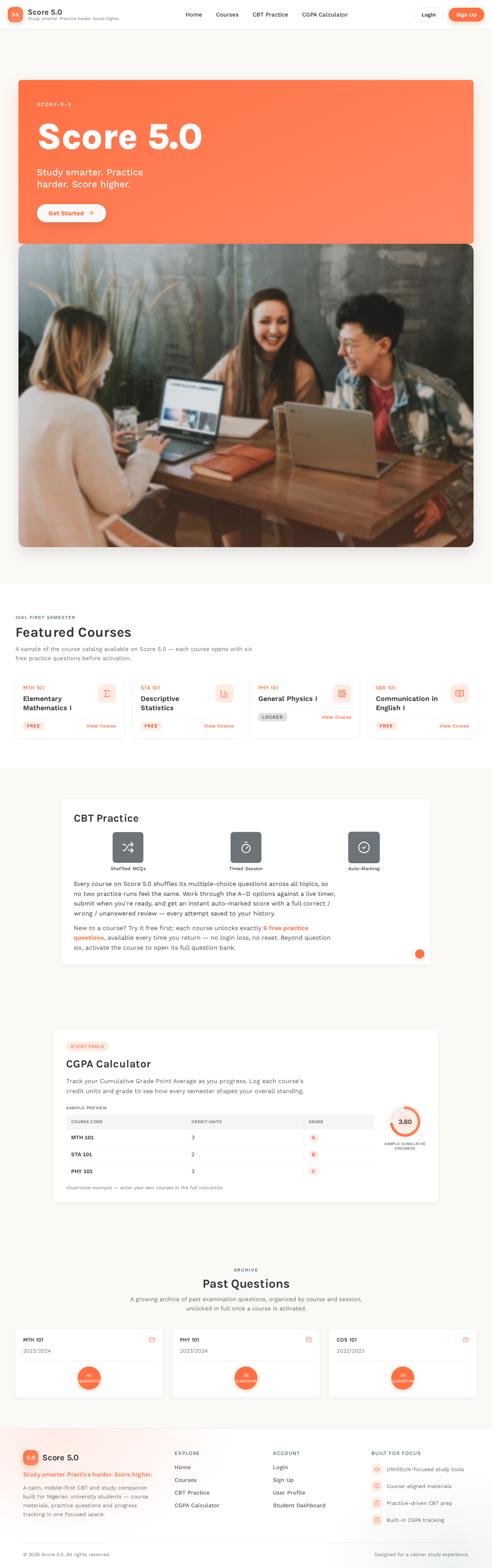

A sample of the course catalog available on Score 5.0 — each course opens with six free practice questions before activation.
Every course on Score 5.0 shuffles its multiple-choice questions across all topics, so no two practice runs feel the same. Work through the A–D options against a live timer, submit when you're ready, and get an instant auto-marked score with a full correct / wrong / unanswered review — every attempt saved to your history.
New to a course? Try it free first: each course unlocks exactly 6 free practice questions, available every time you return — no login loss, no reset. Beyond question six, activate the course to open its full question bank.
Track your Cumulative Grade Point Average as you progress. Log each course's credit units and grade to see how every semester shapes your overall standing.
Sample preview
Illustrative example — enter your own courses in the full calculator.
A growing archive of past examination questions, organized by course and session, unlocked in full once a course is activated.
A sample of the course catalog available on Score 5.0 — each course opens with six free practice questions before activation.
Every course on Score 5.0 shuffles its multiple-choice questions across all topics, so no two practice runs feel the same. Work through the A–D options against a live timer, submit when you're ready, and get an instant auto-marked score with a full correct / wrong / unanswered review — every attempt saved to your history.
New to a course? Try it free first: each course unlocks exactly 6 free practice questions, available every time you return — no login loss, no reset. Beyond question six, activate the course to open its full question bank.
Track your Cumulative Grade Point Average as you progress. Log each course's credit units and grade to see how every semester shapes your overall standing.
Sample preview
Illustrative example — enter your own courses in the full calculator.
A growing archive of past examination questions, organized by course and session, unlocked in full once a course is activated.
No comments yet. Be the first!