salon-management
salon management

Comments (0)
Sign in to leave a comment
System Requirements
System Requirements Document for salon-management
1. Introduction
salon-management is a web application for running a salon: it keeps the salon's staff and services in one place and lets clients book appointments that staff then track. The product serves three kinds of people — the owner or manager who runs the business, the stylists who deliver the services, and the clients who book them. The intent is a single, organized surface where the salon's people, its menu of services, and its appointment schedule stay consistent with each other, so the business runs on one shared record instead of scattered notes and messages.
The application is delivered as a first-party web product with its own identity: visitors arrive anonymously, create an account or sign in, and then work inside protected salon records. Clients book and review their own appointments; salon staff and owners manage services, staff, and the schedule.
2. System Overview
salon-management is delivered as three cooperating services:
- frontend — a React application that renders every page in the product: the public Landing, Login, and Sign Up surfaces, and the protected Services, Staff, Appointments, and Book Appointment surfaces.
- backend — a single shared FastAPI process that exposes the application's APIs and holds the domain modules for services, staff, and appointments. All feature APIs live in this one backend; there is no separate service per feature.
- database — MariaDB, holding the application-owned persistent records: accounts, salon services, staff members, and appointments.
Actors. The active human actors are the Salon Owner / Manager, the Salon Staff / Stylist, and the Client. All three are first-party users of the application and all three establish their own identity through the application's Sign Up and Login surfaces. There are no external or provider-owned actors in the current product.
Accepted behavior. The product manages salon staff, manages the salon's services, and lets clients book appointments that are then tracked by the salon. Identity is application-owned: an anonymous visitor reaches the Landing page, enrolls through Sign Up or verifies through Login, and then reaches the protected surfaces. Clients establish identity before booking and before viewing their own appointments.
Ownership. The Landing page owns the anonymous first impression. Login and Sign Up own identity establishment. Services owns the salon's service list. Staff owns the salon's staff records. Appointments owns the staff-facing schedule and the creation or updating of client appointments from the salon side. Book Appointment owns the client's side: choosing a service, booking, and viewing their own appointments.
Exclusions. The current product does not include payments, billing, invoicing, inventory or product retail, marketing campaigns, loyalty programs, messaging or notifications, reporting and analytics, or multi-location/franchise management. None of these are accepted requirements.
Removed from scope
- Payments and billing (also: invoicing, checkout, payment processing)
- Inventory and retail product management
- Marketing campaigns and promotions
- Loyalty and rewards programs
- Messaging and notifications (also: SMS, email reminders)
- Reporting and analytics dashboards
- Multi-location and franchise management
2a. Product Interpretation and Delivery Boundary
salon-management is a first-party, application-owned product. Every page in the product is built and owned by the application itself; nothing in the current scope is delegated to a third-party provider surface or an external destination.
Access is split into two boundaries. The anonymous boundary covers Landing, Login, and Sign Up — these are reachable before any identity exists, and they are where a visitor learns what the product is and where an account is created or verified. The protected boundary covers Services, Staff, Appointments, and Book Appointment — these require a signed-in identity, because each of them reads or writes durable salon records that must stay bound to the correct person.
Identity is application-owned and self-service: a person enrolls through Sign Up on first use and verifies through Login on return. There is no invitation, provisioning, or deployment-bootstrap path in the current scope, and no differentiated permission model is established by the source — the access distinction in this product is signed-in versus not signed-in, not role-based visibility over shared records.
Everything described in this document is current. No future-horizon requirements have been accepted.
2c. Page Content and Component Coverage
Landing
- Purpose and access. Anonymous public entry surface, reachable with no identity. Explains the salon management product, who it is for, and what it does.
- Information and state. Product name and wordmark; a headline stating what the product is; a short supporting line describing the audience (owners, stylists, clients) and the three things the product does (manage staff, manage services, book and track appointments); entry points to Sign Up and Login.
- Primary actions. Go to Sign Up (start using the product); go to Login (return to an existing account).
- Supporting actions. Navigate to the Login surface from the staff-oriented entry link.
- Domain entities. None read or written; this page is purely informational.
- Component responsibilities. Masthead navigation with wordmark and links; hero block carrying the headline, supporting line, and the two entry controls; a section describing the product's three capabilities; a footer with the wordmark and the same entry links.
- States. Loading: static content, no loading state required. Empty: not applicable. Success: not applicable. Error: not applicable. Recovery: if a signed-in person lands here, the masthead still offers Login, which resolves to their existing session.
Login
- Purpose and access. Anonymous identity-access surface for returning users — salon owners/managers, stylists, and clients.
- Information and state. Email and password fields; a link to Sign Up for people without an account; an inline error region.
- Primary actions. Submit credentials to verify identity and continue into the protected product.
- Supporting actions. Navigate to Sign Up; return to Landing.
- Domain entities. Account (read/verify).
- Component responsibilities. Credential form with labeled inputs and a submit control; error region; cross-link to Sign Up.
- States. Loading: submit control shows a pending state while credentials are verified. Empty: fields start blank with labels and helper text. Success: identity verified, the person is taken into the protected product. Error: invalid credentials produce an inline message that does not clear the entered email. Recovery: the person can correct the password and resubmit, or follow the Sign Up link if they have no account.
Sign Up
- Purpose and access. Anonymous identity-access surface for first-use self-service enrollment.
- Information and state. Name, email, and password fields; a link to Login for people who already have an account; an inline error region.
- Primary actions. Submit enrollment details to create an account and continue into the protected product.
- Supporting actions. Navigate to Login; return to Landing.
- Domain entities. Account (create).
- Component responsibilities. Enrollment form with labeled inputs and a submit control; error region; cross-link to Login.
- States. Loading: submit control shows a pending state while the account is created. Empty: fields start blank with labels and helper text. Success: account created and the person continues into the protected product. Error: a duplicate email or an invalid field produces an inline message naming the problem, with entered values preserved. Recovery: correct the flagged field and resubmit, or follow the Login link if the account already exists.
Services
- Purpose and access. Protected surface for viewing and managing the salon's list of offered services. Requires a signed-in identity.
- Information and state. The salon's services, each with its name, price, and duration; an empty state when no services exist yet.
- Primary actions. Add a service; edit an existing service; remove a service.
- Supporting actions. Open the add/edit form for a single service; cancel out of the form.
- Domain entities. Service (create, read, update, delete).
- Component responsibilities. Service list rendered as a ruled ledger of rows; add control; per-row edit and remove controls; a service form for name, price, and duration; confirmation before removal; error region.
- States. Loading: the list shows a pending placeholder while services are fetched. Empty: a message stating no services have been added yet, with the add control as the next step. Success: a newly added or edited service appears in the list with its saved values; a removed service disappears. Error: a failed save or removal shows an inline message and leaves the list unchanged. Recovery: the person can retry the save, reopen the form with the entered values intact, or dismiss the error and continue.
Staff
- Purpose and access. Protected surface for viewing and managing salon staff members. Requires a signed-in identity.
- Information and state. The salon's staff members, each with name and role; an empty state when no staff exist yet.
- Primary actions. Add a staff member; edit an existing staff member; remove a staff member.
- Supporting actions. Open the add/edit form for a single staff member; cancel out of the form.
- Domain entities. Staff member (create, read, update, delete).
- Component responsibilities. Staff list rendered as a ruled ledger of rows; add control; per-row edit and remove controls; a staff form for name and role; confirmation before removal; error region.
- States. Loading: the list shows a pending placeholder while staff are fetched. Empty: a message stating no staff have been added yet, with the add control as the next step. Success: a newly added or edited staff member appears in the list with saved values; a removed staff member disappears. Error: a failed save or removal shows an inline message and leaves the list unchanged. Recovery: retry the save, reopen the form with entered values intact, or dismiss the error and continue.
Appointments
- Purpose and access. Protected, staff-facing surface for reviewing the schedule and creating or updating client appointments. Requires a signed-in identity.
- Information and state. The salon's appointments, each with date and time, client, service, and status; an empty state when no appointments exist yet.
- Primary actions. Create an appointment for a client; update an existing appointment (including its status); cancel an appointment.
- Supporting actions. Open the create/edit form for a single appointment; filter or scan the schedule by date; cancel out of the form.
- Domain entities. Appointment (create, read, update, delete/cancel); Service (read, for selection); Staff member (read, for assignment); Client account (read, for selection).
- Component responsibilities. Schedule rendered as a ruled ledger of rows with time, client, service, and a status pill; the current day's row marked distinctly; add control; per-row edit and cancel controls; an appointment form for client, service, staff member, date, time, and status; confirmation before cancellation; error region.
- States. Loading: the schedule shows a pending placeholder while appointments are fetched. Empty: a message stating no appointments are scheduled, with the add control as the next step. Success: a created or updated appointment appears in the schedule with its saved values; a cancelled appointment leaves the active schedule. Error: a failed save or cancellation shows an inline message and leaves the schedule unchanged. Recovery: retry the save, reopen the form with entered values intact, or dismiss the error and continue.
Book Appointment
- Purpose and access. Protected, client-facing surface for selecting a service, booking an appointment, and viewing the client's own appointments. Requires a signed-in identity.
- Information and state. The salon's available services with name, price, and duration; the client's own appointments with date, time, service, and status; an empty state when the client has no appointments yet.
- Primary actions. Select a service; choose a date and time; confirm the booking; view the resulting appointment in the client's own list.
- Supporting actions. Change the selected service before confirming; review an existing appointment's details.
- Domain entities. Service (read); Appointment (create, read — scoped to the signed-in client).
- Component responsibilities. Service selection presented as service cards with name, price, and duration; date and time selection; a confirm control; the client's own appointment list rendered as a ruled ledger; error region.
- States. Loading: services and the client's appointments show pending placeholders while fetched. Empty: if the salon has no services, a message states that no services are available to book; if the client has no appointments, a message states they have none yet with service selection as the next step. Success: the confirmed booking appears in the client's own appointment list with its date, time, service, and status. Error: a failed booking shows an inline message and preserves the selected service and time so the client can retry. Recovery: retry the confirmation, choose a different time, or dismiss the error and continue.
3. Functional Requirements
FR-1 — Salon management application (explicit) As a Salon Owner / Manager I should have a single application in which the salon's staff, services, and appointments are managed, so that the business runs on one shared record.
- Trigger/input: the owner signs in and opens the product.
- Observable result: the protected surfaces for Services, Staff, and Appointments are reachable and reflect the salon's current records.
- Access state: signed in.
- Failure/recovery: if a protected surface fails to load its records, an inline error is shown and the owner can retry.
- Continuation: the owner moves between Services, Staff, and Appointments from the masthead navigation.
FR-2 — Manage salon staff (explicit) As a Salon Owner / Manager I should add, edit, and remove staff members so that the salon's team is recorded accurately.
- Trigger/input: the owner opens Staff and chooses to add, edit, or remove a staff member, supplying name and role.
- Observable result: the staff list shows the added or edited member with saved values, or no longer shows a removed member.
- Access state: signed in.
- Failure/recovery: a failed save or removal shows an inline message and leaves the list unchanged; the owner can retry.
- Continuation: the owner returns to the staff list and continues managing the team.
FR-3 — View salon staff (explicit) As a Salon Staff / Stylist I should see the salon's staff records so that I know who is on the team and in what role.
- Trigger/input: the stylist opens Staff.
- Observable result: the staff list shows each member's name and role.
- Access state: signed in.
- Failure/recovery: if the list fails to load, an inline error is shown and the stylist can retry.
- Continuation: the stylist returns to their schedule on Appointments.
FR-4 — Manage salon services (explicit) As a Salon Owner / Manager I should add, edit, and remove the salon's services so that the menu of offerings and prices stays current.
- Trigger/input: the owner opens Services and chooses to add, edit, or remove a service, supplying name, price, and duration.
- Observable result: the service list shows the added or edited service with saved values, or no longer shows a removed service.
- Access state: signed in.
- Failure/recovery: a failed save or removal shows an inline message and leaves the list unchanged; the owner can retry.
- Continuation: the owner returns to the service list and continues managing the menu.
FR-5 — View salon services (explicit) As a Salon Staff / Stylist I should see the salon's services with their prices and durations so that I know what the salon offers and how long each service takes.
- Trigger/input: the stylist opens Services.
- Observable result: the service list shows each service's name, price, and duration.
- Access state: signed in.
- Failure/recovery: if the list fails to load, an inline error is shown and the stylist can retry.
- Continuation: the stylist returns to their schedule on Appointments.
FR-6 — Book an appointment (explicit) As a Client I should select a service and book an appointment so that I have a confirmed visit at the salon.
- Trigger/input: the signed-in client opens Book Appointment, selects a service, chooses a date and time, and confirms.
- Observable result: the appointment is created and appears in the client's own appointment list with its date, time, service, and status.
- Access state: signed in; the client's identity is established before booking.
- Failure/recovery: a failed booking shows an inline message and preserves the selected service and time so the client can retry or choose a different time.
- Continuation: the client reviews the booking in their own appointment list.
FR-7 — View own appointments (explicit) As a Client I should see my own appointments so that I can plan my visits.
- Trigger/input: the signed-in client opens Book Appointment.
- Observable result: the client's own appointment list shows each appointment's date, time, service, and status; appointments belonging to other clients are not shown.
- Access state: signed in; the client's identity is established before viewing their own appointments.
- Failure/recovery: if the list fails to load, an inline error is shown and the client can retry.
- Continuation: the client books another appointment or leaves the product.
FR-8 — Track client appointments (explicit) As a Salon Owner / Manager I should review the schedule and create or update client appointments so that the salon's day is tracked and kept accurate.
- Trigger/input: the owner opens Appointments, reviews the schedule, and creates an appointment for a client or updates an existing one, supplying client, service, staff member, date, time, and status.
- Observable result: the schedule shows the created or updated appointment with its saved values; a cancelled appointment leaves the active schedule.
- Access state: signed in.
- Failure/recovery: a failed save or cancellation shows an inline message and leaves the schedule unchanged; the owner can retry.
- Continuation: the owner returns to the schedule and continues reviewing the day.
FR-9 — Track own schedule (explicit) As a Salon Staff / Stylist I should review the salon's appointment schedule so that I can serve clients on time.
- Trigger/input: the stylist opens Appointments and scans the schedule by date.
- Observable result: the schedule shows each appointment's time, client, service, and status, with the current day's row marked distinctly.
- Access state: signed in.
- Failure/recovery: if the schedule fails to load, an inline error is shown and the stylist can retry.
- Continuation: the stylist returns to the schedule as the day progresses.
FR-10 — Anonymous entry (required_inference) As an anonymous visitor I should reach the Landing page before any identity is established so that I can understand what the product is and choose to enroll or sign in.
- Trigger/input: the visitor opens the product with no session.
- Observable result: the Landing page renders the product's purpose, audience, and capabilities, with entry points to Sign Up and Login.
- Access state: anonymous; no protected records are visible.
- Failure/recovery: if the visitor follows a protected link without a session, they are routed to Login.
- Continuation: the visitor proceeds to Sign Up or Login.
FR-11 — Self-service enrollment (required_inference) As an anonymous visitor I should create an account through Sign Up so that I can begin using the product on first use.
- Trigger/input: the visitor opens Sign Up and submits name, email, and password.
- Observable result: an account is created and the person continues into the protected product.
- Access state: anonymous at entry; signed in on success.
- Failure/recovery: a duplicate email or invalid field produces an inline message with entered values preserved; the visitor can correct and resubmit or follow the Login link.
- Continuation: the newly enrolled person reaches the protected surfaces.
FR-12 — Returning verification (required_inference) As a returning Salon Owner / Manager, Salon Staff / Stylist, or Client I should sign in through Login so that I can reach the protected salon records bound to my account.
- Trigger/input: the returning person opens Login and submits email and password.
- Observable result: identity is verified and the person reaches the protected product.
- Access state: anonymous at entry; signed in on success.
- Failure/recovery: invalid credentials produce an inline message that preserves the entered email; the person can correct the password and resubmit or follow the Sign Up link.
- Continuation: the person resumes work on the protected surfaces.
FR-13 — Client identity before booking (required_inference) As a Client I should establish my identity before booking and before viewing my own appointments so that my bookings stay bound to me and are not visible to other clients.
- Trigger/input: an anonymous visitor attempts to reach Book Appointment.
- Observable result: the visitor is routed to Login (or Sign Up) and, once verified, reaches Book Appointment with their own appointment list.
- Access state: anonymous until verified; signed in afterwards.
- Failure/recovery: a failed verification returns the person to Login with an inline message; no booking is created.
- Continuation: the verified client proceeds to select a service and book.
4. User Personas
Salon Owner / Manager
The owner runs the salon day to day and is accountable for what the business offers, who delivers it, and whether the day's bookings are correct. Their work is the broadest in the product: they are the person who curates the service menu (name, price, duration), keeps the staff roster accurate (name and role), and owns the staff-facing schedule where client appointments are created, updated, and cancelled. They are the only persona whose accepted responsibilities span all three management surfaces, and the only one who changes the salon's records rather than reading them.
- Primary goal: keep staff, services, and bookings organized in one place so the business stays coherent and profitable.
- Distinct responsibilities: add, edit, and remove services; add, edit, and remove staff members; create, update, and cancel client appointments from the schedule.
- Inputs and decisions: service name, price, and duration; staff name and role; appointment client, service, staff member, date, time, and status; whether to remove a service or staff member; whether to cancel an appointment.
- Interactions with other participants: the owner's service and staff records are what stylists read and what clients choose from when booking; the owner's schedule is where client bookings are tracked and adjusted.
- Observable success: the service list, staff list, and schedule each reflect the salon's current reality after the owner's changes.
Salon Staff / Stylist
The stylist delivers services to clients and needs a legible working surface rather than an editing one. Their accepted work is reading: seeing what the salon offers (so they know what a client has booked and how long it takes) and seeing the schedule (so they know who is coming, when, and for what). They do not curate the menu or the roster, and they do not create or change appointments in the accepted scope.
- Primary goal: see their schedule and the salon's offerings so they can serve clients on time.
- Distinct responsibilities: view the salon's services with prices and durations; view the salon's staff records; review the appointment schedule by date.
- Inputs and decisions: which date to scan on the schedule; which service a client's appointment refers to.
- Interactions with other participants: the stylist reads records the owner maintains and reads appointments the owner and clients create.
- Observable success: the stylist can find the current day's appointments and identify each client's service without asking anyone.
Client
The client is the person the salon serves. Their work is narrow and personal: choose a service from the salon's menu, pick a date and time, confirm the booking, and then see their own appointments. Their view is deliberately scoped — they see the salon's services and their own appointments, not other clients' bookings.
- Primary goal: book salon services and see their own appointments so they can plan visits.
- Distinct responsibilities: select a service; choose a date and time; confirm a booking; review their own appointment list.
- Inputs and decisions: which service to book; which date and time to choose; whether to retry after a failed booking.
- Interactions with other participants: the client books against the owner's service menu; the resulting appointment appears in the owner's schedule for the salon to track.
- Observable success: a confirmed appointment appears in the client's own list with its date, time, service, and status.
5. Core User Flows
Flow A — Anonymous visitor discovers the product and enrolls (Salon Owner / Manager, Salon Staff / Stylist, or Client)
- The visitor opens the product with no session and lands on Landing. The page states what the product is, who it is for, and that it manages staff, services, and appointments.
- The visitor chooses Sign Up from the hero or masthead.
- On Sign Up, the visitor enters name, email, and password and submits.
- If the email is already in use or a field is invalid, an inline message names the problem and the entered values are preserved; the visitor corrects the field and resubmits, or follows the Login link instead.
- On success, the account is created and the person continues into the protected product.
- Next step: the owner proceeds to Flow B; the stylist proceeds to Flow E; the client proceeds to Flow F.
Flow B — Owner curates the service menu (Salon Owner / Manager)
- The signed-in owner opens Services from the masthead.
- The owner reviews the current service list. If it is empty, the page states that no services have been added yet and points to the add control.
- The owner chooses Add service and supplies a name, price, and duration.
- The owner submits. If the save fails, an inline message is shown, the list is unchanged, and the owner can retry with the entered values intact.
- On success, the new service appears in the list with its saved values.
- To change an offering, the owner opens a row's edit control, adjusts the values, and submits; the row updates in place. To retire an offering, the owner chooses remove, confirms, and the service leaves the list.
- Next step: the owner moves to Flow C or Flow D, or returns to the schedule.
Flow C — Owner keeps the staff roster accurate (Salon Owner / Manager)
- The signed-in owner opens Staff from the masthead.
- The owner reviews the current roster. If it is empty, the page states that no staff have been added yet and points to the add control.
- The owner chooses Add staff member and supplies a name and role.
- The owner submits. If the save fails, an inline message is shown, the list is unchanged, and the owner can retry.
- On success, the new staff member appears in the list with saved values.
- To correct a record, the owner opens a row's edit control, adjusts the values, and submits. To remove a member, the owner chooses remove, confirms, and the member leaves the list.
- Next step: the owner moves to Flow D.
Flow D — Owner tracks and adjusts the schedule (Salon Owner / Manager)
- The signed-in owner opens Appointments from the masthead.
- The owner reviews the schedule as a ruled ledger: time, client, service, and status per row, with the current day's row marked distinctly. If nothing is scheduled, the page states so and points to the add control.
- To record a booking taken elsewhere, the owner chooses Add appointment and supplies client, service, staff member, date, time, and status.
- The owner submits. If the save fails, an inline message is shown, the schedule is unchanged, and the owner can retry with the entered values intact.
- On success, the appointment appears in the schedule with its saved values.
- To adjust an existing booking, the owner opens a row's edit control, changes the values or status, and submits; the row updates in place. To cancel, the owner chooses cancel, confirms, and the appointment leaves the active schedule.
- Next step: the owner returns to the schedule as the day progresses, or moves to Services or Staff.
Flow E — Stylist reads the day (Salon Staff / Stylist)
- The returning stylist opens Login, enters email and password, and submits. Invalid credentials produce an inline message that preserves the email; the stylist corrects the password and resubmits.
- On success, the stylist opens Appointments and scans the schedule by date, reading each row's time, client, service, and status, with the current day marked distinctly.
- If the schedule fails to load, an inline message is shown and the stylist retries.
- To understand what a booked service involves, the stylist opens Services and reads the service's name, price, and duration.
- To check who is on the team, the stylist opens Staff and reads each member's name and role.
- Next step: the stylist returns to Appointments as the day progresses.
Flow F — Client books an appointment (Client)
- The client opens the product. If not signed in, they reach Landing and choose Book a chair, which routes them to Login; a first-time client follows the Sign Up link instead.
- On Login (or Sign Up), the client verifies or creates their identity. A failed verification returns an inline message and no booking is created.
- Once verified, the client reaches Book Appointment. The page shows the salon's services with name, price, and duration, and the client's own appointment list.
- If the salon has no services, the page states that no services are available to book and the client stops here.
- The client selects a service, chooses a date and time, and confirms the booking.
- If the booking fails, an inline message is shown, the selected service and time are preserved, and the client retries or chooses a different time.
- On success, the appointment appears in the client's own appointment list with its date, time, service, and status.
- Next step: the client reviews the booking in their own list, books another appointment, or leaves the product. The appointment is now visible in the salon's schedule on Appointments for the owner to track.
6. Visuals Colors and Theme
The visual direction is editorial swagger for the salon floor — oversized type, ink and acid, one hot accent — after Tobias van Schneider. The headline idea: "Salon, managed." — a fashion-masthead display line where the product's own name carries the confidence of a salon brand rather than an admin shell.
Colour tokens (light mode)
| Role | Hex | Use |
|---|---|---|
| Background | #F4F1EA | Warm off-white paper ground, ~70% of every surface |
| Surface | #FFFFFF | Elevated cards and form fields only |
| Text | #111111 | All type |
| Primary | #111111 | Solid ink button fill |
| Accent | #E5301F | One hero word, active nav underline, appointment "today" marker, destructive actions only — never a general fill |
| Muted | #8C877C | Metadata, timestamps, helper text |
No second accent colour. No gradients. No blue or indigo anywhere.
Typography
- Headings: Fraunces, optical size 144, weight 600–700, tracking
-0.03em, sentence case, very large. - Body and UI: Space Grotesk 400/500 at 15–17px, normal tracking.
- Labels: Space Grotesk 500, uppercase, 11px,
0.12emletterspacing. - Scale: display
clamp(56px, 9vw, 132px); section headclamp(36px, 5vw, 64px); card title 24px; body 16px; label 11px uppercase. Line-height0.95on display,1.5on body. Modular ratio 1.5 for display, 1.25 for UI. - Inter, Roboto, Arial, Poppins, and
system-uiare forbidden.
Shape language. Sharp corners everywhere — 0px radius on cards, inputs, and buttons. Only status chips are fully rounded pills. Hairline 1px rules in #111111 at 15% opacity define sections instead of shadows. Buttons are solid ink rectangles with a 2px bottom offset that compresses on press. No soft shadows, no rounded blobs.
Layout. Asymmetric 12-column editorial grid: 7/5 split on Landing and Book Appointment; 3/9 split on Services, Staff, and Appointments (left rail of section labels, right column of content). Vertical section rhythm 96–128px on desktop, 48–64px on mobile. Full-bleed type blocks break the grid on purpose. Navigation is a single top bar with the wordmark set large in Fraunces at the left, links in Space Grotesk uppercase, and the active page marked by a 3px vermilion underline.
Imagery. Large-scale editorial photography: tight crops of hair, hands, scissors, a mirror, a chair — monochrome or warm-desaturated, bled off the right edge of the hero. One full-bleed photo band between sections on Landing. Service cards use a single square photo each with a hard crop and the service name overlaid in white Fraunces at the bottom-left. No stock smiling-people-in-office imagery, no illustration, no 3D.
Readability rule. Headlines, wordmarks, labels, numbers, card text, and controls stay entirely inside the viewport and their container at 375px, 768px, and 1280px, wrapping or scaling to fit, with nothing covering them. Imagery and decoration may bleed, crop, rotate, or overlap freely as long as they cover no readable text or control.
7. Signature Design Concept
The Landing page is the signature surface: a 7/5 asymmetric split on warm off-white paper, not a centred stack.
- Left 7 columns: the word "Salon" set in Fraunces at
clamp(56px, 9vw, 132px), line-height0.95, stacked flush-left with the second word "managed" in the same size but in vermilion#E5301F, overhanging the column gutter by 24px. Beneath it, a single 16px Space Grotesk line stating that the product manages staff, services, and appointments. Pinned left, a solid ink rectangular CTA "Book a chair" with a 2px bottom offset, and beside it a text link "Staff login". - Right 5 columns: a full-bleed monochrome photograph of a salon interior bleeding off the right viewport edge, with a thin ink rule at its top and a small uppercase label "EST. TODAY" rotated 90° along its left edge.
- Below the hero: a full-bleed monochrome photo band bleeding off both edges, with a section headline in white Fraunces at
clamp(36px, 5vw, 64px)set over it and a thin ink rule beneath — the band introduces the product's three capabilities (staff, services, appointments) as three ruled editorial entries, not a card grid. - Masthead: wordmark at 32px in Fraunces at the left; links in 11px uppercase Space Grotesk with
0.12emtracking; the active page marked by a 3px vermilion underline that slides in on hover.
The same oversized display treatment carries onto Book Appointment, where the client's booking headline spans the viewport in the 7/5 split, with service selection on the wide side and the client's own appointment ledger on the narrow side.
8. Interaction Model & Motion Direction
Interaction Model: Animated Motion Tempo: restrained Hero Dimensionality: flat
Landing Hero Motion Brief
- Focal subject: the oversized two-word Fraunces headline — "Salon" in ink, "managed" in vermilion — paired with the monochrome salon-interior photograph bleeding off the right edge.
- Input → transformation → outcome thesis: as the visitor arrives and scrolls, the display headline is revealed by a clip-path wipe (600ms,
cubic-bezier(0.22,1,0.36,1)), settling into its final flush-left position; the photograph crossfades in alongside it. The outcome is the composed editorial hero, fully legible, with the "Book a chair" CTA and "Staff login" link pinned and stable throughout. - Motion vocabulary: clip-path type wipes on scroll; image crossfades on hover of service cards; nav-link hover where the vermilion underline slides in from the left. No bounce, no parallax, no particles.
- Composed first frame: warm off-white ground; "Salon" and "managed" stacked flush-left at display size with the second word in vermilion; the single supporting line beneath; the ink CTA and text link pinned left; the monochrome photograph occupying the right five columns and bleeding off the viewport edge, with its top ink rule and rotated "EST. TODAY" label.
- Reduced-motion state: everything settles to its final state instantly; hover swaps become simple opacity changes; the hero renders as the composed first frame with no wipe or crossfade.
9. Non-Functional Requirements
- NFR-1 — Application-owned identity and session continuity (required_inference). Accounts, sessions, and the binding of appointments to the correct client are owned by the application. A signed-in person's identity persists across page navigation so that protected records stay bound to them. Rationale: appointments are durable commitments that must remain attached to the right client and must not be visible to other clients.
- NFR-2 — Protected-record access boundary (required_inference). Services, Staff, Appointments, and Book Appointment are reachable only with a signed-in identity; Landing, Login, and Sign Up are reachable anonymously. A request for a protected surface without a session routes to Login. Rationale: the accepted journeys require identity before booking and before viewing one's own appointments.
- NFR-3 — Client-scoped appointment visibility (explicit, from "viewing their own appointments"). A client's appointment list shows only appointments belonging to that client.
- NFR-4 — Durable persistence (explicit via planning scope
durable_state_required). Accounts, services, staff members, and appointments persist in the application database across sessions and restarts. - NFR-5 — Readable, non-overlapping UI at every viewport (explicit design constraint). Headlines, wordmarks, labels, numbers, card text, and controls remain entirely inside the viewport and their container at 375px, 768px, and 1280px; imagery and decoration may bleed but never cover readable text or controls.
- NFR-6 — Reduced-motion support (explicit design constraint). With
prefers-reduced-motion, all motion settles to its final state instantly and hover swaps become simple opacity changes. - NFR-7 — No forbidden visual patterns (explicit design constraint). No centred headline-plus-blue-button hero, no rounded cards with soft shadows and hover-lift, no gradient blobs or glassmorphism, no Inter/Roboto/Arial/Poppins/system-ui, no blue or indigo as primary or accent, no grid of identical equal-weight service cards, no bouncy micro-interactions, no stock office-team photography.
10. Tech Stack
- Frontend: React application UI, rendering all seven pages.
- Backend: a single shared FastAPI process exposing the application APIs and holding the domain modules for accounts, services, staff, and appointments. All feature APIs are added as routes and modules within this one backend; no separate service per feature.
- Database: MariaDB for application-owned persistent data.
- Infrastructure: the three services run together via Docker Compose. Kubernetes is not required for the current scope.
- Fonts: Fraunces and Space Grotesk, loaded as web fonts.
11. Assumptions and Constraints
- A-1 (assumption). The product is a web application; no native mobile client is in scope.
- A-2 (assumption). A single salon is managed per deployment. Multi-location and franchise management are out of scope.
- A-3 (assumption). Identity is self-service only — Sign Up and Login. There is no invitation, provisioning, or deployment-bootstrap path in the current scope.
- A-4 (constraint). The access distinction in this product is signed-in versus not signed-in. No differentiated permission model, role-based visibility, or permission control over shared records is established by the source; the persona catalog describes responsibilities, not enforced permissions.
- A-5 (constraint). Payments, billing, inventory, marketing, loyalty, messaging, reporting, and multi-location management are excluded from the current product.
- A-6 (constraint). The creative direction is authoritative for visual design: the specified palette, Fraunces and Space Grotesk, sharp corners, the asymmetric editorial grid, and the restrained motion vocabulary are binding. The generic indigo/blue-on-white SaaS template is forbidden.
- A-7 (assumption). Service records carry name, price, and duration; staff records carry name and role; appointment records carry client, service, staff member, date, time, and status. These are the fields the accepted workflows require to be usable.
12. Glossary
- Salon — the single business managed by a deployment of the product.
- Service — an offering on the salon's menu, with a name, price, and duration.
- Staff member — a person on the salon's team, with a name and role.
- Appointment — a booking of a service for a client at a date and time, with a status, tracked in the salon's schedule.
- Schedule — the staff-facing list of the salon's appointments on the Appointments page.
- Own appointments — the client-scoped list of appointments belonging to the signed-in client, shown on Book Appointment.
- Anonymous boundary — the set of surfaces reachable without a session: Landing, Login, Sign Up.
- Protected boundary — the set of surfaces requiring a signed-in identity: Services, Staff, Appointments, Book Appointment.
- Ledger — the ruled-row list presentation used for services, staff, and appointments, as opposed to cards.
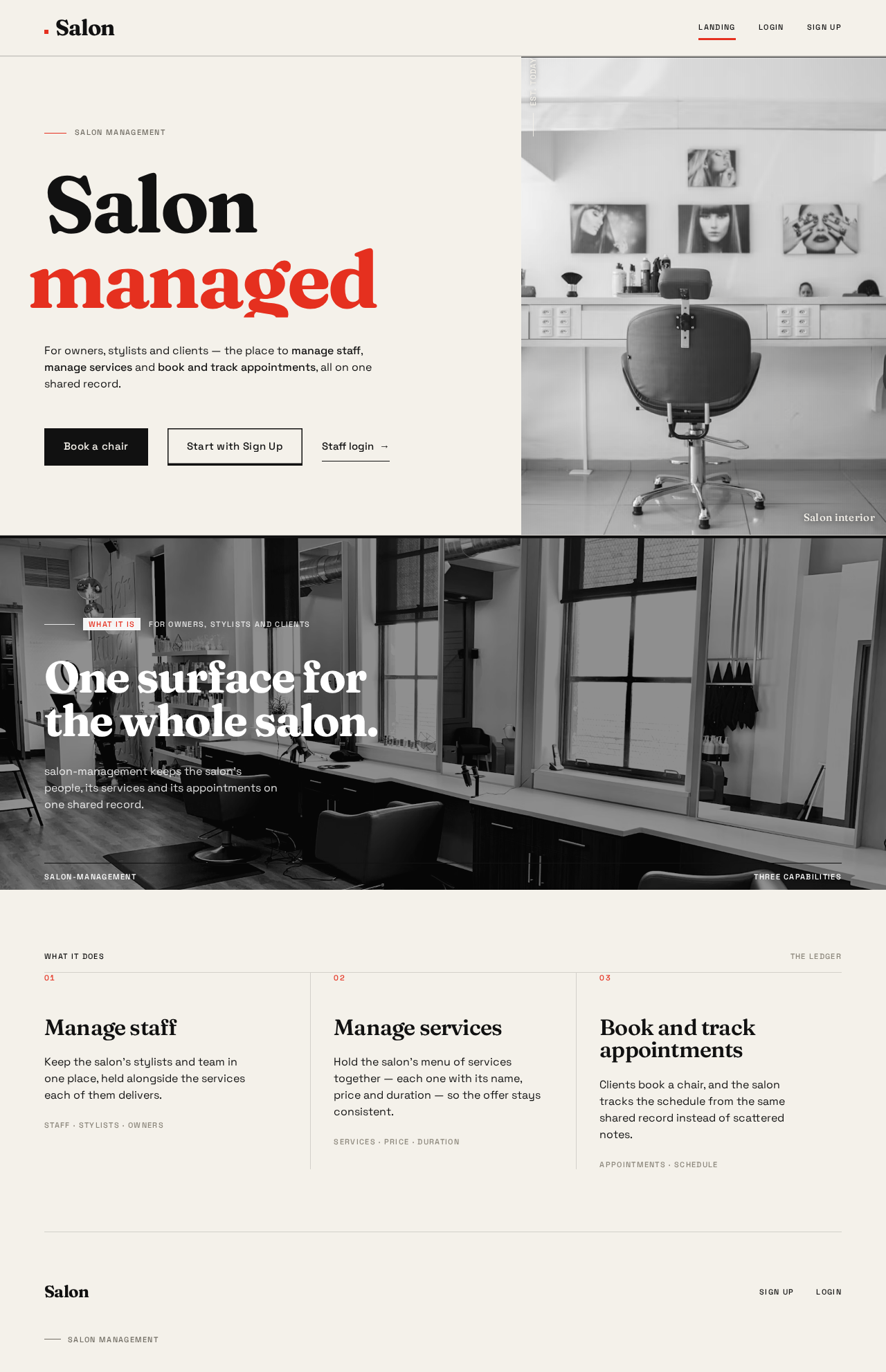
Salon management
Salonmanaged
For owners, stylists and clients — the place to manage staff, manage services and book and track appointments, all on one shared record.
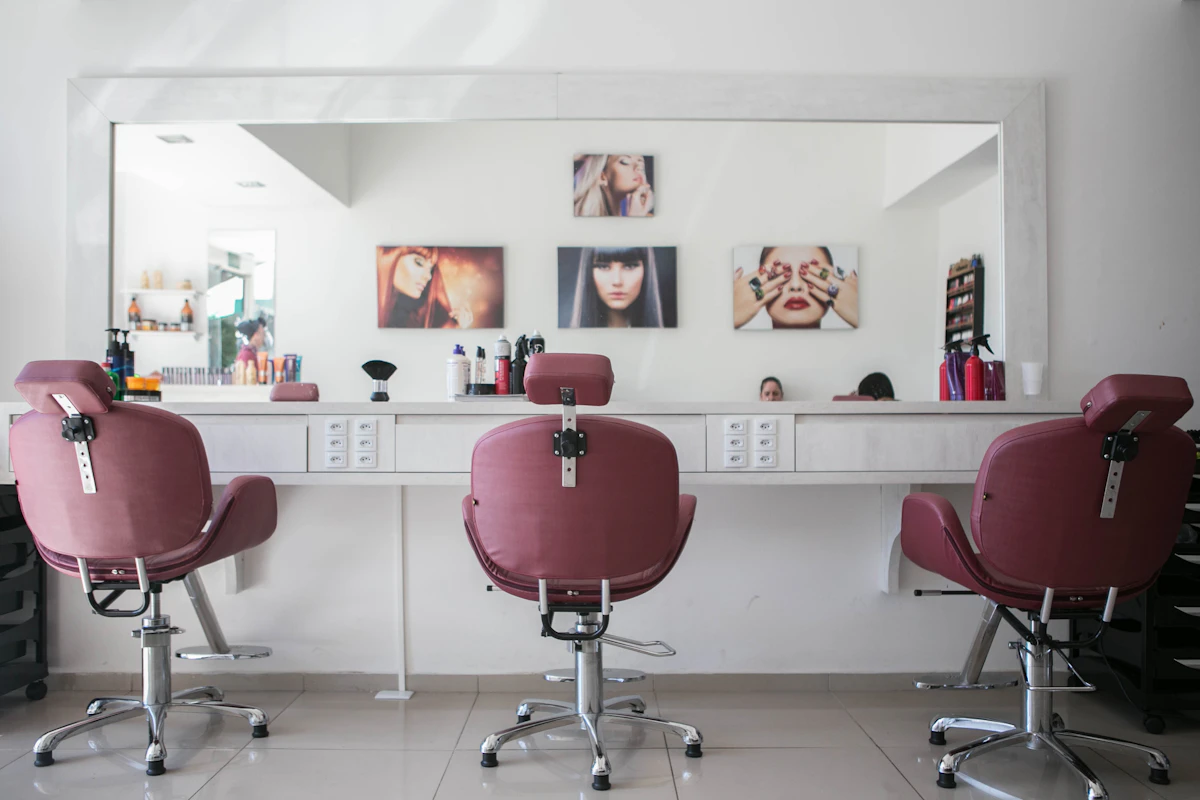 Est. Today
What it isFor owners, stylists and clients
One surface for the whole salon.
salon-management keeps the salon’s people, its services and its appointments on one shared record.
- 01
Manage staff
Keep the salon’s stylists and team in one place, held alongside the services each of them delivers.
- 02
Manage services
Hold the salon’s menu of services together — each one with its name, price and duration — so the offer stays consistent.
- 03
Book and track appointments
Clients book a chair, and the salon tracks the schedule from the same shared record instead of scattered notes.
Salon management
Salonmanaged
For owners, stylists and clients — the place to manage staff, manage services and book and track appointments, all on one shared record.
Est. TodayWhat it isFor owners, stylists and clients
One surface for the whole salon.
salon-management keeps the salon’s people, its services and its appointments on one shared record.
- 01
Manage staff
Keep the salon’s stylists and team in one place, held alongside the services each of them delivers.
- 02
Manage services
Hold the salon’s menu of services together — each one with its name, price and duration — so the offer stays consistent.
- 03
Book and track appointments
Clients book a chair, and the salon tracks the schedule from the same shared record instead of scattered notes.
No comments yet. Be the first!