sales-calls-outbound
 Meghna Rajawat
Build e a system that generates qualified sales calls for ClickToClose. Our agency helps businesses turn more leads into appointments through AI agents, CRM automation and follow-up systems. We want someone to connect and improve our own outbound process, from lead sourcing through email and SMS outreach to booked calls. We already use Instantly, GoHighLevel and some automation. You’ll review our current setup, keep what works and build the missing pieces. The system should find businesses that fit our offers, identify decision-makers, verify contact details and remove duplicates. It should route approved leads into relevant campaigns and keep each target market separate. You’ll connect email and SMS sequences, build AI reply agents, qualify interested prospects and integrate our calendars. Follow-ups must stop when someone replies, opts out or books. SMS must use approved contacts with verified consent. The system must prevent duplicate messages and appointments, flag failed steps and route unclear conversations to a person. We also need clear reports on lead sources, replies, qualified bookings, attended calls and costs.


Comments (0)
Sign in to leave a comment
System Requirements
System Requirements Document for sales-calls-outbound
1. Introduction
sales-calls-outbound is an outbound sales engine for ClickToClose, an agency that helps businesses turn more leads into appointments through AI agents, CRM automation and follow-up systems. The product's intent is to generate qualified sales calls for ClickToClose itself: it finds businesses that fit ClickToClose's offers, identifies decision-makers, verifies contact details, removes duplicates, routes approved leads into market-separated campaigns, runs connected email and SMS sequences, uses AI reply agents to qualify interested prospects, integrates ClickToClose's calendars, and reports on lead sources, replies, qualified bookings, attended calls and costs.
The system does not replace ClickToClose's existing stack. ClickToClose already uses Instantly, GoHighLevel and some automation. The product's first job is to let the operator review that current setup, keep what works and build the missing pieces, then operate the improved outbound process end to end.
The audience is ClickToClose's own outbound operation: an Outbound Systems Operator who owns setup, sourcing, verification, campaign routing, sequence operation, failure handling and reporting, and a Sales Closer who takes unclear conversations routed to a person, handles interested prospects, and books and attends qualified calls.
2. System Overview
2a. Product Interpretation and Delivery Boundary
sales-calls-outbound is a first-party web application with a shared backend. The application owns its identity, its lead and campaign records, its sequence and suppression state, its conversation and booking records, and its reporting data. It connects outward to the tools ClickToClose already runs — Instantly for email outreach, GoHighLevel for CRM and calendar work, and the existing automation — and it calls model providers through a LiteLLM gateway for the AI reply agents.
The public Landing page explains the outbound system before any sign-in. Login is the anonymous entry boundary where the operator and the closer establish or verify their identity; every working destination sits behind it. Setup Review, Leads, Lead Details, Campaigns, Sequences, Failed Steps and Reports are the operator's working surfaces. Conversations and Bookings are the closer's working surfaces. Access to each working surface is role-restricted to the persona named for it in the page contract.
Current delivery covers the full accepted lifecycle: setup review, sourcing, decision-maker identification, contact verification and deduplication, approval, campaign routing with target markets kept separate, email and SMS sequence execution with consent-gated SMS, AI reply qualification, calendar-integrated booking, follow-up suppression on reply, opt-out or booking, duplicate message and appointment prevention, failed-step flagging, human escalation of unclear conversations, and reporting. Nothing in this document describes a future horizon; all accepted requirements are current.
Removed from scope
- None. The authoritative thread contains no removed concepts.
2b. Source Content Inventory
Not applicable. No reference directive supplies a content_source.
2c. Page Content and Component Coverage
Landing
- Information and state: the public explanation of the ClickToClose outbound system — what it sources, how it reaches prospects by email and SMS, how AI reply agents qualify, and how calls get booked. No prospect or operational data is shown.
- Primary action: proceed to Login.
- Supporting actions: read the explanation bands; no data entry.
- Domain entities: none persisted.
- Component responsibilities: full-width graphite hero band with one lit abstract object on the right and a light headline on the grey ground with an orange rule beneath it; a vertical hairline rail tracking the pipeline stages on the left edge; ruled explanation rows with hairline dividers and tabular numerals; a single entry control to Login.
- States: loading (static content, no spinner needed); empty and error not applicable; success is arrival at Login.
Login
- Information and state: identity entry for the Outbound Systems Operator and the Sales Closer. Anonymous reachable; protected state stays unavailable until identity is established.
- Primary action: establish identity on first use or verify identity on return, then continue to the role's working surface.
- Supporting actions: correct an entry after a failed attempt.
- Domain entities: operator identity, closer identity, session.
- Component responsibilities: identity form; inline validation; error region for failed verification; continuation into the role-appropriate destination.
- States: loading during verification; empty initial form; success redirects to the role's surface; error shows a clear message and keeps the form usable for retry; recovery is re-entry without losing the destination intent.
Setup Review
- Information and state: the recorded inventory of the current Instantly, GoHighLevel and automation setup, each part marked to keep or to build, with the resulting list of missing pieces.
- Primary action: record a setup part and mark it keep or build.
- Supporting actions: edit a recorded part; review the consolidated keep/build list.
- Domain entities: setup part, source tool (Instantly, GoHighLevel, automation), disposition (keep/build), missing piece.
- Component responsibilities: ruled setup rows with disposition control; add-part form; consolidated missing-pieces list.
- States: loading the recorded setup; empty state prompting the first recorded part; success confirms the disposition on the row; error preserves the entered part for retry; recovery re-submits without duplicating the row.
Leads
- Information and state: sourced businesses that fit ClickToClose's offers, their identified decision-makers, verification and duplicate status, and approval state, grouped so each target market stays separate.
- Primary action: approve a lead for routing into a campaign.
- Supporting actions: start a sourcing run for a target market; open a lead's details; filter by market, verification status and approval state.
- Domain entities: business, decision-maker, target market, lead, verification status, duplicate status, approval state.
- Component responsibilities: market-separated lead list with ruled rows and tabular numerals; sourcing-run control; approval control per lead; link into Lead Details.
- States: loading during sourcing; empty state when a market has no sourced leads; success shows the lead as approved and eligible for routing; error on a failed sourcing run is surfaced and the run can be retried; recovery keeps already-sourced leads intact.
Lead Details
- Information and state: one lead's business and decision-maker record, contact details with their verification results, duplicate findings, and the approval decision.
- Primary action: verify contact details and resolve duplicates, then approve or reject the lead.
- Supporting actions: mark a duplicate finding as resolved; return to Leads.
- Domain entities: business, decision-maker, contact detail, verification result, duplicate finding, approval decision.
- Component responsibilities: ruled detail rows; verification result per contact detail; duplicate finding list with resolution control; approve/reject control.
- States: loading the lead record; empty state when no contact details are recorded yet; success confirms verification and approval; error on a failed verification is shown per contact detail with retry; recovery preserves the lead's prior state.
Campaigns
- Information and state: campaigns per target market, the approved leads routed into each, and the separation between markets.
- Primary action: route an approved lead into the campaign for its target market.
- Supporting actions: create a campaign bound to one target market; review routed leads per campaign.
- Domain entities: campaign, target market, routed lead.
- Component responsibilities: market-scoped campaign list; routing control for approved leads; routed-lead rows with hairline dividers.
- States: loading campaigns; empty state when a market has no campaign; success shows the lead in the campaign's routed list; error on routing is shown and the lead remains approved and unrouted for retry; recovery re-routes without creating a duplicate routing.
Sequences
- Information and state: email and SMS sequences attached to campaigns, their steps, and each contact's consent status for SMS.
- Primary action: connect an email or SMS sequence to a campaign and run it.
- Supporting actions: inspect a sequence's steps; review which contacts are eligible for SMS by verified consent.
- Domain entities: sequence, sequence step, channel (email/SMS), consent record, enrolled contact.
- Component responsibilities: sequence list per campaign; step rows; consent indicator per contact; SMS eligibility gate that blocks sending without verified consent.
- States: loading sequences; empty state when a campaign has no sequence; success shows the sequence running with enrolled contacts; error on a failed step is flagged and visible in Failed Steps; recovery re-runs the step without producing a duplicate message.
Failed Steps
- Information and state: the steps the system flagged as failed, with the sequence, contact, channel and failure detail.
- Primary action: review a flagged failed step.
- Supporting actions: retry a failed step; acknowledge a reviewed failure.
- Domain entities: failed step, sequence, contact, channel, failure detail, review state.
- Component responsibilities: ruled failure rows with tabular numerals; retry control; acknowledgement control.
- States: loading failures; empty state when nothing is flagged; success confirms the retry or acknowledgement; error on retry is re-flagged rather than silently dropped; recovery keeps the failure visible until resolved.
Conversations
- Information and state: conversations the system routed to a person because they were unclear, with the prospect's messages, the AI reply agent's qualification context, and the conversation's state.
- Primary action: take an unclear conversation and respond as the closer.
- Supporting actions: read the qualification context; mark the conversation handled; hand a qualified prospect toward booking.
- Domain entities: conversation, prospect, message, routing reason, qualification context, handling state.
- Component responsibilities: conversation list of routed items; message thread; qualification context panel; response composer; link into Bookings.
- States: loading conversations; empty state when nothing is routed; success shows the conversation as taken and the response recorded; error on send keeps the drafted response for retry; recovery returns the conversation to the routed list if it is released.
Bookings
- Information and state: qualified prospects ready to book, the integrated calendars' availability, booked calls, and attended-call status.
- Primary action: book a qualified call on an integrated calendar.
- Supporting actions: mark a booked call as attended; review upcoming and past bookings.
- Domain entities: qualified prospect, calendar, availability slot, booking, attendance status.
- Component responsibilities: availability view from the integrated calendars; booking control; booking rows with the booked call marked as one orange dot on a grey gauge; attendance control.
- States: loading availability; empty state when no qualified prospect awaits booking; success confirms the booking and suppresses further follow-ups; error on a conflicting or duplicate appointment is shown and no second appointment is created; recovery offers another slot.
Reports
- Information and state: lead sources, replies, qualified bookings, attended calls and costs, with numbers counted once on entry.
- Primary action: read the report for a chosen period.
- Supporting actions: change the reporting period; read each metric band.
- Domain entities: lead source, reply, qualified booking, attended call, cost.
- Component responsibilities: metric bands with ruled data rows and tabular numerals; period control; one subject per band.
- States: loading metrics; empty state when a period has no activity; success renders the counted figures; error shows a clear message and allows re-request; recovery re-queries without losing the chosen period.
3. Functional Requirements
FR-01 — Generate qualified sales calls. As an Outbound Systems Operator, I should run an outbound process that produces qualified sales calls for ClickToClose, so that the agency's pipeline is fed by booked calls. Provenance: explicit. Lifecycle: the operator initiates sourcing and campaign work; the Sales Closer books and attends the resulting calls; the observable result is a booked, attended qualified call recorded in Bookings and counted in Reports. Access: role-restricted working surfaces behind Login. Failure: any step that fails is flagged in Failed Steps and the operator can retry. Continuation: booked calls flow into Reports.
FR-02 — Find fit businesses. As an Outbound Systems Operator, I should source businesses that fit ClickToClose's offers within a chosen target market, so that outreach starts from relevant prospects. Provenance: explicit. Trigger: the operator starts a sourcing run for a market on Leads. Observable result: sourced businesses appear in that market's lead list. Failure: a failed sourcing run is surfaced on Leads and can be retried without losing already-sourced leads.
FR-03 — Identify decision-makers. As an Outbound Systems Operator, I should identify the decision-maker at each sourced business, so that outreach reaches the person who can decide. Provenance: explicit. Observable result: each lead carries its identified decision-maker, visible on Leads and Lead Details. Failure: a lead without an identified decision-maker is visibly incomplete and cannot be approved as verified.
FR-04 — Verify contact details. As an Outbound Systems Operator, I should verify contact details for each lead, so that outreach uses reachable, correct contacts. Provenance: explicit. Trigger: the operator verifies on Lead Details. Observable result: each contact detail carries its verification result. Failure: a failed verification is shown per contact detail with retry; the lead's prior state is preserved.
FR-05 — Remove duplicates. As an Outbound Systems Operator, I should remove duplicate leads, so that the same business or decision-maker is not worked twice. Provenance: explicit. Observable result: duplicate findings are listed on Lead Details and resolved before approval; a resolved duplicate does not reappear as a new lead. Failure: an unresolved duplicate blocks approval.
FR-06 — Approve leads. As an Outbound Systems Operator, I should approve a verified, deduplicated lead, so that only qualified leads enter campaigns. Provenance: explicit. Observable result: the lead shows as approved on Leads and becomes eligible for routing. Failure: approval is unavailable while verification or duplicate resolution is outstanding.
FR-07 — Route approved leads into relevant campaigns. As an Outbound Systems Operator, I should route an approved lead into the campaign for its target market, so that the lead receives the right outreach. Provenance: explicit. Observable result: the lead appears in that campaign's routed list. Failure: a routing error leaves the lead approved and unrouted for retry; recovery re-routes without creating a duplicate routing.
FR-08 — Keep each target market separate. As an Outbound Systems Operator, I should keep each target market's leads, campaigns and sequences separate, so that markets never mix. Provenance: explicit (hard constraint). Observable result: Leads, Campaigns and Sequences present market-scoped views; a lead is routed only into a campaign bound to its own market. Failure: an attempt to route across markets is refused and surfaced.
FR-09 — Connect email and SMS sequences. As an Outbound Systems Operator, I should connect email and SMS sequences to campaigns, so that routed leads receive multi-channel outreach. Provenance: explicit. Observable result: the sequence runs with enrolled contacts on Sequences. Failure: a failed step is flagged in Failed Steps; recovery re-runs the step without producing a duplicate message.
FR-10 — Build AI reply agents that qualify interested prospects. As an Outbound Systems Operator, I should run AI reply agents that qualify interested prospects, so that only genuinely interested prospects advance. Provenance: explicit. Observable result: each reply carries a qualification outcome; qualified prospects become eligible for booking; unclear conversations are routed to the Sales Closer. Failure: an agent failure is flagged and the conversation is not silently dropped.
FR-11 — Integrate ClickToClose calendars. As an Outbound Systems Operator, I should connect ClickToClose's calendars, so that qualified prospects can be booked onto real availability. Provenance: explicit. Observable result: Bookings shows availability from the integrated calendars. Failure: an unavailable calendar is surfaced and booking is blocked until it is reachable.
FR-12 — Stop follow-ups on reply, opt-out or booking. As an Outbound Systems Operator, I should have follow-ups stop when someone replies, opts out or books, so that prospects are never chased after they have engaged, declined or committed. Provenance: explicit (hard constraint). Observable result: the contact's sequence state shows suppressed with the reason (reply, opt-out or booking). Failure: a suppression that cannot be applied is flagged in Failed Steps.
FR-13 — SMS only to approved contacts with verified consent. As an Outbound Systems Operator, I should send SMS only to approved contacts with verified consent, so that SMS outreach stays compliant. Provenance: explicit (hard constraint). Observable result: Sequences shows each contact's consent status and blocks SMS sending without verified consent. Failure: a blocked SMS is shown as blocked, not sent.
FR-14 — Prevent duplicate messages. As an Outbound Systems Operator, I should have the system prevent duplicate messages, so that no contact receives the same message twice. Provenance: explicit (hard constraint). Observable result: a repeated send attempt is suppressed and the contact's message history shows one message. Failure: a retry after a failed step does not create a second message.
FR-15 — Prevent duplicate appointments. As an Outbound Systems Operator, I should have the system prevent duplicate appointments, so that a prospect is never booked twice for the same call. Provenance: explicit (hard constraint). Observable result: a conflicting booking attempt is refused on Bookings and no second appointment is created. Recovery: the closer is offered another slot.
FR-16 — Flag failed steps. As an Outbound Systems Operator, I should see failed steps flagged, so that I can find and fix what broke. Provenance: explicit. Observable result: the failure appears in Failed Steps with sequence, contact, channel and detail. Failure: a retry that fails again is re-flagged rather than dropped. Continuation: the failure stays visible until acknowledged.
FR-17 — Route unclear conversations to a person. As a Sales Closer, I should receive conversations the system could not resolve, so that a human handles them. Provenance: explicit. Observable result: the conversation appears in Conversations with its routing reason and qualification context. Failure: a conversation released by the closer returns to the routed list.
FR-18 — Handle routed conversations. As a Sales Closer, I should take a routed conversation and respond, so that unclear prospects get a human answer. Provenance: explicit. Observable result: the conversation shows as taken and the response is recorded. Failure: a failed send keeps the drafted response for retry.
FR-19 — Book qualified calls. As a Sales Closer, I should book a qualified prospect onto an integrated calendar, so that the qualified call is scheduled. Provenance: explicit. Observable result: the booking is confirmed on Bookings and follow-ups for that contact are suppressed. Failure: a conflicting or duplicate appointment is refused and another slot is offered.
FR-20 — Mark attended calls. As a Sales Closer, I should mark a booked call as attended, so that attendance is recorded truthfully. Provenance: explicit. Observable result: the booking shows attended and Reports counts it as an attended call.
FR-21 — Report on lead sources, replies, qualified bookings, attended calls and costs. As an Outbound Systems Operator, I should read clear reports on lead sources, replies, qualified bookings, attended calls and costs, so that I can judge what the outbound engine produces. Provenance: explicit. Observable result: Reports renders each metric for the chosen period. Failure: a failed query shows a clear message and allows re-request without losing the period.
FR-22 — Review the current setup and keep what works. As an Outbound Systems Operator, I should record the current Instantly, GoHighLevel and automation setup and mark each part to keep or build, so that existing working pieces are preserved and only missing pieces are built. Provenance: explicit. Observable result: Setup Review shows each part with its disposition and a consolidated missing-pieces list. Failure: an entry error preserves the entered part for retry without duplicating the row.
FR-23 — Self-service enrollment. As an Outbound Systems Operator or a Sales Closer, I should establish my identity on first use, so that I can reach my working surfaces. Provenance: required_inference. Trigger: first visit to Login. Observable result: identity is established and the role's surface opens. Failure: an invalid entry shows a clear error and the form stays usable.
FR-24 — Verify identity at each return. As an Outbound Systems Operator or a Sales Closer, I should verify my identity when I return, so that my work stays private to me. Provenance: required_inference. Observable result: the session opens the role's surface. Failure: failed verification shows an error and allows re-entry.
FR-25 — Connect Instantly, GoHighLevel and the calendars. As an Outbound Systems Operator, I should connect Instantly, GoHighLevel and ClickToClose's calendars, so that the system can drive email, CRM and booking work through the tools ClickToClose already uses. Provenance: required_inference. Observable result: the connection state is visible where the tool is used (Sequences for email, Bookings for calendars). Failure: an unreachable connection is surfaced and the dependent action is blocked rather than silently failing.
FR-26 — SMS consent gate. As an Outbound Systems Operator, I should have SMS sends gated on approved contact status and verified consent, so that no SMS leaves without both. Provenance: required_inference. Observable result: the gate blocks and reports the block on Sequences. Failure: a blocked send is recorded as blocked.
4. User Personas
Outbound Systems Operator
The operator owns the machine. Their product context is ClickToClose's own outbound process, which already runs on Instantly, GoHighLevel and some automation; the operator's first work is to record that setup in Setup Review and mark each part to keep or to build, producing the list of missing pieces the system must supply.
Their primary goal is a steady flow of qualified sales calls produced by a process they trust. Their distinct accepted responsibilities are: reviewing and recording the current setup; sourcing fit businesses per target market; identifying decision-makers; verifying contact details and removing duplicates; approving leads; routing approved leads into market-separated campaigns; connecting and running email and SMS sequences with SMS gated on verified consent; operating the AI reply agents; reviewing flagged failed steps and retrying them; and reading reports on lead sources, replies, qualified bookings, attended calls and costs.
Their inputs and decisions are the target market to source, the keep/build disposition of each setup part, the verification and duplicate resolution on Lead Details, the approval of a lead, the routing of a lead into a campaign, and the retry or acknowledgement of a failed step. They interact with the Sales Closer by handing over unclear conversations through Conversations and by relying on the closer's bookings and attendance marks to make Reports truthful. Their observable success is a market-separated pipeline where every approved lead is verified and deduplicated, sequences run without duplicate messages, failures are visible and resolved, and Reports shows the lead sources, replies, qualified bookings, attended calls and costs of the period.
What makes this role different: the operator works on the process itself — setup, sourcing, verification, routing, sequence health and reporting — rather than on individual prospect conversations. They never take a routed conversation or book a call; those belong to the closer.
Sales Closer
The closer owns the human side of the conversation. Their product context is the set of conversations the AI reply agents could not resolve and the qualified prospects who are ready to book. They reach their work through Conversations and Bookings.
Their primary goal is to turn routed and qualified prospects into attended calls. Their distinct accepted responsibilities are: taking unclear conversations routed to a person, reading the qualification context, responding as a human, marking a conversation handled, booking a qualified prospect onto an integrated calendar, and marking a booked call as attended.
Their inputs and decisions are which routed conversation to take, what to reply, whether a prospect is ready to book, which available slot to book, and whether a booked call was attended. They interact with the Outbound Systems Operator by receiving the conversations the system routes and by producing the bookings and attendance marks the operator's Reports depend on. Their observable success is a routed conversation answered and closed, a qualified call booked without a duplicate appointment, and an attended call recorded.
What makes this role different: the closer works one prospect at a time in conversation and on the calendar. They do not source, verify, route, configure sequences or read the operator's reports.
5. Core User Flows
Flow A — Review the current setup and decide what to build (Outbound Systems Operator)
- The operator opens Landing and proceeds to Login.
- On Login the operator establishes identity on first use or verifies identity on return; the session opens Setup Review.
- On Setup Review the operator records a part of the current setup — for example an Instantly sending configuration, a GoHighLevel pipeline, or an existing automation — and marks it keep or build.
- The system confirms the disposition on the row. If the entry fails, the entered part is preserved for retry and no duplicate row is created.
- The operator repeats for each part until the current setup is fully recorded.
- Setup Review shows the consolidated missing-pieces list. The operator uses that list to decide what to build next; the missing pieces are then built through the Leads, Campaigns, Sequences and Bookings work below.
Flow B — Source, verify, deduplicate and approve leads (Outbound Systems Operator)
- The operator opens Leads and chooses a target market.
- The operator starts a sourcing run. The system finds businesses that fit ClickToClose's offers in that market and identifies the decision-maker at each.
- Sourced businesses appear in that market's lead list. If the run fails, the failure is surfaced on Leads and the operator retries without losing already-sourced leads.
- The operator opens a lead in Lead Details. The system shows the business, the decision-maker, the contact details with their verification results, and any duplicate findings.
- The operator verifies contact details. A failed verification is shown per contact detail and can be retried; the lead's prior state is preserved.
- The operator resolves each duplicate finding. An unresolved duplicate blocks approval.
- The operator approves the lead. The lead shows as approved on Leads and becomes eligible for routing. A lead without an identified decision-maker or with outstanding verification or duplicates cannot be approved.
Flow C — Route approved leads into market-separated campaigns (Outbound Systems Operator)
- The operator opens Campaigns and selects a target market.
- The operator creates or selects the campaign bound to that market.
- The operator routes an approved lead into that campaign. The lead appears in the campaign's routed list.
- If routing fails, the lead stays approved and unrouted and the operator retries; recovery does not create a duplicate routing.
- If the operator attempts to route a lead into a campaign of a different market, the system refuses and surfaces the refusal; markets stay separate.
Flow D — Run email and SMS sequences with consent-gated SMS (Outbound Systems Operator)
- The operator opens Sequences for a campaign and connects an email or SMS sequence.
- The operator inspects the sequence's steps and the enrolled contacts.
- For SMS, the operator reviews each contact's consent status. The system blocks SMS to any contact without verified consent and records the block rather than sending.
- The sequence runs. If a step fails, the system flags it and the operator sees it in Failed Steps.
- The operator retries the failed step from Failed Steps. The retry does not produce a duplicate message; the contact's message history shows one message.
- When a contact replies, opts out or books, the system stops that contact's follow-ups and shows the suppression with its reason on Sequences.
Flow E — AI reply qualification and human escalation (Outbound Systems Operator and Sales Closer)
- A prospect replies to an email or SMS. The AI reply agent reads the reply and qualifies the prospect.
- If the prospect is clearly interested, the prospect becomes eligible for booking and appears for the closer in Bookings.
- If the conversation is unclear, the system routes it to a person and it appears in Conversations with its routing reason and qualification context.
- If the agent fails, the failure is flagged in Failed Steps and the conversation is not silently dropped.
- The closer opens Conversations, takes the routed conversation, reads the qualification context and responds. The conversation shows as taken and the response is recorded.
- If the send fails, the drafted response is kept for retry. If the closer releases the conversation, it returns to the routed list.
- When the conversation resolves, the closer marks it handled; a qualified prospect moves to Bookings.
Flow F — Book and attend a qualified call (Sales Closer)
- The closer opens Bookings and sees the qualified prospects awaiting booking and availability from the integrated calendars.
- If a calendar is unreachable, the system surfaces it and blocks booking until it is reachable.
- The closer selects a qualified prospect and an available slot and books the call. The booking is confirmed and the booked call is marked as one orange dot on a grey gauge.
- If the slot conflicts or the prospect already has an appointment, the system refuses the booking and no second appointment is created; the closer is offered another slot.
- The booking suppresses further follow-ups for that contact.
- After the call, the closer marks the booking as attended. The booking shows attended and Reports counts it as an attended call.
Flow G — Read reports (Outbound Systems Operator)
- The operator opens Reports and chooses a period.
- The system renders lead sources, replies, qualified bookings, attended calls and costs as ruled data rows with tabular numerals, counting each number once on entry.
- If the period has no activity, the empty state says so. If the query fails, a clear message appears and the operator re-requests without losing the chosen period.
- The operator reads the figures to judge what the outbound engine produced and where to adjust.
6. Visuals Colors and Theme
The muse is Jony Ive: quiet precision for an outbound engine. The product must show control and trust, not hype — calm surfaces, one lit subject and honest data.
Mode: light.
Colour tokens by role
| Role | Hex | Use |
|---|---|---|
| Background | #F4F4F2 | Aluminium grey ground for every page |
| Surface | #FFFFFF | White panels; the hero panel is the only lifted surface |
| Text | #16181A | Ink text for headlines, body and tabular numerals |
| Primary | #16181A | Primary controls and the wordmark |
| Accent | #C2410C | Burnt orange, reserved for the active step and the booked call only |
| Muted | #6E7378 | Secondary labels and supporting copy |
| Divider | #E2E2DE | Hairline 1px dividers |
Typography: headings and body both Inter Tight. Headlines at Light 300 with tight tracking; labels at 500 at small size with wide tracking. Modular scale 1.333: 96 / 72 / 54 / 40 / 27 / 20 / 16 / 13. Headline size clamp(44px, 8vw, 96px).
Shape language: soft continuous curves at 20px radius. Hairline 1px dividers in #E2E2DE. No shadows except one soft lift on the hero panel.
Layout: single column with wide 96px margins. One subject per band. Ruled data rows aligned left. No card grid.
Imagery: macro renders of one matte graphite device on a plain grey ground. No stock people. No clip art.
Avoid: gradient blobs; grids of identical hover-lift cards; blue or indigo accents; stock photos of people; bouncy motion.
Readability rule: headlines, wordmarks, labels, numbers, cards' text and controls stay entirely inside the viewport and their container at 375px, 768px and 1280px, wrapping or scaling to fit, with no other element covering them. Imagery and decoration may bleed, crop or overlap; readable text and controls may not.
7. Signature Design Concept
The public entry is a full-width graphite band holding one lit abstract object on the right — a macro-rendered matte graphite form on a plain grey ground, lit from one side. On the grey ground to the left sits a 96px Light 300 Inter Tight headline spanning the viewport, with a single burnt orange rule beneath it. A vertical hairline rail tracks the pipeline stages on the left edge — source, identify, verify, route, sequence, qualify, book — with the current stage marked in #C2410C and the rest in #6E7378. Below the band, the explanation of the outbound system is set as ruled rows with hairline dividers and tabular numerals, one subject per band, never a card grid. The single entry control to Login sits on the grey ground, ink on white, with the one soft lift reserved for the hero panel. The composition recomposes only accepted content: the pipeline stages the system actually runs and the single entry into Login.
8. Interaction Model & Motion Direction
Interaction Model: Animated Motion Tempo: restrained Hero Dimensionality: layered_2d
Landing Hero Motion Brief
- Focal subject: the one lit matte graphite object on the right of the graphite band, layered over the grey ground.
- Input → transformation → outcome thesis: as the visitor arrives, the graphite band settles into place and the 96px headline reveals once; the vertical hairline rail then marks the pipeline stages in order, each stage lighting briefly before the next, ending with the booked-call stage held in burnt orange — the same pipeline the system runs, shown as one calm sequence rather than a spectacle.
- Motion vocabulary: slow 600ms ease-out reveal of one panel per scroll; no bounce; numbers count once on entry; the orange rule draws beneath the headline once.
- Composed first frame: graphite band full width, lit object on the right, headline left on the grey ground, orange rule beneath it, rail at the left edge with the first stage marked.
- Reduced-motion state: all panels and the rail render in their final positions with no reveal, no counting and no stage sequencing; the booked-call stage remains marked in burnt orange so the pipeline is still readable.
9. Non-Functional Requirements
- Consent gate for SMS (explicit, hard constraint): no SMS may be sent to a contact who is not approved or whose consent is not verified. The gate is enforced in the backend, not only in the interface, and a blocked send is recorded as blocked.
- Market separation (explicit, hard constraint): leads, campaigns and sequences are scoped to a single target market; cross-market routing is refused at the backend.
- Follow-up suppression (explicit, hard constraint): a reply, opt-out or booking suppresses that contact's follow-ups with the reason recorded; suppression is applied before the next send is attempted.
- Duplicate prevention (explicit, hard constraint): message sends and appointment creation are idempotent per contact and per slot, so retries and concurrent attempts cannot produce a second message or a second appointment.
- Failure visibility (explicit): every failed step is persisted with sequence, contact, channel and detail, and remains visible until acknowledged; a failed retry is re-flagged rather than dropped.
- Identity and privacy (required_inference): the operator's and the closer's working surfaces are reachable only after identity is established at Login; each role's surfaces are restricted to that role as defined by the page contract.
- Durable state (planning scope): leads, verification results, duplicate findings, campaigns, sequences, consent records, suppression state, conversations, bookings, attendance and cost records persist across sessions in the application database.
- Shared coordination state (planning scope): Redis holds the shared caching, queue and coordination state the sequence runner, reply agents and suppression checks rely on, so that concurrent sends and bookings see one consistent state.
- AI provider access (planning scope): all model-provider calls for the AI reply agents go through the LiteLLM gateway; the application does not call providers directly.
- Readable layout (creative direction): headlines, labels, numbers and controls stay whole and inside the viewport and their container at 375px, 768px and 1280px; reduced-motion users get a usable static arrangement.
- Reporting truthfulness (explicit): Reports counts lead sources, replies, qualified bookings, attended calls and costs from recorded events, not estimates.
10. Tech Stack
- Frontend: React application UI, built to the visual and motion direction in sections 6–8.
- Backend: a shared FastAPI process serving the application APIs and domain modules — setup review, sourcing, verification and deduplication, approval, campaign routing, sequences, reply agents, suppression, conversations, bookings and reporting. Feature APIs extend this process rather than adding new services.
- Application database: MariaDB for application-owned persistent data.
- Cache and coordination: Redis for the shared caching, queue and coordination state.
- Model gateway: LiteLLM gateway for the backend's model-provider calls, backed by its own PostgreSQL instance, separate from application-owned storage.
- Existing integrations: Instantly for email outreach, GoHighLevel for CRM and calendar work, and ClickToClose's existing automation, connected from the backend.
- Packaging: Docker and docker-compose covering the frontend, backend, MariaDB, Redis, LiteLLM and PostgreSQL services.
11. Assumptions and Constraints
- Assumption (narrow): ClickToClose's Instantly, GoHighLevel and automation accounts remain the systems of record for email sending, CRM and calendar availability; the product connects to them rather than replacing them. This follows the explicit instruction to keep what works.
- Assumption (narrow): the operator and the closer are the only active human roles; the page contract's role restrictions are the access model, and no further permission tiers are introduced.
- Assumption (narrow): a target market is a property of a lead and of a campaign, and a lead belongs to exactly one market.
- Constraint (explicit): SMS only to approved contacts with verified consent.
- Constraint (explicit): each target market stays separate.
- Constraint (explicit): follow-ups stop on reply, opt-out or booking.
- Constraint (explicit): duplicate messages and duplicate appointments are prevented.
- Constraint (explicit): unclear conversations are routed to a person rather than handled by the AI agent.
- Constraint (required_inference): identity is established at Login and verified on each return; protected surfaces are unreachable without it.
- Default — not specified by user: the exact sourcing data providers, the specific AI model behind the reply agents, and the reporting period options are implementation choices left open by the source.
12. Glossary
- Target market: a distinct segment of businesses that ClickToClose sells to; leads, campaigns and sequences are kept separate per market.
- Lead: a sourced business together with its identified decision-maker, contact details, verification and duplicate status, and approval state.
- Decision-maker: the person at a sourced business who can decide on ClickToClose's offer.
- Verification: the check that a contact detail is reachable and correct.
- Duplicate finding: a detected repeat of a business or decision-maker that must be resolved before approval.
- Approved lead: a lead that has passed verification and duplicate resolution and is eligible for campaign routing.
- Campaign: a market-bound container that receives approved leads and carries their sequences.
- Sequence: an ordered set of email or SMS steps attached to a campaign.
- Consent record: the verified consent status that gates SMS sending for a contact.
- Suppression: the stop applied to a contact's follow-ups when they reply, opt out or book, recorded with its reason.
- AI reply agent: the automated agent that reads prospect replies and qualifies interest, escalating unclear conversations to a person.
- Qualified prospect: a prospect the AI reply agent or the closer has judged interested enough to book.
- Routed conversation: a conversation the system could not resolve and handed to the Sales Closer.
- Booking: a qualified call scheduled on an integrated calendar, marked attended after it happens.
- Failed step: a sequence or agent step the system flagged as unsuccessful, visible in Failed Steps until acknowledged.
- Instantly: ClickToClose's existing email outreach tool.
- GoHighLevel: ClickToClose's existing CRM and calendar platform.
- LiteLLM: the gateway through which the backend reaches model providers.
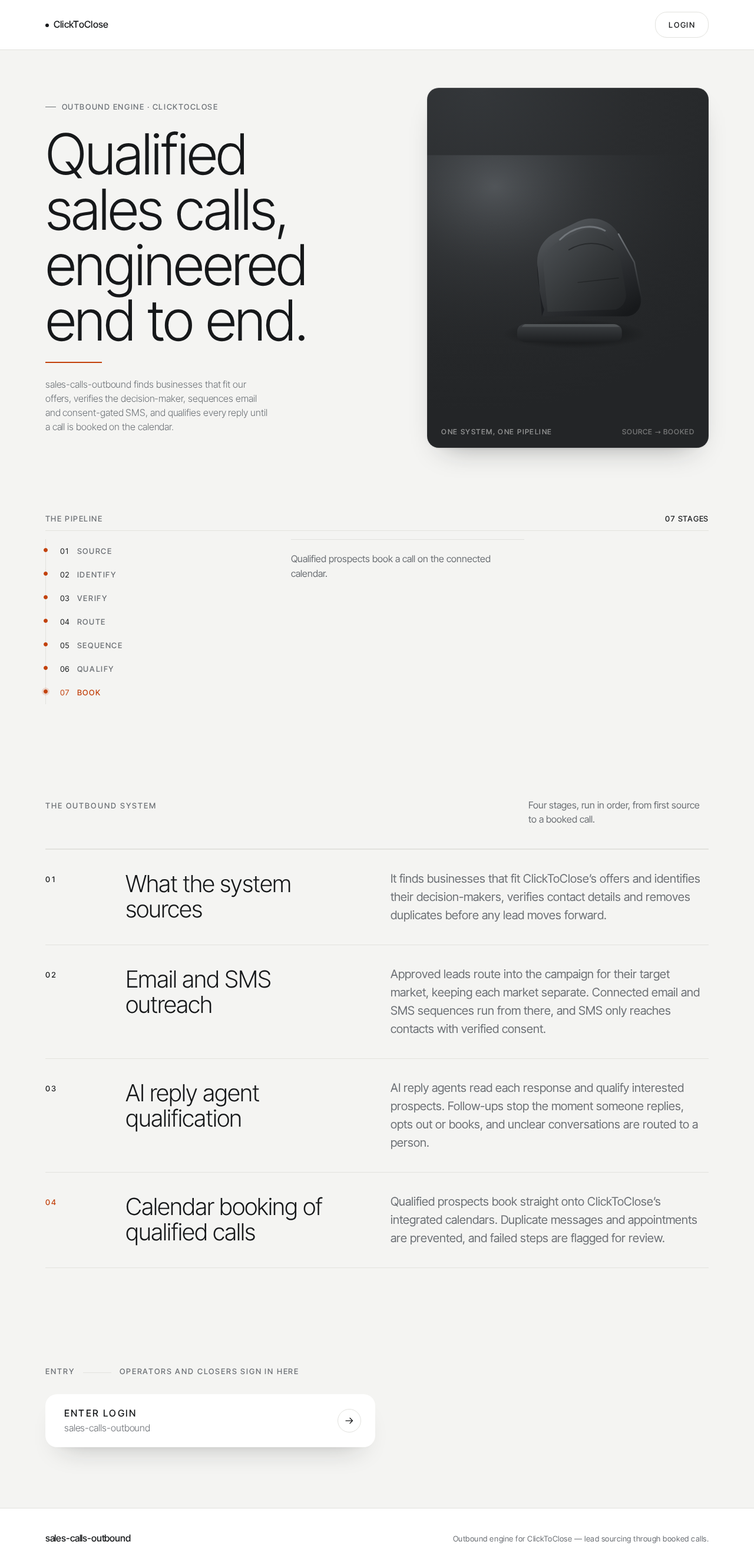
Outbound engine · ClickToClose
Qualified sales calls, engineered end to end.
sales-calls-outbound finds businesses that fit our offers, verifies the decision-maker, sequences email and consent-gated SMS, and qualifies every reply until a call is booked on the calendar.
The pipeline
- Source
- Identify
- Verify
- Route
- Sequence
- Qualify
- Book
Seven stages, one reviewable path from a sourced business to a booked call.
The outbound system
Four stages, run in order, from first source to a booked call.
- What the system sources
- It finds businesses that fit ClickToClose’s offers and identifies their decision-makers, verifies contact details and removes duplicates before any lead moves forward.
- Email and SMS outreach
- Approved leads route into the campaign for their target market, keeping each market separate. Connected email and SMS sequences run from there, and SMS only reaches contacts with verified consent.
- AI reply agent qualification
- AI reply agents read each response and qualify interested prospects. Follow-ups stop the moment someone replies, opts out or books, and unclear conversations are routed to a person.
- Calendar booking of qualified calls
- Qualified prospects book straight onto ClickToClose’s integrated calendars. Duplicate messages and appointments are prevented, and failed steps are flagged for review.
Outbound engine · ClickToClose
Qualified sales calls, engineered end to end.
sales-calls-outbound finds businesses that fit our offers, verifies the decision-maker, sequences email and consent-gated SMS, and qualifies every reply until a call is booked on the calendar.
The pipeline
- Source
- Identify
- Verify
- Route
- Sequence
- Qualify
- Book
Seven stages, one reviewable path from a sourced business to a booked call.
The outbound system
Four stages, run in order, from first source to a booked call.
- What the system sources
- It finds businesses that fit ClickToClose’s offers and identifies their decision-makers, verifies contact details and removes duplicates before any lead moves forward.
- Email and SMS outreach
- Approved leads route into the campaign for their target market, keeping each market separate. Connected email and SMS sequences run from there, and SMS only reaches contacts with verified consent.
- AI reply agent qualification
- AI reply agents read each response and qualify interested prospects. Follow-ups stop the moment someone replies, opts out or books, and unclear conversations are routed to a person.
- Calendar booking of qualified calls
- Qualified prospects book straight onto ClickToClose’s integrated calendars. Duplicate messages and appointments are prevented, and failed steps are flagged for review.
No comments yet. Be the first!