rustic-ruby
 Said Gad
بنفس الملامح دون تغيير مع معالجة الهالات السوداء تحت العينين وتعديل قصة الشعر وتصغير الينوعشر سنوات مع الحفاظ على الملامح بدقة صمم صورة بملابس أنيقة


Comments (0)
Sign in to leave a comment
System Requirements
System Requirements Document for rustic-ruby
1. Introduction
rustic-ruby is an AI-assisted portrait creation tool for people who want a new, elegant image inspired by a reference photo while keeping their facial features true to them. The user uploads a reference, chooses the requested portrait adjustments, and generates a new image. The result must preserve facial features accurately while treating under-eye shadows, changing the hairstyle, making the subject appear ten years younger, and styling the subject in elegant clothing.
This SRD is the requested product document for rustic-ruby. It describes the current product scope, its user journey, and the requirements for delivering the portrait creation experience.
2. System Overview
rustic-ruby provides a public introduction, application-owned identity access, a protected editing studio, and a protected collection of the user’s generated images. Its sole accepted human persona is the مستخدم الأداة (منشئ الصور المعدّلة). The user supplies a reference image, selects the accepted adjustments, requests generation, views the result, and can return to saved generated images in a later session.
The generated portrait is a new image inspired by the reference, not a direct edit of the reference itself. Accurate preservation of the subject’s facial features is a hard product constraint. The accepted adjustments are under-eye shadow treatment, hairstyle change, an apparent age reduction of exactly ten years, and elegant clothing.
The provisioned services are a React frontend, a shared FastAPI backend, MariaDB for application-owned persistent data, a LiteLLM gateway for backend model-provider calls, and PostgreSQL supporting LiteLLM. The application backend owns feature APIs and uses the existing shared process. PostgreSQL is LiteLLM support infrastructure, not application-owned storage.
Removed from scope
- Directly editing the reference image (also: تعديل الصورة المرجعية مباشرة)
2a. Product Interpretation and Delivery Boundary
The public الرئيسية page explains the tool before protected work. Application-owned identity is required to access the استوديو التعديل and صوري destinations, where a user’s reference and generated images can be associated with that user and resumed across sessions. تسجيل الدخول is anonymously reachable for first-use identity establishment and returning verification. Identity access is limited to establishing or verifying access needed for these journeys; no additional account-management capabilities are in scope.
Image generation is an AI-backed application capability. The backend integrates with LiteLLM for model-provider calls. The user’s reference image and selected adjustments are inputs to generation; the generated image is a new result. The user can view the result in the studio and revisit generated images in صوري.
The current scope is limited to the accepted portrait creation and image-history journeys. It does not add unrelated image-editing tools or other product modules.
2b. Page Content and Component Coverage
الرئيسية
- Information and state: Public explanation of the AI-assisted portrait tool and its purpose: create a new image inspired by a reference while preserving facial features. Present the accepted adjustments—under-eye shadows, hairstyle, ten-year age reduction, and elegant clothing—without implying other editing capabilities.
- Primary action: Continue to identity access to begin protected editing.
- Supporting content: A portrait-led introduction that uses the user’s actual reference or generated portrait when available; do not substitute unrelated stock portraits or AI-themed illustrations.
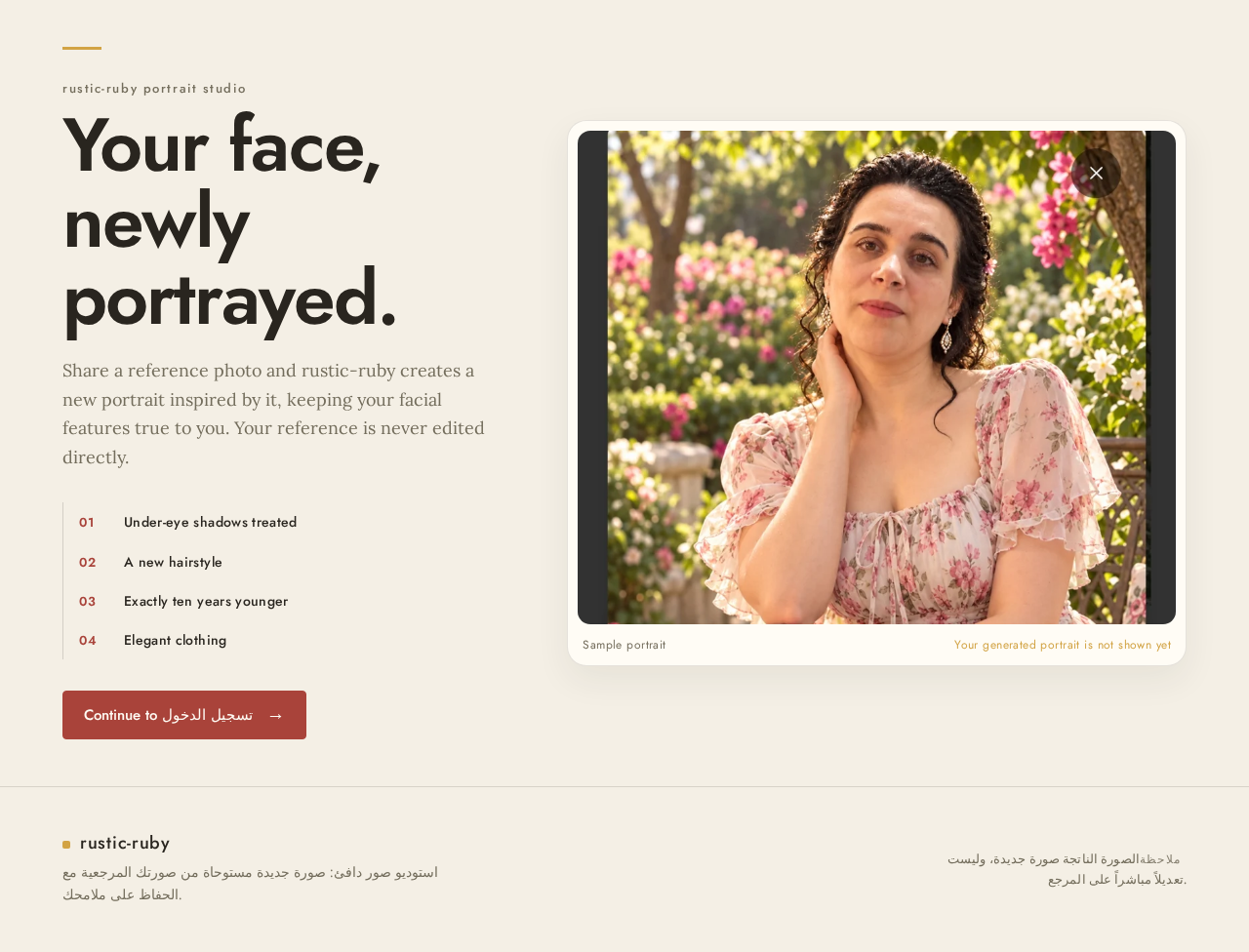
- Components: Editorial headline and concise reassurance; primary action; portrait presentation. On desktop, use the specified left-aligned introduction and action beside a large portrait on the right. On narrow screens, stack headline, action, then portrait.
- States: Loading is not required for static explanatory content. If an image is unavailable, retain the explanatory content and action without presenting an unrelated image. Navigation failure must leave the public entry usable and allow the user to retry.
تسجيل الدخول
- Information and state: Anonymous identity-access entry for first-use identity establishment or returning verification, needed to reach protected studio and image history.
- Primary action: Establish or verify the user’s application-owned identity.
- Components: Identity input and submission controls, with clear feedback and a continuation to the protected destination after successful access.
- States: Show submission progress; on invalid or failed verification, explain that access was not established and allow retry. On success, continue to استوديو التعديل or the requested protected destination. Do not expose protected image state before identity is established.
استوديو التعديل
- Information and state: Protected workspace for the signed-in user. Holds the selected reference image, requested adjustment choices, generation progress, and generated result.
- Primary actions: Upload a valid reference image; select the accepted adjustments; request generation; view the generated portrait.
- Adjustment controls: Present a numbered sequence of panels for identity preservation, under-eye shadows, hairstyle, age, and elegant clothing. Identity preservation is the priority and must remain accurate. The age adjustment is exactly ten years younger. The other accepted adjustments must be selectable before generation.
- Result presentation: Show the generated image as a new portrait inspired by the reference. Present reference and result in clearly labeled portrait panes with a user-operated divider; provide an accessible static or scrollable alternative. Keep labels and controls visible and do not obscure the image with overlays.
- Components: Reference upload and preview; adjustment panels; generation action and progress feedback; result reveal; comparison panes; next action directly beneath the result.
- States: Before a valid reference is supplied, explain that one is required before generation. During generation, show progress. On success, display the generated result and make it available in the user’s saved image history. On upload or generation failure, explain the failure, retain the user’s current selections where possible, and allow retry. If generation does not produce a result, do not present it as completed; allow the user to continue by retrying.
- Access: Requires application identity. An unauthenticated user is directed to تسجيل الدخول and returns to the protected studio after successful access.
صوري
- Information and state: Protected, durable history of the user’s generated images, available for later sessions.
- Primary action: Revisit and view a previously generated image.
- Components: Gallery-style presentation of the user’s saved generated images, with each image available for viewing. Do not imply additional image operations.
- States: Show a loading state while saved images are retrieved; show an empty state when the user has no generated images; show saved images when available. If retrieval fails, explain the problem and allow retry. Successful viewing leaves the user able to continue browsing the saved collection or return to استوديو التعديل.
- Access: Requires application identity. An unauthenticated user is directed to تسجيل الدخول and returns to the requested protected destination after successful access.
3. Functional Requirements
- As a مستخدم الأداة (منشئ الصور المعدّلة), I should be able to understand the portrait tool before entering protected work.
- Provenance:
required_inference— public entry page specified in Planning Scope. - Trigger/input: Visit الرئيسية without an established session.
- Observable result: The user can understand that the tool creates a new AI-assisted portrait inspired by a reference while preserving facial features, and can continue to identity access.
- Access: Public.
- Failure/recovery: If the page’s portrait image is unavailable, the explanation and action remain usable; if navigation fails, the user can retry.
- Continuation: Continue to تسجيل الدخول.
- Provenance:
-
As a مستخدم الأداة (منشئ الصور المعدّلة), I should be able to establish or verify my identity to access my protected portrait work.
- Provenance:
required_inference— application-owned identity and access are established in Planning Scope. - Trigger/input: Choose to begin protected work or return to it; submit the identity information required for first-use establishment or returning verification.
- Observable result: Successful identity access permits entry to the requested protected destination and binds the user’s durable image state to the correct user.
- Access: تسجيل الدخول is anonymously reachable; protected studio and image history require identity.
- Failure/recovery: If identity establishment or verification fails, protected state remains unavailable, the user receives failure feedback, and can retry.
- Continuation: Continue to استوديو التعديل for creation or صوري for saved images.
- Provenance:
-
As a مستخدم الأداة (منشئ الصور المعدّلة), I should be able to provide a valid reference image before generation.
- Provenance:
required_inference— required prerequisite for the accepted reference-inspired generation. - Trigger/input: In استوديو التعديل, upload a reference image.
- Observable result: The studio accepts and presents a valid reference as the source for the new portrait.
- Access: Requires application identity.
- Failure/recovery: If the image is invalid or cannot be uploaded, generation remains unavailable; the user receives feedback and can retry with a valid image.
- Continuation: Select the accepted adjustments and request generation.
- Provenance:
- As a مستخدم الأداة (منشئ الصور المعدّلة), I should be able to select the accepted portrait adjustments before generation.
- Provenance:
required_inference— selection is necessary to make the explicitly requested adjustments executable. - Trigger/input: In استوديو التعديل, choose the requested adjustments for the reference.
- Observable result: The selected generation request includes accurate preservation of facial features, under-eye shadow treatment, a hairstyle change, an apparent age reduction of exactly ten years, and elegant clothing.
- Access: Requires application identity and a valid reference image.
- Failure/recovery: If required input is missing, the studio identifies what is needed and does not submit an incomplete generation request; the user can complete the selection and retry.
- Continuation: Request AI generation.
- Provenance:
- As a مستخدم الأداة (منشئ الصور المعدّلة), I should be able to generate a new portrait inspired by my reference.
- Provenance:
explicit— the user requested a new image inspired by the reference, with the named adjustments and facial-feature preservation. - Trigger/input: Request generation in استوديو التعديل with a valid reference and selected adjustments.
- Observable result: The AI-backed tool produces a new image inspired by, but not a direct edit of, the reference. The result treats under-eye shadows, changes the hairstyle, makes the subject appear ten years younger, and uses elegant clothing while preserving facial features accurately.
- Access: Requires application identity.
- Failure/recovery: During generation, show progress. If generation fails or yields no result, explain that no completed result is available and allow retry without falsely marking the request complete.
- Continuation: On success, display the result in the studio and retain it in the user’s durable generated-image history.
- Provenance:
-
As a مستخدم الأداة (منشئ الصور المعدّلة), I should be able to inspect the generated portrait in relation to my reference.
- Provenance:
required_inference— necessary to make the generated result observable and assess the explicit facial-feature preservation constraint. - Trigger/input: Generation completes successfully.
- Observable result: The user can view the new portrait and compare it with the reference in clearly labeled panes using a user-operated divider, or an accessible static or scrollable alternative.
- Access: Requires application identity.
- Failure/recovery: If the result cannot be displayed, explain the display failure and allow the user to retry viewing; do not represent an unavailable image as a successful visible result.
- Continuation: Continue to استوديو التعديل work or revisit the saved result in صوري.
- Provenance:
-
As a مستخدم الأداة (منشئ الصور المعدّلة), I should be able to revisit generated images in later sessions.
- Provenance:
required_inference— durable state and the صوري page are specified in Planning Scope. - Trigger/input: Open صوري after identity access.
- Observable result: The user can view their saved generated images, including results from earlier sessions.
- Access: Requires application identity; image history is associated with the correct user.
- Failure/recovery: Show an empty state when no generated images exist. If retrieval fails, explain the failure and allow retry.
- Continuation: Continue viewing the collection or return to استوديو التعديل.
- Provenance:
4. User Personas
مستخدم الأداة (منشئ الصور المعدّلة)
- Provenance:
required_inference— the sole active-human persona in the accepted Planning Scope catalog. - Product context: Wants a new, elegant portrait inspired by a reference image, with facial features preserved accurately.
- Primary goal: Create and later revisit a generated portrait that reflects the requested adjustments without changing the subject’s facial features.
- Distinct responsibilities: Establish or verify identity to access protected work; provide a valid reference; select the accepted adjustments; request generation; inspect the result; and revisit saved generated images.
- Relevant inputs and decisions: Supplies the reference image and selects the requested under-eye shadow treatment, hairstyle change, ten-year age reduction, and elegant clothing, with facial-feature preservation as the central constraint.
- Interaction with other participants: No other accepted human participant is involved. The backend and AI model-provider integration support generation but are not human personas.
- Observable success: Receives and views a new image inspired by the reference, with the requested adjustments and accurate facial-feature preservation, and can return to saved generated images in a later session.
5. Core User Flows
Journey 1: Understand the tool and begin
- The user visits الرئيسية anonymously.
- The page explains the new, reference-inspired portrait outcome and the accepted adjustments, with facial-feature preservation emphasized.
- The user chooses to begin and continues to تسجيل الدخول.
- If navigation fails, the user remains able to retry from the public entry.
Journey 2: Establish identity or return to protected work
- The user opens تسجيل الدخول from the public entry or when directed there from a protected destination.
- For first use, the user establishes application-owned identity; on a return visit, the user verifies identity.
- If establishment or verification fails, protected image state remains unavailable; the user receives feedback and can retry.
- On success, the user continues to استوديو التعديل to create a portrait or صوري to revisit saved images. If redirected from a protected destination, the user returns to that requested destination.
Journey 3: Generate and inspect a portrait
- The user enters استوديو التعديل after identity access.
- The user uploads a valid reference image. If upload fails or the image is invalid, the studio explains the issue and allows retry; generation cannot proceed without a valid reference.
- The user selects the accepted adjustments: preserve facial features accurately, treat under-eye shadows, change the hairstyle, make the subject appear ten years younger, and use elegant clothing.
- The user requests generation. The AI-backed service processes the reference and selected adjustments to create a new image inspired by the reference, not a direct edit of it.
- The studio shows progress. If generation fails or produces no result, the user receives feedback and can retry; no incomplete result is presented as complete.
- On success, the studio displays the generated portrait and retains it in the user’s durable image history.
- The user inspects the result against the reference in labeled portrait panes using the user-operated divider, or an accessible static or scrollable alternative.
- The user can continue in the studio or open صوري to revisit the saved result.
Journey 4: Revisit generated images
- The user opens صوري after identity access, including in a later session.
- The application retrieves the user’s saved generated images.
- If there are no saved images, the page shows an empty state. If retrieval fails, it explains the failure and allows retry.
- When images are available, the user views them and can continue browsing the collection or return to استوديو التعديل.
6. Visuals Colors and Theme
The visual direction is “A warm portrait studio, composed like a keepsake.” Its muse is Charles & Ray Eames. The experience should feel personal, reassuring, and quietly celebratory rather than clinical or technologically intimidating. The supplied image is visual context for natural garden warmth and floral pinks; it is not a layout to reproduce.
Design tokens
- Light-mode background:
#F4EFE5warm cream. - Surface:
#FFFCF5soft ivory for work surfaces and portrait frames. - Text:
#29251Fdeep walnut ink. - Primary action and selected state:
#A9433Atomato red. - Secondary accent:
#D2A344mustard, used sparingly. - Muted text:
#77715F. - Headings: Jost, medium-to-bold weights, gently open spacing, sentence case.
- Body: Lora, approachable editorial voice.
- Type scale: Responsive display 40px mobile to 80px desktop; page headings 30–48px; section headings 24–32px; body 16–18px; labels 13–14px. Use responsive scaling and natural wrapping.
- Shape language: Gently rounded portrait frames, simple modular panels, and occasional restrained circles or arcs. Keep controls tactile and obvious; do not place ornament behind readable content.
- Spacing and layout: Calm, roomy editorial composition. On desktop, pair a left-aligned introduction and primary action with a large portrait on the right. Below, arrange reference upload, adjustment choices, and generated result in distinct panels. At 768px and 375px, stack in task order and keep portrait and controls within the viewport.
- Imagery: The user’s reference and generated portrait are the meaningful visual subjects. Use natural-light warmth and elegant clothing styling. Do not use unrelated stock portraits, decorative AI imagery, or illustrations in place of the actual reference and generated images.
- Accessibility and responsive readability: Keep headlines, labels, numbers, controls, and other readable text wholly within their viewport and containers at 375px, 768px, and 1280px. Imagery may be cropped as needed, but must not cover text or controls. Provide a usable static arrangement for reduced motion.
7. Signature Design Concept
Create a portrait-led split hero on a warm cream background. Place a compact, left-aligned Jost headline, concise reassurance about preserving facial features, and a tomato-red action on the left. On the right, give a large, naturally lit portrait room within a soft ivory frame, using the user’s actual reference or generated image when available. A small mustard rule or numbered marker anchors the composition.
Below the hero, carry the same keepsake-studio feeling into the accepted workflow: a clear sequence of reference upload, numbered adjustment panels, and a quiet result reveal. Present the reference and generated portrait in two labeled panes with a simple user-operated divider and an accessible static or scrollable alternative. Keep the next action directly beneath the large result, with no overlay obscuring the image or controls. On narrow screens, stack headline, action, then portrait; keep all readable content and controls fully visible.
8. Interaction Model & Motion Direction
Interaction Model: Animated
Motion Tempo: restrained
Hero Dimensionality: layered_2d
Landing Hero Motion Brief
- Focal subject: The user’s reference or generated portrait, presented as the meaningful visual subject in natural garden-inspired light.
- Input → transformation → outcome thesis: The user begins with a reference and accepted adjustment choices; the AI-backed tool creates a new portrait inspired by that reference while preserving facial features; the user sees the generated result. The hero communicates this accepted journey without implying additional behavior.
- Motion vocabulary: Gentle, film-like transitions; a slow portrait reveal; a restrained crossfade between reference and generated result; short, quiet feedback for controls. No bouncing or continuously moving decoration.
- Composed first frame: Warm cream field, left-aligned headline and tomato-red action, and a large, softly framed portrait on the right. Keep text and controls unobscured.
- Reduced-motion state: Show the same complete composition without animated transitions. Keep comparison content available as a static or scrollable alternative.
9. Non-Functional Requirements
-
Facial-feature fidelity
- Provenance:
explicit. - The generated image must preserve the subject’s facial features accurately and must not alter or idealize them. This is the central product constraint.
- Provenance:
-
New-image distinction
- Provenance:
explicit. - The generated portrait must be a new image inspired by the reference, not a direct edit of the reference itself.
- Provenance:
-
Age adjustment
- Provenance:
explicit. - The requested age reduction is exactly ten years.
- Provenance:
-
Durable user image state
- Provenance:
required_inference— Planning Scope requires durable state and a later-session image history. - Generated images must remain associated with the correct application user so that the user can revisit them in later sessions.
- Provenance:
-
Responsive readability and motion
- Provenance: Creative Direction.
- At 375px, 768px, and 1280px, readable text and controls must remain wholly visible within the viewport and their containers. Reduced-motion users must receive a usable static arrangement. Motion must not obscure readable content or controls.
10. Tech Stack
- Frontend: React application UI, as provisioned.
- Application backend: Shared FastAPI process for application APIs and domain modules. Reuse it for identity, image workflow, and feature APIs; do not introduce a separate service for these modules.
- Application-owned persistent storage: MariaDB, as provisioned.
- AI model-provider gateway: LiteLLM, used by the backend for model-provider calls.
- LiteLLM support storage: PostgreSQL, as provisioned and separate from application-owned storage.
- Additional services: None specified for the accepted workflows.
11. Assumptions and Constraints
- Required inference: Application-owned identity is necessary to associate durable reference and generated-image state with the correct user and support later-session access. First-use identity establishment and returning verification are limited to this purpose.
- Required inference: A valid reference image and selection of the accepted adjustments are prerequisites to generation.
- Required inference: A successful generation must produce an observable result in the studio and retain it for later access through صوري.
- Explicit constraint: The result is a new image inspired by the reference, not a direct edit of it.
- Explicit constraint: Facial features must be preserved accurately; the requested age reduction is ten years.
- Scope constraint: No additional image-editing capabilities, account-management modules, or unrelated product destinations are included.
12. Glossary
- Reference image: The user-provided image that inspires a new generated portrait.
- Generated portrait: The new image produced from the reference and selected accepted adjustments.
- Facial-feature preservation: The requirement that the subject’s facial features remain accurate and unchanged in the generated portrait.
- Application-owned identity: Identity established or verified by rustic-ruby to protect and resume the user’s own image state.
rustic-ruby portrait studio

rustic-ruby portrait studio
No comments yet. Be the first!