rustic-real
 Khizer Qureshi
Create a real estate website
Comments (0)
Sign in to leave a comment
Project Tasks10
Implement Theme & Global Structure
As a developer, I want to implement the global theme, color palette, typography, and layout structure across all pages so that the app visually matches the rustic-real mock designs. This includes setting up CSS variables for Deep Green (#2E8B57), Warm Beige (#F5F5DC), Brick Red (#B22222), Soft White (#FAFAFA), and Roboto/Open Sans fonts. Remove any scaffold pages not needed (e.g., welcome, dashboard/overview, dashboard/ai-assistant, dashboard/settings). This task must be completed before all other page implementation tasks.
Build Home Page
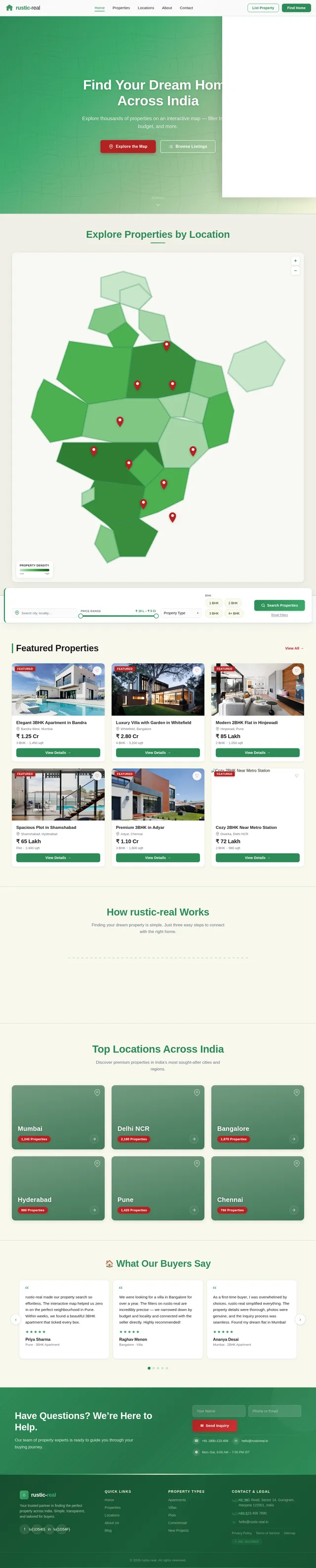
As a buyer, I want to use the Home page to explore an interactive map of India with property pins, apply dynamic filters for price and location, and see micro-animations on pin drops and transitions. Implement the Home page based on the existing JSX design (Home v2). Includes: NavBar, Hero with interactive map, filter panel, hover interactions showing property previews, and a 'Contact Seller' button on each pin. Page links to Listings and Property Detail pages.
Build Listings Page
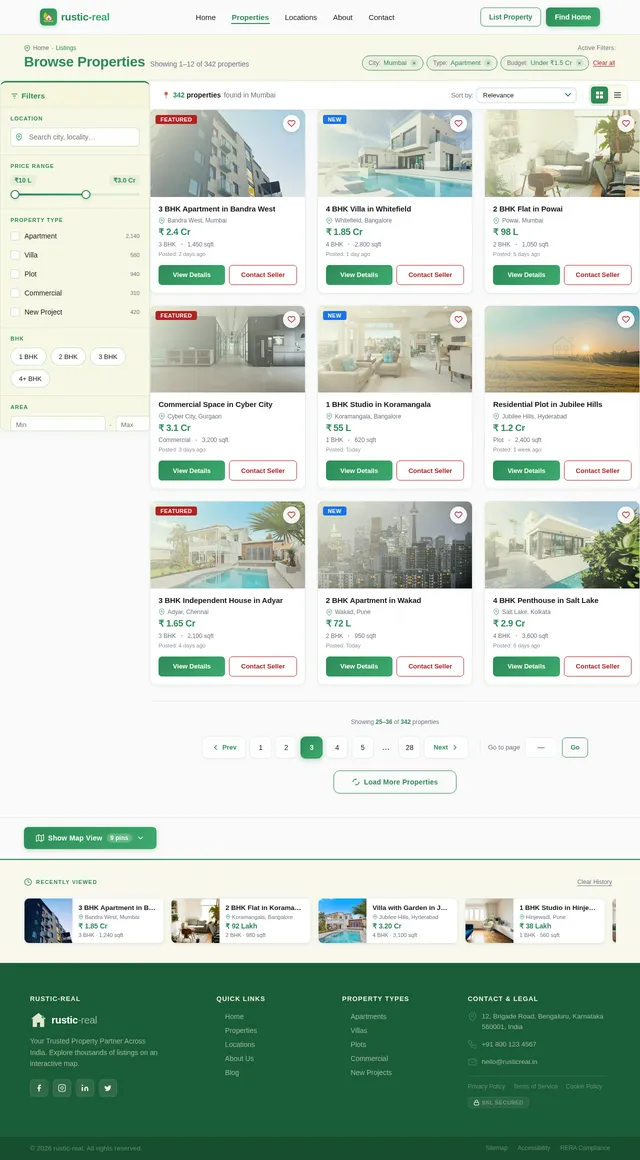
As a buyer, I want to browse property listings with essential details like price, location, and description, and apply filters to refine results. Implement the Listings page based on the existing JSX design (Listings v2). Includes: filter sidebar (price range, location), property cards with thumbnail, price in INR, location, and description, and pagination. Page is reached from the Home map/filters and links to Property Detail.
Build Property Detail Page
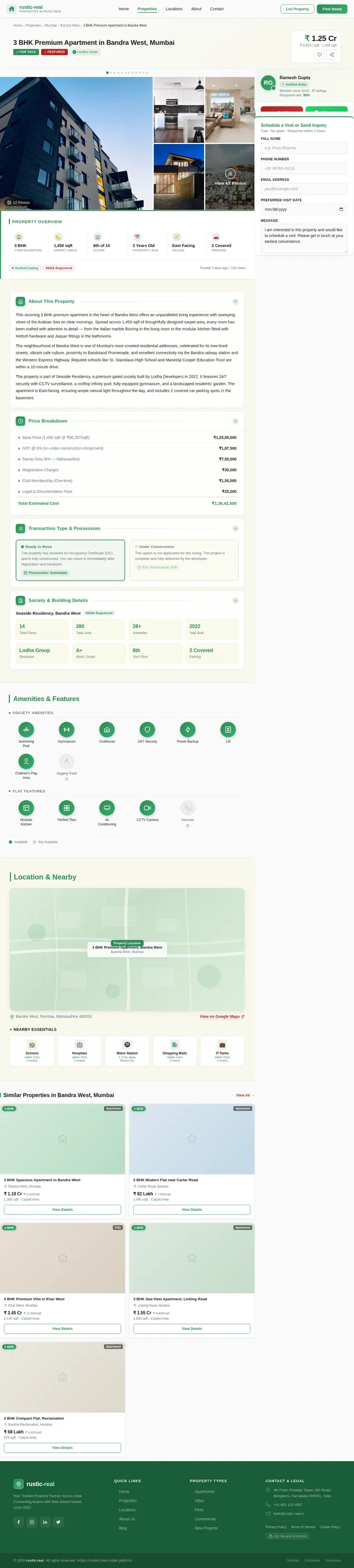
As a buyer, I want to view full property details including a photo gallery carousel, price, location, description, and a direct contact/inquiry option. Implement the Property Detail page based on the existing JSX design (Property v2). Includes: image gallery with carousel, property specs, map embed showing property location, and a 'Contact Seller' CTA. Page is reached from Listings and links to the Contact page.
Build Contact Page
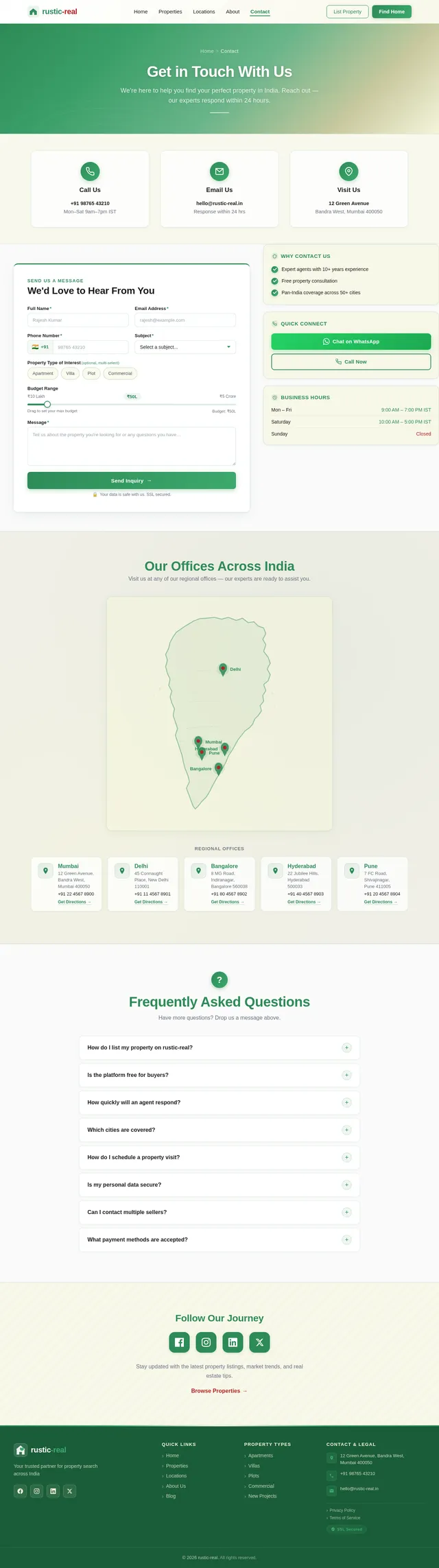
As a buyer, I want to submit an inquiry about a property through a contact form with fields for name, email, phone, subject, and message. Implement the Contact page based on the existing JSX design (Contact v2). Includes: ContactHero, ContactInfoStrip, ContactForm, ContactSidebar, OfficeLocationsMap, FAQAccordion, SocialAndCommunity, and Footer sections. Page is reached from Property Detail and Home map pins.
Implement Properties Listing API
As a buyer, I want to use a backend API to fetch property listings with filtering by price range and location so that the Listings and Home pages can display real data. Implement FastAPI endpoints: GET /api/properties (with query params: min_price, max_price, location, page, limit), returning property id, title, price (INR), location, description, thumbnail URL, and coordinates. Include MySQL schema for properties table and Alembic migration.
Implement Contact Inquiry API
As a buyer, I want to use a backend API to submit a property inquiry form so that my message is saved and the seller/agent is notified. Implement FastAPI endpoint: POST /api/inquiries accepting name, email, phone, subject, message, and optional property_id. Store in MySQL inquiries table with Alembic migration. Return success confirmation.
Implement Property Detail API
As a buyer, I want to use a backend API to fetch full property details including photo gallery URLs so that the Property Detail page displays complete information. Implement FastAPI endpoint: GET /api/properties/{id} returning all property fields plus an array of image URLs for the gallery carousel. Include Alembic migration for property_images table.
Integrate Frontend with Backend APIs
As a buyer, I want all pages to load real property data from the backend so that the browsing experience reflects actual listings. Wire up the Home map, Listings page filters, Property Detail page, and Contact form to their respective FastAPI endpoints using React fetch/axios. Handle loading states, error boundaries, and empty states for a polished experience.
Ensure Responsiveness & Accessibility
As a buyer using mobile or tablet, I want all pages to be fully responsive and accessible so that I can browse properties on any device. Audit and fix all pages (Home, Listings, Property, Contact) for mobile breakpoints, touch-friendly tap targets (min 44x44px), keyboard navigation, WCAG 2.1 contrast ratios, and screen reader compatibility. Test on iOS Safari, Android Chrome, and desktop browsers.
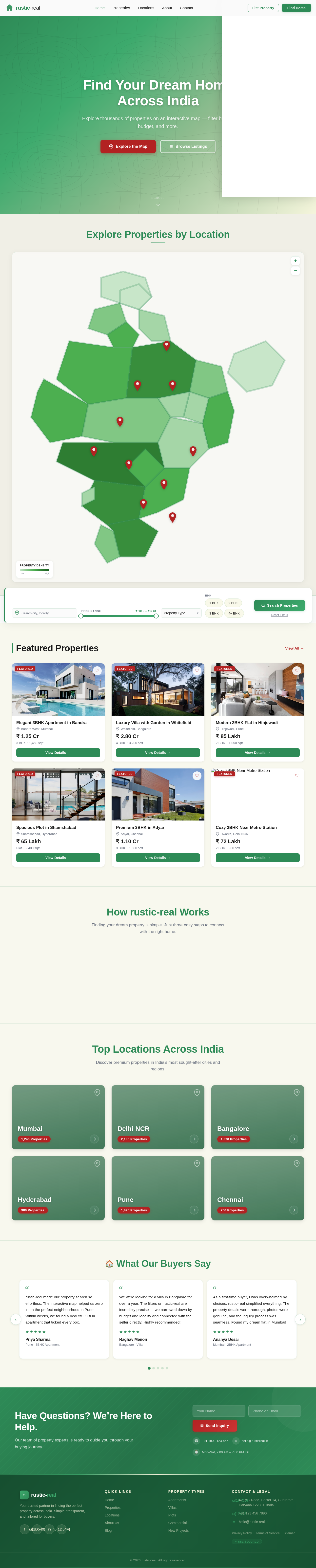
Find Your Dream Home Across India
Explore thousands of properties on an interactive map — filter by city, budget, and more.
Explore Properties by Location
Featured Properties
 Featured
Elegant 3BHK Apartment in Bandra
 Featured
Luxury Villa with Garden in Whitefield
 Featured
Modern 2BHK Flat in Hinjewadi
 Featured
Spacious Plot in Shamshabad
 Featured
Premium 3BHK in Adyar
 Featured
Cozy 2BHK Near Metro Station
How rustic-real Works
Finding your dream property is simple. Just three easy steps to connect with the right home.
Explore the Map
Browse our interactive map of India to discover properties in your preferred city or neighbourhood.
Apply Your Filters
Narrow your search by price range, property type, BHK count, and more to find the perfect match.
Contact the Seller
Reach out directly to property owners or agents with a single click to schedule visits or ask questions.
Top Locations Across India
Discover premium properties in India’s most sought-after cities and regions.


What Our Buyers Say
rustic-real made our property search so effortless. The interactive map helped us zero in on the perfect neighbourhood in Pune. Within weeks, we found a beautiful 3BHK apartment that ticked every box.
Priya Sharma
Pune · 3BHK Apartment
We were looking for a villa in Bangalore for over a year. The filters on rustic-real are incredibly precise — we narrowed down by budget and locality and connected with the seller directly. Highly recommended!
Raghav Menon
Bangalore · Villa
As a first-time buyer, I was overwhelmed by choices. rustic-real simplified everything. The property details were thorough, photos were genuine, and the inquiry process was seamless. Found my dream flat in Mumbai!
Ananya Desai
Mumbai · 2BHK Apartment
I purchased a residential plot in Hyderabad through rustic-real. The map-based exploration was a game-changer — I could see exactly where the plot was located relative to schools and hospitals. Fantastic platform!
Vikram Reddy
Hyderabad · Residential Plot
The team at rustic-real went above and beyond. From browsing listings to scheduling site visits in Chennai, everything was smooth. The contact form got me a callback within hours. Truly professional service.
Meera Krishnan
Chennai · 4BHK Villa
Have Questions? We’re Here to Help.
Our team of property experts is ready to guide you through your buying journey.
No comments yet. Be the first!