robot
 Virat Chordia
Create a high-end futuristic **3D robot selection screen for a sci-fi combat game**, matching the composition and visual style of the reference image. ### Main Character Place a large, intimidating humanoid combat robot in the center. The robot has: * A sleek white and metallic armored helmet/head * Black mechanical lower-face armor * Glowing orange-red circular eyes * Small futuristic mechanical details and panel lines across the helmet * Broad armored shoulders * A large black futuristic cloak/scarf wrapped around the neck and shoulders * Premium realistic 3D materials with glossy white metal, matte black armor, and subtle reflections * Cinematic studio lighting * Ultra-detailed realistic game asset quality ### Game Interface Create a clean futuristic **robot selection menu** around the character. Top-left: * Back arrow * Title: **YOUR ROBOTS** * Small category heading: **CLASSES S — A** Left-side vertical robot selection panel: 1. BERSERKER — Robot 2300.10 2. DESTROYER — Robot 1747.12 3. WARRIOR — Robot 2347.12 4. FIGHTER — Robot 0440.01 5. ADD ROBOTS with a large plus icon Make the **FIGHTER** card selected/highlighted with a bright white interface panel. Top-right: * Large number: **51** * Text: **LEVEL** * Robot class title: **FIGHTER** * Text: **Class S** Stats panel: * ATTACK — 260 * DEFENCE — 80 * ACCURACY — 150 * DEXTERITY — 220 Use thin futuristic progress bars beside each statistic. Below the stats: * Heading: **Skills** * Three square skill icons with futuristic white/gray symbols Bottom-right: Create a large futuristic rectangular button labeled: **START** ### Visual Style Use a premium AAA sci-fi video game interface, similar to a futuristic character-selection screen. Color palette: * White * Light gray * Dark charcoal * Black * Small accents of glowing orange-red Background: A clean minimal futuristic environment with a very light gray/white background, subtle shadows, soft gradients and faint technological details. Composition: * Robot dominates the center of the screen * UI panels remain clean and readable * Strong visual hierarchy * Symmetrical professional game HUD * Plenty of negative space * Modern sci-fi typography * Sharp geometric interface elements * High-end console/PC game menu aesthetic Rendering: **Photorealistic 3D, ultra detailed, cinematic lighting, realistic metal reflections, Unreal Engine 5 quality, AAA game graphics, 8K, extremely sharp, polished UI, professional game concept design.** Make every interface label **spelled correctly and clearly readable**, with no random text, distorted letters, extra objects, or broken UI elements.


Comments (0)
Sign in to leave a comment
System Requirements
System Requirements Document for robot
1. Introduction
The project aims to create a high-end futuristic 3D robot selection screen for a sci-fi combat game. The screen will feature a central humanoid combat robot and a clean, futuristic interface for selecting robots. The target audience is players of sci-fi combat games who appreciate premium, AAA-quality graphics and interfaces.
2. System Overview
The system will deliver a photorealistic 3D robot selection screen with cinematic lighting and ultra-detailed graphics. The main character, a humanoid combat robot, will be the focal point, surrounded by a clean and modern UI. The interface will include a robot selection menu, player level and class details, stats, skills, and a start button. The design will adhere to a futuristic sci-fi aesthetic with a specified color palette and typography.
2a. Product Interpretation and Delivery Boundary
The product will be delivered as a custom UI for a sci-fi combat game, featuring a 3D robot selection screen. The screen will be accessible without requiring user identity continuity, allowing players to engage with the interface anonymously. The system will not include additional game mechanics or account management capabilities beyond the specified robot selection and start process.
2b. Source Content Inventory
Not applicable as no content source directive was provided.
2c. Page Content and Component Coverage
Landing
- Information/State: Introduction to the sci-fi combat game, directing players to the Robot Selection screen.
- Primary Actions: Enter Robot Selection.
- Components:
- Introductory text about the game.
- Button to proceed to Robot Selection.
Robot Selection
- Information/State: Display of the central humanoid combat robot, robot selection menu, player level and class details, stats, skills, and start button.
- Primary Actions: Select robot, view stats and skills, start the game.
- Components:
- Main Character: Central humanoid combat robot with specified visual details.
- Top-Left Panel: Back arrow, title "YOUR ROBOTS", category heading "CLASSES S — A".
- Left-Side Panel: Vertical robot selection list with BERSERKER, DESTROYER, WARRIOR, FIGHTER, and ADD ROBOTS options.
- Top-Right Panel: Display of level 51, LEVEL, FIGHTER, Class S.
- Stats Panel: ATTACK, DEFENCE, ACCURACY, DEXTERITY with progress bars.
- Skills Section: Heading "Skills" with three skill icons.
- Bottom-Right Button: START button.
Add Robots
- Information/State: Interface for adding new robots to the selection list.
- Primary Actions: Add new robots.
- Components:
- Interface for entering new robot details.
- Confirmation button to add robots.
3. Functional Requirements
- As a Player, I should see a large humanoid combat robot in the center of the Robot Selection screen with specified visual details. (Provenance: explicit)
- As a Player, I should be able to navigate a clean futuristic robot selection menu with the title "YOUR ROBOTS", category heading "CLASSES S — A", and a back arrow. (Provenance: explicit)
- As a Player, I should see a list of robots including BERSERKER, DESTROYER, WARRIOR, FIGHTER, and an option to ADD ROBOTS. (Provenance: explicit)
- As a Player, I should see the FIGHTER card selected with a bright white interface panel. (Provenance: explicit)
- As a Player, I should see my level, class, and stats displayed on the screen. (Provenance: explicit)
- As a Player, I should see a Skills section with three skill icons. (Provenance: explicit)
- As a Player, I should be able to press a START button to initiate the game. (Provenance: explicit)
- As a Player, I should be able to access the Add Robots screen from the Robot Selection menu. (Provenance: required_inference)
4. User Personas
- Player: Engages with the robot selection screen, inspects robots, views stats and skills, and initiates the game.
5. Core User Flows
-
Landing to Robot Selection:
- Player accesses the Landing page.
- Player reads the introduction and clicks to proceed to the Robot Selection screen.
-
Robot Selection:
- Player views the central humanoid combat robot.
- Player navigates the robot selection menu.
- Player inspects the selected FIGHTER card, views level, class, stats, and skills.
- Player presses the START button to initiate the game.
-
Add Robots:
- Player selects ADD ROBOTS from the Robot Selection menu.
- Player enters new robot details and confirms addition.
6. Visuals Colors and Theme
- Muse: Gleb Kuznetsov
- Palette:
- Background: #0A0A0A
- Surface: #1A1A1A
- Text: #FFFFFF
- Primary: #FF4500
- Accent: #FF4500
- Muted: #555555
- Typography:
- Headings: Orbitron — Uppercase, wide spacing, bold
- Body: Space Grotesk
- Scale: 1.5 modular, 64/48/32/24/16
- Shape Language: Floating glass panels and thin luminous strokes
- Layout: Symmetrical with full-bleed 3D central character and clean UI panels
7. Signature Design Concept
A full-bleed 3D render of the humanoid combat robot dominates the center of the screen, with glowing orange-red accents highlighting its features. The UI panels are outlined with thin luminous strokes, maintaining a symmetrical layout. The FIGHTER card is highlighted, and the overall aesthetic is immersive and cinematic.
8. Interaction Model & Motion Direction
- Interaction Model: Animated
- Motion Tempo: Cinematic
- Hero Dimensionality: webgl
- Landing Hero Motion Brief: The central robot model slowly orbits with light sweeps, emphasizing its 3D form and glowing accents. The UI panels subtly animate to draw attention to the selected FIGHTER card.
9. Non-Functional Requirements
- The system must render the robot selection screen with photorealistic 3D graphics and cinematic lighting.
- The interface must maintain a high level of readability and clarity, with all labels spelled correctly.
- The system must perform smoothly on high-end gaming hardware, supporting 8K resolution.
10. Tech Stack
- Unreal Engine 5 for rendering
- WebGL/R3F for real-time 3D interaction
- React for UI components
- Node.js for backend services
11. Assumptions and Constraints
- The system assumes access to high-end gaming hardware for optimal performance.
- The design constraints prohibit the use of flat 2D imagery and low-detail graphics.
- The interface must adhere to the specified color palette and typography.
12. Glossary
- AAA Quality: High-end, top-tier graphics and design typically seen in major video game releases.
- HUD: Heads-Up Display, the visual interface elements overlaid on the game screen.
- WebGL/R3F: Web Graphics Library/React Three Fiber, technologies for rendering 3D graphics in web applications.
Enter the Arena
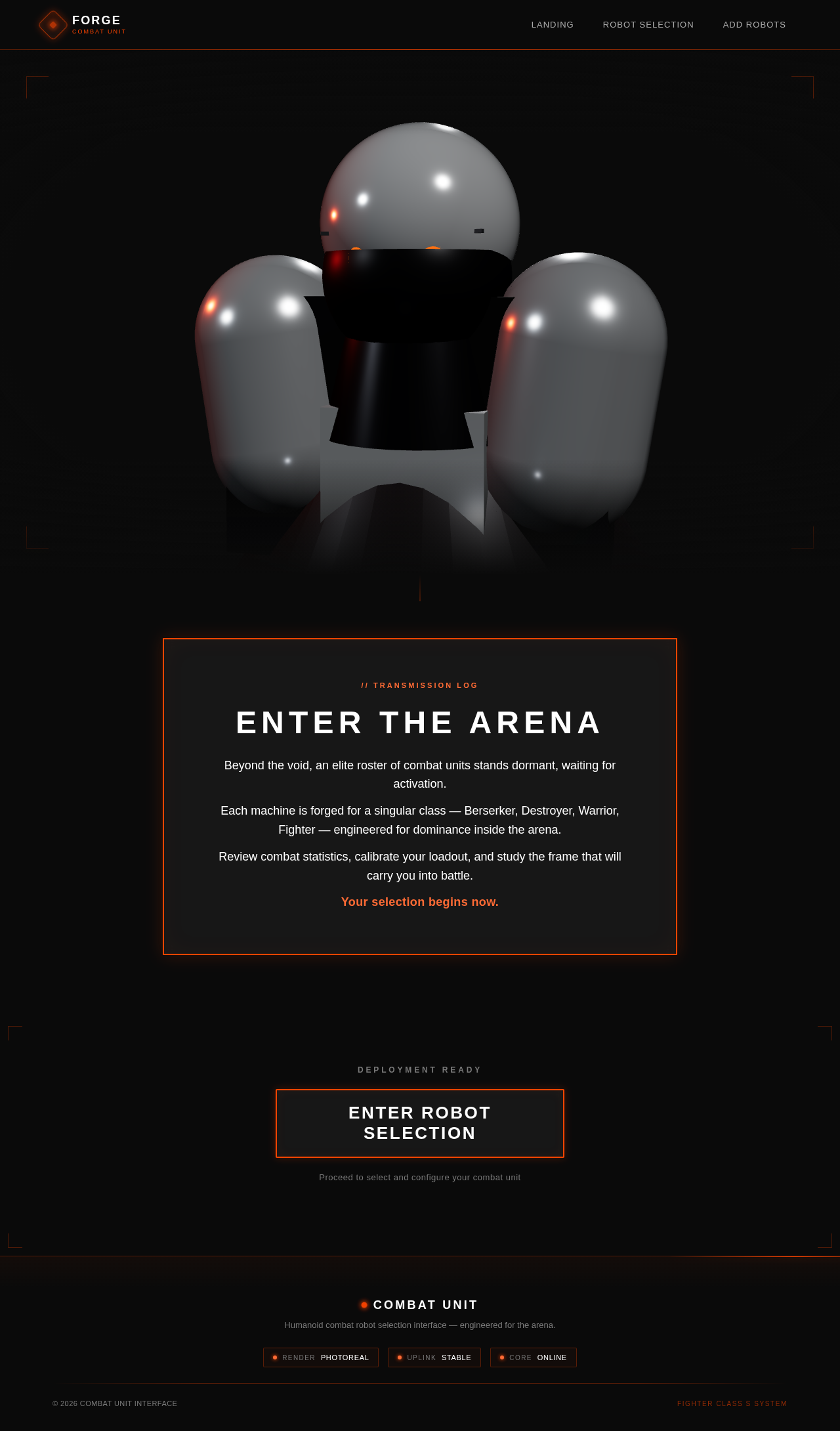
Beyond the void, an elite roster of combat units stands dormant, waiting for activation.
Each machine is forged for a singular class — Berserker, Destroyer, Warrior, Fighter — engineered for dominance inside the arena.
Review combat statistics, calibrate your loadout, and study the frame that will carry you into battle.
Your selection begins now.
Deployment Ready
Proceed to select and configure your combat unit
Enter the Arena
Beyond the void, an elite roster of combat units stands dormant, waiting for activation.
Each machine is forged for a singular class — Berserker, Destroyer, Warrior, Fighter — engineered for dominance inside the arena.
Review combat statistics, calibrate your loadout, and study the frame that will carry you into battle.
Your selection begins now.
Deployment Ready
Proceed to select and configure your combat unit
No comments yet. Be the first!