retro-app
 Senara Egodage
Create a mobile-first “Wise Money Transfer” app with a clean, modern UI suitable for testing. Use a teal primary color, white background, light teal accents, flat colors only (no gradients), consistent spacing, readable typography, and rounded cards. All inputs must be full-width, properly padded, with clear labels, helper text, and inline validation. Use a step-by-step wizard flow with a progress indicator (Step 0–6). Screens and navigation: Welcome Screen App title: “Wise Money Transfer” Short description: “Send money internationally in a few steps.” Buttons: “Log in”, “Sign up”, and “Continue as Guest” (guest allowed for UI testing) Footer: version text placeholder Login Screen Fields: Email/Username, Password Actions: Log in, Forgot password (dummy), Back After login -> Create Quote Screen Sign Up Screen Fields: Full name, Email, Password, Confirm password Actions: Create account, Back After signup -> Create Quote Screen Create Quote Screen Input fields (required): - sourceCurrency* (dropdown, ISO-4217 like USD, EUR, GBP) - targetCurrency* (dropdown) - sourceAmount (number) - targetAmount (number) Rules: - Allow either sourceAmount OR targetAmount (if both empty show validation). Actions: - Primary button: “Create Quote” Outputs to store globally: - quoteId (from createQuote output) - sourceCurrency - targetCurrency - sourceAmount or targetAmount used After success -> Create Recipient Screen Create Recipient Screen Input fields (required): - accountHolderName* - currency* - type* (dropdown: iban, ABA, sort_code, swift) - legalType* (dropdown: PRIVATE, BUSINESS) - addressFirstLine* - addressCity* - addressPostCode* - addressCountryCode* (2-letter code like LK, GB, US) Optional: - addressState Conditional required fields: - If type = iban → iban is required - If type = ABA → abartn, accountNumber, accountType are required - If type = sort_code → sortCode, accountNumber are required - If type = swift → swiftCode is required (and accountNumber if needed) Actions: - Primary: “Create Recipient” Outputs to store globally: - targetAccount (from createRecipient output) After success -> Update Quote Screen Update Quote Screen Fields: - sourceAmount* (auto-filled from Create Quote, editable) - sourceCurrency* (auto-filled) - targetCurrency* (auto-filled) - quoteId (READ-ONLY, auto taken from Create Quote output) - targetAccount (READ-ONLY, auto taken from Create Recipient output) Actions: - Primary: “Update Quote” After success -> Create Transfer Screen Create Transfer Screen Fields: - customerTransactionId* (auto-generate a UUID-like string if empty, but editable) - quoteId (READ-ONLY, auto from Create Quote) - targetAccount (READ-ONLY, auto from Create Recipient) - reference (optional) - transferPurpose (optional) Actions: - Primary: “Create Transfer” Outputs to store globally: - transferId (from createTransfer output) After success -> Fund Transfer Screen Fund Transfer Screen Fields: - type* (dropdown, include common values like BALANCE / BANK_TRANSFER / CARD if supported; keep as required) - transferId (READ-ONLY, auto from Create Transfer output) - partnerReference (optional) Actions: - Primary: “Fund Transfer” After success -> Finish Screen Final – Finish Screen Show a clean success summary card with the following fields: - transferId - quoteId - targetAccount - customerTransactionId - sourceCurrency - targetCurrency - sourceAmount - targetAmount (if available) - funding type - partnerReference - reference - transferPurpose - status (show as Success / Completed) - completion message: “Your transfer has been created successfully.” Actions: - “Create New Transfer” - “Back to Home” General Requirements - Keep all screens mobile-first and visually consistent. - Use rounded cards, flat colors, proper spacing, and clear section headings. - All fields should have labels, helper text, and inline validation. - Read-only fields must still be visible in a styled input or summary box. - Store outputs globally and automatically pass them to the next steps. - Do not ask the user to re-enter values already created in earlier steps. - Add loading, success, and error states for each step. - Use dummy/mock backend behavior if real API integration is not available, but preserve the full end-to-end flow and stored outputs.
Comments (0)
Sign in to leave a comment
System Requirements
System Requirements Document (SRD)
Project Name: retro-app
1. Introduction
The retro-app is a mobile-first application designed to facilitate international money transfers through a clean, modern user interface. The app will target both Android and iOS platforms, prioritizing usability and visual consistency. It employs a step-by-step wizard flow to guide users through the transfer process, ensuring clarity and ease of use.
This document outlines the system requirements for the retro-app, focusing on its functional and non-functional aspects, user personas, design elements, and technical specifications.
2. System Overview
The retro-app is intended to provide users with a seamless experience for sending money internationally. The application will feature:
- A mobile-first design optimized for both Android and iOS platforms.
- A step-by-step wizard flow with progress indicators to guide users through the transfer process.
- Basic login validation for user authentication without two-factor authentication.
- Session persistence to save logged-in states and incomplete transfer data for user convenience.
- Global state management to store outputs and pass them automatically between steps, reducing redundant input.
The app will be visually consistent, using flat colors, rounded cards, and properly spaced elements to enhance readability and user experience.
3. Functional Requirements
Story Points:
- As a User, I should be able to log in with basic validation (email/username and password).
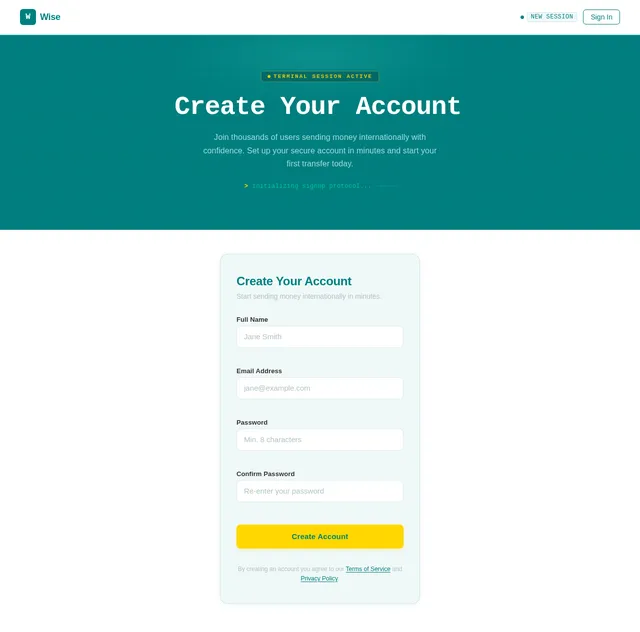
- As a User, I should be able to sign up by providing my full name, email, and password.
- As a Guest, I should be able to explore the app for UI testing without creating an account.
- As a User, I should be able to create a quote by selecting source and target currencies and entering either source or target amounts.
- As a User, I should be able to create a recipient by entering account details, address, and conditional fields based on the account type.
- As a User, I should be able to update a quote with editable source amounts and view auto-filled details from previous steps.
- As a User, I should be able to create a transfer by providing a transaction ID and optional details like reference and transfer purpose.
- As a User, I should be able to fund a transfer by selecting a funding type and viewing auto-filled details from previous steps.
- As a User, I should be able to view a clean success summary card with all transfer details on the Finish Screen.
- As a User, I should be able to save my logged-in session and incomplete transfer data for later use.
4. User Personas
1. User
- Primary user of the app.
- Can log in, sign up, create quotes, recipients, transfers, and fund transfers.
- Requires session persistence for convenience.
2. Guest
- Temporary user for UI testing purposes.
- Can explore the app without creating an account.
5. Visuals Colors and Theme
Color Palette:
- Background:
#FFFFFF(White) - Surface:
#F0F8F8(Light Teal) - Text:
#333333(Dark Gray) - Accent:
#008080(Teal) - Muted Tones:
#B0C4C4(Muted Teal)
The design will use flat colors only, avoiding gradients, and maintain consistent spacing and rounded cards for a modern aesthetic.
6. Signature Design Concept
Retro Terminal Aesthetic with Modern UI
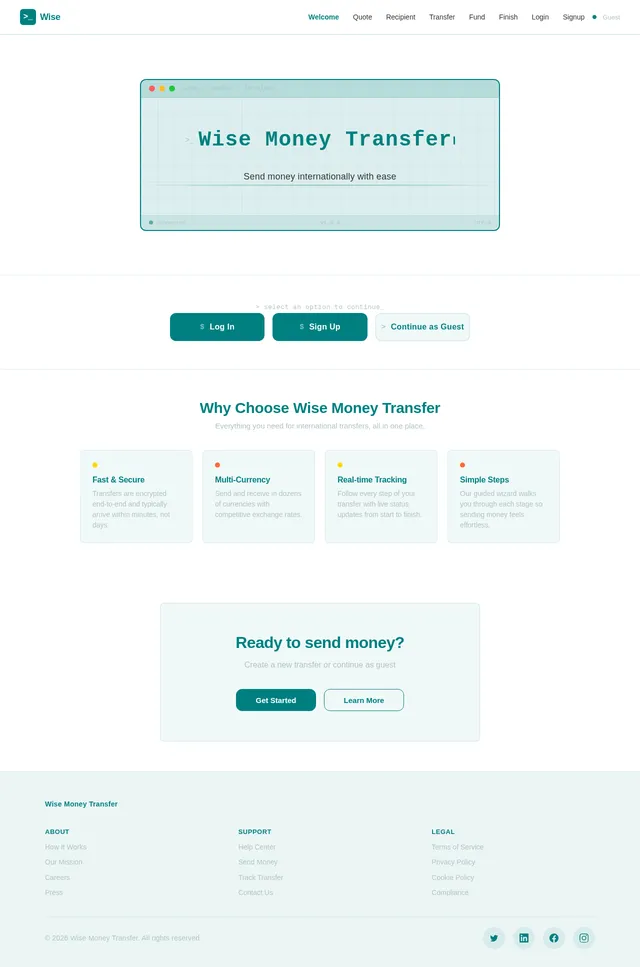
The homepage will feature a retro-inspired terminal design combined with modern UI elements. Upon opening the app, users will see:
- A dynamic teal terminal background with subtle animations resembling old-school computer screens.
- The app title, "Wise Money Transfer," will type itself out in a retro font, accompanied by a blinking cursor animation.
- Buttons like "Log in," "Sign up," and "Continue as Guest" will appear as rounded cards styled to resemble command prompts.
- A progress indicator styled as a horizontal "loading bar" will visually guide users through the step-by-step wizard flow.
- Micro-interactions such as hover effects and button clicks will mimic retro terminal responses (e.g., subtle sound effects or color flashes).
This bold design concept will make the app instantly fascinating while maintaining usability and clarity.
7. Non-Functional Requirements
- The app must be responsive and optimized for mobile devices (Android and iOS).
- All screens must load within 2 seconds for a smooth user experience.
- Session persistence must securely store logged-in states and incomplete transfer data.
- Inline validation must provide real-time feedback for all input fields.
- The app must support dummy/mock backend behavior for testing purposes.
8. Tech Stack
Frontend:
- React Native for mobile app development.
Backend:
- Python with FastAPI for API development.
Database:
- MySQL or MariaDB for relational data storage, using Alembic for migrations.
AI Tools:
- GPT 5.4 for user-friendly responses during testing.
Local Orchestration:
- Docker and docker-compose for containerization.
Server-Side Orchestration:
- Kubernetes for deployment and scaling.
9. Assumptions and Constraints
Assumptions:
- Users will primarily access the app on mobile devices.
- Basic login validation is sufficient for initial testing.
- Session persistence will enhance user convenience during testing.
Constraints:
- The app must adhere to locale-specific standards (e.g., currency codes like LK for Sri Lanka).
- The design must avoid gradients and use flat colors only.
- All outputs must be stored globally and passed automatically between steps.
10. Glossary
- ISO-4217: International standard for currency codes (e.g., USD, EUR).
- UUID: Universally Unique Identifier, used for generating transaction IDs.
- Inline Validation: Real-time feedback for input fields to ensure data accuracy.
- Session Persistence: Saving user states and data for later use.
- Mock Backend: Simulated backend behavior for testing purposes.
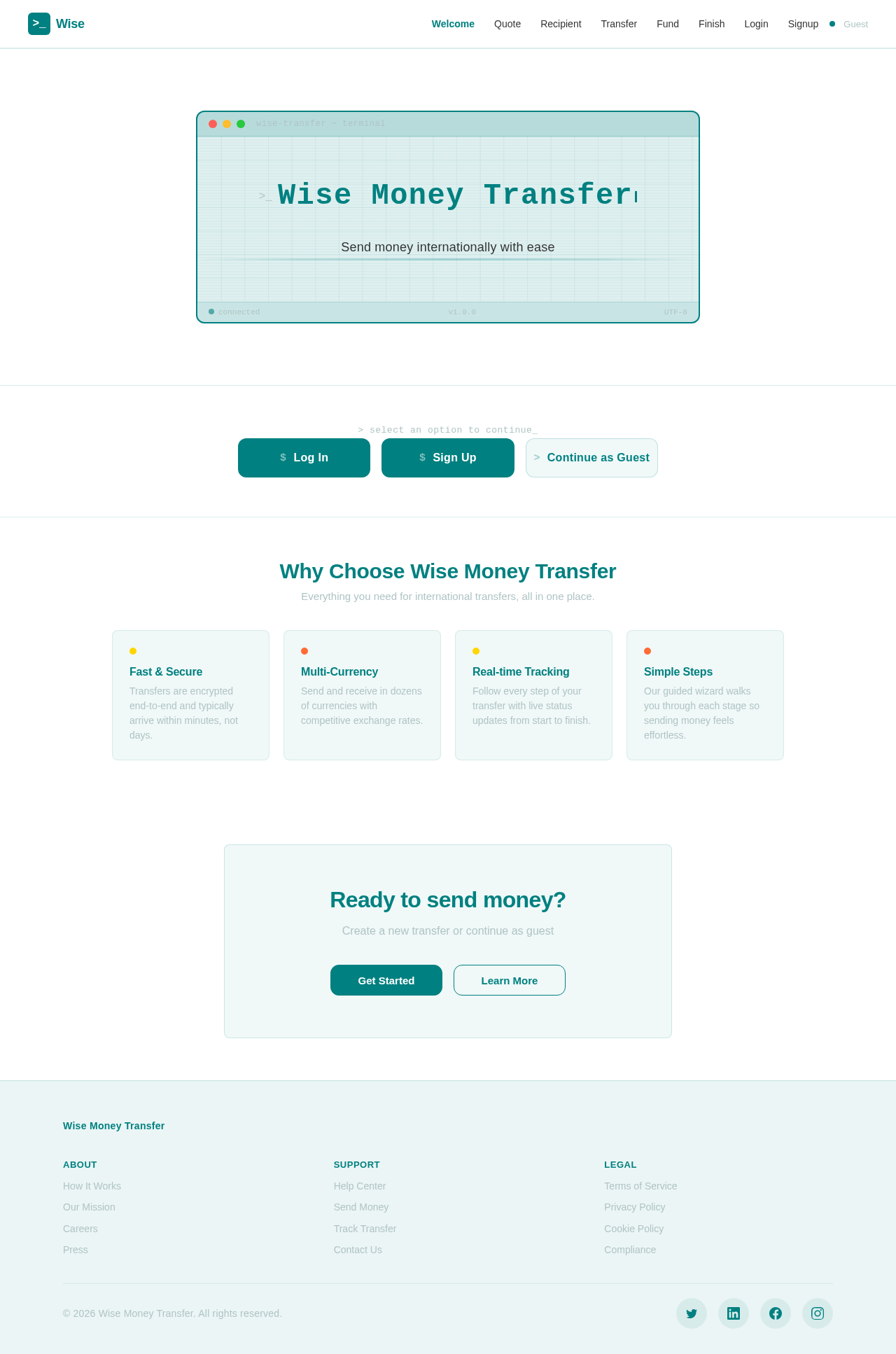
Send money internationally with ease
> select an option to continue_
Why Choose Wise Money Transfer
Everything you need for international transfers, all in one place.
Fast & Secure
Transfers are encrypted end-to-end and typically arrive within minutes, not days.
Multi-Currency
Send and receive in dozens of currencies with competitive exchange rates.
Real-time Tracking
Follow every step of your transfer with live status updates from start to finish.
Simple Steps
Our guided wizard walks you through each stage so sending money feels effortless.
Ready to send money?
Create a new transfer or continue as guest
No comments yet. Be the first!