Ship In Minutes, Not Hours
Stop rebuilding the same cover art from scratch every week. red-find turns a reusable layout into a fast export you can run again and again.
 Emenific Dmeni
Find me underrated micro saas idea with proven market demand that are already generating revenue


Sign in to leave a comment
The red-find project aims to develop a tool for independent creators to generate repetitive creative assets, such as podcast cover art and LinkedIn carousel graphics. Inspired by the success of Pikzels, a YouTube thumbnail AI tool with a reported $25K MRR, this project seeks to address an underrated market opportunity by focusing on creative assets beyond YouTube thumbnails. The primary audience for this tool is independent creators who require vibrant, engaging tools to enhance their creative output.
The system will deliver a web-based application that allows independent creators to create and manage repetitive creative assets. The application will feature a playful maximalist design inspired by Jessica Walsh, with vibrant colors and engaging interactions. The system will include a public landing page, login functionality, and dedicated pages for asset management, editing, and brand consistency. The application will be accessible to independent creators, requiring authentication for asset management and editing functionalities.
The application is designed for independent creators, excluding agencies or other user groups. It focuses on generating repetitive creative assets with proven market demand, modeled after Pikzels. The system will require independent creators to self-enroll and verify their identity before accessing asset management features. The application will maintain a playful maximalist design, avoiding corporate blues and minimalist schemes.
Not applicable as no content_source directive is provided.
Exploration and Enrollment
Login and Asset Management
Asset Creation and Editing
Brand Consistency Management
The Landing page will feature an oversized headline spanning the viewport over a vibrant color block. Playful animated elements will react to user interaction, creating an engaging first impression. The design will incorporate sticker-like call-to-action buttons that pop on hover, layered with overlapping shapes to create depth and energy.
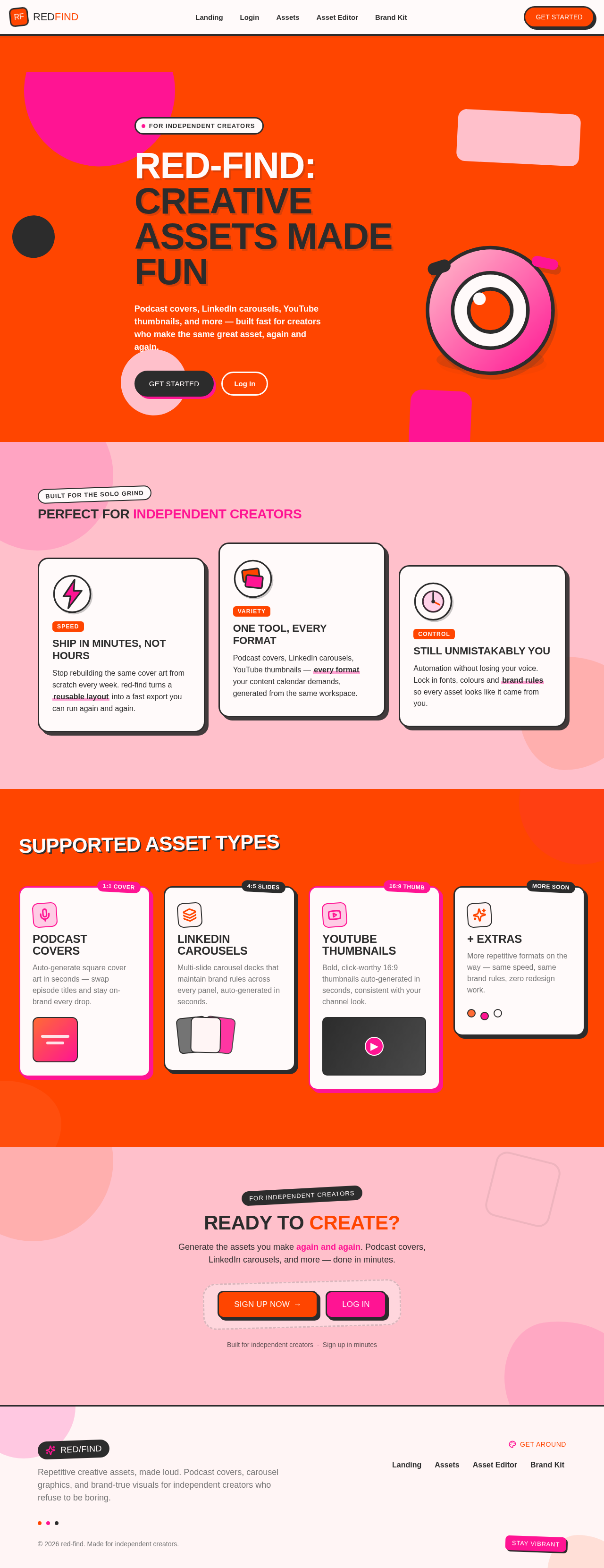
Podcast covers, LinkedIn carousels, YouTube thumbnails, and more — built fast for creators who make the same great asset, again and again.
Stop rebuilding the same cover art from scratch every week. red-find turns a reusable layout into a fast export you can run again and again.
Podcast covers, LinkedIn carousels, YouTube thumbnails — every format your content calendar demands, generated from the same workspace.
Automation without losing your voice. Lock in fonts, colours and brand rules so every asset looks like it came from you.
Auto-generate square cover art in seconds — swap episode titles and stay on-brand every drop.
Multi-slide carousel decks that maintain brand rules across every panel, auto-generated in seconds.
Bold, click-worthy 16:9 thumbnails auto-generated in seconds, consistent with your channel look.
More repetitive formats on the way — same speed, same brand rules, zero redesign work.
Generate the assets you make again and again. Podcast covers, LinkedIn carousels, and more — done in minutes.
Built for independent creators·Sign up in minutes
Podcast covers, LinkedIn carousels, YouTube thumbnails, and more — built fast for creators who make the same great asset, again and again.
Stop rebuilding the same cover art from scratch every week. red-find turns a reusable layout into a fast export you can run again and again.
Podcast covers, LinkedIn carousels, YouTube thumbnails — every format your content calendar demands, generated from the same workspace.
Automation without losing your voice. Lock in fonts, colours and brand rules so every asset looks like it came from you.
Auto-generate square cover art in seconds — swap episode titles and stay on-brand every drop.
Multi-slide carousel decks that maintain brand rules across every panel, auto-generated in seconds.
Bold, click-worthy 16:9 thumbnails auto-generated in seconds, consistent with your channel look.
More repetitive formats on the way — same speed, same brand rules, zero redesign work.
Generate the assets you make again and again. Podcast covers, LinkedIn carousels, and more — done in minutes.
Built for independent creators·Sign up in minutes
No comments yet. Be the first!